

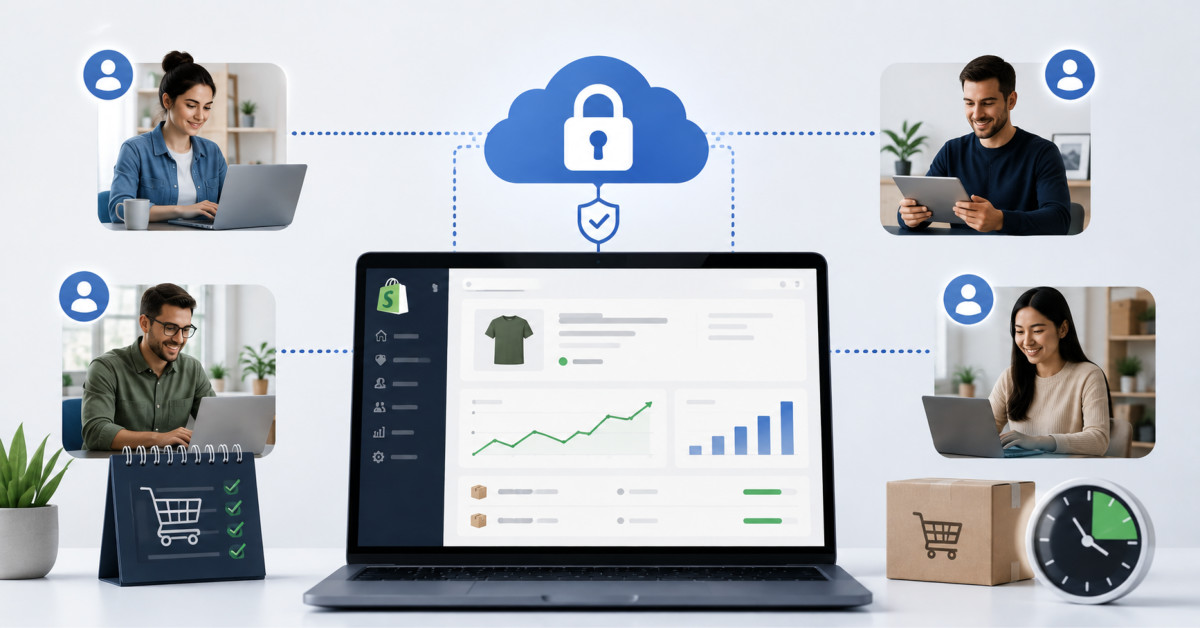
Most Shopify stores under $500K do not need dedicated remote access software, because a password manager and enforced two-factor authentication cover the risk. Above roughly $1M, once contractors, a 3PL, and seasonal staff touch live systems, scoped and logged access becomes the cheaper option.
The breach that actually hurts is almost never the sophisticated one. It is the seasonal support login nobody revoked in January, still active and still working in October.
A Shopify brand doing $4M a year usually has more people touching its systems than the founder can name from memory. A developer on retainer. A support lead working from a kitchen table two time zones away. A warehouse manager checking inventory from the floor on a phone. An agency running paid media. A 3PL partner with a login to the fulfillment portal. Most of that access accumulated one request at a time, and almost none of it has ever been reviewed.
That accumulation runs straight into the busiest weeks of the year. U.S. shoppers spent a record $257.8 billion online between November 1 and December 31, 2025, up 6.8% year over year, according to Adobe Analytics data on the 2025 holiday season. Twenty five separate days cleared $4 billion in spend, up from eighteen days the year before. Volume at that level does not just test your checkout. It tests whether the right person can reach the right system at two in the morning when something breaks.
That pressure is why more online sellers evaluate remote access software for businesses built for distributed, always on operations. It is also why a lot of them buy the wrong thing at the wrong stage, add a platform they do not administer, and end up with one more login to worry about. What follows is which problem remote access actually solves, when it starts earning its cost, and what to check before you hand a contractor a way into your systems.
Remote access software lets an authorized person connect to and control a specific machine or system from somewhere else, with the connection authenticated, scoped to what that person needs, and recorded. That last word is the one that matters. Screen sharing gives you the first half. An audit trail is what turns it into infrastructure.
The distinction most founders miss is what it does not cover. Your Shopify admin is not the use case. Shopify already ships staff accounts with granular permissions, and you can restrict a seasonal support hire to orders and customers without giving them access to Settings, Payments, or your apps. If your concern is somebody wandering into your payment configuration, the fix is free and lives in your admin under Users and Permissions. It takes about ten minutes. Do that first regardless of what else you buy.
Remote access software is for everything Shopify does not manage. That is the warehouse workstation running your pick and pack software. The machine in the back office with your accounting file on it. The inventory server your 3PL syncs against. The finance laptop nobody wants to ship across the country because a contractor needs to run a reconciliation. These are the systems where the current answer is usually a shared password, a Windows account three people use, or a founder driving to an office at midnight.
If you are running a single Shopify store, using cloud tools end to end, and have no physical machine anyone needs to reach, you probably do not have this problem yet. Say so out loud before you shop for a solution to it. The moment it changes is when a physical location, a warehouse, or a specialist contractor enters the picture.
Peak season compresses your tolerance for delay from hours to minutes, which is the only reason access architecture becomes urgent in November when it was ignorable in June. A checkout bug on a Tuesday in February costs you a few hundred dollars and an afternoon. The same bug during Cyber Week costs you a multiple of that per hour.
The concentration is easy to underestimate. Adobe’s Cyber Monday recap put single day spend at $14.25 billion, up 7.1% year over year, with consumers spending at a rate of roughly $16 million per minute during the peak evening window. Cyber Week overall brought in $44.2 billion. Your store is a small slice of that, but the shape of the curve is the same at every scale: a disproportionate share of your annual revenue lands in a handful of hours, and a meaningful share of those hours falls outside anybody’s normal working day.
There is a newer wrinkle worth flagging. Adobe measured a 693.4% year over year increase in traffic to retail sites originating from generative AI tools during the 2025 season, and a 670% increase on Cyber Monday specifically. The base is still modest, but the direction means more of your traffic arrives from surfaces you do not control and cannot easily debug from a dashboard. When something goes wrong in that path, the person who can diagnose it is often a specialist, often external, and rarely sitting in your office.
None of that argues for buying software. It argues for knowing, before November, exactly who needs to reach which system and how fast they can do it. That answer is either written down or it is not, and most brands under $5M find out which during the incident.
Access sprawl comes from hiring and vendor decisions, not technology decisions, which is exactly why it never shows up in a tech stack audit. You can review every app on your store and still have eleven people holding credentials nobody has looked at since they were issued.
Seasonal staffing is the biggest single contributor. Brands staff up for Q4 with contractors and temporary hires rather than full time employees, which is sensible economics and terrible access hygiene if offboarding is not built into the same process as onboarding. The same dynamic shows up with distributed support and fulfillment teams. Nicolas Bivero of Penbrothers made a point on the podcast that applies directly here: most brands hire offshore for the wrong reason and treat the setup as a cost exercise rather than an operating one. Access is part of that operating layer, and it is usually the part that gets improvised.
Vendors compound it. A payments consultant troubleshooting a checkout issue does not need standing access to your entire admin, just a scoped window into the one system they were hired to look at. A 3PL partner debugging an inventory sync needs the inventory system, not your finance machine. In practice both usually get whatever credential was closest to hand.
This is the same failure pattern I keep seeing at the $500K to $2M band, and it is worth naming because it repeats: brands add tools, channels, and contractors faster than they add the discipline to manage any of them. The stores that scale cleanly through that stretch are almost never the ones running the most software. They are the ones who kept the stack tight enough to actually govern. Access follows the same rule. Fewer standing credentials, reviewed more often, beats a better tool layered on top of a mess.
Attackers time campaigns to the windows when your team is busiest and least likely to question an unusual login, which is precisely the Cyber Week stretch when your revenue is most concentrated. The economics are obvious from their side: the same effort buys a larger payoff and a longer window before anyone notices.
The trend line is not encouraging. The Federal Trade Commission reported that consumers lost more than $12.5 billion to fraud in 2024, a 25% jump over the prior year. The 2025 figures released in June 2026 put reported losses at roughly $16 billion, the highest on record and another increase of about 25%. Those numbers describe consumer losses rather than merchant losses, but they measure the same underlying thing: the volume and sophistication of people trying to get into places they do not belong.
The methods are unglamorous. Fortinet’s rundown of common storefront attack methods leads with phishing, credential brute forcing, and trojans, which is to say the attacks that target people and passwords rather than infrastructure. A compromised support login during a traffic spike does far more damage than the same login compromised on a quiet Tuesday in February, because the abnormal activity hides inside abnormal volume.
The practical response is not exotic. Enforce multi-factor authentication on every account that can reach storefront, payment, or customer data, seasonal staff included. Temporary employment should never mean temporary security standards. Then narrow what each account can reach in the first place, because a warehouse manager does not need Shopify admin and a support rep does not need payment gateway credentials. That principle is covered in more depth in our piece on why your Shopify store is a bigger cyber target than you think, and it does more for your risk profile than any single tool purchase.
Scoped remote access changes four things measurably: response time, contractor onboarding speed, the granularity of what each person can reach, and whether you have any record of who did what. Everything else is roughly a wash. The comparison below is what a typical growing store looks like on each side.
Read the right hand column as a description of a well configured setup, not as a guarantee. A remote access platform that nobody scopes and nobody audits produces exactly the same outcome as the left hand column, plus a monthly invoice. The tool creates the capability. Your process decides whether the capability turns into an actual control.
Judge remote access tools on five things: session speed under load, enforced multi-factor authentication, role-based permissions, session logs you can actually read, and cross platform support. Anything else is a feature list.
Session speed matters more than it sounds. A laggy connection during a live sales event is not an inconvenience, it is a longer outage, and the difference between a fifteen minute fix and a forty five minute fix during Cyber Monday is real revenue. Test this during your own peak hours before you commit, not during a vendor demo at 10am on a Wednesday.
On authentication, the question is whether multi-factor can be enforced at the account level rather than left to each user to enable. Optional security is a synonym for absent security once you are onboarding six seasonal hires in a week. The same logic applies to permissions. A seasonal support agent and a lead developer should not share an access profile, and if the tool only offers all or nothing, it is solving the convenience problem while leaving the risk problem exactly where it was.
Session logging is the requirement people skip and later wish they had not. You want a clear record of who connected, when, to which system, and for how long. That record does two jobs. It supports a security review when something looks wrong, and it gives you vendor accountability when an agency bills eight hours against a system they touched for twenty minutes.
Cross platform support is the practical constraint. Your staff and contractors work from a mix of Windows, Mac, and mobile devices, and a tool that only covers two of the three will quietly push people back toward the shared password. Finally, run the whole decision through one filter before you sign anything: will this still matter in eighteen months? If the honest answer is that you are buying it for one November, tighten your Shopify permissions and your password hygiene instead and revisit the question next year.
Run the rollout as five steps in roughly ninety minutes, and do it in a quiet week rather than the week you need it. The sequence is inventory, select, scope, schedule the exit, then test.
Start by listing every system a staff member or contractor needs to reach. Storefront admin, payment gateway, inventory software, fulfillment and 3PL portals, the finance machine, and any physical workstation in a warehouse or office. Write down who currently has access to each one and when that access was last reviewed. For most brands this step alone surfaces two or three credentials that should have been revoked months ago, and it is worth doing whether or not you buy anything.
Then select, if you still need to. If the inventory shows every system is cloud based and covered by native permissions, stop here and save the money. If it shows physical machines or systems outside Shopify’s reach, choose a platform where authentication and session logging are built in from the start rather than bolted on after an incident.
Scope next. Assign role-based permissions so seasonal and contract staff reach only what their specific role requires. Then, and this is the step almost everyone skips, build offboarding into your seasonal hiring process so access is revoked the day a contract ends rather than whenever somebody remembers. Put the revocation date in the calendar at the same moment you put in the start date.
Test it before your next peak event, not during one. Have a contractor connect, do a real task, and check that the session shows up in the log the way you expect. Peak months bring genuine upside, and they also strain systems and people in ways that are easy to underestimate. Founders working through cash flow and inventory pressure during peak sales months already know that growth spikes create their own operational drag, and access is quietly part of that same picture. Fixing it in September costs an afternoon. Fixing it in December costs whatever the outage cost.
Remote access software lets an authorized person connect to and control a computer or system from a different device, without being physically present at the office or warehouse. For an ecommerce team, that usually means reaching a warehouse workstation, an inventory server, or a back office machine from home or from the road. The useful versions do three things beyond simple screen sharing: they verify identity before connecting, they limit what the connected person can reach, and they log the session. If a tool only handles the connection and skips the other two, it is a convenience product rather than a piece of access infrastructure.
Most stores under roughly $500K in annual revenue do not, and buying it early adds complexity without removing risk. At that stage, one or two people hold the logins, everything runs in the browser, and there is rarely a physical machine anyone needs to reach. The higher leverage moves are a password manager, two-factor authentication on every account, and correctly scoped Shopify staff permissions, all of which are free or nearly free. The picture changes when a warehouse, a 3PL, seasonal hires, or specialist contractors enter the operation, typically somewhere past $1M, because that is when standing credentials start accumulating faster than anyone reviews them.
It can be, provided encryption, enforced multi-factor authentication, and detailed session logging are all in place on any login that reaches payment or checkout systems. The risk is not the remote connection itself, it is the standing credential behind it. A permanent account with broad permissions is dangerous whether the person using it sits in your office or three time zones away. Scope the account to the specific system, require a second authentication factor that cannot be switched off by the user, and keep a readable record of every session. Then review that record after peak season rather than only after an incident.
Use Shopify’s own staff permissions first, because they are free and more granular than most founders realize. In your admin under Users and Permissions you can create a staff account limited to themes, apps, or orders without exposing Settings, Payments, or customer data. For a developer working on your storefront, that is usually sufficient on its own. Reach for remote access software only when the work involves a machine or system Shopify does not manage, such as an inventory server or a warehouse workstation. In either case, set an end date for the access at the same time you grant it.
It removes the travel time between a problem appearing and the right person being able to look at it, which during peak hours is the entire cost. Cyber Monday 2025 drove $14.25 billion in a single day, with spending peaking in the evening window when most teams are off the clock. If a checkout issue or an inventory sync failure appears at that hour, waiting for someone to drive to an office turns a fifteen minute fix into a multi hour outage during your highest revenue window of the year. The value is measured in shortened incidents, not in the software itself.
Well configured role-based permissions limit the damage to whatever that single account could reach, and session logging tells you what actually happened and when. That containment is the real argument for scoping access rather than issuing broad credentials: a compromised support login that can only see orders is a bad afternoon, while a compromised login that can reach your payment configuration is a different category of problem. Review your session logs after every peak period, revoke anything tied to a contract that has ended, and rotate credentials for any account showing activity that does not match the work it was granted for.




