





Key Takeaways
- Gain a decisive business edge by using AI tools to draft flawless contracts faster than competitors.
- Follow simple, guided steps within tools like UPDF AI and Typli to turn any idea into a full, professional contract.
- Reduce the stress and hours of manual drafting, allowing your team to focus on business growth instead of legal paperwork.
- Discover that advanced models like GPT-5 can instantly create ready-to-use legal documents from just a few short ideas.
An AI contract generator is a tool that automatically generates contracts using AI.
It allows users to complete contract tasks faster and increases the accuracy of each contract document. This tool eliminates the need to draft contracts manually and delivers consistent results for each agreement. Entrepreneurs and growing businesses gain an advantage by producing accurate contracts confidently.
This guide explores leading AI contract generators and highlights their main features for efficient contract creation. It shows how these tools can help users generate contracts while maintaining professional standards and accurate legal structure in every agreement.
Part 1. Top AI Contract Generator Overviews and Comparisons
Drafting contracts manually can take hours and often leads to mistakes or inconsistent results. Now, we’ll explore the top AI contract creator tools that help draft accurate and professional agreements quickly.
1. UPDF AI Online
This is a browser-based tool that acts as a focused contract-writing companion designed to support everyday business documentation needs at different experience levels. UPDF AI Contract Generator, powered by GPT-5 and DeepSeek R1, helps users turn rough ideas about responsibilities, risks, and expectations into organized agreements.
Other than that, UPDF AI tools provide a full suite to improve contract creation and document management. You can summarize, translate, and generate mind maps of PDF documents.
Key Features
- It generates full contracts from short prompts, so a brief description becomes a complete agreement.
- DeepThink mode uses a more advanced model, so complex situations receive clearer and more precise wording.
- The free allowance covers 100 prompts, so users can test ideas and refine multiple drafts.
- It supports many languages, so teams in different regions can prepare contracts that match local expectations.
- The AI has also been integrated into the UPDF – a dedicated app handles PDF editing, format conversion, comments, and secure signatures. Therefore, by downloading UPDF, users can also handle their contracts after generating by AI.
How to Create a Contract with UPDF AI Online
Next, follow the steps below to create a contract with the UPDF AI contract generator:
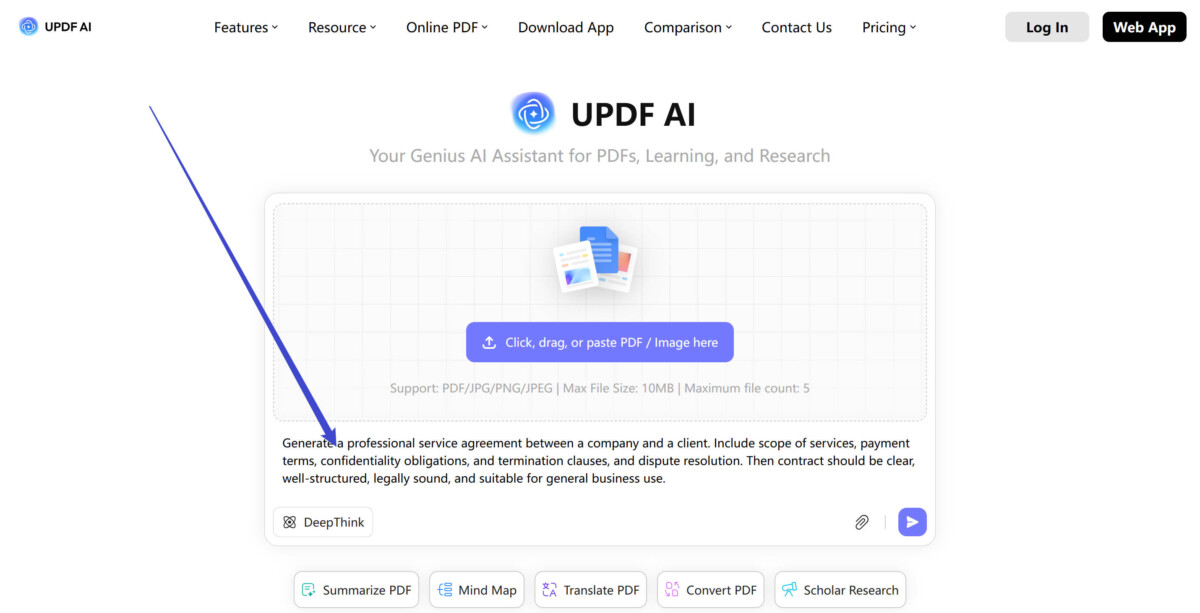
Step 1. Go to UPDF AI Online, enter the contract details in the designated field. Next, enable the “DeepThink” mode and hit the “Send” option.
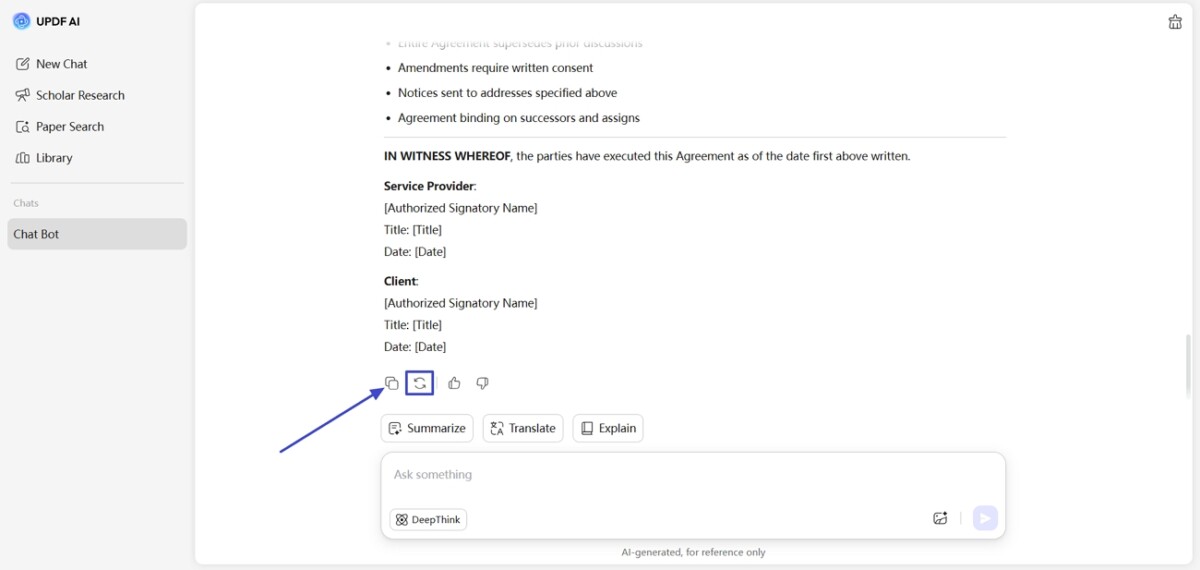
Step 2. UPDF AI will generate a contract followed by your guidance. Hit the “Copy” icon to get a copy of your contract or hit the “Regenerate” icon to regenerate the results if not satisfied. You can also ask in chat for further customizations and amendments in the contract.
Pros
- DeepThink mode helps structure complex agreements with stronger logic.
- Integrated editing and signing in UPDF reduces version confusion across teams.
- Multilingual support lets cross-border partners review the same contract in native languages.
Cons
- Highly specialized industry clauses may still require manual drafting by subject-matter experts.
- Vague prompts can produce contracts that overlook important commercial details.
2. Legitt
Legitt is a powerful free AI contract generator designed for accurate and compliant business agreements. It helps teams draft tailored contracts in minutes to reduce manual effort while improving consistency and professionalism. The platform focuses on catching errors and improving clarity, which supports stronger, more reliable documentation practices.
Additionally, it simplifies contract creation for every department, so businesses standardize terms without slowing operations or overloading legal teams. Legitt gives organizations a safer way to manage everyday contracts at scale.
Generating Contract With Legitt
Next, follow the steps below to generate a professional contract using Legitt’s AI contract creation platform:
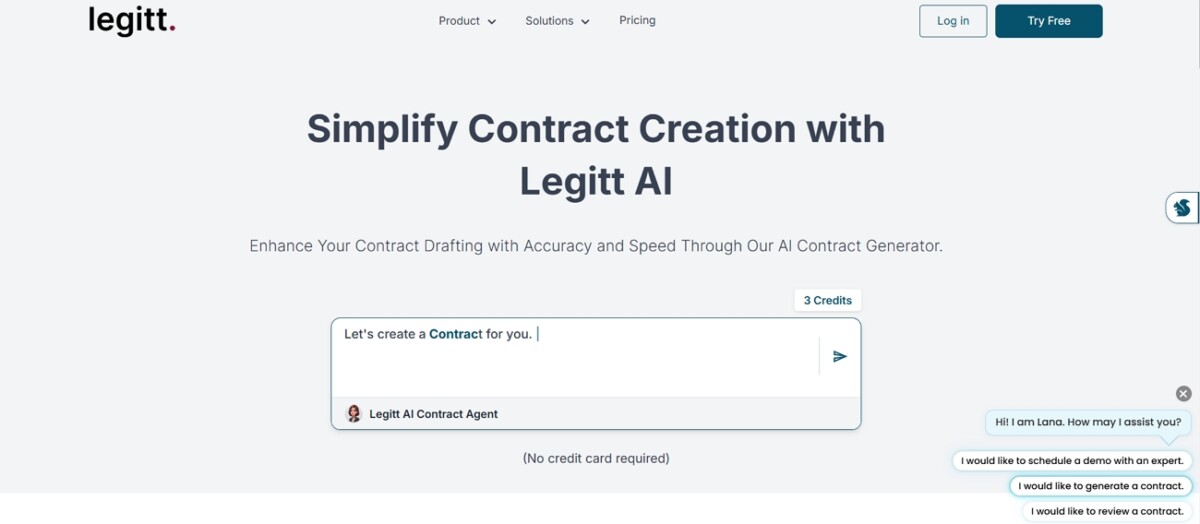
Step 1. On the main interface, enter the prompt with contract details and hit the “Send” icon to start the creation process.
Step 2. Once the AI provides results, hit the “Save” option at the top to save the contract. You can also type the ask in the chat for changes in the contracts.
Pros
- Error-aware suggestions reduce subtle drafting mistakes in complex, frequently reused contract templates.
- Centralized clause management keeps department-specific contracts aligned with organization-wide compliance standards.
- Fast tailoring of agreements helps partnerships close deals without repeated legal bottlenecks.
Cons
- Very unusual deal structures may still require extensive manual edits afterward.
- Internal approval flows or custom playbooks might need separate tools or processes.
3. Typli
It is an intuitive AI contract creator designed to help users turn basic instructions into clear, well-structured agreements in just a few steps. Typli focuses on making contract drafting accessible, so individuals and small teams can produce documents without getting stuck on layout. The tool supports quick customization of terms to help each contract match the specific context of the deal.
Moreover, Typli offers a convenient way to generate dependable contracts as part of everyday workflow. This makes it especially useful for users who handle frequent, recurring agreement types.
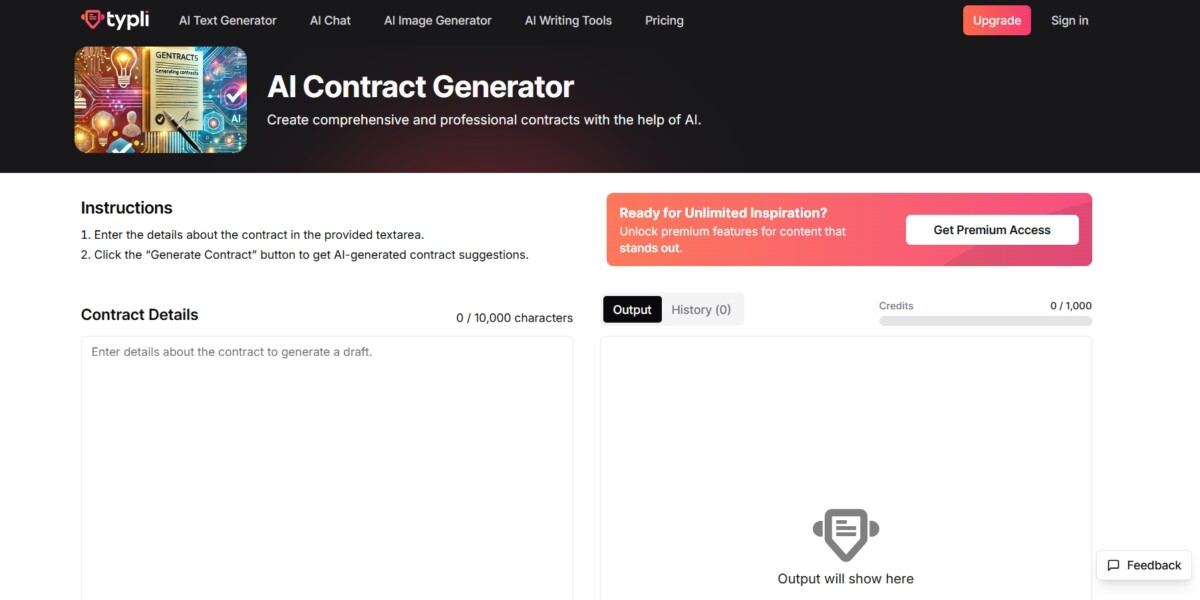
Generating Contract With Typli
Next, use the steps below to create a complete and accurate contract instantly with Typli’s AI tool.
Step 1. Once you enter the main page, type the contract details in the designated fields and choose a suitable “AI Model.” Next, hit the “Generate Contract” button to begin the process.
Step 2. After that, hit the “Copy” button to get a copy of the generated contract. You can also revise the contract by giving prompts in the revision field.
Pros
- Guided prompts help beginners structure essential sections without deep legal drafting experience.
- Flexible wording options let teams quickly adjust tone for client use.
- Fast iteration makes it practical for testing multiple contract scenarios before finalizing.
Cons
- Highly specialized regulatory language may still require review from a legal professional.
- Complex, multi-party contracts can become harder to manage in a simple interface.
Conclusion
In summary, the right AI contract generator increases accuracy and speeds up agreement creation across different business needs. This guide outlines top AI tools and highlights their key strengths to help users choose the best option. For those who want advanced drafting support and integrated document management, UPDF offers a reliable ecosystem that streamlines work and reduces errors.
