Key Takeaways
- Adopt AI video tools to outpace your competition by turning static photos into viral clips before a trend disappears.
- Follow a three step workflow by animating images first, building story scenes second, and using face swaps to spark community engagement.
- Save precious hours and reduce creative burnout by letting AI handle the technical editing while you focus on the heart of your story.
- Transform your online presence by instantly placing yourself or your audience inside famous movie scenes or trending reaction memes.
Recent social media trend reports agree on one thing: short, visually rich, AI‑assisted content now drives most of the viral moments on major platforms.
Brands and creators are leaning on AI not just to save time, but to experiment faster with new formats like animated images, stylized clips, and playful face‑swap GIFs.
AI video at the center of 2026 social trends
Analyses of 2026 social media trends highlight three big shifts: AI‑powered content creation, short‑form video dominance, and rapid “trend hopping” where creators remix formats and aesthetics in near real time. Video trend reports specifically call out AI‑generated B‑roll, short video series, and stylized AI art that quickly evolves into Reels and Shorts as key formats in the current cycle.
In this environment, tools that can instantly turn images and ideas into motion—without a full edit suite—have become essential. That is exactly the niche filled by modern Image to Video AI and AI GIF tools.
Image to Video AI for fast, on‑trend clips
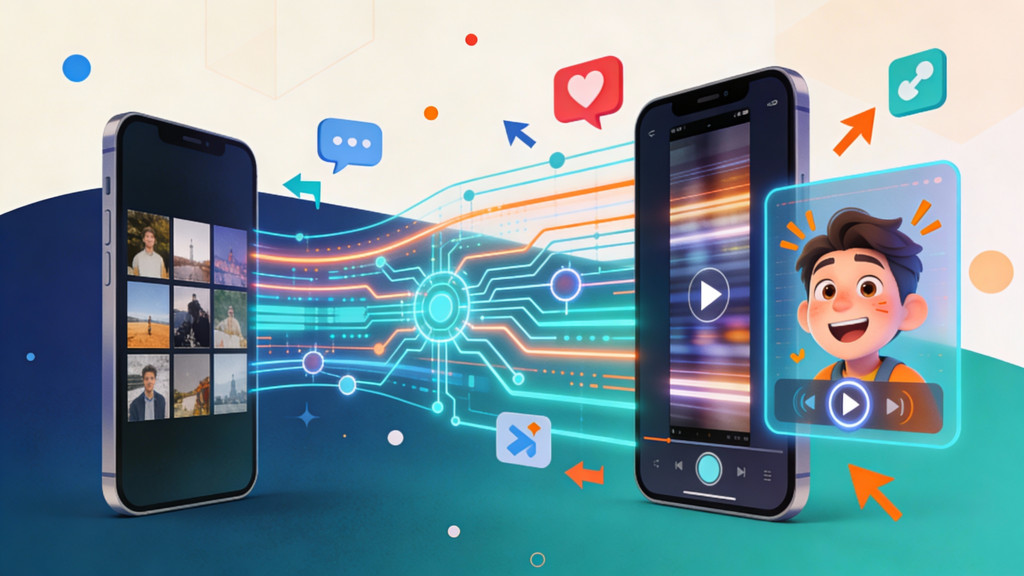
When a meme, audio, or visual style starts trending, creators often do not have time to schedule a new shoot. They need to convert existing photos, product shots, or AI‑generated art into short, platform‑ready video as quickly as possible. Image to Video AI tools solve this by animating static images with camera moves, transitions, and effects, producing Reels, Shorts, and TikToks in minutes.
-
Arting’s Image to Video AI is framed as a free, no‑login, no‑watermark way to turn images and text into smooth videos, explicitly targeting social media marketing, education, and quick promo content.
-
VideoPlus’s Image to Video AI functions as an all‑in‑one browser studio, combining image‑to‑video, text‑to‑video, reference‑to‑video, AI effects, and enhancement with templates for e‑commerce, education, and social content.
Trend guides recommend using AI for rapid experimentation—trying multiple hooks, layouts, and styles—then having humans refine tone and authenticity. Both Image‑to‑Video platforms fit that pattern by making it cheap to produce many variants of a clip from the same base image.
GIF face swap: the meme engine behind reactions and fandom
While short vertical video dominates feeds, GIFs still drive a huge share of replies, reactions, and in‑community humor, especially in chats and comment threads. AI‑powered GIF face swap tools give users a way to drop themselves—or their friends, idols, or mascots—into popular reaction GIFs or iconic scenes with almost no effort.
Arting’s GIF face swap lets users upload a GIF (up to 50MB) and a face photo, then automatically creates a realistic, watermark‑free face‑swapped animation optimized for memes, reactions, and viral content. The platform emphasizes:
-
Preservation of original motion, lighting, and expressions for natural‑looking swaps.
-
Mobile and desktop support, so users can generate GIFs and instantly post them to TikTok, Instagram, Discord, or messaging apps.
Arting’s own blog notes that face‑swap tools—including GIF and video—are widely used to recreate iconic movie scenes, create fan interactions, and boost social media virality by letting people place themselves or their audience inside recognizable cultural moments.
How creators are combining Image-to-Video and GIF tools
Social media and marketing trend pieces stress that AI is becoming part of the default content pipeline: ideation, creation, and repurposing. A typical 2026 workflow for a creator or brand might look like this:
-
Use Image to Video AI from Arting to quickly animate product photos, UGC images, or AI art into short, scroll‑stopping videos tailored to a specific trend or audio.
-
Use VideoPlus’s Image to Video AI to build more complex, multi‑scene videos—e.g., a mini product story or a tutorial—by combining text‑to‑video, image‑to‑video, and AI video effects, then posting as Reels or Shorts series.
-
Use GIF face swap from Arting to create personalized reaction GIFs or fandom‑driven content that supports the main campaign: fans can “join” a scene, react with a branded GIF, or share meme‑ified versions of the brand’s own content.
Video trend reports highlight “video trend hopping” and “video experimentation tools” as core behaviors: creators constantly test new formats and quickly adapt when platform algorithms shift. Image‑to‑video and GIF swap tools make that experimentation less risky because every new concept can start from existing assets instead of requiring fresh footage.
The bigger picture: AI, authenticity, and what comes next
Looking across 2026 forecasts, social media strategists consistently warn that as AI‑generated content becomes ubiquitous, audiences will care more about authenticity, storytelling, and clear value in what they watch. Guidance from marketing‑operations experts suggests using generative AI to handle volume and format adaptation while keeping humans in charge of narrative, personality, and brand alignment.
In that sense, Image to Video AI and GIF face swap tools are best seen as amplifiers, not replacements. Arting’s and VideoPlus’s platforms remove friction from production—turning images and ideas into videos and GIFs at scale—so that creators can spend more time crafting hooks, communities, and conversations around what they post. As social apps continue to evolve toward AI‑powered feeds and richer visual formats, these tools are likely to remain central to how trends emerge, spread, and are personalized for every audience.
Frequently Asked Questions
What are the main benefits of using image to video AI for social media?
Using AI to animate photos allows creators to produce high quality video content without expensive equipment or professional editing skills. These tools help you stay relevant by turning ideas into clips in minutes rather than hours. This speed is vital for growing an audience when a new trend or audio clip starts to go viral.
Do I need professional video editing experience to use these AI tools?
No, modern AI platforms are designed for beginners and do not require a background in video production. Most tools use simple drag and drop menus or text prompts to guide the creation process. This accessibility means anyone can create polished Reels or TikToks without learning complex software suites.
How does GIF face swap technology work for building a community?
Face swap tools use machine learning to map one person’s facial features onto an existing animation while keeping the original lighting and movement. By letting your audience place themselves into your branded content, you create a deeper emotional connection. This type of personalization encourages fans to share your content within their own private chats and communities.
Can AI video tools replace the need for filming original content?
While AI can create amazing b-roll and animations, it works best as an assistant rather than a total replacement for human creators. Authentic storytelling and a unique personality are still what truly resonate with viewers and build long term trust. Use AI to handle the repetitive tasks and formatting so you can spend more time connecting with your followers.
Is it difficult to keep AI generated videos looking natural and high quality?
The latest platforms focus on preserving realistic motion and lighting to ensure the final video does not look distorted or fake. Choosing high resolution source images and clear face photos will result in much smoother animations. High quality results depend on starting with good assets and using the enhancement features found in many top AI video editors.
What is the best way to use AI videos to increase engagement on TikTok and Reels?
The most effective strategy is to use AI for rapid experimentation by testing different visual styles and hooks for the same piece of content. You can quickly see which version gets more views and then double down on that specific look. This data driven approach helps you understand exactly what your specific audience prefers to watch.
Are there copyright concerns when using AI to create videos from existing images?
You should always ensure you have the rights to the original images or use AI to generate entirely new art as your starting point. Many creators use their own product photos or licensed stock images to avoid legal issues while staying creative. Checking the terms of service for each specific tool will help you understand how you can safely use the final video.
How can small businesses use face swap GIFs for digital marketing?
Small brands can create custom reaction GIFs that feature their team or mascots to add a human touch to customer service and social replies. These personalized animations make your brand feel more approachable and fun compared to using generic stock images. It is a cost effective way to build a recognizable brand voice in comment sections and group messages.
Will AI generated content look the same as everyone else’s posts?
Some people worry that AI leads to repetitive content, but your unique brand voice and custom prompts prevent this from happening. By combining different tools, such as text to video and stylized effects, you can create a visual look that is specific to your brand. The AI provides the frame, but your specific creative choices provide the final style.
What should I do if my AI video looks slightly blurry or low resolution?
If your video lacks clarity, you can use built in AI enhancement tools to upscale the footage to high definition. It is also helpful to check that your original image matches the aspect ratio of the platform where you plan to post. Starting with a large, clear file usually prevents quality issues during the animation process.