





Key takeaways
Automated text messages provide personalized, timely updates to customers, enhancing their experience and increasing engagement throughout their journey.
Offering SMS subscriptions caters to customer preferences and can significantly boost revenue, with automated texts generating 18% of revenue from just 9% of sends.
Implementing automated texts at strategic points in the marketing funnel, such as cart abandonment reminders, can effectively recover lost sales and improve customer retention.
Compliance with regulations like the TCPA is crucial; ensure you obtain consent and provide an easy opt-out option to maintain customer trust and avoid legal issues.
Reading Time: 11 minutes
An automated text message arrives with contextual, personalized information that your customers need and appreciate. That could be an order confirmation or a back-in-stock alert for your most eager buyers and deal hunters.
Some of your customers will actually want to subscribe to text messages, so offering them is worthwhile, whether for marketing’s sake or to satisfy their preferences.
The crucial aspect of automated texts is that they trigger at optimal moments in your customer journey and let you satisfy multiple areas of your marketing funnel. A case in point is the intent stage, where an abandoned cart text helps recover revenue.
Read on to learn about the benefits of adding automated text messages to your channels, how to send them, and discover examples for inspiration.
Join Omnisend to start generating significant revenue from automated texts across your marketing funnel
Quick sign up | No credit card required
What is an automated text message?
An automated text message is a prewritten SMS that your automation tool triggers for subscribers based on behavioral events, dates, segment activity, and workflow conditions. A few examples of these include:
- Cart abandonment (behavioral)
- Subscription anniversaries (dates)
- New purchases (segment activity)
- Seven days after signup (workflow timing)
Automated text messaging benefits
Here are the benefits of adding automated SMS to your channels:
- Revenue generation: Automated SMS generated 18% of revenue from 9% of sends in 2024, significantly higher than campaigns.
- Satisfy customer preferences: Some customers will want to receive text messages in addition to emails about their orders and accounts.
- Marketing funnel coverage: Provided you configure your flows with context and timing, you’ll reach customers at optimal moments in their journey. Your welcome series, confirmations, feedback surveys, winback, and more flows can contain SMS.
- Low spam potential: Because text automations trigger with activity and have preset delays, they prevent over-messaging that can lead to customers unsubscribing or adding you to their blocked numbers list.
- Personalized customer experiences: With text message automations, you avoid generic broadcasts that make customers feel like just another on your list. You can personalize texts with past purchases and browsing behavior, and mention customers by name.
- Consistent branding: Texts don’t contain images unless they are an MMS, so consistency only requires spelling your brand the same way in all texts. Customers will learn to trust your name and have the confidence to click.
- Greater visibility on customer devices: Text messages appear in a separate app from email, doubling your visibility by default, regardless of whether your customers turn off notifications.
 |
Agency CLVmaxers uses Omnisend’s SMS alongside email automations to increase customer lifetime value. It layers SMS strategically for urgent, real-time nudges during product launches and holidays, complementing email journeys.
Read the case study: CLVmaxers. |
Types of automated text messages
A wide range of automated text message types exists, allowing you to customize your messaging campaign to meet your business’s needs. Use this guide to learn more about the kinds of text messages you may want to automate.
Welcome messages
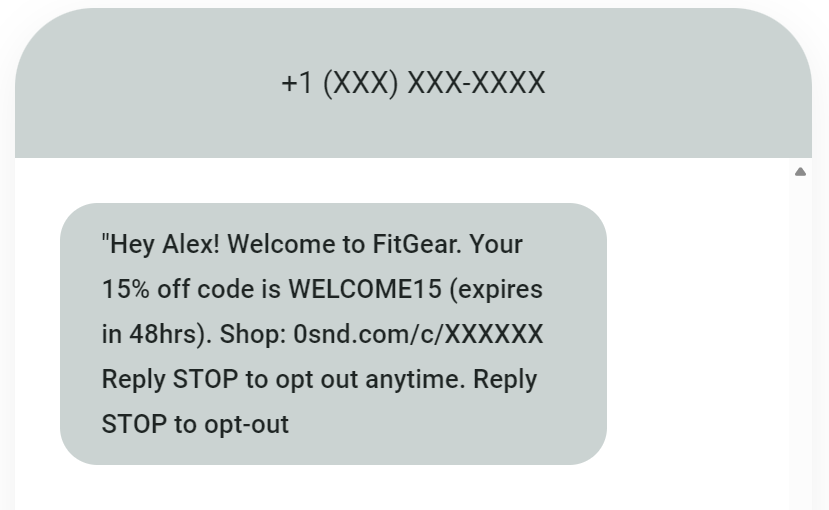
A welcome text message that automatically goes to new subscribers helps you connect with your audience and express your appreciation for their recent signup. While offering a discount in a welcome message encourages subscribers to try your product or service, adding a time limit on the offer gets them to take action quickly.
Discount offer notification
Automated SMS messages are perfect for sending discount offer notifications to your most esteemed subscribers. Personalizing special offers with the recipient’s name makes the message sound friendly and inviting. Use promotional language that aligns with your brand but helps the message sound intentional.
Order confirmation
After your customers place an order, consider sending out an order confirmation text message to let them know you got their order and that your team is processing it. Include relevant information they may need, such as the order or tracking number.
Customer support
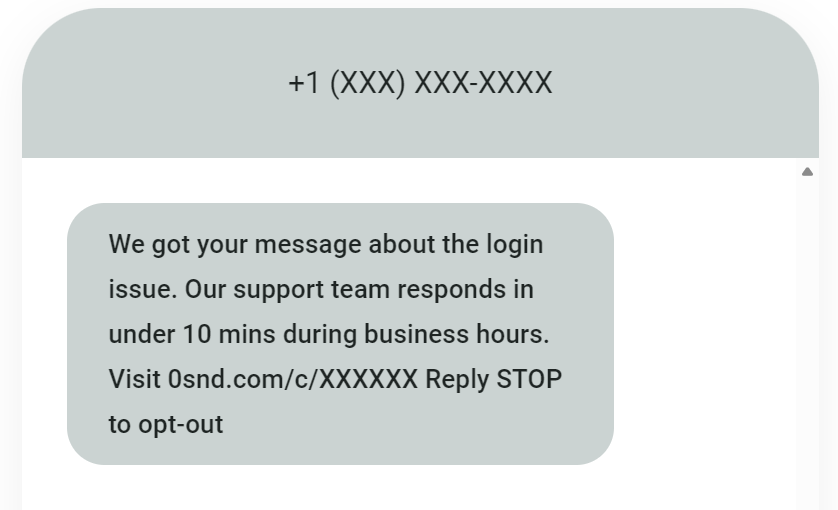
Sending an auto text message to your customers when they’re experiencing challenges and need help can ensure you provide speedy customer service. With the ability to send text messages automatically at any time, you can assist your customers 24/7.
Appointment reminder
If your business meets with customers or clients in person, a reminder of an appointment is a must. These simple automated text messages can alert people that they have an appointment and ask them to confirm if they plan to show up. Include an option for them to respond to be sure they receive the message.
Good to know
Omnisend lets you send automated texts and omnichannel messages across your customer journey, from welcome series to win-backs.
Find out more: Omnisend automations.
Automated text message examples
Automated text message marketing works for almost any industry. Your message may differ from that of another company, but this helpful tool can improve a customer’s interaction with your business. Here are some automated text message examples for several industries to get you started:
Retail
Retail businesses can use automated messages in various ways, including reengaging customers who abandoned their carts. Sending out promotional offers, birthday coupons, or holiday greetings in an SMS can put your brand back on the radar. Segmenting your customers lets you tailor your messages to individual audiences for the best results.
Restaurant
Restaurants and food service businesses can benefit from sending text messages at key points along a customer’s journey. Knowing their location, food preferences, order history, and interaction frequency can guide the messages you send, making it vital to track your metrics. Offering reward points and discounts through messages will keep people engaged and coming back for more.
Healthcare
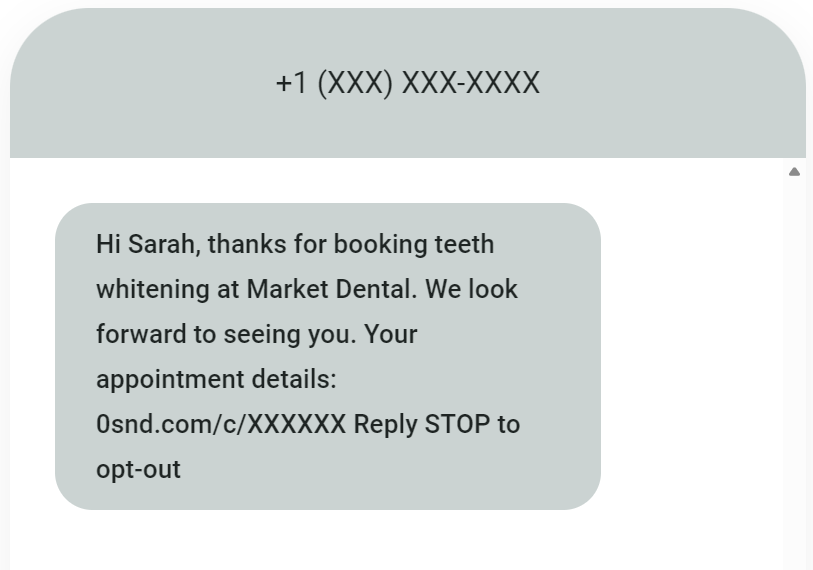
Healthcare providers use automated SMS for booking confirmations, appointment reminders, pre-visit forms, billing updates, lab result notifications, and contextual discounts. The example above confirms a teeth whitening booking and provides a link to the customer’s account.
Service
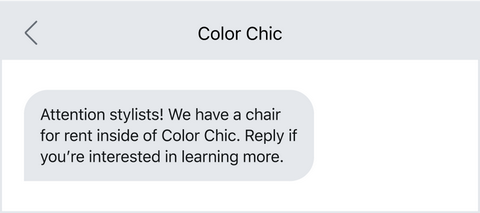
In the service industry, companies can use automatic SMS to generate brand interest and attract talent to the organization. A salon could send a message like the one in the example to bring someone new to the team or use messaging for appointment reminders and to offer discounts to clients.
Nonprofit organization
Text-to-donate messages help nonprofit organizations meet their fundraising goals. Customizing these messages to appeal to the interests of a targeted audience can increase their success rate. Many people want to donate to the charitable causes they support, and automated messaging makes it easy for everyone to come out on top and feel good.
Hospitality
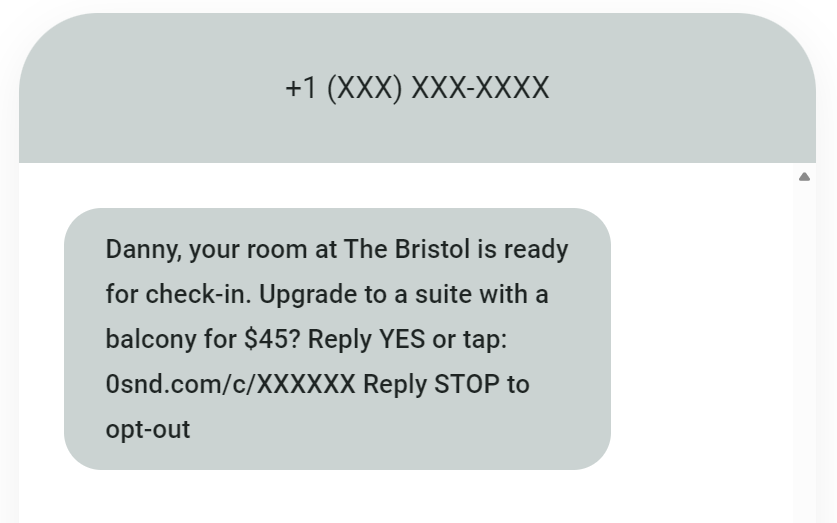
Venues send check-in details, room upgrade offers, and spa booking reminders via SMS. Guests skip front desk queues, book add-ons on the spot, and resolve issues faster. Late checkout upsells alone can contribute a significant revenue increase.
Travel
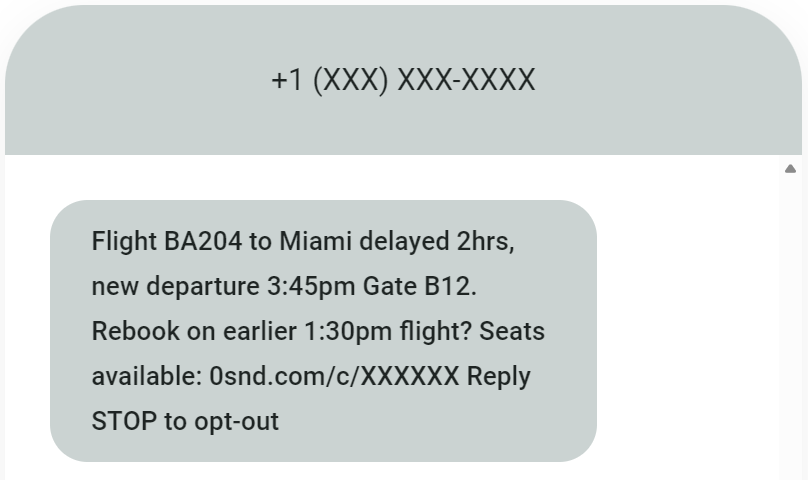
Travel delays, gate changes, and boarding alerts are delivered to passengers instantly via SMS. Airlines and train operators recover revenue from disrupted bookings by texting rebooking options and seat upgrades when travelers are most receptive to taking action.
Logistics
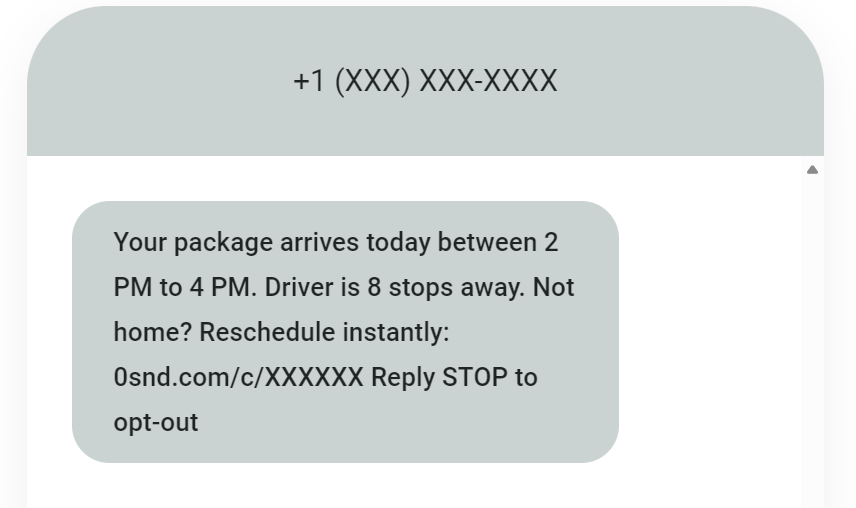
Automated text delivery windows and “driver arriving in X minutes” alerts reduce missed deliveries. You could let customers reschedule instantly via text, cutting redelivery costs, improving satisfaction, and preventing package theft.
Education
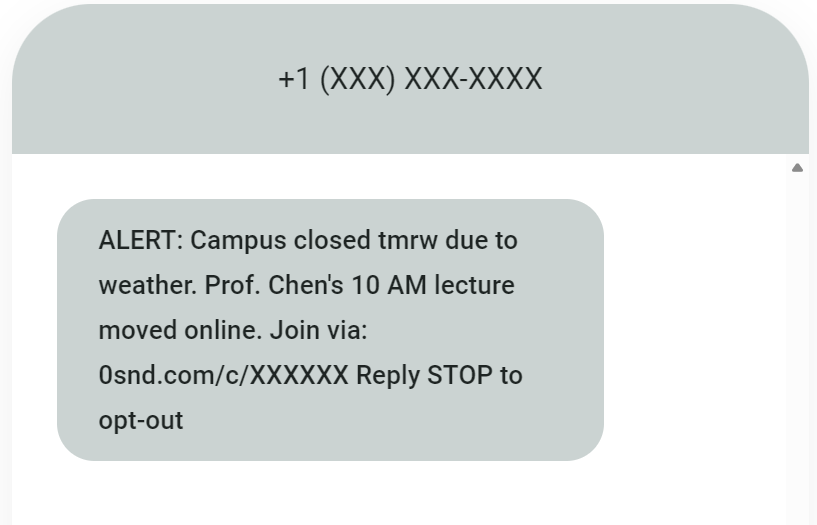
Campus alerts, class cancellations, and assignment deadlines reach students immediately with automated texts. Universities reduce no-shows for appointments and increase event attendance, while emergency notifications ensure campus safety compliance.
Entertainment
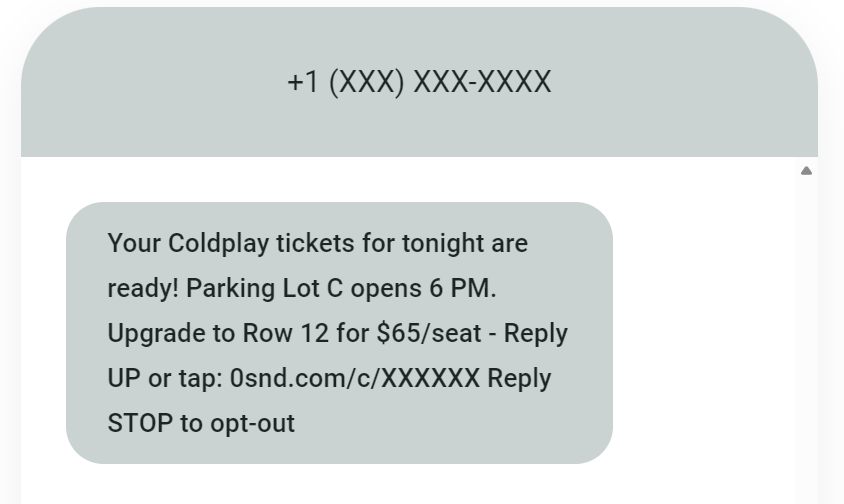
Streaming services text when new episodes drop, theme parks send real-time wait times, and venues offer presale access for sold-out shows. These perfectly timed nudges convert excitement into immediate bookings before interest cools.
Is it legal to send automated text messages?
The Telephone Consumer Protection Act (TCPA) states that you must gain permission in writing before sending anyone a text message, including automated text messages. As long as you have their explicit consent, you’re allowed to send your customers automatic text messages from your business.
Including an opt-out in your message lets your subscribers stop receiving your messages whenever they want. You’ll also want to inform them that data charges may apply depending on their phone service plan and provider. Ask readers to confirm that they want to keep receiving messages from you by responding with a “Y” or “YES.”
Before you begin an automated text message marketing campaign, make sure you understand the local and federal laws surrounding this practice. Familiarizing yourself with the compliance rules can help you avoid mistakes and trouble. Noncompliance with FCC and TCPA regulations could result in fines and lawsuits you don’t want to deal with.
Use best practices for sending text messages to your audience so they don’t get annoyed or overwhelmed by your content. Let your customers or clients guide their relationship with you by respecting their engagement preferences.
How to send automated text messages
Setting up and sending automated text messages with Omnisend is a breeze. Below is a step-by-step guide to help you get started:
1. Add your contact list to Omnisend
To comply with government regulations, you’ll need to gather customer consent when collecting phone numbers. Omnisend offers forms you can use on your website or store to start compiling a list of phone numbers.
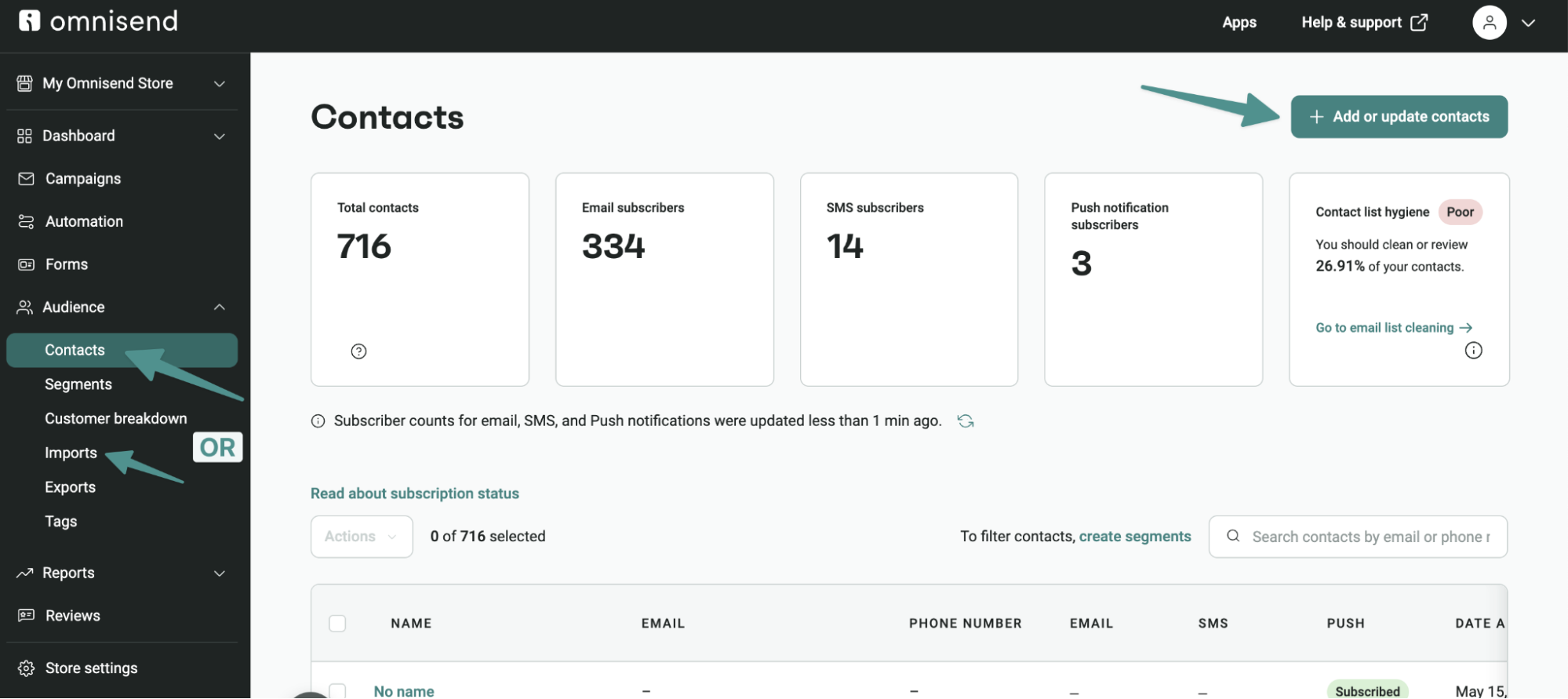
2. Create an SMS automated campaign
With your contact list ready, it’s time to create an SMS automation that fits your brand.
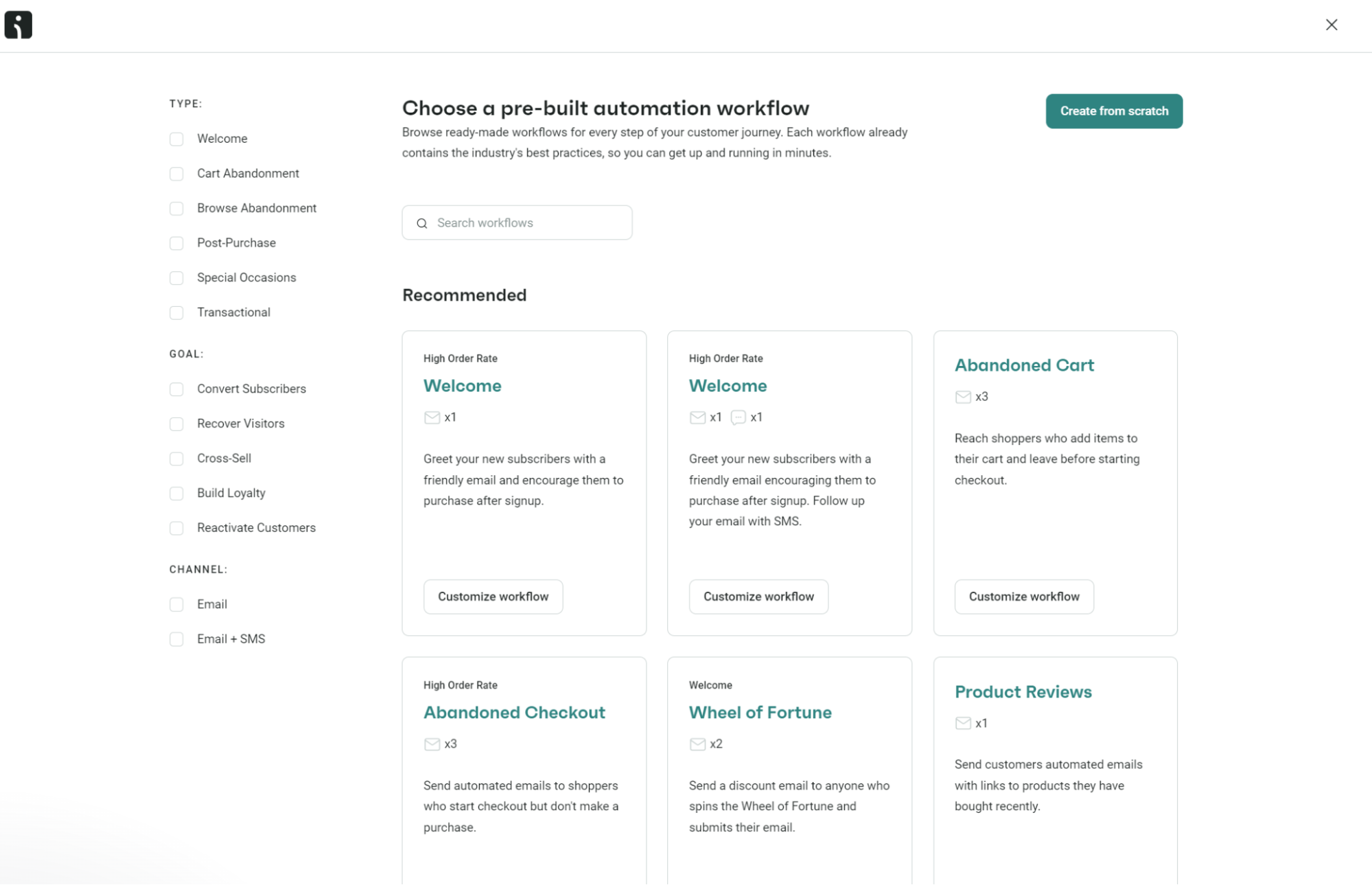
1. Head to Automation and click + Create workflow
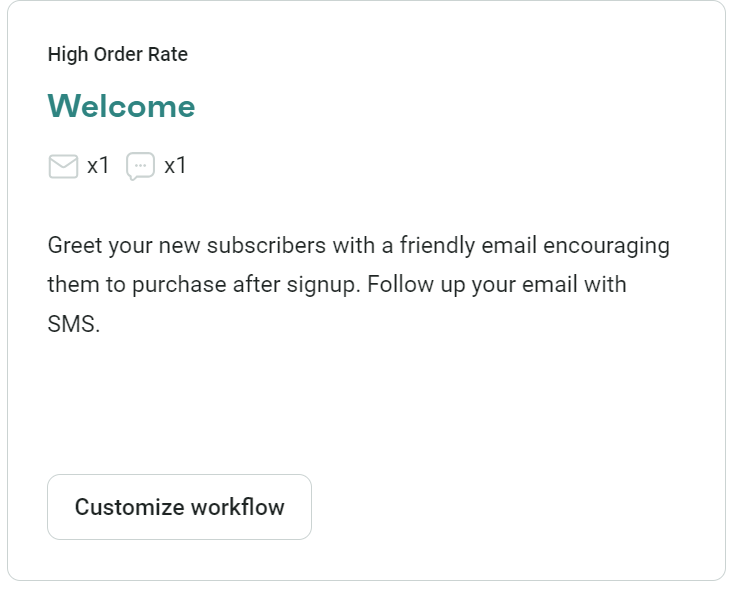
2. Pick a workflow, such as Welcome x1 email x1 SMS (note: if you pick a single-channel automation, you can add an SMS to it later):
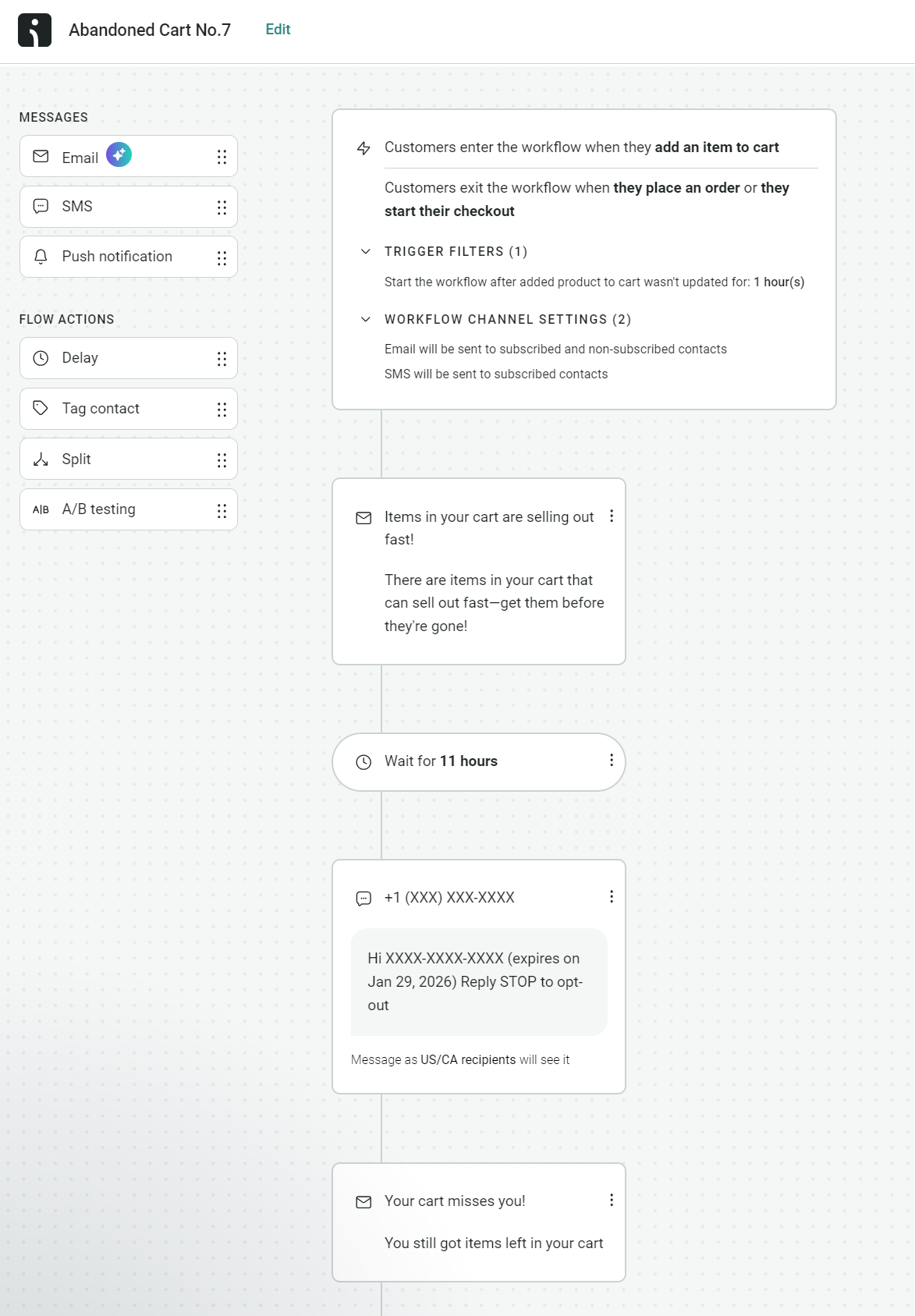
3. Click the SMS message in the flow builder or drag one into it:
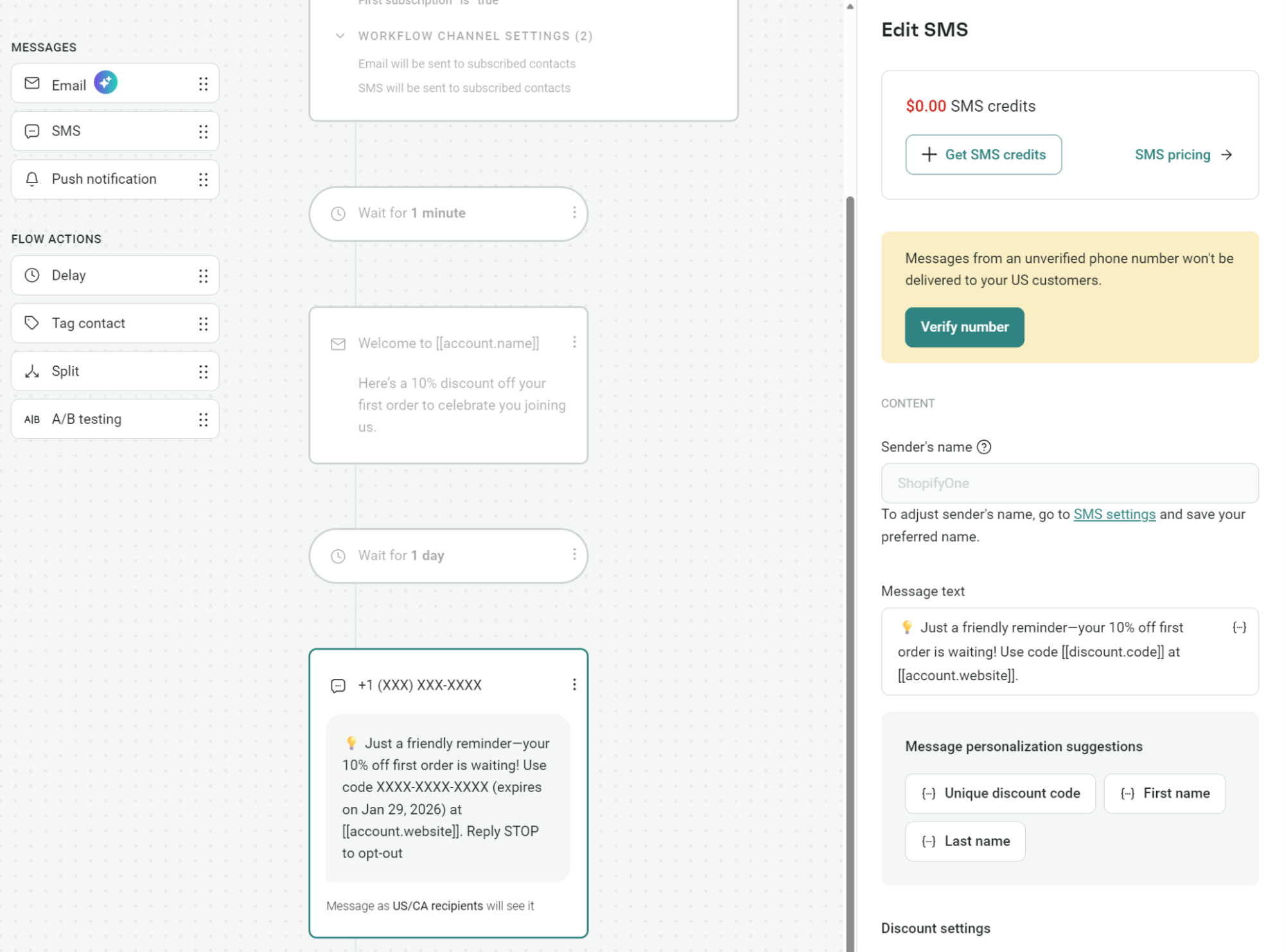
Your SMS automations in Omnisend must also contain an email. However, you can move the email to the end of your flow if you prefer.
3. Craft your message content
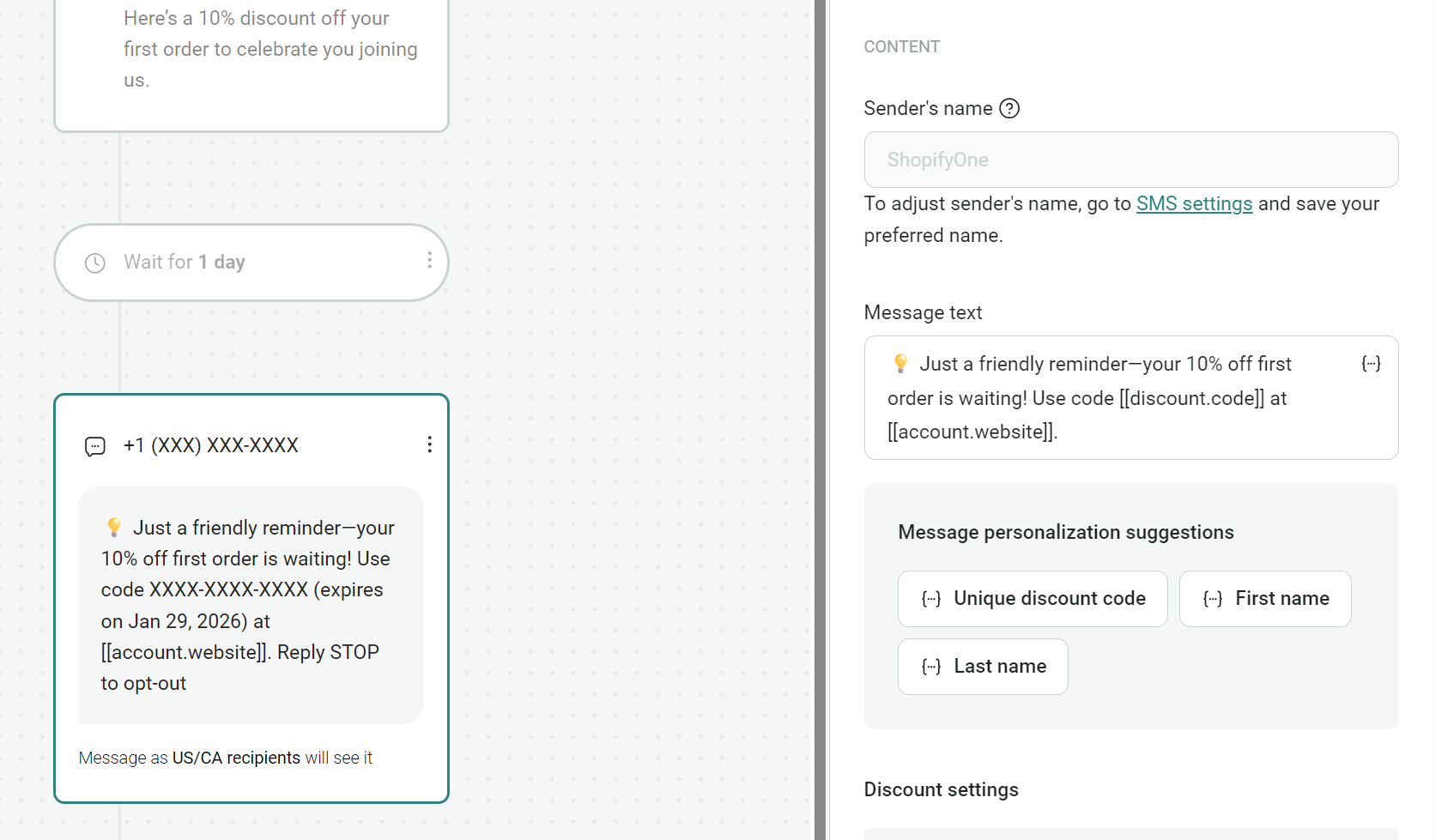
The next step in automating SMS messages is pivotal, as crafting just the right content can significantly improve response rates and engagement. Keep your message short and on point with your brand’s image and tone.
Including a clickable link in your text message guides readers to take action and promotes further interaction. Additionally, tracking link metrics determines how effective your message is and how it resonates with your audience.
4. Include an opt-out feature
Including an opt-out feature in your message is not only courteous but also required by law. You have to give your subscribers the option to stop receiving your messages. Ensure the opt-out message is clearly visible and easy to use.
Most promotional texts simply use “Reply STOP to opt out of these messages” or a similar message. If they reply this way, they won’t receive your messages anymore. It’s simple yet effective and keeps you from sending messages to people who don’t want them.
![Automated text messages: Screenshot showing options to add unsubscribe messages: For US/CA recipients, Reply STOP to opt-out is displayed. For non-US/CA recipients, Unsubscribe [[unsubscribe_link]] is shown. Two checkboxes are checked.](https://www.omnisend.com/blog/wp-content/uploads/2026/01/12-Omnisend-sms-opt-ins.png)
5. Customize and save your automated message
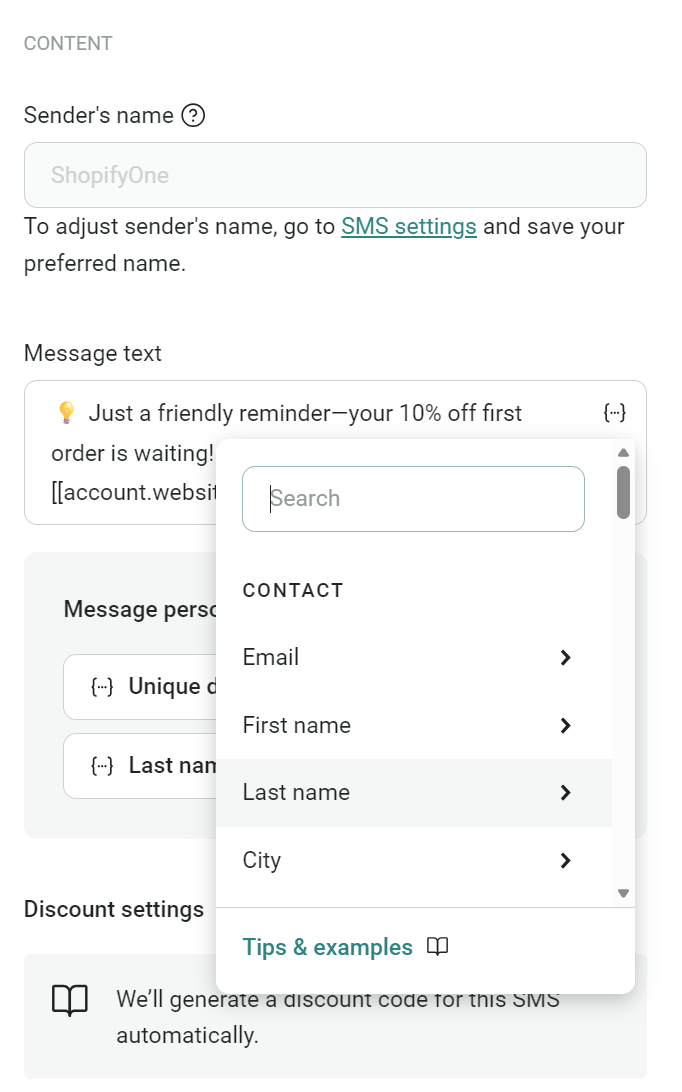
To personalize your message with the recipient’s name or items from their browsing history or abandoned cart, simply use your Omnisend dashboard.
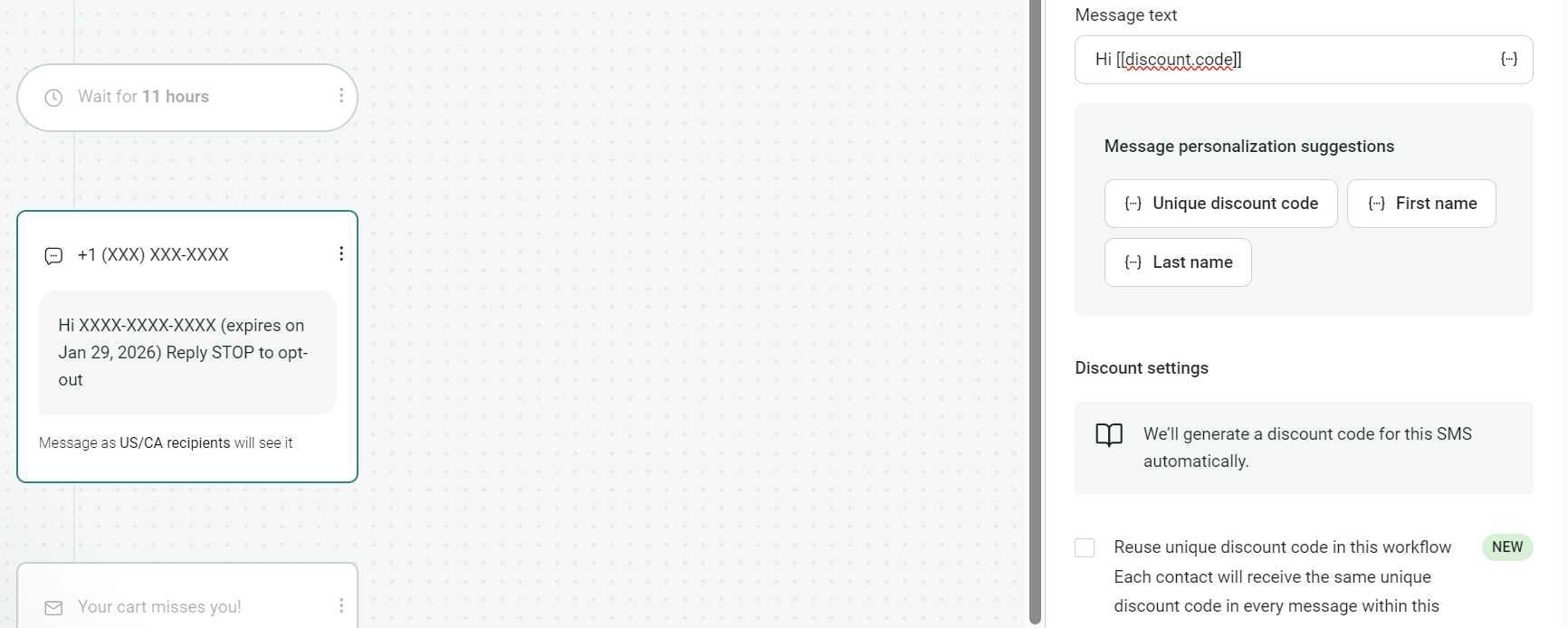
When you finish with your message, click on the three dots in the corner of the screen to access personalization options. Here, you can add the contact’s name and a link to their abandoned cart or other shopping pages:
When you’re finished making any adjustments, click Save & Close to continue editing later, or Start workflow to activate it.
6. Track your campaign metrics
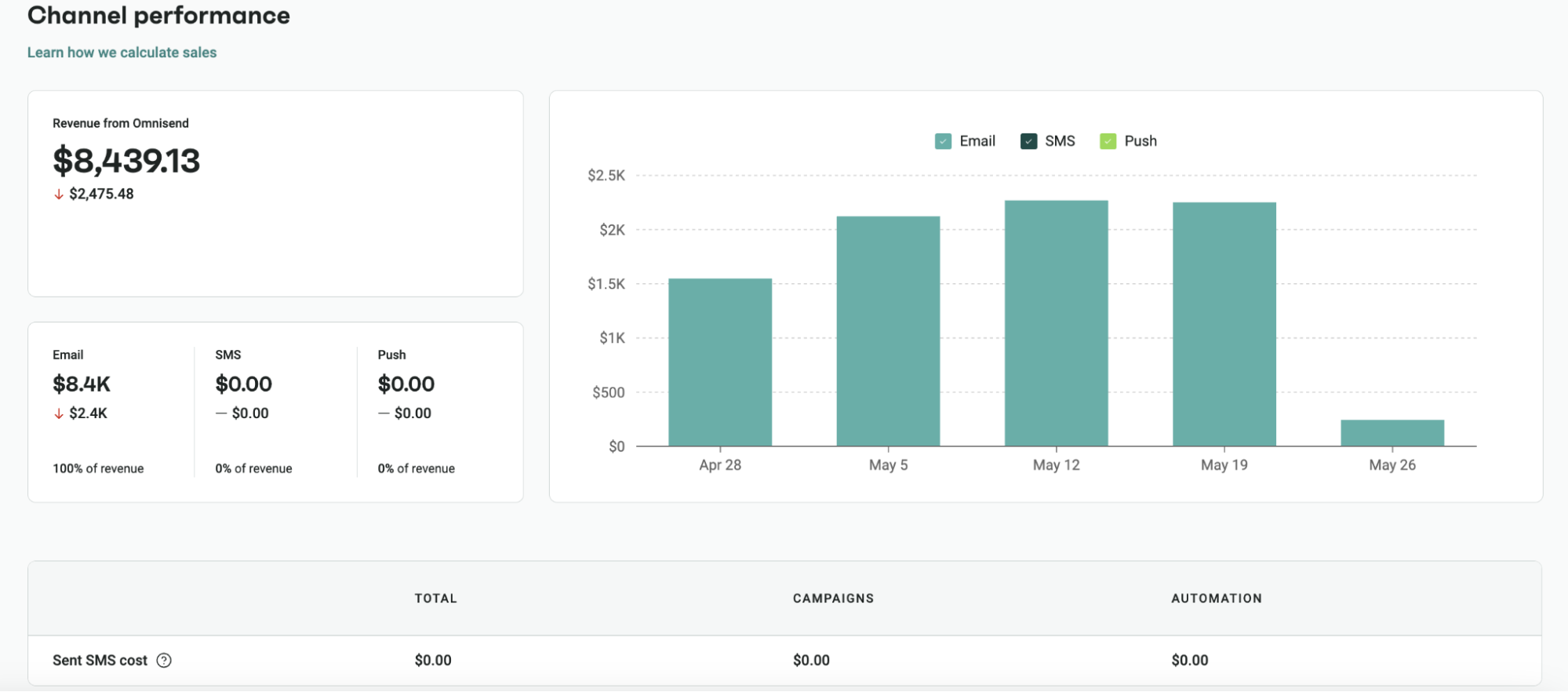
Omnisend SMS reports show revenue generated by SMS campaigns and automations, click rates, placed order rates, and performance trends over time.
The Channel Performance section displays SMS cost tracking in USD, breaking down spending between campaigns and workflows and letting you compare SMS performance against email and push to optimize channel allocation:
How Omnisend can help with automated messaging
Omnisend has 30 pre-built automation flows that you can add an SMS to. These cover your complete customer journey, from initial signup (with a welcome flow) to winback flows that re-engage customers after inactivity periods:
The drag-and-drop flow builder helps you create unique automated text messages with appropriate delays, timing, and triggers. Additionally, you can make any flow multichannel with an email, SMS, and push notification:
Personalizing your automated texts is as simple as clicking the text message in your flow and selecting one of the personalization tags. For instance, if you want to add a dynamic discount code, choose the unique discount tag:
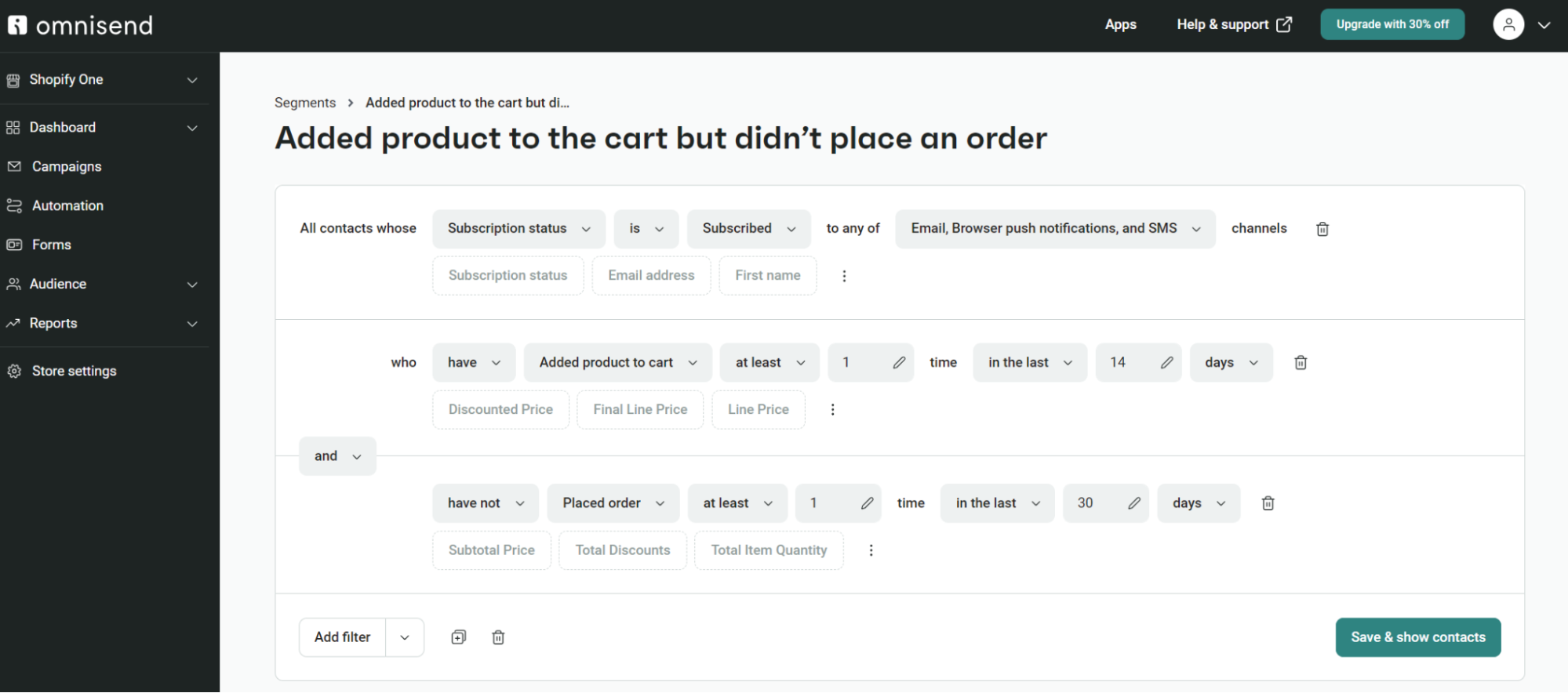
The triggers and targeting of your automated texts happen on autopilot, and you can further refine them with segmentation.
Omnisend’s segmentation features include pre-built segments for ecommerce scenarios, and an AI segment builder for your most unique ones:
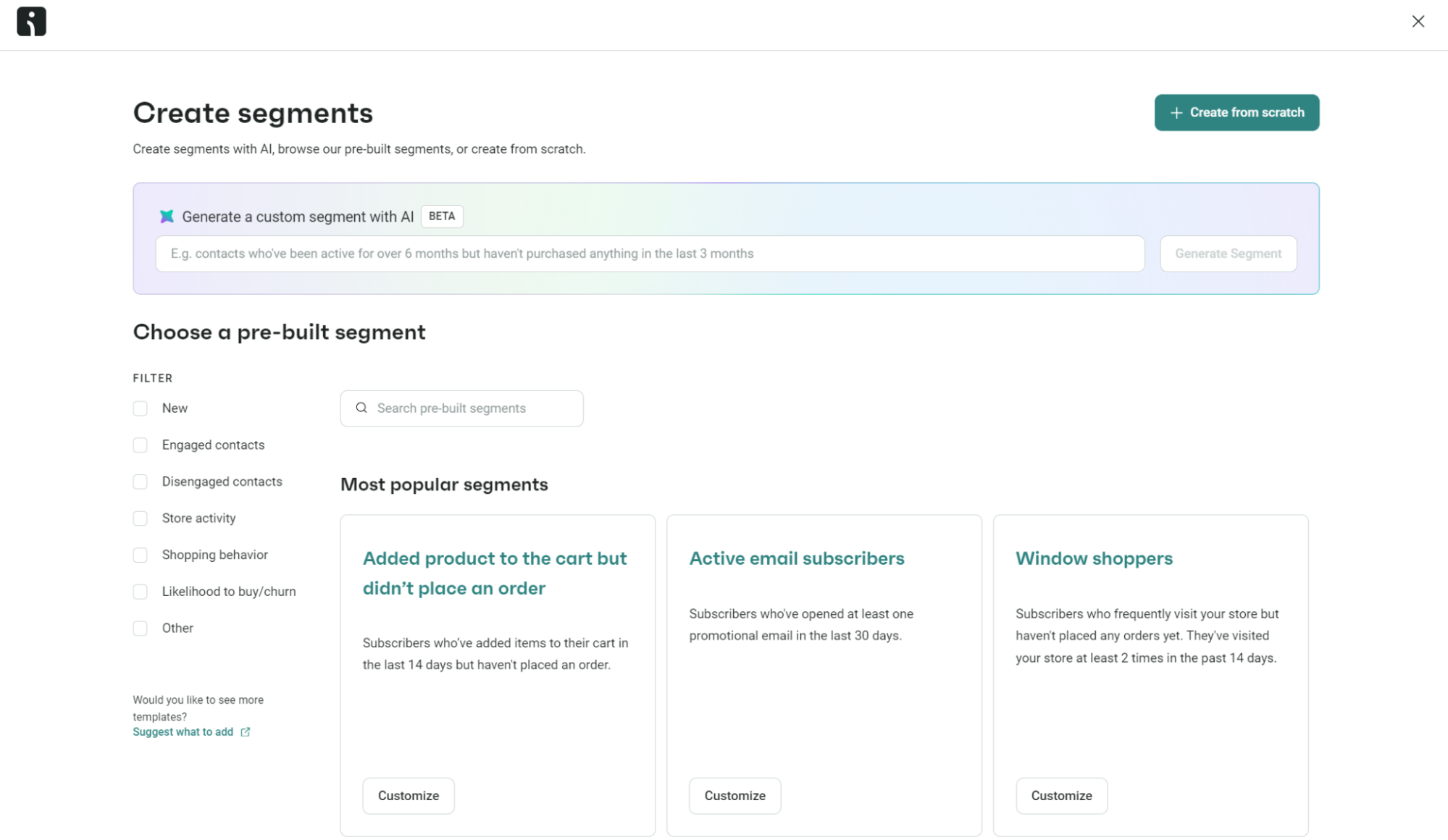
Your segments update in real time whenever Omnisend syncs with your ecommerce store and when you make changes to them in your Omnisend dashboard. You can build unlimited segments, and the segment builder has a minimal learning curve:
Final thoughts on automated messages
Automating your text messaging campaign lets you connect with your audience more immediately and personally. An SMS marketing message goes straight to a subscriber’s phone, so they’re more likely to open and read the message because it’s convenient. This marketing strategy can be effective across any industry, especially if you track your metrics and adjust your campaigns based on the data you collect.
Omnisend has tools and templates to create a custom automated text message campaign that resonates with your recipients. The platform makes it simple to choose who gets your messages when they go out, and what triggers them.
Join Omnisend to send automated text messages that maximize ecommerce revenue
Quick sign up | No credit card required
FAQ
What is an example of an automatic text message?
An automatic SMS is triggered when your customers enter/exit a segment, or when workflow conditions are met. Examples include abandoned cart reminder texts, typically sent within two hours of abandonment, and happy anniversary texts.
How to automate text messages?
Via an SMS automation platform, such as Omnisend, that lets you build workflows containing customer segments, message triggers, and delays.
How to get automated text messages?
Your customer needs to subscribe to them with a proper opt-in. From your end, that means providing checkbox forms and creating an SMS subscriber segment. You can then add that segment to your SMS flows.
How much do automated texts cost?
Each text message has a per SMS price based on your recipient’s country. For instance, you might pay $0.015 per SMS / $0.045 per MMS for USA customers, and $0.025 per SMS / $0.055 per MMS for customers in Canada.
