





If you’re coming from Shopify’s ecosystem, you’re probably familiar with the checkout extensibility and B2B features that have been rolling out over the past couple years.
Maybe you’ve been using Shopify Plus for wholesale customers, or you’ve built custom checkout experiences using the APIs. But as your business evolves, you might find yourself evaluating WordPress and WooCommerce for reasons ranging from total cost of ownership to complete control over your tech stack. The challenge? WooCommerce’s out-of-the-box B2B capabilities are pretty bare bones. What Shopify handles through apps like Wholesale Club or B2B on Shopify, WooCommerce needs a robust plugin to match.
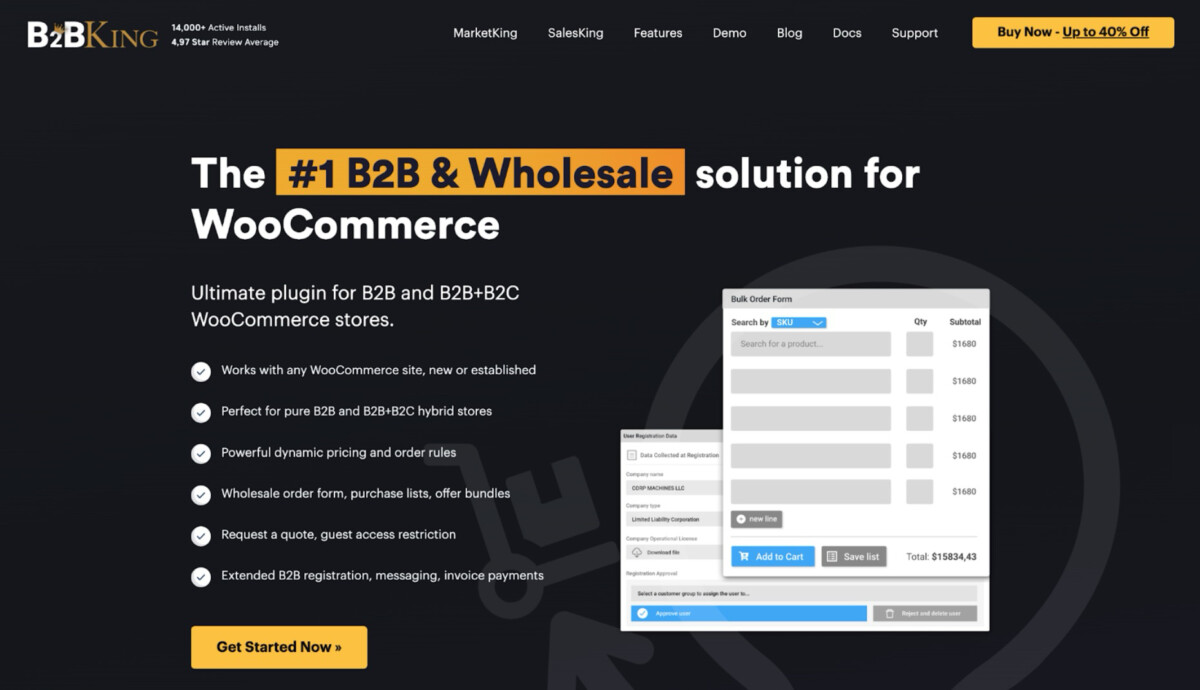
That’s where B2BKing comes in. If you’re making the platform shift or already running on WooCommerce and need serious wholesale functionality, this plugin transforms the standard WooCommerce experience into a full-featured B2B portal. We’re talking tiered pricing, customer-specific catalogs, quote management, bulk ordering, and the kind of segmentation controls that let you run hybrid B2C and B2B operations from a single installation. For brands doing anywhere from $50K to $5M+ in annual wholesale revenue, having these features work together seamlessly isn’t just convenient—it’s what makes the difference between manually managing spreadsheets and running an automated, scalable operation.
In this article, we’re walking through the core features that make B2BKing worth considering if you’re serious about wholesale. These aren’t just checkboxes on a feature list—each one solves a specific friction point that B2B buyers encounter when they’re forced to use retail-focused checkout flows. Whether you’re migrating from Shopify, building your first wholesale channel, or scaling from $30K to $300K in monthly B2B revenue, understanding how these features work together will help you evaluate if B2BKing fits your operation. Let’s break down what actually matters.
Guest Access Restriction
One of the first hurdles in B2B e-commerce is exclusivity. Unlike a typical retail store where you want every product indexable and viewable by Google, wholesale stores often need to protect their pricing and catalog from the general public and competitors.
B2BKing handles this with a nuanced approach that goes beyond a simple “lock everything” switch. You have granular control over what guest users (unregistered visitors) can see. You can choose to hide prices completely while keeping the catalog visible, effectively turning your store into an online catalog that requires a login to purchase. Alternatively, you can restrict access to the shop page entirely, or replace prices with a “Request a Quote” button. A feature that stands out is the ability to restrict specific categories or products while leaving others open. This allows for a true hybrid store where retail customers can browse and buy freely, while wholesale sections remain hidden behind a login wall.
Tiered Price Table
In the wholesale world, “the more you buy, the less you pay” is the golden rule. While standard WooCommerce requires simple products to have a single price, B2BKing injects a tiered pricing engine into the product data tabs.
Setting this up is highly intuitive. You simply define quantity ranges (e.g., 1-10 units, 11-50 units, 50+ units) and assign a price for each range. On the frontend, this doesn’t just quietly change the price in the cart; it automatically generates a visual “Tiered Pricing Table” on the product page. This table is very useful for conversion as it instantly shows the buyer the potential savings of increasing their order size. It enhances the purchasing process, encouraging distributors to bump their order quantity to hit the next discount bracket.
Business Registration
Another powerful feature of the plugin is its business registration process. While traditional WooCommerce stores are often open to all types of customers, business-oriented stores require a more stringent approach. The plugin allows you to add a comprehensive registration system that supports both B2B-only stores, as well as hybrid B2B+B2C setups.
The registration form and workflow is highly customizable. You can define what fields are required during the registration process, such as business name, tax ID, VAT number, and even upload business documentation like a certificate of incorporation or resale certificate. This ensures that only legitimate businesses can access your store’s features.
Once registered, customers can access pricing, exclusive offers, and additional functionalities that are not available to regular consumers. Furthermore, the plugin integrates seamlessly with WooCommerce’s native user registration system, so you don’t have to worry about managing separate databases or systems.
Bulk Order Form
For B2B buyers, placing large orders in one go is common. The Bulk Order Form feature offered by B2BKing is designed to streamline this process. Instead of browsing product pages individually and adding items to the cart one by one, the bulk order form allows customers to select multiple products at once via a simple interface.
With this feature, businesses can look for specific product SKUs or search for items through a product search field. This is a significant time-saver for customers placing large orders and makes it easier for your store to handle bulk purchases efficiently.
Additionally, this form can be fully customized to suit your product catalog and the specific needs of your business. You can choose which fields to display, add custom columns for additional product attributes, and more.
Bulk Variations Table
Variable products (like a t-shirt available in 5 sizes and 3 colors) are notoriously difficult to display in a B2B context. A standard dropdown menu forces the user to select “Red,” then “Large,” then “Add to Cart,” and repeat the process for every single variation they need.
With the Bulk Variations Table, customers can view all product variations (such as different colors or sizes) in a simple table format. They can quickly choose their desired variations, adjust quantities, and add them to the cart with ease. This provides a more streamlined, efficient ordering experience for businesses that need to place orders for multiple variations of products.
By simplifying the variation selection process, you reduce friction and enhance the overall user experience for your B2B customers. The bulk variations table also integrates seamlessly with your existing product catalog, meaning no additional setup is required.
Quote Requests & Offers
A key feature for B2B customers is the ability to request custom quotes. Unlike B2C sales, B2B transactions often involve negotiations on pricing, terms, and delivery, and B2BKing’s quote request system makes this process easy and efficient.
A customer can add items to a quote basket instead of a shopping cart and submit a request. On the backend, this opens a conversation thread between the shop manager and the customer. The interface for this doesn’t just send an email, it creates a dedicated area in the dashboard.
The store owner can then respond with a custom “Offer.” This allows you to adjust the prices of the items in their quote request, add or remove products, and send it back. If the customer accepts the offer, the custom pricing is applied, and they can proceed to checkout. It is also possible to generate a PDF of the offer, download it, or have it attached to an offer email.
Dynamic Rules & Discounts
The “Dynamic Rules” engine is one of the most powerful features of the plugin. It allows store owners to create complex logic without writing a single line of code. This is where you configure things like “Free Shipping for orders over $500, but only for the ‘VIP Distributors’ group,” or “Minimum order quantity of 10 items, but only for the ‘Apparel’ category.”
This system is highly flexible: you can set rules for discounts (percentage or fixed amount), hidden prices, tax exemptions, payment method restrictions, custom taxes, set currencies, and much more. For example, you might want to allow “Bank Transfer” as a payment option only for verified B2B users who are placing orders over $2,000, while restricting B2C users to credit card payments only. The rule builder uses a simple dropdown interface, making it accessible for all users.
Customer Groups
For a B2B-focused store, different client may require different pricing and privileges. B2BKing allows you to organize your customers into customer groups, with each group having its own pricing structure, access permissions, and discounts.
For example, you might have a “VIP” group that receives exclusive discounts, or a “Retailer” group that gets different product pricing from a “Wholesaler” group. This segmentation ensures that your customers only see the products, prices, and offers that are relevant to them.
Managing customer groups is simple and intuitive, and it enables you to tailor your store’s experience to different segments of your audience. Whether you want to reward loyal customers or target specific industries with custom pricing, this feature has you covered.
Product Visibility
Control over product visibility is crucial in a B2B environment. With B2BKing’s Product Visibility feature, you can choose who sees which products. Whether it’s hiding certain products from non-registered customers, showing exclusive products to specific customer groups, or creating hidden product categories, B2BKing gives you full control over what your customers can access.
This feature is ideal for creating a more personalized shopping experience, where only the relevant products are shown to each customer segment.
Subaccounts
Finally, B2BKing offers a Subaccount feature that enables business owners to create additional accounts under a primary customer account. This is particularly useful when companies want to manage multiple users within their organization, each with their own login credentials.
Subaccounts are great for businesses with multiple decision-makers or purchasing agents. You can control access permissions for each subaccount, allowing them to place orders, view quotes, or manage invoices without giving them full control over the main account.
Conclusion
B2BKing is a powerful plugin for WooCommerce that significantly enhances its functionality. Whether you need to restrict guest access, offer tiered pricing, manage bulk orders, or create custom customer groups, B2BKing covers it all.
For a WordPress developer or store owner, the value lies in the consolidation. Instead of stitching together a “Request a Quote” plugin, a “Wholesale Prices” plugin, and a “User Role Editor” plugin, B2BKing offers a cohesive ecosystem that handles everything in a single structure. If you are looking to turn a WooCommerce install into a serious wholesale portal, B2BKing might be just what you need.
