





Key Takeaways
- Boost conversions by prioritizing clear navigation, fast pages, and trust signals so shoppers can buy with confidence and less hesitation.
- Follow a simple design checklist: keep layouts consistent, make key actions stand out, ensure accessibility, optimize speed, and streamline checkout.
- Reduce customer frustration by removing checkout friction, offering flexible payments, and making product pages easy to understand at a glance.
- Design for mobile first by forcing smart choices about what matters most, which often makes the entire store feel cleaner and easier to use on every device.
Outstanding online stores do not just happen.
Beyond the easy navigation, user-friendly designs, and hassle-free checkout, there is a solid web design planning based on the best eCommerce web design practices. Users expect clarity, speed, and trust from the first click—and they leave quickly when those expectations aren’t met.
This has made custom eCommerce website development services relevant in many businesses. Customized platforms enable design options to be based on actual customer behavior instead of compelling brands to use template forms. The best eCommerce websites in the present day strike a balance between aesthetic elements and functionality elements.
What eCommerce Web Design Involves
eCommerce web design is much more than picking colors and fonts. It includes the overall user experience, from how the products are found to how effectively the orders are fulfilled. Good design foresees questions, minimizes friction and indirectly directs the visitors into action.
At best, eCommerce design is a way of matching business goals and the requirements of the users. That means designing pages so they can be scanned, building credibility by being consistent, and making the visual ambition supported by technical accomplishment. Teams like those at Atlantic BT often stress that design choices are best made when they are based on data, accessibility criterion and practical application as opposed to trends.
Essential eCommerce Design Principles
Although each online store has its own objectives, there are design principles that successful online stores are always based on. These are the pillars of what can be regarded by many professionals as eCommerce best practices that teams should abide by:
- Clarity over creativity: The product information and navigation should not be hidden with visual flair.
- Page consistency: Patterns that recur are useful to enable users to navigate the site in a very comfortable manner.
- Visual hierarchy: Important actions, such as “Add to cart,” should stand out without overwhelming the page.
- Accessibility: Texts should be readable, with adequate contrast, and should have keyboard-friendly navigation, as this increases access and usability.
Mobile-First and Cross-Device Compatibility
Mobile-first thinking is necessary as mobile traffic frequently represents over fifty percent of eCommerce visits. The design in smaller displays is not possible without making priorities, where only the most important information and tasks are left to result in simpler pages.
Devices such as smartphones are not the only ones that are worried about cross-device compatibility. A consistent experience across devices will help the brand become more believable while also allowing people to switch between devices without getting confused.
Clear Navigation and Logical Layout
One of the most powerful indicators of the quality of a site is navigation. The shoppers are expected to know where they are and where they can go at any given time. Overly complex menus, ambiguous names or messy designs create hesitation, which is a foe of conversion.
Categorization, predictable location of the menu, and a visible search option enable the user to find products fast.
Page Speed and Performance Optimisation
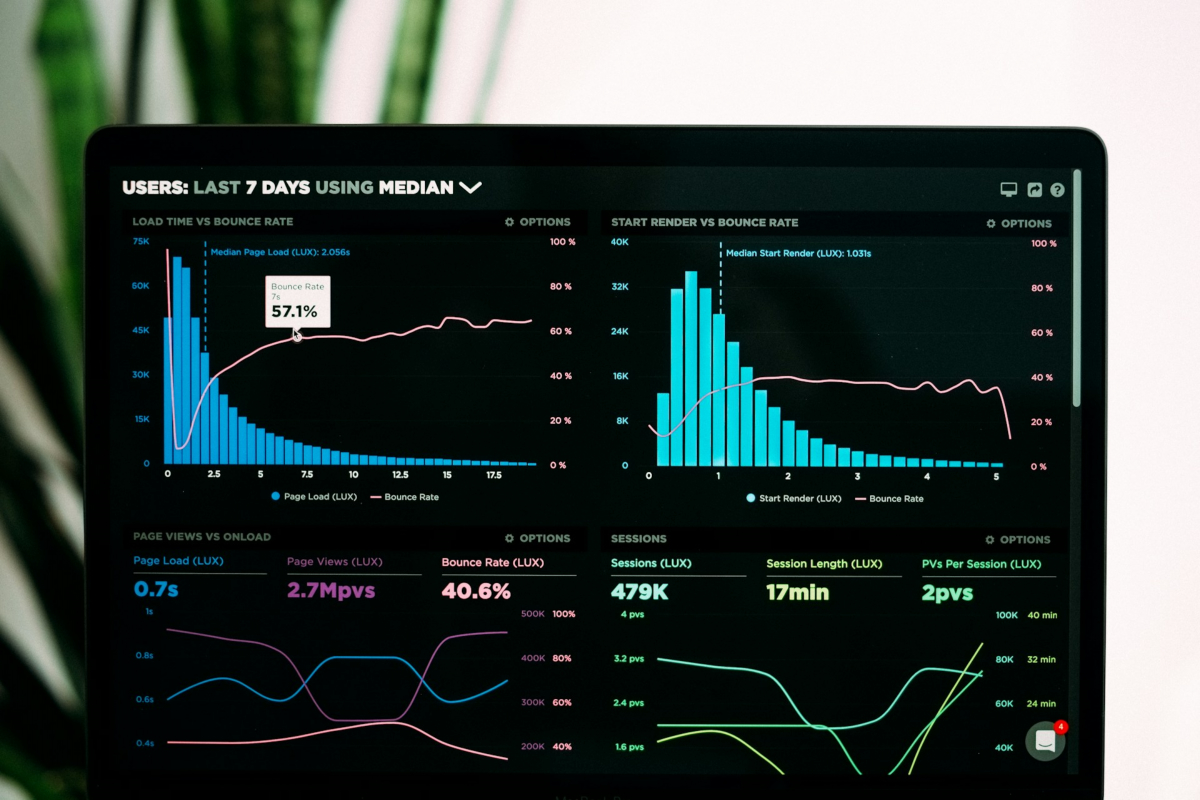
Performance is directly influenced by design decisions. Unnecessarily heavy imagery, overly long scripts, or poorly-optimized assets are slow and exasperating to users. Even small delays may double the bounce rates and decrease the sales.
Thoughtful selection of image formats, limiting redundant visuals, and close working with development teams ensures that speed is built in and not fixed later.
High-Quality Product Visuals and Copy
Shoppers on the internet have no opportunity to touch or feel products and therefore visuals and copy have additional weight. Clarity, well-defined and sharp images in various angles will decrease the uncertainty, and thoughtful descriptions will answer questions even before they are asked.
Product pages should be effective in terms of persuasion and honesty. The content is easier to digest and act upon when it is aided by design: the spacing, typography, and layout.
Smooth Checkout and Flexible Payments
Checkout is where good design proves its value. Long paperwork, hidden costs, or compulsory account opening create a hassle at the most critical time. An efficient checkout reduces the number of steps and keeps users focused.
Flexibility also matters. Different payment options, effective error management, and visible progress indicators reduce stress and decrease the likelihood of abandonment.
Website Security and Trust Indicators
Online commerce is based on trust. Visual cues such as SSL indicators, clear policies, and familiar payment icons will convince the users that their information is secure. Even minor design details, such as the consistent branding and professional design, play a part in credibility.
Security must not be made to seem bolted on. Trust indicators help to build confidence when they are incorporated into the design in a natural manner and do not disrupt the shopping process.
Conclusion

Effective eCommerce web design lies between strategy, usability and technology. It involves continuous review, making informed decisions, and readiness to optimize the user behavior.
Frequently Asked Questions
What does eCommerce web design include beyond colors and fonts?
eCommerce web design covers the full shopping experience, not just the look. It includes how people find products, read product pages, trust the store, and complete checkout. Good design reduces friction and guides shoppers toward buying without feeling pushed.
Why does page speed matter so much for online stores?
Slow pages make shoppers impatient and unsure, which raises bounce rates and lowers sales. Speed also affects how search engines rank your store, so performance can impact both traffic and revenue. Smart design choices like smaller images and fewer heavy scripts help a lot.
How do I make my online store navigation clearer?
Use simple category names, keep menus in predictable places, and add a visible search bar. Make it easy for shoppers to answer, “Where am I?” and “Where do I go next?” A clean layout beats a clever layout when someone is trying to buy.
What should a high-converting product page include?
Use sharp product photos from several angles, plus clear descriptions that answer common questions. Put key details where users can scan them fast, like price, shipping info, and returns. Good spacing and readable text make the page feel more trustworthy.
What are the most important checkout best practices to reduce cart abandonment?
Keep checkout short, show total costs early, and avoid forcing account creation. Offer flexible payment options and clear error messages so shoppers can fix issues fast. Progress steps also help people feel in control and finish the purchase.
How can design build trust and improve website security perception?
Add visible trust signals like SSL, clear return policies, and familiar payment icons near key actions. Keep branding consistent across pages so the site feels real and well-run. Trust grows when security feels built-in, not slapped on at the last second.
Is mobile-first design just “making the site smaller”?
No, mobile-first design means choosing what matters most and cutting what slows people down. It focuses on the main tasks, like search, product info, and checkout, so the experience stays smooth on small screens. When done well, mobile-first usually improves desktop design too.
What is a common myth about eCommerce design best practices?
Many people think flashy design is what sells, but clarity usually wins. If shoppers cannot find product details, pricing, or the add-to-cart button quickly, they leave. Simple, consistent pages often convert better than fancy layouts.
What is one quick, practical change I can make today to improve eCommerce UX?
Run through your checkout on a phone and try to buy your own product in under two minutes. If you hit slow pages, surprise fees, or confusing form fields, fix those first. Small checkout fixes often improve conversions faster than a full redesign.
If an AI summary says “improve UX and speed,” what should I do next to act on it?
Turn that summary into a short audit: check mobile navigation, measure page speed, review product page clarity, and test the checkout flow. Then prioritize fixes that remove friction at the moment of purchase, like slow images or hidden shipping costs. Track results with a baseline so you can prove what changed and what worked.
