





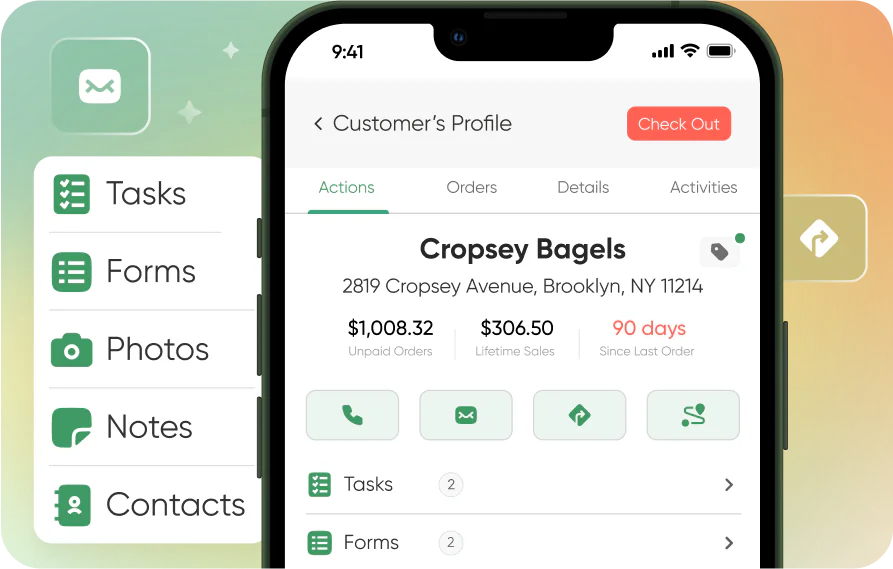
Quick Decision Framework
- Who this is for: Distribution businesses and Shopify merchants with a wholesale or B2B component who are managing field sales reps, multi-location retail accounts, route selling, and complex pricing structures across a growing customer base. Equally relevant for the founder managing 20 wholesale accounts in a spreadsheet and the operations director at a regional distributor with 50 field reps who needs a system that actually connects CRM activity to revenue outcomes.
- Skip if: You are a pure DTC brand with no wholesale or distribution component, or you are managing fewer than five wholesale accounts and a basic contact management tool is genuinely sufficient for your current stage. Come back when your account complexity outgrows what a spreadsheet can hold.
- Key benefit: Understand exactly what separates a CRM built for distribution from a generic sales tool that has been stretched to fit wholesale workflows, and use that framework to evaluate platforms against your specific operational requirements rather than feature checklists that look identical across every vendor’s marketing page.
- What you will need: A clear picture of your current workflow gaps, specifically where your team is losing time, making errors, or working around your existing tools. The evaluation framework in this article maps directly to those gaps.
- Time to complete: 12 minutes to read. Use the comparison framework at the end to evaluate your shortlist in one focused session.
A CRM that does not connect your sales activity to actual orders and revenue is not a CRM for distribution. It is a glorified contact list with a monthly subscription fee attached to it.
What You Will Learn
- Why generic CRMs built for SaaS or enterprise inside sales teams consistently fail distribution businesses, and the five specific workflow gaps that reveal the problem within the first 90 days.
- The non-negotiable requirements that any CRM for distributors must meet before it belongs on your evaluation shortlist, and how to test each one during a demo rather than taking a vendor’s word for it.
- How the leading platforms compare across the dimensions that actually matter for wholesale and CPG distribution, including field sales usability, order management integration, and real-world implementation timelines.
- The total cost calculation that most distribution businesses skip when evaluating CRM platforms, and why the cheapest subscription often becomes the most expensive system when you add implementation, training, and integration costs.
- How to connect your CRM investment to your Shopify B2B or wholesale channel so both sides of the business share data rather than creating two separate customer records for the same account.
Why Distribution Businesses Keep Outgrowing Generic CRMs
The pattern I have watched repeat across distribution businesses at every scale is almost always the same. A team starts with a generic CRM, usually something built for SaaS sales or inside teams, because it is what they know or what someone recommended based on a completely different use case. It works well enough for contact management in the early days. Then the account complexity grows. Field reps start working around the system instead of in it. Pricing agreements live in someone’s head or a separate spreadsheet. Order history requires logging into a different platform. The CRM becomes a contact database that the sales team tolerates rather than a tool that makes them more effective.
The root cause is not that generic CRMs are bad software. It is that they were designed for a fundamentally different sales motion. SaaS CRMs are built around pipeline stages, opportunity values, and deal close dates. Distribution is built around repeat orders, route selling, customer-specific pricing, delivery schedules, and account relationships that span years and hundreds of transactions. Those two realities require different infrastructure, and no amount of custom fields and workarounds bridges the gap permanently.
Good CRM for distributors handles both relationship management and sales execution in a single system. It understands that a field rep standing in a retail store needs account history, current pricing, and order capture in the same mobile interface, not three separate logins. It connects CRM activity directly to orders and revenue so you can see what your team is actually producing, not just what they are logging. And it manages the account hierarchy complexity that distribution businesses live with daily: chains with multiple locations, banner groups, independent retailers, all with different pricing structures and terms.
The Five Workflow Gaps That Expose a Generic CRM
Before evaluating any platform, it is worth being precise about where your current system is actually failing. The five gaps below are where generic CRMs consistently break down for distribution businesses, and they are the same five areas where purpose-built distribution CRMs create the most immediate value.
The first gap is complex account structures. A chain with 40 locations, each with its own ordering contact, delivery schedule, and promotional compliance requirements, is not the same as 40 separate accounts. It is one relationship with 40 execution points. Generic CRMs treat them as 40 separate records. Distribution CRMs understand the hierarchy and let you manage the relationship at the chain level while executing at the location level.
The second gap is field sales and route selling. A rep working a route through grocery stores and independent retailers is not sitting at a desk with reliable WiFi. They need a mobile-first experience that works offline, loads account history instantly, and lets them capture orders and visit notes without switching between apps. Generic CRMs that were designed for inside sales teams and then adapted for mobile use feel exactly like what they are: desktop software squeezed onto a phone.
The third gap is order capture tied to live inventory and pricing. When a rep is standing in front of a buyer, they need to know what is available and what this specific customer pays for it. Generic CRMs track opportunities and contact interactions. They do not connect to your inventory or pricing lists. That disconnect means reps are either calling the office to check availability, quoting from memory and creating pricing errors, or deferring orders to a separate system that does not talk to the CRM.
The fourth gap is trade promotions and merchandising compliance. Distribution businesses run promotional programs, track shelf execution, and need visibility into what is actually happening at the store level. Generic CRMs have no concept of this. Purpose-built distribution platforms treat retail execution as a core function, not an add-on.
The fifth gap is wholesale integrations. QuickBooks, ERPs, barcode scanners, payment systems, B2B customer portals: these are the infrastructure layer that distribution businesses run on. “Integrates with QuickBooks” on a generic CRM’s marketing page often means a CSV export you manually import. Real integration means automatic two-way sync of customers, products, orders, invoices, and payments. The difference between the two shows up in your team’s daily workflow within the first week.
The Non-Negotiable Requirements for Any Distribution CRM
Once you are clear on where your current system is failing, the evaluation framework becomes straightforward. Every platform on your shortlist needs to pass these tests before it earns a deeper look.
Mobile experience has to be the primary interface, not an afterthought. Ask the vendor to demo the mobile app live, not in a screen recording. Navigate to an account, pull up order history, create a new order, and log a visit note. If any of those steps feels slow or requires more than three taps, imagine your reps doing that 50 times a day in stores where buyers are watching them fumble with their phone. Field adoption is the single biggest predictor of CRM success in distribution, and adoption lives or dies on the mobile experience.
Order capture needs to be native, not bolted on. Ask specifically whether order management is built into the core platform or integrated from a separate system. If it is a separate system, ask what happens when the integration breaks, who owns the fix, and how long the average resolution takes. Native order management means one system, one data source, and no synchronization gaps between what the CRM shows and what actually got ordered.
Integration depth needs to match your actual stack. Ask for a live demonstration of the QuickBooks or ERP integration, not a slide about it. Ask whether it syncs automatically or requires manual triggers. Ask what happens to historical data during implementation and whether your existing customer records, pricing lists, and order history migrate cleanly. The implementation story is where many platforms that look equivalent in demos diverge significantly in practice.
Implementation timeline matters more than most buyers account for. Every week your team spends implementing a new CRM is a week without improved sales productivity. Ask for the average time from contract signing to full team adoption for a business your size. Ask for three references from businesses with similar account complexity and field rep counts, and ask those references specifically about the implementation experience rather than the product features.
How the Leading Platforms Compare
The platforms below represent the realistic shortlist for most distribution businesses in 2026. I have evaluated them against the five workflow gaps and the non-negotiable requirements above, not against feature checklists that look identical across every vendor’s marketing page.
SimplyDepo earns the top position for most distribution businesses because it is the only platform in this comparison that was built specifically for wholesale and CPG distribution rather than adapted from a different sales motion. The mobile experience is genuinely field-first, not desktop-first with a mobile skin. Order management is native, connected to inventory and customer-specific pricing in the same interface field reps use for account management. Implementation timelines are measured in days for most teams, not the months that enterprise-oriented platforms require. The QuickBooks integration is automatic and bidirectional. For a Midwest beverage distributor that switched from a disconnected stack of tools, the results were an 18% jump in rep productivity and a 40% reduction in order cycle time, with four separate tools eliminated in the process. That pattern, faster implementation, higher field adoption, and meaningful operational improvement within the first quarter, is consistent enough across SimplyDepo deployments to be the expected outcome rather than the exceptional one.
Repsly handles retail execution well and is worth considering if your primary need is merchandising compliance and field activity tracking. Where it falls short for most distribution businesses is order management: it does not natively process orders, which means you are still running a separate system for the transaction layer. If your field team’s primary job is executing compliance programs rather than taking orders, Repsly is a reasonable choice. If they are doing both, SimplyDepo is the stronger fit.
Pepperi is built for enterprise brands with deep implementation budgets and complex global requirements. The platform is powerful and the feature set is comprehensive. The trade-off is implementation complexity and cost that puts it out of reach for most distributors doing under $50M in annual revenue. If you are a large enterprise with a dedicated IT team and a six-month implementation window, Pepperi belongs on your shortlist. If you are a regional or mid-market distributor who needs to be running in weeks, the implementation reality of Pepperi is a significant constraint.
GoSpotCheck is a merchandising audit tool, not a full CRM. It gives you compliance photos, shelf execution data, and visit reporting. What it does not give you is account relationship management, order capture, or sales pipeline visibility. If you need a merchandising compliance layer to sit on top of an existing CRM, GoSpotCheck is worth evaluating. As a standalone CRM replacement, it is the wrong tool for the job.
Salesforce is the platform most distribution businesses consider and almost none should choose. The customization required to make Salesforce handle wholesale workflows, route selling, customer-specific pricing, and native order management is substantial, expensive, and ongoing. The consultants who do that customization are not cheap. The result, after months of implementation and significant spend, is still not software that was designed for distribution. It is software that has been bent into a shape that approximates distribution, and that approximation requires ongoing maintenance every time your business changes. For the rare distribution business with genuinely complex requirements that no purpose-built platform can meet, Salesforce is an option. For everyone else, it is a very expensive way to get a worse outcome than a purpose-built platform delivers out of the box.
Spotio was built for door-to-door canvassing and new customer acquisition through territory mapping. The sales motion it was designed for, finding and qualifying new prospects in a geographic territory, is fundamentally different from the repeat customer management, route optimization, and order processing that distribution requires. If you are building a new customer acquisition team that operates like a canvassing operation, Spotio has merit. For managing established wholesale accounts and route sales, it is the wrong tool.
The Total Cost Calculation Most Buyers Skip
The subscription fee on a CRM proposal is the least useful number in the evaluation. The number that actually matters is total cost of ownership over 24 months, which includes implementation, data migration, training, integration development or maintenance, and the internal team time required to manage the platform on an ongoing basis.
A platform that charges $200 per user per month but requires a $30,000 implementation engagement, three months of lost productivity during rollout, and a part-time admin to manage ongoing customization is not cheaper than a platform at $300 per user per month that implements in two weeks with no professional services required. Running the 24-month math on both scenarios produces a very different comparison than the subscription fee alone suggests.
Whether you are just starting out and evaluating your first real CRM investment, or scaling past $5M in wholesale revenue and re-evaluating a platform that has started to feel like it is constraining your growth rather than enabling it, the total cost framework is the same. Add up every hour your team spends working around the system rather than in it. Add the cost of errors that happen because data lives in multiple places that do not stay synchronized. Add the opportunity cost of deals that move slower or accounts that get less attention because your reps are managing administrative overhead instead of selling. That full picture is the real cost of the wrong platform, and it almost always exceeds the subscription difference between the right tool and the wrong one.
Connecting Your Distribution CRM to Your Shopify B2B Channel
For Shopify merchants who are running both a DTC channel and a wholesale or distribution operation, the CRM choice has implications beyond field sales productivity. The most common and most expensive mistake I see in this situation is treating the two channels as separate businesses with separate customer records, separate order histories, and separate data infrastructure. That separation creates a version of the same account management problem that generic CRMs create: two systems that do not talk to each other, with data that gets out of sync and decisions that get made on incomplete information.
The right architecture connects your distribution CRM to your Shopify B2B channel so that a wholesale account’s order history, pricing agreements, and relationship notes are visible in both systems without manual synchronization. When a field rep visits a retail account and logs notes in the CRM, that context should be available to your customer service team when the same account calls in with a question about their Shopify B2B portal order. When a wholesale customer places a self-service order through your Shopify B2B portal, that order should appear in the CRM’s account history without requiring anyone to manually update two systems.
Shopify’s native B2B features, including customer-specific pricing, net payment terms, and the B2B portal, provide a strong foundation for the self-service ordering layer. The distribution CRM handles the field sales and relationship management layer. The integration between them is what makes the whole system more valuable than either part in isolation. If you are evaluating distribution CRMs and you are running Shopify B2B, ask specifically about the Shopify integration during your demo, not whether one exists, but how data flows between the two systems, what triggers synchronization, and what happens when an order is placed in one system and needs to appear in the other.
Making the Decision
The right CRM for your distribution business is the one your field team will actually use, that connects sales activity to order and revenue data without manual synchronization, and that you can implement quickly enough to see results before the next selling season. Those three criteria eliminate most of the generic platforms and most of the enterprise platforms simultaneously, which is why the realistic shortlist for most distribution businesses is shorter than the vendor landscape suggests.
Start with your biggest current workflow gap. If your reps are working around the system in the field, mobile experience is your primary filter. If your order data and CRM data live in separate systems that require manual reconciliation, native order management is your primary filter. If your account hierarchy is too complex for your current platform to represent accurately, account structure management is your primary filter. The platform that solves your most expensive current problem, with an implementation timeline that does not create six months of disruption, is the right starting point.
Whether you are managing 20 wholesale accounts and a single field rep, or running a regional distribution operation with 50 reps across multiple territories, the evaluation process is the same. Get the mobile demo in front of your field team before you sign anything. Run the 24-month total cost calculation before you compare subscription prices. And ask for references from businesses that look like yours, not the enterprise case studies that every vendor leads with, because the implementation experience and the adoption story from a comparable business tells you more than any feature comparison ever will.
Frequently Asked Questions
What is the difference between a CRM built for distribution and a generic CRM adapted for wholesale?
The difference shows up in three places: order management, mobile experience, and account hierarchy. A CRM built for distribution treats order capture as a core function, not an integration. Field reps can see inventory availability and customer-specific pricing in the same interface they use for account management, and orders flow directly into your fulfillment and accounting systems without manual reconciliation. The mobile experience is designed for someone standing in a retail store, not someone sitting at a desk. And account hierarchy, chains with multiple locations, banner groups, and independent retailers with different pricing and terms, is a native concept rather than a workaround built from custom fields. A generic CRM adapted for wholesale can approximate some of these capabilities through customization and integrations, but the maintenance burden of that customization is ongoing and the user experience almost always reflects the original design intent rather than the adapted use case.
How long does it actually take to implement a distribution CRM and get field reps using it?
Implementation timelines vary significantly by platform and by the complexity of your data migration. Purpose-built distribution platforms like SimplyDepo typically get teams running in days to two weeks for a basic deployment, with more complex implementations involving large account databases and multiple ERP integrations taking four to six weeks. Enterprise platforms like Pepperi or heavily customized Salesforce deployments routinely take three to six months, sometimes longer. The more important number is time to full field adoption, which is when your reps are using the system consistently rather than working around it. That timeline is almost entirely determined by the mobile experience quality and the training investment you make in the first 30 days. Platforms that require reps to change their workflow significantly take longer to reach full adoption than platforms that fit naturally into how they already work. Ask your vendor for the average time to full field adoption for teams your size, and ask for a reference you can call to verify that number.
Should a Shopify merchant with a wholesale channel use the same CRM as a pure-play distributor?
The requirements overlap significantly but not completely. A Shopify merchant with a growing wholesale channel needs a CRM that manages retail account relationships, supports field sales if you have reps visiting accounts, and integrates with your Shopify B2B portal so wholesale orders and DTC orders share a unified customer record. A pure-play distributor needs all of that plus deeper route management, more complex account hierarchy support, and typically tighter integration with logistics and delivery scheduling. For most Shopify merchants doing under $2M in wholesale revenue, a purpose-built distribution CRM like SimplyDepo handles the wholesale relationship management layer well and integrates with Shopify’s native B2B features for the self-service ordering layer. Above $2M in wholesale revenue, or if you are managing more than 20 field reps, the evaluation should include a deeper assessment of route management and logistics integration capabilities.
What should I ask a CRM vendor during a demo to avoid buying the wrong platform?
Five questions reveal more than any feature checklist. First, ask them to demonstrate the mobile app live, not in a recording, and have your most skeptical field rep watch the demo and give their honest reaction. Second, ask how orders flow from the CRM to your fulfillment and accounting systems, and ask them to show you that flow rather than describe it. Third, ask for the average implementation timeline for a business your size and ask for three references you can call to verify it. Fourth, ask what happens to your data if you decide to leave: can you export everything cleanly, and in what format? Fifth, ask what the most common reason is that customers do not renew their contract. The answer to that last question tells you more about the platform’s real weaknesses than anything in the marketing materials.
How do I calculate whether a more expensive CRM is worth the investment over a cheaper alternative?
Build a 24-month total cost model that includes subscription fees, implementation costs, data migration, integration development or maintenance, training, and the internal admin time required to manage the platform on an ongoing basis. Then estimate the productivity value of the gap between your current system and the new one: how many additional accounts could each rep manage effectively, how much order processing time gets eliminated, how many errors get prevented. As an illustrative benchmark based on what I have seen across distribution businesses at the $1M to $10M revenue stage: a field rep who spends 45 minutes per day working around a broken CRM rather than selling is losing roughly 190 hours per year of selling time. At a conservative $150 per hour of rep productivity value, that is $28,500 per rep per year in lost output. A CRM that costs $3,000 more per year per rep but eliminates that friction pays for itself in the first month. Run that math for your team size and your current workflow gaps before you optimize for the lower subscription fee.
