





Key Takeaways
- Outperform other creators by using AI to generate high-quality marketing visuals and social media graphics in seconds without hiring a design team.
- Improve your results by including specific details about lighting, mood, and style in your text prompts to help the AI better understand your vision.
- Reduce the stress of staring at a blank canvas by using the image-to-image feature to transform existing sketches or photos into polished digital art.
- Experiment with the Nano Banana Pro model to quickly see how a single idea looks across different styles like anime, photorealistic, or cartoon.
Creating high-quality images no longer requires design skills or expensive software.
With tools like HitPaw Online AI Photo Generator, anyone can turn simple text into stunning visuals in just a few clicks.
As an AI image generator online, it works directly in your browser, so there is nothing to download or install. You just type what you want to see, choose a style, and let the AI do the rest.
By the end of this article, you’ll know how you can create artwork, social media graphics, and much more with the help of HitPaw Online AI Photo Generator.
What Makes a Good Online Image Generator
A strong AI image generator for free online should do more than just produce visuals. It must also convert simple images from text prompts into high-quality outputs quickly and accurately.
The best tools balance ease of use with creative flexibility so that anyone can generate art, illustrations, or concept images without a steep learning curve.
Even though there are various online AI image generators, not all of them have what it takes to be a good one. A good generator should offer intuitive text-to-image controls, useful style options, and fast rendering without requiring downloads.
HitPaw Online AI Photo Generator Review
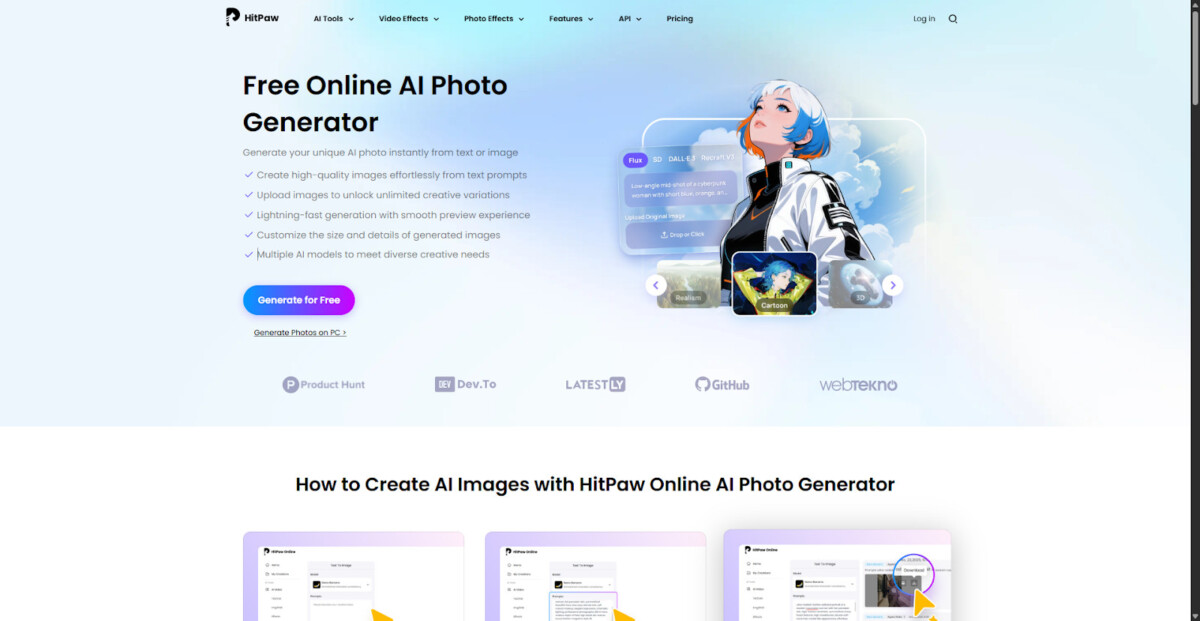
HitPaw Online AI Photo Generator is designed for anyone who wants to create visuals without design skills, software, or technical setup. As a free online image generator, it lets you turn plain text into polished images directly from your browser.
You do not need to download anything or learn complicated tools. Simply describe what you want, choose a style, and let the AI generate the image for you.
Text-to-Image Features and Highlights
Here are the key features of using a text-to-image AI generator:
1. Text to Image
HitPaw Online AI Photo Generator allows you to type a brief description and instantly generate an image based on it. Whether you want a realistic photo, a cartoon, or a creative scene, the AI uses your text to build a visual that matches your idea.
2. Multiple AI Styles
The tool offers different AI models and art styles, including realistic, anime, illustration, and digital art. This lets you choose how your image should look, depending on whether you need something professional, artistic, or fun.
3. Custom Size and Details
You can adjust image size, visual tone, and level of detail before generating. This helps you create images that fit social media, websites, or ads perfectly.
4. Fast Image Generation
Images are created within seconds, and previews load smoothly. You can use this tool to easily test different prompts and see results quickly without waiting.
5. Creative Use Cases
HitPaw Online AI Photo Generator is ideal for illustrations, concept art, ad creatives, and visual storytelling. It gives creators and marketers a fast way to turn ideas into ready-to-use images.
How to Use Text-to-Image
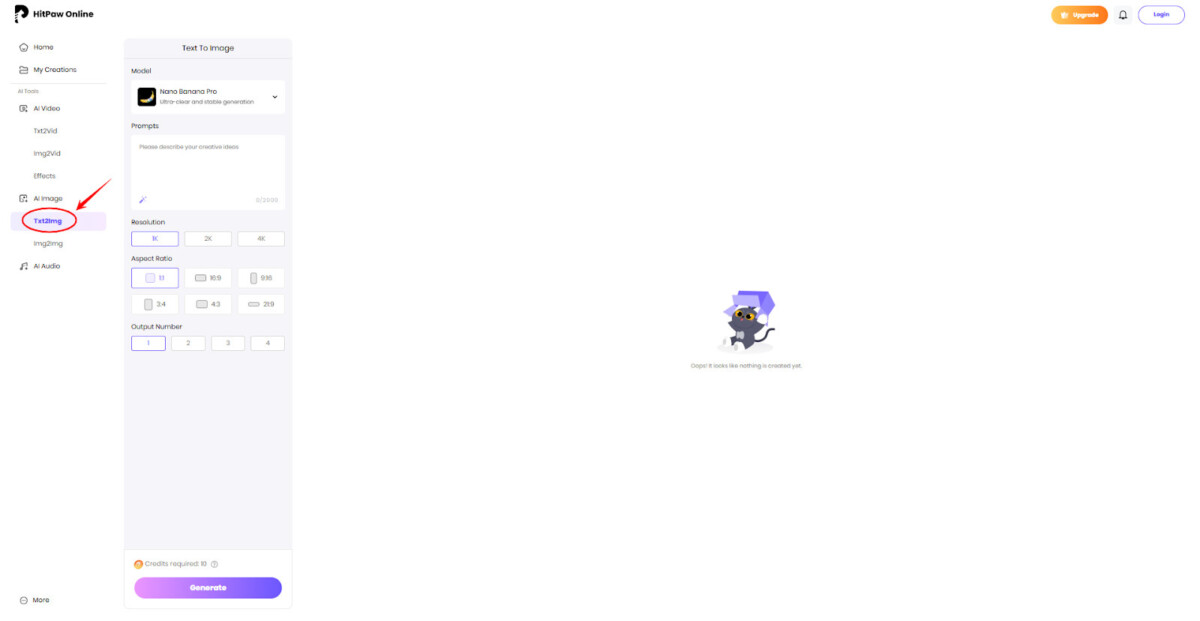
Step 1: Go to HitPaw Online AI Photo Generator in your browser. Here, navigate to the Text-to-Image generator from the side panel.
Step 2: Start by writing what you want to see. For instance, for social media, you might type “a modern workspace with a laptop and coffee.” Similarly, for creative art, you could try “a fantasy dragon flying over mountains.”
You can also set up the resolution, aspect ratio, and output number according to your needs.
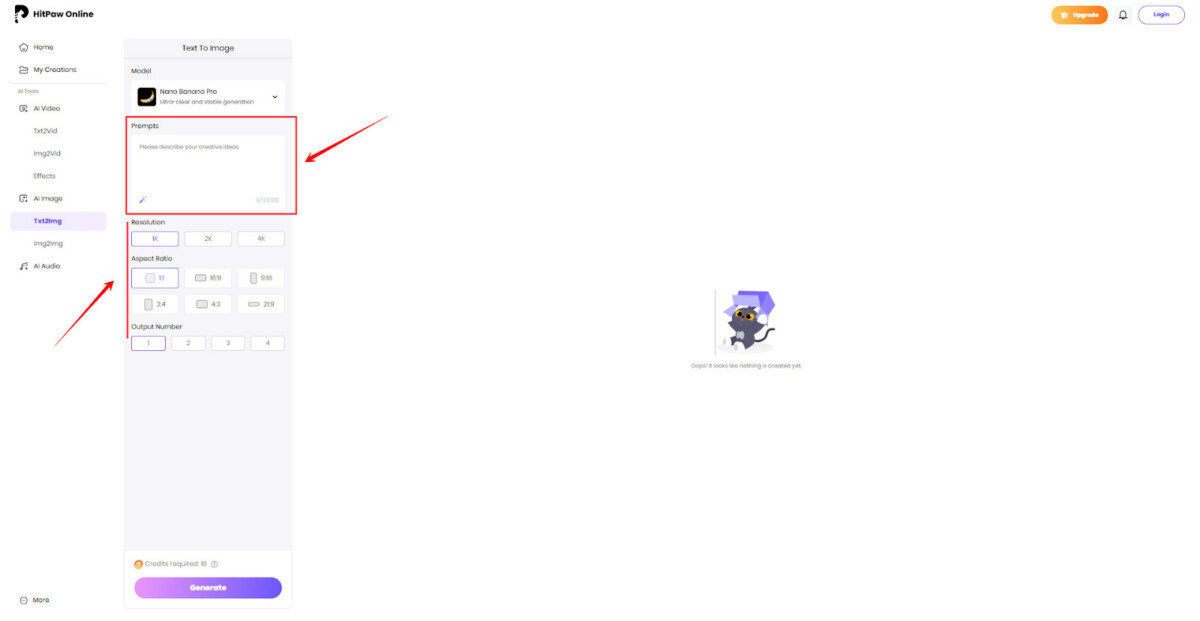
Step 3: Choose an AI model. Here, Nano Banana Pro is the best option and can be used for almost any image type.
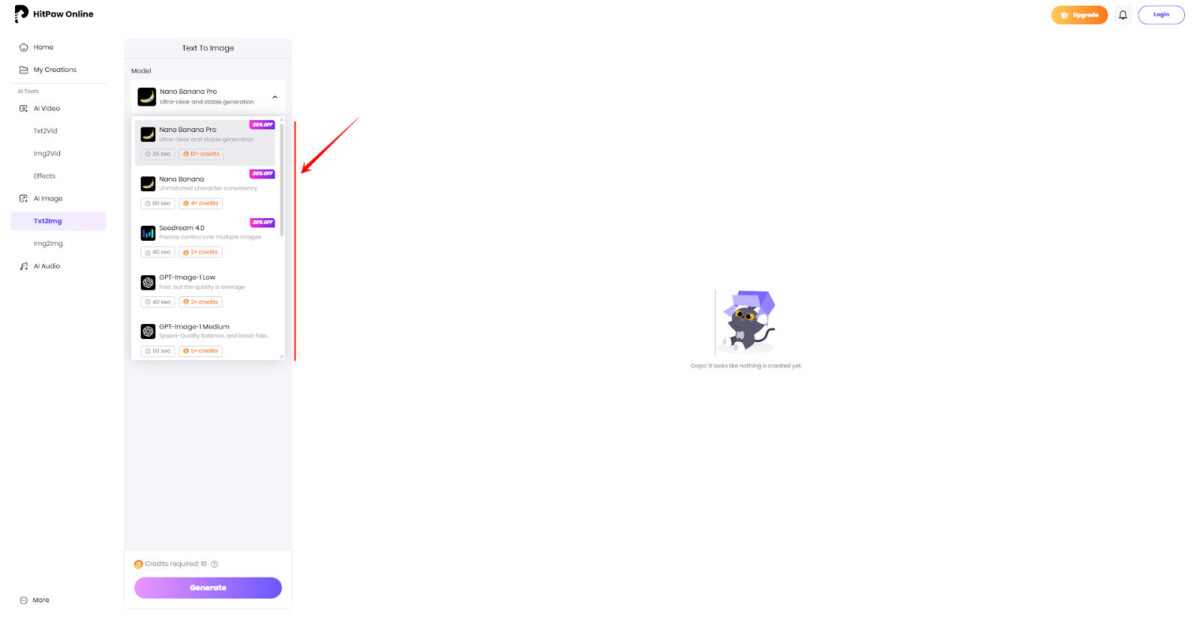
Step 4: Click the generate button now, and wait for the AI generator to complete the image. Once done, you can download it in any format you want.
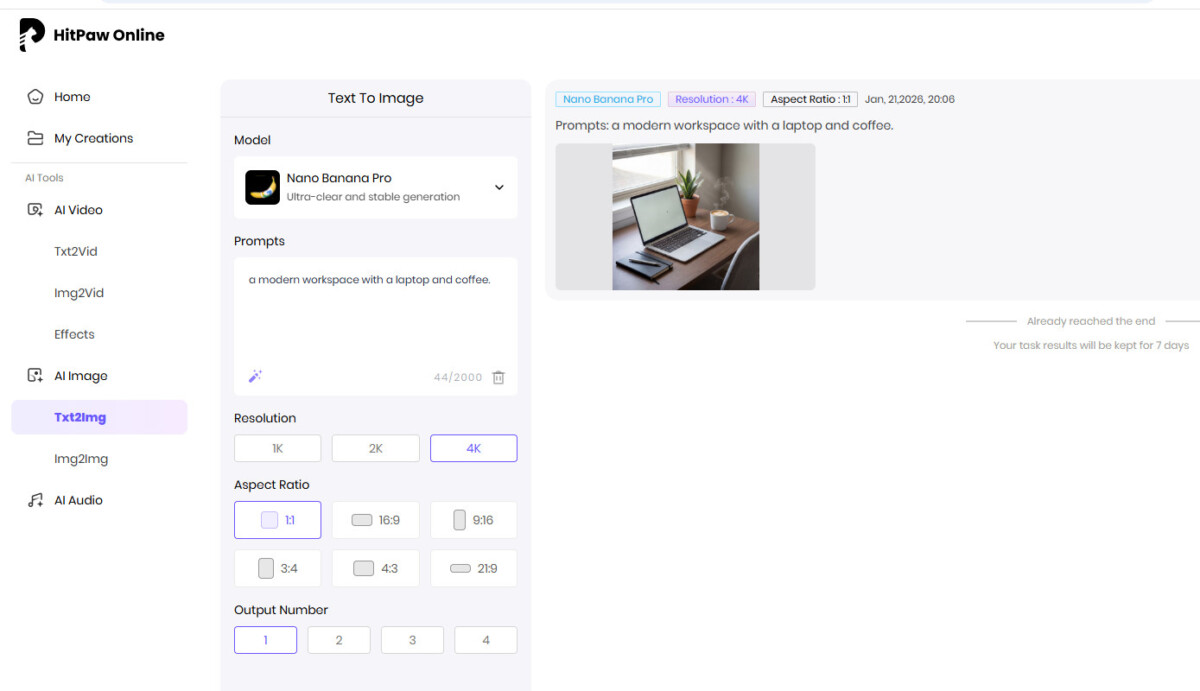
Types of Images You Can Generate
With HitPaw Online AI Photo Generator, you can create a wide range of image styles for almost any purpose. These include:
- Photorealistic Style: Creates images that look like real photographs, with natural lighting and lifelike details.
- Cartoon Style: Produces simplified, playful illustrations with bold outlines and expressive features.
- Anime Style: Generates anime-inspired visuals with stylized characters and dramatic shading.
- Digital Illustration: Delivers clean, modern illustrations suitable for blogs, guides, and educational content.
- Stylized Artwork Style: Applies artistic effects and abstract looks for visually distinctive designs.
- Branding Visuals: With it, you can generate cohesive visuals for brand identity, banners, and campaigns.
What are the Advantages of HitPaw Online AI Photo Generator?
The advantages of HitPaw Online AI Photo Generator are:
- No Design Skills Required: You can generate high-quality images using simple text prompts, without any graphic design experience.
- Fully Online Tool: Works directly in the browser, so there’s no need to download or install software.
- Fast Image Generation: Creates images within seconds, saving time compared to manual design or photo editing.
- Useful for Multiple Purposes: Can be used for marketing visuals, social media posts, product images, thumbnails, website graphics, and creative projects.
- Trend-Friendly Designs: Helps create visuals that align with current design and content trends.
Tips for Text-to-Image
Here are a few tips that can make your text-to-image experience much better:
- Use clear and detailed prompts. For example, write “a modern office with a laptop and plants” instead of just “office.”
- Add style words like “realistic,” “cartoon,” “anime,” or “digital art” to control how the image looks.
- Include lighting and mood, such as bright, dark, sunset, or neon, to get better visual results.
- For social media, use square images, such as 1024 × 1024, for Instagram and Facebook. As for banners or websites, choose larger sizes, such as 1280 × 720 or 1920 × 1080.
- Keep prompts simple at first, then add more detail if you need a more specific result.
Explore More Features: Image-to-Image Generation
Image-to-image lets you take an existing picture and turn it into something new using AI. Rather than starting from a blank prompt, you simply upload an image and tell the AI how you want it changed.
With it, you can convert photos into digital art, improve quality, change styles, or redesign visuals for social media. In HitPaw Online AI Photo Generator, this feature is built directly into the browser, so you can edit and transform images online.
How It Works
Step 1: In the same HitPaw Online AI Photo Generator website, go to the image-to-image feature.
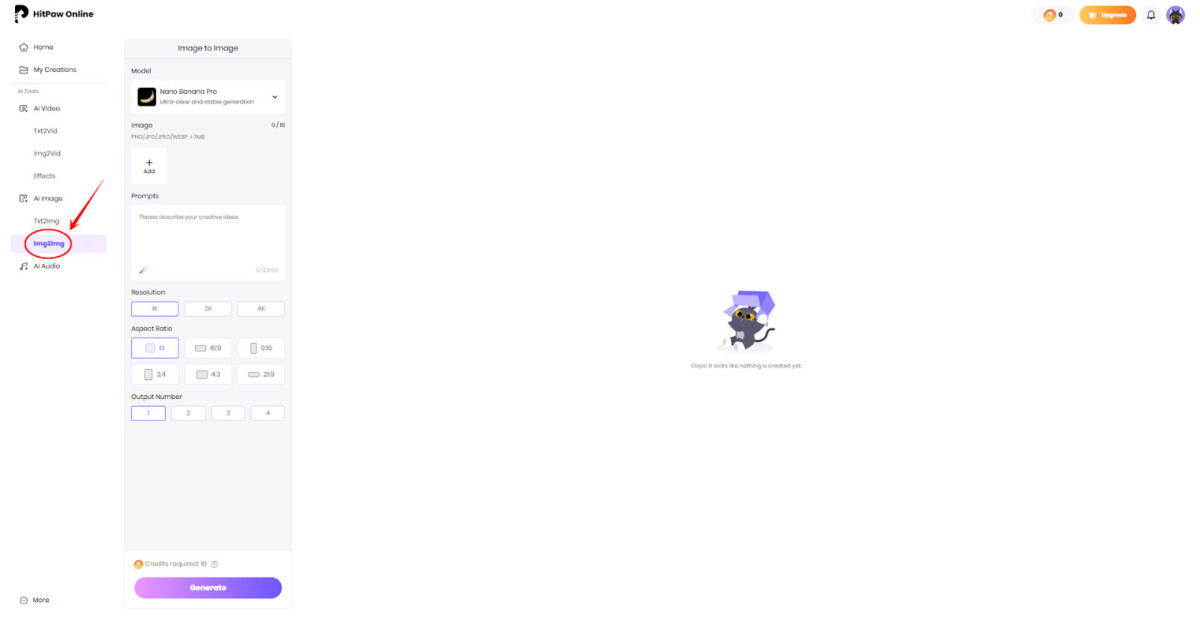
Step 2: Next, upload the image you want to transform. This can be a photo, artwork, product picture, or even a sketch.
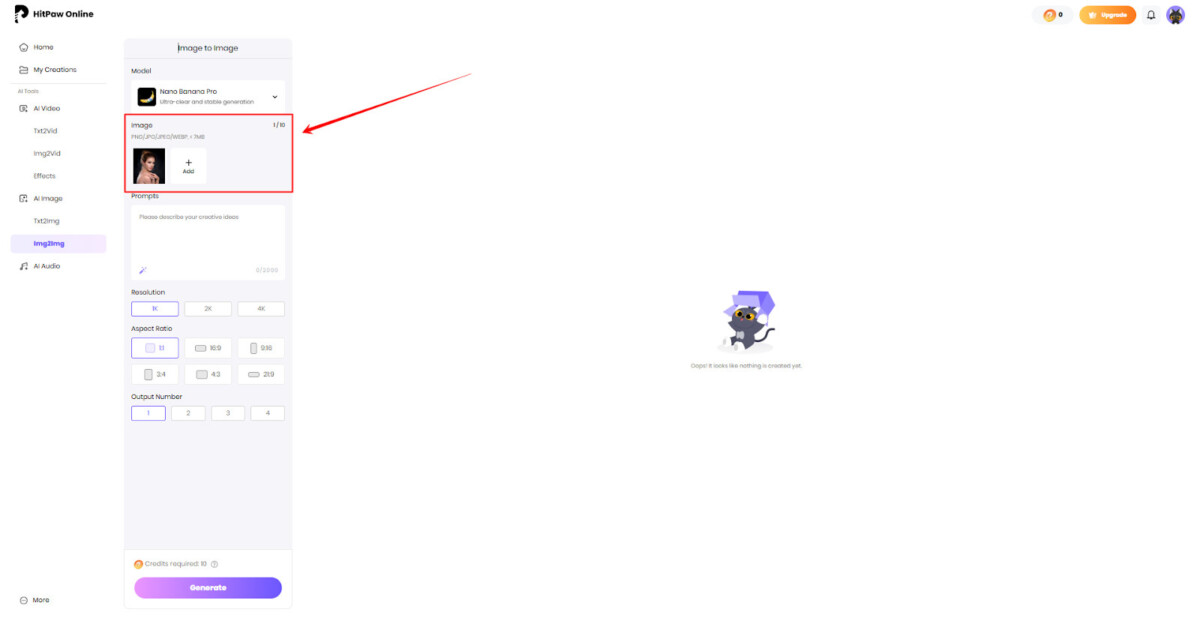
Step 3: Type a short description of how you want the image to change in the prompt box. You can write “Make this image look like anime” or “Turn this photo into digital art.”
After that, select a style or model, if available, and adjust any settings, such as detail or image size. You can choose from multiple AI models, but Nano Banana Pro is usually preferred.
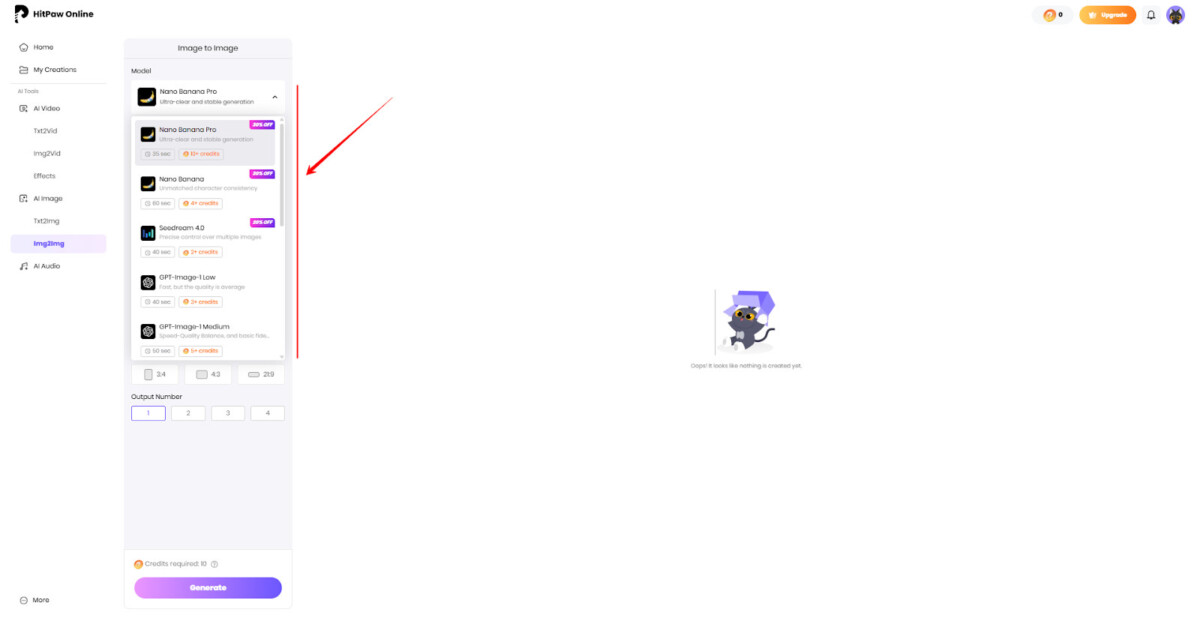
Step 4: After setting everything, such as resolution, aspect ratio, and output numbers, click the generate button and wait a few seconds. The AI will process your input and create a new version of the image.
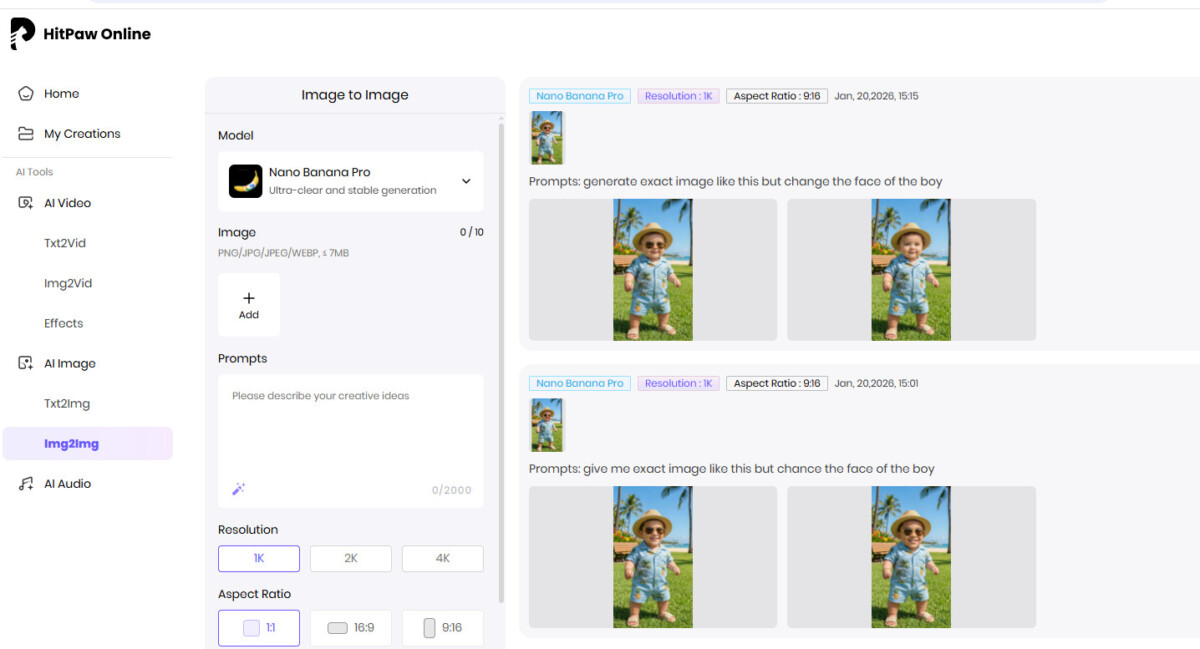
Image-to-Image saves a lot of time because you start from an existing image instead of creating everything from scratch. It allows you to redesign visuals in seconds instead of hours.
You can also generate multiple variations from one photo, which is useful for social posts, ads, and creative projects. Since everything runs online, you do not need any design software or editing skills to get professional-looking results.
Frequently Asked Questions
1. What Is a Free Online AI Image Generator And How Does It Work?
A free online AI image generator is a tool that uses AI to create images from text. You type a description of what you want to see, and the AI turns it into a visual. It works by analyzing your words, matching them to millions of images, and then generating a new picture.
2. Can I Use An Online AI Image Generator Without Downloading Software?
Yes, you can use an online AI image generator directly in your web browser. You do not need to install or download anything on your computer. Simply open the website, enter your text prompt, choose a style, and generate the image.
3. What Types Of Images Can I Create With a Free AI Image Generator Online?
With a free AI image generator online, you can create many different types of images. This includes realistic photos, illustrations, anime art, fantasy scenes, product visuals, social media graphics, and marketing images. You can also generate backgrounds, concept art, and creative designs.
Conclusion
AI image creation is no longer just for designers or tech experts. With HitPaw Online AI Photo Generator, you can turn simple ideas into high-quality visuals in just a few steps. The AI it uses removes many of the traditional barriers associated with design.
As an online AI image generator, it simplifies the entire process by handling layout, style, and visual detail automatically. This allows users to focus more on creativity and less on learning complex design tools or workflows.
Anyone looking for a practical way to generate images from text, HitPaw Online AI Photo Generator stands out as a practical option. Its combination of speed, flexibility, and multiple style choices makes it well-suited for everyday content creation and marketing needs.
