





Key Takeaways
- Produce professional video content faster than competitors by using browser-based AI tools that eliminate the need for traditional editing software.
- Follow the HitPaw workflow by entering a descriptive text prompt, selecting a specific AI model like Google Veo3 or Kling, and setting your desired resolution to generate a complete video.
- Reduce the stress and technical frustration of content creation by using AI to handle complex tasks like motion control and scene structure automatically.
- Turn your favorite static photos into trendy, moving social media posts instantly by using the image-to-video feature.
You no longer need editing skills, expensive software, or hours of work to create videos.
Today, AI can turn simple ideas into ready-to-use videos directly in your browser. This is exactly what HitPaw Free Online AI Video Generator is designed for.
As a free AI video generator online, it lets anyone create videos from text without downloads, ads, or technical setup. You simply describe what you want, choose a style, and generate a video in minutes.
In the sections ahead, you will see how HitPaw Free Online AI Video Generator works and what you can create with it.
Why More People Are Using AI Video Generators Online
Video has become one of the most powerful ways to communicate ideas, promote products, and engage audiences. At the same time, traditional video editing tools remain difficult for many people to use.
They often require software downloads, powerful hardware, and time to learn complex interfaces. These barriers make video creation slow and frustrating for people who need results quickly.
An AI video generator free online removes many of these limitations. As a result, users can create videos directly in a browser without installing any software. The process is faster and easier to manage, especially for creators and small businesses.
HitPaw Free Online AI Video Generator Review
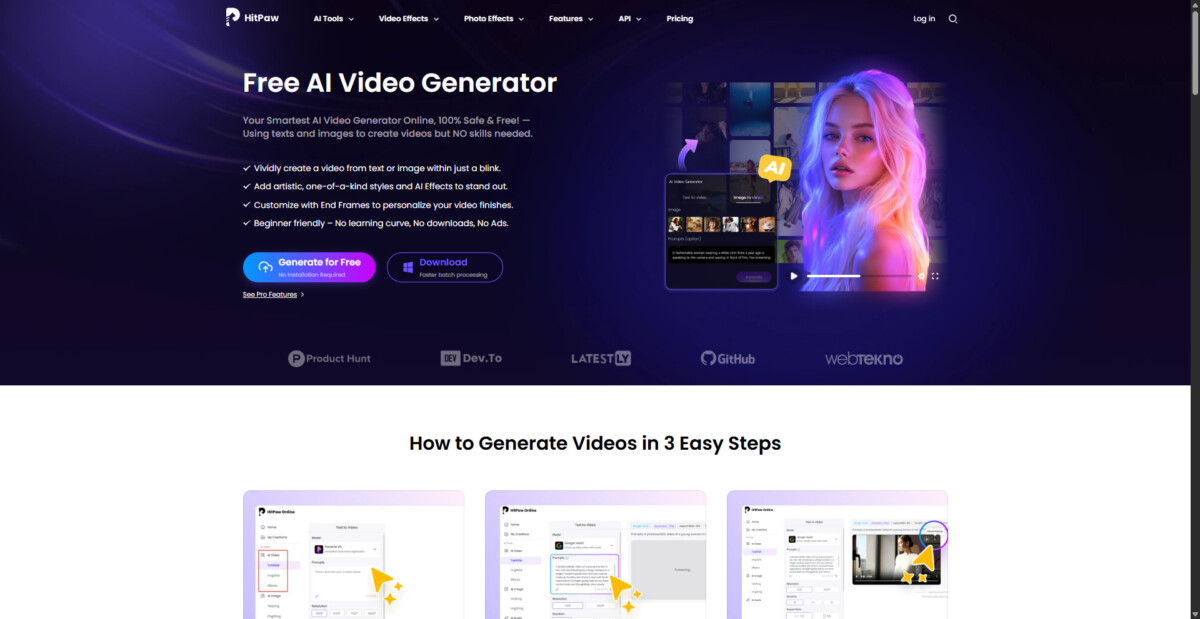
HitPaw Free Online AI Video Generator is a browser-based tool designed to help users create videos from text without any technical skills, downloads, or ads. It focuses on simplicity and speed, which allows anyone to turn ideas into short videos directly online.
By handling visuals, motion, and structure automatically, the tool removes the complexity of traditional editing. This makes it a practical option for creators, marketers, and everyday users who want quick results.
Why Creating Videos With Text Feels So Easy
Here are all the features that make it easy for users to create videos with simple text prompts:
1. Converts Simple Text Into Full Videos
You start by entering a short text prompt that explains your idea. The tool turns the description into a complete video with visuals and motion. This removes the need to arrange scenes or add effects manually.
2. Multiple AI Video Styles and Templates
HitPaw Free Online AI Video Generator offers different video styles and templates to match various needs. You can create content that feels cinematic, animated, or minimal, depending on your goal. This helps your videos match the platform where they will be shared.
3. Various AI Models
Different AI models, such as Google Veo3 and Kling 2.1, are available to handle video generation. These models focus on improving motion, consistency, and overall visual quality, so the final output looks smoother and more balanced.
4. Custom Video Length and Resolution
You can control how long the video is, its resolution, and the output format. This makes it easier to create videos that fit social media requirements, websites, or presentations without extra editing.
5. Ideal for Social Posts and Marketing Videos
Because the process is fast and flexible, the tool works well for short social posts, promotional videos, and simple story-based content. You can focus on the message while the AI handles the visuals.
How to Create Viral Videos Using Only Text Prompts
If you’re looking to create viral videos with HitPaw Free Online AI Video Generator, follow these steps:
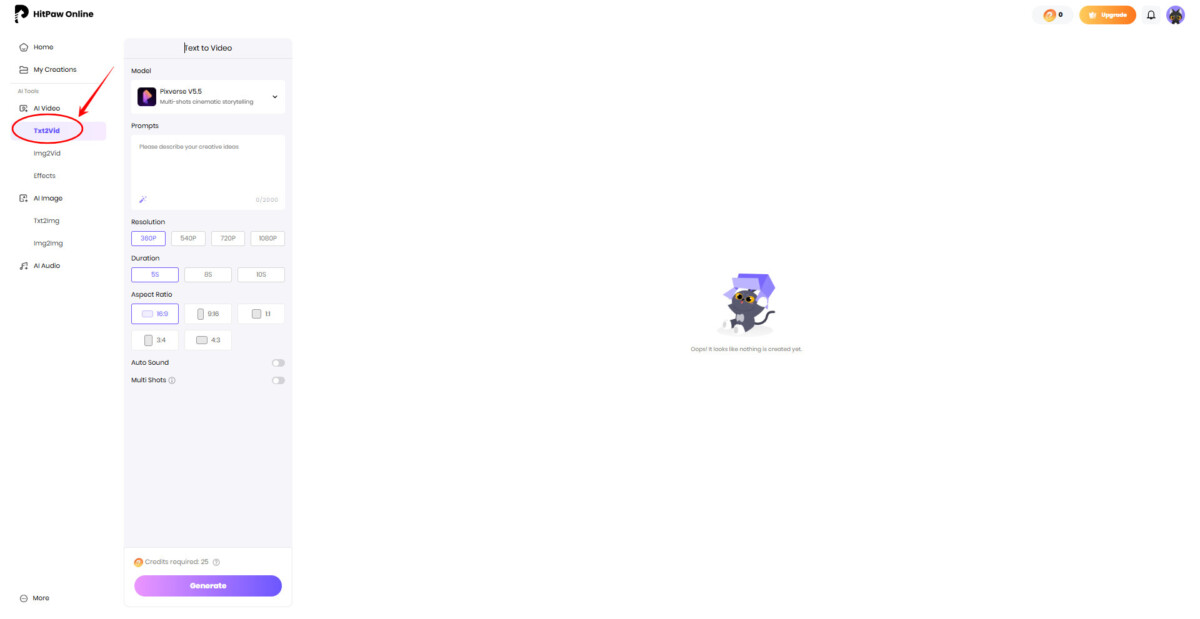
Step 1: Go to the AI video generator online in your browser. You don’t need to login ot download anything. Here, click on “Txt2Vid” from the side panel.
Step 2: Now, in the prompts box, describe the video you want to create. Make sure to keep the prompt short and trend-focused.
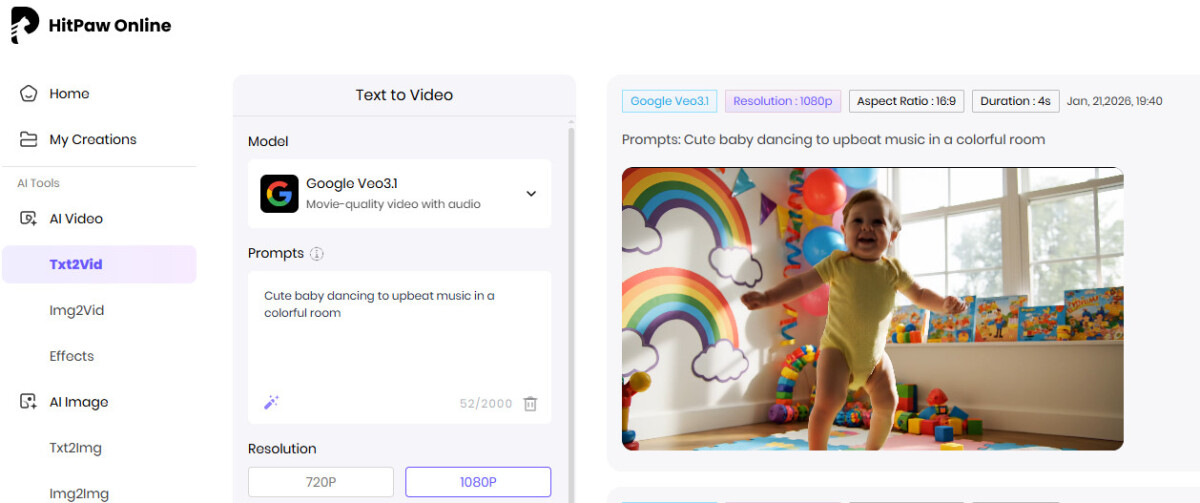
For instance: “Cute baby dancing to upbeat music in a colorful room” or “Motivational quote video with calm background and smooth motion.”
Pro Tip: Clear prompts help the AI understand mood, subject, and pacing.
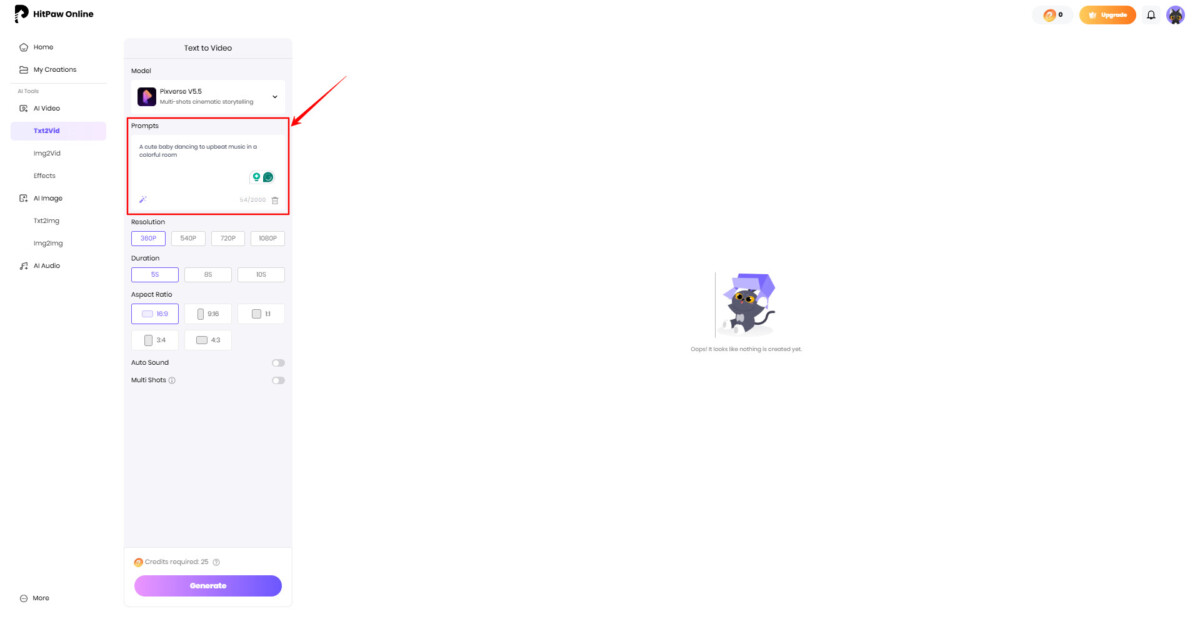
Step 3: Next, select an AI model. You can go with Kling if you want to focus more on motion control, while Google Veo3 if you want more realistic results.
Just match the model with your requirements; one might be better than the other one in certain scenarios.
Also, set the resolution to 1080p, duration to 8s minimum, and the aspect ratio.
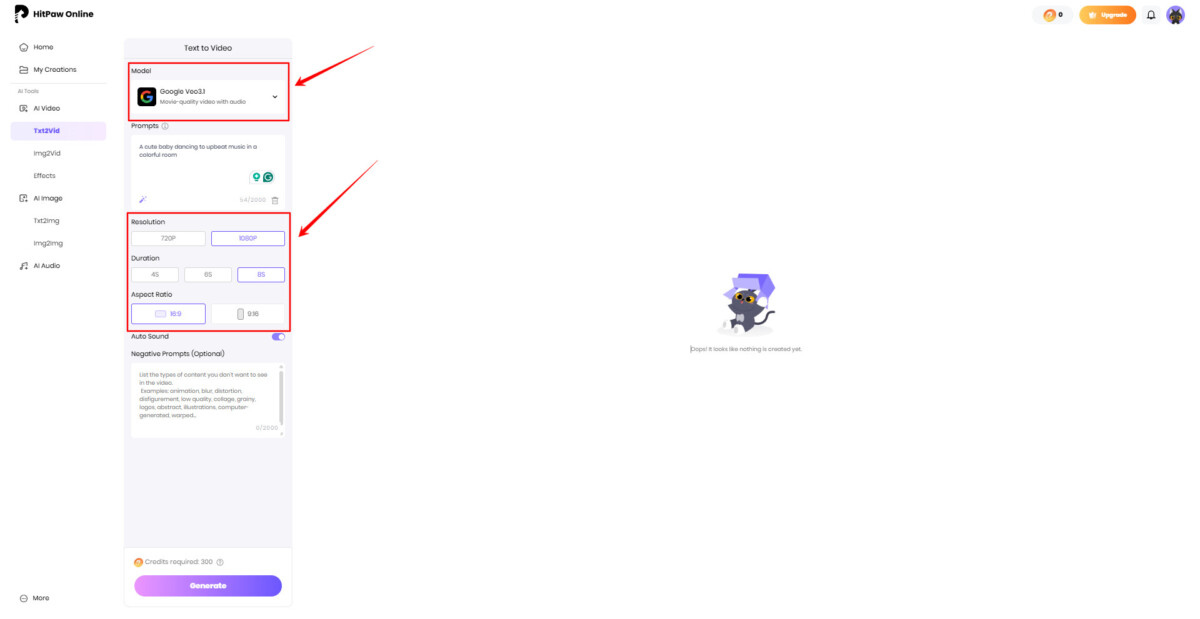
Step 4: Once you’re satisfied with everything, click the generate button. In the end, simply download the video if it matches your goal and see it go viral on Instagram or any other social media platform.
Use Your Images to Create Trendy AI Videos
HitPaw Free Online AI Video Generator also lets you create videos using your own images, which is useful for branded or personal content. Here’s how you can do it:
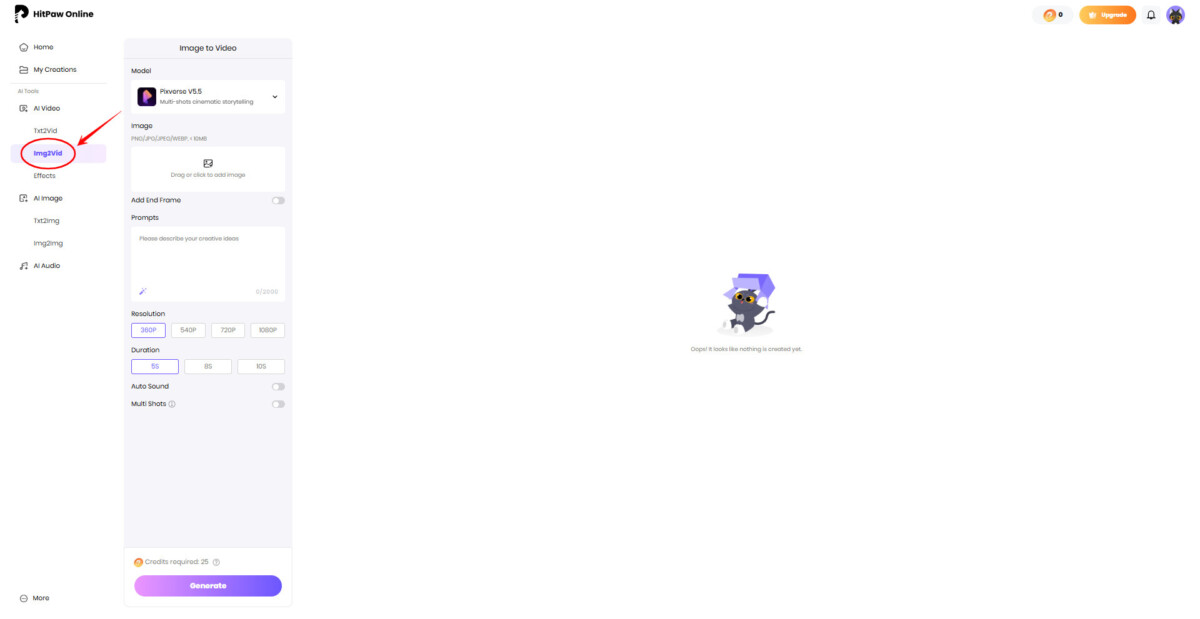
Step 1: Yet again, go to the HitPaw Online in your browser. However, this time, instead of Txt2Vid, click on “Img2Vid.”
Step 2: Now, upload the image that you want to turn into a trendy video like the BabyAI videos. You can use one or add multiple with start and end frames to make the videos more interesting.
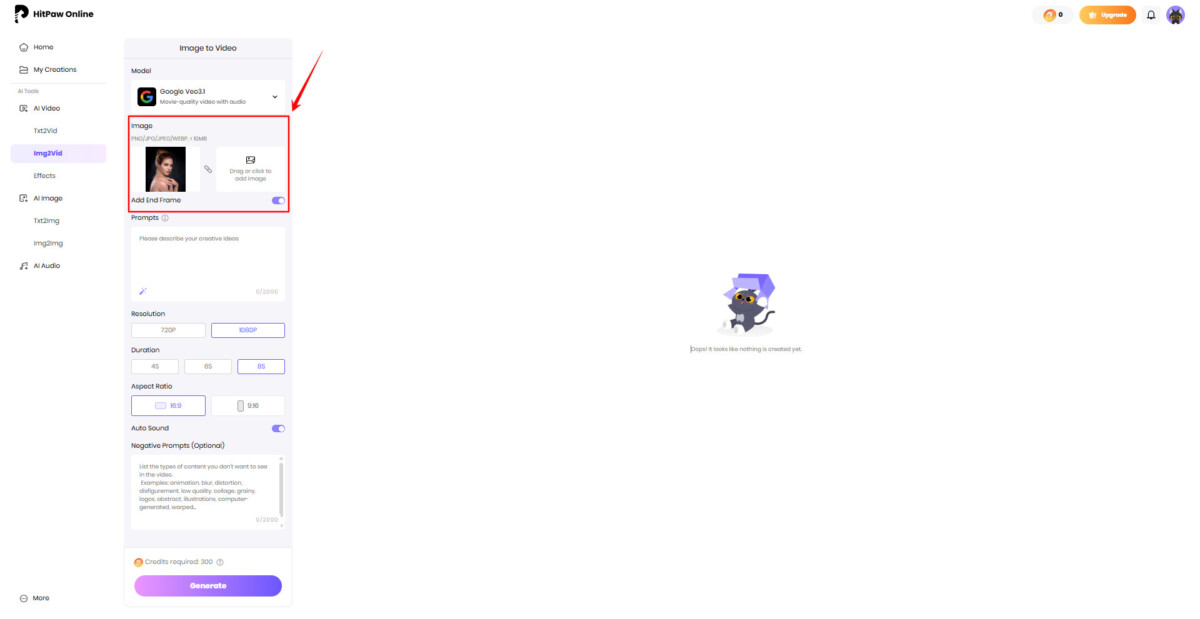
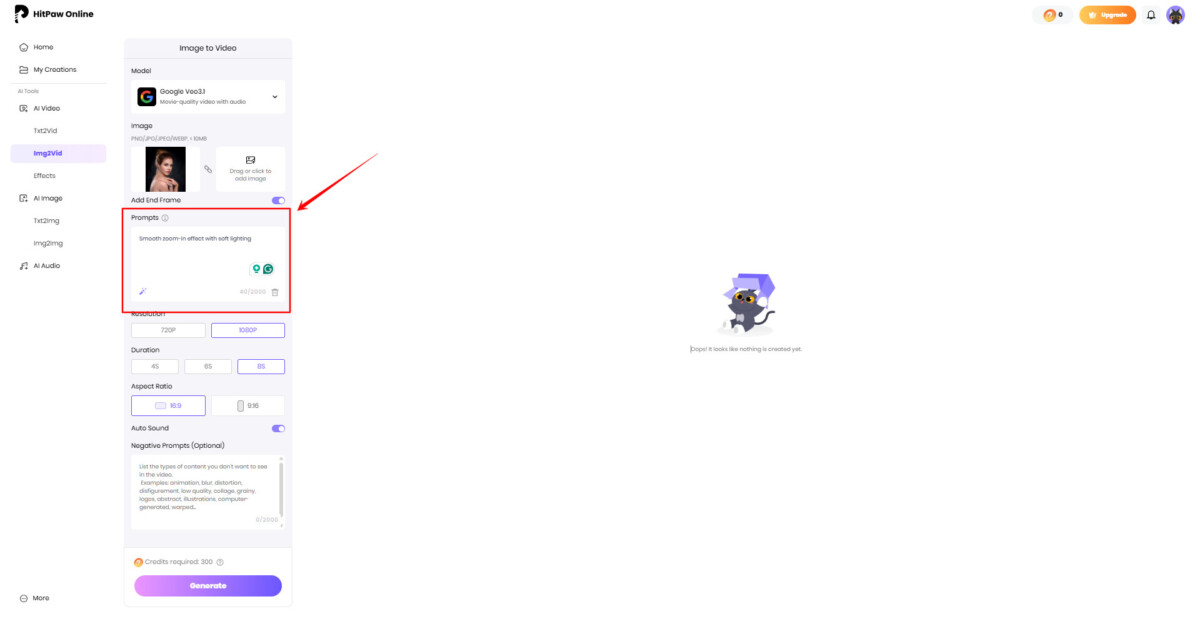
Step 3: Also, write a short prompt that explains how the image should move.
For example: “Smooth zoom-in effect with soft lighting” or “Animated slideshow with modern transitions.”
This tells the AI how to animate the image.
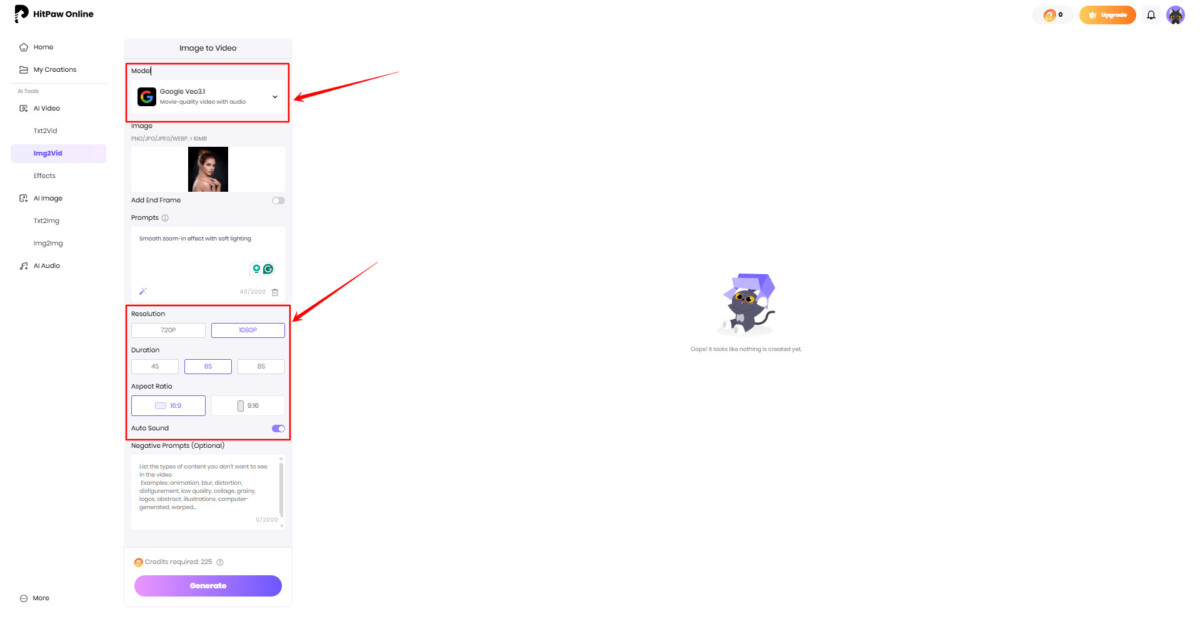
Step 4: Lastly, you need to choose video resolution, aspect ratio, and the length of the video (8s is recommended).
Also, choose the AI model you want to use. Use the Google Veo3 for general video creation, while Kling 2.1 if you want to make the motion feel smoother. Hailuo is also great for precise video generation.
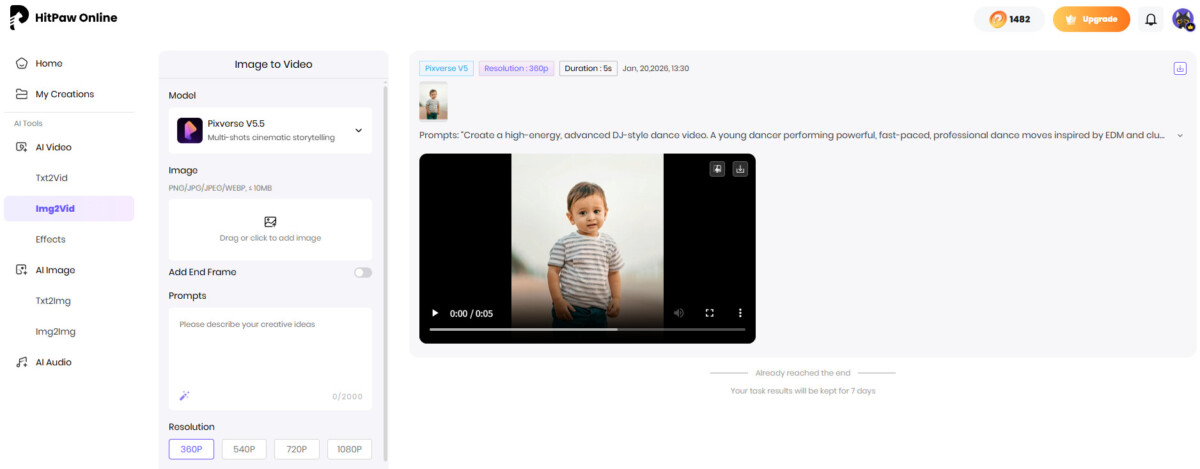
Step 5: In the end, generate the video and preview the result. If needed, adjust the prompt or upload different images and regenerate.
Using your own images helps keep content personal while still following current video trends.
How Are We Better Than Our Competitors?
Many AI video tools promise fast results, but few actually remove friction from the entire creation process. Based on that, here’s what makes our AI video generator online better than competitors:
- No Skills Required: You do not need editing experience or technical knowledge. The tool works with simple text prompts, so anyone can create videos without learning timelines.
- Truly Browser-Based: Everything runs online. There are no downloads, no heavy software, and no system requirements. You can create videos from any device with a browser.
- Fast and Consistent Results: Video generation is quick and predictable. You can test multiple prompts in minutes without waiting through long processing times.
- Built for Modern Content: The tool is designed for short videos, social posts, marketing clips, and simple storytelling. It matches how people actually create and share content today.
Who Should Use a Free AI Video Generator Online
A free AI video generator online is useful for anyone who needs videos without spending time or money on complex tools. It fits especially well for people who want quick results and simple workflows, including:
- Content creators can turn ideas into videos quickly for social media, short-form platforms, and storytelling. The tool helps keep content consistent and fresh without slowing down production.
- Marketers can create promotional videos, ads, and product highlights without relying on editing teams. This makes it easier to test ideas and publish content faster.
- Students can use AI-generated videos for presentations, projects, and assignments. It helps explain ideas visually without needing design or editing skills.
- Small businesses can create videos for social posts, websites, and announcements. This saves costs while still producing professional-looking content.
Frequently Asked Questions
1. Can I Use An AI Video Generator Free Online Without Any Editing Skills?
Yes, you can use an AI video generator free online without having any editing experience. These tools are designed to work with simple text prompts instead of complex editing timelines. You only need to describe what you want, and the AI automatically creates the video for you.
2. What Types Of Videos Can I Create With An Online AI Video Generator?
An AI video generator online can be used to create many types of videos. This includes social media clips, marketing videos, short ads, educational content, and simple storytelling videos. You can also create videos from text prompts or use your own images to add motion and visual interest.
3. How Does a Free AI Video Generator Online Work?
A free AI video generator online works by analyzing your text or images and turning them into a video using AI models. The system automatically selects visuals, motion, and structure based on your input. This removes the need for manual editing and speeds up the entire video creation process.
Conclusion
AI video creation no longer needs to be complicated or time-consuming. Browser-based tools have made it possible for anyone to create videos quickly without learning editing software or managing technical setup.
Out of all the tools, HitPaw Free Online AI Video Generator takes the lead. As a free AI video generator online, it removes common barriers like downloads, ads, and skill requirements.
So, if you want an easy way to turn ideas or images into videos, our AI video generator online offers a helpful and reliable starting point.
