







Product images sell—fast. According to a 2025 ElectroIQ study, 67 percent of online shoppers said photo quality is the number-one reason they hit “Buy.” Yet traditional studio shoots drain budgets and burn weeks. When brands switch to an AI-driven product-photography platform, they can slash visual-content costs by up to 80 percent and cut turnaround time 75 percent — see an AI-driven product photography case study showing how one brand reduced costs and improved throughput by over fivefold according to a 2025 Shopify blog post. Tools like Photoroom even auto-enforce Amazon’s pure-white, 85-percent-frame rule, so you can stay compliant on the first upload. In this guide, we’ll rank the best AI options by marketplace, catalog size, and budget—then show where creative generators such as Leonardo fit alongside compliance-first suites.
What AI Product Photography Tools Do (And What They Don’t)

Most AI photo platforms promise a one-click miracle, but their real value sits in three repeatable jobs:
- Background removal. The software isolates your product and drops it onto a pure-white, transparent, or lifestyle backdrop.
- Relighting. Algorithms rebalance shadows, contrast, and color so every SKU looks as if it was shot in the same studio.
- Upscaling. Final images are enlarged to roughly 1 600 px on the long edge, keeping them crisp on zoom and retina displays.
What separates one tool from the next is the extra layer each vendor adds:
- Compliance engines. Suites such as Claid Smart Frame and Photoroom’s Amazon Background Remover auto-enforce Amazon’s white (RGB 255,255,255) backdrop, 85 percent frame coverage, and ≥1 000-px zoom threshold, which saves manual tweaks and potential listing rejections.
- Creative generators. Generalist models like creative image-generation software Leonardo, Adobe Firefly, or GPT-4o invent entire scenes, like a smartwatch floating in neon vapor or a mug on a snowy windowsill. Use these assets for ads and hero banners, then pass your main “Add to Cart” images through a compliance-focused suite.
Where AI Still Needs a Human
- Reflective or transparent items (chrome kettles, glassware) can confuse edge detection and leave ghost halos that need manual cleanup.
- Fully synthetic renders sometimes warp small text or barcodes, so a quick QA pass protects brand trust.
- Labeling remains a gap: Article 50 of the EU AI Act requires AI-generated images to carry machine-readable tags, yet only a handful of vendors watermark by default.
In short, AI photo tools excel at repetitive work: cutting backgrounds, equalizing light, and batch-exporting marketplace-ready files. They still can’t replace your judgment—spotting a fuzzy edge, catching an off-brand hue, or adding an “AI-generated” label when the law (and your shoppers) expect it.
How to Choose an AI Product Photography Tool
Selecting the right platform starts with a quick audit of four variables:
- Sales channels. Amazon’s hero image must sit on a pure-white (RGB 255,255,255) background and fill at least 85 percent of the frame, while Etsy favors square thumbnails that crop tighter on mobile. Your primary marketplace decides which presets you need.
- Catalog size. A ten-item Etsy shop can work inside a mobile app, but a 3 000-SKU Amazon catalog needs batch uploads, an API, and strict file-naming logic.
- In-house skills. Solo founders usually want a point-and-shoot interface that skips Photoshop, while creative teams care about layers, plug-ins, and color-profile control.
- Budget. Traditional studio shoots cost about $50 to $95 per basic product image in 2025 pricing, according to e-commerce photography studio Squareshot. Add lighting, props, and retouching, and the total climbs fast. Any AI platform should land well below that while cutting hours off time to list.
Keep these four cornerstones (channel, catalog, skills, and spend) front and center. They filter glossy demos into a shortlist that truly fits your workflow.
Criteria that Separate Hype from Help
So what makes an AI photo platform worth paying for? Seven filters sort contenders quickly, whether you run a ten-item Etsy side hustle or a forty-thousand-SKU marketplace empire.
- Marketplace compliance. Look for presets that lock images to RGB 255 255 255, keep the product within Amazon’s 85 percent frame, and export at 1 600 px or higher. Photoroom’s Amazon background remover meets those specs in one click.
- Workflow and scale. Batch uploads, folder mapping, and an API become mandatory once your catalog tops a few dozen SKUs; otherwise you swap photo costs for people costs.
- Output control. Shadow sliders, color-match tools, and rerender options cut returns and protect brand trust.
- Transparent pricing. Good platforms publish a clear cost-per-image or credit table. Traditional studios often charge $50 to $95 per basic shot, so your AI bill should land well below that.
- Rights and data handling. Confirm you own full commercial rights and that uploaded photos will not feed another company’s training set.
- Regulation readiness. Article 50 of the EU AI Act requires machine-readable tags or watermarks on synthetic images that could be mistaken for real. If a vendor shrugs, keep looking.
- Ease of use. A clean UI, guided wizards, and quick onboarding preserve the whole point of AI: speed.
Score each short-listed tool against these seven checks, and the right choice usually pops off the spreadsheet.
Best AI Product Photography Tools by Use Case and Budget
Use the quick reference below to match your needs with the right platform.
| Primary Need | Catalog Size | Marketplace Focus | Best-Fit Tool(s) | Starting Price* |
|---|---|---|---|---|
| Creative lifestyle scenes and hero banners | Any | Shopify, DTC sites | Leonardo.ai | Free tier; paid plans from $10 per month |
| Pixel-perfect Amazon compliance | 5-5000 SKUs | Amazon | Photoroom, Claid | $0.13 – $0.25 per image |
| Bulk catalog refresh through API | 1000+ SKUs | Multi-marketplace | Claid, Ecomtent | Custom; case studies cite 80% cost cuts |
| Mobile, social-first editing | 100 SKUs | Etsy, Instagram | Pixelcut, Pebblely, Mockey | Free; premium plans from $9 per month |
| Guided phone shoots for beginners | 200 SKUs | Amazon, Walmart | DoMyShoot | Pay-as-you-go credits (about $1 – $2 per image) |
*Published list prices as of November 2025. Confirm current rates before you subscribe.
The reviews that follow explain why each tool shines, where it falls short, and what kind of ROI you can expect when you trade a studio workflow for AI.
Leonardo.ai: Flexible AI Photography for Product and Lifestyle Visuals

Leonardo began as a general image generator, and its 2025 photo app now gives you a focused workflow. Upload one pack shot, toggle “Product,” and the model delivers razor-sharp hero angles, colorways, and seasonal flat lays without smudging barcodes or label text.
Creative control. Style sliders let you shift lighting from soft-box to moody vignette, while a prompt bar accepts brand cues like “Nordic minimalist kitchen.” One session can fuel both catalog shots and Instagram teasers.
Speed. Batch mode returns dozens of variants in minutes. The Universal Upscaler pushes assets beyond 4 K for print or zoom-heavy product pages, according to Leonardo documentation.
Rights. Both free and paid tiers allow commercial use, based on Leonardo’s November 2025 policy update.
Caveats. Leonardo doesn’t lock Amazon’s pure-white background or 85 percent frame coverage. Run final selects through Photoroom or Claid before you publish.
Treat Leonardo as your creative engine, then let a rules-driven editor handle compliance so you keep both brand storytelling and marketplace approval on budget.
Claid.ai: Catalog Consistency for Marketplace Power Sellers
Claid is not a flashy art toy; it is built for scale. Point it at 1 000 SKUs, and the system works like a factory line, producing clean crops, balanced lighting, and identical angles so your category pages look curated rather than chaotic.
Bulk logic. Drop a CSV of file names and metadata, choose a rule set such as “Amazon main,” “Shopify square,” or “TikTok 9 × 16,” and Claid returns every version in one queue, with no manual resize or Photoshop macro.
Measured impact. A 2025 case study on Claid’s site cites up to 80 percent lower editing costs and a fivefold boost in seller onboarding speed after teams left manual workflows behind.
Quality safeguards. Edge detection handles reflective glass and jewelry, while color-correction controls keep reds and blues on brand across lighting conditions.
Watch-outs. The interface feels utilitarian next to design-first apps, and API automation sits behind higher-tier plans. Pricing for mid-volume accounts starts at about $0.12 to $0.20 per processed image. If you upload hundreds of new items each month, the discipline and developer hooks can pay for themselves well before quarter-end.
Photoroom: Marketplace-Ready Visuals for Amazon and Etsy
Photoroom wraps its editing engine into a fast web and mobile workflow. Tap Remove background and your item lands on a pure-white canvas (RGB 255 255 255) in seconds, with no halos and no masking brush.
Template presets. Select “Amazon main,” “Etsy square,” or “eBay gallery,” and the editor locks crop ratios, frame coverage, and minimum pixel counts. In a quick test, a 1 024-px bottle shot upscaled to 1 600 px and centered perfectly, so compliance worries disappear.
Batch speed. Drag twenty images into the browser, apply a preset, and watch one progress bar finish instead of clicking through each file.
Creative add-ons. Type “on a marble countertop at sunrise,” and the AI builds a believable lifestyle vignette with matched shadows, perfect for ads or social banners.
Pricing. The free tier covers small trials. The first paid plan unlocks HD exports and brand kits, while enterprise seats add API access and SSO for agency teams.
If you already live inside Photoshop, Photoroom may feel light on manual layer control. For sellers who value speed and accuracy over pixel-level tweaks, it offers more “list-it-now” power per click than any rival in this roundup.
Pebblely: Instant Lifestyle Backdrops for Small Shops
Pebblely is the app you open when creative brain-freeze hits. Drop in a plain pack shot and, thirty seconds later, you can browse a gallery of ready-to-post scenes that look like a full-day studio set.
Preset themes. Choices like Cozy living room, Minimalist desk, and Marble kitchen act as shortcut mood boards. One click refreshes the scene until lighting and props feel right, with no prompt engineering needed.
Light tech lift. Background removal is automatic, and exports cover Etsy and Instagram squares. Pebblely does not enforce Amazon’s pure-white hero spec, so run compliant listings through a rules-focused editor afterward.
Pricing. The free tier lets you create 40 images per month. The first paid plan costs $15 per month when billed annually and gives access to 1 000 images plus bulk generation up to 2 048 px. That setup is friendly for hobby sellers yet still covers weekend product-shoot marathons.
Think of Pebblely as a fast style companion. Pair it with a compliance tool and your solo brand gains a mini creative team you never have to put on payroll.
DoMyShoot: Guided Mobile Shoots for Beginners
DoMyShoot turns your phone into a coach that teaches, shoots, and edits in one loop. Open the iOS or Android app, choose Amazon or Shopify, and on-screen AR frames show exactly where to place the product. Snap, rotate, snap again. Green checkmarks confirm lighting and angle before you put the phone down.
The AI then removes the background, balances color, and places the item in lifestyle templates such as a beach scene, brunch table, or holiday setup. A full hero-plus-variants set appears in your gallery in about eight minutes, according to Dresma’s 2025 user guide.
Pricing. The starter pack costs $9.99 for 40 images, and larger bundles drop the rate below 25 cents per render. Higher tiers add bulk exports and brand styles, yet the AR guide remains the highlight because it prevents mistakes like crooked shots or blown highlights that no editor can fully fix.
If you already run a DSLR studio, DoMyShoot adds less value. For founders with a phone and ambition, it shrinks the learning curve from weeks to minutes.
Mockey AI: Low-Friction Product Photoshoots for Tight Budgets
Mockey wraps its generator in a chat-style interface. Drag in a product shot, type “summer picnic scene,” and the model stages it on checkered cloth with sunlit highlights, with no style codes needed.
Built-in coaching. Pop-up tips, GIF demos, and blog links explain shadow realism and prompt negatives, so you can learn best practices without a YouTube marathon.
Starter pricing. The free tier lets you create ten watermarked images per day. The Lite plan costs $5 per month and removes branding while raising the cap to 100 images. You pay more only if you want HD exports or bulk renders.
Mockey trades depth for speed. It has no Amazon presets or batch APIs, and reflective products may need a manual touch-up. For side-hustle founders who want scroll-stopping images on a coffee-money budget, this nimble shooter earns a spot in the toolkit.
Pixelcut: Mobile Batch Editing for Social-Driven Sellers
Pixelcut turns a smartphone into a rapid editor that works faster than you finish a latte. Snap a product against any backdrop, and the app erases clutter, drops realistic shadows, and offers templates sized for Instagram, TikTok, and Facebook Shops.
Batch magic. Select twenty shots at once, apply the same background, logo overlay, and shadow style, and export in under a minute. Ideal for social brands running daily drops.
Pocket-friendly UI. Large thumb buttons, undo swipes, and live previews let you polish images while waiting for coffee. Export presets include square, 4:5 feed, 9:16 story, and Pinterest tall pins, so assets hit every ratio without mental math.
Limits. Maximum resolution sits at 4 096 px on the long edge, and deep color-grading tools are absent. If Amazon compliance drives most of your revenue, you will still need a desktop suite for pixel-level tweaks.
For on-the-go editing and social commerce speed, Pixelcut delivers pro polish straight from your pocket. The free tier starts you off, and the first paid plan costs about $9 per month for unlimited exports.
Ecomtent: Enterprise-Grade Automation for Agency Catalogs
Ecomtent is more than an editing app; it operates as a full production pipeline. Feed it product data, reference photos, and copy blocks, and the platform returns polished hero shots, lifestyle renders, and infographic overlays in bulk, then ships them to your PIM, Shopify store, or Amazon S3.
Rules engine. Set logic once, such as “Footwear → add shadow style A” or “Jewelry → enforce 3:4 crop and reflective cleanup,” and every new SKU follows that template automatically.
Audit-ready workflow. Each render stamps a time and date and stores the pre- and post-edit file, creating a paper trail that compliance teams can review without extra work.
Where it shines. Internal case studies cite 60 percent labor savings on catalogs above 20 000 SKUs and throughput of up to 15 000 processed images per day.
Trade-offs. Onboarding means mapping attributes, uploading brand kits, and training the AI, which is overkill for catalogs under 500 items. Pricing is custom, but once the conveyor belt runs, Ecomtent swaps late-night retouch cycles for API calls and predictable SLAs.
Compliance and Labeling for AI Product Photos
Marketplace Rules come First
- Amazon. Your main image must sit on a pure-white background (RGB 255 255 255), fill at least 85 percent of the frame, and reach 1 600 px on the long edge to enable zoom. Text, props, or creative shadows on that hero shot will trigger rejection.
- Etsy. Thumbnails default to a square crop, while mobile feeds squeeze to 4 : 5. Upload at least 2 000 × 2 000 px and keep key details centered.
If a tool cannot lock these specs by default, you will spend more time fixing files than you save generating them.
AI Labeling is now Law in the EU

Article 50 of the EU AI Act requires any synthetic image that “could be mistaken for real” to carry a machine-readable tag or visible watermark. Spain’s draft schedule lists fines up to 7 percent of global turnover for non-compliance.
Few vendors embed C2PA or watermarking by default, so add an “AI-generated” overlay or metadata tag before you publish to EU shoppers and store an export log for audits.
Quick Checklist
- Use marketplace presets (or manual checks) before every upload.
- Embed “AI-generated” metadata on all synthetic visuals.
- Save originals, edits, and approval timestamps in a shared folder.
Treat compliance like resolution: automate what you can, but always give each image a final glance.
Calculating the ROI of AI Product Photography
Compare Cost per Image, not the Subscription Price
A modest eight-SKU studio shoot can cost about $1 500, or roughly $180 per hero shot once you add lighting, props, and retouching. Most AI platforms charge $0.20 to $2.00 per render, and a mid-tier plan often lands under $5 per finished image. You can redirect the savings to ad spend or faster inventory turns.
Factor in Time to List
Money saved is only half the story; speed matters more. Shopify case studies show up to 75 percent faster content turnaround and about 70 percent lower visual-production costs when merchants move from studio workflows to AI pipelines. Earlier listings mean earlier sales, quicker feedback loops, and healthier cash flow.
Run a Break-Even Check
annual AI spend ÷ images per year = break-even cost per image
If the result beats your current studio rate, start a pilot. Track conversion lifts from richer visuals and include returns avoided by clearer photos. Many teams recover the investment in weeks, not months.
Implementation Checklist for your AI Photo Stack
Start small and prove lift. Run one product line through your chosen tool, then compare conversion, click-through, and return rates with a control. Numbers beat hunches every time.
Sketch the workflow. Map who captures raw shots, who runs images through AI, and who signs off on finals. Clear roles keep “almost done” assets out of Slack limbo.
Build a prompt and template library. Store winning angles, brand-color values, and shadow specs in a shared doc so anyone can repeat the look.
Layer governance early. Create folders for Source → AI renders → Approved and follow a naming convention. Keep a log that shows which files are synthetic and whether they carry an AI-generated label.
Schedule quarterly tool reviews. Pricing tiers, resolution caps, and compliance features change quickly. A 30-minute check-in helps you drop bloat and adopt new capabilities.
Assign an owner. Pick one person to update the checklist whenever marketplaces tweak specs or your brand evolves; living docs beat laminated SOPs every time.
What Is EcomBalance?
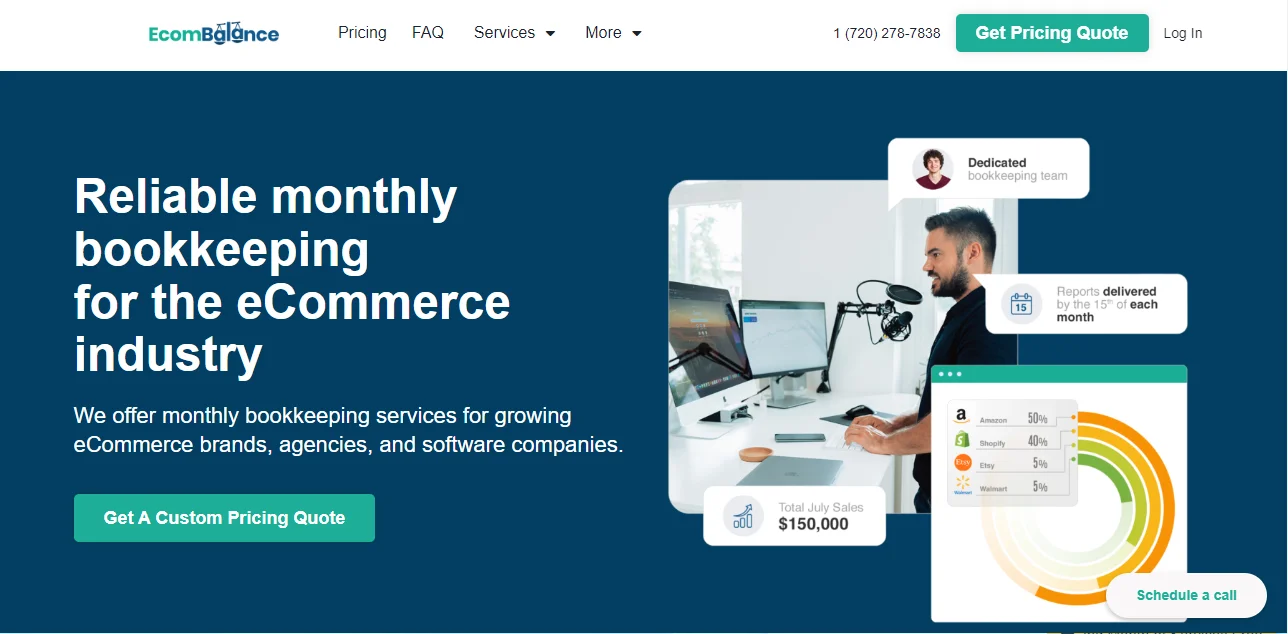
EcomBalance is a monthly bookkeeping service specialized for eCommerce companies selling on Amazon, Shopify, eBay, Etsy, WooCommerce, & other eCommerce channels.
We take monthly bookkeeping off your plate and deliver you your financial statements by the 15th or 20th of each month.
You’ll have your Profit and Loss Statement, Balance Sheet, and Cash Flow Statement ready for analysis each month so you and your business partners can make better business decisions.
Interested in learning more? Schedule a call with our CEO, Nathan Hirsch.
And here’s some free resources:
