






Verified & Reviewed
Published on February 23, 2026 Written By Rachel Hand

Published on February 23, 2026 Written By Rachel Hand

Subscribe for More
If you don’t know what you have in stock, it’s only a matter of time before fulfillment slows, stockouts spike, or capital gets tied up in the wrong products. That’s why a clear, accurate inventory list isn’t just helpful, but essential.
An inventory list gives you the visibility you need to make informed decisions about purchasing, restocking, and warehouse organization. It helps you track what’s selling, spot trends, reduce waste, and keep operations running smoothly – especially as your ecommerce business scales.
In this guide, we’ll walk you through exactly how to build a high-performing inventory list from scratch. With step-by-step instructions, examples, and downloadable templates, you’ll learn how to structure, manage, and optimize your inventory data for better accuracy and smarter planning.
Why you need an effective inventory list
An effective inventory list is essential for any ecommerce business looking to optimize its operations and drive growth. By maintaining an accurate and up-to-date record of your stock levels, you can:
Prevent stockouts and backorders
When you have a clear picture of what products you have on hand at all times, you can ensure that you always have enough stock to meet customer demand. This not only improves the customer experience by guaranteeing product availability but also helps you avoid lost sales and potential damage to your brand reputation.
Reduce excess inventory
By closely monitoring your stock levels and sales trends, you can make data-driven decisions about which products to reorder and which ones to phase out. This helps you avoid tying up valuable capital in slow-moving inventory and frees up cash flow for other areas of your business.
Optimize demand forecasting
A comprehensive inventory list serves as the foundation for accurate demand forecasting. By analyzing historical sales data and current stock levels, you can better predict future demand and make informed purchasing decisions. This not only helps you optimize your inventory levels but also enables you to take advantage of bulk discounts and improve your supplier relationships.
Improve the customer experience
Beyond the financial benefits, an effective inventory list is crucial for delivering a top-notch customer experience. When you have a clear understanding of your stock levels, you can confidently display accurate product availability information on your website and provide reliable fulfillment timelines to your customers.
This level of transparency not only sets clear expectations but also helps build trust and loyalty with your customer base. By consistently delivering on your promises and ensuring that products are readily available when customers want them, you can foster long-term relationships and encourage repeat business.
Scalability and multi-channel expansion
As your ecommerce business grows, an effective inventory list becomes even more critical for scaling your operations and expanding to new sales channels. Whether you’re looking to add new product lines, open additional warehouses, or sell through online platforms like Amazon and Walmart, a robust inventory management system is essential for success.
With a centralized inventory list that accurately reflects stock levels across all locations and channels, you can streamline your operations and ensure a consistent customer experience, no matter where or how your products are sold.
What you must include in your inventory list
Creating a comprehensive inventory list requires capturing all the essential data points that impact your stock management decisions. While the specific fields may vary based on your business model and product types, there are several key elements that every effective inventory list should include:
- SKU (stock keeping unit) or UPC (universal product code): These unique identifiers help you distinguish between different products and variations, making it easier to track and manage your inventory.
- Product name and description: Record a clear, concise name for each product, along with a brief description that captures key features or attributes.
- Category or product type: Grouping products by category (e.g., apparel, electronics, home goods) allows you to quickly filter and analyze your inventory based on product type.
- Supplier or vendor information: Track the name, contact details, and any relevant notes about the suppliers or vendors for each product.
- Cost per unit: Record the amount you pay to acquire or manufacture each unit of inventory, as this directly impacts your profitability and pricing decisions.
- Retail price: List the selling price for each product, which helps you calculate margins and monitor pricing trends over time.
- Reorder point: Establish the minimum stock level at which you’ll need to place a new order to avoid running out of inventory.
- Quantity on hand: Track the current number of units available for sale, which is essential for monitoring stock levels and preventing overselling.
- Location: If you store inventory across multiple warehouses or fulfillment centers, note the specific location of each product to streamline order processing and inventory management.
In addition to these core fields, consider including other relevant details based on your specific business needs, such as:
- Lot numbers and expiration dates for perishable or regulated products.
- Variations or attributes like size, color, or material.
- Barcode or RFID information for easy scanning and tracking.
- Sales velocity or forecasted demand to inform purchasing decisions.
When setting up your inventory list, make sure you establish consistent data entry formats and standards. This ensures that your inventory information remains accurate and easy to analyze over time.
For instance, you might standardize how you format dates (e.g., MM/DD/YYYY), measurements (e.g., inches vs. centimeters), and product names (e.g., “Brand – Product Name – Size – Color”).
Here’s an example of how these fields might look in a well-structured inventory list:
| SKU | Product Name | Description | Category | Supplier | Cost | Retail Price | Reorder Point | Quantity on Hand | Location |
| ABC123 | Widget Pro | Advanced widget with XYZ features | Widgets | Acme Inc. | $10.00 | $24.99 | 100 | 500 | Warehouse A |
| DEF456 | Gadget Plus | Enhanced gadget with 123 capabilities | Gadgets | Beta Corp. | $15.50 | $39.99 | 50 | 250 | Warehouse B |
Inventory list examples for different business types (+ free templates)
To help you create an effective inventory list for your specific business needs, we’ve compiled examples and downloadable templates tailored to various ecommerce categories. Whether you’re selling apparel, electronics, or home goods, these templates will give you a head start on organizing your inventory data.
👕Apparel and accessories: For businesses selling clothing, shoes, or accessories, your inventory list should include fields for size, color, and style variations. You may also want to track season or collection information to help with merchandising decisions.
💄Beauty and cosmetics: If you sell beauty products, your inventory list should capture details like shade, formulation, and packaging type. Expiration dates are also critical for maintaining product quality and safety.
📱Electronics: When selling electronic devices or accessories, be sure to include fields for model numbers, UPCs, and any compatible devices or systems. Technical specifications like storage capacity, battery life, or connectivity options can also be helpful.
🏠Home and kitchen: For businesses in the home goods space, your inventory list may need to account for variations in size, material, or color. Consider tracking product dimensions and weights to help with shipping and storage planning.Customizing your inventory list template to fit your unique product attributes and business requirements will equip you to make data-driven decisions and keep your operations running smoothly.
6 steps for creating a comprehensive stock inventory list
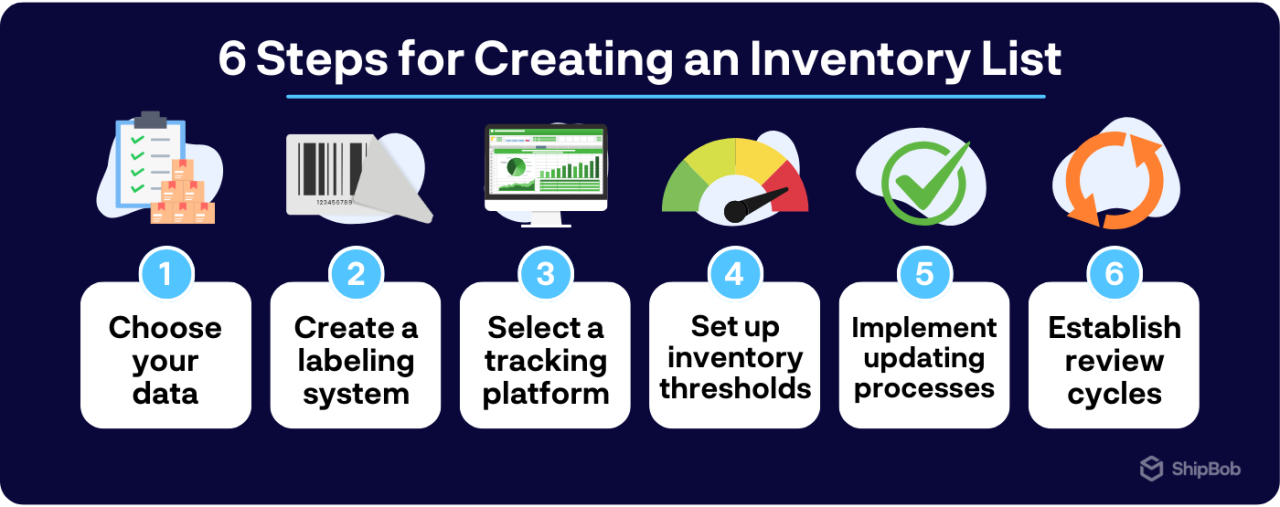
Creating a well-organized inventory list is essential for businesses of all sizes. By following these six steps, you can build a comprehensive inventory management system that keeps your operations running smoothly and supports your growth. Let’s dive in and explore how to create an effective inventory list in 6 steps.
1. Determine your essential data fields
The first step in creating your inventory list is deciding what information you need to track.
Consider customizing your fields based on whether your ecommerce brands sells through DTC channels, B2B channels, or both. For example, a B2B company might need to include minimum order quantities or case pack sizes, while a DTC brand might want to track product variations like size and color.
It’s also important to standardize your data entry formats for consistency. Decide on a consistent format for dates (e.g., MM/DD/YYYY), measurements (e.g., inches vs. centimeters), and other key details. This will make it easier to sort, filter, and analyze your inventory data later on.
Here’s an example of how these fields might appear in a well-structured inventory list:
| SKU | Product Name | Description | Category | Supplier | Cost | Retail Price | Reorder Point | Quantity on Hand | Location |
| ABC12 | Widget Pro | Premium widget with advanced features | Widgets | Acme Inc. | $10.00 | $29.99 | 100 | 250 | Warehouse A |
| XYZ45 | Gadget Plus | High-quality gadget for everyday use | Gadgets | Beta Corp. | $5.00 | $19.99 | 200 | 500 | Warehouse B |
2. Establish a consistent SKU and labeling system
To keep your inventory organized and easy to track, it’s essential to establish a consistent SKU naming convention and labeling system. Your SKU format should incorporate key product attributes like size, color, style, or other variations. For example:
- SHIRT-BLK-MED (a medium-sized black shirt)
- WIDGET-BLU-20OZ (a 20-ounce blue widget)
Using a clear and descriptive SKU system will make it easier to locate products in your warehouse and update your inventory list accurately.
Next, consider implementing barcode technology to streamline your inventory tracking process. Assigning each SKU a unique barcode and scanning it when products are received, sold, or moved reduces human error and updates your inventory list more efficiently.
Be sure to label your physical products with their corresponding SKUs and barcodes to keep everything organized and easy to find. This will also improve your warehouse organization and picking efficiency when it’s time to fulfill orders.
3. Select the right tracking format or platform
When it comes to actually creating your inventory list, you have a few different options. Many businesses start with a simple spreadsheet tool like Microsoft Excel or Google Sheets. These platforms are user-friendly, affordable (or free), and accessible across multiple devices.
To make your spreadsheet more efficient, consider setting up formulas for automatic calculations like total inventory value or low-stock alerts. You can also use data validation to ensure consistent formatting and prevent errors.
As your business grows, you may also want to upgrade to a dedicated inventory management software. These platforms offer more advanced features like real-time updates, barcode scanning checks and balances, technology integrations, and automatic reorder point alerts. They also make it easier to collaborate with your team and keep everyone on the same page.
Regardless of which tool you choose, be sure to select a format that’s easy to use, accessible from anywhere, and scalable as your business grows. Cloud-based solutions are ideal for this, as they allow multiple users to access and update the inventory list in real-time without worrying about version control issues.
4. Set up inventory thresholds and alerts
To prevent stockouts and ensure timely reordering, establish minimum thresholds for each product in your inventory list.
Calculate these reorder points based on factors like lead time, sales velocity, and seasonality, and in your spreadsheet or inventory management system, create formulas or set up automated alerts to notify you when stock levels fall below these thresholds.
5. Implement real-time updating procedures
To keep your inventory list accurate, you’ll need to establish clear procedures for updating stock levels in real-time as products are sold, received, or returned.
If you’re using a spreadsheet, assign responsibility for manual updates to specific team members and emphasize the importance of timely and accurate data entry. Consider using Google Sheets’ collaborative features to allow multiple users to update the inventory list simultaneously.
If you’re using an inventory management system, look for options that integrate directly with your sales channels (such as Shopify or Amazon) to automatically sync stock levels as orders are processed. Barcode scanning or RFID technology can also streamline the updating process and reduce human error.
6. Establish regular review and optimization cycles
Finally, schedule regular reviews of your inventory list to verify its accuracy and identify areas for improvement. Conduct periodic physical inventory counts to confirm that your recorded stock levels match what’s actually on your shelves, and use these reviews as an opportunity to analyze your inventory turnover rates, adjust reorder points, and make data-driven decisions about which products to continue stocking.
As you review your inventory data over time, look for patterns or trends that can help you refine your purchasing decisions. For example, you may notice that certain products consistently sell out faster than others, indicating a need to increase order quantities or adjust reorder points. Regularly reviewing and optimizing your inventory list will help you stay ahead of potential issues and make the most of your working capital.
Whether you’re using a simple spreadsheet or a full-featured inventory management system, the key is to establish consistent processes and maintain accurate, up-to-date data that empowers you to make informed decisions about your stock.

Manual vs. automated inventory list and tracking methods
When it comes to maintaining your inventory list, you have two main options: manual tracking through spreadsheets, or automated management using specialized software. Each approach has its own advantages and limitations, so it’s important to understand the differences before deciding on the best fit for your business.
Spreadsheet-based inventory management
Many businesses start out managing their inventory using spreadsheet software like Microsoft Excel or Google Sheets. This approach offers several benefits:
- Low initial cost (or even free, in the case of Google Sheets)
- Flexibility to customize fields and formatting to fit your needs
- Familiarity for most users, reducing the learning curve
However, spreadsheet-based inventory management also comes with some significant drawbacks:
- Manual data entry is time-consuming and prone to human error
- Lack of real-time updates can lead to inaccurate stock levels
- Difficulty scaling as your business grows and inventory becomes more complex
To make the most of a spreadsheet-based system, consider creating templates with formulas and data validation to minimize errors and streamline data entry. You can also use conditional formatting to highlight key information like low stock levels or expired products.
Dedicated inventory management software
As your business expands, you may find that manual spreadsheet management becomes unsustainable. This is where dedicated inventory management software can help. These specialized systems offer a range of features designed to automate and optimize your inventory tracking process:
- Real-time updates across all sales channels and locations
- Barcode scanning for faster, more accurate data entry
- Automatic reorder point alerts and purchase order generation
- Advanced reporting and forecasting tools to guide decision-making
While inventory management software does require an upfront investment, the long-term benefits can be substantial. By reducing manual labor, minimizing errors, and providing real-time visibility into your stock levels, these systems can help you save time and money while improving customer satisfaction.
When evaluating inventory management software options, look for features that align with your specific business needs, such as multi-warehouse support, lot tracking, or direct integration with your ecommerce platforms. Consider the total cost of ownership, including implementation, training, and ongoing maintenance, to ensure a positive return on investment.
Advanced inventory list strategies for fulfillment success
Once you’ve mastered the basics of inventory list management, there are several advanced strategies you can employ to take your fulfillment operations to the next level.
Implement lot tracking and expiration management
For businesses dealing with perishable or regulated products, lot tracking and expiration management are non-negotiable. Incorporating batch numbers and expiration dates into your inventory list ensures proper rotation of stock and prevents waste from product expiration.
Organize your inventory using the First In, First Out (FIFO) method, which ensures that older products are sold before newer ones. This approach helps maintain product freshness and quality while minimizing the risk of obsolescence.
Detailed lot tracking also supports compliance with industry regulations and makes it easier to manage product recalls if necessary. By quickly identifying affected batches, you can minimize the impact on your customers and your bottom line.



Leverage historical data for demand forecasting
Your inventory list isn’t just a static record of current stock levels; it’s also a valuable source of historical data that can help you predict future demand. By analyzing past sales trends, seasonal patterns, and growth rates, you can make more informed decisions about when and how much to reorder.
Start by capturing key metrics like sales velocity, inventory turnover, and days on hand for each product. Use this data to identify fast-moving items that require more frequent reordering, as well as slow-moving products that may be tying up valuable capital.
As you accumulate more historical data, look for patterns that can help you anticipate future needs. For example, if certain products consistently sell out during the holiday season, you may want to increase your stock levels in advance to avoid stockouts.
By leveraging your inventory data for demand forecasting, you can optimize your purchasing decisions, reduce excess inventory costs, and ensure that you always have the right products in stock to meet customer demand.

Create location-specific inventory lists for multi-warehouse operations
If your business operates multiple fulfillment centers or warehouses, creating location-specific inventory lists can help you optimize stock distribution and reduce shipping costs. By strategically allocating products based on regional demand patterns, you can minimize the distance between your inventory and your customers.
Start by analyzing your sales data to identify which products are most popular in each region. Use this information to create separate inventory lists for each warehouse, prioritizing fast-moving items that can benefit from local fulfillment.
Establish clear procedures for transferring inventory between locations as needed to balance stock levels and avoid stockouts. Make sure your inventory management system can accurately track these transfers and update your master inventory list in real-time.
By managing your inventory at a granular, location-specific level, you can reduce shipping costs, speed up delivery times, and improve the overall customer experience.

How ShipBob simplifies inventory list management
At ShipBob, we understand the critical role that effective inventory management plays in ecommerce success. That’s why our comprehensive fulfillment solution includes powerful tools to help you create, maintain, and optimize your inventory list with ease.
Real-time inventory tracking and reporting
ShipBob’s dashboard provides a centralized view of your inventory levels across all locations, updated in real-time as orders are processed and stock is replenished.
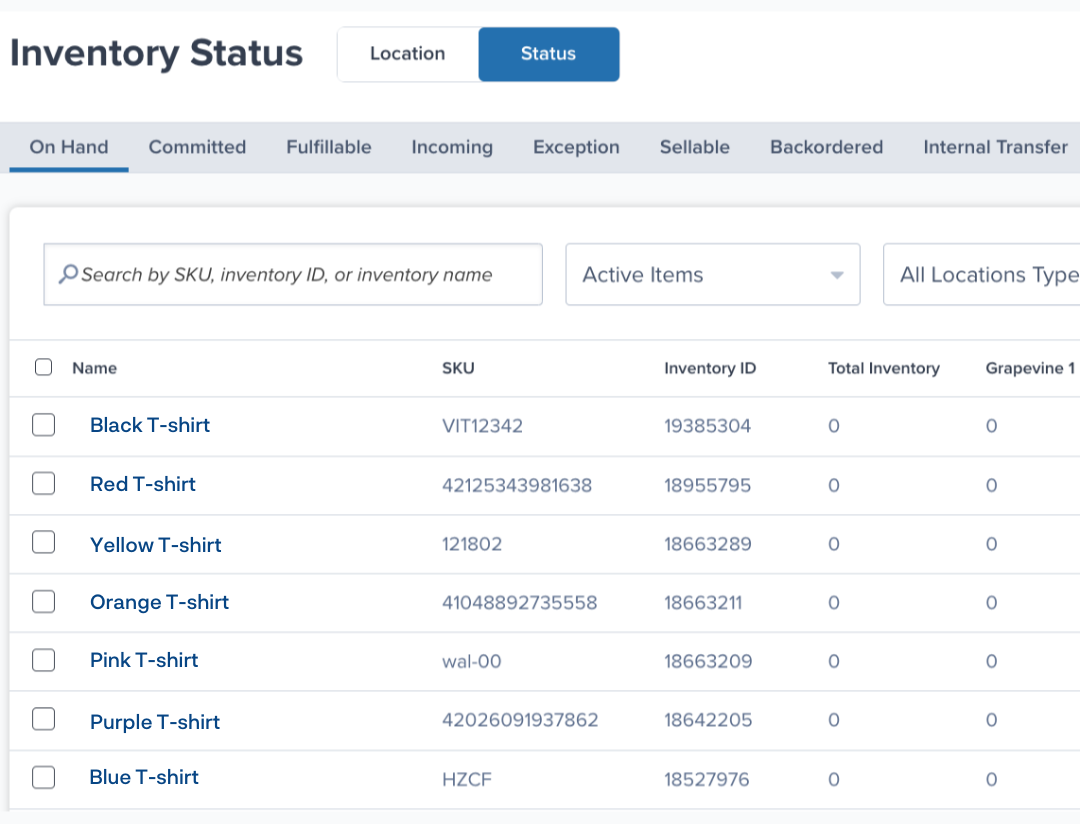
With ShipBob, you can easily filter your inventory by location, status, or product type to create customized views that fit your specific needs. By automating your inventory tracking and reporting, ShipBob eliminates the need for manual updates and ensures that you always have accurate, actionable data at your fingertips.
“ShipBob’s reporting is very robust and meets all of our needs. We get visibility into receiving, order volume, SKU availability – everything from inbounds and inventory transactions to individual order statuses (whether it’s on hold, in processing, an exception order, and other detailed descriptions).
All this data is real-time, meaning that we’re always seeing the most accurate, up-to-date information. Having this real-time data is crucial for my team, so the fact that there’s not hours of lag time waiting for data to update is huge.”
Ryan Steffenson, Senior Manager, Channel Operations at Tonies
Multi-location inventory optimization
ShipBob’s network of 50+ fulfillment centers allows you to strategically place your inventory closer to your customers, reducing shipping costs and delivery times. Our proprietary algorithm helps you decide where to stock each product and in what quantities based on regional demand patterns, ensuring that you have the right inventory in the right place at the right time.
With ShipBob, you can fulfill orders across all channels and locations from a single pool of inventory while our technology syncs inventory quantities in real-time. Our system automatically routes each order to the optimal fulfillment location based on inventory availability and proximity to the customer, streamlining your shipping process and improving the customer experience.
“The beautiful thing about ShipBob is everything is connected. I can log on to our ShipBob account and see everything in one place, no matter if I’m looking at our facility in Kankakee, IL, or the ShipBob fulfillment centers in Canada or Europe. It’s all the same system. I didn’t have to learn various different platforms or deal with support representatives at different companies. Plus, if we experience any issues with syncing orders between systems, there’s one place we go to reconcile it. ShipBob is connected to our ERP, NetSuite, which is our single source of truth. Now we only have one place to troubleshoot and resolve potential issues across all logistics.”
Adam LaGesse, Global Warehousing Director at Spikeball
Seamless ecommerce platform integrations
ShipBob integrates directly with all major ecommerce platforms and channels, including Shopify, Walmart Marketplace, Amazon, retailers, and more. These seamless connections automatically sync your inventory levels across all sales channels, eliminating the need for manual updates and preventing overselling.
By partnering with ShipBob for your inventory management and fulfillment needs, you can streamline your operations, reduce costs, and focus on growing your business. Our powerful tools and expert support team are here to help you optimize your inventory list and achieve your ecommerce goals.
“ShipBob has an impressive catalog of integrations that we can play around with, and the ones we currently use have been incredible. ShipBob’s integration with Gorgias works amazingly well. We use Prediko, which is connected through Shopify, for inventory management, and the integration is really smooth. It allows us to firm up our supply chain and safeguard our inventory holding. It’s been beneficial to have a direct link from the warehouse to our inventory management system.”
Connor Stewart, Head of Operations + Impact at ARTAH
To learn more about how ShipBob can help you manage your ecommerce inventory, click the button below.
Inventory list FAQs
Here are answers to some of the most common questions about inventory lists.
What is an inventory stock list?

An inventory stock list is a comprehensive record that tracks all of your physical goods and their associated data, such as SKUs, product descriptions, quantities, costs, and supplier information.
This detailed document serves as the foundation for effective inventory management, helping businesses maintain accurate stock levels, prevent stockouts, and make data-driven purchasing decisions.
How often should I update my inventory list?
The frequency of inventory list updates depends on your business type, sales volume, and operational complexity.
Ideally, you should strive for real-time updates whenever possible, especially if you’re managing a high-volume ecommerce store or dealing with fast-moving inventory.
At a minimum, consider updating your inventory list daily or weekly, depending on your sales velocity.
Implementing automated inventory management systems can help ensure continual accuracy without the need for manual intervention, saving you time and reducing the risk of human error.
What’s the best way to handle inventory across multiple warehouses?
Managing inventory across multiple warehouses can be complex, but with the right strategies and tools, you can streamline the process and optimize your stock levels.
Start by implementing a centralized inventory management system that provides real-time visibility into stock levels across all locations. This allows you to track inventory movement, monitor reorder points, and make informed decisions about stock allocation.
Consider the benefits of distributed inventory, such as faster shipping times and reduced costs, when deciding how to split your stock across warehouses. ShipBob’s multi-location fulfillment approach simplifies this challenge by providing a unified platform for managing inventory across our global network of fulfillment centers. This allows you to strategically place inventory closer to your customers, reducing shipping distances and improving delivery speeds.
How do I create an inventory list that works across multiple sales channels?
The key to creating an inventory list that works seamlessly across multiple sales channels is to establish a centralized inventory management system that integrates with all of your platforms.
Look for inventory management solutions that offer real-time synchronization across channels. This ensures that stock levels are automatically updated whenever a sale is made, regardless of the platform. ShipBob’s technology, for instance, directly integrates with multiple sales channels, providing a single source of truth for your inventory data and eliminating the need for manual updates.
In some cases, you may need to allocate specific inventory quantities to each sales channel to prevent one platform from depleting stock too quickly. Consider implementing channel-specific inventory thresholds or buffers to ensure a balanced distribution of products across your various sales outlets.
How can I use my inventory list to improve purchasing decisions?
Your inventory list is a goldmine of data that can help you make smarter purchasing decisions and optimize your stock levels. Analyze key metrics like inventory turnover rates and days-on-hand to identify slow-moving or excess stock, and adjust your purchasing habits accordingly to better match customer demand and avoid tying up cash in unnecessary inventory.
Examining historical sales patterns can also inform future purchase orders. Look for seasonal trends, growth rates, and product-specific sales velocities to create more accurate demand forecasts.
Does ShipBob offer inventory management if I fulfill orders myself?
ShipBob’s WMS software features built-in inventory management capabilities, including:
- Real-time inventory level tracking
- Reporting and analytics on key inventory metrics
- Integrations with ecommerce platforms, channels, and inventory management apps and tools
- Automated SKU thresholds and reorder notifications
- And more!
