





How to Make Your Instagram Grid Aesthetic (2026 Playbook)
22nd
January, 2026
In e-commerce, first impressions are everything—especially on Instagram. Your Instagram profile acts as a digital storefront for your brand, often determining in seconds whether a visitor becomes a follower or clicks away. That’s why learning how to make your Instagram grid aesthetic is so valuable for online sellers. A cohesive, visually pleasing grid can instantly grab attention, build trust, and showcase your brand’s style. Many successful content creators and micro influencers maintain gorgeous feeds because they know an appealing layout converts casual scrollers into engaged followers. If you’re an e-commerce brand or Amazon seller, a well-planned grid aesthetic can similarly help you captivate customers at first glance and even boost your sales.
In this guide, we’ll break down the strategies and steps to design an Instagram feed that looks professional and on-brand. You’ll discover popular grid layout ideas, a step-by-step plan for creating a consistent aesthetic, and the best tools to plan your feed. We’ll also touch on leveraging influencer marketing, working with content creators (like micro influencers), and incorporating UGC (user-generated content) to enhance your Instagram presence. Let’s dive in!
Why a Cohesive Instagram Grid Aesthetic Matters

Visual First Impressions: Instagram is a highly visual platform, so your feed’s look is your brand’s handshake with potential customers. With only a few seconds to convey your value, a compelling aesthetic can be the difference between someone hitting “Follow” or moving on. In fact, a strong and consistent Instagram aesthetic works like a magnet for your target audience – it can convert casual profile visitors into followers and even leads. Simply put, people are more likely to engage with and trust a page that looks thoughtfully curated rather than random or messy.
Brand Identity and Trust: A cohesive grid immediately communicates your brand’s personality and quality. Think of your Instagram feed as an extension of your brand identity – colors, image style, and layout all signal who you are. If your posts share a recognizable look or color palette, viewers will start to associate that visual style with your brand. This kind of consistency not only makes you more memorable, it also signals professionalism. Studies have shown that businesses with consistent branding across their platforms enjoy significantly higher revenue (up to 33% more) than those with fragmented branding. In practice, maintaining a steady aesthetic on Instagram shows that you care about quality and detail, which builds trust with your audience.
Driving Engagement and Sales: A beautiful feed doesn’t just attract followers – it can also support your business goals. For brands, attracting the right followers (people who align with your niche and are interested in your products) is key. An eye-catching, on-theme grid will draw in your ideal audience and encourage them to stick around. It also encourages viewers to scroll through your posts, increasing engagement. Over time, this can translate into more inquiries and conversions. Your Instagram page can even serve as a product showcase or lookbook; if you’re an Amazon seller or DTC founder, a cohesive feed with lifestyle shots can inspire trust in your products’ quality. Essentially, your grid aesthetic helps set the stage for higher engagement and can indirectly boost sales by establishing credibility. As Sprinklr’s marketing experts put it, a well-curated Instagram feed that resonates with your audience becomes a lead magnet, turning visitors into followers and eventually customers.
Content Planning Made Easier: Another underrated benefit of choosing a specific aesthetic is streamlined content creation. When you define a clear theme or style, it actually simplifies your posting decisions. You’ll know which colors, filters, or image types fit your feed and which don’t. This focus saves you time when shooting or selecting visuals. In fact, establishing an Instagram aesthetic can make it easier to plan your content calendar, since you have a guiding framework for what to post. For example, if you decide on a minimalist, neutral-toned aesthetic, you can immediately rule out overly bright, cluttered images – narrowing your content choices to those that match your vibe. Consistency guides creativity, helping you develop content faster while keeping your grid looking great.
Authenticity Over Perfection: Keep in mind that “aesthetic” doesn’t mean every post must be airbrushed or staged. Instagram trends in 2025 and beyond actually favor authenticity. Audiences, especially Gen Z, appreciate realness – unfiltered moments and genuine stories – even within a curated feed. In fact, many brands and influencers are abandoning the overly “perfect” look in favor of a more humanized style. It’s about finding a balance: your grid should be visually cohesive and aligned with your brand, but it shouldn’t feel so polished that it’s impersonal. Don’t be afraid to show some behind-the-scenes or user-generated shots if they align with your theme. Micro influencers exemplify this balance well; they often maintain a consistent style while still sharing relatable, everyday content. Remember, an aesthetic feed is meant to enhance your storytelling, not replace it. Strive for a grid that is consistent yet authentic – this combination builds both trust and engagement.
Unlock the Power of Micro Influencers and Elevate your Brand Today!
Popular Instagram Grid Layout Ideas
When planning your Instagram feed’s look, it helps to pick a grid layout pattern. A layout is basically how your posts are arranged visually and how they complement each other in the 3-column grid. Sticking to a layout can make your page instantly more organized and pleasing to the eye. Here are some popular Instagram grid layout ideas to inspire your own aesthetic:
-
- Color-Coordinated Squares: The simplest approach is to keep every post consistent in terms of colors and filters. By using the same preset or a set palette for all your photos, your grid will naturally look uniform. For example, a fashion brand might decide all photos have a warm, golden tone. Even if the content varies, the identical editing style ties everything together into a clean “squares” layout. This technique focuses on color harmony – the grid looks cohesive because each square carries the same visual tone.
- Checkerboard Pattern: This layout alternates between two types of posts in a repeating pattern, creating a checkerboard or tile effect. For instance, you could alternate between product photos and quote graphics. When someone views your profile, they’ll see a neat X-O-X-O pattern of content. This approach diversifies your feed (mixing visuals with text or different colors) while still looking deliberate and ordered. Followers also come to anticipate the alternating posts, which adds a subtle rhythm to your content schedule.
- Row by Row (Horizontal Lines): In a row-by-row layout, each horizontal row of three posts has a consistent theme or color. Essentially, you treat every row as a mini storyboard. For example, a travel agency might post three beach photos in a row, then three city photos on the next row. Viewed as a whole, each line in the grid tells a chapter of a larger story. This technique is great for sequential storytelling or showcasing product collections in sets of three. Just ensure each trio of posts looks good together and in the right order.
- Vertical Lines: Similar to the row approach, you can create a single vertical stripe down your grid by using one type of content in every third post. For example, make the middle column of your grid all quotes or all solid-color graphics, while the other columns are photos. This forms a striking stripe effect when someone scrolls your profile. It’s a clever way to incorporate text-based posts or a recurring theme (like a weekly tip or testimonial) without disrupting the overall flow – you simply line them up in one consistent column.
- Diagonal Pattern: Another visually interesting idea is to post content such that the same theme appears in a diagonal line across your feed. For instance, you might post a flatlay product photo, then two other posts, then the next flatlay, and so on – causing those similar images to connect diagonally on the grid. Diagonal layouts are a bit less obvious than a checkerboard, but they still give a sense of order. It requires careful planning of post sequence, but the payoff is a feed that feels subtly structured and creative.
- Puzzle Grid: This is a bold and advanced layout where individual posts fit together to form a larger image or mosaic on your profile. Brands often do this by slicing a high-resolution image into say six or nine squares and posting them in order. When someone views your profile, the grid itself looks like one big picture or a collage. Puzzle grids are high-impact and can showcase a campaign or product lineup in a dramatic way. The challenge is that each piece (each post) should still be interesting on its own. This layout takes more effort and planning (and you must post in exactly the right sequence), but it can deliver a wow factor.
- Rainbow Feed: If you love playing with color, the rainbow feed might appeal to you. This approach involves gradually changing your predominant color scheme as one scrolls down the feed. For example, your top nine posts might all feature blue tones, the next nine transition into green, then yellow, and so on, creating a rainbow effect over time. The key is a seamless transition – perhaps each new row or each set of posts introduces a bit more of the next color. A rainbow layout is vibrant and showcases creativity, but it demands careful content curation to execute well. It’s a fun way to cycle through color themes while still looking cohesive in chunks.
- Borders and White Space: Lastly, you can create an aesthetic by adding a consistent border or frame to all your images. Many Instagram planners or photo-editing apps allow you to place white (or colored) borders around your photos. When applied uniformly, this gives your grid a tidy, gallery-like appearance with breathing room between images. For example, using a white border on each post can make a busy set of photos look more minimal and consistent when viewed together. Some brands even play with different shapes of borders (like all images in a Polaroid-style frame or circles). Just be sure to stick with one style of border so the effect is uniform. Borders can help your feed stand out and emphasize a clean aesthetic.
- Color-Coordinated Squares: The simplest approach is to keep every post consistent in terms of colors and filters. By using the same preset or a set palette for all your photos, your grid will naturally look uniform. For example, a fashion brand might decide all photos have a warm, golden tone. Even if the content varies, the identical editing style ties everything together into a clean “squares” layout. This technique focuses on color harmony – the grid looks cohesive because each square carries the same visual tone.
Those are just a few popular layout ideas – you can certainly mix and combine them to suit your brand. The goal is to give your profile a sense of intentional design. Whether you choose a simple color theme or an elaborate puzzle grid, having a layout plan ensures your Instagram page looks organized and on-brand at a glance. It sets you apart from competitors whose feeds might look haphazard. Feel free to experiment with these patterns and find one that fits your content and audience. And remember, you’re not locked in forever; some brands switch up their layout every few rows or with seasonal campaigns. The key is maintaining cohesion within whatever structure you choose.
Step-by-Step: How to Make Your Instagram Grid Aesthetic

Ready to level up your Instagram feed’s look? Here is a step-by-step framework to create a cohesive and aesthetic grid. This process works for both personal content creators and business accounts – whether you’re a solo artisan, a DTC founder, or running an Amazon storefront, these steps will help you present a polished Instagram presence.
Step 1: Define Your Visual Identity
Start by clearly defining the visual identity and vibe you want your Instagram to convey. This should tie directly to your brand personality. Ask yourself: What feelings or style should someone instantly get when they see my feed? Are you going for fun and vibrant, calm and minimalist, edgy and bold, or luxurious and elegant? Pin down a few keywords that describe your desired aesthetic (e.g. warm, welcoming, and earthy or sleek, modern, and high-contrast). For businesses, a great tip is to revisit your existing brand guidelines if you have them – consider your logo colors, product packaging, and website design for inspiration. The idea is to align your Instagram look with your overall brand image so everything feels consistent. For example, if your e-commerce brand’s mission is about sustainability and nature, you might lean towards greens, browns, and natural imagery. If you’re a tech gadget seller, you might opt for cooler tones and futuristic visuals.
Defining your visual identity upfront will guide all your content decisions. It’s like choosing a theme for your store decor. Consistency is crucial here – remember that what people see on your profile should match who you are as a brand. A cohesive visual identity not only looks professional but also makes your content recognizable. As you define this, you can even create a quick style reference: decide on 2-3 core colors, choose one or two filters or editing styles you’ll use consistently, and identify the types of subjects or motifs that fit your theme (for instance, outdoor lifestyle shots vs. studio product shots). Having these parameters means when it’s time to create or select content, you know immediately if something “fits” your Instagram aesthetic or not. This foundation sets you up for success in the next steps.
Step 2: Choose a Grid Layout Strategy
With your overall vibe in mind, choose the grid layout pattern (or combination of patterns) that you can realistically maintain. Refer back to the popular layout ideas above – which one resonates with you and suits the kind of content you’ll post? For beginners, a simple approach like a consistent color/filter for all posts (the “squares” method) or a basic checkerboard (alternating two content types) is easy to implement. If you have plenty of visual content and a creative itch, you might try a diagonal or row-by-row theme. The key is to pick a layout that you can stick to consistently, given your content resources and time. It’s better to start simple and stay consistent than to attempt a complex puzzle grid and not follow through.
Keep in mind, you don’t have to rigidly stick to one layout forever. Some brands mix layouts or evolve their style over time. But when starting out, having one clear structure will make planning easier. For example, you might decide: “I’ll do an alternating pattern of product photo, then quote graphic, then product photo, etc.” Now you know you’ll need a steady supply of quotes and photos and the order to post them. This takes a lot of guesswork out of content planning. Also consider what layout makes sense for your marketing. If you run promotions or new product drops often, a row layout (where each row could announce a campaign) might work well. If you primarily post one type of image (e.g. fashion portraits), using a border or color theme might be the main thing creating the aesthetic rather than a fancy pattern. Ultimately, choose a layout that complements your content style and brand, and that you can maintain consistently. It will serve as the framework for your feed design.
Step 3: Select Your Color Palette and Filters
One of the most powerful tools for a cohesive Instagram aesthetic is a consistent color palette (and by extension, consistent filters or editing). Decide on the colors that will dominate your feed. Often these will be your brand’s colors or colors that evoke the mood you defined in Step 1. You don’t need to use the exact same color in every post, but you might choose a set of complementary colors or a general tone. For example, an upscale beauty brand might stick to soft pinks, whites, and neutrals across all posts. A bold streetwear brand might favor high-contrast black and neon colors. By limiting your color palette, your posts will naturally look related to each other.
Next, consider applying the same filter or editing preset to all your images for uniformity. Many influencers achieve a signature look by using one Lightroom preset or editing formula every time. Whether you prefer a bright and airy filter or a moody, desaturated look, pick one that aligns with your brand vibe and use it consistently. If you’re not into presets, manually ensure your contrast, brightness, and color balance are similar across photos. The goal is that when someone glances at your grid, nothing looks out of place color-wise. As Hootsuite’s experts note, picking a cohesive color scheme and sticking to it is one of the best ways to immediately make your brand stand out.
Also, pay attention to other visual elements like fonts (for any graphics), border usage, or illustration style – these should all match your aesthetic. For instance, if you use text overlays, maybe use the same two fonts throughout and in colors from your palette. If you add graphics or doodles, keep their style consistent. By standardizing these visual elements, you reinforce your aesthetic with every post. Over time, followers will begin to recognize your posts in their feed because of this consistency – a big win for brand recognition. And importantly for you, having preset filters and defined colors makes content creation faster (less indecision during editing!). Tip: Create a simple style guide for yourself: list your hex color codes, save your filter presets, and maybe even make a Pinterest or Canva mood board for reference. This ensures anyone on your team (or any influencer you collaborate with) knows the visual guidelines to follow.
Step 4: Curate and Create Consistent Content (Leverage Creators & UGC)
Now it’s time to gather or create the actual content for your Instagram feed – the photos, videos, graphics, and captions that will fill up your grid. With your theme, layout, and colors in mind, you want to curate content that fits together. Quality over quantity is important here; aim for clear, well-composed images that reflect your brand’s style. Plan out your content mix according to your layout. For example, if you’re doing a checkerboard, prepare an equal number of both content types (say 10 product photos and 10 quote graphics for the month). If you decided each row will share a theme, line up those sets of three images that go well together.
Don’t hesitate to involve content creators or repurpose user-generated content (UGC) to enrich your feed. Many e-commerce brands partner with micro influencers or photographers to produce lifestyle images of their products, which can dramatically enhance a feed’s aesthetic. For instance, if you sell handmade ceramics, you might collaborate with a micro influencer who styles your mugs in beautiful kitchen shots that match your vibe. These collaborations not only provide you with gorgeous content, but also add authenticity. User-generated content (like customers’ photos of your product in real life) is another goldmine – it’s social proof and often resonates with audiences. If a customer’s Instagram photo of your product aligns with your aesthetic (maybe you encourage them with a certain hashtag), you can ask permission to feature it. This brings real-life flavor into your feed while still keeping on-brand (you can always apply your filter or editing to UGC to help it blend in).
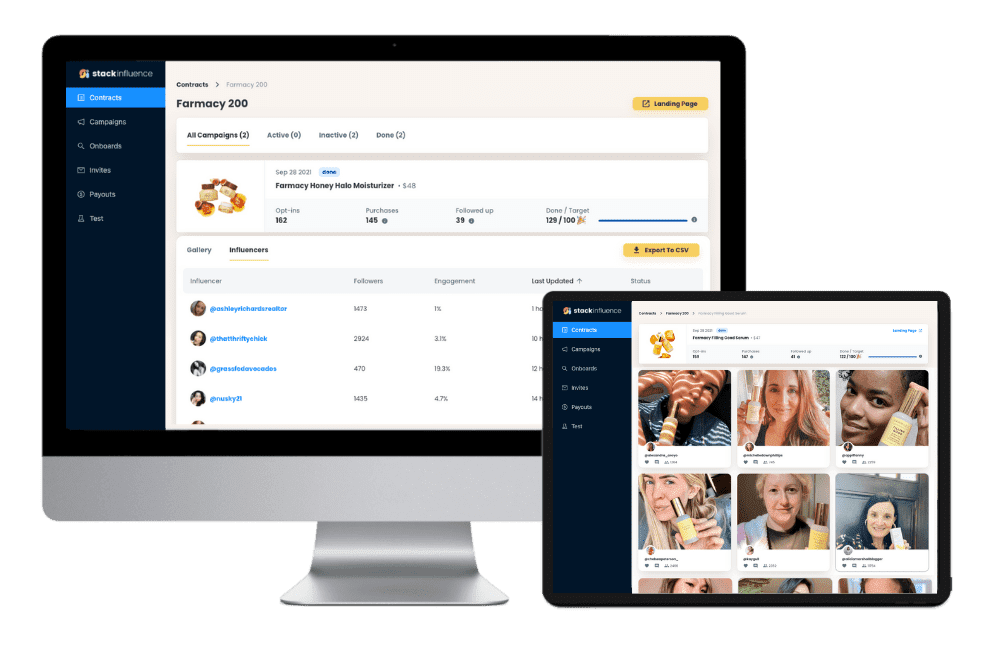
When working with influencers or using UGC, communicate your aesthetic guidelines so the content aligns. Many content creators are experienced in following brand briefs – you can mention your preferred lighting, colors, or mood. For example, you might tell a creator, “our brand feed is very minimalist and bright, so photos with clean backgrounds and natural light work best.” This ensures that even content coming from outside sources will harmonize with your grid. Internal Tip: Stack Influence – a leading micro-influencer marketing platform – specializes in connecting e-commerce brands with vetted micro influencers and content creators who can produce on-brand UGC. Platforms like this can help you quickly source creators that match your style and campaign needs.
As you curate content, always preview how upcoming posts look next to each other. This is where a feed planning tool (which we’ll discuss soon) comes in handy. The idea is to plan your posts in a sequence that maintains the aesthetic flow. For instance, avoid posting five very busy, colorful images back-to-back if your look is supposed to be airy and simple – break them up with some negative space images or softer tones in between. By intentionally ordering your content, you can prevent any one post from sticking out like a sore thumb on the grid. At this stage, you should have a pool of content (your own creations, professional shoots, influencer contributions, etc.) that all meets your style criteria. The final step is to schedule and manage these posts for consistent execution.
Step 5: Plan and Schedule Your Posts Ahead
Consistency is much easier to maintain when you plan ahead. Rather than posting on the fly, use a content calendar or an Instagram planning app to map out your grid in advance. Start by laying out at least a week or two of posts in the order you intend to publish them. There are several popular tools that let you drag-and-drop images on a mock Instagram grid so you can visualize the outcome before you actually post. By doing this, you can spot if a photo clashes with its neighbors or if the balance of your checkerboard is off, etc., and adjust before it goes live. This proactive approach ensures your feed stays cohesive over time, not just post by post.
Next, schedule your posts at optimal times to keep a steady cadence. Regular posting (e.g. daily or a few times a week) helps maintain the aesthetic and keeps your audience engaged. With planning tools, you can load up your photos, write captions (don’t forget to keep your voice consistent too!), and set them to publish automatically. This way, even during busy weeks, your Instagram remains active and on-brand. Using an Instagram scheduler also has the benefit of letting you rearrange or swap out content easily. For example, if a trending topic comes up and you want to slot in a new post, you can visualize where it will fit in your grid and reschedule other posts around it.
Many scheduling tools today come with grid preview features and other helpful analytics. You can use those insights to refine your aesthetic strategy. For instance, you might notice via analytics that photos with a certain color background get more engagement – that could inform future content choices. Planning and scheduling isn’t just about convenience; it also helps you stick to your aesthetic game plan without forgetting or rushing. And if you have a team, a shared content calendar makes it easy for everyone to collaborate under the same visual guidelines.
In summary, planning ahead solidifies all the hard work you put into defining and creating your aesthetic. It’s the last mile that ensures your “how to make your Instagram grid aesthetic” efforts truly pay off, resulting in a feed that is consistently stunning. To help with this step, check out some tool recommendations below that are particularly useful for visual planning and scheduling.
Best Tools to Plan Your Instagram Grid Aesthetic
Designing a gorgeous feed is easier with the right tools. Here are a few top-rated planner apps and platforms that can help you visually plan your Instagram grid, schedule posts, and maintain that aesthetic you worked so hard on:
-
- Later: Later is a popular social media scheduling tool known for its intuitive visual planner. It offers a drag-and-drop grid preview where you can upload your images and see exactly how they’ll look on your Instagram profile before you post them. You can rearrange posts until you find the perfect order, ensuring your grid stays cohesive. Later also supports automatic scheduling and has features for finding user-generated content. Many small businesses love Later for its ease of use – as one brand testimonial notes, Later’s grid preview was exactly what they needed to organize content and keep a consistent feed. It’s a great all-in-one solution for planning, especially if you manage multiple social platforms.
- Planoly: Planoly is a dedicated Instagram planner that’s very user-friendly for visual thinkers. Its interface lets you design your feed layout by dragging posts around on a grid. You can save drafts of posts, write captions in advance, and schedule content. A big plus is Planoly’s auto-post feature for Instagram, which can post your scheduled items automatically at set times. By using Planoly’s grid planner, you can maintain a consistent posting schedule and make sure each post is in harmony with the rest of your feed. In fact, Planoly was built with Instagram aesthetics in mind – it’s all about planning the look of your grid as much as the timing of posts. This tool is especially handy if you like to batch-plan content (e.g., arranging your next 9 posts to see the overall vibe).
- Tailwind: Tailwind is another powerful planner that supports Instagram (as well as Pinterest). Tailwind’s Instagram scheduling tool includes a SmartSchedule feature to pick optimal times to post for engagement, plus a visual preview of your feed. The neat thing about Tailwind is its drag-and-drop calendar where you can organize and rearrange your scheduled posts, and immediately preview how those changes make your grid look. This means you can play with the sequence until your aesthetic and branding goals are met on the profile view. Tailwind also offers hashtag suggestions and analytics. If you’re juggling both Pinterest and Instagram visuals for your brand, Tailwind can kill two birds with one stone, but it’s superb just for Instagram planning alone.
- Others to Consider: There are several other tools out there – Preview (a mobile app specifically for feed preview and editing), Hootsuite or Buffer (more general social schedulers that now include Instagram grid preview features), and Canva (while primarily a design tool, Canva’s Content Planner allows scheduling and you can design posts to fit a consistent template). Even the native Meta Business Suite offers some planning functionality for Instagram and Facebook together. The key is to use a tool that you find comfortable, so you’ll actually stick with planning regularly. Most of these have free plans or trials – try a couple and see which interface you prefer for arranging your grid.
- Later: Later is a popular social media scheduling tool known for its intuitive visual planner. It offers a drag-and-drop grid preview where you can upload your images and see exactly how they’ll look on your Instagram profile before you post them. You can rearrange posts until you find the perfect order, ensuring your grid stays cohesive. Later also supports automatic scheduling and has features for finding user-generated content. Many small businesses love Later for its ease of use – as one brand testimonial notes, Later’s grid preview was exactly what they needed to organize content and keep a consistent feed. It’s a great all-in-one solution for planning, especially if you manage multiple social platforms.
Each of these tools can help ensure your feed remains consistent, because you’ll always be looking at the big picture of your grid, not just one post at a time. They also save you time by automating the posting process. Instead of rushing to post every day (and potentially messing up the aesthetic due to haste), you can dedicate one day a week to plan everything, knowing the tool will handle the rest. As Sprout Social notes, using scheduling tools not only improves efficiency but lets you visually plan your feed to align with your branding goals. In other words, these planners act like your Instagram design assistant, helping you keep that beautiful, on-brand look 24/7.
Unlock the Power of Micro Influencers and Elevate your Brand Today!
Conclusion to How to Make Your Instagram Grid Aesthetic (2026 Playbook)
Mastering how to make your Instagram grid aesthetic is more than a vanity project – it’s a strategic move that can yield real benefits for your brand. By creating a cohesive and attractive feed, you make a powerful first impression on every profile visitor. For e-commerce entrepreneurs and Amazon sellers, this could mean the difference between a visitor browsing your products or bouncing away. A well-curated grid signals professionalism, consistency, and an eye for quality, which in turn builds trust. It also reinforces your brand story visually, making your marketing messages more memorable.
As we’ve discussed, start with clear visual branding and pick a layout that showcases your content best. Keep your colors and editing style consistent to tie everything together. Leverage content from micro influencers or happy customers to add authenticity, but always integrate it into your aesthetic framework. Plan ahead with tools so you can maintain that consistency over time without stress. The payoff will be a profile that not only looks beautiful but also effectively engages your target audience.
In the end, an aesthetic Instagram grid should drive tangible results – whether that’s growing your follower count, increasing engagement, or encouraging visitors to click the link to your store. It’s about form and function. So implement the tips from this guide, stay true to your brand’s vibe, and you’ll create an Instagram presence that delights the eye and strengthens your business. Now it’s your turn: apply these best practices and watch your Instagram transform into an on-brand, scroll-stopping gallery that turns curious visitors into loyal customers. Happy planning, and we can’t wait to see your aesthetic feed shine!

By William Gasner
CMO at Stack Influence
William Gasner is the CMO of Stack Influence, he’s a 6X founder, a 7-Figure eCommerce seller, and has been featured in leading publications like Forbes, Business Insider, and Wired for his thoughts on the influencer marketing and eCommerce industries.
Want new articles before they get published? Subscribe to our Awesome Newsletter.
stack up your influence
turning creativity into currency
our headquarters
111 NE 1st St, Miami, FL 33132
our contact info
[email protected]
stack up your influence
turning creativity into currency
our headquarters
111 NE 1st St, 8th Floor
Miami, FL 33132
our contact info



© 2025 Stack Influence Inc
© 2025 Stack Influence Inc
The post How to Make Your Instagram Grid Aesthetic (2026 Playbook) appeared first on Stack Influence.
