





Quick Decision Framework
- Who This Is For: Podcasters, content creators, eCommerce brand operators, and marketers who record audio or video and want to remove background noise quickly without expensive software or a steep learning curve.
- Skip If: You are working in a professional studio environment with dedicated audio engineering support and already have a full post-production workflow in place.
- Key Benefit: A clear, step-by-step process for cleaning up audio using AI-powered online tools, plus practical tips for getting better results from every recording you make.
- What You’ll Need: An audio or video file in MP3, WAV, or M4A format, a browser, and about five minutes. No software installation required.
- Time to Complete: 7 minutes to read. Under 5 minutes to clean your first audio file.
Clean audio is not a luxury. For anyone publishing content, running ads, or recording customer-facing material, it is a baseline requirement that directly affects how professional your brand sounds.
What You’ll Learn
- What audio noise actually is, where it comes from, and why different types require different approaches to remove effectively.
- Why poor audio quality hurts listener engagement, transcription accuracy, and the perceived credibility of your content.
- How AI-powered online tools have replaced the need for expensive desktop software and technical expertise for most everyday audio tasks.
- A simple three-step process for removing background noise from any audio or video file using an online tool.
- Practical recording tips that make AI noise removal even more effective before you ever hit upload.
Background noises can also ruin an otherwise good recording. Hisses, hum or chatter and other unpleasant artifacts can make any audio difficult to listen and unprofessional, no matter the type of audio you are working with: voice memo, podcast clip, interview, or video soundtrack.
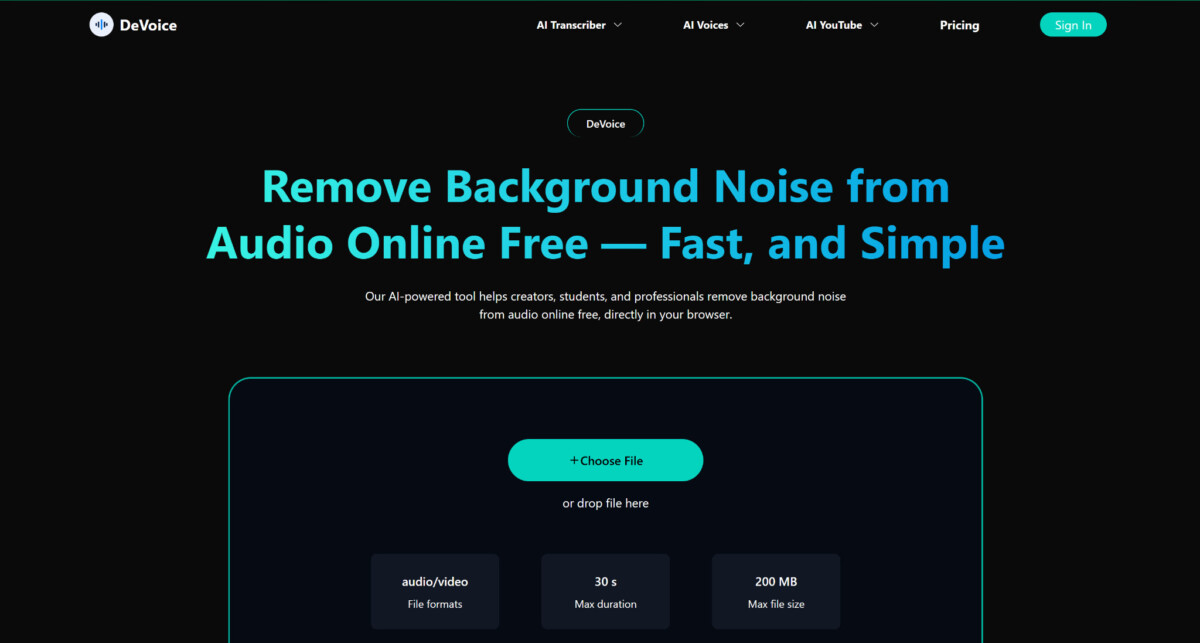
The positive news is that you do not need higher order skills in editing or expensive software to remedy this issue. Nowadays, it is possible to clean audio with the help of online tools based on artificial intelligence within several clicks. For example, such an online platform as DeVoice provides you with the opportunity to clean up audio on-line without downloading or installing any program.
It is an easy to understand tutorial that will tell how the audio noise can be reduced, how it can be removed step by step and how to get the best possible sound quality using only simple tools available online.
What Is Audio Noise?
Audio noise is a disturbance of the primary signal (usually speech or music) by an undesirable sound. Depending on your recording setup and equipment, it can be obtained in a plethora of different ways.
Common Types of Noise
- Background chatter – people talking in the distance
- Static or hiss – often caused by low-quality microphones
- Electrical hum – from power sources or devices
- Wind noise – common in outdoor recordings
- Room echo – caused by sound reflections
Each type of noise behaves differently, which is why modern AI tools are so useful—they can detect and reduce multiple types automatically.
Why Removing Noise Matters
Clean audio is essential for both professional and personal use. Poor sound quality can:
- Make speech harder to understand
- Reduce listener engagement
- Lower the perceived quality of your content
- Affect transcription accuracy
For content creators, marketers, educators, and teams, improving audio clarity can significantly enhance communication and credibility.
Why Use Online Audio Noise Removal Tools?
Historically to extract noise software such as DAWs (Digital Audio Workstations) were required which usually featured complicated controls and technical expertise. This has been made easier online with the use of tools.
Key Advantages
- No Installation Required
You can edit audio directly in your browser without downloading software. - Beginner-Friendly Interface
Most tools use drag-and-drop functionality and simple controls. - AI-Powered Automation
Instead of manually adjusting frequencies, AI identifies and removes noise automatically. - Fast Processing
Files are usually processed in seconds, even for longer recordings.
Tools such as DeVoice combine all these advantages, making them ideal for beginners who want quick and reliable results without a steep learning curve.
Step-by-Step: How to Remove Noise from Audio Online
Step 1: Upload Your Audio File
Start by choosing an online noise removal tool. Upload your file in a supported format such as MP3, WAV, or M4A.
Most platforms, including DeVoice, also support video files, allowing you to extract and clean audio in one step.
Step 2: Let AI Analyze the Audio
Once uploaded, the system will analyze your audio and detect different sound layers, including:
- Speech
- Background noise
- Ambient sounds
This automatic analysis is what makes AI tools so powerful compared to traditional editing methods.
Step 3: Export the Clean Audio
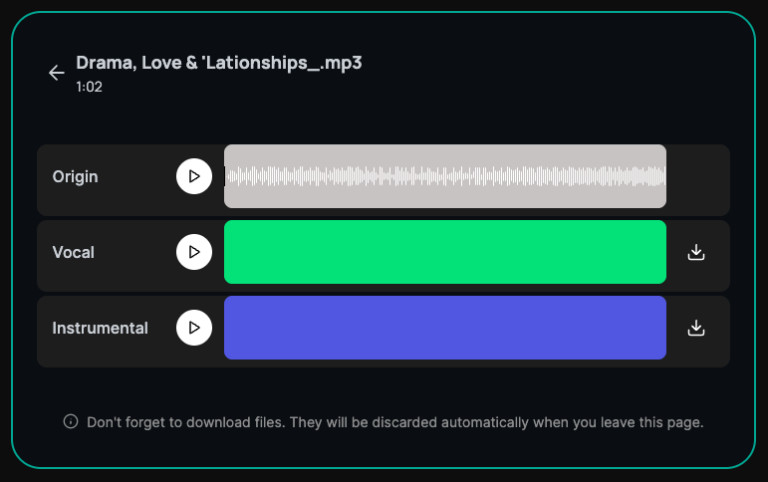
Once satisfied, download your cleaned file. You can then use it for:
- Podcasts
- Videos
- Presentations
- Transcriptions
Tips for Better Audio Results
Even the best AI tools perform better with good source material. Here are some simple tips:
Record in a Quiet Environment
Minimize background noise during recording whenever possible.
Use a Better Microphone
External microphones usually produce clearer audio than built-in ones.
Maintain Consistent Distance
Keep a steady distance from the microphone to avoid volume fluctuations.
Avoid Clipping
Distorted audio is difficult to fix, even with AI.
When Should You Use Online Tools?
Online noise removal tools are ideal for:
- Quick edits
- Beginner workflows
- Remote teams
- Content creators
If you need advanced mixing or mastering, desktop software may still be useful—but for most everyday tasks, online tools are more than enough.
Conclusion
Removing noise from audio is no longer a complex and technical challenge. It is now possible to enhance the quality of the sound merely a few steps with modern AI-driven platforms.
Need to clean up voice records or improve sound to use in videos? The DeVoice and other apps offer an easy, quick, and efficient method of creating clear and professional audio on the web.
Frequently Asked Questions
What is the easiest way to remove background noise from audio without software?
The easiest approach is to use an AI-powered online noise removal tool like DeVoice. You upload your audio or video file directly in your browser, the AI analyzes and processes the recording automatically, and you download the cleaned version in seconds. There is no software to install, no technical knowledge required, and no learning curve to navigate. For most everyday recordings, the result is a noticeably cleaner file that would have taken significantly longer to produce using traditional manual methods.
What types of audio noise can AI tools actually remove?
Modern AI noise removal tools handle the most common types of unwanted sound in everyday recordings: background chatter, static and hiss from low-quality microphones, electrical hum from power sources and devices, wind noise from outdoor recordings, and room echo from hard reflective surfaces. Each type behaves differently in the audio signal, and AI tools are effective precisely because they can identify and reduce multiple noise types simultaneously without requiring you to manually isolate each one.
Will removing noise affect the quality of my voice or primary audio?
Well-designed AI noise removal tools are built to separate noise from the primary signal without degrading the speech or music you want to keep. In most cases, the cleaned version sounds noticeably better than the original because the noise that was competing with your voice has been removed. Aggressive processing on heavily distorted files can occasionally introduce artifacts, but for typical recordings with moderate background noise, the output quality is consistently strong.
What audio file formats do online noise removal tools support?
Most online AI noise removal tools support the standard formats you are likely working with: MP3, WAV, and M4A for audio files. Many platforms also support common video formats, allowing you to upload a video file directly and receive cleaned audio without needing a separate conversion step. If you are unsure whether your format is supported, check the tool’s upload page before you start, as supported formats vary slightly between platforms.
When does it make sense to use desktop software instead of an online tool for noise removal?
Online AI tools are the right choice for the vast majority of everyday noise removal tasks: single recordings, podcast episodes, interview clips, product videos, and any situation where speed and simplicity matter. Desktop software makes sense when you are working on complex multi-track productions, need granular control over the full signal chain, or are doing broadcast-level audio mastering where professional precision is required. For most content creators, marketers, and operators, online tools deliver everything they need without the cost and complexity of dedicated audio software.
