






Sell custom products with Printify
Setting up a bold, profitable presence on TikTok starts with understanding how to set up TikTok Shop in a way that turns casual scrollers into buyers.
TikTok has turned product discovery into a sport, and creators, small brands, and total beginners are building real businesses inside the TikTok app.
This guide breaks down everything you need to start, set up, andscale a TikTok Shopthat sells from day one.
What is TikTok Shop, and why is it essential for your business?
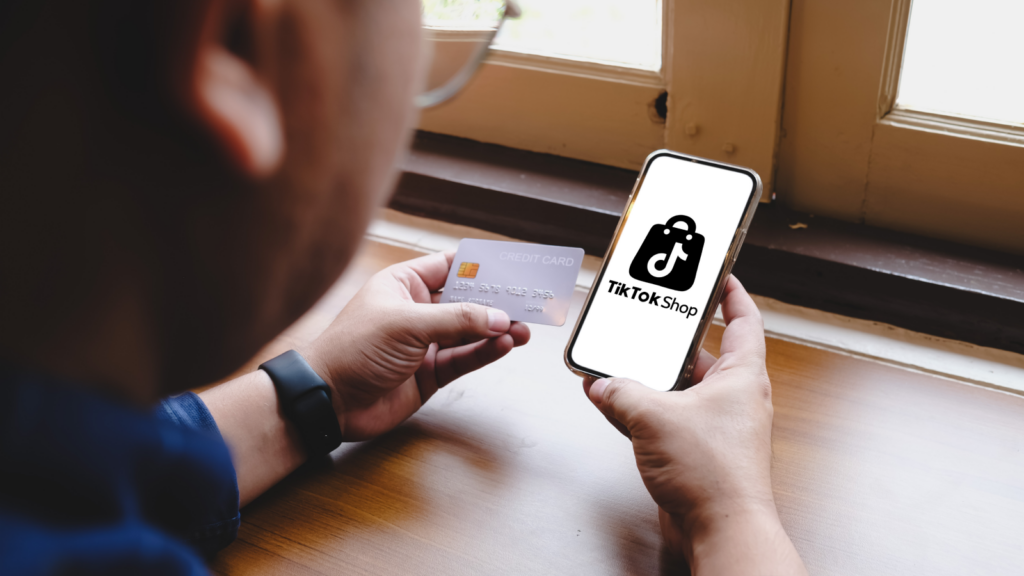
TikTok Shop is a built-in commerce system inside the TikTok app, designed to help creators, brands, and small businesses sell products directly to millions of active TikTok users.
The platform now reaches around 1.6 billion people worldwide, and nearly 928 million of them shop directly on TikTok. That scale alone makes TikTok Shop one of the strongest discovery and sales tools available right now.
TikTok surfaces products through trends, recommendations, communities, and search results, giving your brand immediate product discovery power.
Your videos become your storefront. Your content becomes your marketing. Your audience becomes your buyers.
TikTok Shop enhances the user experience by removing friction. Customers browse, tap the Shop Tab, read product details, and check out without leaving the platform.
The benefits of having a TikTok Shop
TikTok Shop offers you tools to go beyond standard eCommerce and meet customers in their natural shopping flow.
Here’s what you gain by selling on TikTok Shop:
- Access to a massive TikTok user base with high purchase intent.
- Faster conversions thanks to the embedded Shop Tab.
- A strong sales channel that works alongside your existing online store.
- Built-in discovery through trends, hashtags, and communities.
- Direct access to creator collaborations.
- A native environment for tagging products in feed videos.
- Easy order handling and the ability to manage orders inside the TikTok app.
Quick tip
Many small businesses report higher impulse buying on TikTok compared to other social platforms.
How to set up TikTok Shop in 7 simple steps

Let’s walk through exactly how to get your TikTok Shop up and running.
Step 1: Register your business
To open your TikTok Shop seller account, sign up for a new seller account or sign in with your existing TikTok account through the Seller Center. Once inside, TikTok guides you through onboarding to register your shop, submit required information, and choose the correct business type.
TikTok offers two account types:
- Individual seller
- TikTok business account for registered companies
Each has different required documents to verify your identity and eligibility.
For example, if you are selling as a TikTok business account, the platform must verify your operation and business credentials. Registering your business means having the proper documents in place so you can activate your TikTok Shop seller account without delays.
Read more
| Business account verification | Individual seller verification |
|---|---|
| If you operate as a registered business, you must upload the following documents:
– A valid business license |
TikTok will request:
– A valid national ID |
In the US, this also includes your Employer Identification Number (EIN). Other regions may require a utility bill or proof of ownership.
Once your business documents are ready, upload them to the Seller Center. TikTok reviews the information and confirms that you’re a registered business allowed to sell products on the platform.
After successful verification, go to your dashboard and turn on the TikTok Shop setting. This unlocks storefront features and lets you start selling products through TikTok’s commerce tools.
Quick tips
– Before applying, check TikTok’s disallowed seller categories to avoid rejection.
– Most verification delays stem from mismatches between the names on your IDs and your bank account. Make sure everything matches exactly before submitting.

Step 2: Setting up shipping and warehousing
By default, TikTok Shop assigns TikTok Shipping to new stores. If you’re using Printify for fulfillment, you’ll need to switch to seller-managed shipping so orders can route correctly through your fulfillment partner.
- Go to Orders → Fulfillment settings → Warehouse settings and click Set up. Select Add warehouse, enter “Printify” as the warehouse name, and add yourself as the contact person.
- Set the pickup and return address to Printify’s US facility: 4005 Campus Drive, Fort Worth, TX 76119. Set the shipping regions to “United States” (all states).
- Navigate to Orders → Shipping settings → Delivery settings and confirm that Seller shipping is enabled.
- Head to the Delivery settings and either set a flat rate or $0.00 and include the price of shipping in your product price. Make sure Store Order Settings are set to Automatically in 1 hour.
Quick tip
TikTok recommends free shipping for higher conversions, which is why many sellers include shipping costs directly in the product price.
Step 3: Set up your shop
After registration, follow these steps to configure your TikTok storefront:
- Submit your TikTok Shop name, logo, hero images, product categories, and overall layout. A clean, branded design helps build trust and makes browsing easier.
- Write a compelling bio using concise, direct language. Tell TikTok users what you sell and why they should care. A polished profile improves credibility and helps you attract more potential customers.
- Create a TikTok handle that aligns with your brand and link it to your TikTok Shop account. This allows you to post shoppable videos and tag products directly in content.
- Select Marketing → Shop design from the left-hand menu, click the Share icon next to Design shop, and choose Get link or Get QR code. Share the link or QR code to promote your store externally and share curated product collections.
Your TikTok Shop is now ready to showcase your products.
Quick tip
TikTok heavily favors complete profiles. Incomplete shops are less likely to appear in recommendations.
Step 4: Add products to your TikTok Shop

As a new seller, your TikTok Shop account starts at the Beginner level under the Shop Seller Probation Program. At this stage, you can publish up to 100 products and are subject to daily order limits until your shop graduates to a higher seller level.
To add a product, go to Products → Add products, then select Add new product to publish an individual listing. You’ll be asked to complete the following sections:
- Basic information. Add your product name, category, and brand. Upload clear, high-quality images to easily get product approval, build buyer trust, and increase the product’s visibility inside the Shop Tab.
- Product details. Write a detailed product description and upload a product video to showcase features, use cases, or fit.
- Sales information. Enter the product identifier code, retail price, list price, and available quantity.
- Shipping. Add product dimensions and weight, then choose whether to offer free shipping.
Quick tips
– Aim to publish at least 20 products to get started. TikTok recommends 80 or more products for stronger exposure and access to campaigns.
– Structure titles as [Brand] + [Details] + [Type or features] to improve clarity and discoverability.
– Write product descriptions that are 500+ characters and clearly highlight unique selling points.
– Use the Product Optimizer to improve your Listing Quality Score. A higher score means your complete, optimized listing is more likely to gain visibility and be eligible for promotion.
– Certain product categories, like Kids, Baby, and Toys and Games, are restricted. Publishing products in these without prior approval may result in errors. Follow TikTok’s category application guidelines and contact customer support for necessary documentation.
TikTok Shop bestsellers from Printify


Quick tip
Use short bullets inside descriptions. TikTok buyers scroll fast and won’t read long text blocks.
Step 5: Connect your TikTok account
Open the Seller Center and link your TikTok account to your TikTok Shop. You’ll see a prompt to connect an official account, followed by a QR code. Scan it inside the TikTok app to authorize the connection and confirm ownership.
If you also sell through a Shopify store, you can sync your product catalog to keep your listings and updates consistent across platforms.
Once the connection is approved, your storefront, videos, and products will automatically sync.
Step 6: Tag products in the videos you upload
Once you’ve added products, start tagging them. When creating a post, tap Add Link and attach the items you want featured. These tags appear directly in your in-feed videos, giving your target audience a quick path to checkout.
This step is crucial because it encourages more users to buy without losing attention.
Quick tip
Tag products early in the video to improve conversion rates.
Step 7: Review and go live
Before launching your shop publicly, check every detail. Confirm your account name, bank name, and bank account info match. Review pricing, shipping times, product titles, and necessary details. Make sure your photos look sharp, and your descriptions are readable.
When everything is accurate, switch your shop to active mode. Your listings will appear to buyers, and you’re ready to start selling.
Quick tip
Look at your shop on both mobile and desktop. What looks good in the Seller Center may appear cluttered on a phone.
Optimize your TikTok Shop for visibility

Getting your shop live is just the start. To actually draw customers in and boost sales, you need listings, checkout, and branding locked in tight.
How to make effective product listings
- Use clear, honest, and detailed descriptions. Show what the product does, who it’s for, and why it matters.
- Upload multiple high-resolution photos (ideally 4-6) showing different angles, context (use-case or lifestyle), and close-ups.
- Pick the most accurate product category so buyers browsing or searching can find you. Mis-categorization kills visibility.
- Write engaging descriptions that are benefit-focused. Short bullets, honest tone, simple language – speak to other users like humans, not robots.
- Include essential details like sizing/measurements, materials, weight, care instructions, shipping/return terms. Don’t leave room for confusion.
- Lead with the problem and solution. The first line should answer “What is it?” or “Why does this matter?” That grabs attention when people scroll fast.
Quick tip
TikTok’s internal algorithm favors listings with complete information and clean images. Incomplete or sloppy listings end up buried in search and Shop Tab feeds.
Shipping and fulfillment
You have two main paths:
- Self-shipping (you or your fulfillment partner packs and ships orders).
- Using TikTok Shipping (in-app carrier service) lets you buy and print shipping labels, track shipments automatically, and offer standardized rates.
TikTok supports standard and express options, and lets you create shipping templates by weight, region, or speed.
Quick tip
Offer at least two shipping options: economy (low cost) and faster (premium). That gives buyers a choice and boosts conversions, especially for time-sensitive purchases.
Customize and brand your TikTok Shop
You’re not just a product you sell – you’re a brand. If your TikTok Shop feels faceless or generic, it blends into the noise. If it feels intentional and professional, you stand out.
- A coherent brand story builds trust. Use consistent logos, colors, tone of voice, and shop descriptions.
- An attractive storefront (shop name, profile image, banner) gives buyers confidence – especially when they browse the Shop Tab or a landing page.
- Clear, honest policies (shipping times, returns, FAQs) reduce confusion and doubts. Include a shop FAQ section to quickly cover common questions.
- When you create videos showing behind-the-scenes, product use, or lifestyle, you’re not just selling products but trust and identity.
Quick tip
Sellers who treat TikTok Shop like a real brand – not just a listing catalog – get repeat customers more often and build a loyal, engaged audience over time.
Offer several payment options
Setting up multiple payment methods unlocks more conversions on TikTok Shop. Most buyers expect flexibility – not a single rigid route.
- Accept major cards (Visa, Mastercard, AmEx, Discover). These are still the go-to for global shoppers.
- Offer digital wallets (Apple Pay, Google Pay) and PayPal, where supported. They speed up mobile checkout and reduce friction.
- Link bank accounts, so you receive payouts. All payments on TikTok go through TikTok’s system. You get profits deposited after the order completes.
- Configure shipping based on your fulfillment setup. Choose between self-shipping or TikTok Shipping depending on your volume, margins, and delivery needs.
Quick tip
Run a test purchase after setup. Ensure that payment is processed smoothly and shipping information is received accurately. You don’t want errors with real customers.
Run TikTok ads
If organic reach isn’t enough, TikTok Ads give your products extra lift. Target users based on interests, demographics, and shopping behavior.
- Use sharp visuals and short hooks. TikTok users decide if they’re interested in a product in seconds.
- Promote products with strong reviews and clear photos to build trust.
- Combine ads with creator collaborations or testimonials to make social proof work in your favor.
- Monitor performance and scale budgets for ads that show high conversion rates.
Because TikTok Shop blends content with commerce, combining ads with product pages and social proof delivers the maximum boost in visibility for your listings.
How AI tools streamline your content creation and operations
AI won’t replace your creativity, but it’ll remove repetitive tasks that slow you down. For sellers on TikTok, AI becomes a behind-the-scenes engine that tightens your workflow, sharpens your messaging, and keeps you visible to an engaged audience that scrolls at lightning speed.
AI for product description and listing optimization
AI tools help refine the copy on your listings so buyers immediately understand what you’re selling. AI can rewrite product descriptions for clarity, organize bullet points, highlight key benefits, and match the tone that resonates with your customers.
This is especially useful when exporting multiple items into your TikTok Shop and maintaining consistency.
AI also helps structure information the way TikTok users prefer:
- Short, clean sentences
- Clear value statements
- Easy-to-scan formatting
AI tools, such as ChatGPT, Claude, and Gemini, can even check your listings against trending keywords, so your products appear more frequently in search results.
Quick tip
Feed AI a simple template: materials, use cases, and who it’s for. The clearer the input, the sharper the output.
AI tools for generating engaging video content ideas
Staring at a blank screen kills momentum. AI solves that. It analyzes what performs well on TikTok Shop, identifies repeatable formats, and gives you scripts and hooks tailored to your niche.
Popular tools help you find:
- Viral angles based on your product category.
- Scripts you can record in under a minute.
- Visual prompts and storytelling frameworks.
- Audience-specific content formats.
This gives you more time to film and reduces guesswork. The result is a steady stream of video ideas that keep your audience coming back.
TikTok moves fast. Trends rise, collapse, and reappear in a matter of days. AI helps you monitor them without refreshing your For You Page (FYP) all day.
Trend-analysis tools can:
- Track hashtags relevant to your products.
- Show emerging audio trends.
- Highlight formats that convert.
- Reveal when your competitors post.
- Suggest the best posting times.
Using this data, you can decide what to film, what to promote, and what to push through TikTok ads to reach the right people at the right moment.
Quick tip
AI doesn’t guess. It reads real-time engagement patterns across millions of posts, helping you tailor your strategy to buyers who already interact with similar products.
How to make your products more visible on TikTok

Your content is your storefront. When people open users’ feeds, you have seconds to earn their attention and turn curiosity into sales.
With the right formats, angles, and storytelling, your TikTok Shop account becomes a powerful discovery engine that pushes buyers to browse products and trust your brand from day one.
Shoot effective video content
Show your product in action, not on a pedestal. Start videos with movement, a transformation, or a clear benefit. People scroll fast, so the first two seconds matter more than anything else.
Strong strategies include:
- Demonstrating real use cases.
- Showing unboxing reactions or comparisons.
- Highlighting quality with close-up shots.
- Using short, direct voice-overs.
- Keeping the tone natural and unscripted.
Authenticity always beats polish. Buyers prefer products shown by real people using a genuine TikTok account, rather than staged studio shots.
Quick tip
Shoot with multiple angles. Film a hero shot, a close-up, and a lifestyle clip. Variation increases watch time.
Use live shopping to boost sales
Live shopping lets you sell in real time. During a live session, you demo products, answer questions, troubleshoot objections, and show different variations instantly. Viewers can buy on the spot without leaving TikTok, making it easier to capture those impulse purchases.
Lives also receive strong placement in the feed, especially when your audience is active or engaged throughout the stream. This exposes your products to people who might not have found you otherwise.
Quick tip
Live shopping is available in select countries, so check availability before scheduling a campaign.
Maximize your storefront’s potential
Your storefront reflects your brand’s credibility. Keep your shop name simple and memorable. Use strong visuals in your logo and banner, and make sure your top listings appear first when browsing.
To maximize performance:
- Keep product categories organized.
- Add complete descriptions and details.
- Maintain consistent branding across your TikTok Shop and any other sales channels, like a Shopify store.
- Refresh bestsellers frequently.
- Ensure all images look sharp, natural, and accurate.
A professional storefront builds trust, and trust drives conversions.
Post shoppable videos
Shoppable videos work because they merge entertainment with shopping online. Viewers watch your content, see the item in action, and tap the product tag without ever leaving the app.
To make them effective:
- Show the product in the first few seconds.
- Tag the item early.
- Use quick demos or before-and-after clips.
- Keep the tone conversational.
- Upload product images that match what buyers see in your videos.
When the viewing experience aligns with the product page, buyers feel more confident about checking out.
Collaborate with influencers
Influencers already have trust, attention, and community – three things money can’t easily buy. Partnering with multiple creators exposes your brand to established audiences who value their recommendations.
Creators can:
- Film demos using your products.
- Host lives with product tags.
- Share first impressions or reviews.
- Produce trends or challenges featuring your items.
This social proof accelerates reach and builds credibility faster than paid ads alone.
Run TikTok Ads
With TikTok ads, you can target buyers based on interests, behavior, demographics, or shopping intent.
Smart strategies include:
- Boosting videos that already perform well.
- Retargeting viewers who interacted with your content but didn’t buy.
- Promoting your top-selling products.
- Using creator content as Spark Ads for authenticity.
Paid ads push your videos into more users’ feeds and give your listings better visibility in TikTok’s shopping sections.
Sell products with Printify’s TikTok Shop integration
Printify gives you over 1,300 customizable products – it’s the fastest way to sell on TikTok without upfront investment or inventory. You bring creativity – Printify handles fulfillment, while your TikTok account drives the sales.
1. Create your Printify account
Sign up for Printify, explore the Catalog, and pick products that match your niche. Your account becomes the hub where you design, manage, and prepare items for your TikTok Shop listings.
2. Set up a TikTok Seller account
Create or verify your TikTok Shop account in the Seller Center. Add your details, upload required documents, and activate your shop so your storefront appears when users browse products inside TikTok Shop.
3. Connect your TikTok Shop with Printify
Choose TikTok Shop as your sales channel from our list of integrations. This connection streamlines product publishing, order routing, and fulfillment without any manual work.
4. Design and list products
Use Printify’s Product Creator to design, edit, and upload images instantly. Publish your items to your shop and start selling to buyers who see your content on their FYP.
Read more
FAQ
Open a business account, sign in to the Seller Center, submit your documents, add a phone number, and set up your TikTok Shop profile. Once approved, add your products and start reaching potential customers instantly.
You need valid identification, a working phone number, accurate business details, and compliance with TikTok policies. TikTok launched strict verification rules to ensure every business owner is legitimate before selling.
Creating a TikTok Shop is free. TikTok charges transaction fees per sale. You manage your product catalog, payouts, and shipping settings through the Seller Center or from your Shopify store if connected.
Yes! Printify connects directly to your TikTok Shop, letting you design, publish, and fulfill products without inventory.
You can sell print-on-demand items, curated goods, handmade products, or imported merchandise. TikTok supports a wide range of categories as long as your listings match your business info and meet all safety requirements. Check out Printify’s bestsellers for product inspo.
Ready to launch your TikTok Shop with Printify?
You now have the steps, strategy, and structure to build a high-performing TikTok Shop. With Printify’s 1,300 products and effortless one-click publishing, you can make your TikTok Shop work for you without upfront inventory or risk.
Create, design, and sell products that match your vision, then let Printify fulfill every order while you focus on content, customers, and growth. Your TikTok success starts here.
Make it happen today!
The post How to set up TikTok Shop: The ultimate guide for 2026 appeared first on Printify.
