





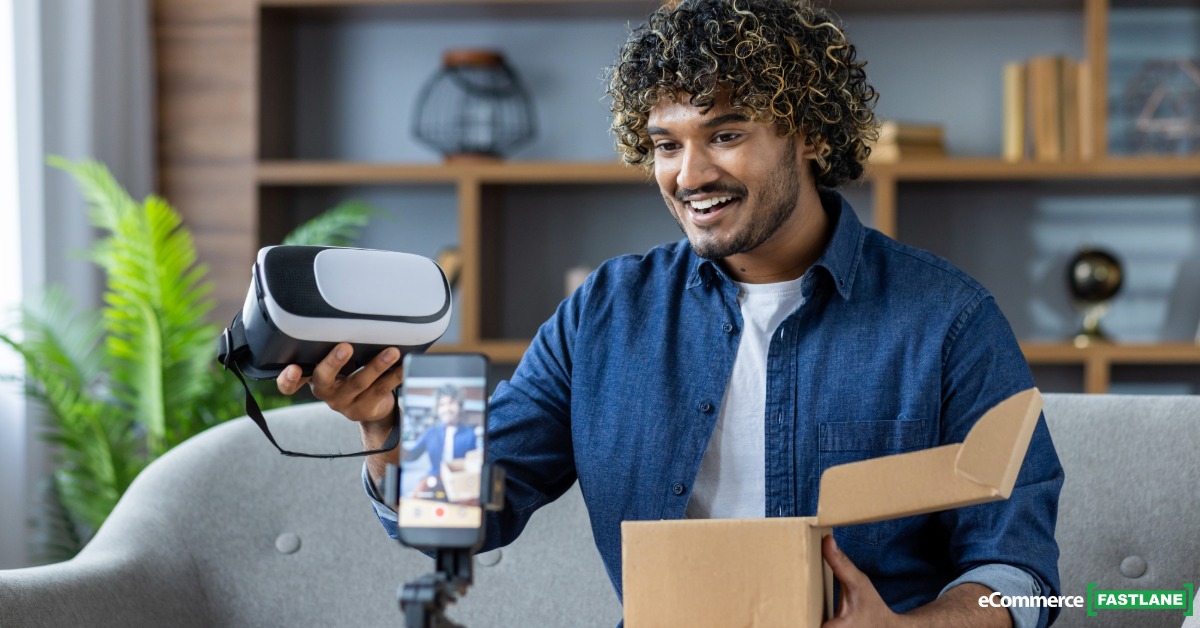
Key Takeaways
- Outperform your competition by using faster setup tools to post more content and reach more customers every week.
- Follow a simple setup routine by tapping the tripod base and snapping your phone onto the magnetic mount to start recording in seconds.
- Reduce daily filming stress and finger pinches by switching from clunky manual clamps to a smooth magnetic mounting system.
- Turn any floor into a professional studio instantly by tapping the base to watch the legs spring open and lock into place.
I used to lose whole chunks of shooting time to one stupid problem: fighting with a cheap clamp tripod.
You know the move. You are trying to grab a quick TikTok, B roll of a product unboxing, or a story update from the warehouse. You dig out the tripod, wrestle with stiff legs, pinch your fingers in the clamp, bump the volume buttons, then lose the moment.
That is the kind of friction that quietly taxes your content output and, for most Shopify and DTC brands, your revenue.
The KraftGeek JustTap Tripod tries to kill that friction with two simple ideas: tap-to-open legs and a magnetic phone mount. I was sent a unit to test, but what follows is a straight, hands-on take for creators, Shopify founders, and eCommerce marketers who care about speed, content quality, and ROI.
This is not about gear for gear’s sake. It is about whether this tripod actually helps you create more content that drives sales and builds your brand.
KraftGeek JustTap Tripod at a Glance: What It Is and Why It Stands Out
The KraftGeek JustTap Tripod is a combo selfie stick and phone tripod built for fast setup. It folds down to a compact stick, then with one tap on the base the legs spring open into a wide, stable stance.
On top, it uses a magnetic phone mount instead of a spring clamp. If you have a MagSafe iPhone, it snaps right on. If you are on Android or an older iPhone, you stick a thin metal ring on your case and get the same snap-on effect.
It reaches a full 66 inches in height, so you can shoot eye-level talking head videos, top-down product demos, or wide room shots without stacking boxes or books under a tiny desk tripod.
Build quality feels closer to something you would trust in a studio than a random $18 Amazon stand. The legs lock out firmly, the pole does not feel flimsy, and the head swivels smoothly. It is clearly aimed at content creators, online sellers, influencers, and brand teams that are shooting often, not once a quarter.
Key Specs You Should Know Before You Buy
Here are the core numbers in simple terms.
| Spec | Detail | Why It Matters |
|---|---|---|
| Folded length | About 13 inches (33 cm) | Fits in a backpack or tote |
| Max height | 66 inches (168 cm) | Eye level or overhead shots |
| Weight | Around 455 g (about 1 pound) | Light enough to carry daily |
| Materials | Aluminum alloy + ABS + PC | More solid than bargain tripods |
| Magnets | N52-grade, up to 5.5 lbs (2.5 kg) load | Strong grip on modern phones |
| Mount | MagSafe style, metal ring included | Works with iPhone and Android |
| Sections in pole | 10 | Smooth height steps |
| Base spread | About 8.8 inches radius | Stable footprint |
| Remote | Bluetooth, snap-on, USB-C charge | Start/stop video from a distance |
| Warranty / returns | 1-year warranty, 30-day return window | Safety net for busy teams |
Price sits in the $33 to $50 range as of late 2025, depending on sales and where you buy. You will usually find it on:
- kraftgeek.com
- Amazon
- Walmart
For a creator, 66 inches matters more than it sounds. It gives you:
- Overhead shots of a table for unboxings or flat lays.
- True standing height talking heads.
- Flexible angles for shooting behind-the-scenes content in cramped rooms.
Tap-to-Open Legs: The 5-Second Setup Trick
Here is the main party trick. You hold the folded tripod, tap the base on a firm surface, and the legs spring out and lock into place. No fiddling with clips. No guessing at leg angles.
In practice, that means your setup time drops to seconds. You walk into your warehouse, tap the base on the floor, extend the pole, snap your phone on, and you are ready to record.
The legs open into a wide base, which helps on uneven floors or thin rugs. KraftGeek claims they ran thousands of tap and drop tests. After a few weeks of use, it does not feel like a fragile gimmick, more like a small quality-of-life upgrade that stacks up when you are shooting many clips a day.
If you are setting up 20 shots in a heavy filming day and save even 15 seconds each time, you are already saving minutes. Over a week of regular posting, that turns into real time.
Magnetic Phone Mount: Snap On, No More Clamps
The mount uses strong N52 magnets in a MagSafe style ring. For a modern iPhone, you just place the back of the phone near the mount and it locks in. No clamp, no squeezing, no random screen presses.
For Android phones or older iPhones, you stick a slim metal ring on your case. It is low profile enough that it does not ruin your pocket feel.
The head tilts about 180 degrees and rotates so you can shift between vertical and horizontal without removing the phone. That matters when you bounce between TikTok, Reels, Shorts, and YouTube product demos in the same session.
In daily use, that snap-on feel is the hook. You can take the phone off to reply to DMs or check Slack, then clip it back on and keep rolling with zero friction.
Real World Testing: How the JustTap Tripod Performs for Everyday Content
Specs are nice, but what matters is how it behaves when you are in creator mode, moving fast, often alone, and trying to keep your calendar full of content.
Here is how it handled in common workflows that most Shopify founders and content teams live in.
Desk and Podcast Shots: Fast B-Roll With No Extra Hands
Around a desk or podcast setup, the 66-inch height is the sweet spot. You can bring the camera just above monitor height for a talking head, then lower it slightly to grab b roll of a keyboard, mic, or product packaging.
The tap-to-open legs mean you can bounce it from one corner of the room to another in under a minute. Record a wide room shot, then close most of the pole, slide it closer for a tight shot of your hands.
The Bluetooth remote is small but handy. It snaps onto the tripod, then lives in your pocket while you hit record and stop between takes without walking back and forth.
Product Reviews, Unboxings, and Overhead Content
For product content, this tripod hits above its weight.
You can extend it to full height, angle the head down, and shoot top-down or three-quarter shots of a table. That covers unboxings, flat lays, tutorial sequences, or step-by-step demos where your hands need space.
At full height there is a small amount of wobble if you bump the table or floor. That is normal for something this light. The fix is simple: shorten the pole one section, spread the legs fully, and try to shoot indoors away from strong wind.
For most Shopify brands that do not want to buy a heavy studio rig, it is a strong middle ground between a desk stand and a full photo tripod.
Vlogging and Selfie Stick Mode on the Go
Folded, the KraftGeek JustTap Tripod works as a selfie stick. It is about 13 inches, so it fits in a backpack, messenger bag, or tote. It will not fit in a small sling or jacket pocket, so keep that in mind.
In the hand, the weight feels confident but not tiring. The magnetic mount saves you from accidentally hitting side buttons, which is my usual complaint with clamp sticks. You can walk and talk, grab quick street-style clips on the way to the office, or shoot short interviews at events.
For warehouse walks or factory tours, it gives you that slightly wider angle that looks much better than a pure handheld shot.
Short Form Content for TikTok, Reels, and Shorts
This is where the tripod earns its keep if you post often.
Real workflow:
- Tap the base, legs open.
- Extend to chest or eye height.
- Snap phone on, twist to vertical.
- Frame, hit record on the remote.
- Stop, pick up the tripod, move to the next spot, repeat.
That rhythm lets you knock out 10 to 20 short clips in a short filming block. You can batch B roll, save it to a folder, then add voiceovers or captions later.
Because the phone comes off and on so quickly, you are more likely to check comments, reply to DMs, and stay plugged into the audience while still in shoot mode.
Honest Drawbacks You Should Know
A few limits show up fast.
- There is no full ball head, so angle control is good but not infinite. If you want very odd angles, a pro tripod wins.
- At full height on a soft floor, you will see some shake if you bump it or walk heavily nearby. That is expected for a tall, light stand.
- The folded size is compact but not tiny. Ultra minimal travelers may find it large for daily carry.
- The best experience is with MagSafe phones. Android users with glossy or curved backs will want a case and the included ring.
- Price is higher than a basic $15 tripod, so it only makes sense if you create often.
None of these are deal breakers for a serious creator, but they matter if you are expecting a magic gadget that does everything.
Who This Tripod Is For: Matching Features to Your Creator Style
You should not buy gear just because other founders talk about it. You should match it to your workflow.
Perfect Match: Creators Who Will Get the Most Value
This tripod makes the most sense if you are:
- Posting short form content several times a week. Tap-to-open and magnetic mount save minutes per session.
- A Shopify founder filming product shots, FAQ clips, or behind-the-scenes weekly. The height and speed help you get consistent angles.
- A solo course creator or consultant recording lessons at home. Quick setup means you hit record more often.
- A podcaster clipping segments for YouTube. You can lock in angles and move between shots fast.
- A travel or lifestyle creator who sets up in new locations often. The all-in-one design cuts down on extra stands.
The pattern I see with serious creators is simple: less friction, more content, more revenue.
Probably Not Worth It: When a Cheaper Tripod Is Enough
You may want to save your money if you are:
- Only filming one static shot a month. A $20 Amazon tripod will be fine.
- Still testing if content creation fits your business. Start lean, prove the value, then upgrade.
- Shooting only on DSLR or mirrorless cameras. This is a phone first tool.
- On a very tight budget, where every dollar needs to go into ads or inventory.
Gear should follow proven behavior. If you are not posting yet, do not let a tripod be the first big purchase.
Quick Comparison With Other Popular Phone Tripods
Here is how the KraftGeek JustTap Tripod stacks up in simple terms:
- Joby GorillaPod style: Great for wrapping around poles or desk edges, but too short for full standing shots. Not as fast to set up or adjust height.
- Cheap aluminum tripod from Amazon: Wins on price, loses on speed and feel. Slower leg setup, weak clamps, and more wobble.
- Phone gimbal: Perfect for walking shots and smooth movement, not ideal for locked-off product demos or talking heads.
The JustTap sits in the gap. It is built for fast, stable, repeatable shots with your phone when you are filming often, not for cinematic moves.
How a Better Tripod Helps You Make More Money Online
Let us zoom out. Why does a tripod matter for your P&L at all?
Because for Shopify and DTC brands, content is part of the sales funnel. Faster setup, better angles, and stable shots mean more content, higher watch time, and more trust.
From Stable Shots to Sales: Connecting Quality to Revenue
Clean video makes people stay longer and understand you faster. A stable talking head with clear framing feels more trustworthy than a shaky handheld clip.
Platforms reward that behavior. Better watch time and engagement usually lead to more reach on TikTok, Instagram, and YouTube. More reach means more chances for:
- Ad revenue from YouTube.
- Paid brand deals and UGC packages.
- Affiliate commissions on the products you talk about.
- Direct sales for your own Shopify store.
Even small lifts count. If better content bumps conversion by 0.2 percent and you do a few hundred thousand dollars a year from content-driven sales, that is real money.
Saving Time on Setup So You Can Create and Sell More
Time savings are easy to ignore until you write them down.
Say the KraftGeek JustTap Tripod saves you 30 seconds per setup. If you move it 20 times in a filming day, that is 10 minutes saved.
Do that three times a week and you have about 30 minutes back. Over a month, you have a few extra hours you can spend scripting, editing, or talking to customers.
If your time is worth even $25 an hour, that adds up faster than most founders think. Tools that shave friction off repeated tasks are often the ones that pay for themselves quietly in the background.
Content Types This Tripod Makes Easier to Monetize
A few concrete examples where this tripod helps:
- Review videos and comparisons that push to affiliate links. Faster angle changes keep the flow tight.
- UGC packages for brands, where you are paid per clip. Rapid setup lets you shoot more angles in the same booking.
- Ad creatives for your Shopify store, like simple talking heads, hooks, and product close-ups. Stable, repeatable framing helps you test creatives.
- Short tutorials for your course or membership, recorded at your desk or in your studio. You can batch film in blocks without spending half that time on setup.
- Lifestyle clips that support sponsorship deals. The selfie stick mode handles casual travel content without extra rigs.
The shared pattern is simple. Lower friction means you show up more often, which tends to correlate with better revenue over a year.
Pros, Cons, and Clear Verdict on the KraftGeek JustTap Tripod
If you want the quick scan, here it is.
What This Tripod Gets Right
- Tap-to-open legs that actually work and save time.
- Strong magnetic mount that feels safe, even with bigger phones.
- Fast switching between vertical and horizontal.
- Tall 66-inch height for eye-level and overhead shots.
- Solid build for the weight, with a wide base for stability.
- Bluetooth remote that is simple and lives on the tripod.
- A one-year warranty and 30-day return window for peace of mind.
- It is just fun to use, which means you reach for it more often.
Most of these wins connect back to one theme, less friction, more content.
Where It Falls Short or May Not Fit Your Needs
- Limited angles compared with a full ball head tripod. Creative photographers may want more control.
- Some flex at full height, especially on soft floors or in light wind. Fine for static shots, not ideal in heavy movement.
- Not tiny when folded, so pocket carry is not realistic.
- Best for MagSafe or ring-equipped phones. If you hate using a case, you lose some of the benefit.
- Higher cost than an entry tripod, which is overkill if you film rarely.
If any of these points sound like big issues for you, you might be better with a different style of support.
Final Verdict: Who Should Actually Buy the KraftGeek JustTap Tripod
If you are posting content three or more times a week, or you run a Shopify brand where video is part of your sales machine, the KraftGeek JustTap Tripod is an easy yes.
If you are starting to post more often and feel the pain of clunky setup, it is a solid maybe that depends on budget.
If you only shoot a rare clip for internal use, or you rely mostly on DSLR rigs, you can skip this and put that money into something else.
Think of it like a quiet operator in your content stack. Not flashy, but it makes everything else run smoother.
Pricing, Colors, and Where to Buy the JustTap Tripod
As of late 2025, the KraftGeek JustTap Tripod usually sits around $44.99 to $49.99 at full price, with sale prices going as low as the low thirties on some marketplaces.
You can find it at:
- Official site: Kraftgeek.com
- Amazon, in different color variants.
- Walmart, often in black.
Current colors include black, white, and an ombré peach finish if you want something a bit more fun on camera.
You get a one-year warranty and about a 30-day return window, which is enough time to see if it fits your workflow. Before you buy, check live pricing and any discount codes, since it is often on promo.
Common Questions About the KraftGeek JustTap Tripod
Is the KraftGeek JustTap Tripod good for Android phones?
Yes. You get a metal ring in the box that sticks to your case. That gives your Android phone the same magnetic snap as MagSafe.
How much weight can the magnetic mount handle?
The N52 magnets are rated up to about 5.5 pounds on the holder. In real terms, that covers current large phones plus normal cases without any issue.
Is it stable at full height?
It is stable for normal indoor use and talking head shots. At full extension, do not kick the legs or shoot in strong wind. Shorten it a bit if you see wobble.
How does the Bluetooth remote connect?
You pair it like any other Bluetooth accessory. Hold the button to enter pairing mode, select it in your phone’s Bluetooth menu, then it acts as a simple shutter and record button.
What comes in the box?
Tripod, magnetic head, Bluetooth remote, USB-C cable, and at least one metal ring for non-MagSafe phones.
Does it work with thick or rugged cases?
In most cases, yes, as long as the back is flat and the ring is centered. Very thick rubber edges may reduce magnetic strength, so test the grip at low height before trusting it at full extension.
Wrapping Up: Is This Tripod the Right Upgrade for Your Content?
If content is a real part of your revenue stack, you know how much friction can slow you down. A tripod that opens with a tap and grabs your phone by magnet sounds small, but in daily use it changes how often you are willing to hit record.
In my tests, the KraftGeek JustTap Tripod did one thing very well, it removed excuses. It made it easier to roll five more clips, to try a new hook, to shoot an extra version of a product demo.
Tools like this only pay off if you actually use them. So ask yourself how often you create content now, and how much more you would create if setup felt almost instant.
If that gap is big, go check current pricing on the official site and see if it fits your budget. Then share your questions or real-world experience in the comments so other founders can learn from you.
The product here was provided for review, but every opinion and takeaway in this post is based on hands-on use and a focus on what helps creators drive income, not just collect gear.
Conclusion
The core promise of the KraftGeek JustTap Tripod is simple, faster setup, easier mounting, and smoother shooting for people who create often. For active creators, Shopify founders, and solo marketers who live on short form video, that promise holds up.
If you post often and feel like setup is stealing time and energy, this is a smart, high-ROI upgrade. If you rarely film or are still figuring out your content habits, a basic tripod is enough for now.
At the end of the day, the best gear is the gear that helps you hit publish more often. For the right creator, this tripod can be exactly that tool.
Frequently Asked Questions
Does the KraftGeek JustTap Tripod work with heavy Pro Max phones
Yes, the N52 magnets are strong enough to support the largest smartphones on the market today. It handles weights up to 5.5 pounds, which is much heavier than a standard iPhone or Android device. You can trust that your expensive phone will stay locked in place even when you tilt the head for vertical shots.
How do I use the magnetic mount if I have an Android phone
You can use the included metal ring to give any Android phone or older iPhone magnetic mounting powers. Simply peel the backing off the ring and stick it to the center of your phone case. Once the ring is attached, your phone will snap onto the tripod just like a MagSafe device.
Can this tripod handle outdoor winds or uneven grass
This tripod is best for indoor use or flat surfaces because it is built to be lightweight. While the wide leg base helps with stability, the thin aluminum pole can shake in strong winds when fully extended. If you must shoot outside, shorten the pole by one or two sections to keep your video from looking shaky.
Is the Bluetooth remote compatible with video recording apps
The remote works with the standard camera app on most phones to start and stop video or take photos. For third party apps like TikTok or Instagram, it usually triggers the shutter button once your phone is paired through Bluetooth. This allows you to film yourself from across the room without needing an assistant.
Does the tap to open feature break easily over time
KraftGeek tested the spring mechanism thousands of times to ensure the legs do not fail after a few uses. The design uses aluminum alloy and durable plastics to stay strong through daily content creation. It is a solid upgrade over cheap plastic tripods that often crack after a few weeks of heavy use.
Will the magnetic mount interfere with my phone’s battery or internal parts
Modern smartphones are designed to work safely near magnets, especially since MagSafe became a standard feature. The N52 magnets in this tripod are arranged in a ring that does not harm your battery, screen, or internal wireless charging. You can snap it on and off hundreds of times a day without damaging your electronics.
Can I mount a DSLR or mirrorless camera on the JustTap
This tripod is specifically made for phone creators and does not have the standard screw mount for heavy cameras. Trying to balance a professional camera on a magnetic phone mount is not safe and could lead to gear damage. Stick to using your smartphone or very light action cameras with the proper adapters.
Is the 66 inch height enough for overhead cooking or drawing videos
The height is perfect for overhead shots because you can stand the tripod next to a table and tilt the head straight down. At over five feet tall, it gives the camera enough distance to capture a wide view of your workspace. This makes it a great tool for unboxings, tutorials, or showing off your craft.
How does reducing setup friction actually help grow a Shopify store
When you remove the frustration of wrestling with gear, you are more likely to record and post videos more often. Consistent video content builds trust with your customers and helps explain your products better than photos alone. Using faster tools means you spend more time on marketing strategy and less time fighting with a tripod.
What should I do if my phone feels loose on the magnetic mount
If the magnetic grip feels weak, check to see if your phone case is too thick or has a textured surface. For the strongest hold, place the metal ring on the outside of your case rather than hiding it inside. A flat, clean surface ensures the magnets make full contact for a secure and safe grip.
Curated and synthesized by Steve Hutt | Updated December 2025
📋 Found these stats useful? Share this article or cite these stats in your work – we’d really appreciate it!
