







eCommerce is one of the most demanding industries for accounting and bookkeeping teams. You’ve got huge transaction volumes, multiple sales channels, and complex inventory to deal with — among other challenges.
You need a robust project and task management strategy to handle the scale and pace of eCommerce bookkeeping. Tools built for the average business won’t cut it here. You need specialist accounting tools and a workflow playbook capable of handling the complexities of eCommerce bookkeeping.
What Are the Biggest Challenges Of Managing Multiple eCommerce Bookkeeping Clients?
Managing eCommerce workflows effectively starts with addressing the key challenges of managing them at scale for clients. This informs everything from refining your internal bookkeeping workflows to choosing the right task management software for your accounting and bookkeeping team.
The Complexity of eCommerce Bookkeeping
- Transaction volume: High transaction volumes result in extensive and complex bookkeeping workloads.
- Sales channels: Selling across multiple online channels with different payout systems and reporting structures.
- Data reconciliation: High reconciliation workloads across complex systems is both difficult to manage, but also highly error-prone.
- Inventory tracking: Fluid inventory movement requires constant tracking and accurate reporting.
- Tax compliance: Varying compliance regulations for different product types, markets, and locations.
- Expense and fee tracking: Complex expenses and fees for every sale (marketplace fees, delivery fees, transaction fees, etc.).
- Cash flow monitoring: Fast cash movement and potentially low margins require careful cash flow management.
Project and Task Management Challenges
- Manual workloads: The most time-consuming bookkeeping tasks (eg: data entry) limit turnarounds and your ability to handle more clients.
- Workflow management: The more phases a workflow has, the more gaps open up for tasks to slip through and hold up progress.
- Task ownership: When multiple team members share client work, responsibilities blur and messy handovers can bring processes to a halt.
- Project visibility: Without real-time dashboards, managers can’t see where projects are on schedule, behind, or held up.
- Workload management: Balancing client volumes with healthy workloads for everyone on the team is increasingly challenging as you grow.
- Recurring jobs: Bookkeeping involves a lot of recurring services (eg: reconciliation) but you shouldn’t have to set these up manually every time.
Managing eCommerce Bookkeeping Clients at Scale
- Client onboarding: Aside from getting all the documents you need, every client is using different platforms, accounting software, and other tools.
- Client requests: eCommerce bookkeeping involves a lot of requests for documents, financial records, transaction details, and other information.
- Client communication: Relying on emails or multiple separate channels to communicate with clients quickly turns into a mess.
- Client experience: Delivering a consistent level of quality to every client, all the time.
- Client volume: As you take on more clients, the impact of every inefficiency grows and places further strain on your team.
Overcoming these challenges takes work, but the rewards are worth it for teams that excel at eCommerce accounting and bookkeeping.
According to TaxDome’s Niche Business Report, companies making over $1M annually are 2x more likely to hire a specialist accounting firm. And once accounting clients go niche, they stay niche with 98% of clients sticking with specialist firms — even if they switch to another provider.

Crucially, 85% of clients are willing to pay more for specialist services that save them more money in the long term.
The Bookkeeping Workflow Playbook for eCommerce Accounting Teams
eCommerce bookkeeping workflows are difficult to manage at scale. Here’s a step-by-step playbook to remove inefficiencies from internal and client-facing processes.
1. Standardize Your Bookkeeping Workflows
Standardized processes are crucial for managing eCommerce bookkeeping workflows at scale. This structure is integral to delivering consistent outcomes, but it also creates the initial framework for each process that you’re going to optimize and improve.
- Map your key workflows: Start with the core bookkeeping and client tasks — eg: onboarding, intake, financial record collection, and account reconciliation.
- Define the key stages of each workflow: Build out the step-by-step process for every bookkeeping workflow — eg: Intake → Reconciliation → Review → Delivery → Close.
- Remove redundancies: Either remove or merge any obvious redundancies, such as duplicate workflows or tasks.
- Assign clear roles and responsibilities: Start from the top with roles for project management, workflow stages, and task types.
- Implement handover systems: Ensure ownership at all times and prevent any confusion as tasks move from one person to another.
- Implement review and approval stages: Include manual reviews and approvals at key stages to maintain quality throughout your workflows.
- Create SOPs: Document all processes, roles, and responsibilities for everyone to see.
With standardized workflows, you can analyze processes at scale to identify inefficiencies.
2. Analyze and Stress Test Your Workflows For Inefficiencies
Now you know exactly what your workflows look like in practice, analyze them in detail to find inefficiencies.
The most common inefficiencies in eCommerce bookkeeping workflows include:
| Inefficiency | Example impact |
| Repetitive manual tasks | Your team spends most of their time moving data around |
| Capacity bottlenecks | Onboarding new clients eats into your team’s schedule |
| Redundant steps | Manually creating emails, templates, and other resources that could be automated |
| Avoidable delays | Waiting for clients to provide information is holding up progress |
| Visibility gaps | Managers and team members lose track of work and progress statuses |
| Tool sprawl | Teams constantly switch between apps for routine workflows: task tracking, file sharing, client communication, etc. |
These are the most impactful changes you can make to your workflows. Automate repetitive manual tasks, remove capacity bottlenecks, and prevent avoidable delays from happening in the first place.
Choose practice and task management tools designed specifically to improve accounting and bookkeeping processes.
3. Refine Client Onboarding, Intake and Requests
The onboarding process defines the start of every client relationship. Inefficient onboarding creates unnecessary work before the bookkeeping even starts. It eats into the time that could be spent on client work and limits the number of clients you can manage at any one time.
Clients feel the impact as strongly as your team. 71% of accounting clients say efficient onboarding is crucial and 1 in 5 will pay up to 50% more for faster service.
Remove the unnecessary work from client onboarding, not only for your team but also for your clients. Automate the email welcome sequence for new clients and send customized intake forms to capture the initial information you need.
Look for a practice management system that includes comprehensive client management features — including a branded client portal and mobile app. This gives clients a secure space for all communication, document exchanges, and invoice payments.
4. Automate Recurring Jobs and Tasks
Most eCommerce bookkeeping workflows repeat on a monthly cycle:
- Import transaction data from sales channels
- Transaction categorization
- Account reconciliation — including fees and payouts from platforms (eg: Shopify, Amazon, Stripe)
- Review expense categories and marketplace fees
- Prepare month-end financial reports
You shouldn’t have to spend time every month setting up and managing recurring tasks. Use a task management system that can automate and schedule these bookkeeping workflows.
According to Sage, 92% of accountants agree they spend too much time on admin, only half automate recurring tasks.
5. Automate Data Imports and Reconciliation
eCommerce bookkeeping is particularly data-heavy, not only in volume but also the complexity of data sources. You’ve got sales across multiple platforms, refunds, payouts, and all kinds of fees to make sense of.
Studies find that human data entry has an average error rate of around 4%, but this increases with higher workloads, data volumes, and complex data sources. Meanwhile, automated data entry archives a 99.9% accuracy rate while reducing workloads by 80%.
6. Implement a Robust Review System
The more you automate eCommerce bookkeeping workflows, the more important manual reviews become. You’re not relying on automation to do everything for you. You want to automate the most repetitive tasks, so you have more time and mental clarity to ensure quality is up to standard.
7. Automate Time, Billing, and Payments
Automating time tracking, billing, and payments removes unnecessary work for everyone on your team. You know exactly how much time everything takes, invoices are automatically sent out, and automatic reminders follow up on delayed payments.
- Time tracking: Automatically tracks and logs the time everyone spends on bookkeeping tasks.
- Automated billing: Generates invoices for clients based on the tasks and time spent on their work, breaking everything into clear numbers.
- Payment reminders: After a set period, payment reminders are automatically sent out to clients who haven’t paid their invoice.
With everything automated, you can focus on doing the work that gets you paid without manually logging the data or worrying about billing errors.
8. Train Your Team (and Clients) for New Tools and Processes
Your team needs appropriate training and time to adopt every new process and any new tools you implement. This also applies to clients if you’re implementing any new client-facing tools or processes — eg: how to exchange documents.
Start by getting SOPs and other supporting documentation in place so everyone has access to the information they need. Include your team as early as possible and get feedback from the people who will be using these processes on a daily basis.
You want everyone to be ready for rollout and invested in your new processes before going live.
9. Monitor and Refine Results
You need to know your bookkeeping workflows have a positive impact on the team and your firm. And, given the intense demands of eCommerce bookkeeping, there’s always room to improve workflows further.
Pinpoint the metrics that define success for each process and the target outcome. Use these insights to refine your workflows and identify opportunities to improve results.
| Metric | Outcome |
| Turnarounds | Turnaround times reduce for every workflow you improve. |
| Task completions | Your team completes a higher rate of tasks thanks to increased efficiency. |
| Deadlines | Fewer missed deadlines (initially — until you recalculate turnarounds). |
| Holdups | Fewer workflows and tasks on hold due to avoidable delays. |
| Error rate | Reduced error rate — both in automated and manual processes. |
| Client volume | You can handle a higher volume of clients without hiring more staff. |
| Client satisfaction & retention | Increased client retention thanks to faster, consistent quality of service. |
| Revenue | Increased revenue from higher client volumes and customer lifetime value. |
Use the same monitoring system to track performance during key periods. For example, month-ends, peak season, or when you’re adding new members to your team. These insights can reveal bottlenecks deep within processes, which may only affect outcomes during busy periods or times of change.
Common Workflow and Task Management Mistakes in eCommerce Bookkeeping
Even with the best intentions, task management is vulnerable to common mistakes. Some of these can even cause more problems than they solve, so do everything possible to avoid the following:
- Going in without a clear plan: Make sure you set clear goals and realistic targets, and identify the right metrics to measure performance.
- Using general-purpose tools: Avoid using generic task management tools designed for the average business — use a task management system built for accounting and bookkeeping teams.
- Implementing too many tools: Instead of building a complex (and expensive) tech stack, implement a complete bookkeeping management system that includes everything you need.
- Automating the wrong tasks: Resist the urge to automate tasks that require human oversight — eg: quality checks and client queries.
- Skipping manual reviews: Know when to fit manual reviews and quality checks into automation workflows to maintain standards.
- Neglecting the client experience: Take steps to improve workflows for client interactions — don’t only focus on internal processes for your team.
- Rushing tests and rollouts: Take the appropriate time to test and roll out new workflows in phases.
If your team manages bookkeeping for multiple eCommerce clients, use a practice management platform that supports your workflows at every level. Not only task management, but full bookkeeping workflows, recurring services, team collaboration, client interactions, and everything else.
Alternatively, if you’re an eCommerce brand struggling with the volume and complexity of your books, don’t hire generalist accountants. Work with a team that specializes in eCommerce bookkeeping and tackling these challenges head-on.
What Is EcomBalance?
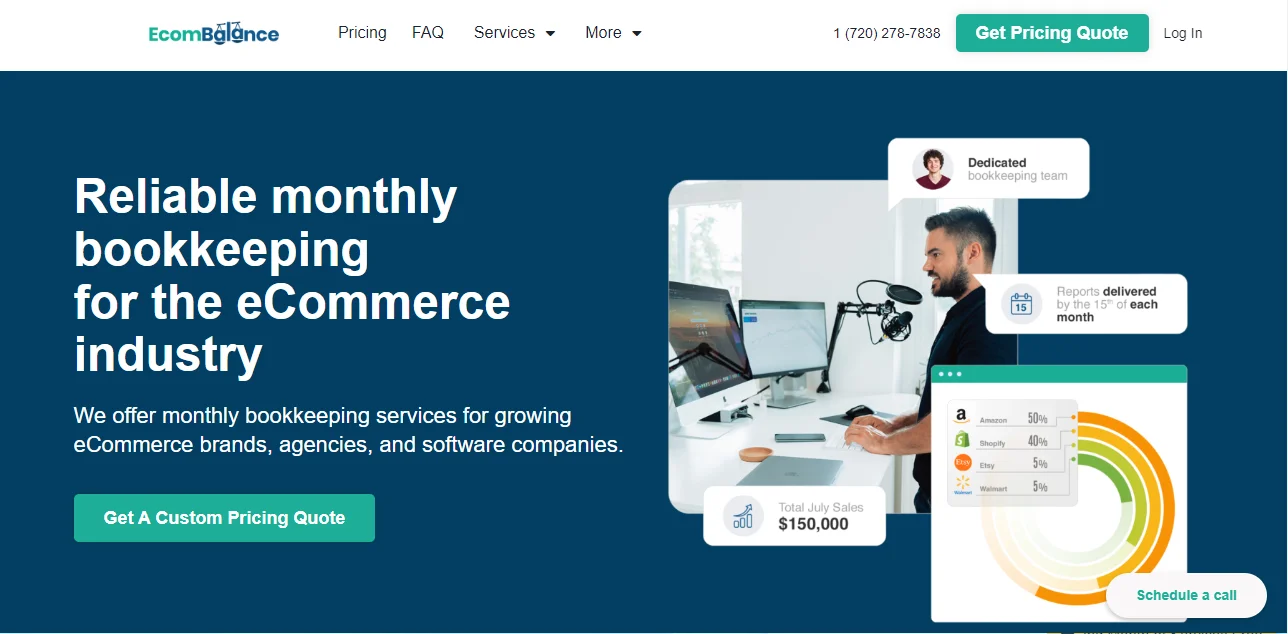
EcomBalance is a monthly bookkeeping service specialized for eCommerce companies selling on Amazon, Shopify, eBay, Etsy, WooCommerce, & other eCommerce channels.
We take monthly bookkeeping off your plate and deliver you your financial statements by the 15th or 20th of each month.
You’ll have your Profit and Loss Statement, Balance Sheet, and Cash Flow Statement ready for analysis each month so you and your business partners can make better business decisions.
Interested in learning more? Schedule a call with our CEO, Nathan Hirsch.
And here’s some free resources:
- Monthly Finance Meeting Agenda
- 9 Steps to Master Your Ecommerce Bookkeeping Checklist
- The Ultimate Guide on Finding an Ecommerce Virtual Bookkeeping Service
- What Is a Profit and Loss Statement?
- How to Read & Interpret a Cash Flow Statement
- How to Read a Balance Sheet & Truly Understand It
Thanks to TaxDome for collaborating on this post!
