





Quick Decision Framework
- Who This Is For: Shopify merchants, developers, and agency operators who are already using AI coding tools like Claude Code, Cursor, Gemini CLI, or VS Code and want to connect those tools directly to their Shopify store for real store management, not just documentation lookup.
- Skip If: You have no interest in managing your Shopify store through an AI client or command-line interface. If you run your store entirely through the Shopify Admin and have no developer workflow, this is a future-facing read for now. Come back when AI-assisted store management becomes part of your team’s daily workflow.
- Key Benefit: Understand exactly what the Shopify AI Toolkit does, how to install it in under 10 minutes, and why it represents a meaningful shift in how merchants and developers will interact with Shopify stores in 2026 and beyond.
- What You’ll Need: Node.js 18 or higher, a supported AI tool (Claude Code, Cursor, Gemini CLI, VS Code, or Codex), and an active Shopify store. No advanced developer experience required for the plugin install path.
- Time to Complete: 10-minute read. Plugin installation takes under 5 minutes on any supported AI client.
Shopify just made your AI coding client a first-class interface for managing your store. That is not a developer convenience update. It is a signal about where the entire merchant workflow is heading.
What You’ll Learn
- What the Shopify AI Toolkit actually is and how it differs from the Dev MCP Server merchants have been using since Winter ’26 Edition.
- Why Shopify built this as a plugin first and what that architecture decision tells you about where Shopify’s developer and merchant tooling is heading.
- How to install the Toolkit in Claude Code, Cursor, Gemini CLI, and VS Code in under 10 minutes, with the exact commands you need.
- What the 16 agent skills cover and which ones matter most for merchants who are not writing code but want to manage store operations through AI.
- What this means for the broader shift toward AI-native store management, and the honest trade-offs merchants and operators should understand before going all in.
Most Shopify merchants have never opened a terminal window. Most developers working in the Shopify ecosystem have spent years context-switching between their AI coding client, the Shopify Admin, and a browser full of documentation tabs. The Shopify AI Toolkit, announced this week and now live in the official Shopify Dev Docs, is designed to close both of those gaps at once.
The announcement landed quietly on X from both the official Shopify account and Harley Finkelstein, Shopify’s president. No press release, no big stage moment. Just a live product, a documentation page, and a GitHub repository. That is consistent with how Shopify has been shipping in 2026: build the infrastructure, make it real, let the ecosystem figure out what to do with it. If you have been tracking the week agentic commerce stopped being theoretical and the cascade of platform decisions that followed, this announcement fits the same pattern. Shopify is not waiting for the industry to agree on what AI-native commerce looks like. They are shipping it and adjusting as they learn.
Here is what the Shopify AI Toolkit is, what it does, and what it means for merchants and operators who are thinking seriously about where their workflows are heading.
What the Shopify AI Toolkit Actually Is
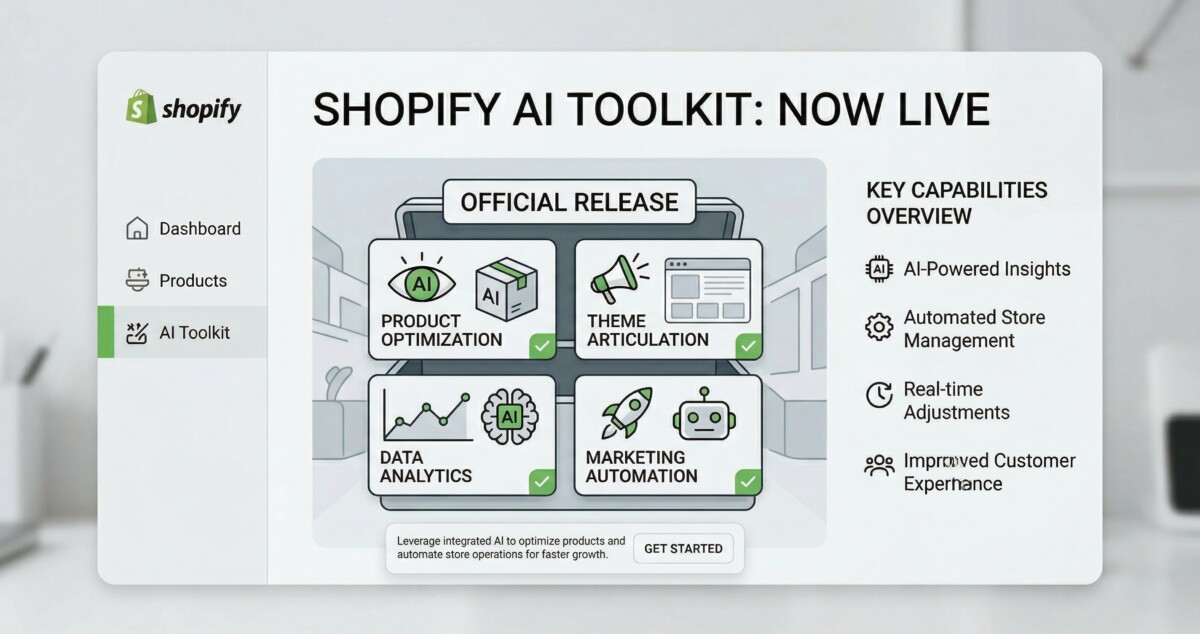
The Shopify AI Toolkit is a plugin and agent skill system that connects AI coding clients directly to the Shopify platform. It gives your AI agent, whether that is Claude Code, Cursor, Gemini CLI, VS Code, or OpenAI Codex, three capabilities it did not have before: access to Shopify’s live documentation and API schemas without leaving the editor, the ability to validate code against Shopify’s actual schemas in real time, and the ability to execute store management operations through the Shopify CLI’s store execute capabilities.
That third capability is the one worth pausing on. Documentation lookup and code validation are useful for developers. Store execution through an AI client is something different. It means a merchant or operator can open Claude Code, describe what they want to do, and have the agent carry out real store operations: product updates, inventory adjustments, configuration changes, and more, without navigating the Admin manually. Shopify describes it this way in the official documentation: “The Toolkit ensures your agent works with Shopify correctly, rather than guessing at how things are implemented.” That framing is pointed. The problem they are solving is not just developer convenience. It is agent accuracy. AI agents guessing at Shopify’s implementation is how you get hallucinated GraphQL queries and broken store configurations. The Toolkit removes the guesswork by giving the agent authoritative, live context.
If you want the deeper infrastructure context for why this matters, the breakdown of Shopify MCP and the Model Context Protocol covers the protocol layer that the AI Toolkit builds on top of. The short version: Shopify has been building toward this for 18 months. The AI Toolkit is the developer and merchant-facing interface to infrastructure that has been quietly running under every Shopify store since Summer 2025.
Three Ways to Install It, One That Is Clearly Right
Shopify gives you three installation paths and is explicit about which one they recommend. The plugin route is the right choice for almost everyone, because it auto-updates as new capabilities are released. Manually installed skills do not update automatically, which means you will fall behind as Shopify ships new agent capabilities. The Dev MCP Server path is available for teams that prefer MCP-only setups, but it requires more configuration and does not include the full skill set the plugin provides.
Here is how to install the plugin on each supported AI client:
Claude Code: Run these two commands in a Claude Code chat window. First, enable the Shopify marketplace with /plugin marketplace add Shopify/shopify-ai-toolkit. Then install the plugin with /plugin install shopify-plugin@shopify-ai-toolkit. Restart Claude Code after installation.
Cursor: Go to the Cursor Marketplace and search for Shopify, or navigate directly to the Shopify plugin listing. One-click install, no terminal required. This is the lowest-friction path of any supported client.
Gemini CLI: Run gemini extensions install https://github.com/Shopify/shopify-ai-toolkit in your terminal. The extension installs from the GitHub repository directly.
VS Code: Enable the Agent plugins preview in your VS Code settings first. Then open the Command Palette with Cmd+Shift+P on Mac or Ctrl+Shift+P on Windows, run “Chat: Install Plugin From Source,” and paste the repository URL: https://github.com/Shopify/shopify-ai-toolkit.
OpenAI Codex: In the Codex CLI, run /plugins, search for Shopify, and select “Add to Codex.” Note that Codex supports skills and MCP only, not the full plugin, so if you are on Codex you will be working with the manually installed skill path rather than the auto-updating plugin.
All installation paths require Node.js 18 or higher. If you are not sure which version you have, run node --version in your terminal before starting. The full installation documentation lives at the official Shopify AI Toolkit documentation.
The 16 Skills: What Your Agent Can Actually Do
Whether you install via plugin or manually, the Toolkit’s capabilities are organized into 16 agent skills. Each skill gives your AI agent deep, accurate knowledge of a specific part of the Shopify platform. You can install all 16 at once with npx skills add Shopify/shopify-ai-toolkit, or install individual skills with the --skill flag if you only need specific capabilities.
For merchants who are not writing code, shopify-admin-execution is the skill to understand first. It is what enables an AI agent to carry out real store operations rather than just advising on them. For developers, the combination of shopify-admin, shopify-functions, and shopify-liquid eliminates the most common source of hallucinated Shopify code: an AI agent working from training data that is months or years out of date. With these skills active, the agent checks live documentation and validates against current API schemas before generating code.
Why This Matters for Merchants, Not Just Developers
Shopify’s framing of the AI Toolkit is developer-first. The documentation lives under “Build” in the dev docs. The installation paths assume familiarity with terminal commands and AI coding clients. But the implications extend well beyond developers, and understanding those implications is worth the time for any operator managing a Shopify store at scale.
Harley Finkelstein has been consistent in his public positioning on this for months. At NRF in January, in the Retail Brew interview with Harley Finkelstein on agentic commerce, he described the shift directly: “We’ve seen a 14x increase in orders to Shopify stores that have been sourced from some sort of agents.” The AI Toolkit is part of the same architecture that makes that number possible. AI agents that manage stores need to do so accurately. Accurate store management requires live, validated access to the platform’s actual state, not a cached interpretation of what the platform used to do. The Toolkit provides that layer.
For operators managing larger catalogs or complex store configurations, the near-term implication is this: the teams that learn to use AI clients with the Toolkit installed will be able to execute store operations faster and with fewer errors than teams relying on manual Admin navigation. That is not a prediction about a distant future. The Toolkit is live today, the installation takes under 10 minutes, and the capabilities it unlocks are real. Whether you are doing $50K a year or $5M, the question is not whether AI-assisted store management is coming. It is whether you want to be learning the workflow now or catching up later.
For the broader strategic picture of where Shopify’s agentic infrastructure is heading, the complete guide to agentic commerce for Shopify merchants covers the 30 to 90 day execution plan in detail. The AI Toolkit is one piece of that picture, specifically the piece that connects your internal team’s AI workflow to your store’s live data and operations.
The Honest Trade-Offs Worth Understanding
The Shopify AI Toolkit is genuinely useful, and it is early. There are trade-offs worth naming directly before you build workflows around it.
The first is that the shopify-admin-execution skill, the one that enables real store operations, requires careful use. An AI agent with the ability to execute store changes is powerful in the right hands and risky in the wrong ones. If you are giving a junior team member or an external contractor access to a Claude Code session with this skill active, you want clear guardrails on what operations they are authorized to run. The Toolkit does not include built-in permission scoping at the skill level. That is your responsibility to manage through how you configure access and what instructions you give the agent.
The second is that manually installed skills do not auto-update. Shopify ships platform changes constantly. A skills installation from today will drift from the live platform over time. If you choose the manual skills path for any reason, build a habit of pulling updates regularly, or switch to the plugin path, which handles this automatically.
The third is that this is a developer-oriented tool being extended toward merchant use. The documentation assumes technical familiarity. If you are a merchant with no developer experience trying to use this directly, the learning curve is real. The more practical near-term path for non-technical merchants is to have a developer or technical operator set up the Toolkit and build the workflows, then hand off the AI client interface for specific, well-defined tasks. That is not a limitation of the Toolkit. It is an honest description of where it sits in the maturity curve right now.
For context on how the fee structures and channel economics of AI-driven commerce compare across platforms, the comparison of Google AI Mode vs ChatGPT Shopping for Shopify merchants covers the numbers in detail. The AI Toolkit sits on the operational side of that picture, not the sales channel side, but understanding both layers helps you see the full architecture.
What to Do Right Now
If you are a developer or technical operator working in the Shopify ecosystem, install the plugin today. Pick your primary AI client, follow the installation steps above, and spend 30 minutes testing what your agent can do with live access to Shopify’s documentation and API schemas. The difference in response quality for Shopify-specific tasks is immediately noticeable. Agents stop hedging on API details they are uncertain about and start working from authoritative, current information.
If you are a merchant without a developer background, the right move is to share this article with your developer or technical partner and ask them to evaluate the Toolkit for your store’s workflow. The specific question worth asking is whether there are repetitive store management tasks your team currently handles manually through the Admin that could be handled more efficiently through an AI client with the Toolkit installed. That conversation will tell you more than any general overview of the product.
If you are building Shopify apps or themes professionally, the combination of shopify-admin, shopify-functions, shopify-liquid, and shopify-storefront-graphql skills eliminates the most common source of wasted time in Shopify development: writing code against outdated documentation. The Toolkit makes your AI coding client a reliable collaborator rather than a confident guesser. That difference compounds across every project.
Shopify has been building toward AI-native store management for longer than most people realize. The AI Toolkit is not a preview or a beta. It is a live, documented, installable product that is available right now. The merchants and operators who treat it that way will have a workflow advantage that compounds over the next 12 to 18 months. The ones who wait for it to become mainstream news will be playing catch-up in an environment where the early movers have already built the habits and the institutional knowledge.
Frequently Asked Questions
What is the Shopify AI Toolkit and how is it different from the Dev MCP Server?
The Shopify AI Toolkit is a plugin and agent skill system that connects AI coding clients like Claude Code, Cursor, Gemini CLI, and VS Code directly to the Shopify platform. It provides three capabilities: access to live Shopify documentation and API schemas, real-time code validation against Shopify’s current schemas, and the ability to execute real store management operations through the Shopify CLI’s store execute capabilities. The Dev MCP Server is one of three installation paths within the Toolkit, not a separate product. The plugin path is Shopify’s recommended installation method because it auto-updates as new capabilities are released. The Dev MCP Server path requires more manual configuration and does not include the full skill set the plugin provides.
Do I need to be a developer to use the Shopify AI Toolkit?
The Toolkit is primarily designed for developers and technical operators. The installation requires Node.js 18 or higher and familiarity with terminal commands or AI client interfaces. Non-technical merchants can benefit from the Toolkit, but the most practical path is to have a developer or technical team member set it up and build specific workflows, then hand off the AI client interface for defined tasks. The shopify-admin-execution skill, which enables real store operations through an AI agent, requires careful configuration and clear guardrails regardless of technical experience level. If you are a non-technical merchant, share the official documentation with your developer and ask them to evaluate it for your specific workflow needs.
Which AI clients does the Shopify AI Toolkit support?
The Shopify AI Toolkit supports Claude Code, Cursor, Gemini CLI, Visual Studio Code, and OpenAI Codex. The plugin installation path, which Shopify recommends because it auto-updates, is available for Claude Code, Cursor, Gemini CLI, and VS Code. Codex supports the skills and MCP installation paths only, not the plugin. Installation instructions for each client are available in the official Shopify AI Toolkit documentation at shopify.dev. All paths require Node.js 18 or higher installed on your system.
What can the Shopify AI Toolkit actually do that a regular AI assistant cannot?
A regular AI assistant working on Shopify tasks is operating from training data that may be months or years out of date. It guesses at API details, generates GraphQL queries against schema versions that no longer exist, and hedges on implementation specifics it cannot verify. The Shopify AI Toolkit gives your AI agent live access to Shopify’s current documentation and API schemas, real-time code validation against those schemas, and the ability to execute actual store operations through the CLI. The practical difference is significant: agents with the Toolkit installed stop guessing and start working from authoritative, current information. For store management specifically, the shopify-admin-execution skill enables an AI agent to carry out real operations, not just advise on them.
Is the Shopify AI Toolkit free to use?
Yes. The Shopify AI Toolkit is free and open source, published under an MIT license on GitHub at github.com/Shopify/shopify-ai-toolkit. There are no fees from Shopify to install or use the Toolkit. Your costs are limited to the AI client subscription you are already using, whether that is Claude Code, Cursor, Gemini CLI, VS Code with Copilot, or Codex. The Toolkit itself adds no additional cost layer. The only requirement is Node.js 18 or higher and a supported AI client.
