





Key Takeaways
- Invest in small tech upgrades, like ergonomic mice and dual monitors, to immediately reduce friction and achieve higher-quality work and faster results.
- Implement cloud platforms and simple automation tools to create transparent, organized workflows and ensure all team members work from the correct, most recent files.
- Prioritize employee physical comfort and clear communication by providing upgraded peripherals and intuitive video tools to reduce strain and foster better engagement.
- Recognize that low-friction improvements, such as stable Wi-Fi and digital note-taking, offer the most surprising and immediate boosts to daily productivity across any team.
Smoothing out inefficiencies in the workplace doesn’t always call for a complete overhaul.
Sometimes, the most impactful changes are simple technological upgrades that eliminate friction, help people work more comfortably, and support how teams naturally collaborate. More often than not, employees know their workflows intimately, but they don’t always have the tools to perform at full capacity.
As businesses continue to find more digital solutions for their operations, many workers have become more deliberate in their choices of technology. Even outside the workplace, consumers seek practical upgrades at sales events like the Apple Boxing Day sale, knowing how such a device could improve productivity in life’s routines. The same goes for teams: when the tools feel right, efficiency will follow.
Below are some very practical, easy-to-adopt upgrades that will help teams work smoother, faster, and with fewer daily frustrations.
1. Upgrade Essential Peripherals for Better Comfort and Accuracy
People often forget about keyboards, mice, and headsets. These are actually the devices your employees touch most. A responsive keyboard, an ergonomic mouse, and noise-cancelling headsets can go a long way in improving comfort on an everyday basis. Such upgrades reduce strain and minimize distractions to ultimately help team members stay focused for longer stretches of time.
This increased comfort also helps break poor habits-like hunching over, using too much wrist tension, or struggling to type efficiently. When employees are physically comfortable, they work more efficiently and with higher quality. It is a simple, inexpensive step that has an outsized impact on performance.
2. Use Video-Conferencing Tools That Feel Natural to Teams
Better collaboration begins with better communication. While most companies have already implemented a virtual meeting solution, not all software feels intuitive. Teams work faster when joining calls is seamless, screen-sharing is smooth, and audio is consistently clear.
As a result, natural-feeling communication tools make true brainstorming, project check-ins, and cross-functional discussions feel more fluid. With no need to troubleshoot audio settings or reconnect to calls, employees can stay in the flow rather than losing steam due to meeting fatigue.
3. Invest in Multi-Screen Workflows for a Smoother Digital Experience
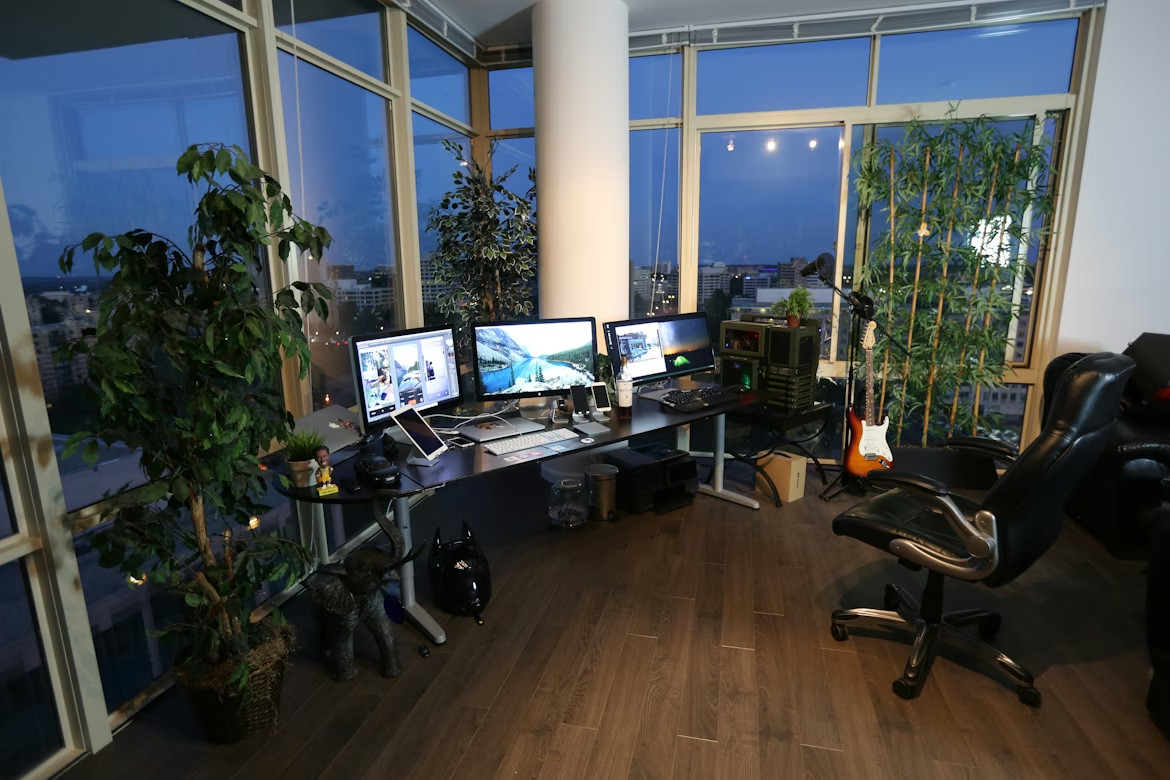
One of the easiest, yet most effective, changes is that of a second monitor. Multiscreen
configurations, according to studies, enable staff to move easily between multiple programs, reducing mistakes and eliminating wasted time locating files or cycling through windows.
From creators editing visual content to analysts poring over documents and spreadsheets, people think more clearly on two monitors. A dual-monitor setup lends a natural flow to work areas, freeing up everyday tasks from feeling cramped and burdensome. Even a small display upgrade can make an entire team more confident in tackling their workloads.
4. Improve Connectivity to Reduce Everyday Friction
Poor Wi-Fi, spotty network coverage, and faulty connections can derail an otherwise productive day. What most employees need is not a faster internet but a consistent internet. Better routers, mesh Wi-Fi systems, and simple signal boosters can make all the difference.
Stable connectivity also helps in hybrid work environments. Workers can move around different areas in the office, even at home, without experiencing lag or interruptions. When communication is smooth, projects move forward with fewer obstacles.
5. Adopt Cloud Tools That Encourage Real-Time Collaboration
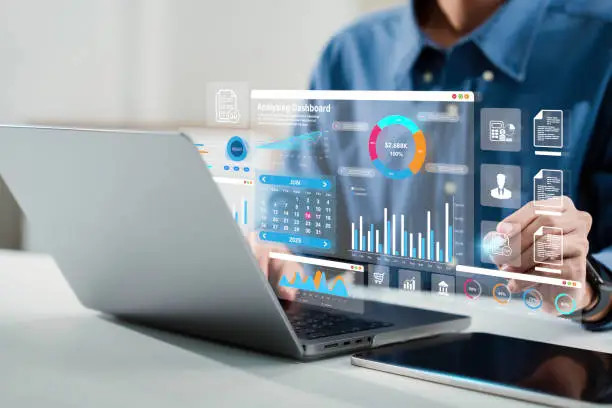
Cloud-based platforms facilitate collaboration, allowing multiple individuals to work on the same files. Teams working on documents can update them, share their insights in real time, and avoid confusion related to using different versions.
Apart from efficiency, cloud tools help employees move toward more transparent, organized workflows. People know exactly where to find the assets, what the latest updates look like, and how to track progress. This reduces the constant back-and-forth messages that slow teams down.
Cloud collaboration also allows people to work asynchronously, which is crucial in distributed teams working in different schedules or locations: People can contribute when they are at their best without having to wait for others to be online.
6. Simplify Tasks by Automating and Using Smart Integrations
Not every team needs advanced automation. Sometimes small automations things like scheduling social media posts, auto-filing documents, and creating recurring reminders can save many hours. Integrations between commonly used platforms also help.
Actually, connecting communication tools to project management boards or linking CRM data with email platforms creates a much more seamless experience for workers. It removes repetitive tasks and reduces the cognitive load of remembering too many processes. When mundane tasks feel lighter, there is more room for creativity and problem-solving in a team.
7. Apply Digital Note-taking Tools for More Transparent Information Flow
Meetings move quickly, and without a convenient place to record information, ideas can be lost. Digital note-taking apps give workers a way to store meeting notes, action items, and key ideas in a searchable, centralised location.
These tools also allow sharing notes with the rest of the team in real time, ensuring everybody starts from the same context. Employees can revisit details without asking someone to repeat information, reducing misunderstandings and improving accountability.
8. Give Basic Training to Instill Confidence in New Tools
Even the best tech upgrades don’t help improve efficiencies when employees aren’t comfortable with them. A short orientation, a quick demo, or even just a few tips on best practices can help teams get up to speed with new tools more quickly.
Training doesn’t have to be complicated. A 10-minute walkthrough can help employees discover features that make their work easier. When people understand not just how a tool works but why it helps them, the adoption becomes more natural.
9. Foster a Culture of Continuous Improvement
Finally, efficiency thrives in an environment where employees are empowered to suggest tools that improve their daily experience. Sometimes, the best upgrades come in the form of simple requests, such as a better headset for calls or a desk setup that supports posture.
Teams naturally become more engaged when they feel heard. A modest investment in comfort, clarity, or workflow tools sends a very clear message: the company values their time and wants them to work in a friction-free environment.
People respond with better focus, stronger collaboration, and improved performance when feeling supported.
Tech upgrades needn’t be costly or complicated. The real impact will be when the changes make daily working easier and less distracting, helping people feel more in control. Small changes, if thoughtfully picked, will change how a team works. By paying attention to employees’ digital habits and understanding what tools genuinely help people work better, companies can realize meaningful gains in productivity without overwhelming either their budget or their people.
Frequently Asked Questions
Why are simple technological upgrades more effective than a complete operational overhaul?
Simple upgrades work better because they focus on eliminating daily workflow friction, which employees already know intimately. Instead of forcing new processes, small changes in tools (like a better mouse or dual monitors) directly support the way teams naturally collaborate. This makes adoption easier and results in immediate, natural boosts in productivity without the high cost and disruption of a full overhaul.
What are “essential peripherals,” and how do they improve employee comfort and focus?
Essential peripherals are the devices employees touch and use most often, such as keyboards, mice, and noise-canceling headsets. Upgrading these items improves ergonomics and responsiveness, which reduces physical strain like wrist tension. This greater comfort helps people maintain focus for longer periods and decreases daily frustrations, leading to higher-quality work.
How can investing in better monitors significantly increase team productivity?
Adding a second monitor enables staff to move seamlessly between multiple open programs and applications. Studies show that this multiscreen setup reduces wasted time spent cycling through windows to locate files. This simple change allows teams, especially creators and analysts, to think more clearly and reduce mistakes in their daily tasks.
Is constant speed the most important factor for improving workplace internet connectivity?
No, the most crucial factor is consistent internet rather than just faster speed. Spotty Wi-Fi and faulty connections often derail productive days more than a slightly slower connection. Investing in stable routers, mesh Wi-Fi systems, or simple signal boosters ensures employees have reliable connections whether they work in the office or from home.
How do cloud tools encourage real-time collaboration and better organization?
Cloud-based platforms allow multiple team members to work on the same files simultaneously, updating documents and sharing insights instantly. This type of real-time collaboration ensures everyone is using the correct, latest version of a file, which cuts down on confusing back-and-forth messages. Cloud tools also make workflows more transparent, clearly showing assets and progress.
What is a common misconception about training employees to use new workplace technology?
A major misconception is that complicated, lengthy training sessions are necessary for new tools. In reality, a quick 10-minute walkthrough, demo, or simple best-practices guide is often enough. When employees understand why a tool helps them, they adopt it faster and feel more confident using new features that streamline their work.
Aside from efficiency, how do tech upgrades foster a better workplace culture?
When a company invests in practical upgrades like comfortable headsets or ergonomic desk setups, it signals that leadership values the employees’ time and well-being. This modest investment creates a friction-free environment where teams feel supported and heard. Feeling supported naturally encourages greater focus, less stress, and stronger daily engagement.
What is one practical, immediately actionable piece of advice for improving workflow today?
One of the easiest and fastest improvements is implementing digital note-taking tools across all teams. These apps provide a centralized, searchable place to record meeting notes and action items in real time. This ensures all team members start from the same shared context, reducing misunderstandings, and improving accountability quickly.
How can businesses use automation and smart integrations without becoming too technical?
Businesses can start with small, simple automations rather than complex systems. Examples include auto-scheduling social media posts, automatically filing documents, or creating recurring reminders. Linking commonly used tools, such as connecting a project management board to a communication app, removes repetitive tasks and eases the cognitive load on workers.
Why is fostering a “culture of continuous improvement” essential for maintaining high efficiency?
Efficiency is not a one-time fix; it must be ongoing. Fostering a culture of improvement means empowering employees to suggest simple upgrades that solve their daily problems, like asking for a better desk accessory. Since employees intimately know their workflows, listening to their small requests ensures that the company continues to implement the most impactful, practical changes that truly eliminate friction.
