






Quick Decision Framework
- Who This Is For: Shopify merchants and ecommerce operators who run their business from a laptop, travel to trade shows or pop-ups, or work remotely from cafes, co-working spaces, or client sites and want a reliable connectivity and power setup that matches their actual workflow.
- Skip If: You work exclusively from a fixed desk with a wired ethernet connection and a wall outlet always within reach. This guide is built for the mobile operator. If that is not you, your time is better spent elsewhere.
- Key Benefit: A clear, decision-ready framework for choosing the right Thunderbolt cable and portable charger combination for your specific merchant lifestyle, so you stop losing hours to dead batteries, slow file transfers, and incompatible cables at the worst possible moments.
- What You’ll Need: Knowledge of your primary laptop (Mac or PC), your typical working environments (office, travel, pop-up), and a rough sense of your monthly revenue stage to size the investment correctly. Budget ranges covered: under $100 and $200 to $400.
- Time to Complete: 12 to 15 minutes to read. 30 minutes to research and purchase your setup. Immediate improvement to your mobile workflow from day one.
Your connectivity and power setup is not an accessory. It is infrastructure. The moment you lose a sale because your laptop died at a pop-up, or spend 45 minutes waiting for a product video to transfer before a shoot, you will understand why operators who have been doing this for a while treat cables and chargers the same way they treat their fulfillment stack: with intention.
What You’ll Learn
- Why a Thunderbolt cable and a USB-C cable look identical but perform at completely different levels, and how to tell the difference before you buy the wrong one.
- Which specific merchant workflows justify the investment in a Thunderbolt cable versus when a standard USB-C cable is genuinely sufficient for your current stage.
- What the spec sheet on portable chargers is not telling you, including the difference between mAh and watt-hours and why it matters for your specific devices.
- How to choose the right portable charger based on your actual merchant lifestyle, whether you are a road warrior hitting conferences, running a pop-up alongside your Shopify store, or working remotely across time zones.
- Which certifications and red flags separate legitimate Thunderbolt cables and portable chargers from the counterfeits that damage ports, corrupt data, and in some cases create genuine safety risks.
I have watched a merchant lose a $4,000 trade show day because her laptop died at 11am. She had a portable charger in her bag. It was a 10,000mAh unit that could not push enough wattage to charge a MacBook Pro under active use. It maintained the battery level for about 40 minutes and then the laptop died anyway. She had the right idea and the wrong tool. That is the gap this guide is designed to close.
The ecommerce operators I talk to on the podcast and in the community are some of the most intentional people I know when it comes to their Shopify app stack, their fulfillment workflows, and their marketing systems. But I consistently see the same blind spot: the physical infrastructure that makes all of that possible gets treated as an afterthought. A cable from a gas station. A charger bought at an airport kiosk at 3x the price. A docking station that drops the connection every 20 minutes because it is not actually Thunderbolt certified.
This guide is for the operator who wants to fix that permanently. Whether you are doing $10K months or $1M months, the principles are the same. The investment level changes. The discipline does not.
Why Your Charging and Connectivity Setup Is a Business Decision, Not Just a Tech Purchase
Every ecommerce operator I have spoken to who runs a serious mobile setup has a version of the same story. At some point, a bad cable or a dead battery cost them something real: a missed customer conversation at a market, a corrupted product photo transfer, a checkout that froze because the tablet running Shopify POS lost power at peak hours. The equipment failure is never the whole story. The whole story is that they had not thought about their connectivity stack as infrastructure until it failed them at the worst possible moment.
Here is the frame I want you to hold: your laptop, your cables, and your portable charger are the hardware layer underneath everything else you have built. Your Shopify store, your email flows, your ad campaigns, your fulfillment integrations. All of it runs on top of a device that needs power and connectivity to function. When that layer fails, everything above it fails with it. That is not a tech problem. That is a business continuity problem.
The good news is that solving this problem is not complicated or expensive relative to most operational investments. A thoughtful setup built around your specific workflow costs between $80 and $400 depending on your stage and needs. The ROI calculation is simple: one prevented failure at a trade show, one avoided corrupted file transfer, one checkout saved at a pop-up. The math works immediately.
The mistake most operators make is buying reactively. They grab whatever cable came in the box, pick up a charger at an airport, and patch together a setup that sort of works until it does not. This guide is about replacing that reactive approach with a deliberate one. Know what you need, know why you need it, and buy it once correctly.
What Is a Thunderbolt Cable and Why Operators Keep Confusing It With USB-C
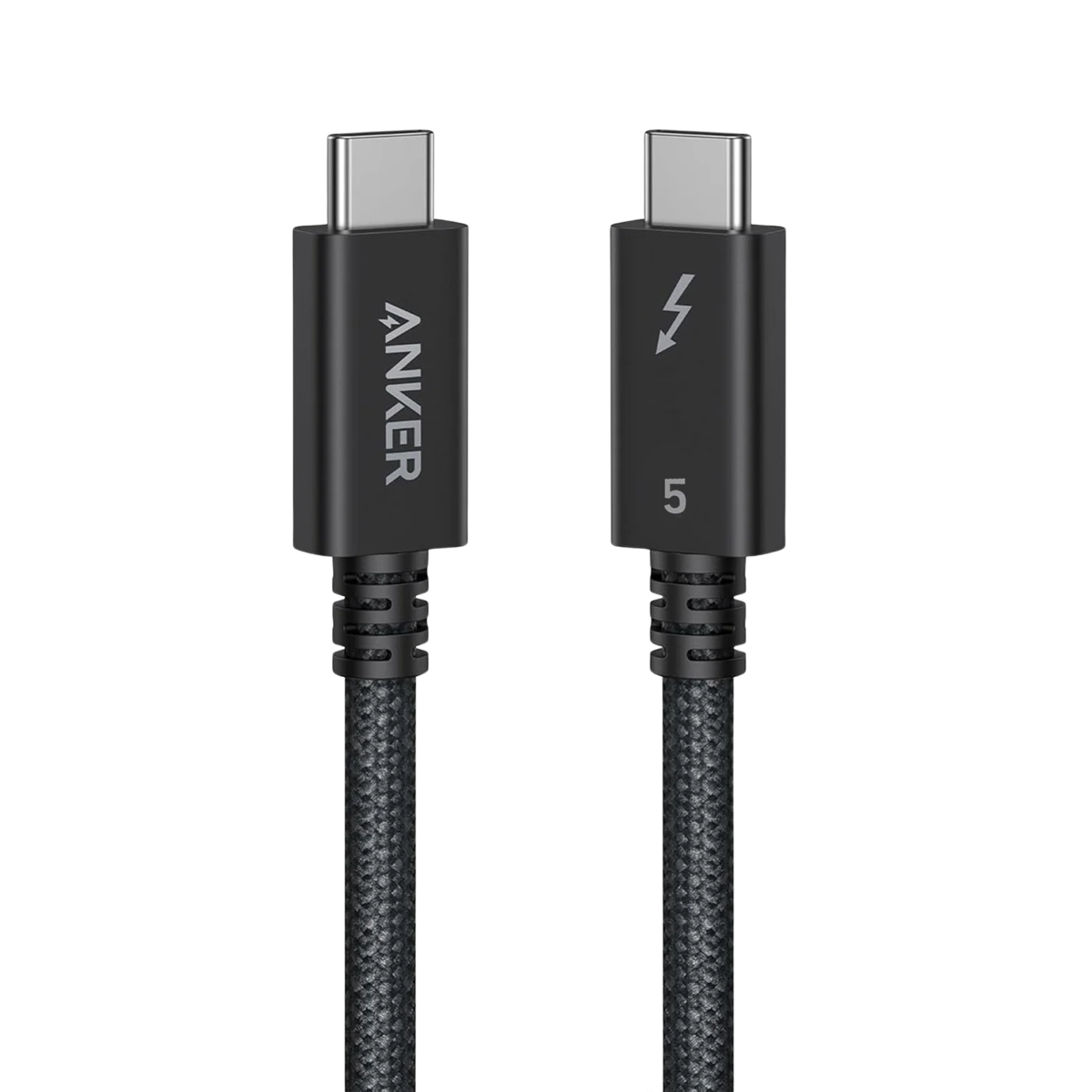
The confusion is understandable. A Thunderbolt 4 cable and a standard USB-C cable look physically identical. Same connector shape, same size, same feel in your hand. You cannot tell them apart by looking at them. The difference is entirely in what is happening inside the cable and in the chips at each end of the connection.
Thunderbolt is a protocol developed by Intel that runs over the USB-C connector. It is a superset of USB-C, meaning every Thunderbolt port accepts USB-C cables, but not every USB-C cable can use Thunderbolt speeds. According to the official Thunderbolt Technology Community, Thunderbolt adds a 40Gbps connection and DisplayPort capability from a single USB-C port. A standard USB-C cable running USB 3.2 typically delivers 10Gbps or 20Gbps. A USB4 cable delivers up to 40Gbps but without the same certification requirements or guaranteed performance consistency that Thunderbolt mandates. The certification process for Thunderbolt is what matters. Intel requires every certified Thunderbolt cable to pass specific performance and safety tests before it can carry the Thunderbolt logo. That certification is the thing you are paying for when you spend $40 on a cable instead of $12.
How Thunderbolt Technology Actually Works
A Thunderbolt cable handles three things simultaneously over a single connection: data transfer, video output, and power delivery. At Thunderbolt 4 speeds, data moves at up to 40Gbps. To put that in merchant terms: a 10GB folder of high-resolution product photography transfers in roughly 20 seconds. The same transfer over a USB 3.2 cable at 10Gbps takes around 80 seconds. Over a standard USB 2.0 cable, you are looking at 13 minutes or more. That gap is invisible when you are transferring small files. It becomes very visible when you are offloading a week of product shoot content before an edit session.
The video output capability is what makes Thunderbolt the foundation of most serious multi-monitor setups. A single Thunderbolt cable to a certified dock can drive two 4K displays, charge your laptop at full speed, and connect your external hard drive simultaneously. That is four separate functions through one port. For operators running analytics dashboards, email platforms, and Shopify admin across multiple screens, this is not a luxury. It is the difference between a functional workspace and a tangle of cables and adapters.
Thunderbolt 3 vs. Thunderbolt 4 vs. USB4: Which One Do You Actually Need?
Thunderbolt 3 and Thunderbolt 4 both deliver 40Gbps data transfer. The practical difference is in minimum specification requirements. Thunderbolt 4 mandates support for two 4K displays or one 8K display, a minimum of 32Gbps PCIe bandwidth, and USB4 compatibility. Thunderbolt 3 had more variable minimum specs, meaning some Thunderbolt 3 implementations were faster than others. Thunderbolt 4 standardized the floor. If you are buying new cables and peripherals today, buy for Thunderbolt 4. The cables are backward compatible with Thunderbolt 3 ports.
USB4 is the open standard that adopted much of Thunderbolt’s architecture. USB4 at 40Gbps is functionally similar to Thunderbolt 4 in terms of raw speed, but without the same mandatory certification requirements. In practice, this means USB4 performance can vary between manufacturers in ways that Thunderbolt 4 performance cannot. For most Shopify operators, the honest answer is this: if your laptop has a Thunderbolt port (check your specs, not assumptions), buy Thunderbolt certified cables. If your laptop only has USB-C ports without Thunderbolt, a quality USB4 or USB 3.2 Gen 2 cable is the right tool and costs significantly less.
The Merchant Use Cases Where a Thunderbolt Cable Genuinely Earns Its Price
Not every operator needs a Thunderbolt cable. I want to be honest about that. If your entire workflow is browser-based, your files are small, and you never connect an external display, a quality USB-C cable does everything you need at a fraction of the price. The cases below are where the Thunderbolt premium actually pays back. If your workflow does not match at least one of these scenarios, buy a good USB-C cable and spend the difference elsewhere.
High-Resolution Product Photography and Video Editing
Product content is one of the highest-leverage investments a Shopify merchant can make. Conversion rate lifts from quality photography range from 15% to 40% depending on the product category and the quality gap being closed. But producing that content at volume means moving large files regularly, and the speed at which you can move those files directly affects your content production cadence.
A typical 4K product video file runs between 8GB and 15GB per clip. Offloading a full day of product shoot footage from a camera to a laptop over a Thunderbolt connection takes 3 to 6 minutes. Over a standard USB 3.2 cable, the same transfer takes 12 to 25 minutes. Over USB 2.0, you are looking at 45 minutes to over an hour. If you are producing content weekly, that time difference compounds into hours of recovered productivity per month. At the growth stage and above, where content production is a core operational function rather than an occasional project, a Thunderbolt cable connected to a high-speed SSD is not optional equipment. It is part of the production workflow.
Multi-Monitor Setups for Merchant Dashboards and Operations
The operators I know who are doing $500K and above almost universally run at least two screens. One for Shopify admin and order management. One for email, analytics, or communication. Some run three. The ability to keep your Klaviyo dashboard, your Shopify analytics, and your logistics portal visible simultaneously without constantly switching windows is not a comfort upgrade. It is a focus and decision-speed upgrade.
A Thunderbolt dock makes this possible through a single cable connection. You plug one Thunderbolt cable from your laptop into a certified dock, and the dock handles two external displays, ethernet, USB peripherals, and laptop charging simultaneously. The dock costs between $150 and $350 depending on the brand and port configuration. The cable costs $30 to $50. The total investment is $180 to $400 for a setup that eliminates the adapter chaos most operators are living with. For operators at the growth stage and above, the productivity return on that investment is measurable within the first week.
Trade Shows, Pop-Ups, and Mobile POS Setups
When your store goes physical for a market, retail activation, or trade show, your connectivity setup becomes customer-facing infrastructure. A tablet running Shopify POS that drops its connection, freezes on checkout, or dies mid-transaction is not a tech problem in that moment. It is a customer experience problem. The customer standing in front of you does not know or care that your cable is the issue. They know the checkout failed.
For operators running Shopify POS at markets and pop-ups, the peripheral connectivity requirements are specific: a reliable connection between the tablet and the card reader, a charging solution that keeps the device powered through an 8 to 10 hour market day, and a cable that does not fail under the physical stress of a busy activation. A quality Thunderbolt or USB-C cable rated for high-cycle durability is worth the investment here. The braided cables from brands like Anker or Native Union are built for exactly this kind of repeated use. The cable that came in the box is not.
What Is a Portable Charger and What the Spec Sheet Is Not Telling You
The portable charger market is one of the most confusing consumer electronics categories to navigate, and the confusion is largely by design. Manufacturers lead with milliamp-hour ratings because the numbers are large and impressive. 20,000mAh sounds like a lot. Whether it is enough to charge your MacBook Pro depends on information the product listing often buries or omits entirely.
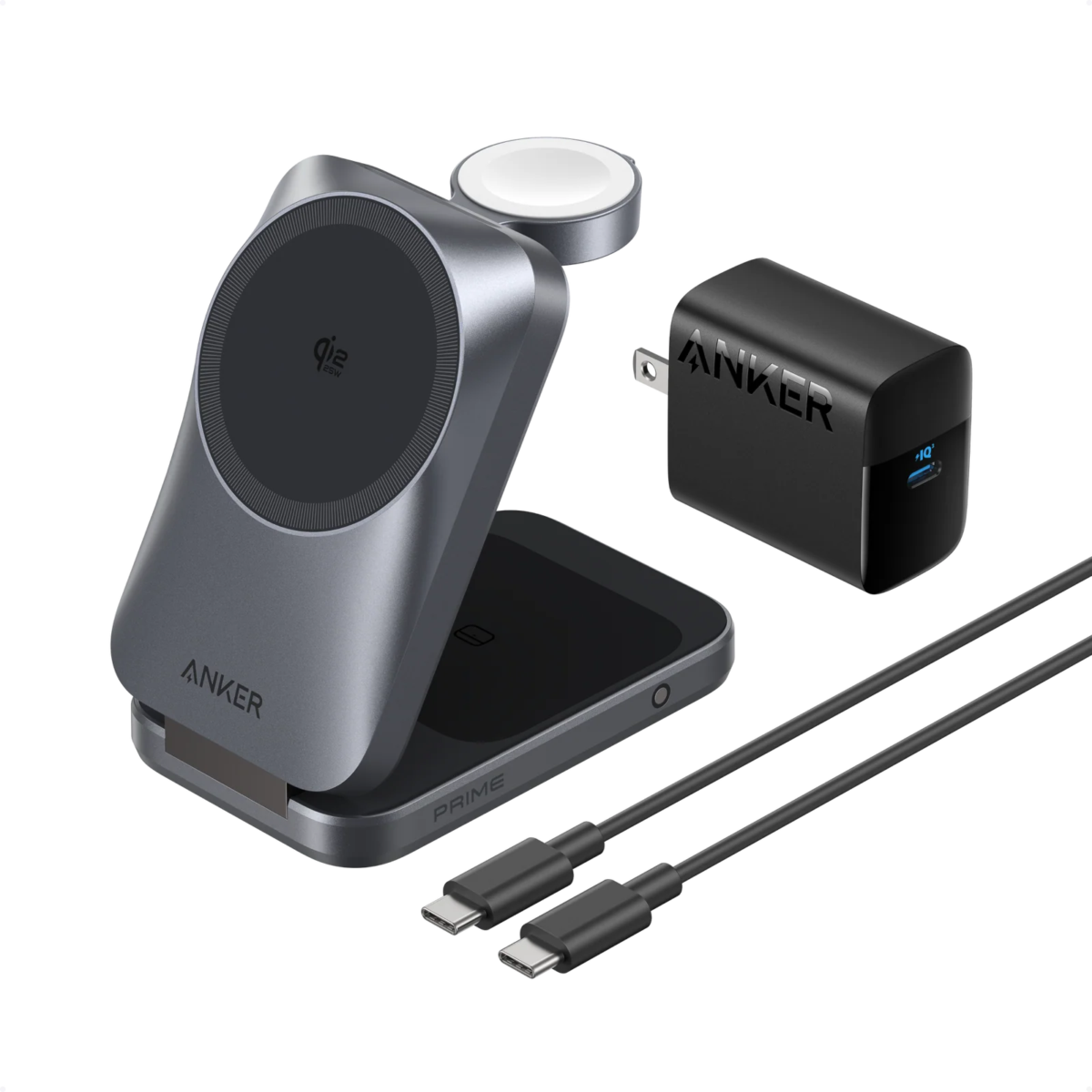
Here is the honest framework for reading a portable charger spec sheet. There are two numbers that actually matter, and one of them is usually missing from the front page of the listing.
Battery Capacity: mAh vs. Watt-Hours and the Number That Actually Matters
Milliamp-hours (mAh) measure charge at a specific voltage, typically 3.7V for the lithium cells inside the charger. Watt-hours (Wh) measure actual usable energy across all voltages. The conversion is straightforward: mAh multiplied by voltage divided by 1,000 equals watt-hours. A 20,000mAh charger at 3.7V contains 74Wh of stored energy. But after accounting for the efficiency losses in converting that energy to the voltage your laptop needs (typically 5 to 20% loss depending on the charger quality), you are delivering roughly 60 to 65Wh of usable energy to your device.
A MacBook Air M3 has a 52.6Wh battery. A MacBook Pro 14-inch has a 70.0Wh battery. A 20,000mAh portable charger will fully charge a MacBook Air once and get a MacBook Pro to about 85% from empty. That is the real-world number. Not the “charges your phone six times” claim on the box, which is technically accurate for a 3,500mAh phone battery but tells you nothing about laptop charging performance. Always find the watt-hour rating and compare it to your laptop’s battery capacity before you buy.
Charging Speed and Pass-Through Charging Explained
Output wattage is the other number that separates functional portable chargers from ones that frustrate you. A MacBook Pro requires 67W to 96W to charge at full speed depending on the model. A portable charger with a 30W output will charge the laptop, but slowly, and under active workload use it may only maintain the battery level rather than actually charging it. For trade show days where you need to go from 20% to 80% during a lunch break, output wattage is the spec that determines whether that is possible.
Pass-through charging is a feature worth understanding for operators who work long days away from outlets. It allows you to charge the portable charger itself via a wall outlet while simultaneously charging a connected device through the charger’s output port. In practice, this means you can plug your portable charger into an outlet at a coffee shop, connect your laptop to the charger’s output, and charge both simultaneously. Not all portable chargers support pass-through, and those that do vary in how efficiently they handle it. Look for this feature explicitly if you regularly work in environments with limited but not zero outlet access.
How to Choose the Right Portable Charger for Your Merchant Lifestyle
The right portable charger is not the one with the highest mAh rating. It is the one that matches the specific scenarios you face most often. I have broken this into three merchant profiles based on the patterns I see most consistently. Find the one that matches your primary working environment.
For the Merchant Who Travels Regularly (Conferences, Trade Shows, Client Meetings)
Airline regulations cap portable chargers at 100Wh for carry-on luggage, according to FAA PackSafe guidelines on lithium battery capacity. This is a hard limit enforced at security checkpoints, and chargers above 100Wh will be confiscated regardless of how much you paid for them. This rules out many high-capacity units that otherwise look attractive on paper. A 26,800mAh charger at 3.7V contains approximately 99Wh, putting it just under the limit. A 30,000mAh unit exceeds it.
For the traveling merchant, the practical ceiling is a charger in the 20,000 to 26,800mAh range with a 100W or higher output port. This gives you one full laptop charge plus multiple phone charges, fits in carry-on luggage without issue, and delivers enough wattage to charge a MacBook Pro at a meaningful rate during a flight or between sessions at a conference. The Anker 737 Power Bank (24,000mAh, 140W output) and the Baseus Blade (20,000mAh, 100W output) are two options in this category that consistently get strong reviews from operators who travel frequently. Neither is a sponsored recommendation. Both are worth evaluating against your specific device requirements.
For the Merchant Running a Brick-and-Mortar or Pop-Up Alongside Their Shopify Store
An 8 to 10 hour market day with a tablet running Shopify POS, a card reader, and a receipt printer has different power requirements than a laptop charging scenario. Tablets running Shopify POS typically have batteries in the 25 to 40Wh range. A card reader adds minimal draw. A Bluetooth receipt printer adds moderate draw during active printing. The total power budget for a full market day running this setup is roughly 80 to 120Wh depending on usage intensity.
For this scenario, a charger in the 20,000 to 27,000mAh range with multiple output ports is the right tool. You want at least one USB-C port delivering 45W or higher for the tablet and a USB-A port for the card reader or receipt printer. The ability to charge multiple devices simultaneously without splitting the power budget too thin is the key spec here. A charger that delivers 100W total but splits it to 50W per port when two devices are connected is more useful in this scenario than one that delivers 100W to a single port only.
For the Remote-First Operator Working From Cafes, Co-Working Spaces, or Overseas
When you cannot predict outlet availability, your portable charger becomes your primary power source rather than a backup. The calculus changes. You are not supplementing wall power. You are replacing it for hours at a time. For this profile, a 20,000mAh charger with 65W or higher output gives you full-day coverage for a laptop, phone, and wireless earbuds simultaneously, assuming you start the day fully charged and find an outlet at some point in the afternoon to top up.
The additional consideration for operators working internationally is voltage compatibility. Most quality portable chargers handle 100 to 240V input automatically, meaning they charge from any outlet worldwide with just a plug adapter. Verify this before you travel. It is listed in the input specifications, not the output specifications. A charger that only accepts 100 to 120V input will not charge from European or Asian outlets without a voltage converter, which is a different and heavier piece of equipment than a plug adapter.
The Thunderbolt Cable and Portable Charger Combination That Works for Most Shopify Operators
Rather than a ranked list of products, I want to give you a decision framework based on your primary device and your current stage. The right combination depends on three variables: Mac or PC, your primary working environment, and your budget. Here is how I would think about it.
Budget-Conscious Setup (Under $100 Total)
For operators early in their journey who need reliability over premium specs, there is an honest combination that covers most use cases without a significant investment. On the cable side: a quality USB-C cable rated for USB 3.2 Gen 2 (10Gbps) and 100W power delivery covers the majority of Shopify merchant workflows. Anker’s USB-C cable lineup in the $10 to $20 range is well-built, USB-IF certified, and available in lengths from 3 to 10 feet. If your laptop has Thunderbolt ports and you need Thunderbolt performance, Apple’s USB-C to Thunderbolt 4 cable at $29 is the most straightforward certified option for Mac users.
On the charger side: the Anker 523 Power Bank (10,000mAh, 30W) at around $30 to $40 covers phone and tablet charging reliably and gets a MacBook Air to roughly 50% from empty. For operators at the emerging stage who primarily work from locations with outlet access and need a backup rather than a primary power source, this is the right tool. If you need laptop charging as a primary function, step up to the 20,000mAh tier. The stage-by-stage guide to the best Shopify apps applies the same principle to your app stack: buy what your current stage actually requires, not what a $1M brand needs in two years.
Performance Setup for Growth-Stage and Scale-Stage Operators
When your business is generating $50K or more per month, the ROI calculation on a $200 to $400 connectivity and power setup is straightforward. One prevented trade show failure, one recovered checkout, one avoided corrupted file transfer pays for the entire setup. At this stage, invest in Thunderbolt 4 certified cables from Apple, Belkin, or CalDigit. Expect to spend $30 to $50 per cable. Buy two: one for your desk setup and one for your travel bag.
On the charger side, the Anker 737 (24,000mAh, 140W) at around $100 to $120 is the tool that covers laptop, tablet, phone, and earbuds simultaneously with enough output wattage to charge a MacBook Pro at full speed. Pair it with a Thunderbolt 4 dock for your desk setup and you have a complete connectivity and power stack that handles every merchant scenario without compromise. The total investment for this setup runs $250 to $400 depending on whether you need a dock. That is a one-time infrastructure investment that should last three to five years with proper care.
Red Flags to Watch When Buying Thunderbolt Cables and Portable Chargers Online
The counterfeit cable and charger market is large enough that both Apple and Google have published consumer warnings about it. The risk is not just underperformance. Uncertified cables can damage the USB-C ports on your laptop, corrupt data during transfer, and in documented cases cause electrical issues with connected devices. The $12 Thunderbolt cable on a marketplace listing is almost certainly not Thunderbolt certified, regardless of what the listing claims. Here is how to protect yourself.
Why Cheap Thunderbolt Cables Are Not Just Underperformers: They Are Risks
A legitimate Thunderbolt cable contains a small chip that manages the data protocol and power delivery negotiation between devices. This chip is what makes the cable expensive to manufacture correctly. Counterfeit cables either omit this chip entirely or use a substandard version that fails under load. The result is a cable that may work for basic charging but corrupts data during high-speed transfers, drops the connection under sustained load, or delivers incorrect power levels that stress your laptop’s charging circuitry over time.
The most dangerous counterfeit cables are the ones that work well enough to seem fine for weeks or months before causing a problem. A cable that charges your laptop but delivers unregulated power is degrading your battery on every charge cycle. A cable that transfers files but drops packets under sustained load is corrupting data in ways you may not notice until a file you need is unreadable. The risk is real and the mitigation is simple: buy from known brands through verified channels and verify the certification before you purchase.
Certifications and Standards to Verify Before You Purchase
There are three certifications that separate legitimate products from counterfeits. For Thunderbolt cables, look for Intel Thunderbolt certification. This is indicated by the Thunderbolt logo (a lightning bolt) on the cable itself and in the product listing. Intel maintains a Thunderbolt certification program that all legitimate Thunderbolt products must pass. If the listing does not explicitly state “Intel Thunderbolt certified” and show the logo, it is not Thunderbolt certified regardless of what the product name claims.
For USB-C cables and chargers, look for USB-IF certification. The USB Implementers Forum tests products for compliance with USB specifications, and certified products are listed in their database. For portable chargers specifically, verify the watt-hour rating against the airline carry-on limit of 100Wh if you travel. This information should be in the product specifications, not just the marketing copy. If a charger listing does not include the watt-hour rating, that is itself a red flag. Legitimate manufacturers list it because it is a required disclosure for air travel compliance. If it is missing, the manufacturer either does not know or does not want you to know.
Quick Decision Framework: Which Setup Is Right for You?
The two-cable strategy for growth and scale stage operators is worth naming explicitly. Your desk setup and your travel setup have different requirements. A 2-meter Thunderbolt cable for your dock connection and a shorter, lighter USB-C cable for your bag is the right answer. Trying to use one cable for both scenarios usually means compromising on one of them.
The Bottom Line for Ecommerce Operators
Your connectivity and power setup is infrastructure. Not a gadget purchase. Not a nice-to-have. Infrastructure. The same intentionality you bring to your Shopify app stack, your fulfillment workflow, and your marketing systems belongs in this category too. The operators who treat it that way stop having bad days caused by equipment failures and start having more productive days because their tools work reliably every time they need them.
The investment is modest relative to almost any other operational decision you will make. A complete setup built around your specific workflow costs between $80 and $400. The return on that investment is measured in recovered hours, prevented failures, and the compounding value of a mobile operation that works as well at a trade show as it does at your desk.
If you are thinking about how AI and agentic tools are changing the operational layer of ecommerce more broadly, the same infrastructure principle applies. How agentic commerce is transforming Shopify operations covers the shift happening at the platform level, and the complete guide to agentic commerce for Shopify in 2026 goes deeper on what that means for operators building AI-native workflows. The physical infrastructure covered in this guide is what makes all of that possible. Get it right once and stop thinking about it.
Frequently Asked Questions
What is the difference between a Thunderbolt cable and a USB-C cable?
Thunderbolt cables and USB-C cables use the same physical connector, which is why they are so easy to confuse. The difference is in the protocol and the certification. A Thunderbolt cable contains a chip that manages the Thunderbolt protocol, enabling data transfer speeds up to 40Gbps, simultaneous video output to external displays, and power delivery over a single connection. A standard USB-C cable typically delivers 5Gbps to 20Gbps depending on the USB generation and does not support Thunderbolt-specific features like daisy-chaining devices or driving multiple 4K displays from a single port. The practical test: look for the Thunderbolt logo (a lightning bolt) on the cable itself. If it is not there, the cable is not Thunderbolt certified regardless of what the product listing claims.
How do I know if my portable charger will actually charge my laptop?
Two specifications determine whether a portable charger will charge your laptop effectively: output wattage and battery capacity in watt-hours. Your laptop requires a minimum wattage to charge under active use. A MacBook Air needs at least 30W to charge while in use. A MacBook Pro needs 67W to 96W. A charger with lower output wattage will slow the battery drain but may not actually increase the battery level under load. For battery capacity, find the watt-hour rating (not the mAh rating) and compare it to your laptop’s battery size. A 74Wh charger will deliver roughly 60 to 65Wh to your laptop after efficiency losses, enough for one full charge of a MacBook Air or about 85% of a MacBook Pro 14-inch battery.
Can I bring any portable charger on a plane?
No. The FAA limits portable chargers to 100 watt-hours for carry-on luggage on passenger aircraft. Chargers above 100Wh are not permitted in carry-on or checked baggage without airline approval, which is rarely granted for consumer electronics. To find the watt-hour rating of a charger you already own, check the label on the device itself or the product specifications page. If the rating is not listed, use the formula: mAh multiplied by voltage (typically 3.7V) divided by 1,000. A 26,800mAh charger at 3.7V equals approximately 99Wh, which is just under the limit. A 30,000mAh charger equals approximately 111Wh, which exceeds it. When in doubt, verify before you pack. A confiscated charger at the security checkpoint is an avoidable problem.
Is a Thunderbolt cable worth the extra cost for a Shopify merchant?
It depends entirely on your workflow. If you regularly transfer large files (product photography, video content, catalog exports), use a multi-monitor setup through a dock, or connect high-speed external storage, a Thunderbolt cable pays back its premium immediately in time saved and reliability gained. If your workflow is primarily browser-based, your files are small, and you never connect an external display, a quality USB-C cable rated for USB 3.2 Gen 2 does everything you need at a fraction of the price. The honest answer is: audit your actual workflow before you buy. If you cannot name a specific scenario where Thunderbolt speeds matter to you, buy a good USB-C cable instead and spend the difference on something that returns more value at your current stage.
What should I look for when buying a portable charger to avoid counterfeits?
Three markers separate legitimate portable chargers from counterfeits. First, the watt-hour rating should be clearly listed in the product specifications. Legitimate manufacturers include this because it is required for air travel compliance. If it is missing, treat that as a red flag. Second, look for USB-IF certification for the charging components and cable compatibility. Third, buy from established brands with verifiable warranty policies through authorized retailers or direct from the manufacturer. The risk with counterfeit chargers is not just underperformance. Poorly regulated power delivery can damage your laptop’s battery management circuitry over repeated charge cycles, and in documented cases, defective lithium cells in counterfeit units have caused thermal events. The $15 savings on a no-name charger is not worth the risk to a $2,000 laptop.
