






Key takeaways
A mass email service should prioritize deliverability and provide tools like segmentation and automation to transform bulk emails into effective campaigns that drive engagement and sales.
Regularly sending bulk emails helps maintain a healthy subscriber list by removing inactive contacts and identifying engaged ones for follow-ups.
When selecting a mass email service, consider factors like sending limits, pricing structure, deliverability performance, and ease of use to ensure it meets your business needs.
Comprehensive reporting and analytics are essential for optimizing email campaigns, allowing you to track performance and adapt strategies based on subscriber engagement.
A mass email service, even a free one, should do more than let you hit “send” to a big list. If you’re emailing 10,000 subscribers but ending up in spam (or getting ignored), the platform isn’t doing its job. The best options protect deliverability, handle high-volume sending reliably, and give you the tools — like segmentation, automation, and reporting — to turn bulk emails into campaigns that actually drive clicks and sales.
Bulk emails also keep your list healthy. They remove inactive contacts and highlight engaged ones for follow-ups.
The best mass email tools offer high send limits, automation, segmentation, and ecommerce features — so you can add products directly to your emails.
This guide shares 10 top mass email services that do all that, plus tips to help you choose the right one for your business.
“When you engage with your subscribers directly in their inboxes, you’re able to give a ton of value to your customers and thereby build up your relationship with them. This kind of interaction is crucial for nurturing long-term customer relationships and for positively influencing their decision to buy from you. When you have mass email service analytics, you can see the performance of your email campaigns and adapt your communication to fit your audience’s needs better.”
— Bernard Meyer, Sr. Director of Comms and Creative at Omnisend
Choose the best mass email service for your needs
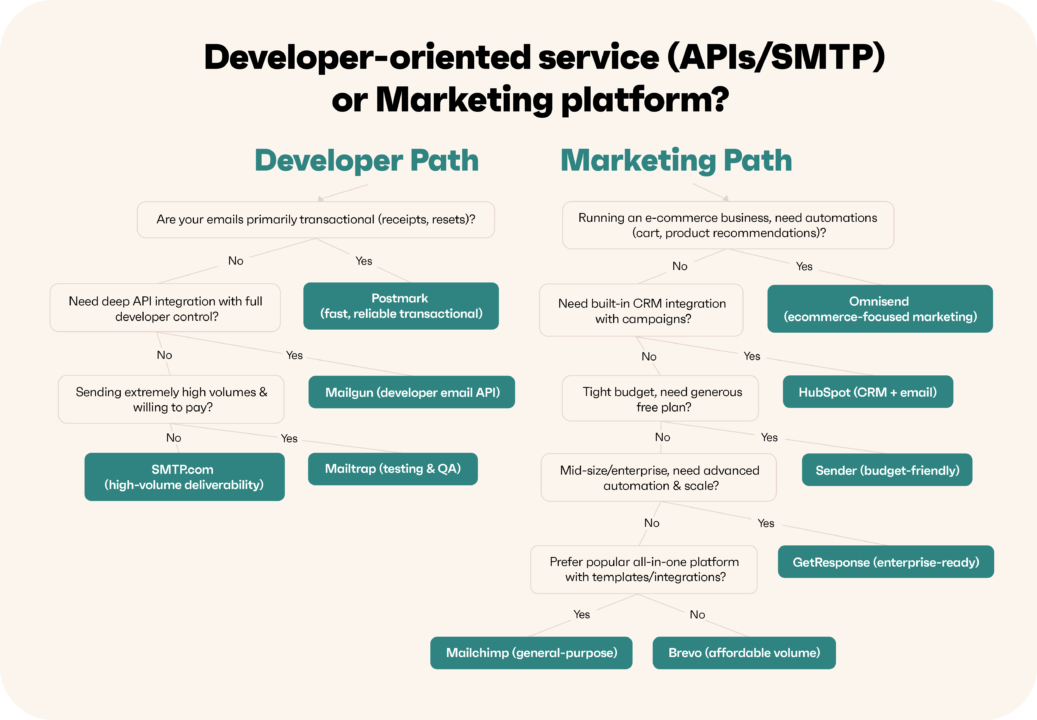
This illustration makes it easy to decide which mass email sender best fits your needs by guiding you step-by-step with simple Yes/No questions. From developer-focused service to ecommerce-ready like Omnisend, it helps you quickly find the right mass email service for your business.
Comparison of mass email services + Tutorial
We’ve compared 10 mass email senders, so you don’t have to. Check out the table below and click the links to jump to any bulk email software that interests you:
| Service | Key features | Free plan limits | Best for | Reviews rating | Dedicated IP | Support |
|---|---|---|---|---|---|---|
| Omnisend | Ecommerce automations, segmentation, product recommendations, sales attribution, and reports, email + SMS + web push | 250 contacts, 500 emails/month, Omnisend branding | Ecommerce | G2: 4.6/5
Capterra: 4.7/5 |
Yes | 24/7 live chat + email (all plans, including free) |
| Sender | Drag-and-drop builder, automations, forms/popups, templates, reporting/heatmaps | 15,000 emails/month (free) + list limits vary by plan | Small businesses | G2: 4.7/5
Capterra: 4.7/5 |
Yes | 24/7 chat (all plans) + phone (Enterprise) |
| Brevo | Email + SMS, CRM, automation, AI tools, volume-based pricing | 300 emails/day (free) + Brevo branding | Budget-friendly marketing suite | G2: 4.5/5
Capterra: 4.6/5 |
Yes | Email on free; chat/phone on paid; CSM on Enterprise |
| Mailchimp | Templates, campaigns, A/B testing, analytics, and broad integrations | Free limits vary by region/plan (contacts + monthly sends) | General-purpose email marketing | G2: 4.3/5
Capterra: 4.5/5 |
Yes | 24/7 chat+email on paid; limited free support window |
| GetResponse | Email marketing, landing pages, segmentation, basic analytics | 500 contacts, 2,500 newsletters/month, 1 landing page | All-in-one marketing, including pages/webinars | G2: 4.3/5
Capterra: 4.2/5 |
Yes | 24/7 chat support (all plans) |
| HubSpot | CRM-first marketing, email tools, forms/pages, automation (higher tiers) | 2,000 emails/month (500 emails/day), 10 active lists, no campaign reporting | CRM-led teams | G2: 4.4/5
Capterra: 4.5/5 |
Yes | Email and in-chat support (paid plans) |
| SMTP.com | SMTP relay for bulk delivery, analytics, and deliverability focus | No free plan | High-volume senders | G2: 3.3/5
Capterra: 3.5/5 |
Yes | Support included (vendor-led) |
| Mailgun | Email API/SMTP, logs/analytics, validation tools | 100 emails/day, email APIs, email analytics | Developers | G2: 4.2/5
Capterra: 4.3/5 |
Yes | Ticket support; chat/phone on top tiers |
| Postmark | Transactional email delivery, templates, message streams | 100 emails/month | Product developers (transactional) | G2: 4.6/5
Capterra: 4.7/5 |
Yes | Business-hours email + live chat |
| Mailtrap | Email API/SMTP + bulk sending, sandbox testing, analytics, warm-up tools | 4,000 emails/month, 150/day, 100 contacts | Testing + deliverability workflows | G2: 4.8/5
Capterra: 4.8/5 |
Yes | 24/7 support messaging (paid) |
Moreover, we’ve also compared each service’s bulk email pricing plans. Each column denotes email volumes vs. contacts vs. additional multipliers:
| Service | Free | Starter (entry paid) | Standard (mid) | Pro (high) | Enterprise/Custom |
|---|---|---|---|---|---|
| Omnisend | Free — $0 — 250 contacts, 500 emails/month | Standard — from $16 — contact-based, emails = contacts × 12 | – | Pro — from $59 — unlimited emails (+ SMS credits) | Custom — quote |
| Sender | Free Forever — $0 — 2,500 subs, 15,000 emails/month | Standard — from $10 — 1,000 subs, 12,000 emails/month (and scales) | – | Professional — from $20 — 1,000 subs, 24,000 emails/month (and scales) | Enterprise — quote (unlimited subs/emails) |
| Brevo | Free — $0 — 300 emails/day | Starter — $9 — from 5,000 emails/month (volume-based) | Standard — from $18 — volume-based + automation/A/B tests | Professional — talk to sales (from 150,000 emails/month) | Enterprise — quote |
| Mailchimp | Free — $0 — 250 contacts (send cap applies) | Essentials — ~from $13 — emails = 10× contacts | Standard — ~from $20 — emails = 12× contacts | Premium — ~from $350 — emails = 15× contacts | – |
| GetResponse | Free — $0 — up to 500 contacts (free tier limits apply) | Starter — $19 — unlimited sends (priced by contacts) | Marketer — $59 — unlimited sends (priced by contacts) | Creator — $69 — unlimited sends (priced by contacts) | MAX — $1,099 — enterprise bundle |
| HubSpot | Free Email Hosting — $0 — up to 2,000 emails/month | Starter — from $15/mo per seat (first-year promo varies) | Professional — from ~$890/month | Enterprise — from ~$3,600/month | Custom bundles/add-ons |
| SMTP.com | – | Essential — $25 — 50,000 emails/month | Starter — $80 — 100,000 emails/month | Growth — $300 — 500,000 emails/month | Enterprise — $500 — 1,000,000 emails/month (higher tiers: quote) |
| Mailgun | Free — $0 — 100 emails/day | Basic — $15 — 10,000 emails/month | Foundation — $35 — 50,000 emails/month | Scale — $90 — 100,000 emails/month | Enterprise — quote |
| Postmark | Free — $0 — 100 emails/month | Basic — $15 — 10,000 emails/month (+ overages) | Pro — $16.50 — 10,000 emails/month (+ lower overages) | Platform — $18 — 10,000 emails/month (+ lowest overages) | – |
| Mailtrap | Free — $0 — 4,000 emails/month (150/day) | Basic — $15 — 10,000 emails/month | Basic — $20 — 50,000 emails/month | Basic — $30 — 100,000 emails/month | Business — $85 — 100,000 emails/month (dedicated IP) / Enterprise from $750 |
Check out our tutorial about the best free and paid mass email services in 2026. In this video, we’ll explore the top 10 email marketing services that offer email marketing automation and other essential features to help you create an effective email marketing strategy. Watch and find out which one fits you best!

Free mass email service: Which is the best
If your main goal is to send a high volume of emails without paying upfront, Sender is one of the most generous options to start with. It’s free plan lets you email a sizable list each month, and you still get the basics that matter — an easy drag-and-drop editor, list segmentation, and simple automation workflows. For small teams that want to run newsletters or promos at scale before committing to a paid tool, it’s a practical starting point.
That said, “best free” depends on what you’re actually trying to do with those sends. If you run an ecommerce store and care more about revenue-driving automation than pure volume, Omnisend is usually the better free-plan pick. The free tier has fewer monthly sends, but it includes ecommerce-focused features you’d normally expect to pay for — pre-built automations (like welcome and cart recovery), product recommendations, and performance reporting that ties activity back to sales. In other words, Sender wins for free sending capacity, while Omnisend wins for ecommerce retention features.
Key factors when choosing a mass email service
When you’re picking a mass email service, it’s tempting to compare tools by the biggest “emails per month” number and call it a day. But the best choice comes down to how the platform prices as you grow, how reliably your messages land in inboxes, and whether you can actually run campaigns fast (without needing a full-time email specialist).
Here are the biggest factors to weigh when choosing a bulk email service or bulk email marketing service:
- Sending limits: How many emails you can send each month, and whether limits are based on email volume, contact count, or both
- Pricing structure: What’s included at each tier, what’s paywalled, and how pricing changes as your list grows
- Deliverability performance: Whether the provider supports good sending practices (authentication, list hygiene, sender reputation) and follows compliance standards
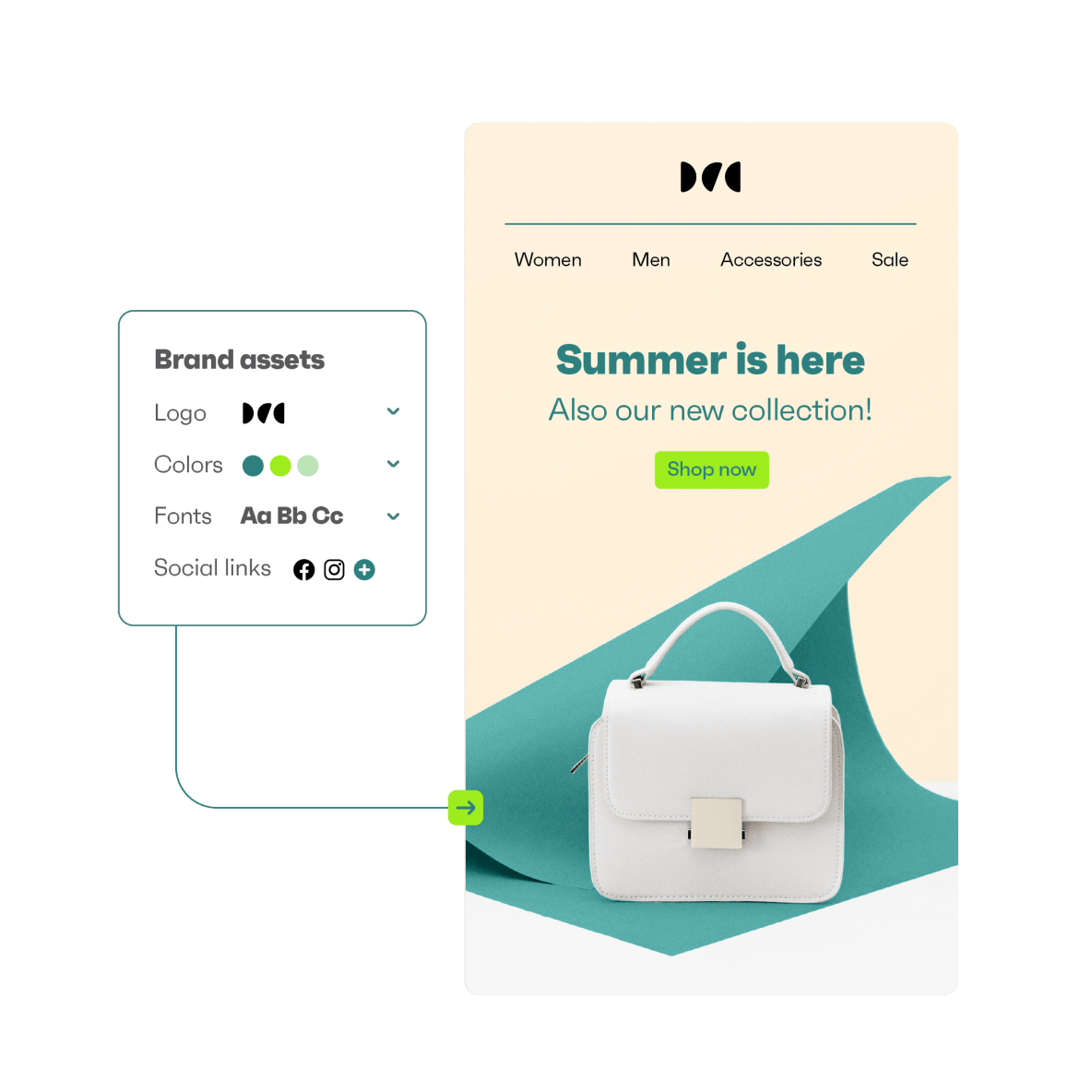
- Ease of use: How quickly you can build on-brand emails (logo, colors, fonts) and manage campaigns day-to-day
- Segmentation and personalization: Whether you can target the right audience groups and tailor messages to increase engagement
- Automation capabilities: Support for automated sequences like welcome emails, abandoned cart reminders, and re-engagement campaigns
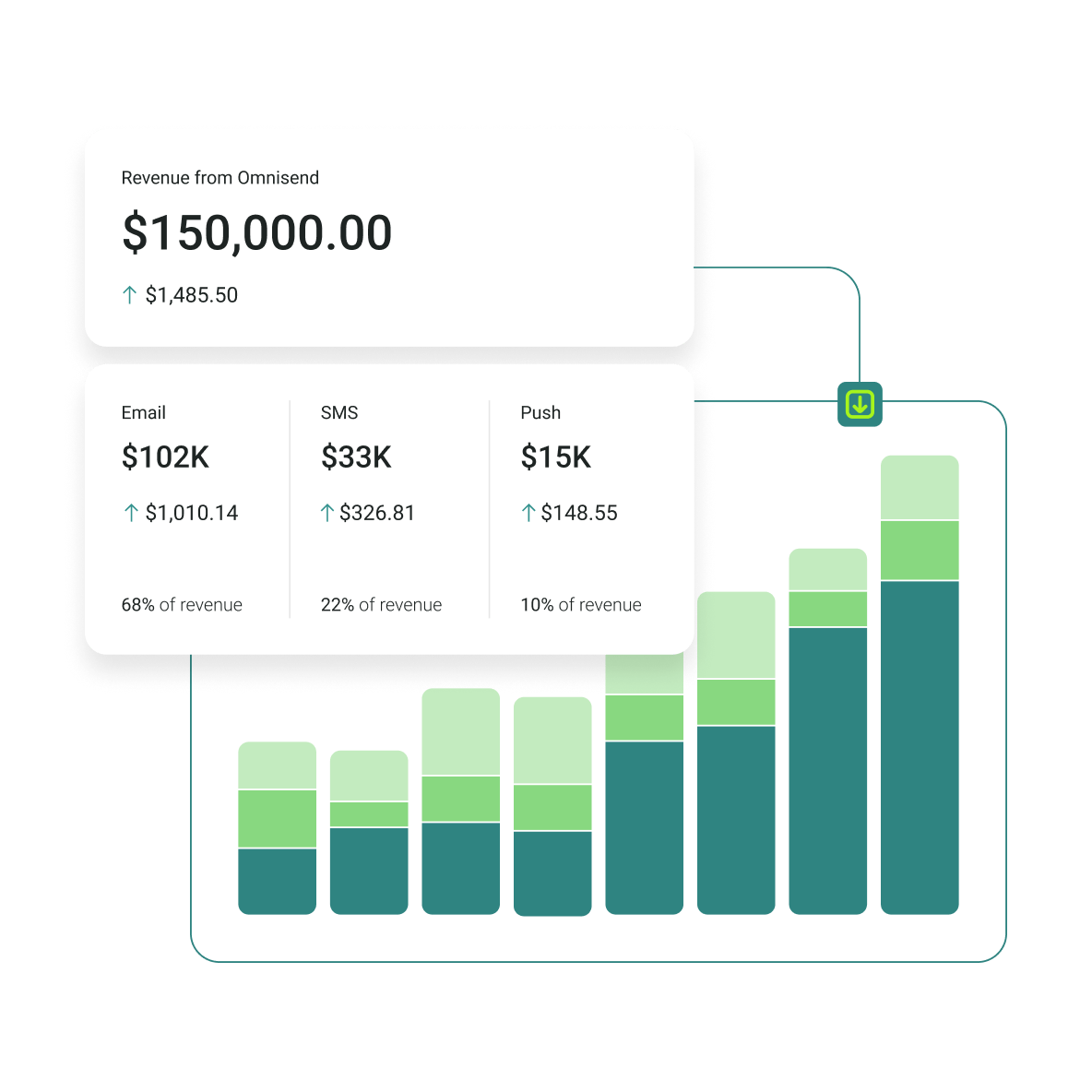
- Reporting and analytics: Clear dashboards for opens, clicks, conversions, and (ideally) revenue impact
- Integrations: Compatibility with ecommerce platforms, CRMs, and your existing stack
- Legal compliance support: Built-in unsubscribe management and tools to support GDPR/CAN-SPAM requirements
Compare sending limits and pricing structure
Start with the obvious: check each platform’s email and contact limits. A generous allowance (like thousands of emails per month on a free plan) can be a great deal — or it can be irrelevant if the plan locks key features behind upgrades. Some providers offer high sending capacity but restrict automation, segmentation, or even basic scheduling unless you pay.
Also, look closely at how pricing scales. Some mass email services charge mostly by contacts, others by emails sent, and some mix both. A plan that looks cheap today can become expensive once your list grows — especially if you’re paying for dormant contacts who rarely open.
A good rule of thumb: pick a pricing model that matches your reality. If you send often to a smaller list, volume-based pricing can be cost-effective. If you have a large list but send selectively, contact-based pricing may feel punishing unless the platform helps you maintain tight list hygiene.
Don’t rely too heavily on quoted deliverability rates
Many providers advertise a deliverability rate in the 95–99% range. That sounds reassuring, but inbox placement depends far more on your sending behavior than a marketing claim: your domain reputation, authentication (SPF/DKIM/DMARC), list quality, engagement, and even how “spammy” your creative looks.
Deliverability benchmarks are still useful for ruling out weak infrastructure — but don’t make them the only deciding factor. Even the best mass email software can’t guarantee inbox placement if you’re emailing cold lists or repeatedly sending to unengaged subscribers.
Think beyond sending in bulk
Almost every platform can “blast” emails. The difference is what happens around the send. A strong mass email service should make it easy to build good-looking emails, personalize content, segment audiences, and automate follow-ups — not just push volume.
If you’re an ecommerce brand, also check for store integrations and ready-to-use automations. For example, abandoned cart and browse follow-ups can do more for revenue than another weekly newsletter. If you’re more technical (or sending from an app), you may care more about APIs, dedicated IP options, and separate sending streams.
Prioritize comprehensive reporting
Mass email campaigns generate a lot of data: opens, clicks, bounces, unsubscribes, conversions, and, in ecommerce, revenue. Your platform should make that performance easy to understand through clean dashboards, trend views, and campaign summaries so that you can improve results over time.
Reporting is what turns bulk sending from “spray and pray” into an optimized system. If you can’t quickly see what worked (and why), you’ll end up repeating the same mistakes — even with a great tool.
In-depth: 10 best mass email services
Choosing the right mass email service depends on your business size, budget, and marketing goals. Here’s a detailed review of 10 leading platforms, highlighting their unique strengths.
1. Omnisend
Best mass email service for: Ecommerce
Price: Free plan, with paid plans starting from $16/month
Review ratings: G2: 4.6/5, Capterra: 4.7/5
In comparison with other mass email services
Omnisend is a standout mass email platform for ecommerce because it doesn’t treat “bulk sending” as the whole job. Tools like Sender can win on pure free-sending volume, and Mailchimp is a familiar general-purpose option. Still, Omnisend leans into ecommerce workflows that actually drive revenue: ready-to-go automations (welcome, cart/browse follow-ups), store-driven segmentation, and sales reporting that helps you see the value of your campaigns. It’s the better fit when you’re sending a lot and want those emails to behave like ecommerce marketing, not just newsletters.
Key features
- Build ecommerce-style campaigns using a drag-and-drop editor (product blocks, dynamic content)
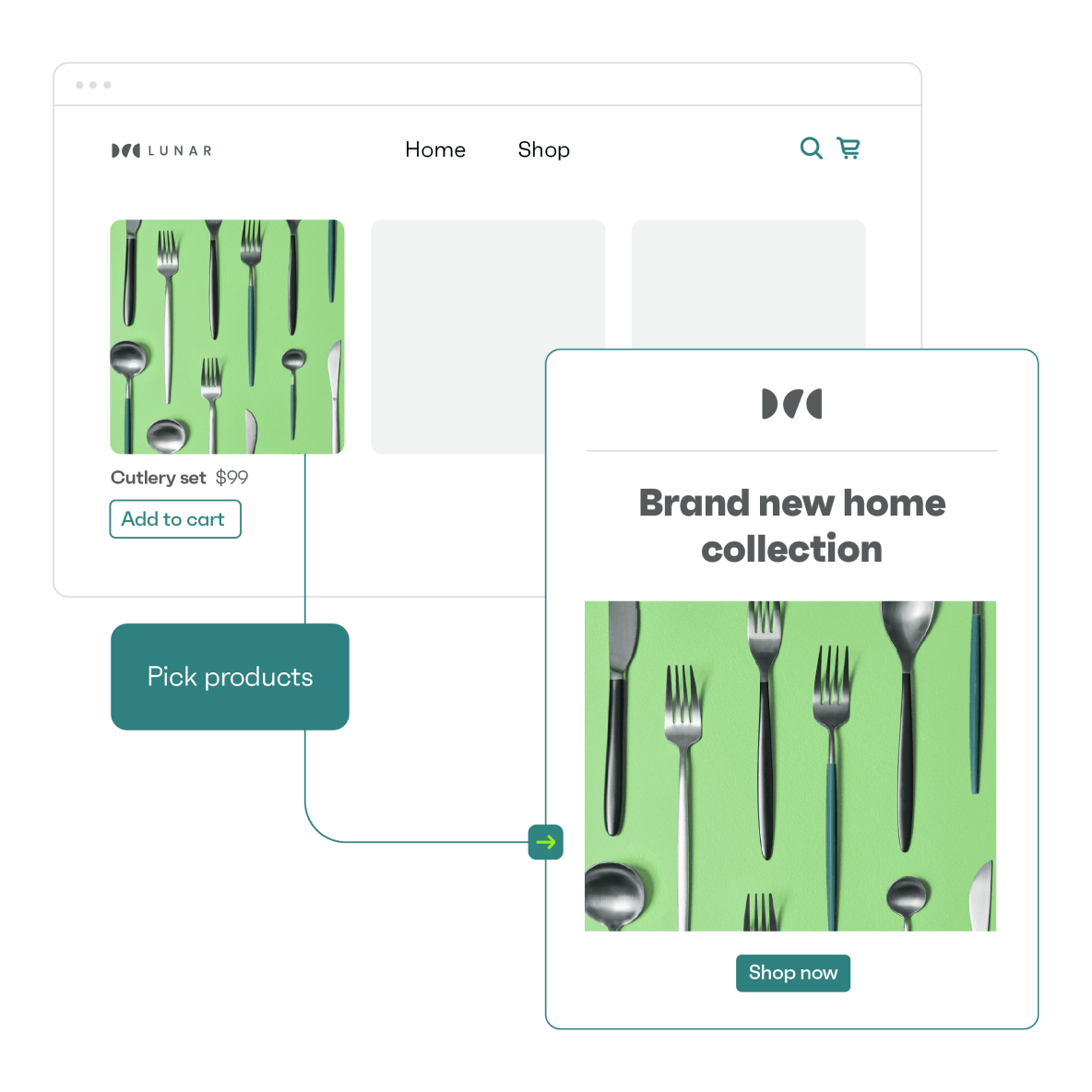
- Send bulk campaigns to your full list or tightly targeted segments (based on shopper behavior)
- Use pre-built automations for welcome series, cart recovery, post-purchase follow-ups, and more
- Create segments without hard limits, including lifecycle-style targeting (new, active, at-risk, etc.)
- Grow your list with signup forms and landing pages (built in)
- Track results with sales attribution and campaign/automation reporting dashboards
- Test and optimize with A/B testing and performance insights
Pricing
Notable plan: Pro
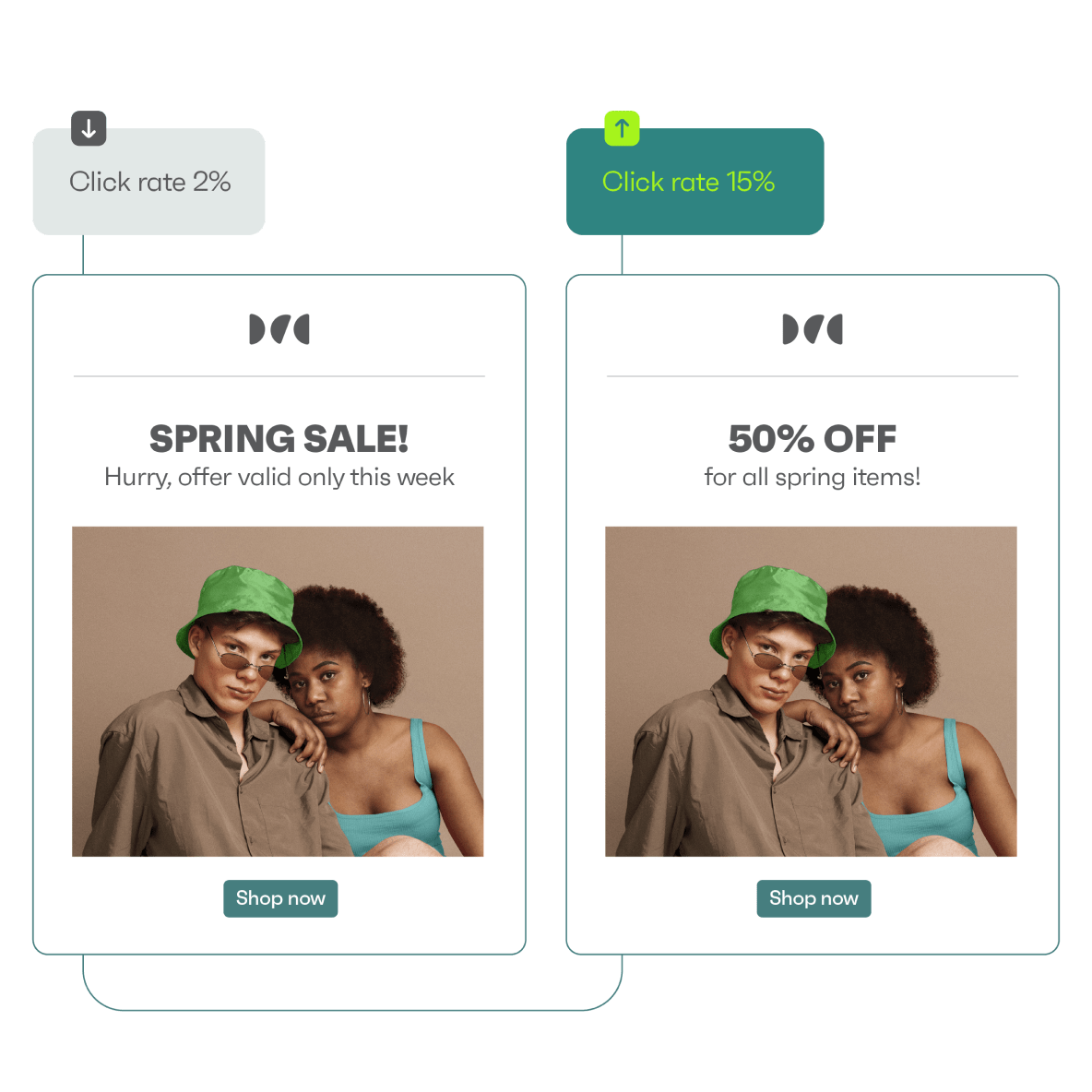
You’ll get up to 500 emails/month and a send limit of 250 contacts monthly in the free plan. Emails will also display a “Powered by Omnisend” badge. Upgrading to a paid plan increases your email volume and provides access to features such as a personalized product recommender and advanced reporting.
Omnisend’s plans and pricing include:
- Standard: $16/month
- Pro: $59/month
- Custom: Contact customer support
Pros
- Standard features are available on the free plan
- Accessible to businesses of all sizes
- 24/7 customer support on all plans
Cons
- Limited contacts and monthly email sends on the free plan
- Doesn’t integrate with all CRM platforms
Customer reviews of Omnisend mass email service
Recent G2 reviews in 2026 frequently highlight usability and support. One reviewer (March 2026) described the platform as having an “easy-to-navigate user interface” and praised the “great support.”
Another reviewer (January 2026) specifically called out the switch experience, saying the “migration from Klaviyo was smooth” and that support replied “within a few minutes” when questions came up — a practical plus if you’re moving your bulk email service from another platform.
Salomon Japan engages over 130,000 subscribers and maintains an average open rate of 45% with Omnisend. A campaign generated ¥1,900,000 (around $13,000). Omnisend’s smart segmentation and A/B testing helped it grow its membership and keep customers happy.
2. Sender
Best mass email service for: Small businesses
Pricing: Free plan, with paid plans starting from $10/month
Review ratings: G2: 4.7/5, Capterra: 4.7/5
In comparison with other mass email services
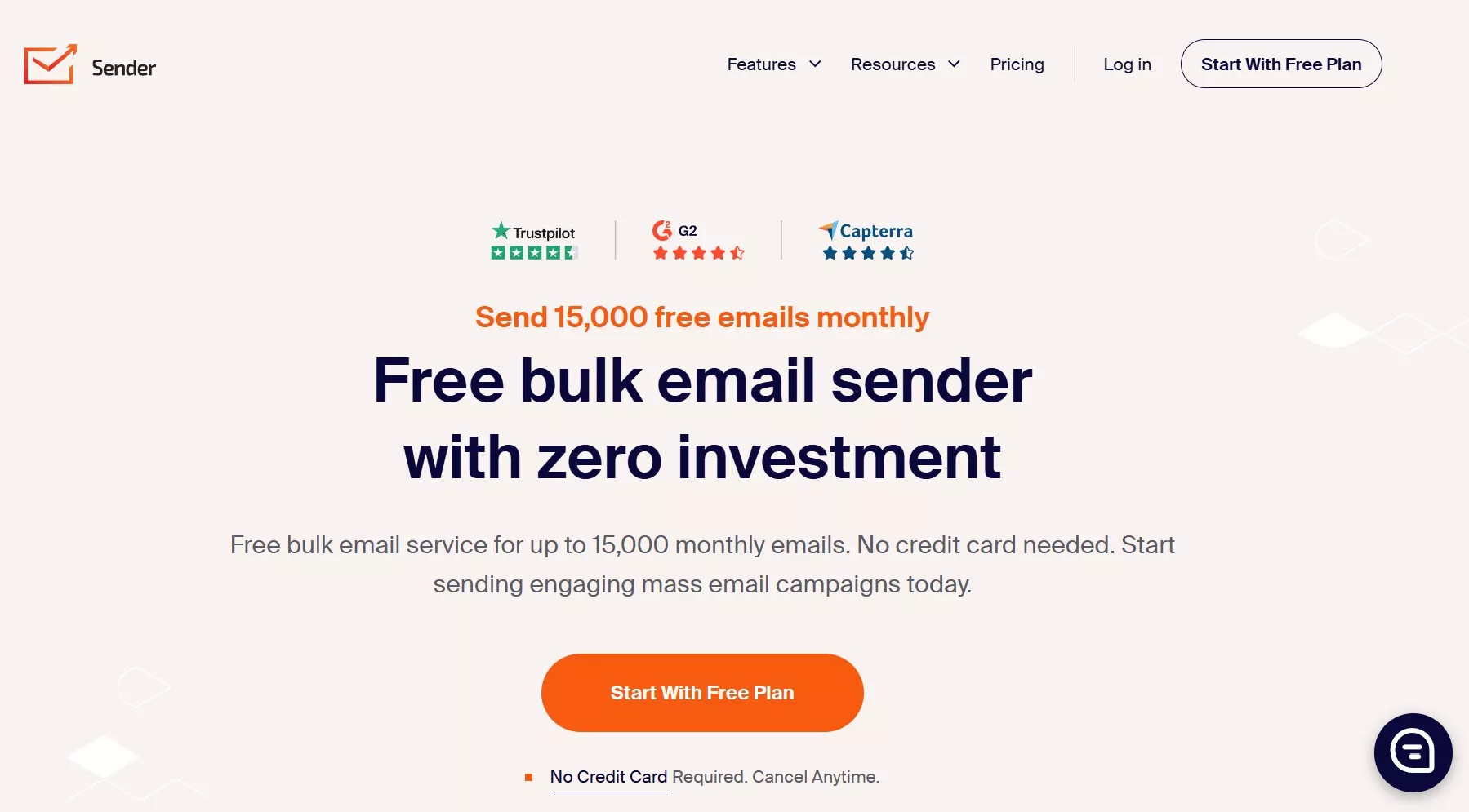
Sender earns its spot on this list mostly for one reason: it’s a genuinely generous free mass email service. You can send up to 15,000 emails per month to 2,500 contacts, with no daily limits — and Sender says 24/7 live support is included even on the free tier.
Compared to Omnisend, Sender is less ecommerce-native (you won’t get the same level of store-driven reporting or built-in ecommerce workflows). Still, it’s a great “get it live fast” option for newsletters, promos, and simple automations. Versus Mailchimp, Sender often feels more straightforward for budget-focused teams who want strong free sending capacity and an easier upgrade path as their list grows.
Key features
- Build bulk email campaigns using a drag-and-drop builder or HTML editor
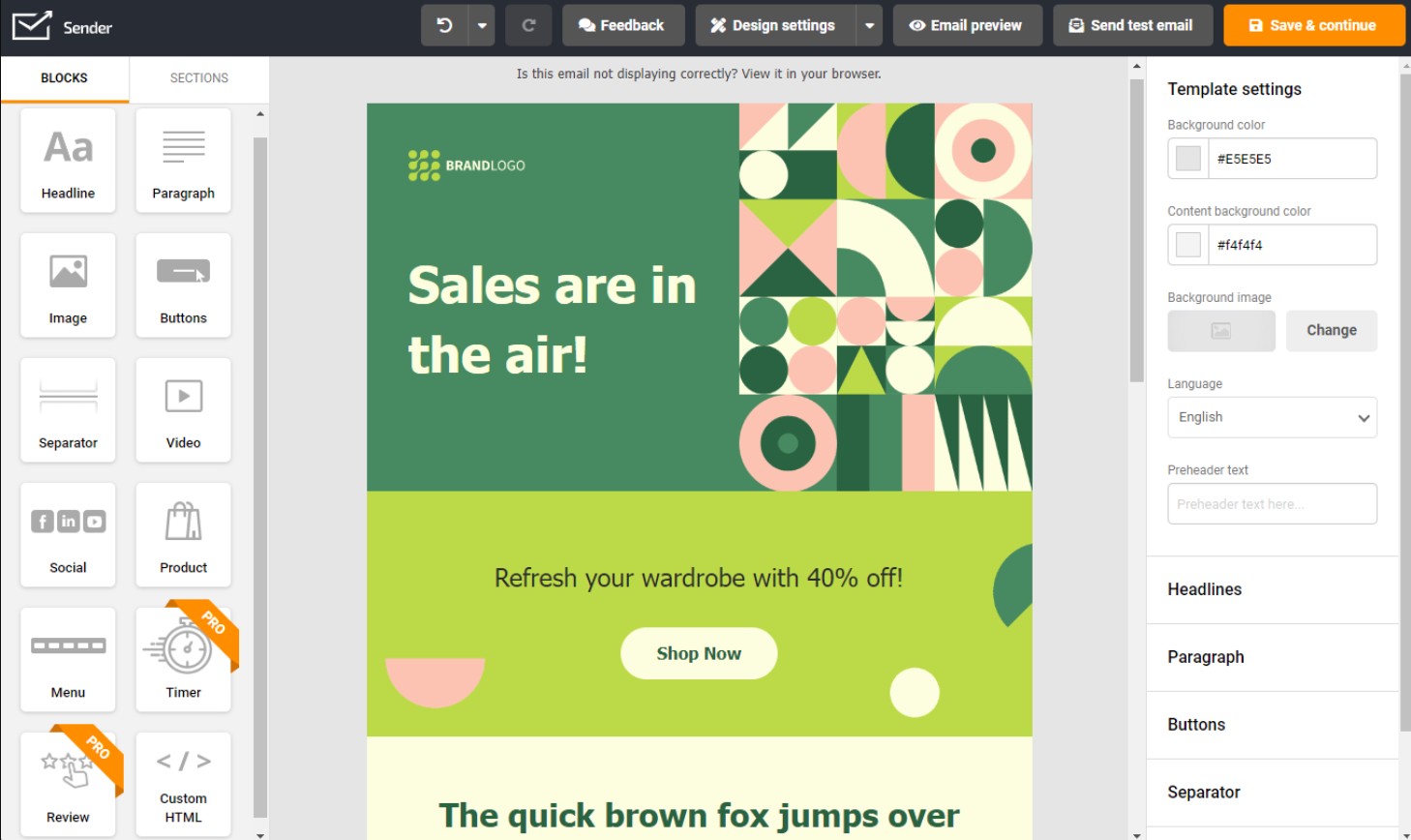
- Use mobile-responsive templates and customize them quickly for newsletters and promotions
- Add personalization with dynamic fields/blocks (subject lines, content sections)
- Increase engagement with interactive elements like countdown timers (available on higher tiers)
- Create signup forms, popups, and landing pages to grow your list
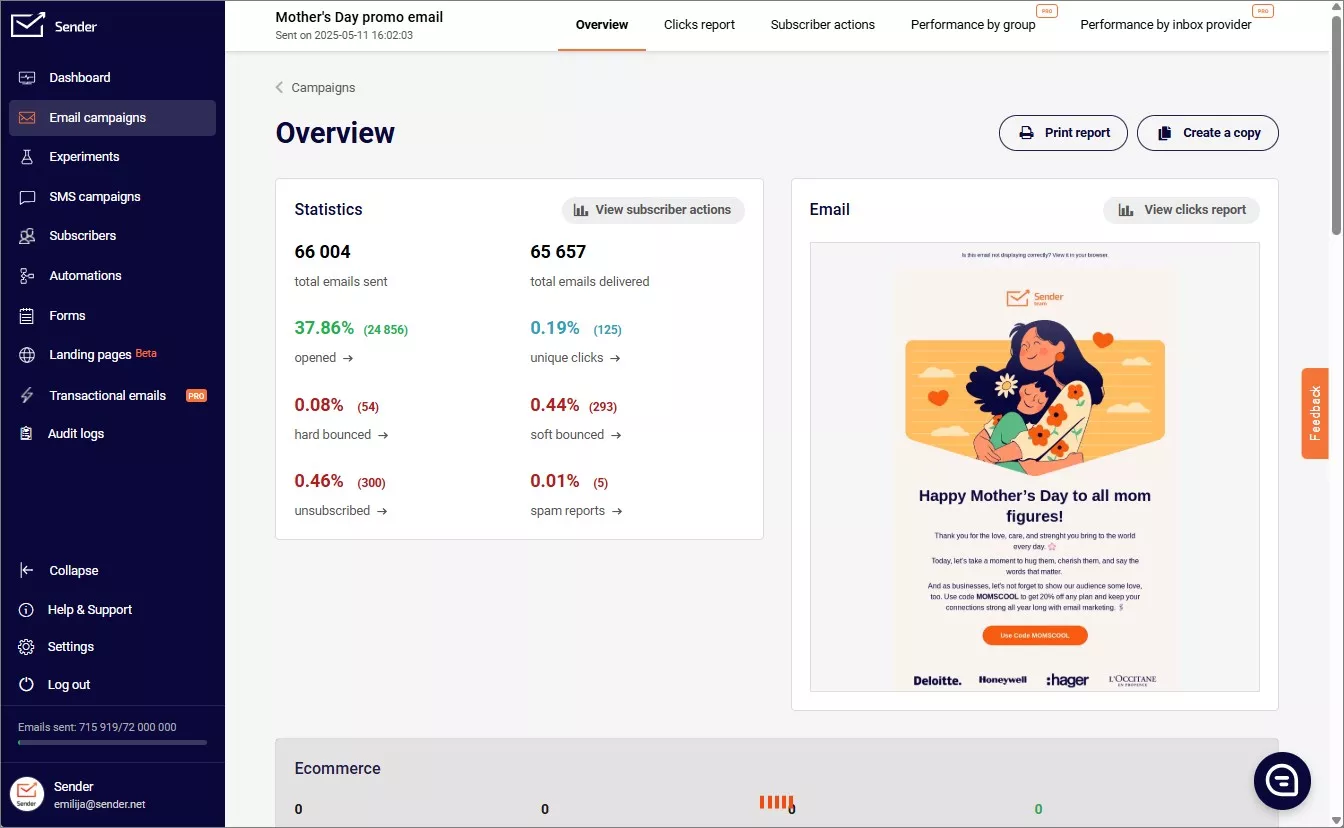
- Track results with reporting and analytics (Sender highlights click/heatmap-style insights in product messaging)
Pricing
Notable plan: Professional
Sender is ideal for small ecommerce and service-based businesses. However, the free plan allows only one user, no phone support, and no auto-resend to non-openers. Paid plans provide multi-user access, ecommerce reports, and remove Sender branding.
Sender’s plans and pricing are as follows:
- Standard: $10/month
- Professional: $20/month
- Enterprise: Custom price
Pros
- Ensures email deliverability via its high IP reputation
- Easy to use, even for beginners
- Supports automation, personalization, and segmentation on the free plan
Cons
- Offers fewer integrations than competitors
- Limited design flexibility for email templates and forms
- Lacks advanced ecommerce tools
Customer reviews of Sender mass email service
Users consistently highlight support speed and usability. One G2 reviewer (dated 1/13/2026) praised Sender’s “incredibly responsive support team,” adding that “even as a free user, I received quick and friendly assistance.”
Another G2 reviewer (dated 2/15/2026) noted that “automation flows are easy to set up” and that “email delivery has been consistently reliable” for their campaigns.
3. Brevo
Best mass email service for: Budget-friendly marketing suite
Pricing: Free plan, with paid plans starting from $9/month
Review ratings: G2: 4.5/5, Capterra: 4.6/5
In comparison with other mass email services
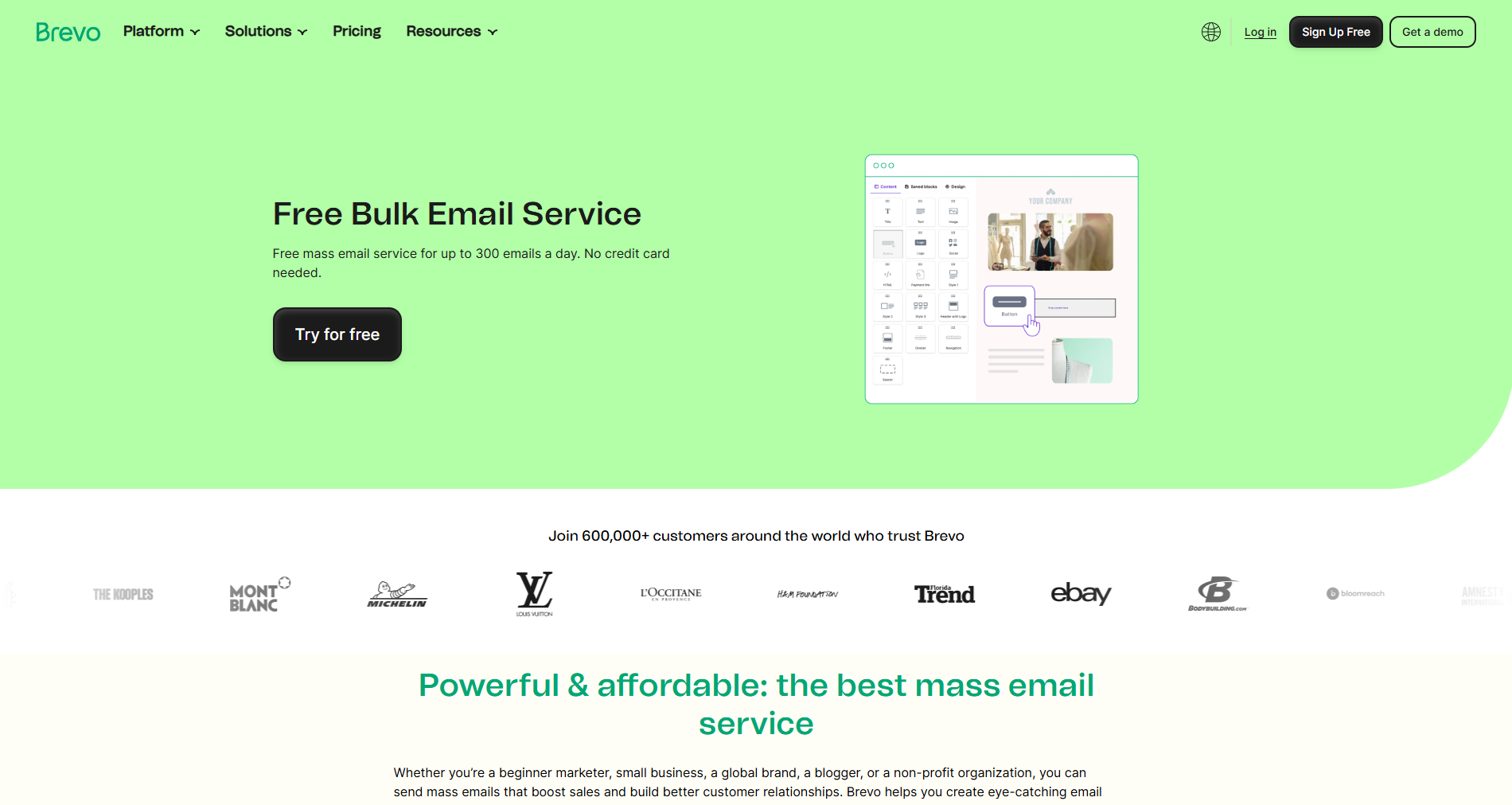
Brevo is one of the most budget-friendly options for mass email campaigns because it prices primarily by emails sent, not just by contact count. That can be a big advantage if you keep a large database but only send a few campaigns per month — you’re less likely to pay extra for inactive subscribers sitting in your list.
Compared to ecommerce-first platforms like Omnisend, Brevo is more of a general marketing suite: you get email + SMS options and a built-in CRM layer, but ecommerce-native triggers and revenue attribution typically won’t feel as specialized. Compared to Mailchimp, Brevo’s volume-based model is often simpler for teams who want predictable monthly costs tied to sends rather than contact tiers.
Key features
- Create campaigns with a drag-and-drop email editor and responsive templates
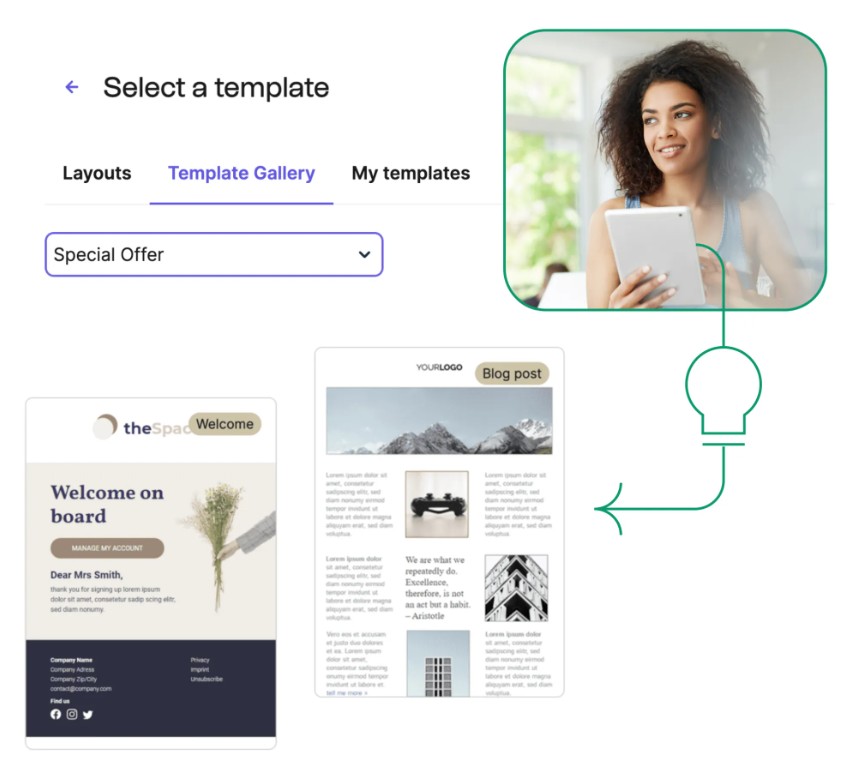
- Send automation sequences triggered by behavior (email engagement and site activity, depending on setup)
- Personalize messages using segmentation and dynamic fields (for more targeted bulk sends)
- Track performance with real-time reporting dashboards on paid plans
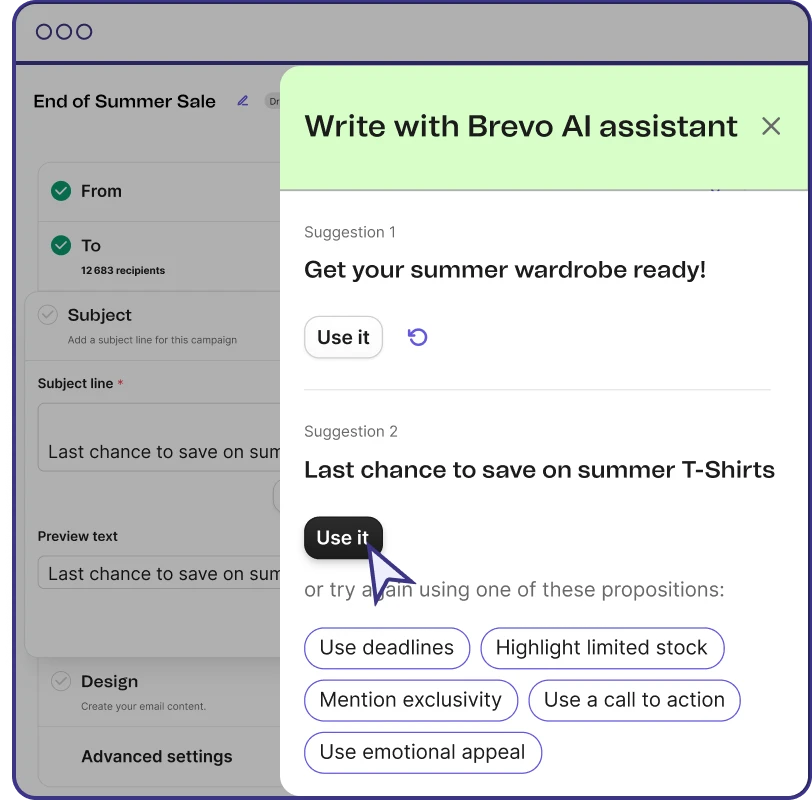
- Use AI-assisted tools for subject lines/content on supported plans
Pricing
Notable price: Business
Brevo’s free plan allows you to send 300 emails/day. However, it doesn’t include a landing page builder, predictive sending AI, A/B testing, and phone and chat support. You can upgrade to access email marketing features like reporting, multi-user access, and advanced scoring for better personalization.
The pricing plans for Brevo mass email service start from:
- Starter: $9/month
- Business: $18/month
- Enterprise: Custom price
Pros
- Supports multi-channel messaging
- Includes simple automation tools at all levels
- Integrates with Google Analytics 4 for marketing performance monitoring
Cons
- Free plan lacks reporting capabilities
- Basic email templates and customization compared to competitors
- Limited integrations with ecommerce platforms
Customer reviews of Brevo mass email service
Recent reviews often praise Brevo’s usability and value, but mention feature gating. One G2 reviewer (2026) highlighted that they “wish landing pages were available at a lower tier,” pointing to plan restrictions as their main drawback.
Another G2 reviewer (2026) praised Brevo for segmentation and personalization, noting it helps them “communicate… in a personalized way” across different audience groups — a strong fit for organizations sending bulk emails to diverse segments.
4. Mailchimp
Best mass email service for: General-purpose email marketing
Pricing: Free plan, with paid plans starting from $13/month
Review ratings: G2: 4.3/5, Capterra: 4.5/5
In comparison with other mass email services
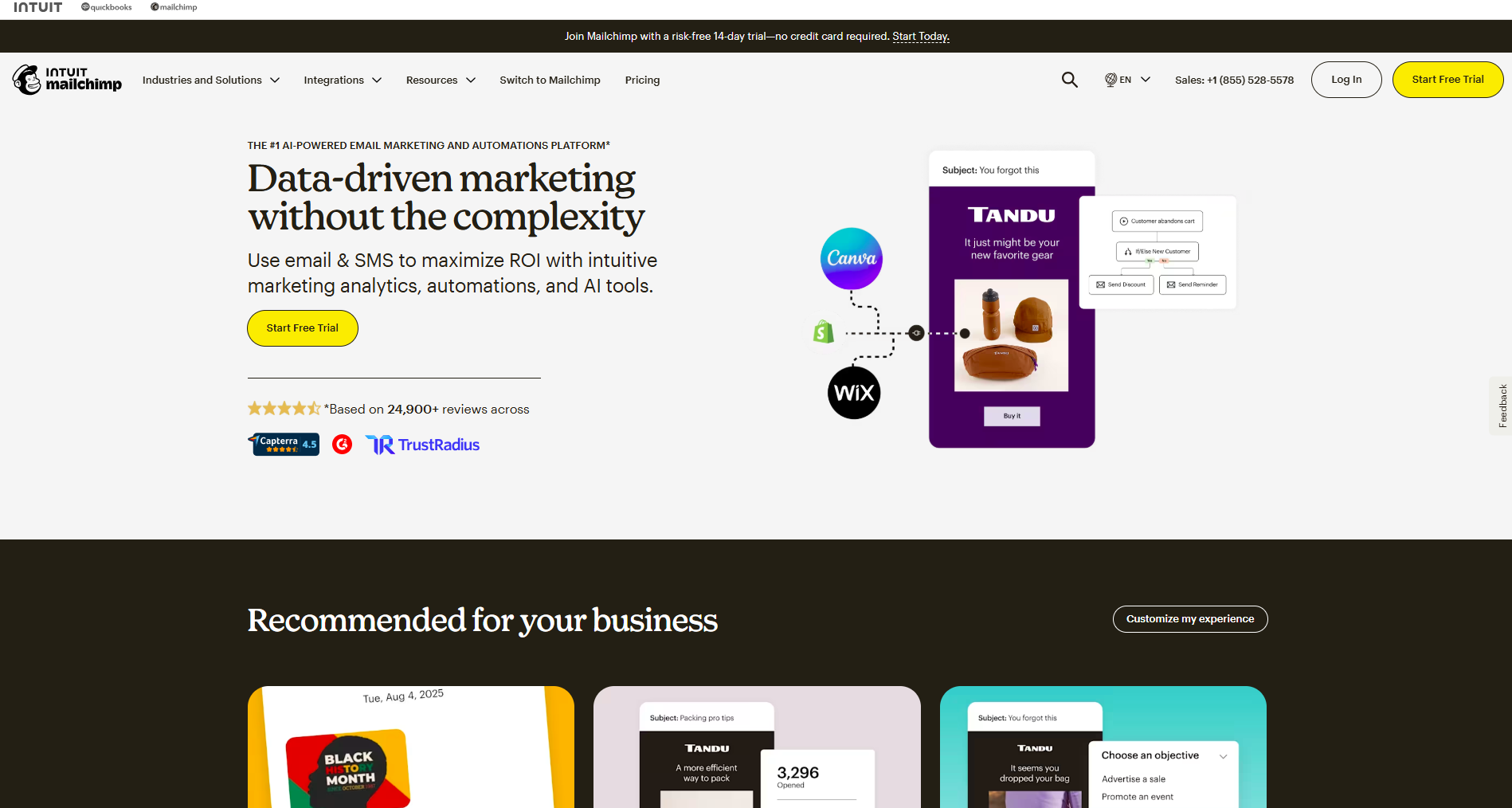
Mailchimp is a strong “do-a-bit-of-everything” option if you want a familiar interface, lots of templates, and broad integrations for general marketing. Where it differs from ecommerce-first tools (like Omnisend) is that it’s not built around store-triggered workflows and revenue attribution by default. And compared to send-volume tools (like Brevo), Mailchimp pricing tends to feel more “tiered” — your cost scales with the number of contacts, and sending limits are tied to plan multipliers. If your goal is straightforward bulk newsletters and campaigns across many business types, Mailchimp fits well — but if you’re trying to squeeze maximum value out of automations and segmentation on a budget, it can get expensive as you grow.
Key features
- Build bulk email campaigns quickly using a large template library and a drag-and-drop editor
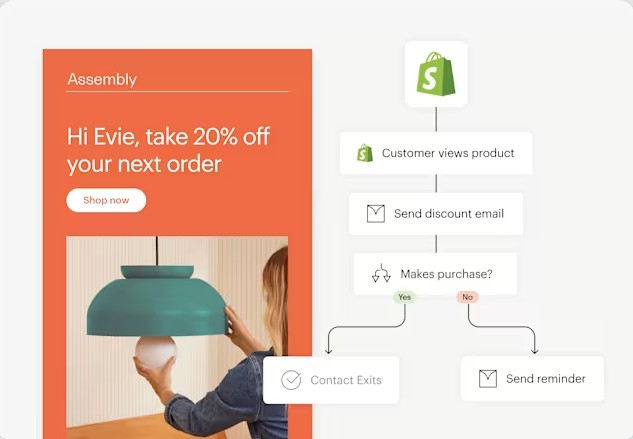
- Create automated customer journeys (welcome series, follow-ups, simple lifecycle paths; depth varies by plan)
- Run A/B testing and schedule campaigns on paid tiers (Essentials/Standard and up)
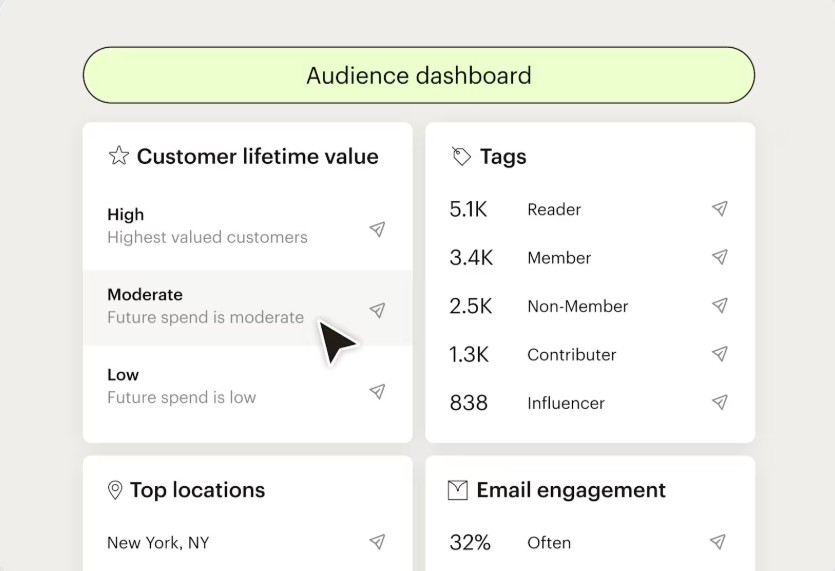
- Segment audiences based on engagement and behavior (more advanced options on higher tiers)
- Track performance with reporting dashboards (opens, clicks, and campaign-level insights)
Pricing
Notable plan: Standard
Mailchimp’s free plan allows you to send 1,000 emails/month with a 500/day limit. You’re limited to 500 contacts, and tools like email scheduling, advanced automations, and audience insights aren’t provided. Emails also display Mailchimp branding. You’ll need to upgrade to higher-tier plans to get features like A/B testing and dynamic content.
Here’s a list of Mailchimp’s paid plans:
- Essentials: $13/month
- Standard: $20/month
- Premium: $350/month
Pros
- User-friendly with excellent template design
- Integrates well with multiple third-party apps
- Allows users to personalize customer journeys
Cons
- Limited customer support on the free plan
- Most features are locked behind the premium plan
- It can become expensive as your contact list grows
Customer reviews of Mailchimp mass email service
A 2026 G2 reviewer praised the all-in-one workflow, saying the UI is “intuitive” and that automated customer journeys “save me hours” of manual work each week.
In the same 2026 review thread, the downside was pricing/reporting expectations — the reviewer noted that analytics can feel inconsistent “for the high price point,” especially since Mailchimp may “charge for inactive contacts.”
5. GetResponse
Best mass email service for: All-in-one marketing, including pages/webinars
Pricing: Free plan, with paid plans starting from $10/month
Review ratings: G2: 4.3/5, Capterra: 4.2/5
In comparison with other mass email services
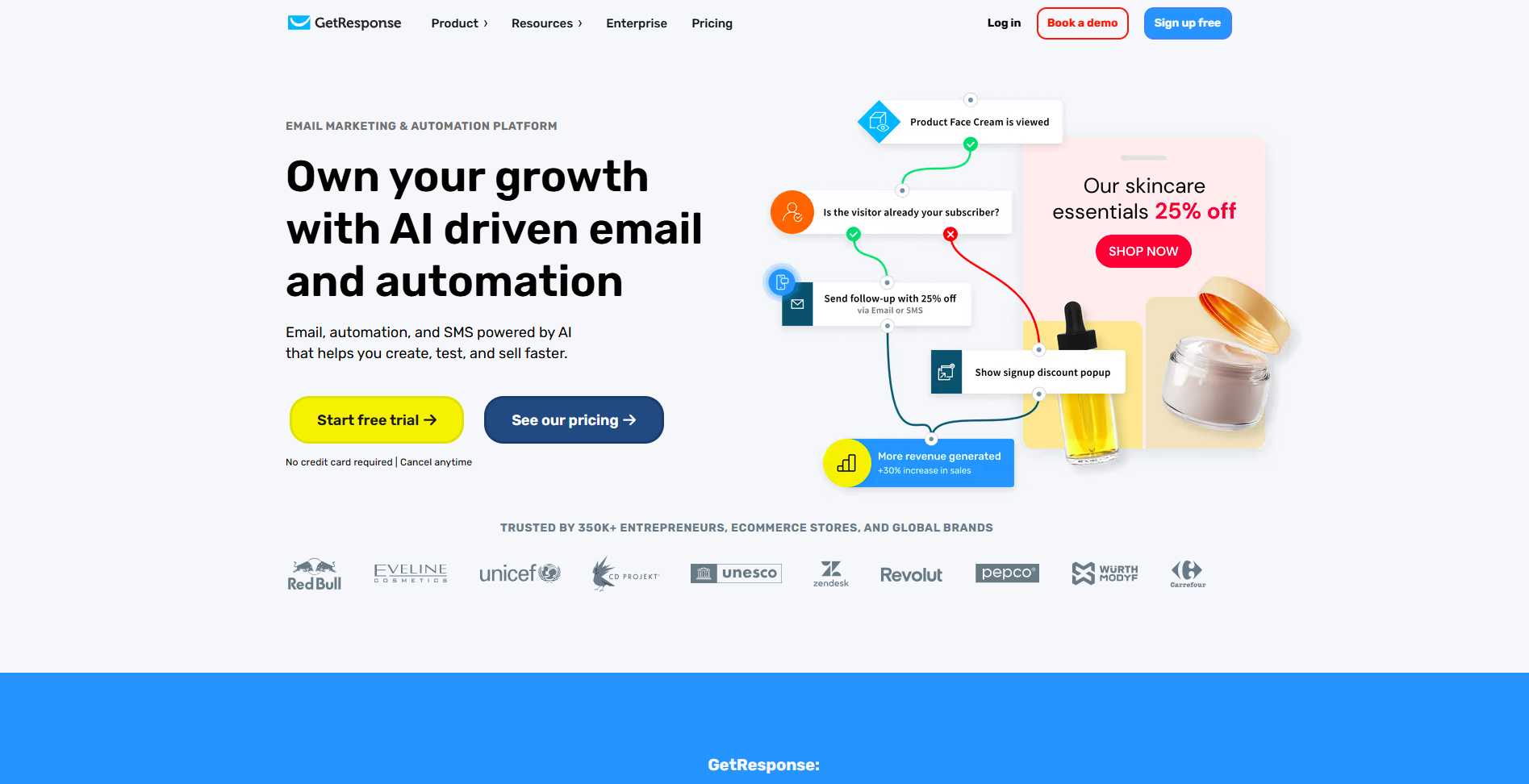
GetResponse sits somewhere between a classic newsletter tool and a full marketing suite. Compared to simpler, “send-a-lot-for-cheap” platforms, it gives you more built-in pieces for lead generation and nurturing—landing pages, forms, automation workflows, and even webinars on some tiers. Versus Mailchimp or Brevo, GetResponse tends to feel more like an “all-in-one” system for teams that want to run funnels (capture → nurture → convert) in one place, not just push bulk campaigns.
Key features
- Draft emails faster with AI-assisted content tools (plan limits apply)
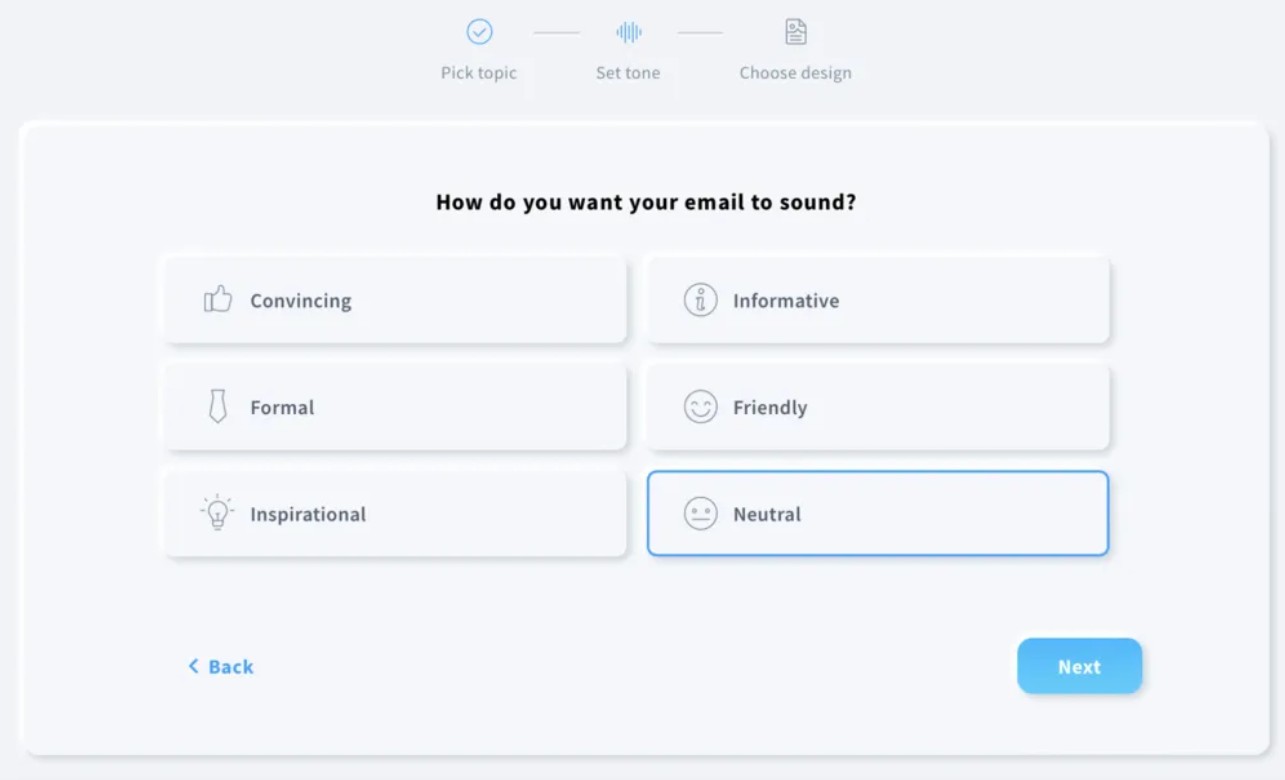
- Choose from a large template library and edit emails with a drag-and-drop builder (plus built-in image editing)
- Build automation sequences (welcome flows, behavior-based journeys, lead nurturing)
- Segment audiences using tagging/scoring for more targeted mass emailing
- Create landing pages, popups, and forms to grow your list inside the same platform
- Use ecommerce-oriented features on higher tiers (for example, abandoned cart recovery, promo codes, revenue reporting)
Pricing
Notable plan: Creator
The free plan supports basic email campaigns but skips key ecommerce tools. You won’t be able to include promo codes, trigger abandoned-cart emails, or display product recommendations. But the paid version includes essential features for driving email conversions.
GetResponse’s paid plans and pricing include:
- Starter: $10/month
- Marketer: $29/month
- Creator: $49/month
- Enterprise: Custom pricing
Pros
- Wide range of features
- Advanced automation tools and email personalization
- Offers a 30-day free trial on all paid plans
Cons
- Has a slight learning curve, but the tutorials may help
- Paid plans can be costly for small teams
Customer reviews of GetResponse mass email service
G2 reviews in 2026 often highlight the platform’s “all-in-one” appeal. One reviewer (Jan 2026) praised that it “combines email marketing, automation, landing pages, webinars” in one tool, reducing the need for multiple platforms.
At the same time, reviewers point out real tradeoffs. A Feb 2026 reviewer noted that “the reporting dashboard could be more intuitive,” and mentioned that some templates feel dated.
6. HubSpot
Best mass email service for: CRM-led teams
Pricing: Free plan, with paid plans starting from $20/month
Review ratings: G2: 4.4/5, Capterra: 4.5/5
In comparison with other mass email services
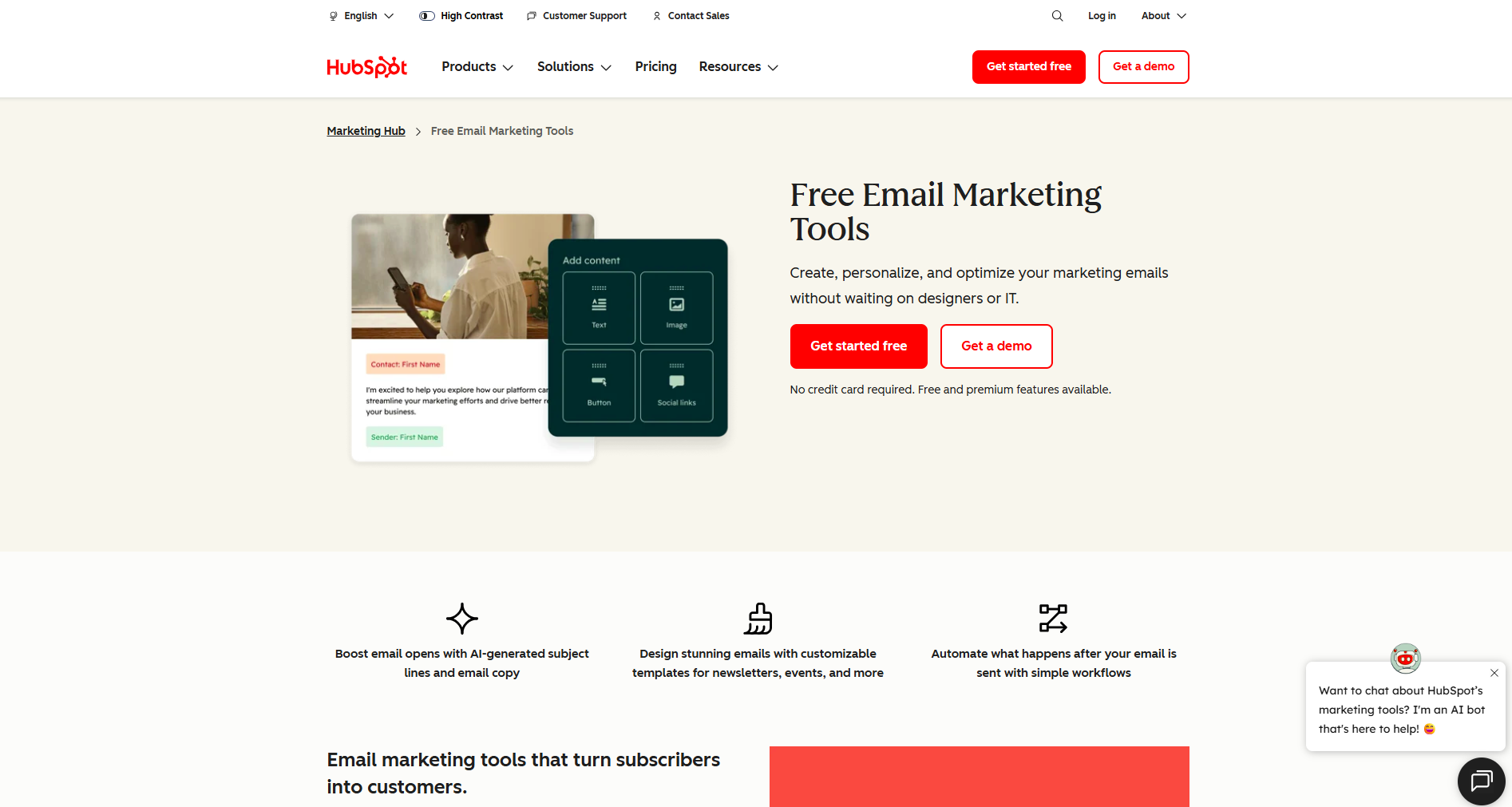
HubSpot is less of a “bulk email sender” and more of a full CRM-first marketing system. While tools like Mailchimp or GetResponse can connect to CRMs, HubSpot’s advantage is that email marketing lives inside the same database as your sales pipeline, lifecycle stages, and customer history. If your team already runs sales and marketing in HubSpot, mass emailing becomes a natural extension — you can segment based on CRM properties and push campaigns without juggling multiple systems. Compared to ecommerce-first platforms like Omnisend, HubSpot is best when your email strategy focuses on CRM-driven nurturing rather than on store-triggered automations and ecommerce revenue attribution.
Key features
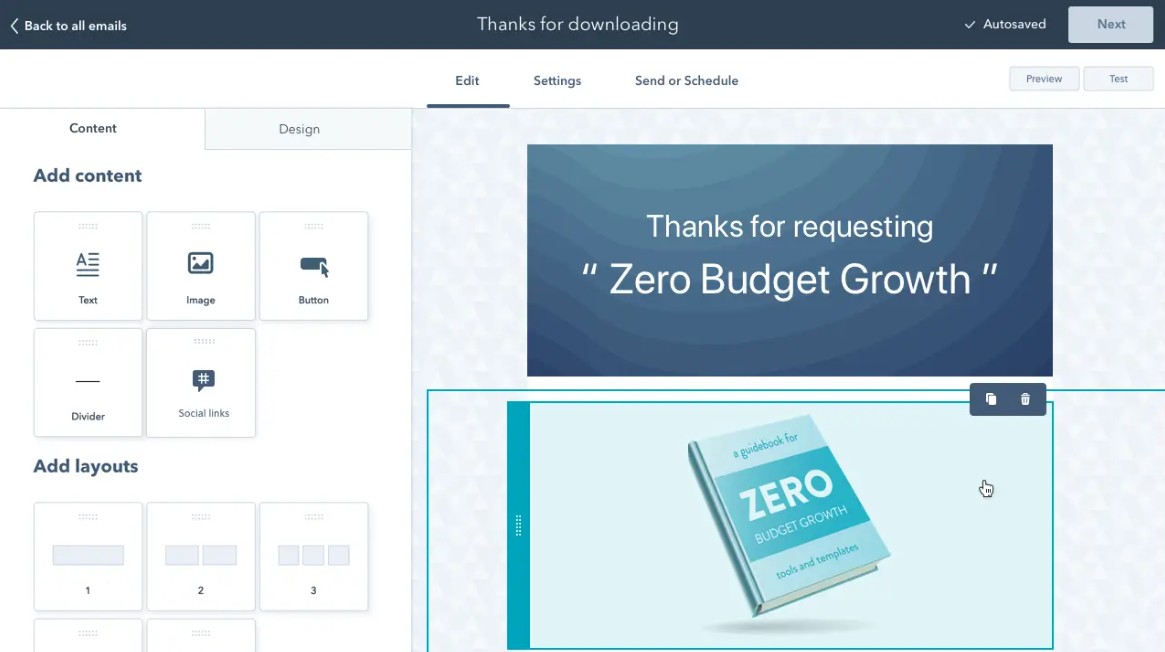
- Build mass email campaigns using a drag-and-drop email editor designed for non-technical teams
- Use AI-assisted tools for subject lines and copy (availability depends on tier/features enabled)
- Segment contacts using CRM properties and “smart” list rules (powerful for lead nurturing)
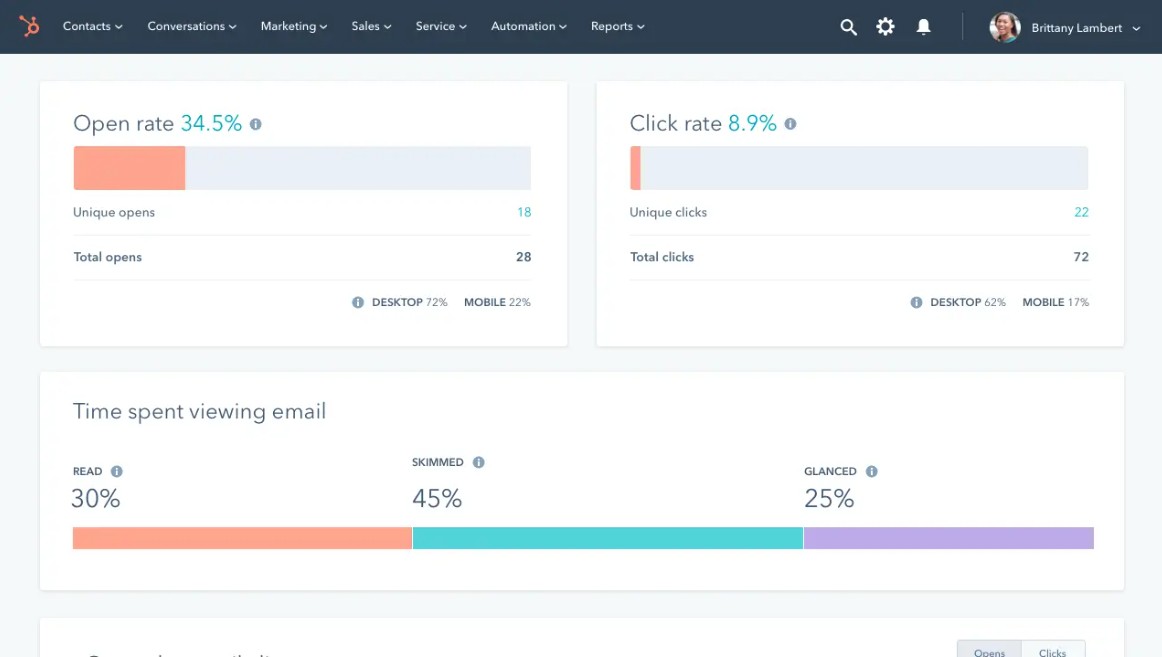
- A/B test emails on higher tiers, and optimize campaigns using reporting dashboards
- Connect email performance to CRM activity (pipeline stages, deals, lifecycle reporting)
Pricing
Notable plan: Starter
HubSpot allows up to 500 emails/day on its free plan. You’re also limited to 10 active lists and won’t get access to campaign reports or automation. These limitations make it best suited for basic outreach. Paid tiers remove branding, expand segmentation, and reveal full reporting.
HubSpot’s Marketing Hub plans and pricing are:
- Starter: $9/month/seat
- Professional: $800/month
- Enterprise: $3,600/month
Pros
- The Marketing Hub unites different tools into one system
- Powerful automation capabilities for streamlining workflow
- Easy to launch, especially if you already use HubSpot CRM
Cons
- Advanced features are locked in higher-tier plans
- Limited email template customization
- It can be an overkill for small teams
Customer reviews of HubSpot mass email service
G2 reviewers in 2026 often praise the ease of use for email creation. One reviewer noted the email builder is “one of the easier ones to use,” especially for teams sending frequent campaigns.
At the same time, reviewers frequently mention complexity at scale. Another reviewer said that while HubSpot is powerful, it “takes time to fully learn everything,” particularly if you’re adopting multiple hubs at once.
7. SMTP.com
Best mass email service for: High-volume senders
Pricing: Paid plans starting from $25/month
Review ratings: G2: 3.3/5, Capterra: 3.5/5
In comparison with other mass email services
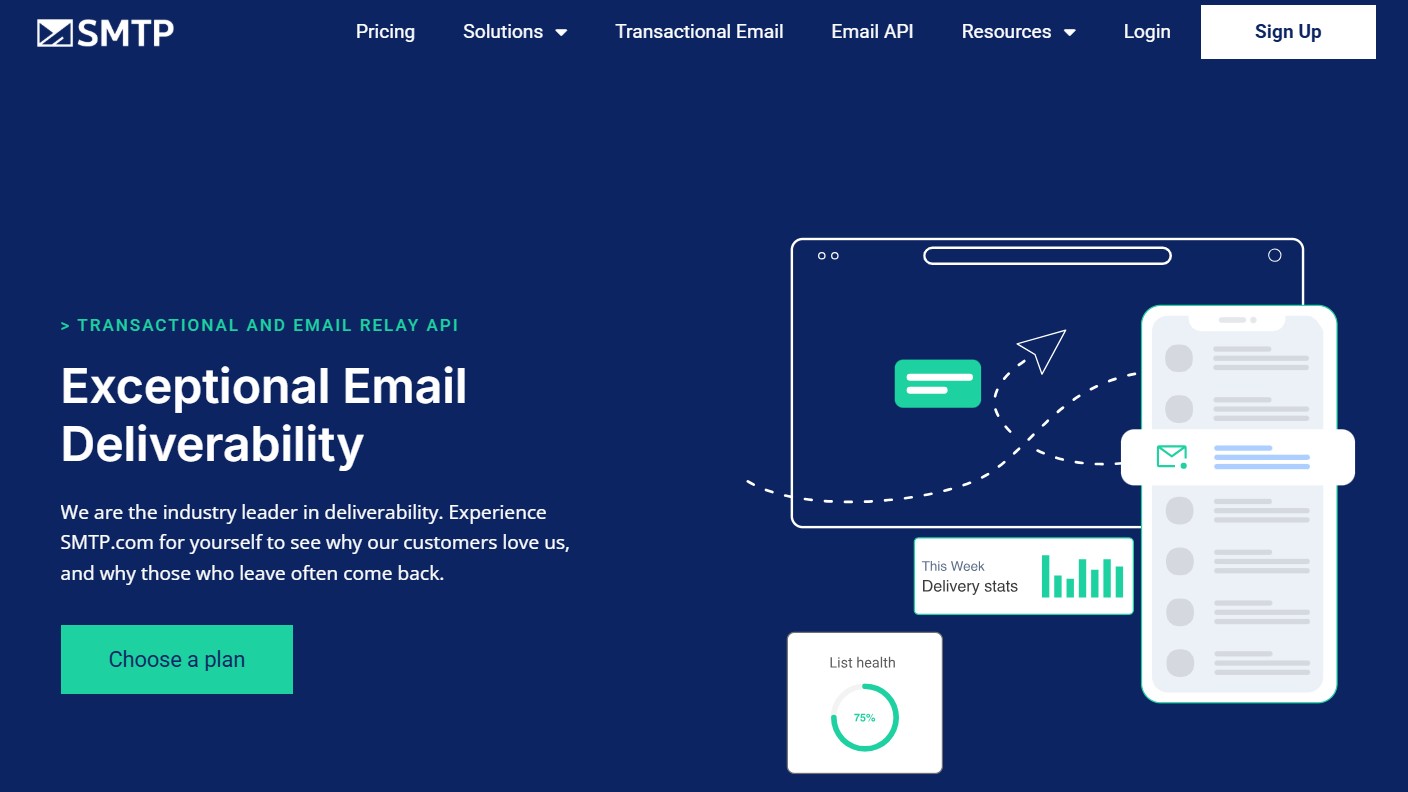
SMTP.com isn’t a “build pretty newsletters” platform; it’s an email relay service built for teams that care most about infrastructure and inbox placement at scale. Compared to tools like Mailchimp, Omnisend, or Brevo, you won’t get a drag-and-drop campaign builder, templates, or ecommerce automations. What you do get is a volume-based sending setup with dedicated IP options and deliverability-focused tooling that’s better suited to transactional email, product notifications, and high-volume programmatic sending.
Key features
- Send high volumes through an email relay service built for deliverability-focused teams.
- Dedicated IP options (included from Starter and up), plus deliverability expert access on Enterprise
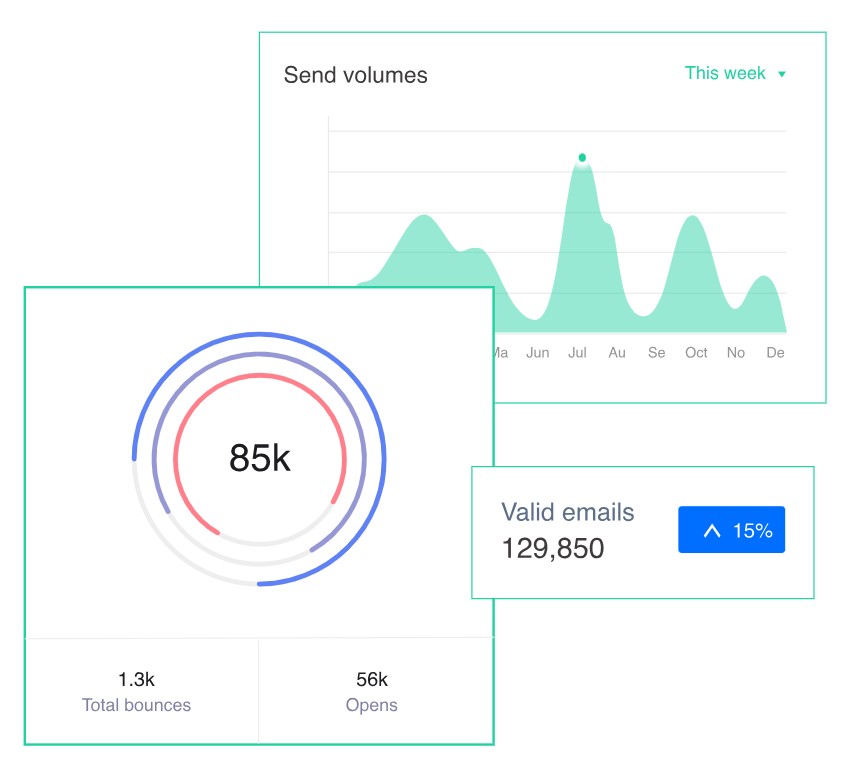
- Delivery and list health tooling (including optional Reputation Defender add-on)
- Real-time visibility into sending performance and delivery events (logs/analytics)
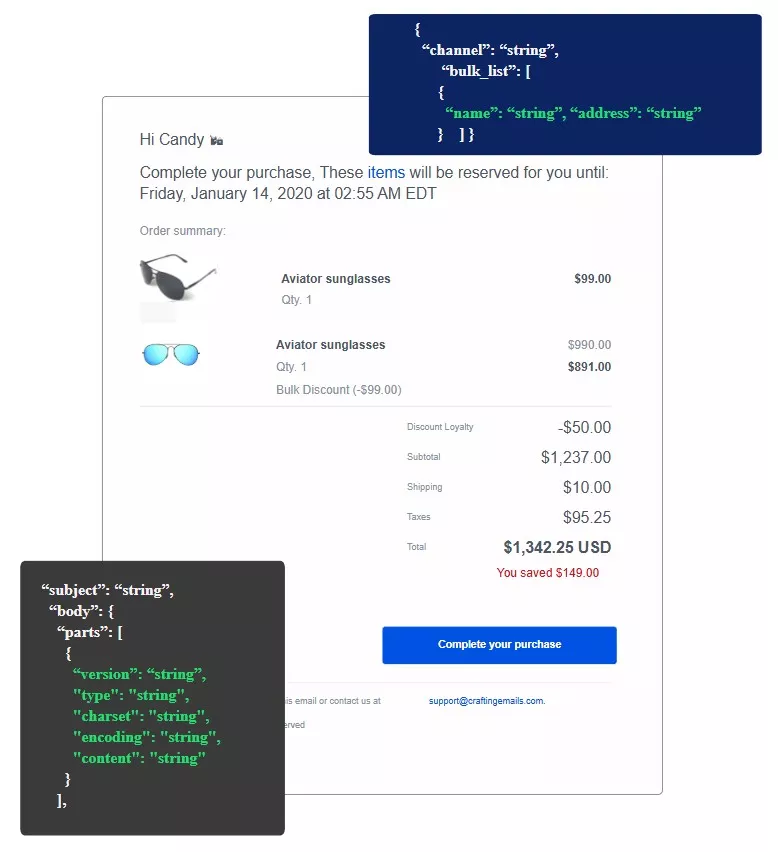
- API access for integrating SMTP sending into products and apps
Pricing
Notable plan: Growth
SMTP.com doesn’t offer a free plan. Its Essential tier starts at $25/month and is designed for up to 50,000 emails. Each plan is volume-based, with pricing increasing as sending needs grow. All tiers include reputation management and detailed reporting.
Here are the plans available on SMTP.com:
- Essential: $25/month
- Starter: $80/month
- Growth: $300/month
- Business: $500/month
- High volume senders: Custom quote
Pros
- Optimized for fast, large-scale delivery
- Scale email volume up or down, depending on business conditions
- Suitable for transactional emails and updates
Cons
- No drag-and-drop builder
- Limited marketing automation tools
- Not ideal for beginners or design-focused campaigns
Customer reviews of SMTP.com mass email service
On G2, reviewers often describe SMTP.com as a strong fit for high-volume sending — but less attractive for small senders. One reviewer noted that pricing “might be high” if you’re “sending only a few thousand emails monthly.”
On Trustpilot (March 2026), a reviewer complained about account cancellation, saying: “You cannot cancel your account directly” and referencing a “30-day notice policy.”
8. Mailgun
Best mass email service for: Developers
Pricing: Free plan, with paid plans starting from $15/month
Review ratings: G2: 4.2/5, Capterra: 4.3/5
In comparison with other mass email services
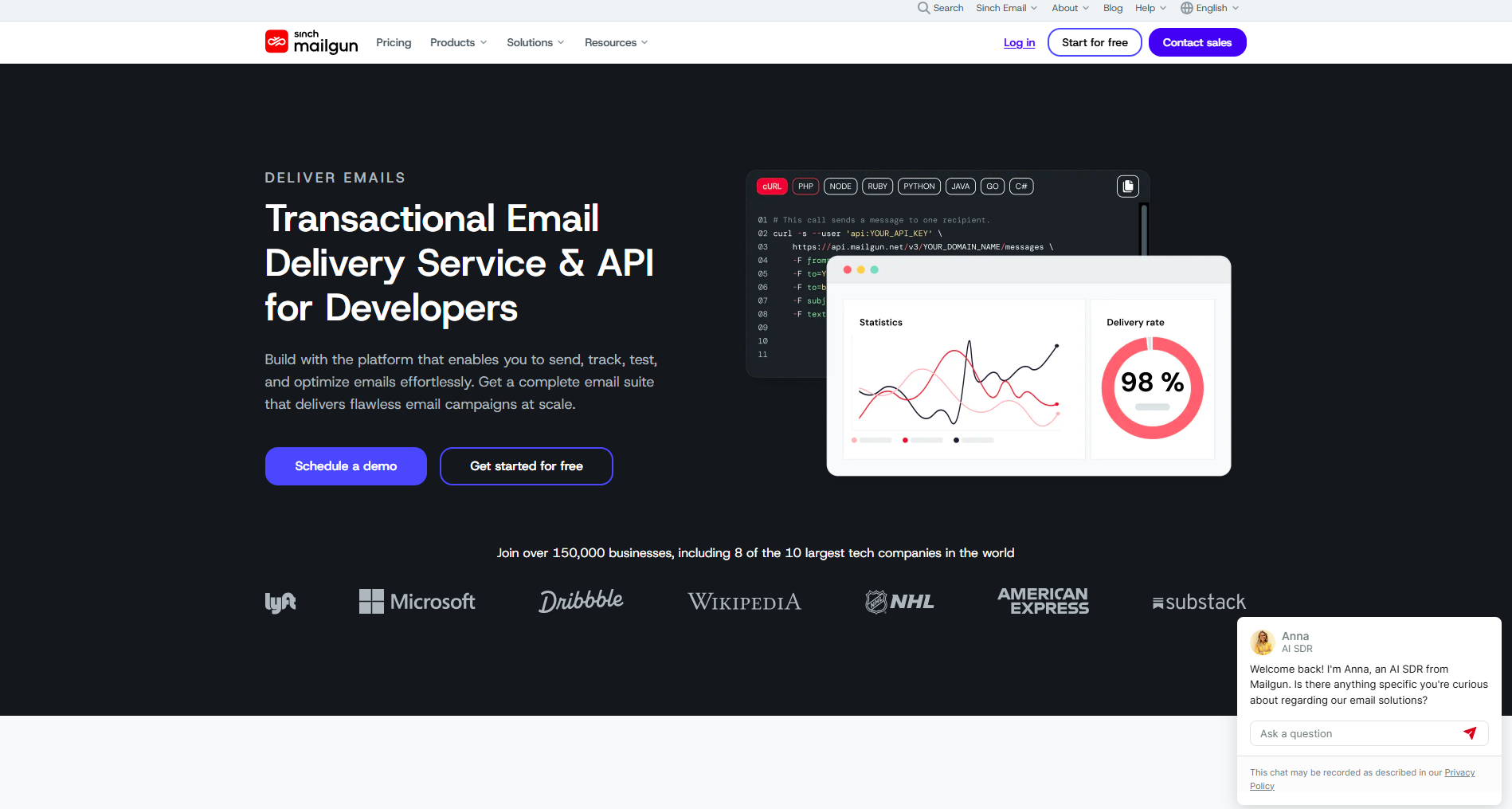
Mailgun is a developer-first mass email service that’s built around APIs, SMTP relay, and detailed delivery logs — not drag-and-drop campaign building. Compared to marketer-focused tools like Omnisend or Mailchimp, Mailgun is best when email lives inside your product: verification emails, password resets, order updates, or high-volume notifications generated by your app. You get much more control over sending, tracking, and deliverability monitoring, but you’ll also need technical resources to implement it well.
Key features
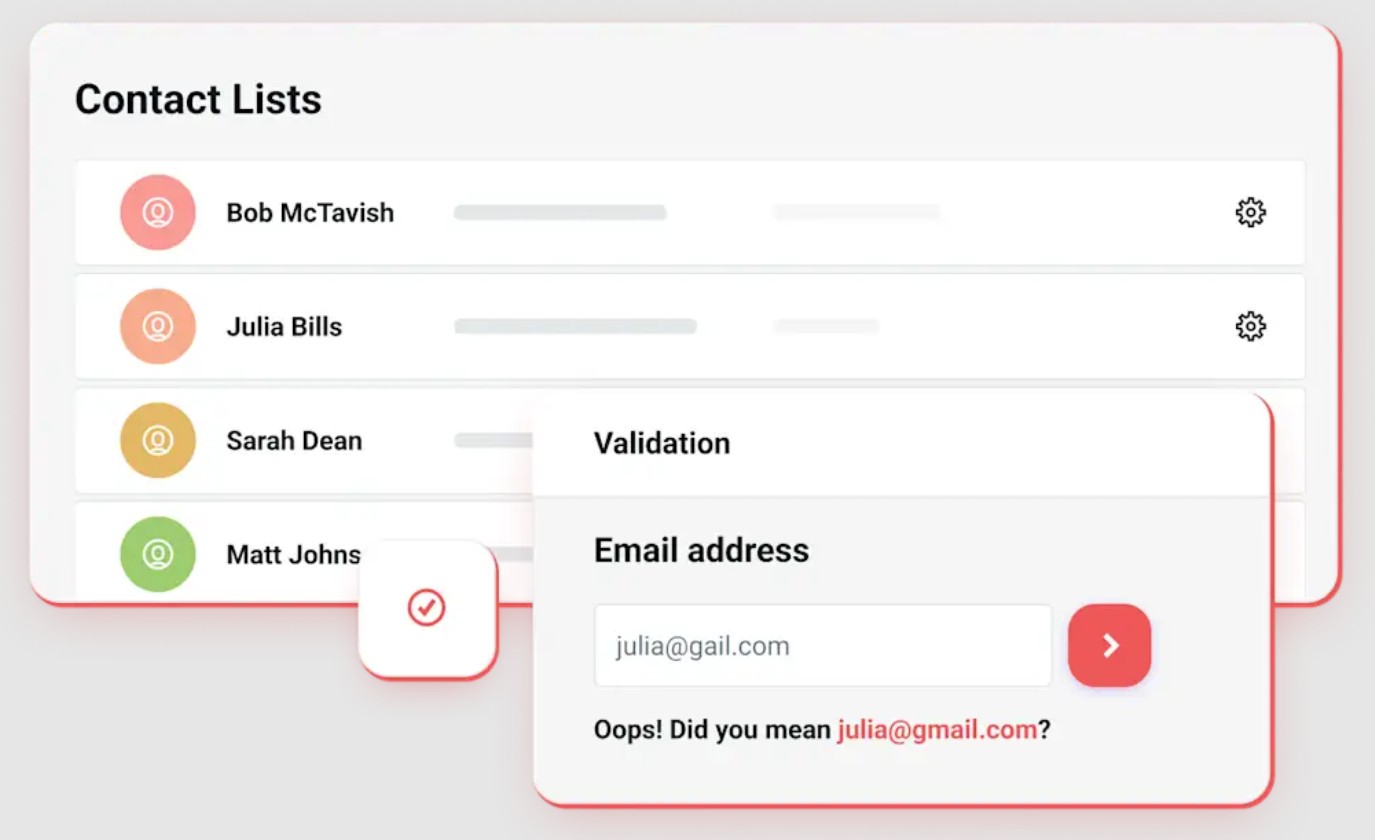
- Validate email addresses to reduce bounces and protect sender reputation
- Use testing/QA tools (like Mailgun Inspect) to preview and troubleshoot messages
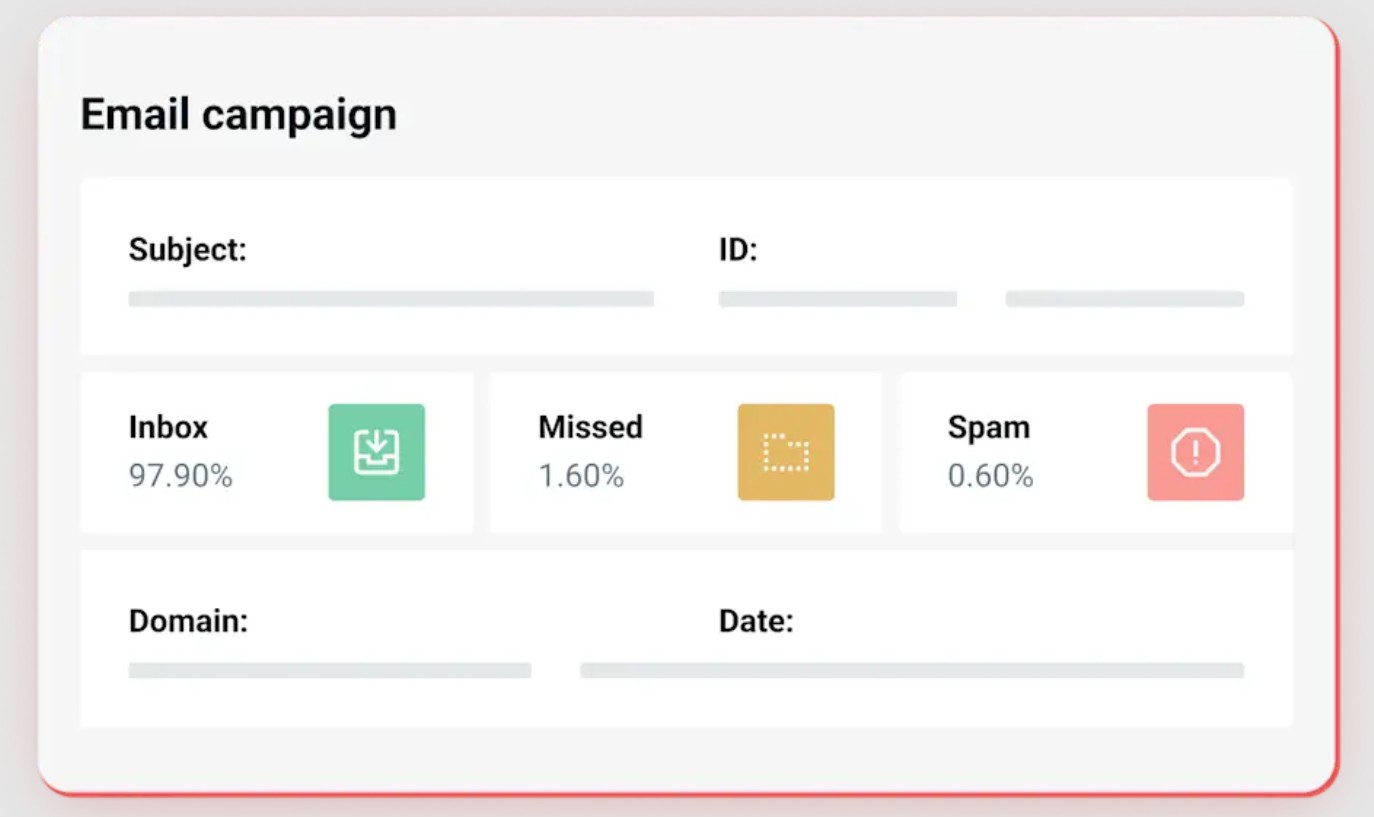
- Monitor deliverability with event logs, webhooks, and real-time tracking (opens/clicks depend on settings)
- Send via API or SMTP with detailed analytics and troubleshooting visibility
- Optimize sending with additional tooling on higher tiers (retention, routing, and advanced features vary by plan)
Pricing
Notable plan: Foundation
Mailgun offers a free plan that includes 100 emails/day, a custom sending domain, and 1-day log retention. Subscribing to a paid plan removes daily email limits. The most expensive plan (Scale) allows you to optimize email send times.
Mailgun’s plans and pricing include:
- Basic: $15/month
- Foundation: $35/month
- Scale: $90/month
Pros
- Full developer control over email functionality
- High deliverability and speed
- Scalable for large applications or services
Cons
- Short message retention period
- Not suitable for non-technical users
- Pricing can rise with increased usage
Customer reviews of Mailgun mass email service
G2 reviewers in 2026 often mention that Mailgun is easy to navigate for a developer tool. One reviewer highlighted that the interface is “simple” and makes it quick to find logs and key settings when troubleshooting delivery issues.
Another common theme in 2026 reviews is deliverability visibility: users appreciate the ability to diagnose issues via events/logs, but note that getting the best results still requires technical setup and ongoing monitoring.
9. Postmark
Best mass email service for: Product developers (transactional)
Pricing: Free plan, with paid plans starting from $15/month
Review ratings: G2: 4.6/5, Capterra: 4.7/5
In comparison with other mass email services
Postmark is best understood as a high-reliability transactional email service that can also handle limited broadcast sending — not as a classic bulk email marketing platform. Compared to Mailgun, Postmark emphasizes fast delivery and a clean separation of traffic through message streams, which helps teams keep transactional emails (password resets, receipts, alerts) isolated from riskier sends. Compared to marketer-focused tools like Omnisend or Mailchimp, Postmark isn’t built for segmentation, marketing automations, or newsletters — it’s built for product teams who need consistent delivery, strong logging, and simple integration.
Key features
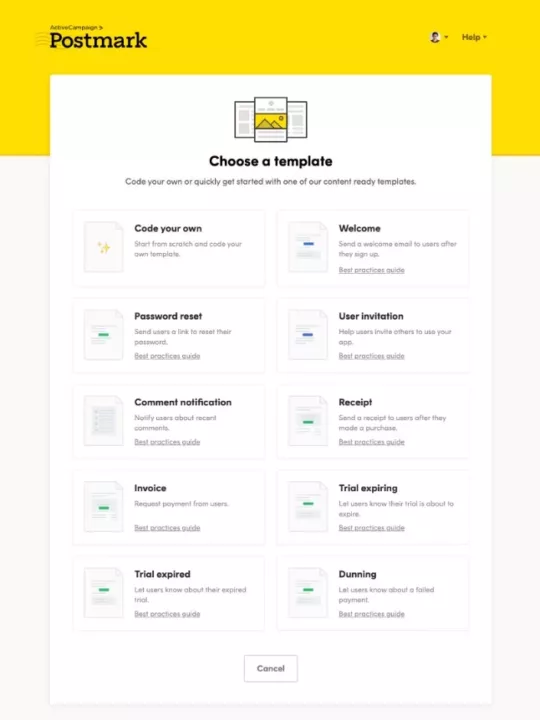
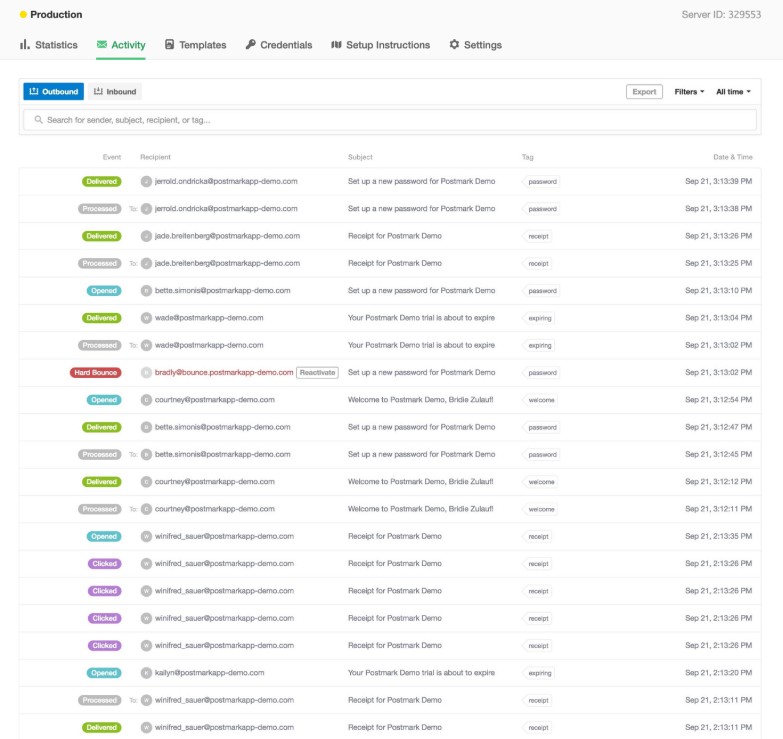
- Create reusable email templates for receipts, alerts, notifications, and system emails
- Use message streams to separate transactional vs. broadcast traffic for deliverability control
- Send via SMTP or REST API, with detailed docs and developer tooling
- Test safely with sandbox mode and webhooks for events/logging
- Access analytics/logs and retention options that scale by plan (higher tiers support more history and features)
Pricing
Notable pricing: Pro
Postmark encourages users to start with its free plan, which offers 100 emails/day. This can be a good start for a beginner, but subscribing to a paid plan might be worth it. It guarantees multiple users, servers, message streams, and domains. Important to mention that Postmark is built for transactional emails, not marketing.
Postmark’s plans and pricing are:
- Basic: $15/month
- Pro: $60.5/month
- Platform: $138/month
Pros
- Exceptional delivery speed for transactional emails
- Retains logs for up to 45 days
- In-depth documentation for seamless integration
Cons
- Customer service may take time to respond
- Lacks automation or list segmentation features
- Pricier than bulk services that offer more features
Customer reviews of Postmark mass email service
In 2026 reviews, users regularly praise deliverability and simplicity. One G2 reviewer described Postmark as “easy to set up” with “great delivery and clean IPs,” which is exactly what product teams want for transactional messaging.
Another 2026 reviewer emphasized Postmark’s reputation in transactional email, specifically calling it “one of the best in the transactional email world,” reinforcing that it’s designed for system and product emails rather than marketing blasts.
10. Mailtrap
Best mass email service for: Testing + deliverability workflows
Pricing: Free plan, with paid plans starting from $15/month
Review ratings: G2: 4.8/5, Capterra: 4.8/5
In comparison with other mass email services
Mailtrap is different from most tools in this roundup because it started as an email testing environment — not a bulk email marketing platform. It’s especially useful for developers and QA teams who want to preview emails safely, validate formatting, and troubleshoot delivery events before anything goes live. That said, Mailtrap also offers Email API/SMTP plans for sending emails in production, making it a flexible option for teams that want testing and sending under one roof. Compared to Mailgun or Postmark, Mailtrap leans harder into testing workflows and developer experience; compared to marketer tools like Omnisend or Mailchimp, it’s not built for campaigns, segmentation, or marketing automations.
Key features
- Test emails safely in a sandbox inbox (preview, debug, share with teammates)
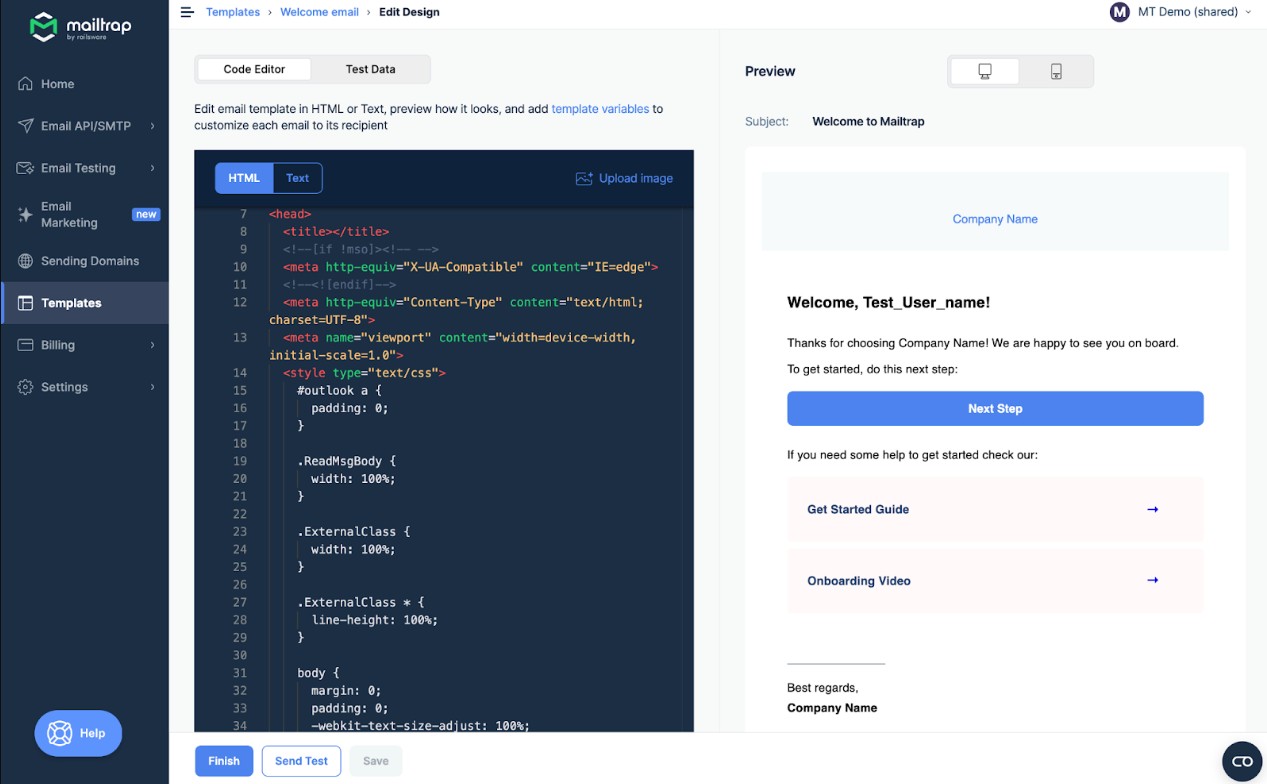
- Use Email API / SMTP for production sending when you’re ready to go live
- Generate and reuse code snippets for quick integration (developer-friendly setup)
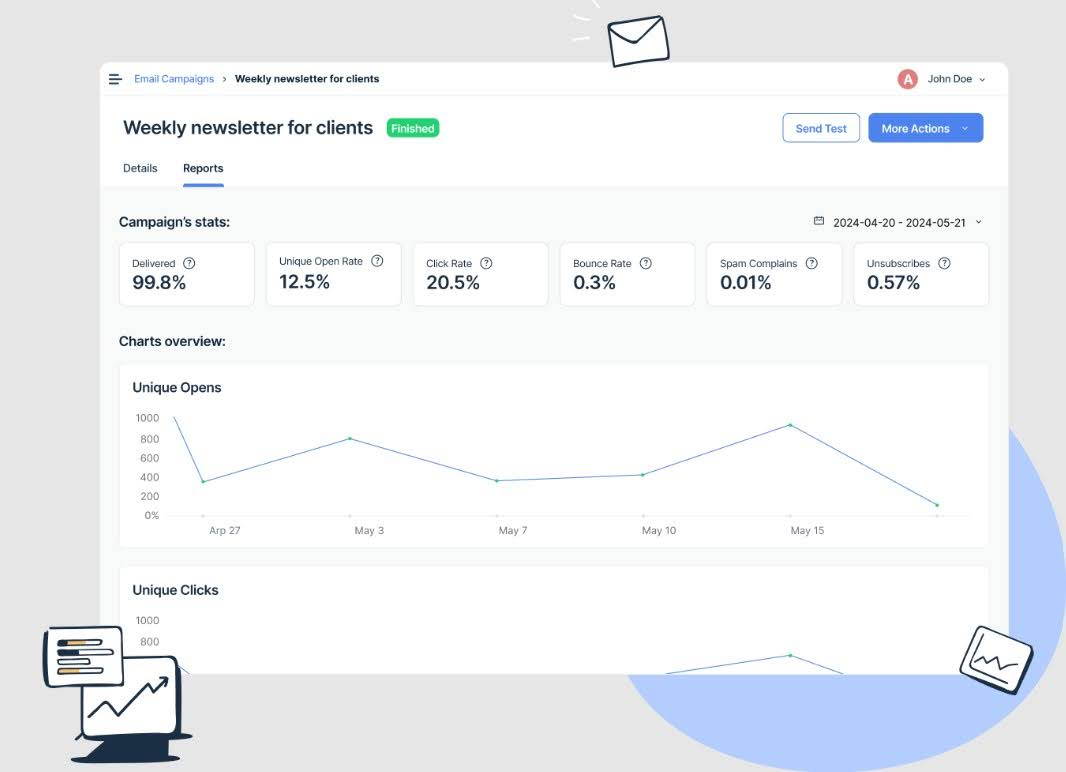
- Track sending events and performance with logs, analytics, and deliverability signals
- Support email authentication to help protect deliverability (features vary by plan)
Pricing
Notable plan: Business 100K
Mailtrap’s free tier includes 1,000 emails/month and a 200/day limit. You’re limited to one inbox and 100 contacts. It might be ideal for developers, but not for production. You can expand inboxes and remove daily limits with the paid plans.
Mailtrap’s plans and pricing for email sending include:
- Basic 10K: $15/month
- Business 100K: $85/month
- Enterprise 1.5M: $750/month
- Custom: Custom pricing
Pros
- Adheres to security standards and GDPR requirements
- Assures high deliverability rates
- Quick support from tech experts
Cons
- No free trial periods for the paid plans
- Email size is limited to 10MB in the lower-tier plans
- Lacks in-built automation
Customer reviews of Mailtrap mass email service
Mailtrap reviews in 2026 consistently highlight ease of use for testing. One G2 reviewer noted that Mailtrap makes email testing “easy even for non-coders,” which is a strong sign that the UI is accessible beyond engineers.
Reviewers also appreciate the workflow improvement: a 2026 review described Mailtrap as turning what used to be “a complex task into a hassle-free experience,” especially for teams validating templates and troubleshooting sends before going live.
How we tested mass email services
To build this list for 2026, we compared each mass email service on the factors that matter most for real-world sending: monthly sending limits, what’s included on the free plan, automation depth, segmentation options, and how easy the platform is to use day to day. We also checked pricing models (contact-based vs. volume-based) to see how costs change as your list or sending volume grows.
To validate the feature claims, we reviewed product documentation and plan pages, examined recent user feedback on review platforms, and referenced up-to-date screenshots of key areas like email builders, reporting dashboards, and automation screens.
Only services that offered dependable bulk sending and clear value for specific use cases — ecommerce marketing, small business newsletters, or developer-driven email workflows — made the final list.
How to comply with bulk email laws
Before using a mass email service to send an email blast, you must know certain regional laws to avoid fines, protect customer trust, and maintain deliverability. Below are the major regulations, best practices, and a quick compliance checklist.
CAN-SPAM Act (USA)
The CAN-SPAM Act sets the rules for commercial emails in the USA. It doesn’t prohibit mass emailing, but it sets clear rules on how to send emails responsibly:
- Include accurate From, To, and Reply-To header information
- Use clear subject lines instead of clickbait tactics or deceptive phrases
- Identify commercial messages as advertisements
- Include a clear opt-out option, which is valid for at least 30 days after sending
- Honor unsubscribe requests within 10 business days
GDPR (EU)
The General Data Protection Regulation (GDPR) applies to any business emailing EU citizens:
- Requires explicit consent, which means you must collect opt-in using a clear affirmative action (for example, checking an unchecked box)
- Recipients must be able to withdraw consent at any time
- You must delete recipients’ personal data upon request

Other international regulations
Besides the USA and EU, other regions enforce additional rules, such as:
- CASL: Canada’s anti-spam legislation requires expressed or implied consent to reduce spam, phishing, and other cyber threats
- PECR (UK): The Privacy and Electronic Communications Regulations are implemented alongside GDPR, covering marketing, cookies, and tracking
Best practices for compliance
Comply with data privacy and communication laws across all regions with these strategies:
- Use a double opt-in process to confirm subscribers’ intent
- Make unsubscribing easy
- Regularly audit your contact list for inactive or unengaged users
- Review local laws before sending emails to new regions
Penalties for non-compliance
The table below compares the different email laws to guide you when sending mass emails:
| Regulation | Consent type | Penalties |
|---|---|---|
| CAN-SPAM (US) | Opt-out | Up to $53,088 per email |
| GDPR (EU) | Explicit opt-in | Up to €20M or 4% global revenue |
| CASL (Canada) | Implied or explicit | Up to $10M per violation |
| PECR (UK) | Follows GDPR rules | Fines under UK law |
Mass email examples by Omnisend users
Here are some real-life examples from Omnisend users to see what effective bulk email campaigns look like in action:
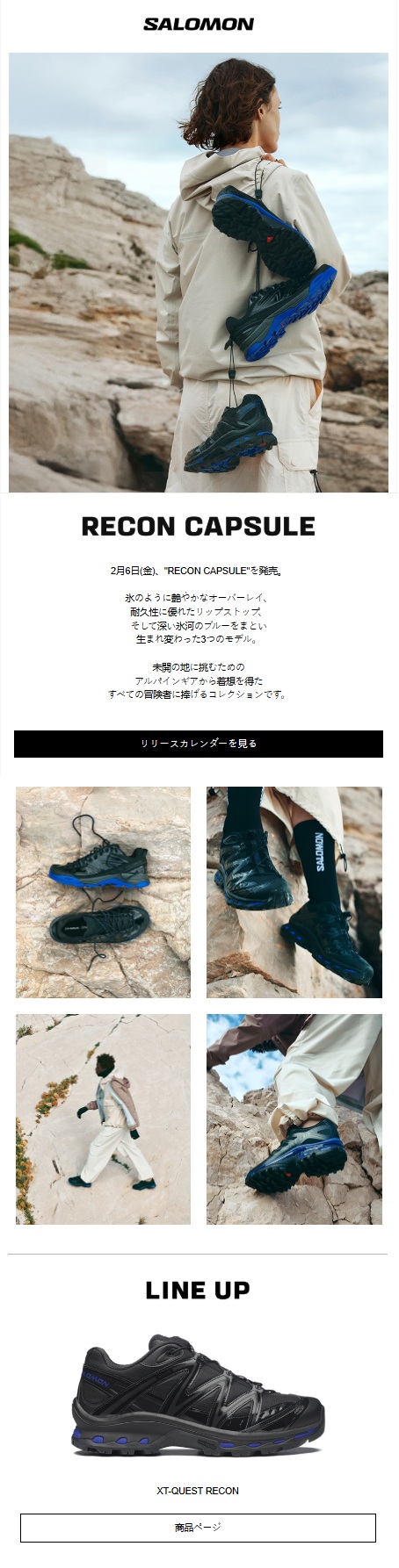
1. Salomon
Subject line:【2月6日(金)発売】 RECON CAPSULE|生まれ変わった3つのモデル
Recipients: 220K
Open rate: 45.5%
Key takeaway: Salomon JP is a great example of how design and targeting work together. Their campaigns stay extremely consistent with their brand assets — especially the quality of the hero image — which keeps each send feeling like a premium update rather than “just another newsletter.” They also don’t push every campaign to everyone. Instead, they actively use segmentation to ensure the right audience sees the message, which helps protect engagement and keep content relevant.
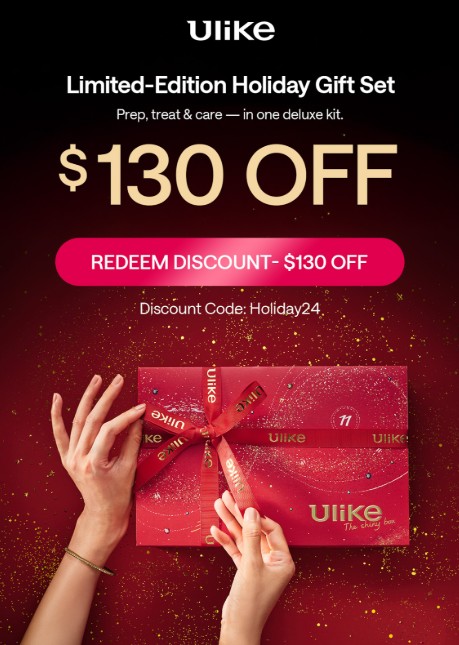
2. Ulike Official
Subject line: GET $130 OFF ULIKE’S HOLIDAY SALE
Recipients: 1.7 million
Open rate: 31%
Key takeaway: Ulike shows how to win with bulk sending even when your catalog is small. With fewer SKUs, they rely on the campaign creative to clearly highlight product features and benefits, using the email editor to make the product feel “new” and compelling each time. As a global brand, timing matters too — and using time zone-based sending (TZO) helps their newsletters arrive when customers are most likely to read them, instead of hitting inboxes at awkward hours.
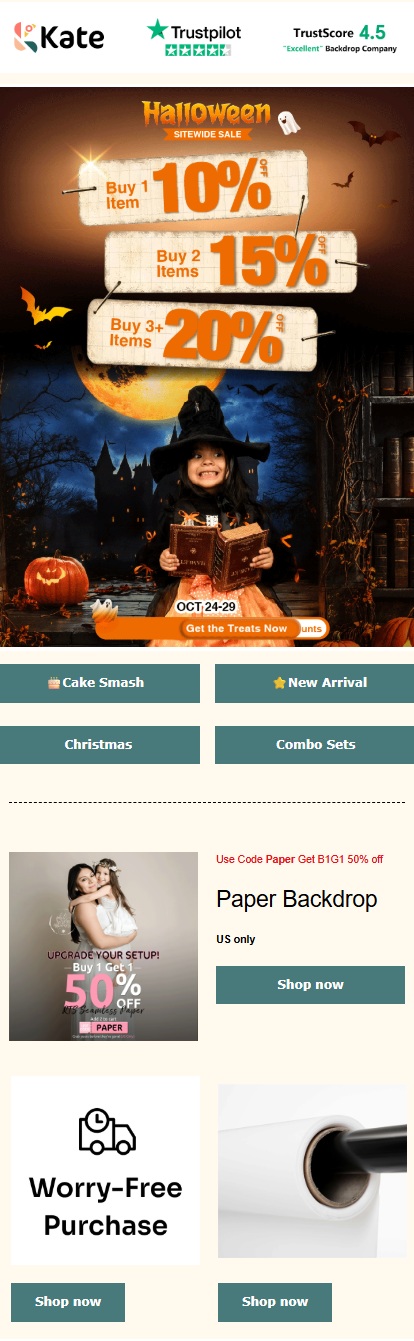
3. Kate Backdrop
Subject line: 🎃1+1+1 = 20% Savings!
Recipients: 122K
Open rate: 43%
Key takeaway: Kate Backdrop is a multi-channel powerhouse. Their emails don’t just promote offers — they connect everything into a wider “Kate Backdrop network,” linking subscribers to other channels like Facebook groups, loyalty programs, affiliate initiatives, and even offline events. On top of that, they use a universal layout approach. Hence, campaigns and automations stay consistent and can be updated quickly across the board, keeping messaging aligned without rebuilding designs every time.
Conclusion
Mass emailing can be one of the highest-ROI marketing channels — but only if you treat it as more than “sending in bulk.” As this guide shows, the best mass email service depends on what you actually need: ecommerce automations and revenue reporting, a generous free sending allowance, a CRM-first setup, or developer-grade infrastructure for product emails.
Whatever platform you choose, the fundamentals matter. Keep your list healthy (remove inactive or invalid addresses), segment your audience so people receive only what’s relevant, and use reporting to double down on what’s working—not just what’s being sent.
If you’re an ecommerce brand, Omnisend is a strong option because it combines bulk sending with segmentation, personalization, and ready-to-use automations to help campaigns drive revenue. You can start with the free plan and scale up when you’re ready.
Send bulk email that generates sales with Omnisend, your go-to mass email service
Quick sign up | No credit card required
What is the best mass emailing service?
The best mass emailing service depends on your use case. For ecommerce, Omnisend is a strong pick because it combines bulk sending with automation and segmentation. If you want a generous free sending limit, Sender is often the best mass email service to start with.
Why to use mass email services?
A mass email service makes it easy to send consistent campaigns at scale, schedule sends, and track results. Email also remains a high-ROI channel, especially when you segment audiences and optimize content using reporting insights from our 2026 Ecommerce Marketing Report.
When to use mass email?
Use mass email for broad announcements and time-sensitive campaigns, such as product launches, seasonal promotions, store updates, and newsletters. A good bulk email service helps you send to large groups while keeping branding consistent and performance measurable.
Is there a free mass email service?
Yes. Several providers offer a free mass email service plan, including Omnisend, Sender, Brevo, GetResponse, HubSpot, and Mailchimp. The best free option depends on whether you need high-volume sending, ecommerce automation, or CRM-led email marketing.
How can I send 1,000 emails at a time?
To send a bulk email blast, choose a mass email service, import your list, create your campaign, and select the audience (all contacts or a segment). Most bulk email marketing services let you schedule the send and track opens and clicks afterward.
How much does it cost to send mass emails?
It can cost $0 on a free plan if your sending limit fits your needs. Paid mass email services typically cost more as your list grows or as you send higher volumes. Some tools charge by contacts; others charge by emails sent.
Is it illegal to send mass emails?
Sending mass emails isn’t illegal, but you must comply with email laws and consent requirements. A reputable bulk email service helps by handling unsubscribes, including required sender details, and supporting compliance with CAN-SPAM and GDPR.
