






Quick Decision Framework
- Who This Is For: Shopify merchants at any revenue stage who are processing transactions across multiple channels and need a reliable, scalable accounting system that handles payouts, COGS, sales tax, and multi-currency without manual cleanup every month.
- Skip If: You are pre-revenue or running fewer than 20 orders per month. A free spreadsheet or Wave handles that stage fine. Come back when transaction volume starts creating reconciliation headaches.
- Key Benefit: Match the right accounting tool to your actual revenue stage and channel mix so you stop losing hours to manual payout reconciliation and start seeing real profit per channel in under 10 minutes a week.
- What You’ll Need: Your list of active sales channels (Shopify, Amazon, Etsy, etc.), your current monthly order volume, a sense of whether multi-currency or inventory tracking is your biggest pain point, and 30 minutes to run a free trial with your most recent payout.
- Time to Complete: 15 to 20 minutes to read. 2 to 4 hours to set up your chosen tool, connect your channels, and run your first reconciliation. Ongoing: 30 minutes to 4 hours per week depending on volume and automation level.
Global ecommerce sales will reach approximately $6.88 trillion in 2026. The merchants who keep the most of that revenue are not the ones who sell the most. They are the ones who know exactly what they earned, what it cost, and what they owe – before their accountant asks.
What You’ll Learn
- Why ecommerce accounting is fundamentally different from general business accounting and which specific problems arise when you try to use generic tools for Shopify, Amazon, or multi-channel operations.
- What the five must-have features are in any accounting tool built for online sellers, and why missing even one of them creates compounding reconciliation problems as you scale.
- How each of the seven top ecommerce accounting tools in 2026 compares on pricing, integrations, inventory tracking, and multi-currency support, with a clear recommendation for each revenue stage.
- What a real 7-figure Shopify and Amazon seller did to cut bookkeeping time from 25 hours per week to under 4 hours, and the exact tool stack she used to get there.
- How to match the right accounting software to your specific situation based on your channels, payout complexity, inventory needs, and budget – without having to test every option yourself.
Most Shopify merchants do not have an accounting problem on day one. They have a scale problem. At 50 orders a month, a spreadsheet works. At 500 orders a month across Shopify, Amazon, and a wholesale channel, the spreadsheet becomes a liability. Payouts arrive 7 to 30 days after the sale. Fees, refunds, chargebacks, and shipping adjustments are all bundled together. Sales tax rules shift by state, province, and country. And every hour you spend manually untangling that data is an hour you are not spending on growth.
The merchants doing seven and eight figures have solved this problem with the right tools matched to their actual situation. Not the most expensive tools. Not the most feature-rich tools. The right tools for their channel mix, their transaction volume, their team size, and a trusted ecommerce tax accountant to keep everything compliant and optimized. This guide gives you the same framework they use, applied to the seven best ecommerce accounting software options available in 2026. By the time you finish reading, you will know exactly which tool fits your store right now, when to loop in an ecommerce tax accountant, and what to look for as you grow.
Why eCommerce Accounting Is Different From General Business Accounting
General business accounting software is built for businesses that invoice clients, receive payments, and track expenses. Ecommerce accounting has an entirely different set of problems. You are not invoicing anyone. You are processing hundreds or thousands of individual transactions per day, each with its own tax rate, shipping cost, refund status, and channel fee. The payout you receive from Shopify or Amazon is not your revenue. It is your revenue minus fees, minus refunds, minus chargebacks, minus adjustments – and it arrives days or weeks after the actual sales occurred.
This creates a reconciliation problem that generic tools cannot solve cleanly. When your bank shows a $4,200 deposit from Shopify, a general accounting tool records $4,200 in revenue. The actual picture is closer to $5,800 in gross sales, minus $340 in payment processing fees, minus $180 in refunds, minus $80 in shipping adjustments. That $1,400 difference is not a rounding error. It is the data you need to understand your actual margin, your actual tax liability, and your actual cash position.
The financial infrastructure decisions you make at the $50K per month stage determine whether your books stay clean as you scale. Understanding the financial infrastructure decisions that determine whether your books stay clean as you scale is the foundation that makes any accounting software work the way it is supposed to. Without that foundation, even the best tool in the world produces numbers you cannot trust.
The Five Must-Have Features in Any eCommerce Accounting Tool
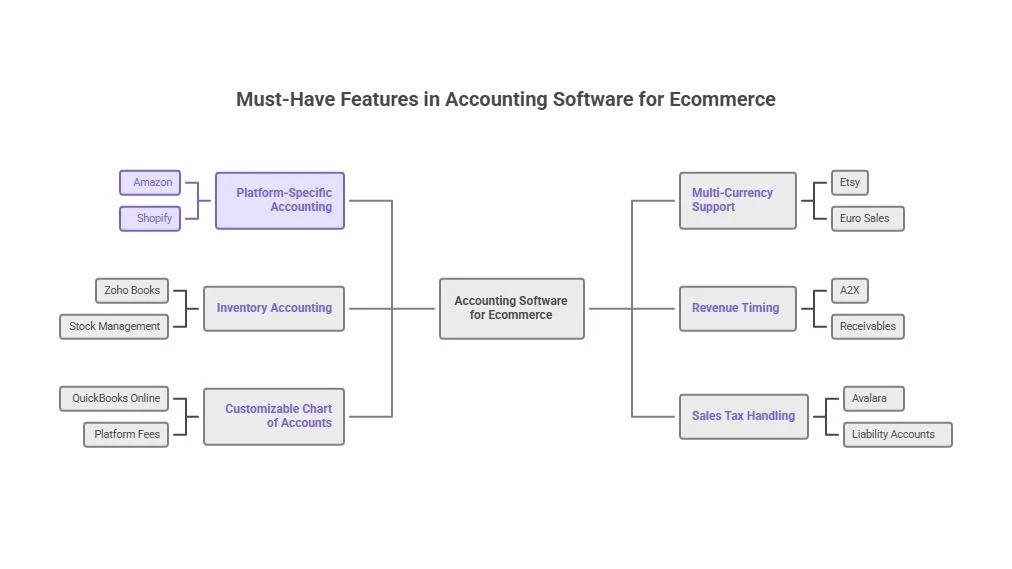
Before comparing specific tools, it helps to understand the five features that separate ecommerce-capable accounting software from general business tools. These are not nice-to-haves. They are the features that determine whether your books are accurate or not.
The first is seamless channel integration. Your accounting tool needs to pull data automatically from every platform where you sell – Shopify, Amazon, Etsy, Stripe, PayPal, and any others. Manual CSV imports and data entry are not a workflow. They are a source of errors that compound over time. The right integration means sales data, fee data, and refund data all flow in automatically, categorized correctly, without you touching it.
The second is automated payout reconciliation. This is the feature that most generic tools lack entirely. When Shopify sends you a payout, the tool needs to know how to split that single bank deposit into its component parts: gross sales, processing fees, refunds, chargebacks, and shipping adjustments. Without this, every payout requires manual cleanup. With it, reconciliation happens automatically and your books are accurate within hours of each deposit.
The third is real-time inventory and COGS tracking. If you sell physical products, your cost of goods sold is the single most important number in your business. It determines your gross margin, your reorder timing, and your true profitability per product. An accounting tool that cannot track COGS accurately is giving you revenue numbers without the context to understand what those numbers actually mean.
The fourth is multi-currency support. If you sell internationally or use suppliers in other countries, you are dealing with exchange rate fluctuations that affect your actual costs and margins. A tool that handles multi-currency automatically removes a category of manual work that grows proportionally with your international sales volume.
The fifth is sales tax and VAT/GST automation. Tax compliance across multiple jurisdictions is one of the most time-consuming parts of ecommerce operations. The right tool calculates what you owe by location, generates ready-to-file reports, and keeps you compliant without requiring you to manually track rates and thresholds for every state or country where you have nexus.
The Top 7 eCommerce Accounting Software Options in 2026
The tools below represent the best options available for online sellers in 2026. Each one is reviewed based on its actual strengths, its honest limitations, its current pricing, and the specific type of seller it serves best. The goal is not to rank them from best to worst. It is to help you identify which one fits your situation right now.
1. QuickBooks Online – Best Overall for Most Sellers
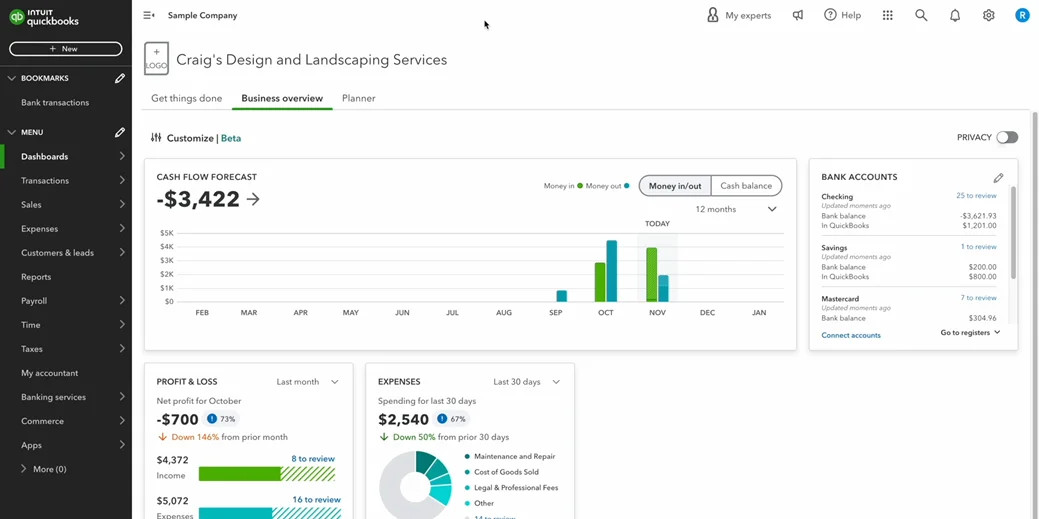
QuickBooks Online is the most widely used accounting platform among ecommerce sellers for a simple reason: it solves the most problems for the most types of businesses without requiring significant customization. It connects directly to Shopify and works cleanly with A2X for Amazon payout reconciliation. Inventory and COGS tracking are built in at the Plus tier and above. Sales tax management handles multi-state obligations automatically. Channel-specific reporting gives you profit visibility by platform without custom setup.
The ecosystem around QuickBooks is its most underrated advantage. More accountants, bookkeepers, and ecommerce specialists know QuickBooks than any other platform, which means finding help is easier and handoffs are cleaner. The interface can feel dense for first-time users, but the learning curve is short and the payoff is significant. For mid-size stores running on Shopify plus Amazon or another channel, QuickBooks Online is the default recommendation because it handles complexity without requiring workarounds.
Pricing as of March 2026: Simple Start at $38 per month, Essentials at $75 per month, Plus at $115 per month. Promotional pricing of 50% off for the first three months is frequently available. Best for mid-size stores on Shopify plus Amazon that want a single platform covering integrations, inventory, COGS, and sales tax. Score: 4.9 out of 5.
2. Xero – Best for Multi-Currency and International Growth
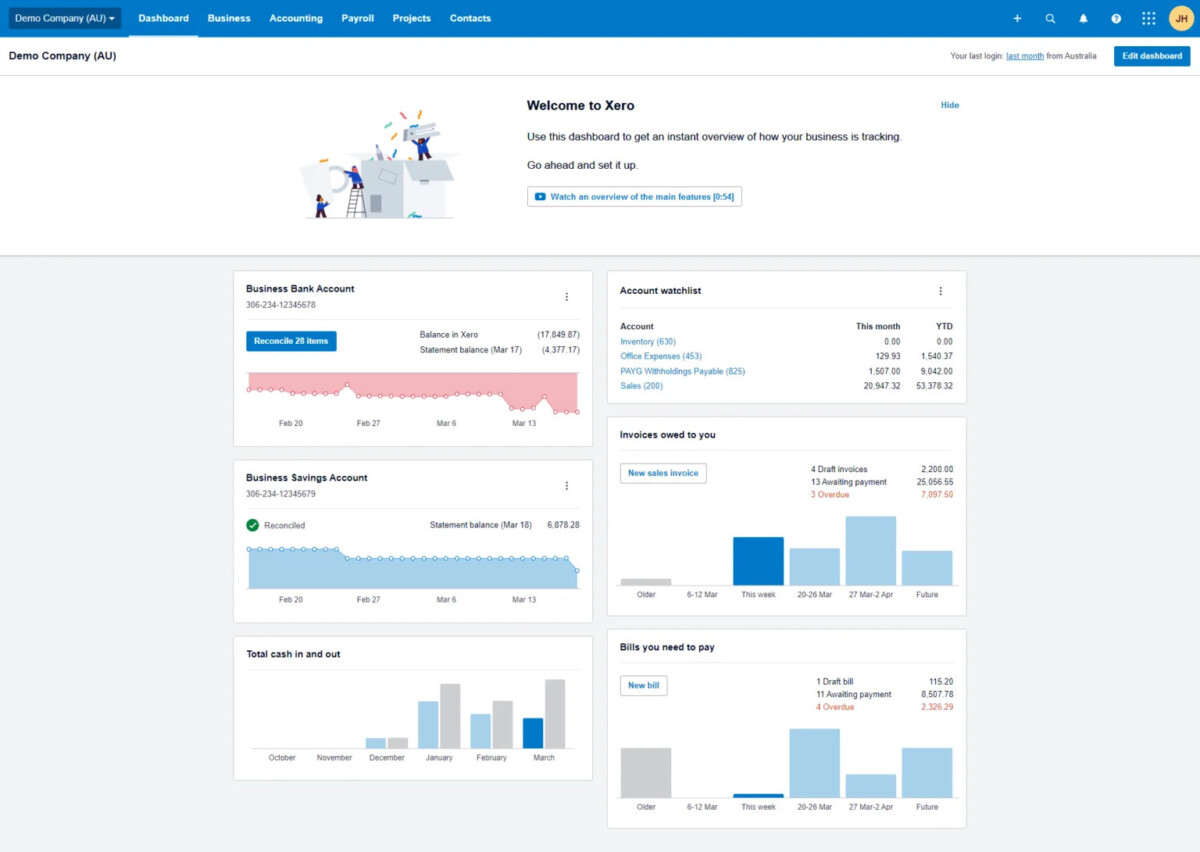
Xero is the strongest choice for sellers with meaningful international revenue or multi-currency complexity. Its automatic currency conversion handles exchange rate fluctuations without manual adjustment, and its tracking categories make it easy to segment performance by channel, product line, or geography. The interface is cleaner and more intuitive than QuickBooks for most users, and the unlimited users on higher plans makes it well-suited for teams where multiple people need access to financial data.
Xero’s weakness is native inventory tracking, which requires add-ons like A2X or Link My Books to reach the depth that QuickBooks Plus provides out of the box. For sellers whose primary complexity is international sales rather than inventory management, that trade-off is worth it. For sellers who need both, the add-on cost adds up.
Pricing as of March 2026: Early plan at approximately $25 per month (promotional pricing often brings this to $3.75 per month for the first six months), Growing at approximately $37 to $50 per month, Established at approximately $70 to $80 per month. Best for sellers with international customers or multiple currencies. Score: 4.8 out of 5.
3. Zoho Books – Best Budget-Friendly Scalable Option
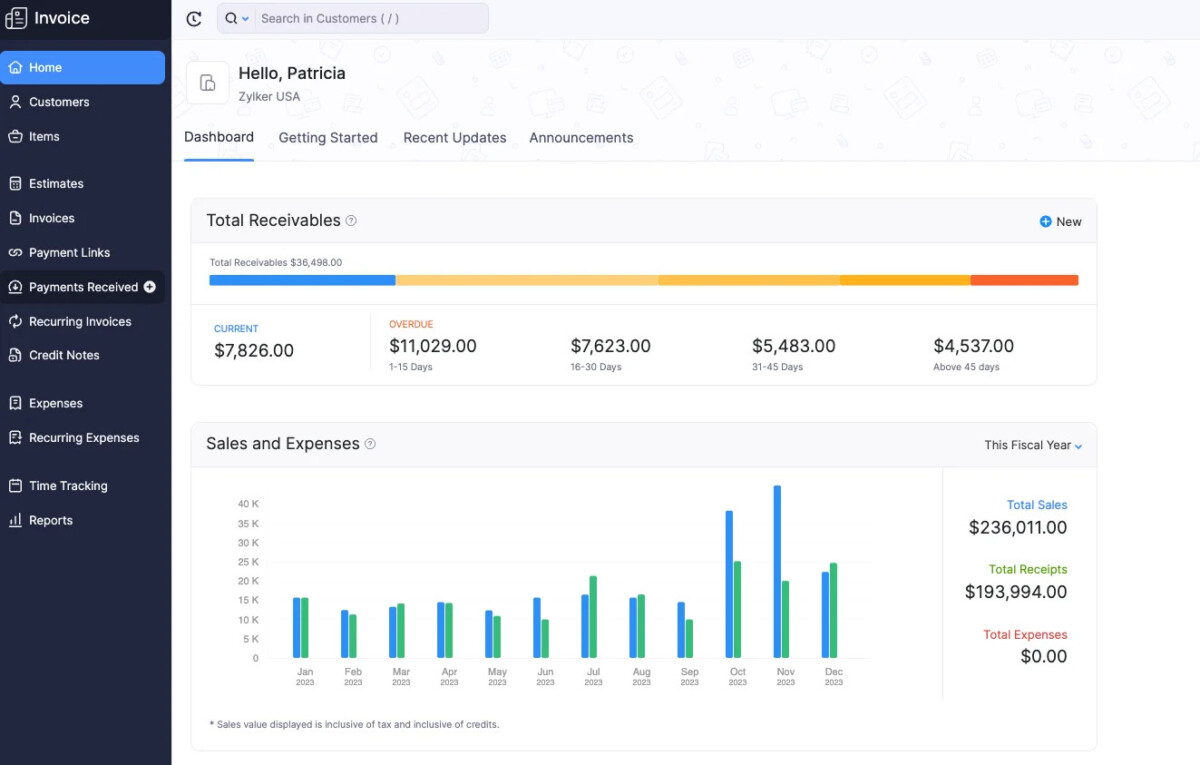
Zoho Books offers a free tier for businesses under approximately $50,000 in annual revenue, which makes it the strongest entry-level option for stores that need more than Wave but are not yet ready to justify QuickBooks or Xero pricing. Custom fields allow you to tag transactions by sales channel, automatic inventory costing keeps COGS reasonably accurate, and multi-currency support handles international sales without add-ons. If you are already using other Zoho products, the integration across the Zoho ecosystem is a meaningful additional advantage.
The honest limitation is that Zoho Books has fewer native ecommerce shortcuts than QuickBooks or Xero. Payout reconciliation for Amazon and Shopify requires more manual configuration, and the app ecosystem is smaller. For stores prioritizing cost efficiency over automation depth, it is an excellent choice. For stores where time savings matter more than subscription cost, the upgrade to QuickBooks or Xero is usually worth it before $200K in annual revenue.
Pricing as of March 2026: Free for businesses under approximately $50K in annual revenue, Standard at approximately $20 per month, Professional at approximately $50 per month. Best for growing stores that want to save money without sacrificing core features. Score: 4.6 out of 5.
4. Wave – Best Free Starter Option
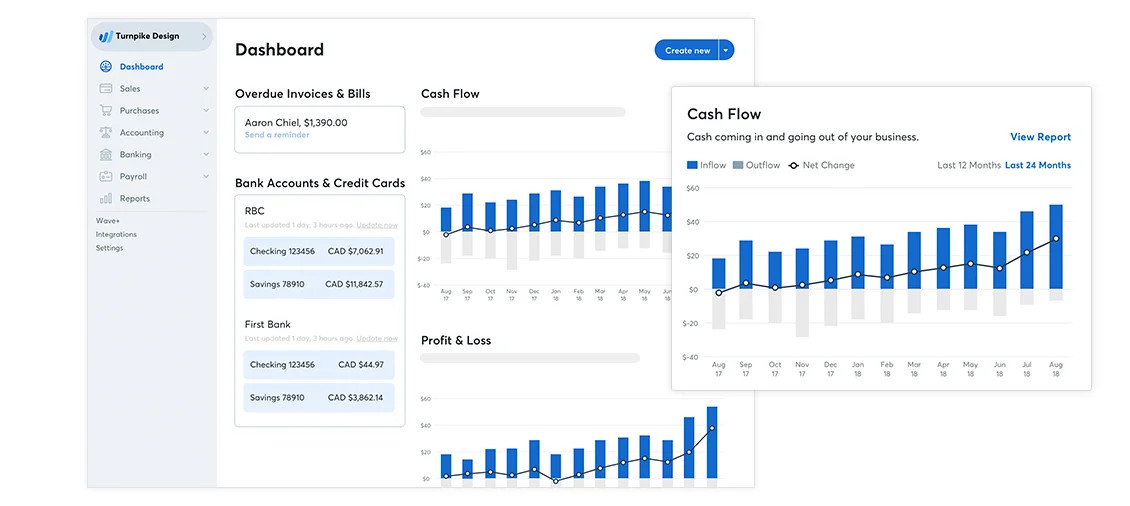
Wave is the right tool for one specific situation: you are new to ecommerce, your transaction volume is low, and you need basic income and expense tracking without a monthly subscription. The core accounting features are free. Unlimited invoices, basic sales tax tracking, and custom expense categories by channel cover what most pre-revenue or very early-stage sellers actually need. Setup takes under an hour.
The limitations are significant at any meaningful scale. Wave has no native inventory tracking, which means COGS accuracy requires manual work. Data imports from Shopify and Amazon are mostly manual, which creates the exact reconciliation problem that purpose-built ecommerce tools solve automatically. Wave is a starting point, not a destination. Plan to migrate to QuickBooks or Xero when your monthly order volume exceeds 50 to 100 transactions or when you start selling on more than one channel.
Pricing as of March 2026: Free for core accounting features. Payment processing fees apply if you accept payments through Wave. Best for new sellers or side hustles in the early validation stage. Score: 4.4 out of 5.
5. FreshBooks – Best for Hybrid Product and Service Sellers
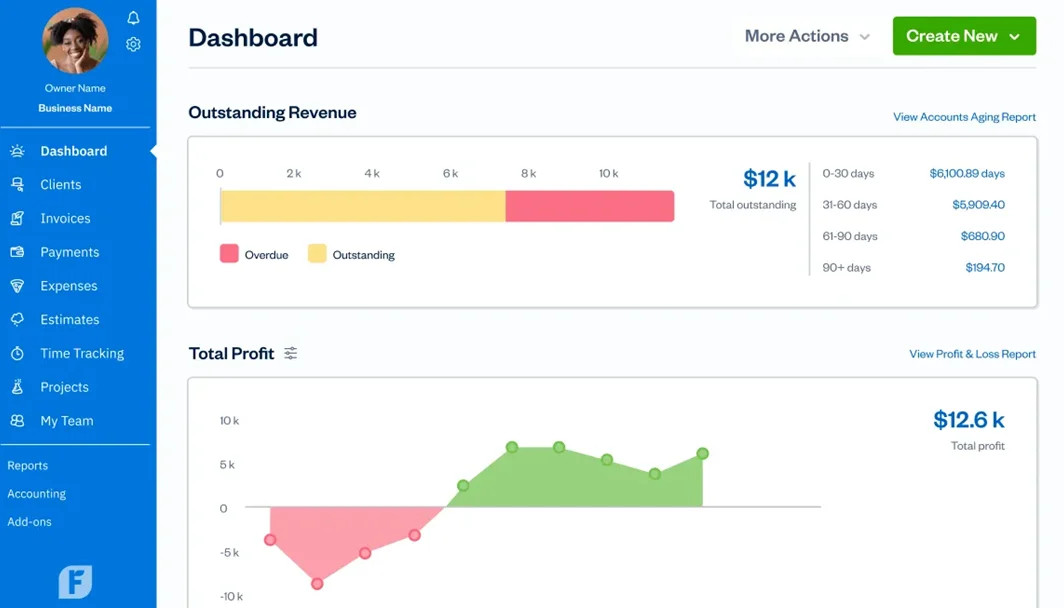
FreshBooks is purpose-built for service businesses and creative professionals, and it shows. Invoicing is polished, time tracking is built in, and project profit tracking is more intuitive than any other tool on this list. For sellers who combine physical product sales with service revenue – custom design work, consulting, subscription boxes with a service component – FreshBooks handles the hybrid model more cleanly than QuickBooks or Xero.
For pure product sellers, FreshBooks is not the strongest choice. Inventory management is basic, and payout reconciliation for Amazon or Shopify requires manual work that purpose-built ecommerce tools handle automatically. The pricing is also competitive only at the lower tiers. For hybrid sellers, it is genuinely the best fit. For everyone else, the trade-offs are not worth it.
Pricing as of March 2026: Lite at approximately $19 to $20 per month, Plus at approximately $33 to $38 per month. Best for creative or mixed online businesses that combine product sales with service revenue. Score: 4.5 out of 5.
6. A2X – Best Add-On for Payout Automation
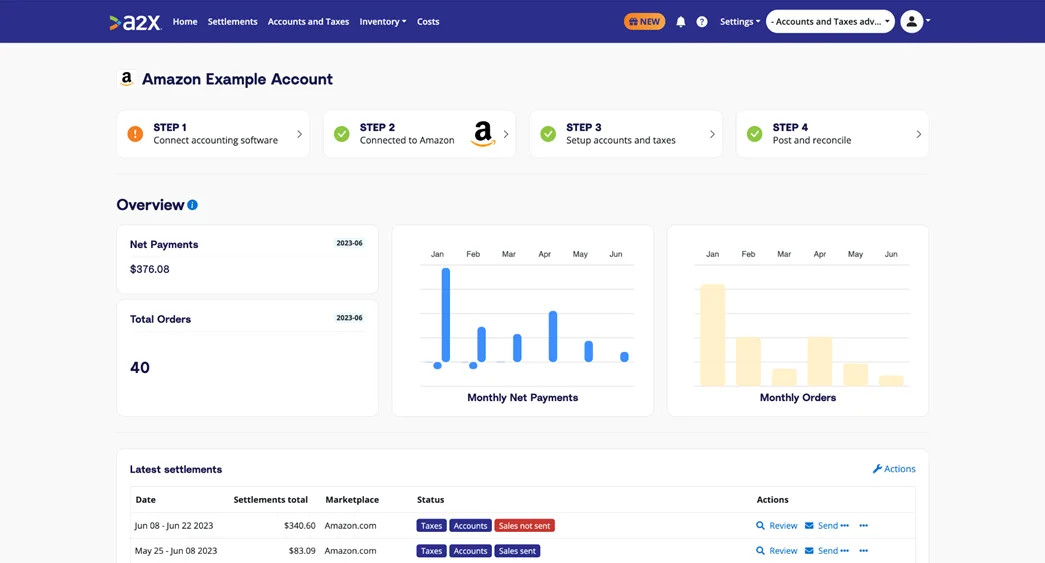
A2X is not a standalone accounting platform. It is a reconciliation layer that sits between your sales channels and your accounting software – specifically QuickBooks or Xero – and handles the payout splitting that neither platform does natively. When Shopify or Amazon sends a payout, A2X breaks it into its component parts: gross revenue, processing fees, refunds, chargebacks, shipping adjustments, and any other deductions. It then posts those categorized entries to your accounting software automatically.
For sellers who have tried to reconcile Amazon or Shopify payouts manually, A2X is the tool that ends that problem. Setup takes a few hours. After that, reconciliation is largely automatic. The additional monthly cost on top of your primary accounting tool is the only meaningful downside, and for any seller processing more than 100 orders per month, the time savings justify it within the first week.
Pricing as of March 2026: Starts at approximately $29 per month for low volume, up to approximately $79 per month for higher volume. Best for sellers who are spending meaningful time matching payouts by hand. Score: 4.8 out of 5.
7. Finaloop – Best Hands-Off All-in-One for DTC Brands
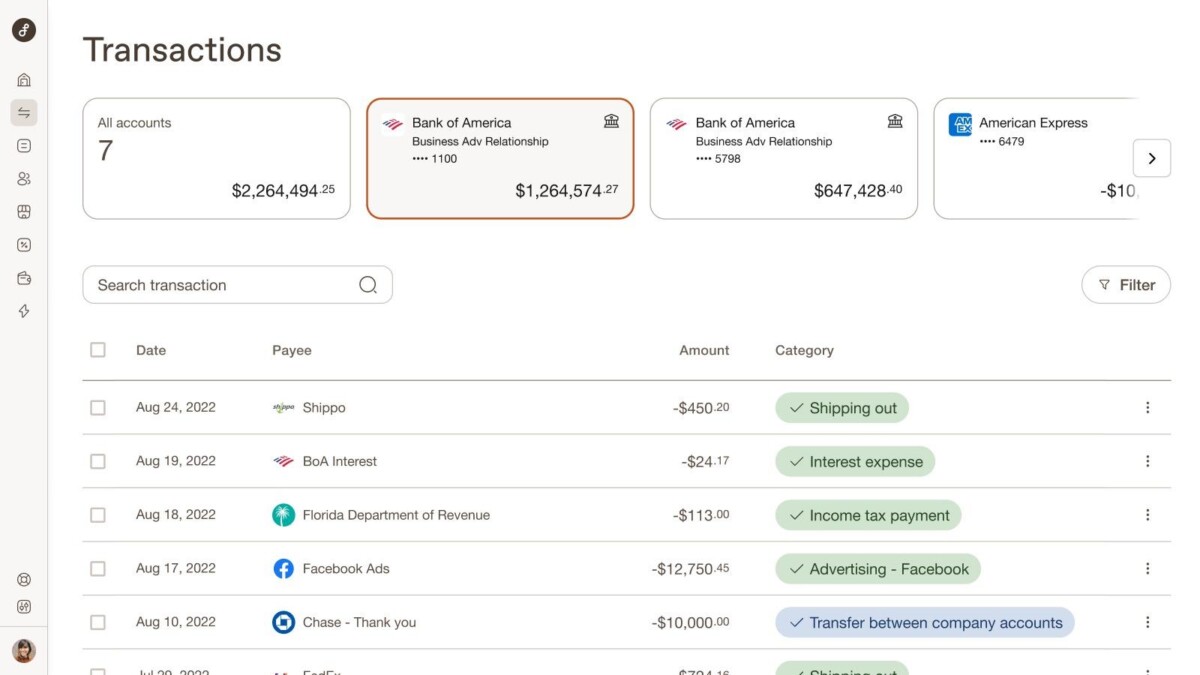
Finaloop is built specifically for direct-to-consumer and multi-channel ecommerce brands that want clean books with minimal operational involvement. It syncs in real time with Shopify and Amazon, handles COGS and inventory automatically, generates channel-specific reports, and includes tax preparation support. For founders who want to spend zero time on bookkeeping and are willing to pay for that outcome, Finaloop delivers it more completely than any other tool on this list.
The cost reflects the full-service nature of the product. At $100 or more per month including setup, Finaloop is a premium option that makes the most sense for stores doing $500K or more in annual revenue where the founder’s time is genuinely worth more than the subscription cost. At earlier stages, the cost-to-value ratio is harder to justify compared to QuickBooks plus A2X at a fraction of the price.
Pricing as of March 2026: Typically $100 or more per month including subscription and setup. Best for busy sellers on multiple channels who want hands-off automation and are past the stage where DIY bookkeeping makes financial sense. Score: 4.7 out of 5.
Quick Comparison: Top eCommerce Bookkeeping and Accounting Tools
Case Study: How a Toronto Shopify and Amazon Seller Cut Bookkeeping Time by 20+ Hours a Week
Sarah owns a 7-figure beauty brand based in Toronto. She sells on both Shopify and Amazon, which means she is dealing with two different payout schedules, two different fee structures, and two different sets of refund and chargeback patterns – all of which need to reconcile against the same bank account and tax records.
In early 2026, she was spending more than 25 hours per week on bookkeeping. Delayed payouts were arriving with no clear breakdown of what was inside them. Fees, refunds, chargebacks, and US-Canada cross-border tax obligations were all tangled together in a spreadsheet that no longer reflected reality. She had no clear view of actual profit by channel, which meant her ad spend decisions were based on revenue numbers rather than margin numbers.
She switched to QuickBooks Online plus A2X for automated payout matching and inventory and COGS tracking. Xero handled multi-currency for her international sales. She also worked with an ecommerce tax accountant who set up the full system correctly, ensured US-Canada cross-border tax compliance, and delivered clean monthly books without requiring Sarah to understand the mechanics herself.
The result: bookkeeping now takes approximately 4 hours per week. She has clear profit reports by channel, her ad spend is optimized based on actual margin data, and she avoided $12,000 in tax penalties that would have resulted from the incorrect cross-border tax treatment she had been using. The tool cost is a fraction of the time and penalty savings.
How to Pick the Right eCommerce Accounting Software for Your Store
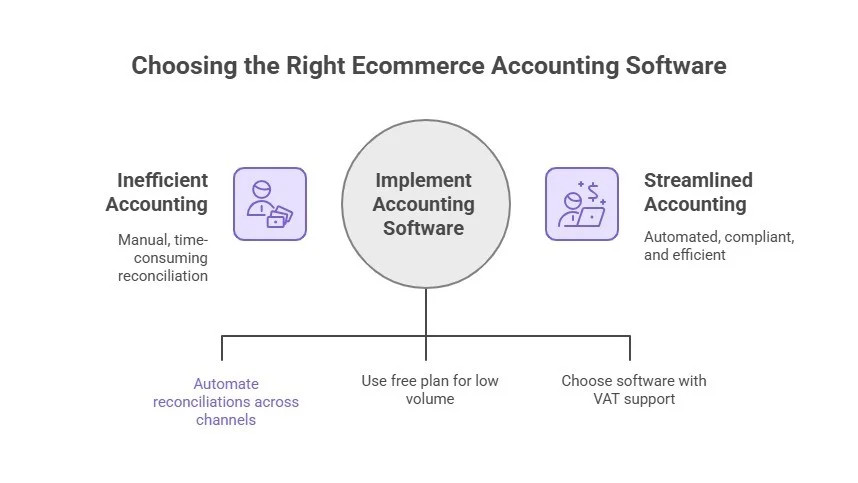
The right tool depends on five factors specific to your situation. Working through them in order gives you a clear answer without having to test every option yourself.
The first factor is your main sales channels. If you sell primarily on Shopify with no Amazon or multi-channel complexity, QuickBooks Online or Xero both work well and the choice comes down to whether inventory tracking or multi-currency is your bigger need. If you sell on Amazon, A2X becomes essentially mandatory alongside whichever primary tool you choose. If you sell on Etsy, WooCommerce, or other platforms, verify native integration before committing. Understanding the 9 essential bookkeeping habits every Shopify store should build before revenue outpaces their manual system gives you the operational foundation that makes any accounting tool work correctly from day one.
The second factor is payout complexity. Look at your last three payouts from each channel. If they arrive as a single lump sum with no breakdown, and you are manually figuring out what is inside them, automated reconciliation is your highest-priority feature. A2X solves this specifically for Amazon and Shopify. Synder solves it for a broader range of channels. If your payouts are already clean and well-documented, this factor matters less.
The third factor is inventory tracking depth. If you sell physical products and track stock levels, landed costs, or COGS on a daily basis, you need a tool with real-time inventory features. QuickBooks Online at the Plus tier or Finaloop both handle this well. If you sell digital products or services, inventory tracking is irrelevant and you can deprioritize it entirely.
The fourth factor is international and multi-currency sales. If more than 20% of your revenue comes from international customers or you pay suppliers in foreign currencies, Xero is the strongest choice. Its multi-currency handling is more robust and more automatic than any other tool on this list. If your sales are primarily domestic, this factor does not differentiate meaningfully between the top options.
The fifth factor is your budget relative to your revenue stage. Wave and Zoho Books free tier are appropriate for stores under $100K in annual revenue where subscription cost is a real constraint. QuickBooks or Xero are appropriate from $100K to $2M where the time savings justify the subscription cost. Finaloop or a full-service bookkeeping arrangement makes sense above $500K where the founder’s time is genuinely more valuable than the service cost. If you want to understand how Shopify’s own financial tools fit into this picture, the conversation about how Shopify Finance centralizes balance, credit, capital, bill pay, and tax tools inside a single dashboard is worth 30 minutes of your time before you finalize your stack.

Final Thoughts
The right eCommerce accounting software saves you hours, stops errors, and shows your true profits. QuickBooks Online works well for most sellers, Xero does great for international sales, and add-ons like A2X make payouts fast and easy. Test free trials now, pick what fixes your main problems, and grow your store with confidence.
For expert eCommerce bookkeeping and accounting, SAL Accounting is a Toronto-based CPA firm and accounting experts trusted by online sellers and 7-figure brands. They handle US-Canada cross-border taxes, monthly bookkeeping, profit optimization, and audit-proof strategies so you stay compliant and maximize earnings. Book a free call today:
- Website: ca
- Number: (416) 848-8470
- Email: [email protected]
- Toronto’s Location: 330 Bay St. Unit 1401, Toronto, ON M5J 0B6
- Mississauga’s Location: 55 Village Centre Pl, Suit 734, Mississauga, ON L4Z 1V9, Canada
Frequently Asked Questions
What is the best accounting software for Shopify sellers in 2026?
QuickBooks Online is the best overall choice for most Shopify sellers in 2026 because it handles the full range of ecommerce accounting needs – integrations, inventory and COGS tracking, sales tax automation, and channel-specific reporting – without requiring significant add-ons or customization. It works natively with Shopify and pairs cleanly with A2X for Amazon payout reconciliation. For sellers with significant international revenue or multi-currency complexity, Xero is the stronger choice. For sellers who are just starting out and managing costs carefully, Zoho Books or Wave cover the essentials at a lower price point. The right answer depends on your channel mix, transaction volume, and whether inventory tracking or multi-currency is your primary complexity.
Why is ecommerce accounting different from regular business accounting?
Ecommerce accounting is different because your revenue does not arrive as clean invoiced payments. It arrives as bundled payouts from platforms like Shopify and Amazon that combine gross sales, processing fees, refunds, chargebacks, and shipping adjustments into a single bank deposit. That deposit is not your revenue. It is your revenue minus all of those deductions, and it arrives days or weeks after the actual sales occurred. General accounting software records the deposit as revenue, which produces inaccurate books. Purpose-built ecommerce tools split each payout into its component parts automatically, giving you accurate gross revenue, accurate COGS, accurate fee expense, and accurate refund accounting without manual cleanup after every deposit cycle.
Do I need A2X if I already have QuickBooks or Xero?
For Amazon sellers, yes. QuickBooks and Xero do not natively split Amazon payouts into their component parts. A2X sits between Amazon and your accounting software and handles that reconciliation automatically. Without it, you are either manually untangling every Amazon payout or accepting inaccurate books. For Shopify-only sellers, the native Shopify integration with QuickBooks or Xero is often sufficient at lower volumes, but A2X adds meaningful accuracy and time savings at higher volumes or when selling across multiple Shopify stores. The test is simple: connect a recent payout in a free trial and see whether the tool categorizes fees, refunds, and adjustments correctly without manual intervention. If it does not, A2X is worth the additional cost.
What accounting software is best for multi-currency ecommerce?
Xero is the strongest choice for multi-currency ecommerce operations. It handles automatic exchange rate conversion, supports unlimited users on higher plans, and uses tracking categories to segment performance by channel, geography, or product line without custom configuration. QuickBooks Online also handles multi-currency but requires more manual setup and is less intuitive for international sellers. If multi-currency is your primary complexity, Xero’s advantage in this specific area is significant enough to outweigh its relative weakness in native inventory tracking. Add an inventory management add-on if needed and you have a complete solution.
How much should I budget for ecommerce accounting software?
At under $100K in annual revenue, Wave or Zoho Books free tier cover the essentials at no cost or minimal cost. At $100K to $500K, budget $40 to $120 per month for QuickBooks or Xero, plus $30 to $80 per month for A2X if you sell on Amazon. That $70 to $200 per month range is typically recovered in the first week of time savings. At $500K and above, the full-service approach of Finaloop at $100 or more per month, or a combination of QuickBooks plus a dedicated ecommerce bookkeeper, becomes the most cost-effective option when you factor in the value of your own time. The mistake most merchants make is staying on a free or cheap tool past the point where it is creating more work than it saves. The cost of inaccurate books – in missed deductions, incorrect tax filings, and decisions made on wrong data – is almost always higher than the subscription cost of the right tool.
When should I hire an ecommerce accountant versus using software alone?
Software handles the mechanics of bookkeeping: recording transactions, reconciling payouts, tracking inventory, and generating reports. An ecommerce accountant handles the strategy: structuring your business correctly for tax efficiency, managing cross-border tax obligations, identifying deductions you are missing, and ensuring your financial records are audit-proof. The right answer is usually both, not one or the other. Use software to keep your books current and accurate throughout the year. Use an accountant to review those books quarterly, file your returns correctly, and advise on financial decisions that have tax implications. At the $500K and above stage, the combination of clean software-driven books and a specialized ecommerce accountant consistently produces better financial outcomes than either approach alone.
What is the easiest accounting software to set up for a new Shopify store?
Wave is the easiest to set up from a standing start because it is free, requires no credit card, and has a simple interface that covers basic income and expense tracking without overwhelming new users. For stores that want to start on a platform they will not need to migrate away from as they grow, Zoho Books at the free tier is a better long-term starting point because it has more ecommerce-relevant features and scales to paid tiers without requiring a full data migration. QuickBooks and Xero both offer guided setup flows that take most new users through initial configuration in under two hours. The setup investment is worth making on the right platform from the beginning rather than migrating data later when transaction volume makes the migration painful.
