





Key Takeaways
- Gain a major advantage by using AI tools to instantly recycle and rebrand old content, saving hours of manual editing time.
- Understand the AI process: the system finds the watermark, analyzes the surrounding pixels, and automatically rebuilds the image to look natural.
- Preserve your time and creative focus by using simple, fast AI tools instead of relying on complex, costly, and time-consuming desktop software.
- The most noteworthy point is that modern AI effectively cleans both videos and photos right in your web browser with minimal effort.
Watermarks are also helpful in securing creative work although they can also be a hustle when you would like to have clean graphics to use in your projects.
It can be a logo, a text, or a timestamp, but removing a watermark without ruining the quality of the image or the video the person was using previously would take professional editing programs such as Photoshop. But with the current AI technology it has entirely altered that.
This is why today you can remove undesirable marks on pictures and videos without any complex programs, without having technical abilities, and without using heavy installations with a smart watermark remover and delete the marks in a moment. We are going to discuss an efficient way to do it in 2025.
What Is a Watermark and Why Remove It?
A watermark is a digital signature, commonly a logo or text or some pattern, which is placed in photos and videos to show who owns them or what brand they belong to. Although it is useful to secure a creative work, there are a number of valid ways to delete one:
- You have the content and you do not want the old branding but you want to reuse it.
- The watermark conceals vital elements on the visual.
- You have a stock media, which has usage rights to remove the watermark.
- You desire an aesthetic appearance of marketing, social media or presentation.
A watermark remover will allow you to easily erase such marks in all these instances and still preserve the natural look of the image.
Why You Don’t Need Photoshop Anymore
The tool that was used to remove watermarks is Photoshop, which is no longer the easiest tool to use. It is costly, demands high skills and consumes time to learn. A lot of individuals just require a fast, clean output, which is not easily achieved in Photoshop.
This issue is addressed by modern AI-driven tools. The algebra of deep learning algorithms operates on these online applications and processes the image to identify the area of the watermark and replace it with similar pixels. What comes out is a clear image or video that appears to remain untouched yet without hours of editing.
How AI Watermark Removal Works
The principle behind the AI watermark removers is quite straightforward: a specific pattern gets identified within the image or the video, the watermark position is determined, and the area is rebuilt using the neighboring pixels.
The following is a chronologic examination of its general workflow:
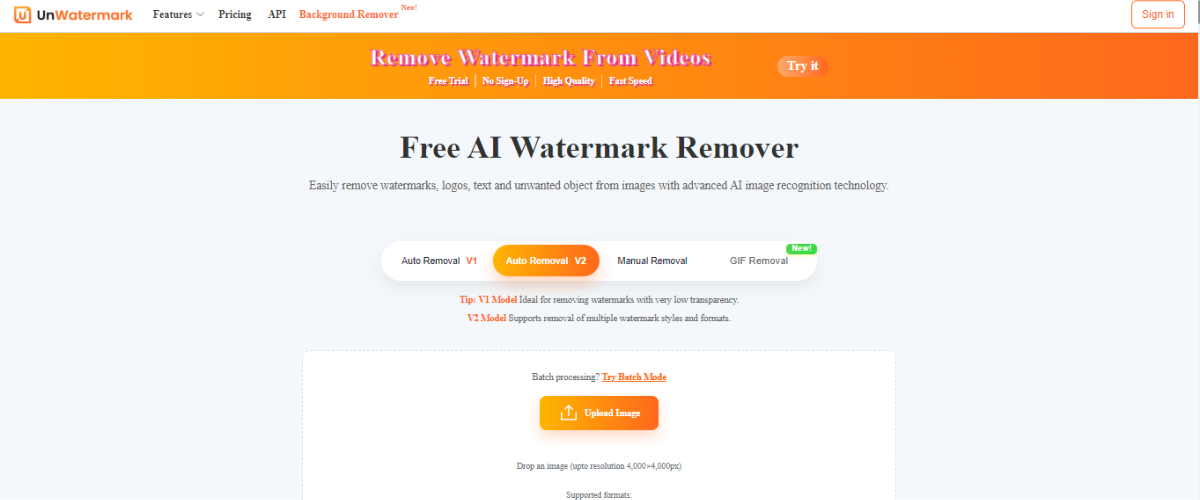
- Upload Your File: Select the image or the video you wish to edit.
- Note the Watermark: Check a box where there is the watermark or logo.
- AI Processing: The system is an automatic system that analyses and removes the mark.
- Preview and Save: Check the output and save the clean file.
The technique does not need editing experience. Even novices are able to eliminate watermarks within less than a minute yet produce high-quality pictures.
Benefits of Using an Online Watermark Remover
The development of AI watermark technology has simplified content editing and has become less expensive. The key advantages are the following:
1:Fast and Automatic
AI applications analyze your picture or video in a few seconds. You do not need to waste time learning software and brush out marks manually.
2: No Downloads Needed
Everything in your browser. It is as simple as upload, edit and download. It is particularly useful when a person is using various devices or does not prefer to install big programs.
3: Works for Images and Videos
As opposed to the older tools, which had the capacity to deal with only images, the current AI removers of watermarks have the ability to deal with videos as well. It can be a short clip, a tutorial or an advertisement, but it is easy to clean it up.
4: High-Quality Results
There is a seamless fill of removed areas by the AI algorithm. The product appears natural and clean, lacking any blur or distortion.
5: 100% User-Friendly
Anyone can use these tools. One does not have to have technical skills or experience in instructing software.
Watermark Removal Use Cases.
Watermark removers may prove to be very handy in numerous instances. The following are just a few of their strongest examples:
Content Makers: In need of recycling old branded video and image content but not wanting the watermark to show up.
Businesses: In case of marketing or e-commerce images that require an appearance of a sophisticated and professional outlook.
Photographers: When you have to touch up or repair your own archived photographs.
Students and Designers: You need to get visuals sorted out that you are going to submit, or use in mock-ups.
You can guarantee that your visuals will be rendered clear and professional with the help of AI-powered watermark removers and can be published anywhere.
The Question of the correct Watermark Remover.
Not every tool is made equally good and features-wise. When you are searching the watermark remover, therefore, look out these important aspects:
AI Accuracy: identify a tool that uses artificial intelligence in order to detect with precision.
Multi-Format Support: It must have the ability of supporting the use of images as well as videos.
Free or Affordable Plans: Choose a platform that is flexible but it is not breaking the bank.
Privacy & Security: It is important to ensure that your files are safely sent and destroyed on editing.
Speed & Usability: The interface needs to be easy to use and fast moving.
When you find an editing tool that fits all the above-mentioned boxes, you are going to have a smooth and efficient editing experience.
Removal of Watermarks on Mobile phones.
It does not even require you to have a computer in order to organize your pictures anymore! The vast majority of watermark removers can now work with smartphones. The watermarks in your photographs and videos can be easily taken off in your browser and through special applications. The only thing you need to do is to put your file there, highlight the location you want to remove and then leave the AI to do the job.
It takes no time to be prepared to save or share a clean version. This flexibility provides this possibility to edit the content to everyone no matter where he or she is!
Watermark Removers: Ethical Usage.
It is actually crucial to remember that the process of removal of watermarks should be conducted in an ethical manner. Such tools are made to be used for legitimate purposes such as making edits on your work, restoring media, or managing files which you have relevant licenses to.
Copying and pasting a copyrighted content using a watermark remover without a license is a taboo and may violate the right to ownership. Never forget to check that you have the legal authorization to fine-tune whatever you are writing on.
Conclusion
The latest AI technologies make it easy to remove watermarks. You no longer need to spend money or a high level of editing skills to improve your visuals.
Everything can be done automatically by an intelligent watermark remover generating quality, professional output within seconds.
The best and quickest method to improve business videos, personal pictures or social media content without using Photoshop is by using AI watermark removers. The second thing to bear in mind the next time you look at an unwanted logo or text on your media is that you can do it fast, easier and more morally because of the modern smart watermark removal technology.
Frequently Asked Questions
What is a digital watermark, and why do people sometimes need to remove one?
A digital watermark is a logo, text, or pattern placed on images and videos to show who created them. Although watermarks protect creative work, people sometimes need to remove them for valid reasons. This often happens when you own the usage rights, want to update old branding, or need a clean graphic for a professional presentation.
Do I need to buy expensive software like Photoshop to get rid of a watermark?
No, you do not need expensive software like Photoshop anymore. Older methods required graphic skills and costly programs. Now, modern AI-driven watermark removers work online in your browser. This makes the cleaning process fast and easy without needing to install complicated, heavy software.
How does the new AI technology remove watermarks so cleanly?
AI watermark removers work by using smart deep-learning algorithms. The system identifies the area where the watermark is located. It then analyzes the surrounding image pixels and automatically rebuilds the marked area with new, matching pixels. This process makes the final image or video look untouched and natural.
Is it legal to use these tools to remove a watermark from any image I find online?
It is only legal to remove a watermark if you own the original content or have a specific license to use the image without the mark. Watermark removal tools are meant for fixing your own work or media you have purchased the rights to use. Always make sure you have the legal right to edit the content before deleting a watermark.
Can an online watermark tool also remove marks from videos?
Yes, the best modern watermark removal tools work for both still images and moving videos. Unlike older tools that were only for pictures, current AI technology is powerful enough to process video frames. This lets you quickly clean up short clips, tutorials, or marketing advertisements right in your web browser.
Will removing a watermark with an online tool damage the quality of my image or video?
A high-quality, AI-powered tool is designed to remove the mark without harming the rest of the visual quality. The fill-in process is seamless, avoiding the blur, smudges, or distortion often seen with manual editing. This ensures your final product looks professional and clean.
What are the main benefits of using an online tool instead of a desktop program?
The main benefits are speed, convenience, and low cost. Online tools are often free or affordable, and they start working in a few seconds. Since they run in your web browser, you do not need to download or install large programs, which is helpful if you use different devices.
What should I look for when choosing the best AI watermark remover tool?
When choosing a tool, look for high AI accuracy, support for both image and video files, and clear policies on data security. An efficient tool should also be fast, have an easy-to-use interface, and offer free or affordable usage plans so you don’t overspend.
Do I need to be a designer or have technical skills to use these easy-to-use tools?
Absolutely not. These modern watermark remover tools are built to be 100% user-friendly. You just upload your file, highlight the watermark area with a box, and click “process.” The AI does the difficult part automatically, so you do not need any special design skills or editing experience.
Can I remove watermarks on my phone or tablet, or do I need a computer?
You do not need a computer; you can easily remove watermarks from anywhere using your smartphone or tablet. Most good online watermark remover tools fully function in a mobile browser. This gives you the flexibility to edit, save, and share your clean content while you are on the go.
