






Quick Decision Framework
- Who this is for: Ecommerce marketers, DTC brand founders, and content creators managing presence across multiple social platforms who are producing solid long-form content but struggling to extract consistent social output from it without burning out their team.
- Skip if: You have a dedicated content repurposing team already running a systematic multi-platform workflow. This guide is for operators doing it with a lean team or on their own.
- Key benefit: Turn one piece of long-form content into five or more platform-native social assets without starting from scratch, reducing content production time by 40 to 60% while increasing total reach across channels.
- What you’ll need: Existing blog posts, guides, or long-form content, access to a word rewriter or AI writing tool, a basic image or infographic generator, and a clear sense of which platforms your audience is most active on.
- Time to complete: 10 minutes to read. 60 to 90 minutes to build your first full repurposing workflow from a single piece of existing content.
You don’t have to reinvent the wheel, just attach it to a new wagon. – Mark McCormack
What You’ll Learn
- Why content distribution, not content creation, is the real competitive advantage for ecommerce brands in 2026 and how repurposing solves the distribution problem systematically.
- How to break a single blog post into weeks of platform-specific social content for LinkedIn, X, Facebook, Instagram, and Pinterest without losing the original message or context.
- Why data-heavy long-form content converts better as infographics on visual platforms and how AI image tools make that transformation faster than manual design ever could.
- How to turn educational guides and tutorials into short-form visual stories that feel native to each platform rather than like they were lifted from a blog post.
- What the Marvel approach to content refresh teaches ecommerce brands about extending the lifespan of existing assets without creating anything new from scratch.
You have probably heard it a thousand times in 2026: work smarter, not harder. Nowhere does that principle apply more directly than in content marketing. The brands winning on social media right now are not the ones publishing the most original content. They are the ones who have built a system for getting more out of everything they already create.
Consider this: 94 % of marketers repurpose content across different channels as part of their core strategy. Not as a fallback when they are behind on the content calendar. Not as a shortcut when the team is stretched thin. As a deliberate, systematic approach to extracting full value from every piece they produce.
The reason is straightforward. Content creation is not the bottleneck for most ecommerce brands in 2026. Distribution and reuse are. A well-researched blog post that gets published once and forgotten represents a significant return on investment that was never collected. The same ideas, the same data, the same insights could have fueled two weeks of LinkedIn posts, a Pinterest infographic series, a set of Instagram story slides, and a thread on X. Instead, they sat on a single URL.
Repurposing content is not about cutting corners or recycling stale ideas. It is about treating content like the asset it actually is and extracting its full value across every channel where your audience lives. Below are five practical methods for doing exactly that, including the specific approaches and tools that make each one faster and more effective than starting from scratch.
1. Turn Blog Posts Into Multiple Social Media Posts
A well-structured blog post is not a single piece of content. It is a content library. Most posts contain between five and fifteen distinct ideas, data points, insights, or takeaways, each of which is strong enough to stand on its own as a social post on the right platform. The challenge is not identifying those ideas. It is reshaping them to match the format, tone, and audience expectations of each channel.
Managing social media content across multiple platforms becomes dramatically more manageable when you stop treating each platform as a separate content destination and start treating your blog as the source of truth that feeds all of them. The workflow shifts from “what do I post today?” to “which part of this article works best for LinkedIn this week?”
A word changer tool accelerates this process considerably. You paste a section of your blog, set the tone or style for the target platform, and the tool reshapes the language while keeping the core message intact. What used to take 30 minutes of manual rewriting per post takes closer to five. The platform-by-platform approach works like this: for LinkedIn, pull key insights and reframe them as short professional observations or carousel-style captions focused on lessons, data points, or industry perspectives. For X, extract the strongest single statement or statistic from each section and compress it into a punchy one-liner or a short thread that builds toward a conclusion. For Facebook, rewrite the idea in a more conversational register and pair it with a simple graphic or image that reinforces the message. For Instagram, distill one idea into a short caption and move the primary message onto a visual or quote-style image where the text is the design element. For Pinterest, extract tips or steps and place them on vertical graphics that link back to the original article.
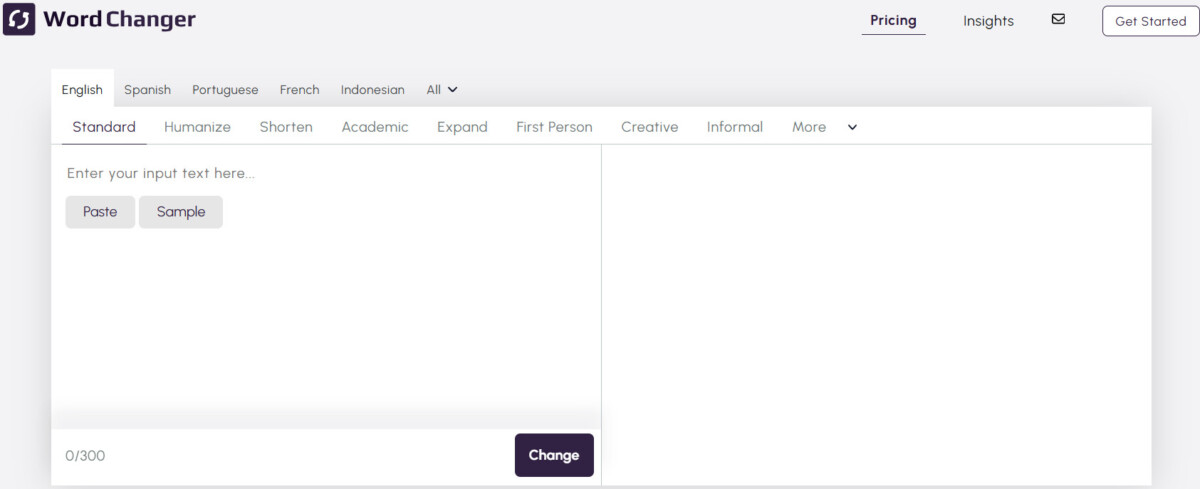
The goal is not to use the entire blog post on every platform. It is to identify which parts are strongest for each audience and give those parts the platform-native presentation they need to perform. The wordchanger.net tool handles the language adaptation while you focus on selecting the right sections and pairing them with the right visuals for each channel.
2. Convert Long-Form Data Into Infographics
Data-heavy content is some of the most valuable content an ecommerce brand can produce. Research findings, benchmark comparisons, step-by-step frameworks, and statistical breakdowns all carry genuine authority. The problem is that on social media, almost no one will read that data in paragraph form. Visual summaries consistently outperform text-only posts on every major platform, and that gap widens every year as visual-first discovery becomes the default mode of content consumption.
The solution is to transform the data-rich sections of your long-form content into infographics that communicate the same information in a format people actually engage with on social. AI image generators have made this process significantly faster than it used to be. You no longer need to brief a designer, explain your data structure in exhaustive detail, or spend hours in a design tool manually building visual layouts.
One effective workflow is to take a screenshot of the data section from your blog, report, or document and use a tool to extract text from image using imagetotext.online. Once the data is in a clean text format, you can paste it directly into an AI image generator or design tool, which can then automatically organize it into a visual layout, highlight key numbers, and turn long explanations into scannable sections. You retain control over style, color palette, and format. The AI handles the heavy lifting of turning raw data into a structured visual.
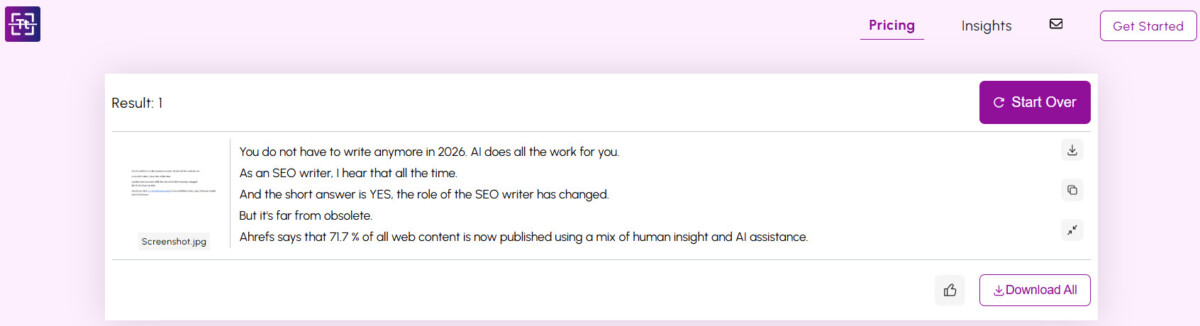
This approach works particularly well for Instagram, LinkedIn, and Pinterest, where infographics consistently outperform plain text in reach and saves. Instead of overwhelming your audience with paragraphs, you give them a visual snapshot of the insight. If they want more depth, the link back to the original article is right there.
3. Repurpose Blogs Into Short-Form Visual Stories
Not every idea from a blog post lends itself to an infographic. Some insights are narrative rather than numerical. Some frameworks are process-oriented rather than data-driven. For these, short-form visual stories are a more effective repurposing format than static graphics, and they perform exceptionally well on platforms built around quick, vertical content consumption.
A single blog post can become a series of story slides for Instagram, Facebook, or LinkedIn. The approach is straightforward: identify the core points, examples, or steps from the article, assign one idea to each slide, write a single short line of text for that slide, and pair it with a supporting visual. The goal is one idea per frame, presented cleanly and quickly, without trying to compress the entire article into a single image.
AI writing tools help considerably at the extraction stage. They can break long paragraphs into concise, story-friendly lines without losing the meaning or the sequence of the original argument. AI image generators then handle the visual side, creating simple backgrounds, icons, or illustrations that match each message without requiring custom design work for every slide. You do not need heavy animations or complex design work. Clean visuals and readable text are enough.
This format performs well because it matches how people actually consume content on social in 2026. Stories are quick, vertical, and designed for swiping. They feel less like published content and more like a direct conversation with the audience. A five-slide story series built from a 1,500-word blog post will often outperform the blog post itself in raw reach and engagement, while sending genuinely interested readers back to the full article for depth.
4. Reuse Educational Content Across Multiple Platforms
Educational content, guides, tutorials, how-to posts, and explainers, has a longer useful lifespan than most brands recognize. A well-researched guide published 18 months ago is still accurate, still valuable, and still relevant to new audience members who have never seen it. The problem is not the content. It is that it was formatted for one channel and never adapted for the others where the same audience now spends their time.
Simple rewriting is not enough for educational content. This type of content depends on structure, context, and depth. If you just rephrase the same text, it often feels incomplete or out of place on platforms where attention spans and format expectations are fundamentally different from a blog. A 1,200-word tutorial does not become a good Instagram carousel by having its sentences shortened. It needs to be restructured from the ground up for the new format.
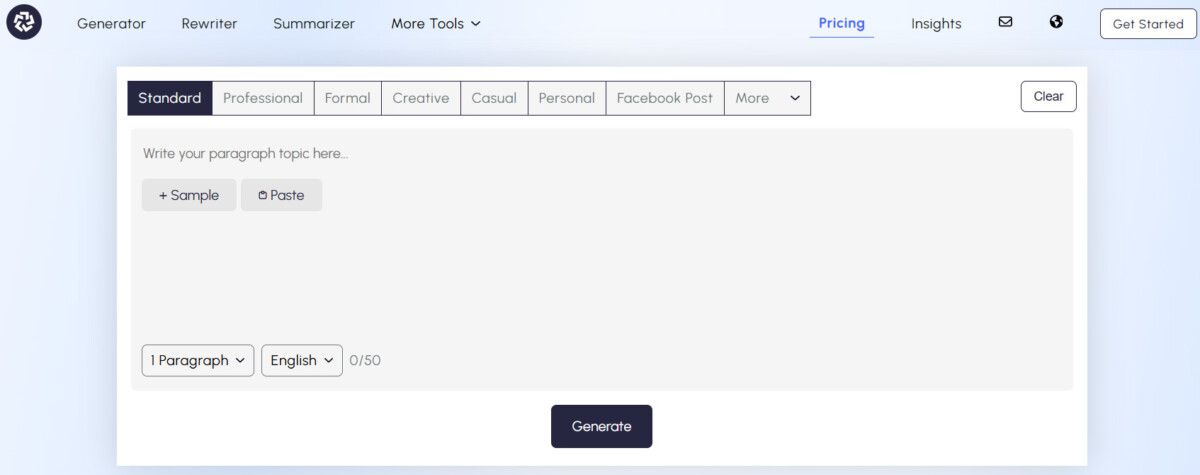
An AI writing generator makes this restructuring process much faster. Rather than rewriting sentence by sentence, you define the goal, the target platform, and the audience, or feed the tool the original article, and it regenerates the content in a format appropriate for that channel. The core educational value stays intact. The delivery changes completely. In practice, a detailed blog tutorial can be regenerated as an Instagram carousel script with one key lesson per slide, as a short X thread that walks through the main steps with a takeaway at the end, or as a TikTok script paired with a visual tip overlay. The educational message is consistent across all three. The format is native to each platform.
5. Refresh Old Content With New Visuals
One of the most underused repurposing strategies for ecommerce brands is refreshing existing content rather than creating something new. The insight stays the same. The presentation evolves to match what current audiences expect to see. This approach is not a compromise or a shortcut. It is a recognition that great ideas do not expire, but their visual packaging does.
Marvel is the clearest large-scale example of this principle in action. The same characters have existed for decades, long before social media, streaming, or modern audience expectations. Rather than retiring those characters and developing new ones, Marvel systematically refreshed how those characters look, who represents them, and how they are presented to reflect what audiences wanted to see. Nick Fury, originally a white character in the comics, became Samuel L. Jackson in the Marvel Cinematic Universe. Captain America’s shield passed to Sam Wilson, the Falcon, a Black superhero. The core story and values remained unchanged. The visual representation evolved with the audience.
Content works the same way. Your old blog posts and educational guides are not outdated because the ideas are wrong. They often feel dated because the visuals are. Screenshots look old. Graphics feel flat. Layouts no longer match modern design standards. The fix is not to rewrite the article. It is to update the visual layer so the same strong content feels current and relevant again.
Practically, this means turning dated screenshots into modern mockups, replacing plain text sections with branded graphics, and adding illustrations, charts, or short visual summaries that make the content feel like it was published this week rather than two years ago. AI design tools and image generators make this process fast enough to be a regular part of your content workflow rather than a one-off project. You keep the original message, which already has search equity and audience familiarity, and give it a presentation that earns engagement from audiences encountering it for the first time. For ecommerce brands with a substantial content archive, this strategy alone can generate months of refreshed social assets without a single new idea being written from scratch.
Building the Repurposing Habit Into Your Workflow
The five methods above work in isolation, but they compound when they become part of a consistent system. The brands that extract the most value from content repurposing are not the ones who occasionally convert a blog post into a few social posts. They are the ones who have made repurposing the default step that follows every piece of long-form content they publish.
The workflow is not complicated. Every time a new blog post or guide is published, it goes through a brief repurposing audit: which sections contain data worth visualizing, which insights work as standalone social posts, which steps could become a story series, and which platform has the audience most likely to engage with this specific topic. The answers to those four questions generate a social content plan for the next two to three weeks from a single piece of content.
The result is a content operation that feels sustainable rather than exhausting. You are not producing more content. You are extracting more value from the content you are already producing. Great content does not expire. It evolves. Start repurposing smarter today and turn one idea into five high-performing social assets instead of creating everything from scratch.
Frequently Asked Questions
What does it mean to repurpose content for social media?
Repurposing content for social media means taking an existing piece of long-form content, such as a blog post, guide, or tutorial, and reformatting it into platform-native assets for social channels. This is not copying and pasting the same text across platforms. It is repackaging the same ideas in the formats, lengths, and visual styles that perform best on each specific channel. A single blog post might become a LinkedIn carousel, an X thread, an Instagram story series, a Pinterest infographic, and a Facebook post, all derived from the same source material but formatted differently for each audience and their consumption habits.
How much time does content repurposing actually save?
For most ecommerce brands and content teams, a systematic repurposing workflow reduces content production time by 40 to 60% compared to creating original social posts from scratch for each platform. Instead of spending 30 to 60 minutes writing a new LinkedIn post, you spend 10 minutes extracting an insight from an existing blog and using a word changer tool to adapt the tone. Multiplied across five platforms and four weeks of content, the time savings are substantial. The additional benefit is that repurposed content often performs better than original social posts because it is built on ideas that have already been researched, structured, and validated in long-form.
Which platforms benefit most from repurposed content?
All major social platforms benefit from repurposed content, but the format requirements differ significantly. LinkedIn performs best with insight-driven posts and carousel-style content derived from professional or educational long-form articles. Instagram favors visual summaries, quote graphics, and story series built from step-by-step guides. Pinterest is particularly well-suited to infographics and vertical graphics extracted from data-heavy content. X works best with compressed single insights or short threads that build toward a conclusion. Facebook accepts a more conversational rewrite of existing content paired with simple visuals. The key is matching the repurposed format to each platform’s native consumption behavior, not just its technical specifications.
Can I repurpose content without AI tools?
Yes, but AI tools make the process significantly faster and more scalable for lean teams. Manual repurposing requires rewriting each platform version by hand, designing graphics individually, and restructuring content format for each channel, which can take as long as creating new content from scratch. An AI writing generator handles the restructuring step automatically. Tools that let you extract text from image accelerate the data extraction step for infographic creation. A word changer handles tone adaptation for different platforms. Used together, these tools reduce a 90-minute manual repurposing session to closer to 20 minutes without sacrificing quality or the integrity of the original message.
How often should I repurpose old content?
The most effective approach is to build repurposing into your standard publishing workflow so it happens automatically with every new piece of content, rather than treating it as a periodic project. For existing content archives, a quarterly refresh audit works well for most ecommerce brands. Review your top-performing blog posts from the past 12 to 24 months, identify which ones have the strongest underlying insights and the most outdated visuals, and prioritize those for refresh and redistribution. Content that ranked well in search, generated strong email engagement, or drove meaningful traffic is almost always worth a second round of social distribution with updated visuals and platform-adapted formatting.
