





Quick Decision Framework
- Who This Is For: Shopify merchants who have a live store generating traffic but are not seeing the conversion rates their traffic volume should produce, and operators preparing to select or upgrade their theme.
- Skip If: You are pre-launch and have not yet chosen a platform. Come back to this once your store is live and you have at least 30 days of session data to benchmark against.
- Key Benefit: A clear framework for understanding which theme elements actually drive revenue, which friction points are quietly costing you customers, and how to evaluate themes on performance criteria rather than aesthetics alone.
- What You’ll Need: Access to your Shopify analytics, a basic understanding of your current conversion rate and bounce rate by device, and 15 minutes to audit your store against the framework in this article.
- Time to Complete: 12-minute read. Initial friction audit of your own store typically takes 30 to 45 minutes once you know what to look for.
Most Shopify stores do not break. They just become less efficient over time, quietly losing revenue at every step of the customer journey while the owner wonders why traffic is not converting.
What You’ll Learn
- Why your Shopify theme is a revenue infrastructure decision, not a design decision, and what that distinction means for how you evaluate and choose one.
- What “optimization” actually means in a Shopify context and why most merchants get it wrong by adding more rather than removing what slows customers down.
- The five most common friction points that kill conversion in Shopify stores and exactly where in the customer journey each one does the most damage.
- The core technical and UX elements that separate high-converting themes from average ones, with specific criteria you can use to evaluate any theme before you commit.
- How to find and implement a high-performing theme, including what to look for beyond the demo, and when it makes sense to bring in expert support.
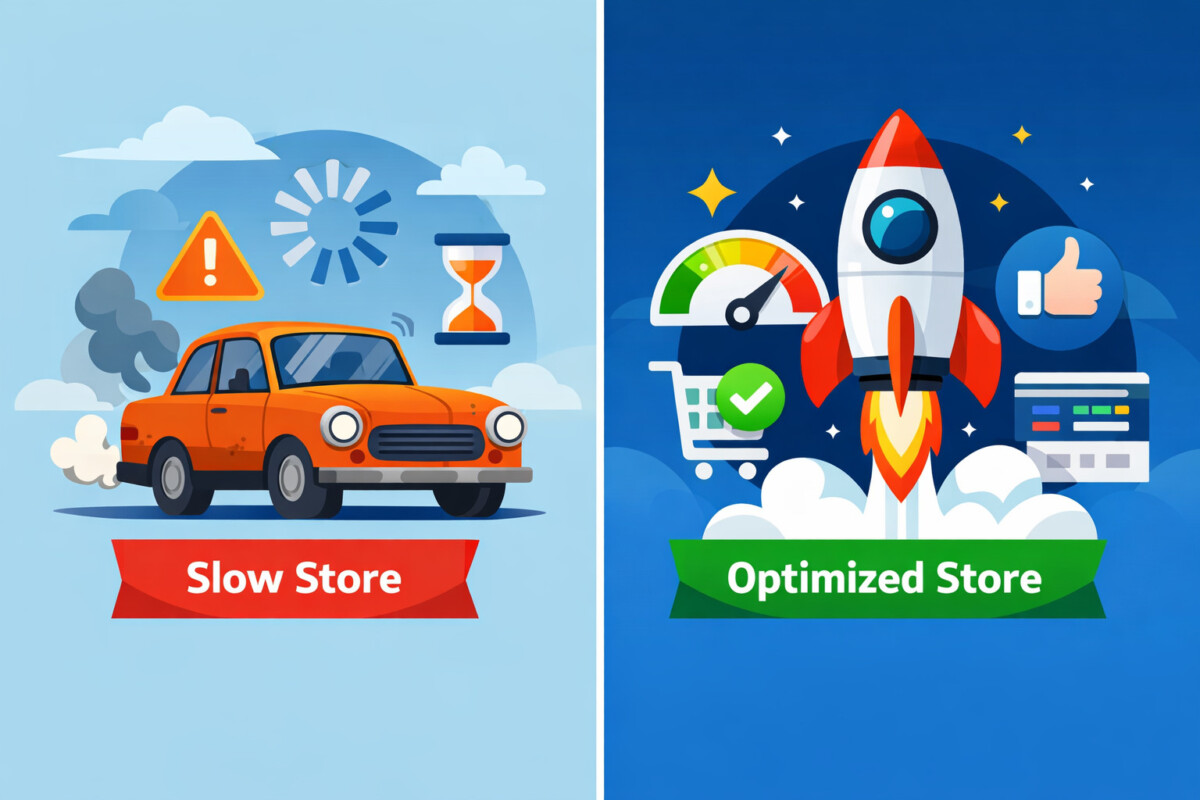
Most Shopify stores don’t break — they just become less efficient over time. Like an old car or a slow phone, everything still works… but not as well as it should.
That’s the real issue: you’re not broken — you’re quietly losing revenue.
And more often than not, it comes down to one thing: your theme isn’t just design — it defines the entire buying experience.
What “Optimization” Really Means in Shopify
Most teams misunderstand optimization. It’s not about adding more apps, more popups, or doing a full redesign every few months.
Real optimization is simpler — and harder.
It’s about helping customers move faster and with more confidence: finding the right product quickly, understanding it clearly, and feeling ready to buy without friction.
That means balancing performance and experience across the entire journey — from page speed and clean code to intuitive navigation and clear product information.
Because in the end, optimization isn’t about adding more. It’s about removing what slows people down.
Why Your Shopify Theme Matters More Than You Think
Your Shopify theme does more than shape how your store looks — it directly impacts how people interact, navigate, and decide to buy.
It influences everything that drives conversion: speed, user experience, content structure, and customer behavior.
- A slow or cluttered theme increases bounce rates.
- A confusing layout makes products harder to find.
- Poor structure creates hesitation at the moment of decision.
A well-optimized theme removes friction across the entire journey — from homepage to checkout.
That’s why the real problem for most stores isn’t traffic — it’s friction.
And that’s also why many merchants turn to curated collections of conversion-focused Shopify themes built to improve performance from day one.
Common Friction Points That Kill Conversion
Most conversion issues don’t come from one big problem — they come from small friction points across the store, often caused by how the theme is set up.
Common issues include:
- Confusing navigation: menus make sense to your team, but not to customers
- Page clutter: too many banners, popups, or competing elements fighting for attention
- Incomplete product pages: missing key details that shoppers need to decide
- Irrelevant filters: don’t match how people actually browse or shop
- Complicated checkout: extra steps or unclear flow increase drop-off
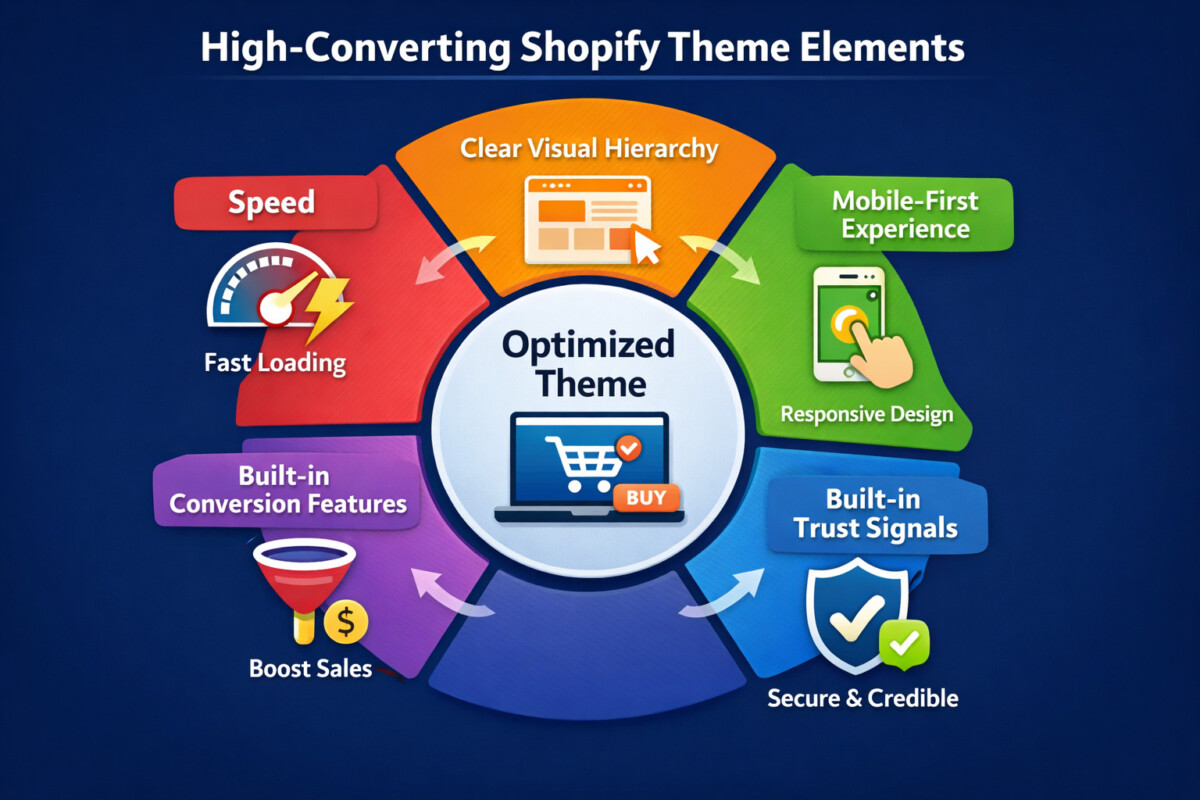
Individually, each issue seems minor. But together, they slow users down, create hesitation, and reduce trust.
Because when a theme isn’t optimized, friction doesn’t happen in one place — it happens at every step of the journey.
The Core Elements of High-Converting Shopify Themes
Not all Shopify themes are built the same. High-converting themes aren’t just visually appealing — they are designed to remove friction and guide users toward purchase.
Here are the core elements that actually drive results:
Speed Is Non-Negotiable
Even a small delay has a measurable impact. A 1-second slowdown can reduce conversions by around 7%, and load times beyond 3 seconds can cost you a significant portion of potential customers.
The biggest culprit? Too many apps and heavy code.
High-performing themes solve this at the foundation level — with clean code, optimized assets, and fewer dependencies that keep the store fast under real conditions.
Mobile-First Experience
Most traffic today comes from mobile, so your theme needs to be built for it — not adapted later.
That means:
- Tap-friendly buttons and spacing
- Clean, easy-to-scan layouts
- Sticky add-to-cart for quick actions
Elements like collapsible content and thumb-friendly design make browsing smoother and reduce friction on smaller screens.
Clear Visual Hierarchy
One of the most overlooked factors in conversion is clarity.
Every screen should guide users toward a single primary action. When multiple CTAs, banners, and messages compete for attention, users hesitate.
High-converting themes keep layouts clean, prioritize key elements, and remove unnecessary distractions — making decisions easier and faster.
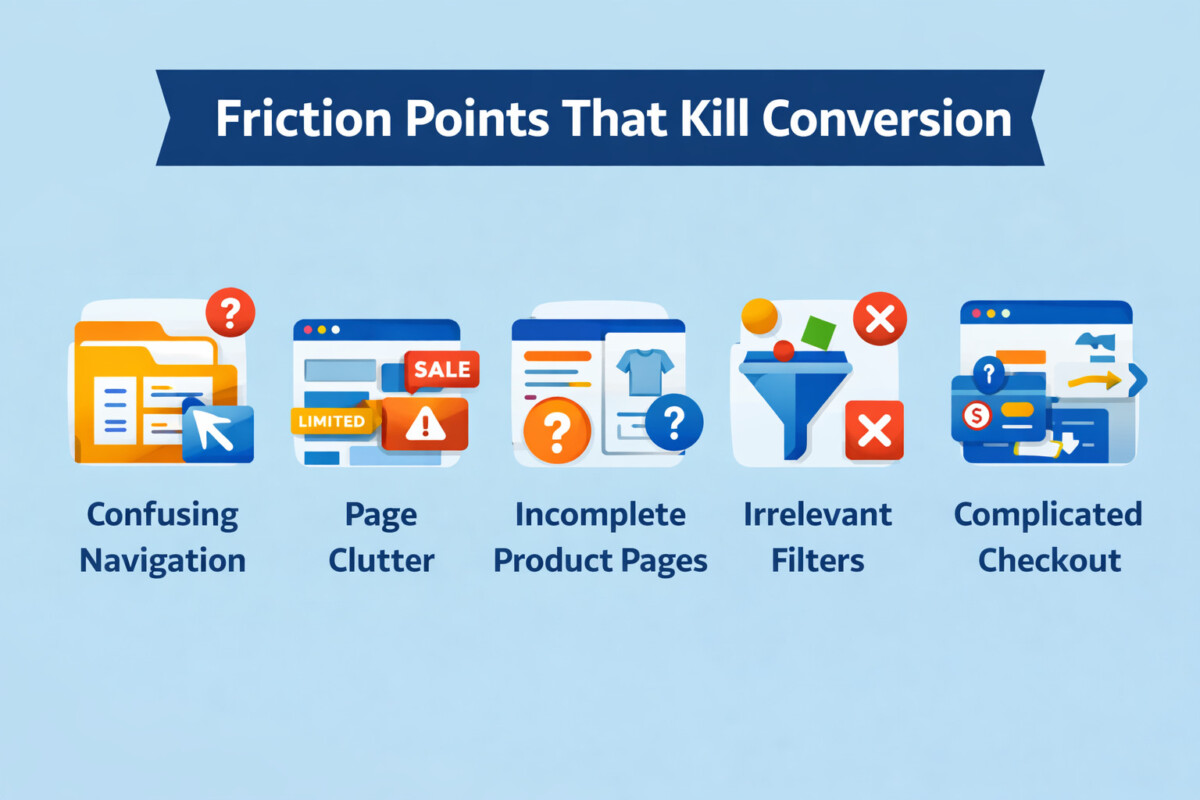
Built-in Conversion Features
Modern themes don’t just display products — they actively support selling.
Common built-in features include:
- Upsell and bundle offers
- Countdown timers and urgency triggers
- Free shipping progress bars
The key advantage: these features are integrated directly into the theme, reducing the need for third-party apps — which means lower costs and better performance.
Built-in Trust Signals
Trust plays a critical role in conversion, especially near the point of purchase.
Effective themes incorporate:
- Customer reviews and ratings
- Payment and security badges
- Clear return and shipping policies
Placement matters just as much as presence. These elements should appear where decisions happen — on product pages and during checkout — to reinforce confidence at the right moment.
How to Find High-Performing Shopify Themes (and the Right Experts Behind Them)
Choosing a Shopify theme isn’t about looks — it’s about performance and fit.
Here’s what actually matters:
- Prioritize speed: aim for fast load times (60+ PageSpeed), especially on mobile
- Avoid app-heavy setups: choose themes with built-in features to reduce bloat
- Match your store type: large catalogs need strong filtering, smaller stores need clarity and focus
Instead of browsing generic marketplaces, many merchants now turn to curated collections of conversion-focused Shopify themes built for performance and real buying behavior.
And remember — the theme alone isn’t enough. How it’s set up and optimized makes a big difference. That’s why many brands choose to work with experienced Shopify specialists like NextSky to continuously refine performance, improve UX, and remove friction across the entire customer journey.
Before choosing, always test the theme on mobile, check updates, and review developer support.
Because a high-converting theme isn’t just chosen — it’s properly implemented and continuously improved.
Read more:
- Best Shopify Themes 2025: Top 7 For Your Online Store – Rep
- The 33 Best Shopify Themes: We Analyzed 13,191 To Help You Find The Right One
A Shopify theme isn’t just design — it’s your growth infrastructure. The brands that win aren’t necessarily the ones with more traffic, but the ones with less friction: faster stores, clearer experiences, and smoother paths to purchase. Because in the end, growth doesn’t come from adding more — it comes from removing what gets in the way.
Frequently Asked Questions
How much does a Shopify theme affect conversion rate?
More than most merchants realize, and the impact compounds over time. Your theme controls page load speed, navigation structure, product page layout, mobile experience, checkout flow, and trust signal placement. Every one of those factors has a direct, measurable effect on whether a visitor becomes a buyer. Merchants who switch from a slow, friction-heavy theme to a well-optimized one frequently report conversion rate improvements of 15 to 30%, with the gains concentrated on mobile where the performance gap between themes is widest. The theme is not the only conversion lever, but it is the foundation everything else is built on.
Should I build a custom Shopify theme or use a premium one?
For the vast majority of merchants, a well-chosen premium theme outperforms a custom build at a fraction of the cost and timeline. Custom themes are appropriate when your store has genuinely unique requirements that no available theme can accommodate, or when you are operating at a scale where even marginal conversion improvements justify significant development investment. For most stores, the better investment is selecting a premium theme with strong performance credentials and working with experienced specialists to implement and optimize it correctly. The implementation quality matters as much as the theme selection itself.
How do I know if my current theme is hurting my conversion rate?
Start with your mobile conversion rate relative to desktop. If the gap is larger than 30 to 40%, your theme’s mobile experience is likely a significant factor. Then look at your bounce rate by landing page and your cart abandonment rate. High bounce rates on product pages often indicate slow load times or confusing layout. High cart abandonment often points to checkout friction. Run your store through Google PageSpeed Insights on mobile and look for a score below 50 as a baseline concern. Finally, walk through your own checkout process on a real mobile device as if you were a first-time customer. The friction you experience is the friction your customers experience every day.
What PageSpeed score should a good Shopify theme achieve?
A score of 60 or above on mobile PageSpeed is a reasonable baseline for a well-optimized theme with a realistic app stack. Scores above 80 are achievable for lean stores with minimal apps. Scores below 40 on mobile represent a meaningful conversion risk and warrant investigation. Important context: PageSpeed lab scores use heavily throttled network and CPU conditions that do not reflect real user experience. Use the score as a comparative benchmark and a diagnostic tool, not as an absolute measure of performance. The specific recommendations PageSpeed surfaces, particularly around render-blocking resources and image optimization, are more actionable than the score itself.
How often should I evaluate or update my Shopify theme?
At minimum, review your theme’s performance against current benchmarks annually. Shopify releases platform updates regularly, and themes that are not maintained to keep pace with those updates accumulate technical debt that shows up as performance degradation and compatibility issues. Beyond scheduled reviews, trigger an evaluation any time your mobile conversion rate drops meaningfully without a corresponding change in traffic quality, when you add significant new functionality that requires multiple apps to support, or when a competitor launches a noticeably better store experience in your category. The goal is not to redesign constantly. It is to ensure your theme remains a performance asset rather than becoming a liability.
