


Reading Time: 12 minutes
A common question for many most entrepreneurs and business owners is: “Among Magento vs WooCommerce, which one is the better option?”
There are a lot of reasons for this dilemma.
For starters, Magento and WooCommerce are two of the best ecommerce platforms in the market, alongside other major ones like Shopify.
According to Statista, WooCommerce is the second most popular ecommerce software platform while Magento takes the eighth position.
Together, they take up about 25% of the global market share.
In addition, Magento and WooCommerce are similar in that:
But what makes both of these platforms different? How can you make the difficult choice between the two?
To help you with it all, we’ve put together this guide.
Let’s dive in.
Both Magento and WooCommerce are powerful platforms to build all kinds of ecommerce stores.
Here’s some quick background info on each.
Magento
First launched in 2008, Magento, now Adobe Commerce, is suitable for creating a powerful ecommerce store for B2B and B2C businesses.
Magento provides a free open-source edition and a premium version with advanced features.
For the premium version, there’s the option to self-host or use a cloud edition through a Magento account.
WooCommerce
WooCommerce is an open-source WordPress plugin launched in 2011.
It’s one of the best ecommerce platforms for WordPress users. Using it, you get to build any kind of ecommerce store without dealing with the complex technicalities that often come with most ecommerce platforms.
Users are able to get the benefits that the WordPress content management system has to offer and top them up with the ecommerce capabilities that WooCommerce offers.
Now that you know about both the platforms, let’s go back to our question: WooCommerce vs Magento, which is the right pick?
Both WooCommerce and Magento have what it takes to facilitate smooth sales for your online store. But they can’t win in all scenarios.
If you’re not keen on getting into a detailed comparison, here is a summary of what you can expect from either platform.
| Magento | WooCommerce | |
| Is it suitable for beginners? | No | Yes |
| Does it offer scalability? | Yes | Yes |
| Is it secure? | Yes, but can be improved through extensions | Fairly secure. Security can be improved through plugins |
| Does it have powerful inventory and product management? | Yes | No, but can be enhanced using plugins |
| Is it budget-friendly? | No | Yes |
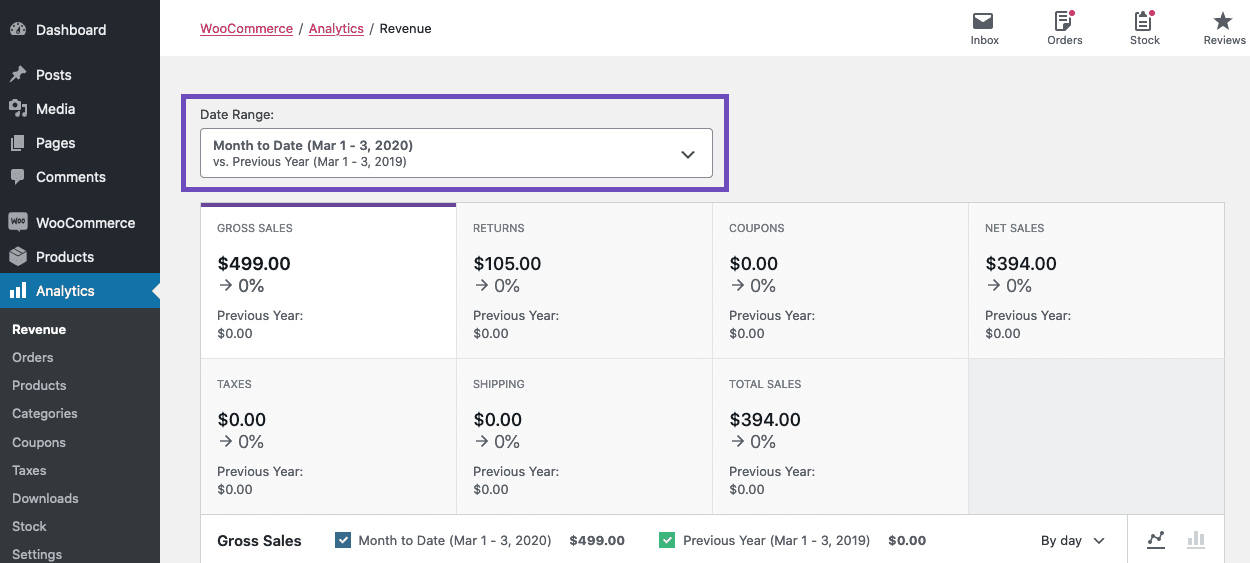
| Can you track the performance of your ecommerce store? | Yes | Yes. But the analytics available are basic. |
| Can you create multi-stores? | Yes | Yes, with plugins. |
| Does it provide reliable payment gateways? | Yes | Yes |
| Will you get support? | Yes | Yes |
| Can you build a B2B business? | Yes | Yes, with plugins. |
| Does it provide SEO capabilities? | Yes | Yes |
| Does it support product promotions? | Yes | Yes |
Magento and WooCommerce carry the necessary features needed to get your store up and running.
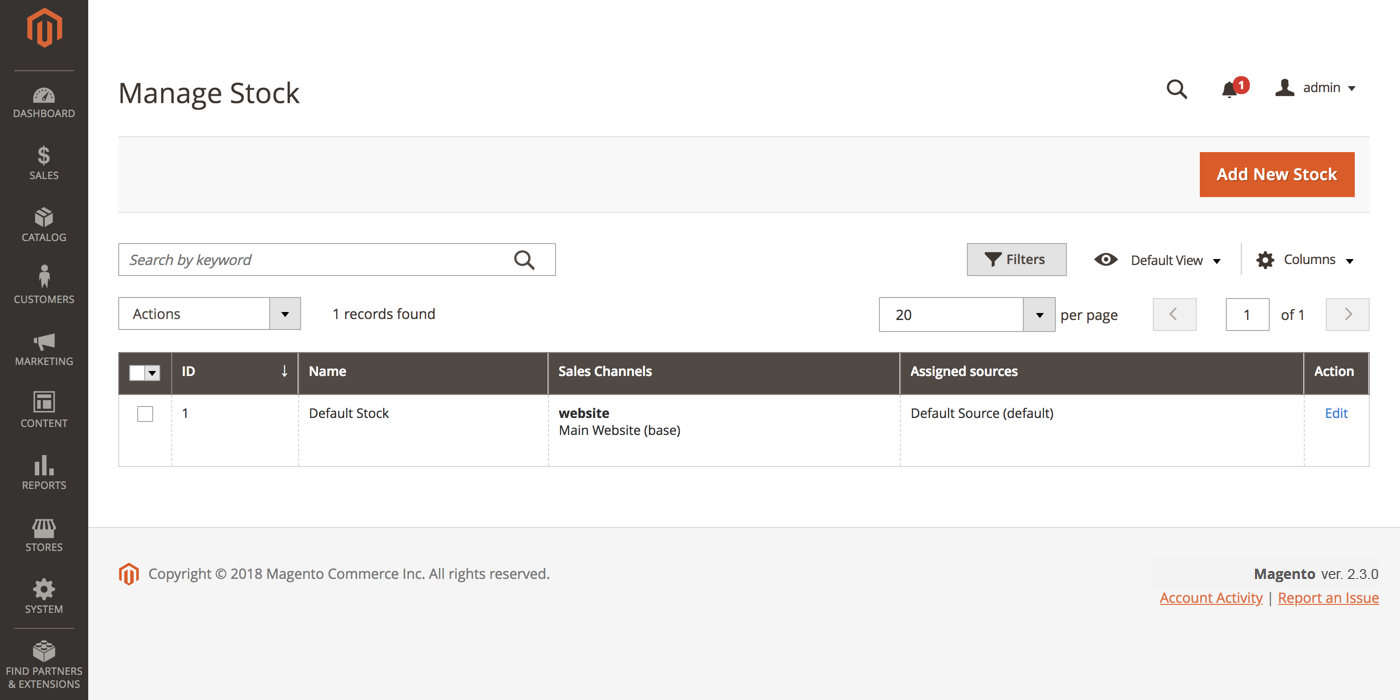
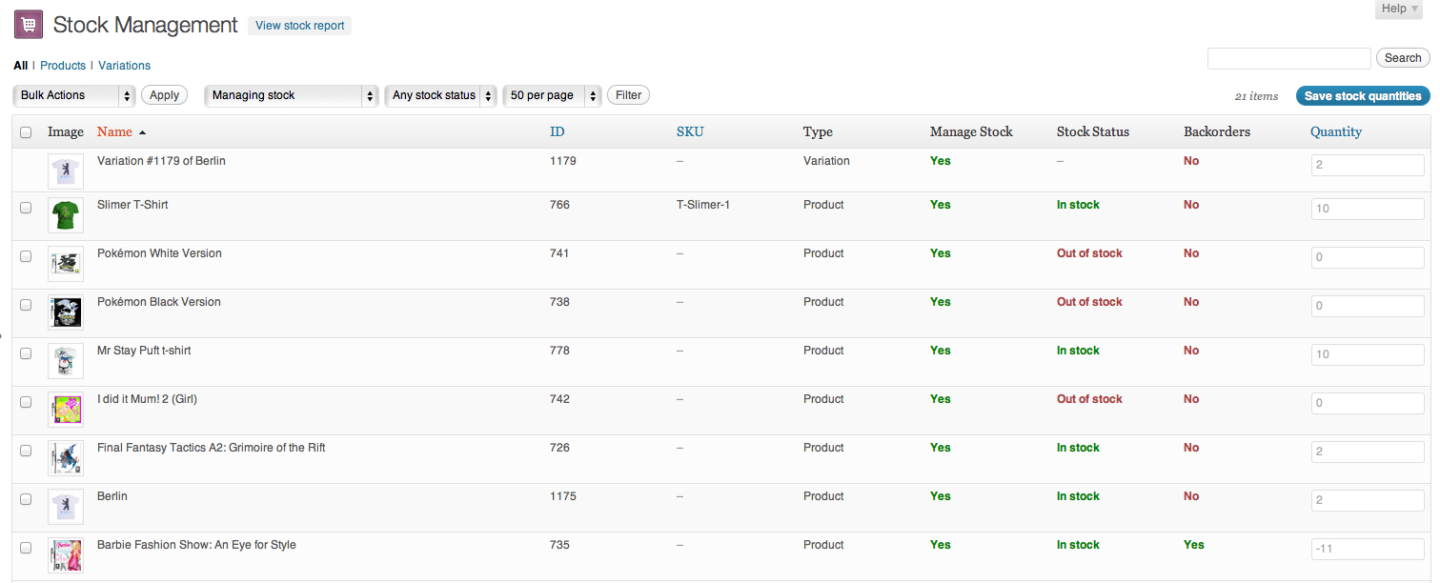
Inventory management refers to features that make monitoring and organizing your inventory—from sourcing to shipping—easier.
Magento
WooCommerce
Selling on an ecommerce platform with B2B capabilities opens up new business opportunities and markets. It boosts your sales.
Magento
For premium subscribers, Magento has B2B features available out of the box.
WooCommerce
With WooCommerce, you can get B2B features but you need to purchase a plugin first.
The right payment gateways build your customers’ trust as they make a purchase. They also make the purchase process smooth. Let’s see how both platforms perform.
Magento
WooCommerce
When a potential customer makes a search on Google that is relevant to your products or services, SEO ensures that your ecommerce store is among the top websites that appear on the search engine result pages (SERPs).
It increases traffic to your website and helps boost sales.
Magento
WooCommerce
Having features that support promotions on your ecommerce site helps you sell more to your consumers based on their activity on your site and their interests.
Magento
WooCommerce
An ecommerce software solution with support ensures that you will get help with any questions or problems you may encounter when using the ecommerce platform.
Support also ensures that you get the most out of the ecommerce software.
Magento
WooCommerce
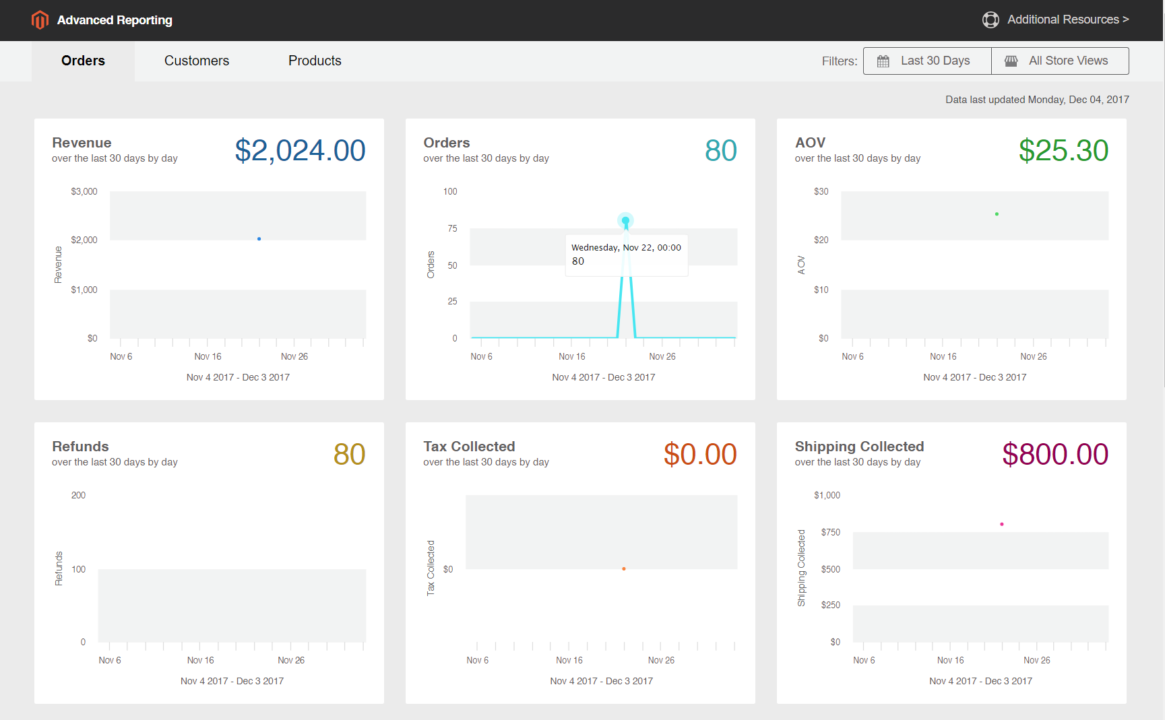
Analytics in ecommerce platforms provides data-driven insights on how customers interact with your website.
These insights reveal opportunities for improvement in your ecommerce store.
Magento
WooCommerce
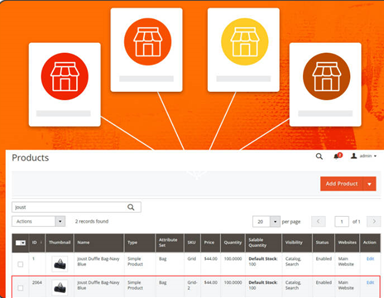
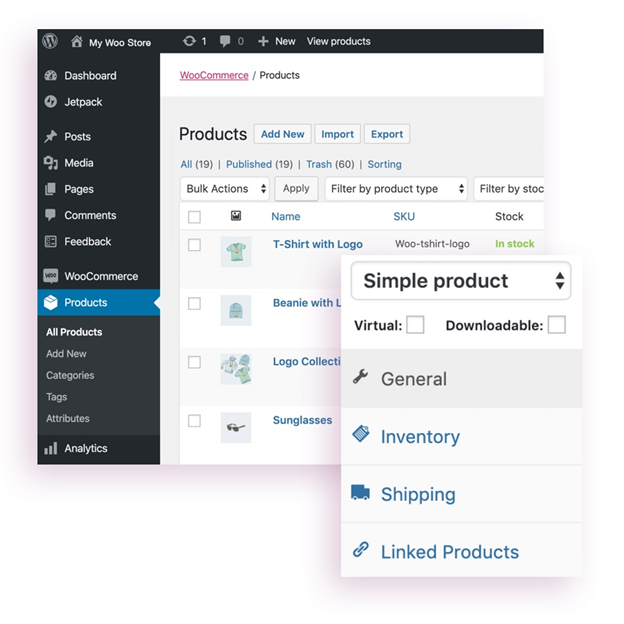
Product management is about the display of your products, promoting new products, and more.
Magento
WooCommerce
Magento offers other features, such as:
However, most of the rich features of Magento, such as business intelligence tools, are in the paid versions.
As for WooCommerce, here are other features you can expect:
It’s possible to get any extra functionality you need from WooCommerce through extensions.
Magento provides robust and complex features that make it suitable for store-owners looking for a scalable ecommerce platform. It’s an excellent option for medium to large online businesses.
A common question among most store owners is how much it would cost to build an ecommerce store.
The short answer is that with hosting and a domain name, you can use either Magento or WooCommerce to begin building an online store without incurring any added cost.
Let’s get into details.
WooCommerce provides a free and open-source platform for business owners building an ecommerce store. But you will need to pay for a domain name and web hosting.
If you’re a start-up, it provides a great place to begin.
You don’t even need to buy a theme to get started. WooCommerce comes with a basic theme that makes your ecommerce store launch-ready.
However, as your ecommerce store grows, you will need extra functionality. It’s easy to get these extra features by leveraging the free and paid extensions available.
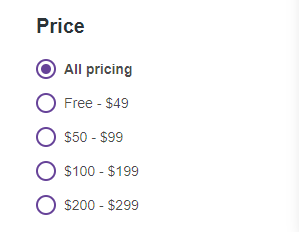
WooCommerce’s extensions are quite affordable as well. They don’t cost higher than $299.
Like WooCommerce, Magento also has a free and open-source platform that has the basic features you need to launch your ecommerce business. Additionally, it has a basic theme that you can use to launch your ecommerce store.
You will only need to pay for hosting services.
Magento provides two paid plans with advanced features:
There is no fixed price for the premium plans.
The price for Magento Commerce is calculated based on annual Gross Sales Revenue. It can cost around $22,000 per year and go as high as $125,000 per year.
The custom price for Magento Commerce Cloud is even higher than Magento Commerce because it includes hosting.
Like WooCommerce, Magento users can also get extra functionality by using free and paid extensions, and this can increase the total cost of using the platform.
However, given the complexity of Magento’s features, its extensions are more expensive compared to WooCommerce.
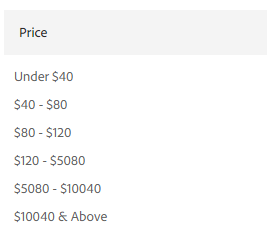
They can cost in excess of $10,000.
WooCommerce takes the win here. It’s the most budget-friendly platform and its extensions are cheaper.
If you’ve had no experience in ecommerce, user-friendliness will be a vital factor in selecting the right platform to build your website.
If you’re a beginner or lack any tech skills, WooCommerce is the right pick for you. Setting it up and customizing your website is straightforward.
And it’s even easier for people who have experience using WordPress.
But even without experience in using WordPress, there are plenty of documentation and online tutorials that will make it easy to design and maintain your store.
Besides, there’s a set-up wizard that guides you through the initial stages of building your store, such as page creation, setting up payment options, and choosing a currency.
From the WordPress dashboard, you can manage all issues related to your store.
This includes personalizing the appearance of your theme with the colors of your business, adding pictures and videos of your products, and adding the functions you need for your store.
In addition, WooCommerce makes it possible to use shortcodes to easily add elements to your pages and widgets.
Shortcodes are tiny code snippets that provide a shortcut to add neat features to your online store that would otherwise require complicated code.
Once you’re done with customization, you can test the website, and make adjustments until you’re satisfied with its appearance.
Magento has a steep learning curve. It’s not as beginner-friendly as WooCommerce.
If you’re not a web development professional, at minimum a basic technical knowledge is necessary to build a great ecommerce store on this platform.
Most functions, from customizing your theme to setting taxes, are complex.
There’s extensive documentation available, but this is also is written with developers in mind.
WooCommerce is easier to use than Magento. It’s suitable for start-ups and small businesses that don’t want to incur the cost of hiring developers.
Magento is complex for anyone without tech skills. But this complexity also makes it great for creating a powerful ecommerce store for large-scale businesses.
WooCommerce and Magento are both open-source platforms and will only provide basic features that are necessary to get your ecommerce store up and running.
Third-party developers step in with free and paid extensions and plugins to fill the gap of functionality.
However, it’s important to only install the extensions and plugins your store needs. This will save your website’s capacity and keep it performing optimally.
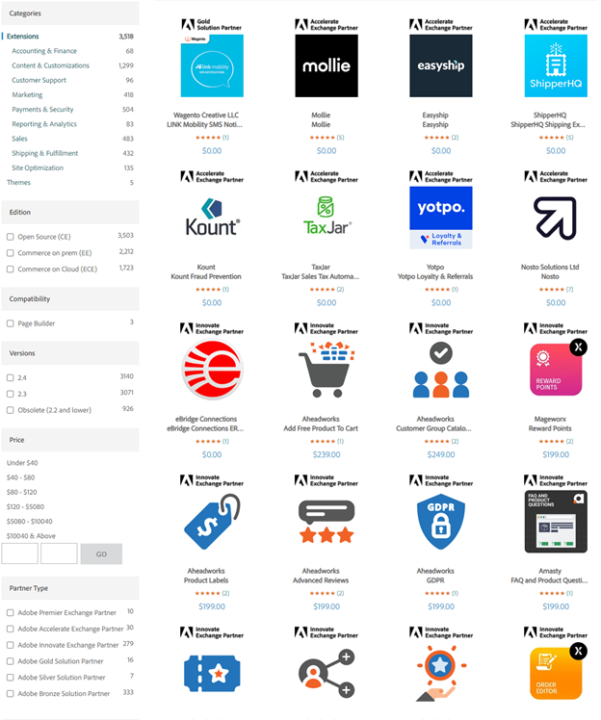
With Magento, there are plenty of built-in extensions for the Commerce and Commerce Cloud plans.
However, the Magento marketplace also offers over 3,500 free and paid extensions.
They will speed up and improve your store’s operations and also increase customer satisfaction.
These extensions cover a variety of fields:
Although their installation is more complex and prices are higher than the plugins on WooCommerce, Magento’s extensions are rich in features.
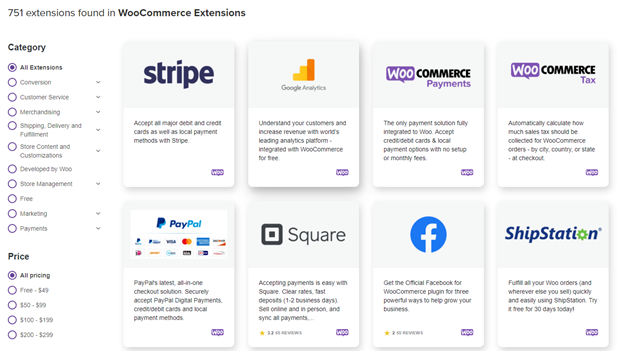
WooCommerce provides 700+ paid and free extensions covering areas like:
Given that WooCommerce is built on WordPress, you will also get access to the hundreds of plugins and extensions offered on WordPress.
Both WooCommerce and Magento provide third-party plugins and extensions catering to all areas of business. They also make it easier to run your ecommerce store.
They do, however, share some extensions, such as the Omnisend marketing automation plugin for WooCommerce and extension for Magento.
Integration with other software solutions makes it easy to increase the functionality of your ecommerce website.
To make integration possible, an API (application programming interface) is needed.
API is a software-to-software interface that enables the ecommerce platform to communicate with third-party software solutions.
It makes functions like marketing and product management easier.
REST API makes WooCommerce integration with other useful software solutions effortless. And Magento easily integrates with relevant APIs as well.
Both platforms integrate seamlessly with third-party software to increase functionality and make managing the store easier.
Themes are the foundation of your ecommerce store’s design. They determine its layout, attractiveness, and user-friendliness.
Themes are also necessary to personalize the design of your store to match your brand’s identity.
Both WooCommerce and Magento provide a variety of free and paid themes.

There are 45 ready-made WooCommerce themes categorized by industry. The categorization makes it easy to find the best design that fits your products.
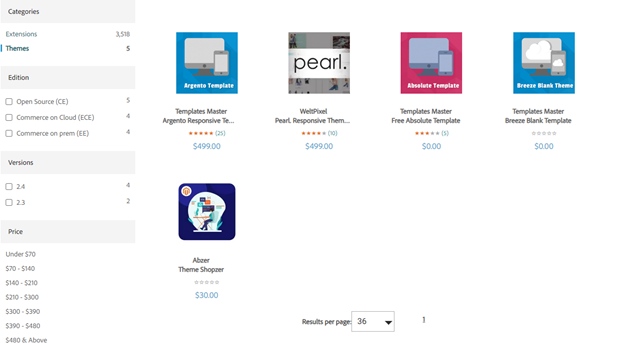
The Magento marketplace also has a variety of themes, but not as many as WooCommerce. There are only 5 themes available.
The themes are not categorized by industry either.
WooCommerce leads in the theme category. The high number of themes creates plenty of options to customize your store while the categorizations ensure you make the right choice. Themes also simplify the process of developing your store.
There are plenty of security threats affecting online stores and consumers:
Most consumers know about these cyber security threats.
For this reason, they’re keen to shop from online stores that have taken advanced measures to secure their website.
Any security incidents, such as a data breach, could ruin your reputation and reduce your sales.
The core of both WooCommerce and Magento ecommerce platforms is quite secure.
The only security loopholes happen when third parties get involved during the setting up of extensions.
As earlier mentioned, WooCommerce requires more extensions and plugins to increase its functionality. This third-party involvement increases the number of security holes that can be exploited.
Magento, on the other hand, has plenty of useful built-in features and requires fewer extensions.
It also makes frequent releases of dedicated security patches for its users.
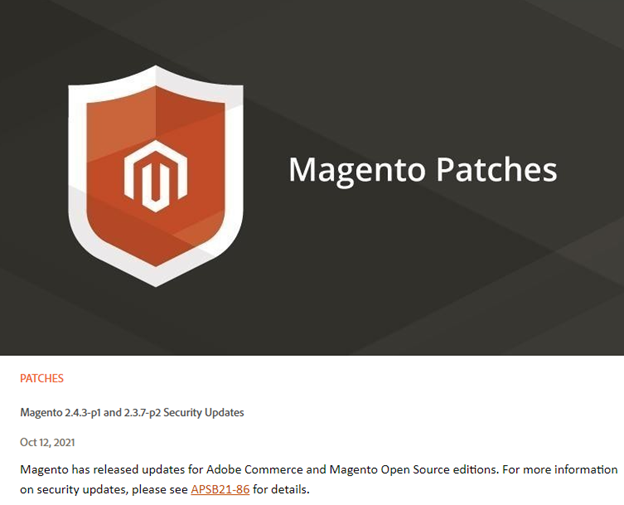
A security patch is a software update that addresses the security vulnerabilities within a program and enhances its security features.
Magento’s free security patches are designed to:
Both platforms are secure, but Magento is less vulnerable than WooCommerce. However, you can always have advanced security in your store through extensions.
In the battle of WooCommerce vs Magento, neither platform is the perfect solution.
Both WooCommerce and Magento have their share of strengths and weaknesses.
Your choice will thus depend on your present and future needs.
Ignoring the future needs of your ecommerce store means you might have to switch platforms in the future, and this could get expensive.
Magento will be a great choice if your ecommerce site:
WooCommerce will be the better option in these situations if:
All things considered, Magento is a great choice for any ecommerce store.
It makes managing a large or B2B business store easy. Magento also offers advanced features that carry the full potential to grow your store in the future.
If your ecommerce store is a startup, no worries.
With a robust ecommerce marketing strategy, your startup can grow into a large B2B or B2C ecommerce store in no time. Simply start your ecommerce marketing free with Omnisend today.





