


Whitney Blankenship
Content Marketing Manager
Reading Time: 10 minutes
Email marketing mistakes are a fact of life—especially for those who are just cutting their teeth on a new list. If you’ve been doing email marketing for any amount of time, you’re probably familiar with the anxiety of hitting ‘send.’ Unless you’re a robot, you’ve probably also realized, mortified, that you’ve sent out an email with a typo, broken image, or other common email mistakes.
We’ve all been there.
Even if you’ve been lucky enough to never experience this certain brand of mortification, you’ve probably at least received an email that just missed the mark.
Are you guilty of committing the worst email mistakes? Read on for the good, the bad, and the ugly of email errors (and how to avoid them).
With trusted opt-in channels at the forefront of ecommerce marketing strategies, email takes center stage for many brands—and with good reason. Email conversions are higher than ever before, according to the Ecommerce Statistics Report 2020, with promotional emails earning 111% higher YoY conversion rates.
Higher conversion rates plus the ever-increasing challenge of being noticed in a busy inbox means you can’t afford to make email marketing mistakes. These mistakes can lead to unsubscribes, poor deliverability, and an overall loss of trust with your customers.
How can you avoid these email fails? Step one—know thy enemy.
We get it, writing an engaging email subject line is not an easy task. In efforts to stand out, ecommerce brands might resort to a few of these subject line sins that get left dusty and unopened in a subscriber’s inbox.
THE ALL CAPS SUBJECT LINE:
Don’t yell at your subscribers—it’s rude. While it might work in some certain cases, you should avoid looking spammy when possible.
Exclamation point abuse:
We’ve all seen this terrible email fail, often combined with the all-caps text that reads: “END OF THE YEAR SALE!!!!!!!!” Freeze and step away from that poor exclamation point. Using punctuation sparingly, yet effectively, will save you from this common email mistake.
Sending a subject line with a typo:
An honest mistake is still a mistake. Worse than a typo, a placeholder subject line sent to your customers can cause a good deal of embarrassment that can be saved with a simple double-check.

Clickbait Subject Lines:
I know what you’re going to say. “But Whitney, all subject lines are clickbait! That’s the point!”
Yes and no—there’s a big difference between an enticing subject line that makes your customer want to click, and using a subject line that confuses or tricks the customer into opening your email.
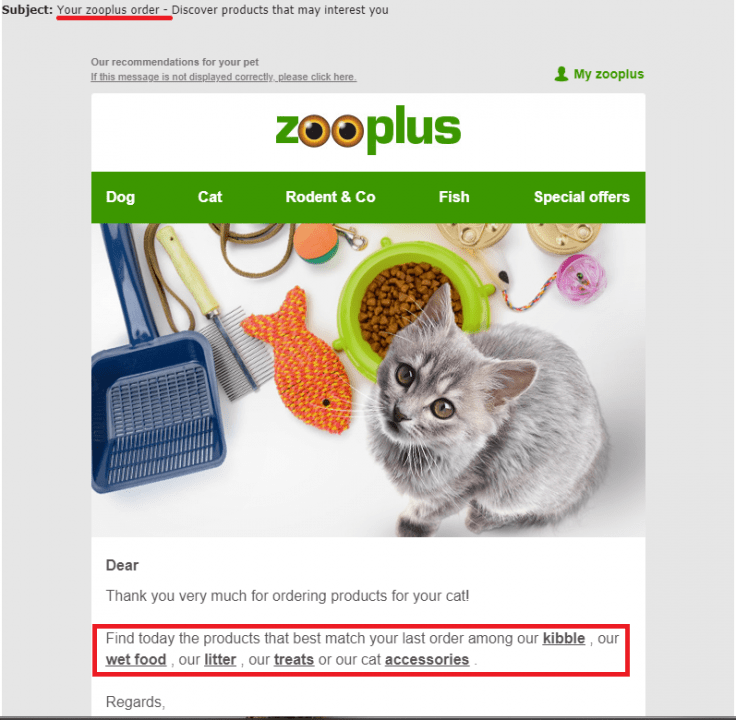
For example, Zooplus sent out a product recommendation email with the subject line “Your Zooplus Order” to make the customer think it was an order update (or that they’d placed an order recently). This leaves the customer feeling tricked, and likely upset with your brand.
Making subject lines too long:
The point of a subject line is short, sweet, and to the point. If your subject line is too long, it’ll get cut off on mobile. Stick between 16 and 41 characters (about 7 short words) or so for best results.
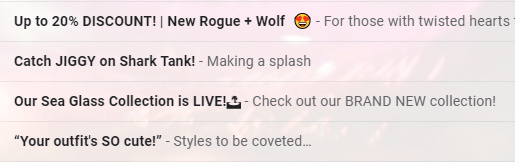
When in doubt, look at your own inbox. What makes you want to click and open? How can you evoke that same feeling with your own email campaigns?
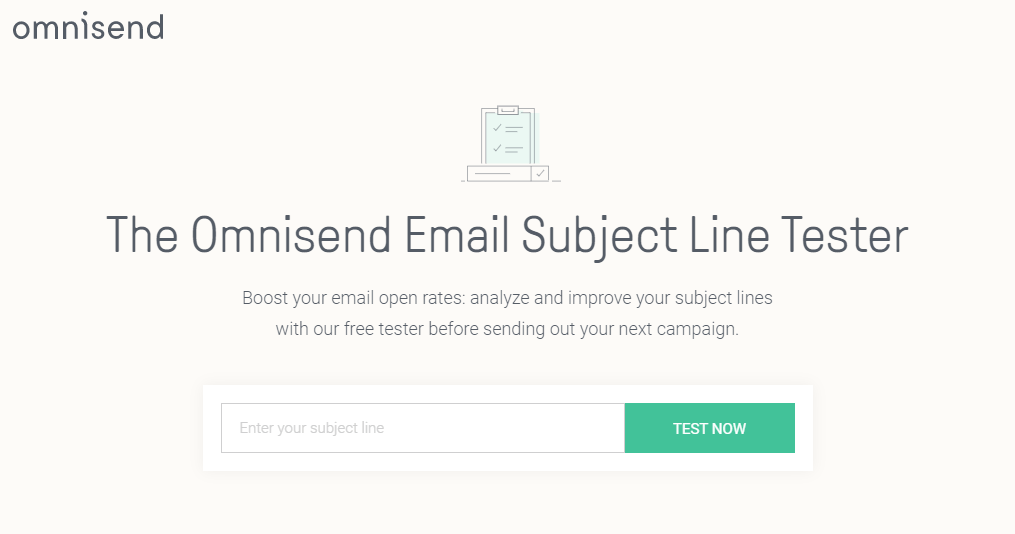
Try using a subject line tester to make sure you’re avoiding this all-too-common email mistake.
Batch-and-blast, or sending the same exact message to your entire list is an egregious email mistake that many ecommerce marketers are still making.
Customers don’t want emails that aren’t relevant to their wants and needs. 70% of millennials say they’re frustrated with the irrelevant emails they receive. They want personalization—in fact, a whopping 91% of consumers say they’re more likely to shop with brands that provide personalized offers and product recommendations.
The biggest email marketing mistake is believing that personalization is simply using your subscriber’s first name.
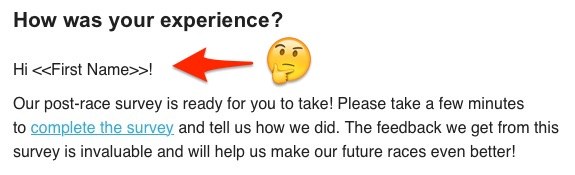
Personalization in email marketing goes so much deeper than just “Hello |First_Name|.” The content you send to your customers also needs to be personalized. You can use your subscriber’s first name all you want, but if the actual content of the email isn’t relevant to them, you won’t get anywhere.
So how can you avoid this common email problem? Simple—use segmentation.
Segmentation splits your large email list into smaller groups (or segments) based on something these contacts have in common. It can be done in a few different ways:
You can use this to better target your email campaigns so you’re not sending irrelevant content to your subscribers. What does that mean for you? Higher open rates, more clicks, more conversions, and thus, of course, higher revenue.
You can take personalization a step further when setting up customer lifecycle workflows, such as product, browse, and cart abandonment, welcome, order confirmation, etc. These workflows respond to your customers’ behavioral triggers, hyper targeting the message based on what your customer needs.
Sending emails at the wrong time or frequency is a common email marketing mistake. We’ve all received an email inexplicably sent at 3 am our time (and thus, dutifully ignored), or perhaps one-email-too-many that lead us towards the unsubscribe button.
I’ve even unsubscribed from an ecommerce brand for daily tone-deaf promotional emails while I was battling their sub-par customer support for a refund. Not a good look.
So how can you avoid the all-too-common email fail?
Start by pausing promotional emails when your customers enter certain workflows. For example, if a customer is entering talks with customer support, positively or negatively, it would be a good idea for that to trigger either a pause of all other workflows and campaigns, or an exit entirely.
It’s also a good idea to avoid your customer getting too many emails altogether by pausing promotional email campaigns for those who have entered a lifecycle workflow, such as cart abandonment for example. You want their attention focused on the products they’ve already fallen in love with.
Also, add subscribers to your promotional campaign list only after they’ve exited a welcome series workflow. This way, you’re not blasting them with emails as soon as they sign up.
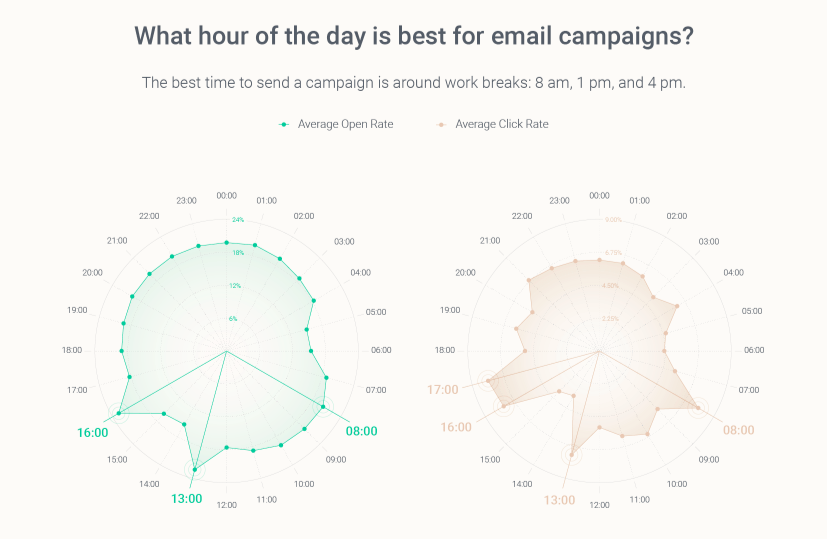
Email timing is also important (and more so for SMS and push notifications), so be sure to send your campaigns at moments when your customer is sure to see them.
We’ve analyzed billions of our customers’ data to find when to send email blasts:
Ever seen an email that was full of linked buttons, or worse—lacked a single clear direction or message?
Many ecommerce marketers tend to overdo it when they’re first starting out. In an attempt to avoid over-sending email campaigns, they build one huge email containing everything but the kitchen sink.
But you shouldn’t leave your customers wondering where to go next. Chances are, they’ll simply close your email and move on with their days.
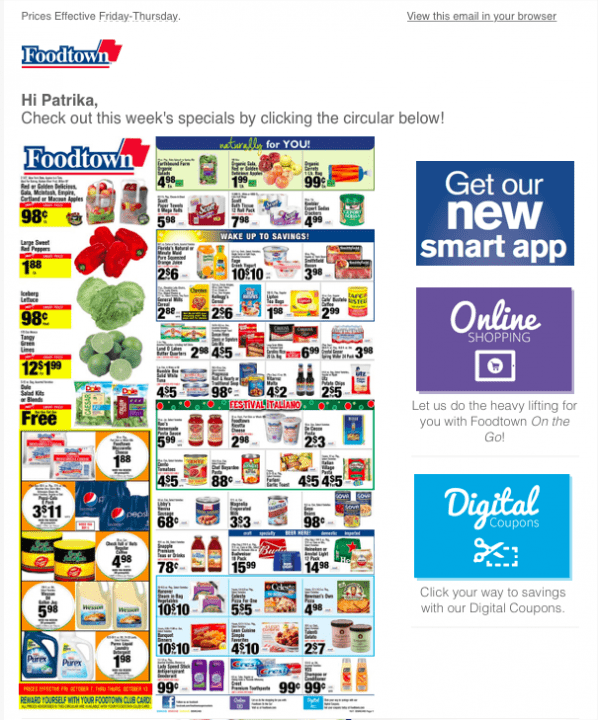
An email serves one purpose, and that’s to tell your customer what they should do next. Whether that call-to-action is to check out a new collection of products, return to a forgotten cart, or leave a review for a recent purchase, everything above-the-fold of your email should lead subscribers in a clear direction.
So how can you avoid this common email problem and make the next step clear?
Pair down your email so you stick with one central theme or goal. Keep the next step as the focus of your email from its conception, and even include that message in your subject line.
Include bold, bright CTAs that stand out from your email and tell your subscriber what that next step is. In fact, a great method for making sure your CTAs stand out is performing a squint test. Look at your emails and squint until the email is a bit blurry. Does the CTA still stand out? It should.
You can still include annex elements below the fold, like calls to follow social media, product recommendations, etc. But they should feel like a secondary goal when reading your email.
There is no worse torture than opening an email on your phone and being unable to read any of it. Small text that’s impossible to read on a mobile device, images that are far too wide, teeny tiny CTAs that fat thumbs couldn’t hope to click, the list of mobile email errors goes on.
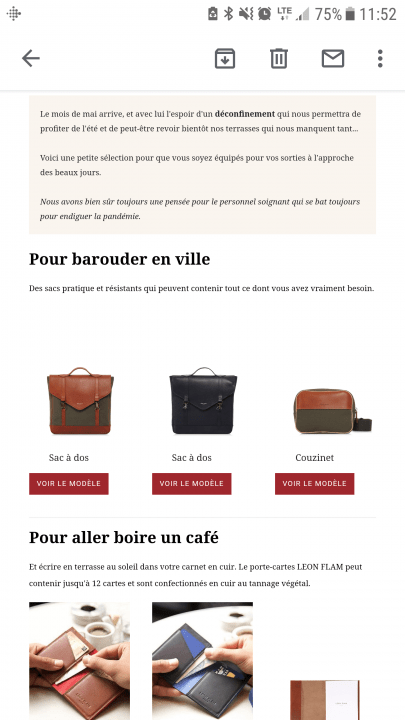
If you’re committing one of these email marketing mistakes for mobile users, you’re in luck. Many ESPs (email service providers) have responsive email design which will automatically optimize your text and various blocks for mobile. That said, there’s still some legwork to be done on your end.
Make sure your images are an appropriate size. Your ESP will scale them down to fit mobile devices, but it’s your job to make sure they’re understandable when scaled down. This means avoiding a lot of text on your images, or at least making sure the scale of that text is still visible even on a phone screen. A good size to shoot for is 600 x 650 px as the most popular screen resolution worldwide is 360×640.
Another thing to consider even with responsive email design is the amount of text you include in emails. Text is necessary, especially for email clients that tend to block images in emails. However, always check what your email looks like on mobile to verify that your text doesn’t create an endlessly scrolling wall-of-text.
We’re all human, and mistakes happen. But nothing is a bigger “oof” than when you send an email campaign out with a mistake in it. It’s the quickest way to look unprofessional, and to lose your customers’ trust.
Try to avoid these email mistakes:
By using the right ESP and double-checking your work, you can avoid this common email marketing mistake.
Unlike some of the other email mistakes in this list, this one isn’t quite so apparent to your customer. However, it’s a great way to shoot yourself in the foot.
After all, how can you optimize your email marketing if you’re not at least tracking your own progress and setting a benchmark?
Worse yet—you could be tracking the wrong metrics. Getting swept up in vanity metrics won’t help you get anywhere either. Focus on clear, actionable email metrics that tell you what to do next:
There are more metrics you can track to be sure you’re avoiding email marketing mistakes, and they could affect your deliverability. Email deliverability depends on several factors: service provider, sender’s domain, email list quality, sending frequency, and more. Maintaining a healthy subscriber list is the best way to maintain that deliverability and avoid the dreaded spam folder.
Typically, your ESP will afford you all of these metrics and more, but a truly great ESP will offer sales metrics and insights too.
The worst part of these common email mistakes is that they’re so easy to avoid. Sometimes a simple proofread or tweak can turn an email fail into a message that resonates and drives revenue.
Here’s a quick and simple checklist to make sure you’re not making these email mistakes:
Of all of these email marketing mistakes, the most damaging is not choosing the right ESP for your ecommerce store. An email service provider is your growth partner, so choose one that’s as invested in your success as you are. Try Omnisend free for 14-days now!





