
Save time with Omnisend’s robust SMS automation features. Join today.



There’s a common misconception that sending automated text messages is easy and requires no in-depth strategy.
The idea behind SMS automation is to help marketers save time with pre-written messages. While this saves them the trouble of manually crafting a message every time they need to send a text, it’s wrong to imagine you don’t need an effective strategy for this.
Like other marketing techniques, you need a calculated approach to succeed with your automated text messaging campaigns.
This automated text message guide will show you how to build the perfect SMS strategy and generate more leads for your brand.
If you’re wondering how to send an automated text message, here are several ways to do it.
They help you create and schedule autoresponder sequences, drip campaigns, abandoned cart reminders, and more. To get started with bulk SMS sending using these platforms:
Many customer relationship management (CRM) systems integrate with SMS marketing tools. Popular options like Salesforce, HubSpot, and Zoho allow you to set up and send automated text messages from within the CRM.
Here’s a quick overview of how automated text messages can be integrated with Zoho.
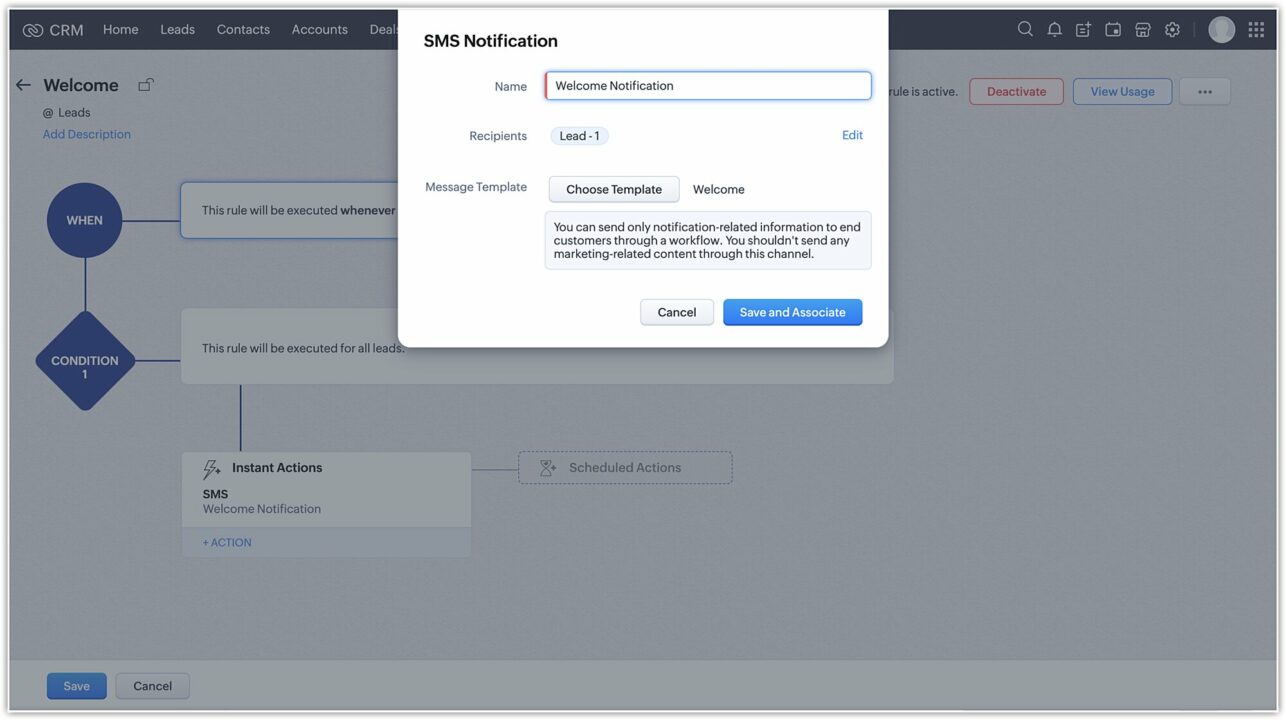
You can trigger automated text messages for scenarios like abandoned cart reminders, order confirmations, or personalized promotions. Set up automated text messaging for business through CRM integration by:
Businesses with unique requirements can directly integrate SMS functionality into their existing systems.
How does that work?
Developers build a custom integration between your systems (e.g. a marketing automation tool) and an SMS API provider like Twilio or Plivo.
To set up automated business text messaging using API integration, developers need to:
You can use built-in text scheduling features or third-party apps to send automated text messages from your phone.
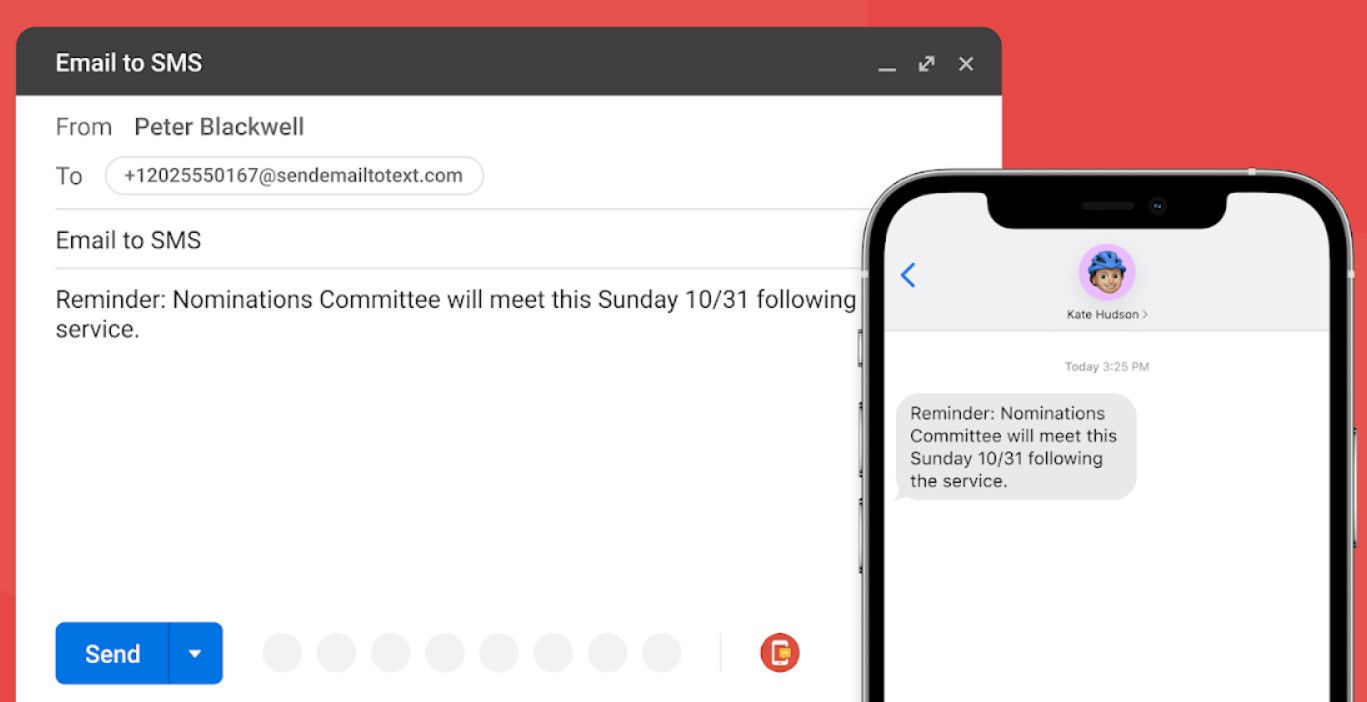
Email-to-SMS gateways like ClickSend or EZ Texting can convert emails into SMS or MMS messages. You can even use automation platforms like Zapier or IFTTT (If This Then That) to set up an email-to-SMS gateway.
Here’s how the process works:
No matter which method you use for sending automated text messages, certain key tips apply:
Setting up an automated SMS program for your business is easy with Omnisend. Once done, you’ll have a dependable system for promptly communicating with all your customers on a personal level.
Here’s how to set up automated text messages with Omnisend.
There are many automated text message services you can sign up for, but not all of them allow you to reach a global audience. Omnisend provides robust automation features ideal for ecommerce businesses of all sizes.
Our automation library has many pre-built workflows you can use for your SMS campaigns. The ready-to-use text message templates are simple to customize, making it easy to send your first automated text message within minutes of signing up.
Save time with Omnisend’s robust SMS automation features. Join today.
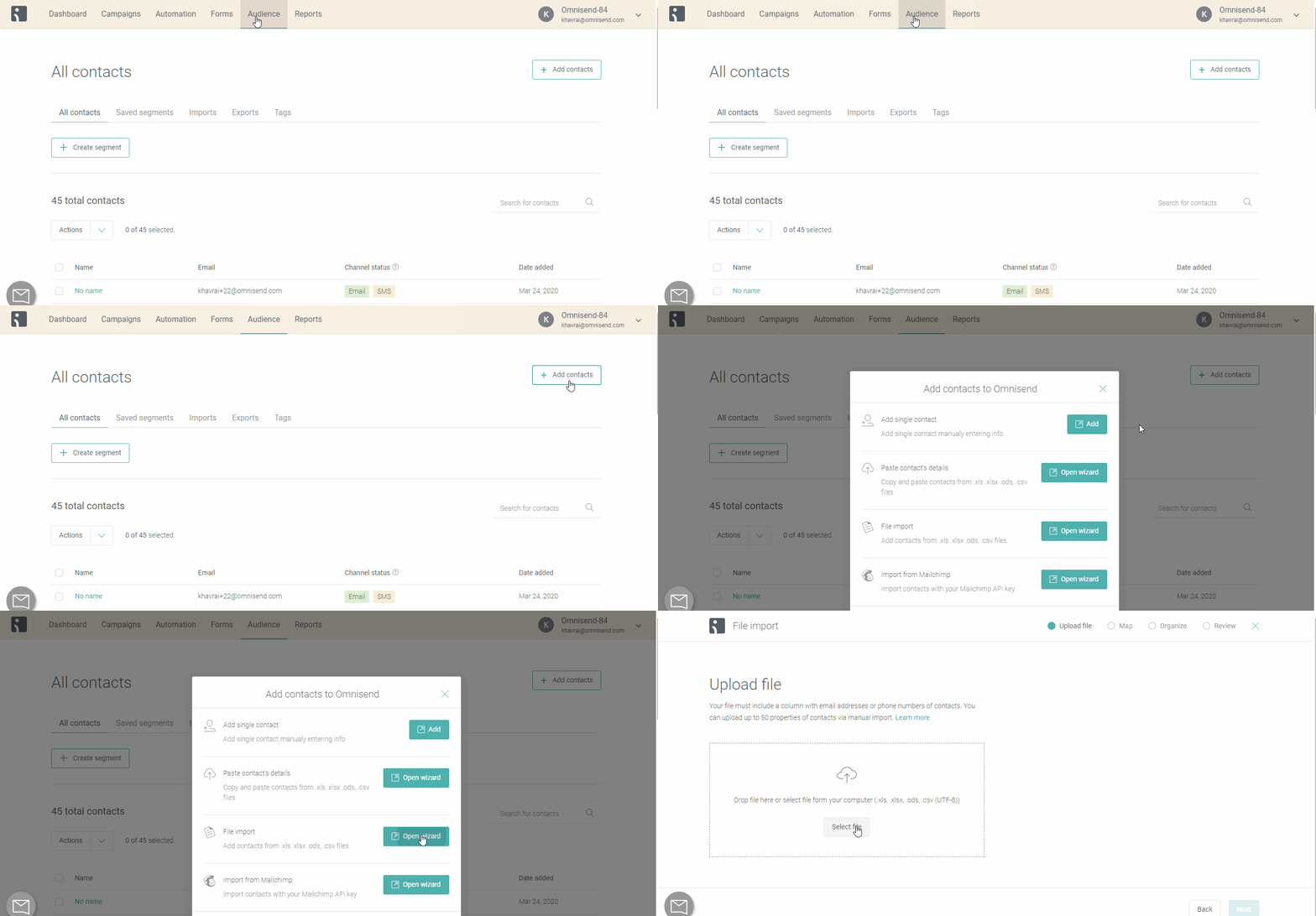
Once you’ve registered with Omnisend, you’ll need to upload your contact list and make sure that every number is in international format. Omnisend has multiple ways to easily add contacts:
Keep in mind that it’s a best practice to send text messages only to customers who specifically opted into the service. In some countries, including the United States, the law mandates this requirement, so ensure that you have express consent before adding anyone to your text message list.
If you don’t have a list, it’s a good time to start building one. Integrate Omnisend’s ready-to-use signup forms into your website, and they’ll work seamlessly with the automated SMS features.
Need help with building an SMS list? Our award-winning support team is only an email or live chat away, 24/7.
For automating text messages on Omnisend, start by selecting the pre-built workflow that best matches your business goals. Among the most useful automation workflows for SMS are the Welcome workflow and the Product Abandonment workflow.
You can set these up to work with just SMS or as part of a series that includes email and push notifications. Just ensure you add the right messaging types in your preferred sequence.
For example, you can set a Welcome series to send an SMS immediately after a customer signs up. Then, configure the workflow to send a welcome email sometime after the SMS. If used correctly, these two messages can complement each other to spur a first purchase.
Similarly, employing an Abandoned Cart workflow reminds potential customers of products they are interested in. Incentivizing their purchase with a well-timed offer delivered via automated text message could be the key to getting them over the line.
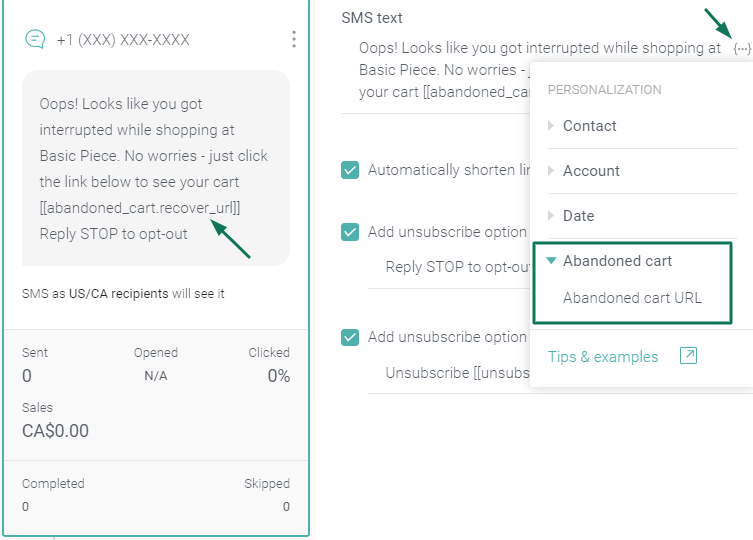
Once you’ve selected the right automated workflow template, you’ll need to customize it to work for your business. Some things to add are your campaign name and the sender’s name.
Most importantly, you need to craft your customized message.
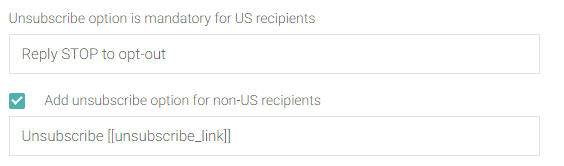
Additionally, your auto-generated text messages need to include opt-out instructions. For recipients based in the US and Canada, opt-out instructions should involve a keyword response (e.g., “Reply STOP to unsubscribe”).
In other parts of the world, an unsubscribe link would suffice—so make sure to check the requirements for each country you’re planning sending to. Thankfully, Omnisend has features that make these opt-outs easy to manage.
When you’re done customizing the text message, save the campaign so it can start sending out messages.
Use Omnisend’s free SMS length and pricing calculator and plan your next text messages.
Once you have your SMS campaign up and running, you can just sit back and let the software do all the work. However, you should also go through Omnisend’s reports to see what’s effective and gather insights on what you can improve for your business.
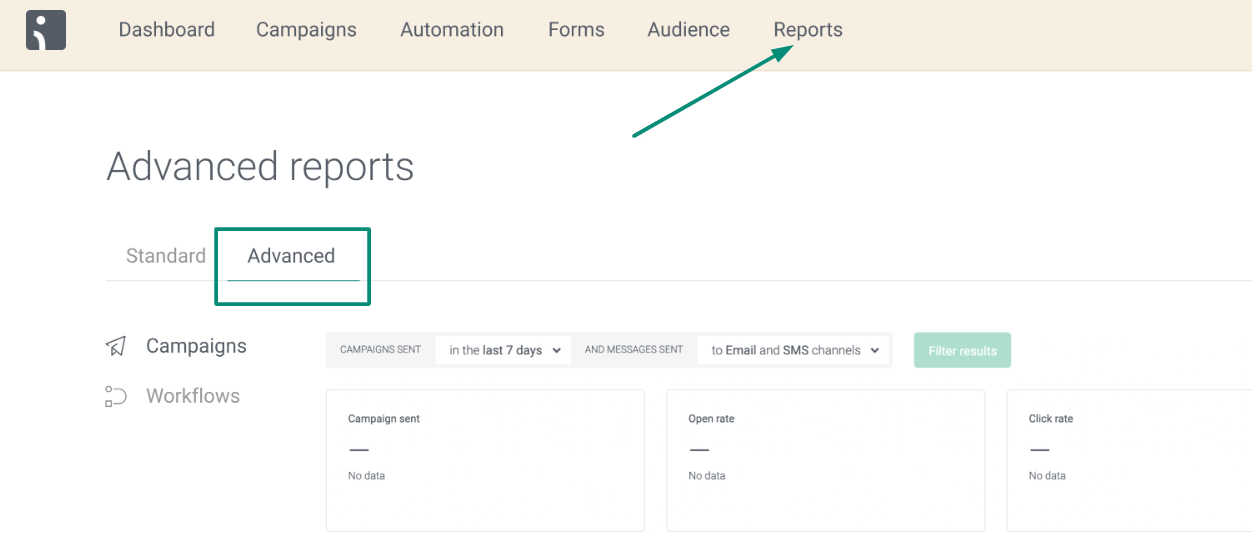
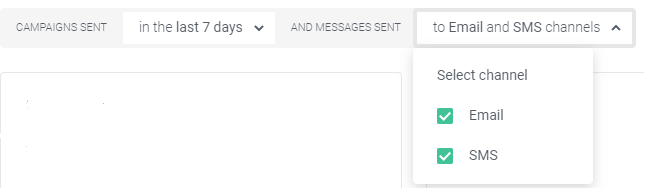
To view only SMS, you can filter the visible campaigns:
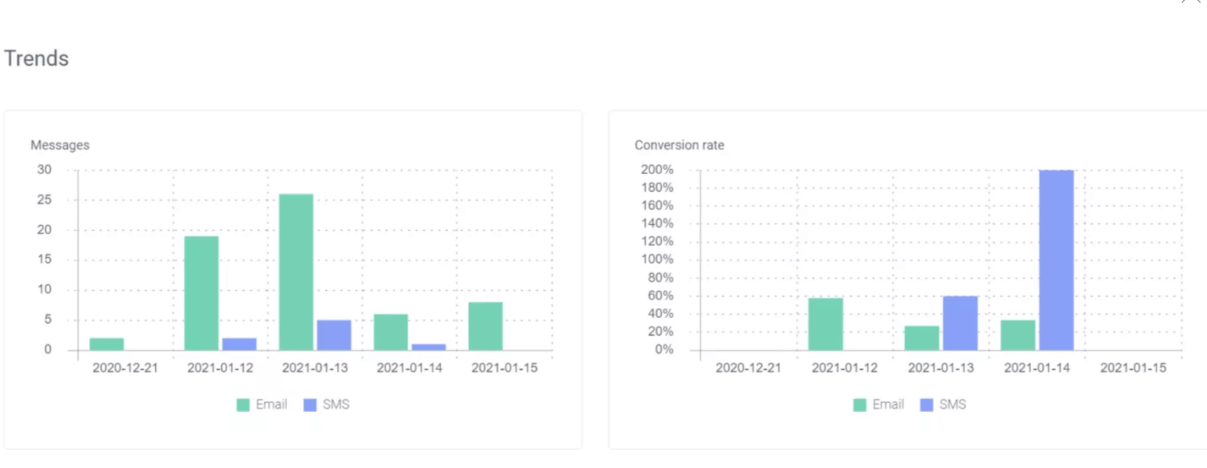
You can also view your trends to see how your campaigns perform over time and decide whether you need to make adjustments:
Here are some of the most important SMS metrics you should keep an eye on:
 |
SMS marketing success story
For Divatress, more SMS subscribers click through to the website (8%) than email users (3%). Over the first year alone, SMS campaigns realized $123,000 in sales. Curious how to achieve such results? Here’s how Divatress grew its SMS subscribers by 70K in eight months. |
Writing automated text messages can be daunting because they need to be short but also engaging enough to drive recipients to action. Yet, learning how to write engaging text messages can help you boost your site traffic and revenue.
Here are some effective automated text message types and examples you can use as inspiration for crafting your own pre-written marketing messages:
Usage: Promote products, services, and events, and create personalized offers for customers based on their preferences or behaviors. Consider including links in texts to increase engagement and drive conversions.
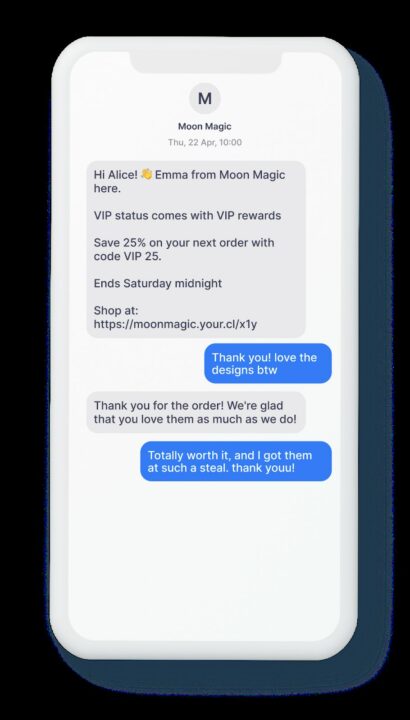
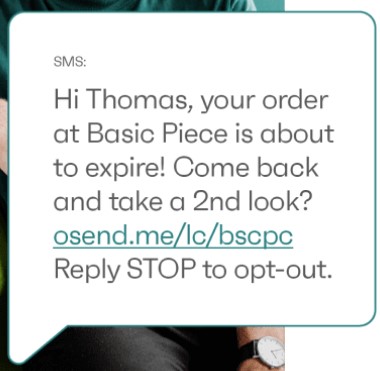
Usage: Automate based on customer actions or events, such as subscription to your SMS list, purchases, or cart abandonment.
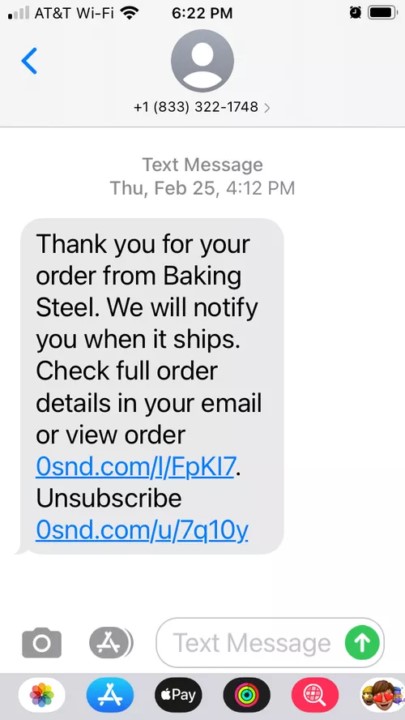
Usage: Provide important transactional information, such as order updates, shipping notifications, or booking and payment confirmations.
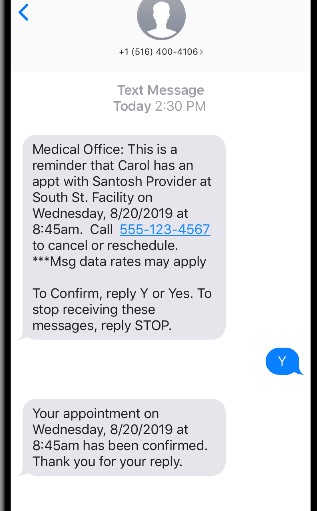
Usage: Give friendly nudges to customers to take actions like appointment confirmation and renewals, and remind them of deadlines or upcoming events.
Usage: Send timely alerts and notifications about important updates, changes in service, or emergencies.
Usage: Verify user identities or authenticate account access for security purposes, often as part of a two-factor authentication process.
Usage: Give on-demand assistance and service updates, answer queries, or resolve customer issues.
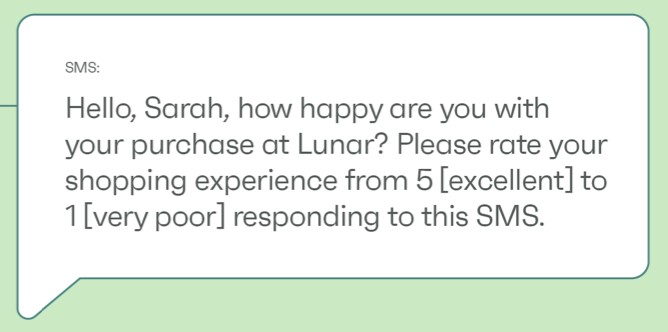
Usage: Gather customer feedback, opinions, or insights through automated survey requests.
Usage: Spread some cultural or holiday cheer, send birthday wishes, or share special occasion messages to connect with customers.
Usage: Quickly communicate critical alerts during crises, disasters, or public safety incidents.
Usage: Share tips, how-to’s, industry insights, product information, and other helpful educational content.
Here are some of the reasons why automated text messages are a hit with marketers:
Now that we’ve learned how to create an automated text message, let’s look at some important factors you should consider when sending these. Three important ones include SMS compliance, costs, and proper consent.
Let’s discuss each briefly.
Automated text messaging is governed by various laws and regulations, depending on country and context.
In the US, the Telephone Consumer Protection Act (TCPA) and CAN-SPAM Act set rules for commercial texts. These include guidelines on:
Europe’s GDPR has strict data privacy provisions that apply to the collection and use of phone numbers for text communications.
Familiarize yourself with applicable laws and industry best practices to stay compliant. Violations can result in hefty fines and damage to your brand’s reputation.
The costs of sending automated text messages can vary significantly based on the method and volume.
For instance, SMS marketing platforms typically charge per message or have monthly/annual fees. If you’re using SMS APIs and building custom integrations, you’ll pay per message plus potential developer costs.
Estimate your expected texting volume and calculate the SMS cost. Be sure to research various pricing models to find the most cost-effective solution.
Explicit consent is required before sending automated bulk SMS messages in most regions.
Consent can be obtained via opt-in web forms, keywords, and checking boxes during signups or purchases. It’s a good idea to offer double opt-in consent and keep consent records.
Maintain updated subscriber opt-in databases in compliance with SMS regulations. You should also provide easy opt-out options.
Automated text messages are powerful tools for businesses to engage customers effectively and efficiently.
By leveraging a great automated text message service like Omnisend, businesses can streamline marketing campaigns and enhance customer communication.
From promotional campaigns to transactional notifications, the strategic use of automated SMS can boost engagement, conversions, and brand loyalty.
Implement an automated text message strategy to improve customer relationships, enhance engagement, and ultimately, drive business success.
The post Automated text messages: A guide on how and why to send them appeared first on Omnisend Blog.




