


Bitbucket is a platform that allows software development teams to work on code together. They can track changes, collaborate on projects, and fix bugs. You can think of it as a central storage space for all your code, with tools to help multiple people work on it at the same time.
Bitbucket also allows you to set up an issues tracker within your project to track feature requests, bug reports, and improvement ideas. You can also integrate Bitbucket with Jira for an advanced issue management experience, using Jira as the issue tracker for your Bitbucket projects.
When working with issues in Bitbucket, accidental deletions might happen. For example, a misconfigured app in your Atlassian workspace can end up deleting an issue in your Bitbucket project. On Atlassian’s end, their own internal operational errors or outages could even lead to data loss. Atlassian focuses on keeping hackers out, but you’re responsible for your own data security within their system. Their terms of service are clear: they do not take responsibility for your data and can’t guarantee that it will always be there. A glitch on their end, a security breach, or any other error could mean your data vanishes.
This isn’t just hypothetical. Back in 2022, Atlassian accidentally deleted entire project sites for some customers, causing a two-week outage. Luckily, they recovered most of the data, but some teams lost up to five minutes’ worth of data. For a large organization, five minutes of lost data during a peak period could be a huge blow.
This article explains how (and if) you can recover deleted Bitbucket issues. It also discusses precautionary measures you can take to ensure that you don’t run into such situations in the future.
Bitbucket allows you to track issues in multiple ways. You can use Bitbucket’s internal issue tracker or a full-fledged Jira project to track your tasks on a project:
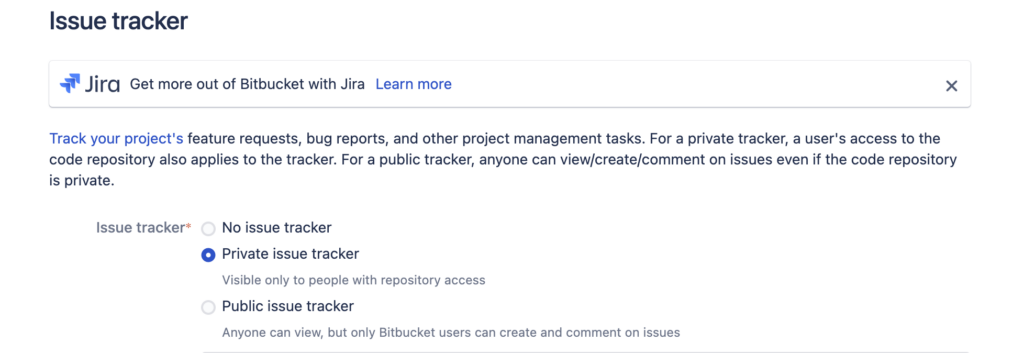
Similar to Jira Service Management requests, Jira issues can’t be recovered after deletion. The same goes for Bitbucket’s internal issue tracker. If you integrate Jira with Bitbucket, you will be redirected to Jira whenever you try to access any issues in your Bitbucket project, and you will notice the following warning message when deleting a Jira issue:
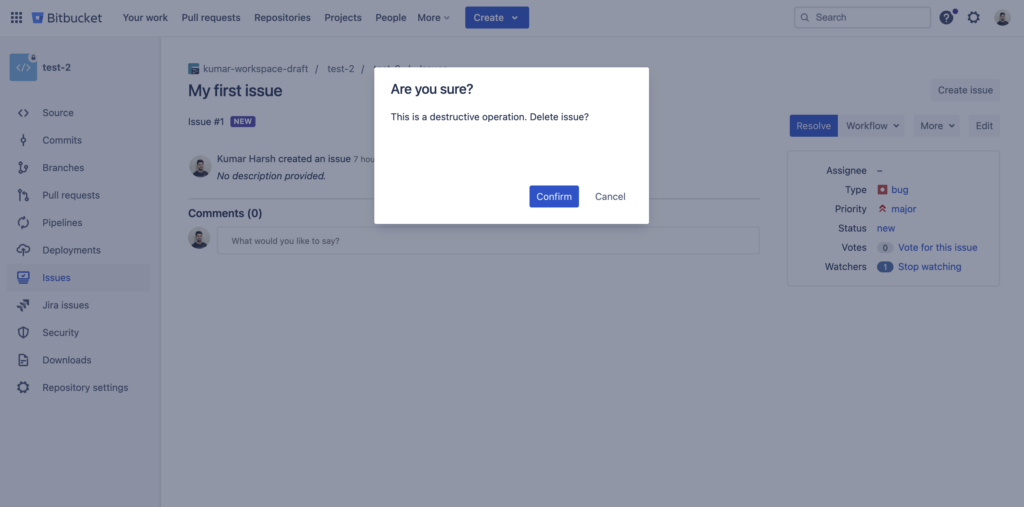
This message clearly informs the user that deleting a Jira issue is an operation with a permanent effect. Similarly, if you try to delete an issue from Bitbucket’s internal issue tracker, you will see the following warning message:
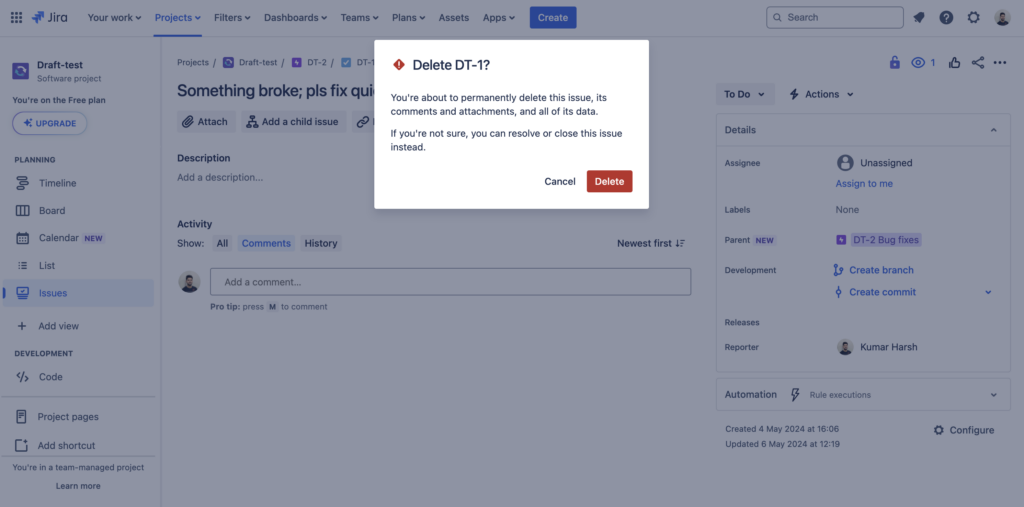
This is why you must be extra careful when deleting issues in your Bitbucket projects. But what if you still end up accidentally deleting an issue? Sure, you can try piecing the deleted issues back together yourself. This means digging through emails, logs, and any scraps of information left behind by the issue. It’s free, but there are many downsides to this approach:
A proactive approach that includes an automated backup platform like Rewind is much more effective. Rewind lets you schedule regular snapshots of your Bitbucket data (or initiate one manually if needed). This way, if you lose an issue, you can restore it to its original state, complete with comments, attachments, and all the history.
Automated backups run silently in the background, requiring minimal effort on your part. Plus, they bring back issues with their complete context—comments, attachments, and any historical data you might lose with manual recovery. Restoring is usually quick and painless, minimizing downtime and keeping your projects rolling smoothly. Most importantly, you’ll have peace of mind knowing your critical Bitbucket data is always protected and accessible.
Apart from backups, you can take a proactive approach to preventing users from accidentally deleting Bitbucket issues in the first place. This section will discuss some of the key ways you can limit the chances of users accidentally deleting issues in Bitbucket.
Bitbucket allows you to provide team members with Read, Write, and Admin permissions on the repository, project, and workspace levels:
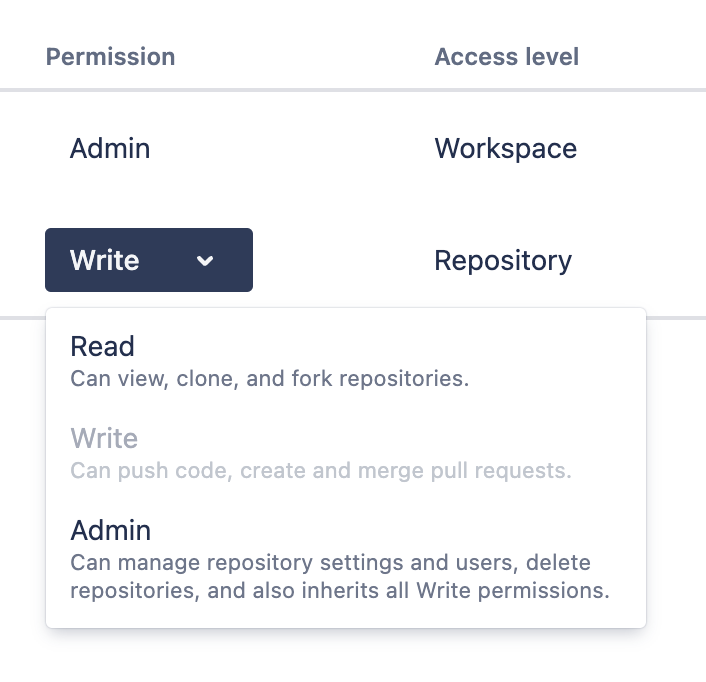
Remember that all members with Write and Admin permissions (on any level) have the ability to modify and delete issues in Bitbucket’s internal issue tracker. If you use Jira to track issues, only users with the Administrators role may delete issues. In either case, it’s important to carefully review which members of your team really need such elevated permissions. Jira also allows you to define specific roles with appropriate delete permissions for different user groups. This way, you can set only a few designated roles to handle deletions while preventing regular users from doing the same.
While Bitbucket’s internal issue tracker does not offer any archival features, Jira’s Data Center version allows users to archive issues and hide them away from the main pool of issues. If you use this version of Jira to track your Bitbucket issues, you should definitely consider archiving issues more often than deleting them.
While Bitbucket’s internal issue tracker is relatively limited compared to project management tools like Jira, it does offer some handy features. For example, its internal issue tracker allows you to move issues to a variety of states other than Resolved:
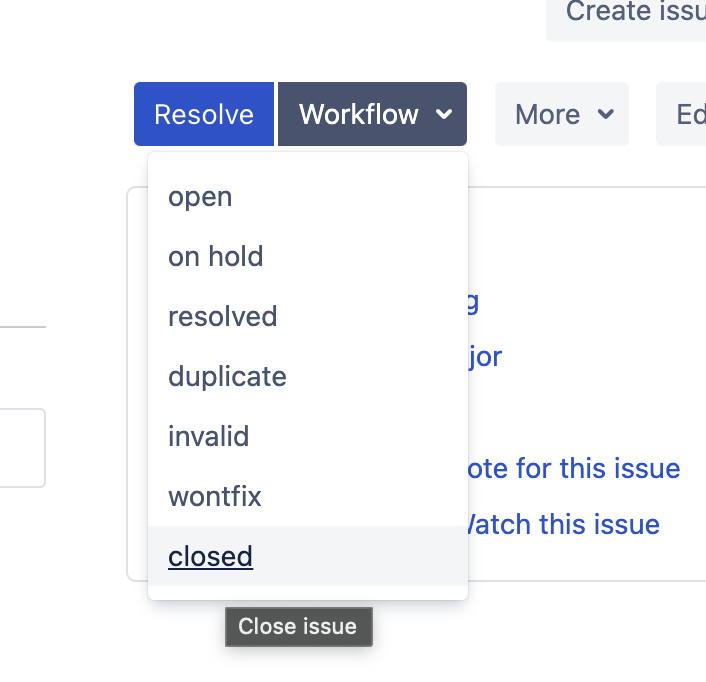
You can use these states to store the issue away from your main list of active issues instead of deleting it. The following are some suggestions for using each of the states:
How you use these states is up to you. The key is to use these states to store issues that are no longer needed, reserving the delete operation when absolutely necessary.
Even with permissions set correctly, things can still go wrong and issues might get deleted. That’s where regular backups come in as your safety net. With Rewind, you can set the tool to silently take automatic snapshots of your Bitbucket and Jira content at regular intervals that you choose. No manual oversight is required, and your data is constantly protected.
Moreover, Rewind lets you bring back deleted issues with a single click. You can browse through past snapshots and pick the version you need.With one click, your deleted issue is instantly back—exactly how it was.
Think about the time that would be wasted if your team members had to manually rebuild deleted issues—filling in details, assigning priorities, and looping in everyone again. Rewind’s one-click restore minimizes downtime and gets users working on the issue right away. On top of that, it brings back all the comments, attachments, and everything else that went along with the issue, making it feel like the issue was never deleted in the first place.
Proactive risk mitigation goes beyond technical solutions. Educating your team about the effects of accidental issue deletion is crucial. You should clearly communicate the potential disruptions caused by these incidents, including the following:
Make sure to establish clear guidelines for handling sensitive actions, like deleting issues. This includes defining workflows for approval and outlining best practices. Additionally, if you have a solution like Rewind in place for data recovery, highlight its existence to give your team peace of mind when handling sensitive actions within Bitbucket or Jira.
Losing issues in Bitbucket can be stressful, but it doesn’t have to be a total loss. This guide outlined ways to recover and get things back on track. But remember, prevention is best. To recap, here’s how to minimize risks and keep your workflow running smoothly:
In any case, regular backups with tools like Rewind and established best practices will ensure quick service restoration and peace of mind. Building a culture of data awareness and leveraging Bitbucket’s safeguards will help you strengthen your data resilience and navigate challenges successfully.





