


Integrating your Shopify store with your Instagram account is a great way to connect personally with your audience and increase sales with a smoother checkout experience. Instagram’s visual nature makes it perfect for promoting your products in a creative way shoppers will love.
In this guide, we’ll show you how to connect Shopify to Instagram, outline the requirements, and cover the benefits of Instagram Shopping for your eCommerce business.
This post may contain affiliate links, which means we may earn a commission if you make a purchase through those links. This comes at no additional cost to you.

Instagram Shopping is a feature that lets businesses display products directly on their Instagram account, so users can shop without ever leaving the app.
Learning how to sell on Instagram with Shopify is a fantastic way to turn your social media following into loyal customers, monetize your account, and provide a simple shopping experience for buyers.
Here’s how selling on Shopify through Instagram works:
Instagram is one of the most influential social media platforms, with 1.44 billion monthly users as of January 2025.
This makes it an excellent platform to promote your brand and products to people where they hang out online the most. 70% of shoppers turn to Instagram stories, posts, and shops to find inspiration for their next purchase or gift.
The Shopify-Instagram integration simplifies customers’shopping experience by reducing the steps between finding a great new product and purchasing it.

When learning how to link Instagram to Shopify, ensure you meet a few key requirements:
Start an active Shopify account with a catalog of products ready to sell.
Ensure your Shopify store’s payment gateway is ready to receive orders so customers can browse and purchase your products through Instagram posts and stories without disruptions.
Create a Facebook business account, set up a Facebook shop via the Commerce Manager, and switch to an Instagram business account if currently using a personal account.
The Shopify-Instagram integration feature is available only in supported countries, so check if your location or target countries are eligible before setting up.
Your products must meet Meta’s product compliance requirements to sell directly on Instagram with Shopify stores.
Violating these policies can lead Meta to disable your Instagram shopping feature.
Important
As of April 24, 2024, USA Instagram Shops must switch to the Checkout on Facebook and Instagram method in the Commerce Manager to access shopping and product tagging features.

Let’s go over how to link Shopify to Instagram. We’ll break down the steps for both desktop and mobile users.
On desktop
On the mobile app
Connect your Instagram business account to your Facebook page to get access to the Commerce Business Manager tool.
On the desktop
On the mobile app
Installing Facebook and Instagram lets you manage your social media channels through Shopify.
Here’s how to connect Instagram to Shopify:
On desktop
On the mobile app
Once the app is installed, connect your Facebook page account on Shopify.
On desktop
On the mobile app
Once your Shopify store is connected to Instagram and Facebook & Instagram are installed, start importing and product tagging from your Shopify store to Instagram. Sync your product listing before tagging the products:
On desktop
On the mobile app

Selling on Instagram requires more than just tagging products – you need to market your shop effectively.
Follow these strategies and tips to fully optimize your Shopify-Instagram integration, grow your audience, increase engagement, and boost sales.
Instagram ads promote your Shopify products to a broader audience beyond your followers. They can be highly targeted based on demographics, interests, and behaviors, driving qualified traffic directly to your store.
Use dynamic ads to increase conversions with users who have already interacted with your Shopify store. These ads will show potential customers the products they’re most likely to be interested in, creating a greater chance of them purchasing.
A sparse business profile doesn’t capture Instagram users’ interest and doesn’t especially look like a trustworthy professional account. Ensure you’ve used a relevant username and indicated your business type. Have a few posts ready to bring your profile to life.
Use your logo and colors in your profile picture and post grid to maintain a consistent brand image. Write a clear bio about your business and include a link to your Shopify store.
Instagram is all about visuals. Invest in professional-quality images and videos highlighting your products from different angles and real-life settings.
Create Instagram Reels or photo carousels to show products in use. Use captivating visual effects, trending audio, and hashtags to attract more viewers.
While visuals draw attention, engaging captions keep it. Use storytelling to describe your product’s value and call-to-actions (CTAs) to direct your audience to your Shopify store.
Include polls or ask questions in your captions to encourage users to comment and interact with your Instagram posts.
Building a relationship with your audience goes beyond selling. Respond regularly to comments and direct messages, and engage with your followers’ content by liking or commenting on their posts. This creates a sense of community and loyalty, leading to repeat customers.
Instagram giveaways and contests are great tools for amplifying engagement and brand awareness. Encourage users to follow your Instagram account, like posts, and tag friends in the comments for a chance to win your products.
This increases interaction and exposes your brand to new potential customers.
Run exclusive Instagram-only discounts, promotions, or flash sales. Post a special discount code to your followers and watch them flock to your Shopify store to make a purchase.
Promote these limited-time offers through Stories, posts, and ads to create excitement around your products.
Use Instagram Insights and Shopify’s analytics tools to monitor the performance of your posts, Stories, and ads. Regularly analyze these metrics to understand what your audience likes and optimize future campaigns.
Track things like engagement, website clicks, and conversions to identify trends and refine your marketing strategy.
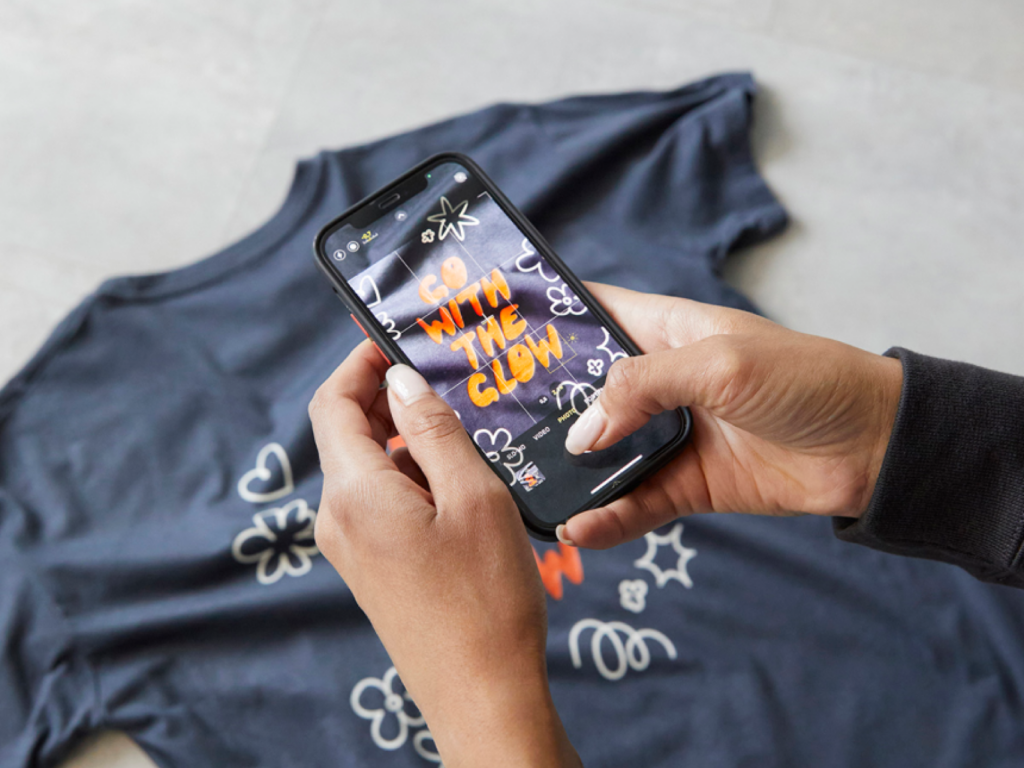
Printify empowers Shopify store owners to sell on social media using Print on Demand without upfront costs. It’s the perfect way to design and sell custom products without managing production or order fulfillment.
In this business model, products are printed and shipped only after customers order from your Shopify and Instagram shop. Printify’s network of Print Providers ships worldwide, letting you sell to a global Instagram user base.
Why choose Printify?
Combining Printify’s versatility with Instagram’s visual appeal offers a fantastic opportunity to grow your brand and increase sales with lower risks and higher rewards.
Start selling with Printify today!
Promote your Shopify store by sharing engaging content, running ads, and using Instagram Shopping for product tags in posts and stories.
To add your Shopify store URL to the bio section of your Instagram profile, go to Edit profile and enter your Shopify link in the Website field.
Once you’ve set up Instagram Shopping for your business account, tag Shopify products in your posts by selecting the product tags option when creating a new post.
If you create shoppable posts but the products don’t appear, check if your Instagram Shopping setup has been approved, your products meet Meta’s requirements, and your account is linked properly with your Shopify store.
Check if your Instagram business account is connected to Facebook, your Shopify website and store are set up with the Facebook & Instagram by Meta app, and you’ve completed the product catalog setup.
The post How to connect Shopify to Instagram in 5 easy steps appeared first on Printify.





