


Most Shopify stores need a full SEO and AI visibility audit every six months and a quick monthly spot check, while stores publishing weekly content or running large catalogs should audit fully each quarter. Always audit immediately after a theme change, a Google core update, or a sudden traffic drop.
The merchants who get burned are rarely the ones who skipped an audit. They are the ones who ran a 47 item checklist, fixed nothing, and called it a strategy.
Short answer: Most websites need a full SEO audit every 6 months and a quick spot check every quarter. Active sites that publish new content weekly should run a full audit every 3 months. Small static sites can get away with one full audit per year. On top of that schedule, always audit after a redesign, a Google update, or a sudden traffic drop.
Below is a clear breakdown so you can pick the right schedule for your site, plus a checklist of what to actually look at each time.
This guide is based on patterns the team at Geeks360, a digital marketing agency, has seen across hundreds of audits in e-commerce, local services, SaaS, and B2B. The advice is meant to be practical, not academic. If you only read the tables, you will still walk away with a plan.
Find your site type in the table below. That is your baseline schedule. Adjust up if your industry is fast-moving (e-commerce, news, real estate) or down if your site rarely changes.
| Site type | Full audit | Spot check |
|---|---|---|
| Small business, mostly static | Once a year | Every 6 months |
| Local service business (5-50 pages) | Every 6 months | Every quarter |
| Content site or blog (publishes weekly) | Every quarter | Monthly |
| E-commerce (100+ products) | Every quarter | Monthly |
| Large site (1,000+ pages) | Every quarter | Monthly |
| News or rapidly updated site | Every 2 months | Weekly |
Most people lump every SEO audit into one bucket. That is why audits feel overwhelming. There are actually two very different things you should be doing.
A full audit looks at everything: technical health, content, on-page elements, internal links, backlinks, competitor gaps, and conversion paths. It takes time and produces a real plan. A professional SEO audit of a mid-sized site usually runs 20 to 40 hours of work and ends with a prioritized list of fixes. A spot check is faster. It only looks at the things that change quickly: rankings, indexing, traffic, broken links, and any error spikes in Google Search Console. A good spot check takes 30 to 60 minutes.
Here is the side-by-side:
| Full audit | Spot check | |
|---|---|---|
| Time needed | 20-40 hours | 30-60 minutes |
| How often | Quarterly to yearly | Monthly to quarterly |
| What it covers | Everything | Critical metrics only |
| Output | Prioritized fix plan | Quick alert list |
| Best for | Strategy decisions | Catching problems early |
Run spot checks between your full audits. They keep you ahead of small problems before they become big ones.
Some events should trigger an audit immediately. Do not wait for your scheduled date. These are the moments where damage compounds fastest.
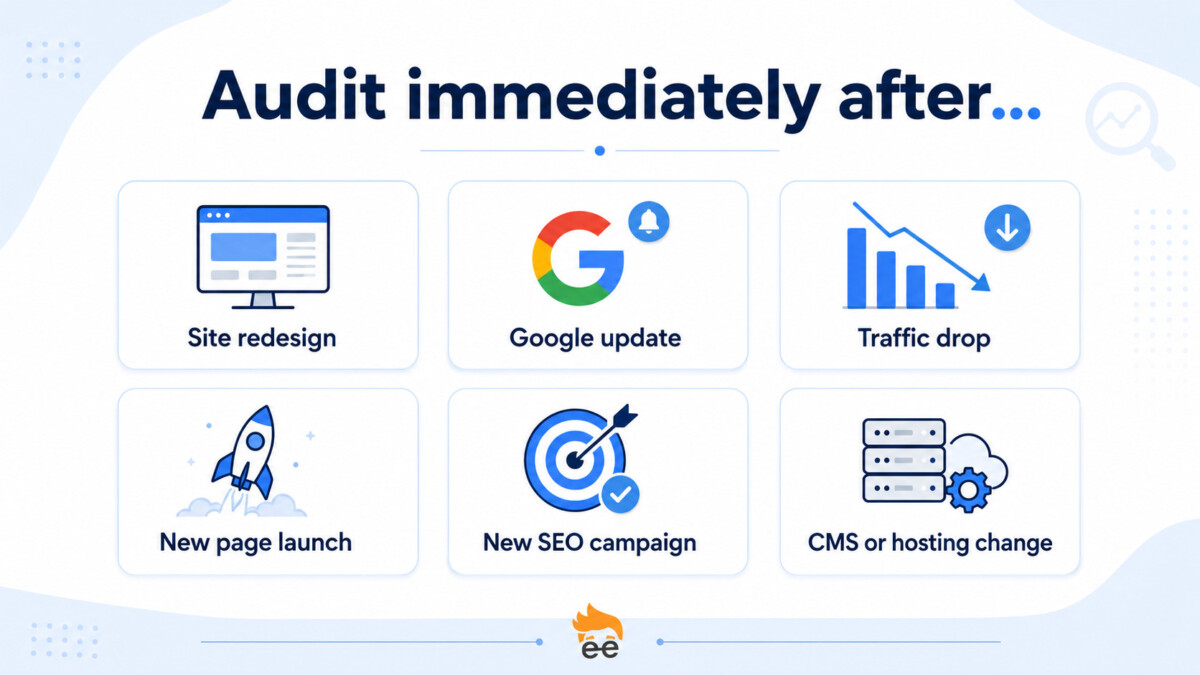
This is the single most common cause of SEO disasters. URLs change, redirects break, meta tags disappear, page speed drops. Run a full audit within 7 days of launch.
If Google announces a core update and your rankings or impressions move noticeably in either direction, audit within 2 weeks. You want to know which pages were affected and why, while the data is still fresh.
A 20 percent or larger drop in organic traffic that lasts more than 5 days is not normal. Audit that week. Common causes: a robots.txt mistake, a noindex tag pushed by accident, a server outage, a manual penalty.
If you are about to launch 10 or more new pages, audit your site first to clean up structure. Audit again 30 days after launch to check for keyword cannibalization (multiple pages competing for the same query).
Every campaign needs a baseline. Audit before you spend a dollar, so you can measure what the work actually changed.
Any of these can quietly break things. Always audit within a week of the change.
Whether you are doing a full audit or a spot check, these are the things worth looking at. The full audit covers all 12. The spot check covers items 1, 2, 3, 7, and 11.
| # | What to check | Where to look | Why it matters |
|---|---|---|---|
| 1 | Indexed pages vs submitted pages | Google Search Console | Tells you if Google is missing pages you want ranked |
| 2 | Coverage errors | Google Search Console | Catches noindex, 404, and crawl problems early |
| 3 | Rankings for top 20 keywords | Ahrefs, Semrush, or Seranking | Spot drops before they hurt revenue |
| 4 | Core Web Vitals | Google PageSpeed Insights | Affects rankings and user experience |
| 5 | Mobile usability | Google Search Console | Mobile traffic is most of your traffic |
| 6 | Title tags and meta descriptions | Screaming Frog | Easiest CTR wins live here |
| 7 | Broken links (internal and external) | Screaming Frog or Ahrefs | Hurts user experience and crawl efficiency |
| 8 | Duplicate content | Siteliner or Screaming Frog | Causes pages to compete with each other |
| 9 | Schema markup | Rich Results Test | Powers featured snippets and rich results |
| 10 | Backlink profile health | Ahrefs | Spot toxic links and lost backlinks |
| 11 | Top-converting page performance | GA4 + GSC | Protects revenue-driving URLs |
| 12 | Content gaps vs competitors | Ahrefs Content Gap | Finds keywords you should rank for but do not |
An audit is only useful if you act on it. The most common failure is not bad auditing. It is a 60-page PDF that nobody opens twice. Here is how to avoid that.
Pick the top 5 issues, not all 47. Most audits surface dozens of problems. Sort them by impact, fix the top 5 first, and ignore the rest until next quarter.
Assign one owner per fix. If a task does not have a name next to it, it does not get done.
Set a 30-60-90 day plan. Quick wins in the first 30 days. Bigger structural changes in days 31-60. Content and link work in days 61-90.
These are the patterns we see most often when reviewing audits done by other teams or by automated tools.
Honest ranges based on site size:
| Site size | Spot check | Full audit |
|---|---|---|
| Under 50 pages | 30 minutes | 8-15 hours |
| 50 to 500 pages | 1 hour | 15-25 hours |
| 500 to 5,000 pages | 2 hours | 25-40 hours |
| 5,000+ pages | 4 hours | 40-80 hours |
If anyone offers a comprehensive audit of a 2,000-page e-commerce site in 4 hours for $99, the audit will be a one-page list of generic recommendations that could apply to any site on the internet. That is not an audit. That is a sales tool.
Audit frequency is not about following a strict calendar. It is about matching your audit pace to how much your site changes and how competitive your space is. Most businesses fall into one of three patterns:
| Pattern | Schedule |
|---|---|
| Set-and-forget small site | 1 full audit per year, 1 spot check at the 6-month mark |
| Active local or service business | Full audit every 6 months, quarterly spot checks |
| Content-driven or e-commerce site | Full audit every quarter, monthly spot checks |
Pick the pattern that matches your situation. Add event-based audits when something major changes. Act on what you find. That is the entire system.
If you would like a second opinion on your current SEO health before deciding on a schedule, Geeks360 offers a free initial review and can tell you within an hour whether a full audit is the right next step for your site.
Most Shopify stores should run a full SEO audit every six months and a quick spot check every quarter. If you publish content weekly or run a catalog above a few hundred SKUs, move to a quarterly full audit with monthly spot checks. New stores under $10K per month can usually get by with one full audit a year. The schedule is a baseline, not a rule: adjust up if you are in a competitive niche or run frequent flash sales, and down if your store rarely changes. On top of any schedule, audit immediately after a theme change, a confirmed Google core update, or a sudden drop in organic traffic.
A full audit reviews everything and produces a prioritized fix plan, while a spot check takes 30 to 60 minutes and only watches the metrics that move fast. A full audit covers technical health, content, on-page elements, internal links, backlinks, AI visibility, and conversion paths, and for a mid sized Shopify store it runs anywhere from 8 to 40 hours depending on catalog size. A spot check looks at rankings, indexing, organic traffic, broken links, and any error spikes in Google Search Console. The point of the spot check is to catch a small problem in the week it starts, before it grows into the kind of issue that needs a full audit to untangle. Run spot checks between your full audits.
Yes, treat AI visibility as its own layer inside every full audit, because ranking on Google no longer guarantees you appear in AI answers. In 2026, AI summaries from ChatGPT, Perplexity, Gemini, and Google AI Overviews sit above organic results, and most Shopify stores are effectively invisible to them even when their classic SEO is healthy. An AI visibility check tests whether those platforms can find and recommend your store, whether your product pages explain who a product is for and how it compares, and whether your reviews and structured data are readable to machines. Brands that monitor AI visibility alongside SEO tend to spot traffic erosion weeks earlier than those watching organic rankings alone.
A spot check takes 30 to 60 minutes, and a full audit takes 8 to 40 hours depending on how many pages and products your store has. A store under 50 pages might need 8 to 15 hours for a full audit; a 500 to 5,000 page catalog can take 25 to 40 hours; very large stores run longer. The catalog is what drives the number, because every collection, product, and variant URL adds crawl surface and duplicate content risk. Be skeptical of anyone offering a comprehensive audit of a 2,000 product store in four hours for a token fee. That output is a generic checklist that could apply to any site, which makes it a sales tool, not an audit.
Yes, audit within seven days of any theme change, replatform, or major app update, because this is the single most common cause of Shopify SEO disasters. Theme swaps quietly break things: redirects fail, URLs change, meta tags disappear, structured data drops out, and page speed can crater when a new theme loads heavier scripts. Run a focused audit that confirms your redirects resolve, your titles and meta descriptions survived, your Product and FAQ schema still validates, and your Core Web Vitals did not regress. Check Search Console coverage for new errors and confirm no template shipped with an accidental noindex tag. Catching these in the first week prevents weeks of silent ranking and revenue loss.





