

Make a shirt with Printify today
With today’s t-shirt design software, anyone can create custom t-shirts that look professional and are print-ready. For advanced users, Adobe Illustrator delivers crisp vector graphics, while Photoshop excels at creating complex designs.
Looking for a free option? Printify’s Product Creator, Inkscape, Canva, and Kittl make creating designs simple and accessible. Each platform offers unique design tools, templates, and AI-powered features for every skill level. This guide covers the best t-shirt design platforms of 2026 to help you find the right fit for your creative vision, merch, and business goals.
This post may contain affiliate links, which means we may earn a commission if you make a purchase through those links. This comes at no additional cost to you.
Finding the right t-shirt design software depends on your skill level, creative style, and the type of custom t-shirts you want to create. Whether you’re designing for fun or running a business, the right tool should simplify the process and help you bring ideas to life quickly.
Here’s what to look for:
Upload your own photos, add text, and place illustrations directly on your products. For a similar quick-start experience, Canva and Kittl are great free alternatives.
Both support layered projects, vector formats, and precise color management for production.
The Product Creator connects directly to your Printify store – saving time, enabling realistic mockup previews, and letting you list products instantly.
The right tool should support your creativity, whether you’re designing from scratch or refining existing illustrations.
The best software for t-shirt design is the one that strikes a balance between simplicity and power, giving you the freedom to design, print, and sell your next bestseller with minimal friction.
Printify offers all the resources you need to print your best t-shirts. Check out our design tips and placement guide for the best results.
There’s no one-size-fits-all t-shirt design software solution. Some are built for quick, creative projects, while others offer advanced control over every detail.
Here are the top tools worth considering, whether you’re designing from scratch, editing your own photos, or creating custom t-shirt graphics.
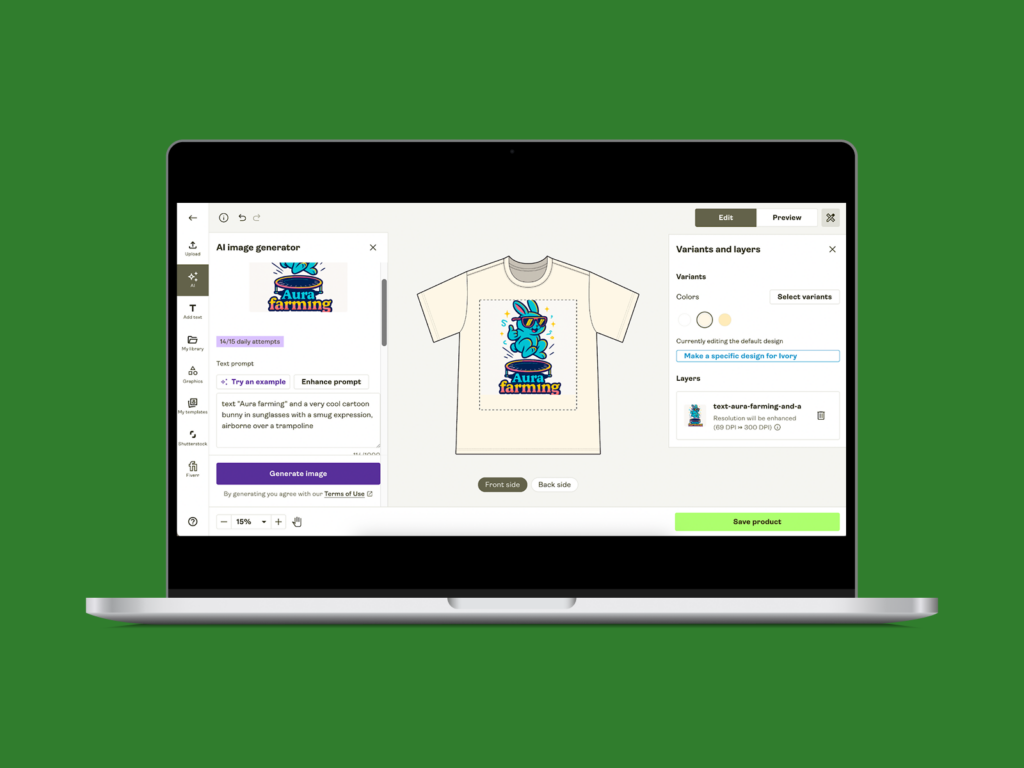
Printify’s Product Creator is an all-in-one t-shirt design software built into the Printify platform.
It’s designed for anyone who wants to design, preview, and print custom t-shirts quickly – no downloads or complicated setup required.
Upload your own photos, create original artwork, or use built-in tools to design from scratch, then order products or start selling online.
Key features
Best for: Beginners and small businesses that want to create and sell personalized t-shirts instantly.
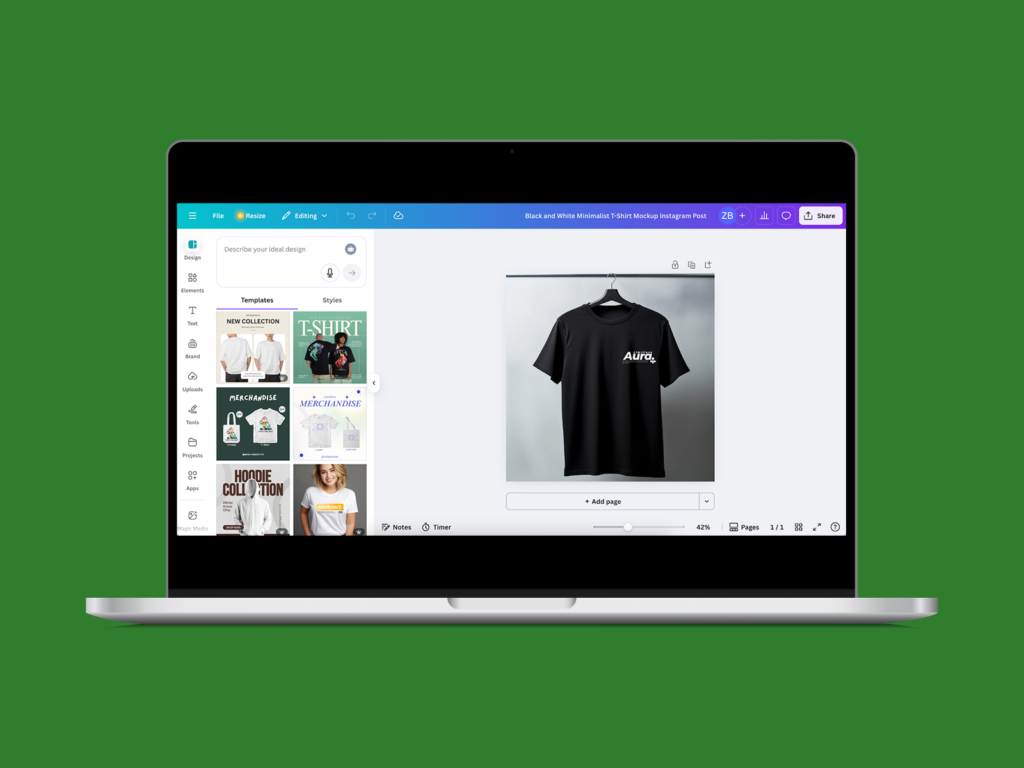
Canva is an easy-to-use t-shirt design software for anyone who wants to start designing quickly. Create your own t-shirt designs using ready-made templates, add logos, edit images, and experiment with different design ideas until you land on the perfect theme.
Key features
Best for: Anyone who wants to customize and download professional-looking designs for custom printing with ease.
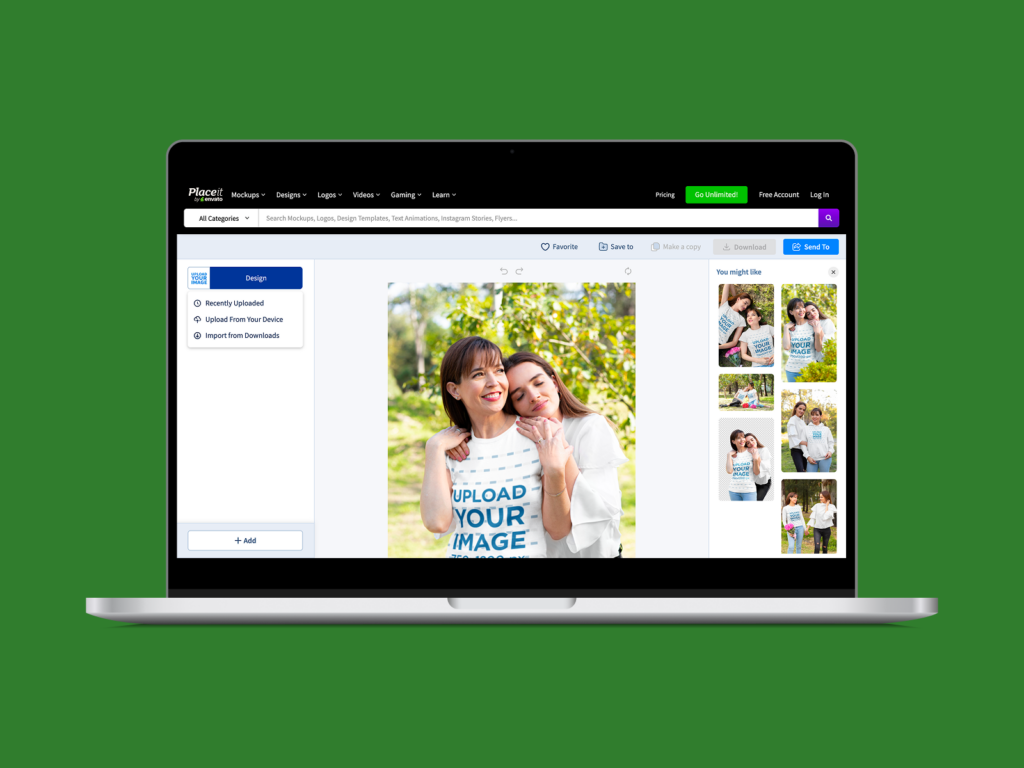
Placeit is a browser-based t-shirt design software and mockup generator from Envato. It lets you create your own t-shirt design, customize it for any occasion, and instantly preview it on realistic models.
You can design, brand, and visualize how your personal wardrobe or other apparel will look in a few clicks.
Key features
Best for: Sellers and designers who want ready-to-use mockups and polished t-shirt designs for their personal wardrobe or clothing brand.
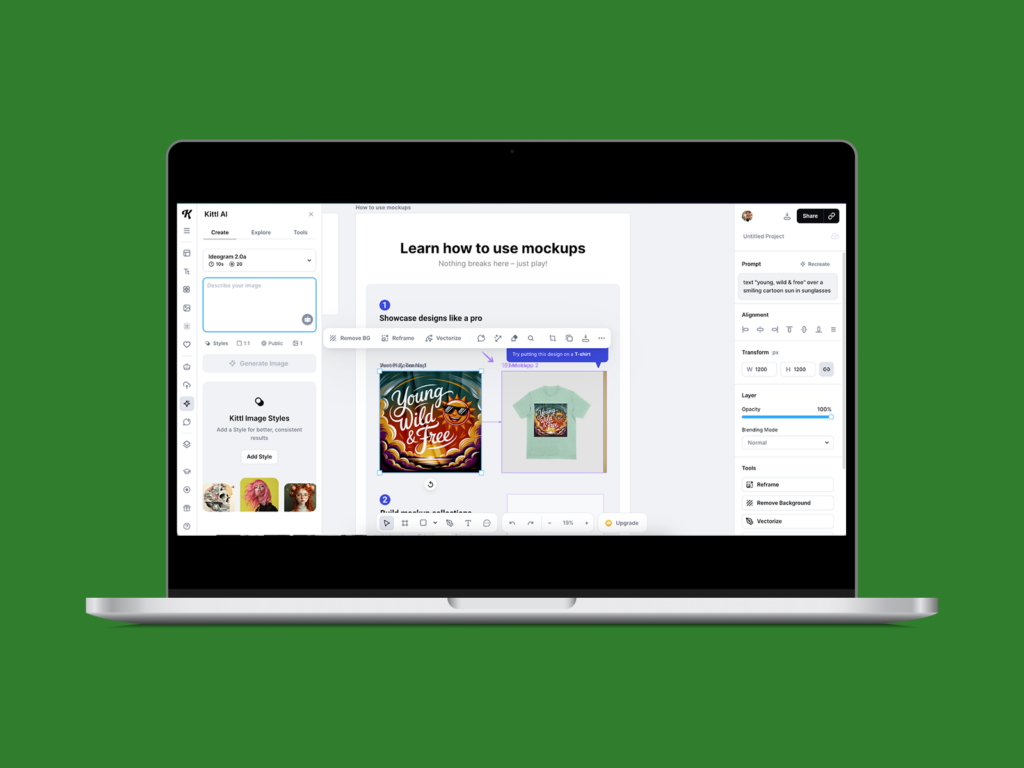
Kittl is intuitive graphic design software made for anyone who wants to create bold, professional designs and print t-shirts that stand out.
It’s known for its vintage style, easy editing tools, and community-driven creativity that helps you turn rough ideas into polished results.
Key features
Best for: Designers and teams looking to create unique, on-brand graphics and print t-shirts that capture their visual identity.
Related: Merch for eCommerce entrepreneurs
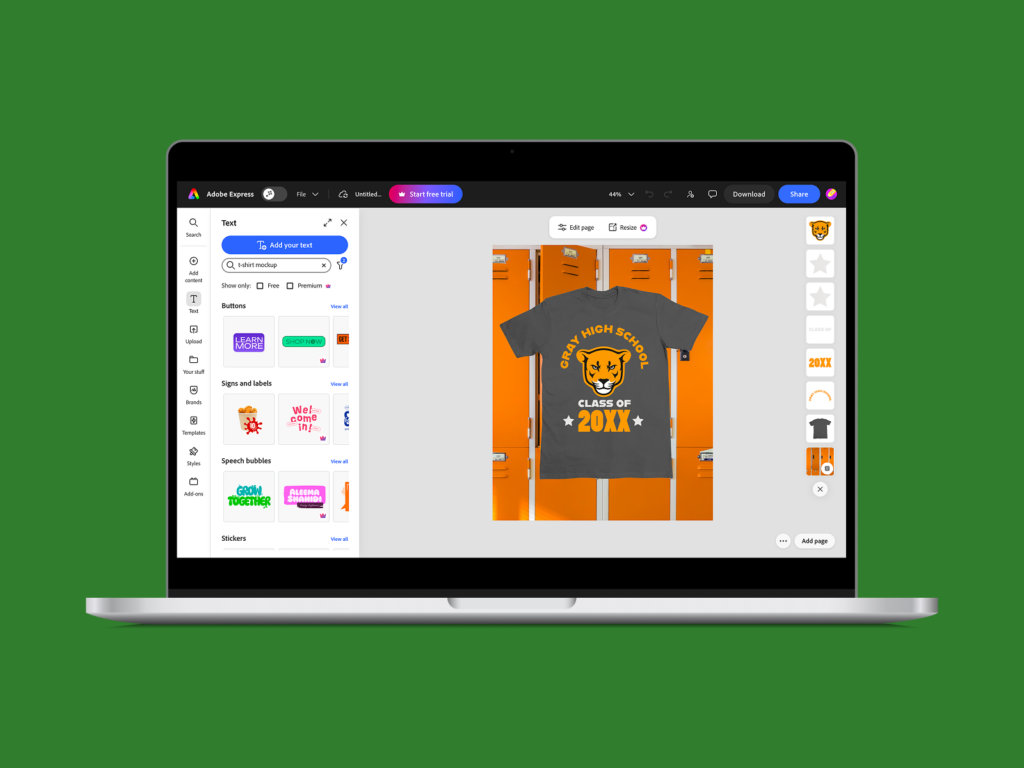
Adobe Express is a cloud-based design tool that makes it easy to create polished, on-brand pieces. You can import images, edit photos, or use built-in illustrations and logos to create something memorable.
It offers a wide range of fonts, supports file uploads, and works well for both business users and solo creators. The platform includes ready-made t-shirt templates and tools for creating branded designs tailored to your business or personal projects.
Key features
Best for: Creators, small teams, and entrepreneurs who want to design with ease, build branded visuals, and personalize their apparel without a steep learning curve.
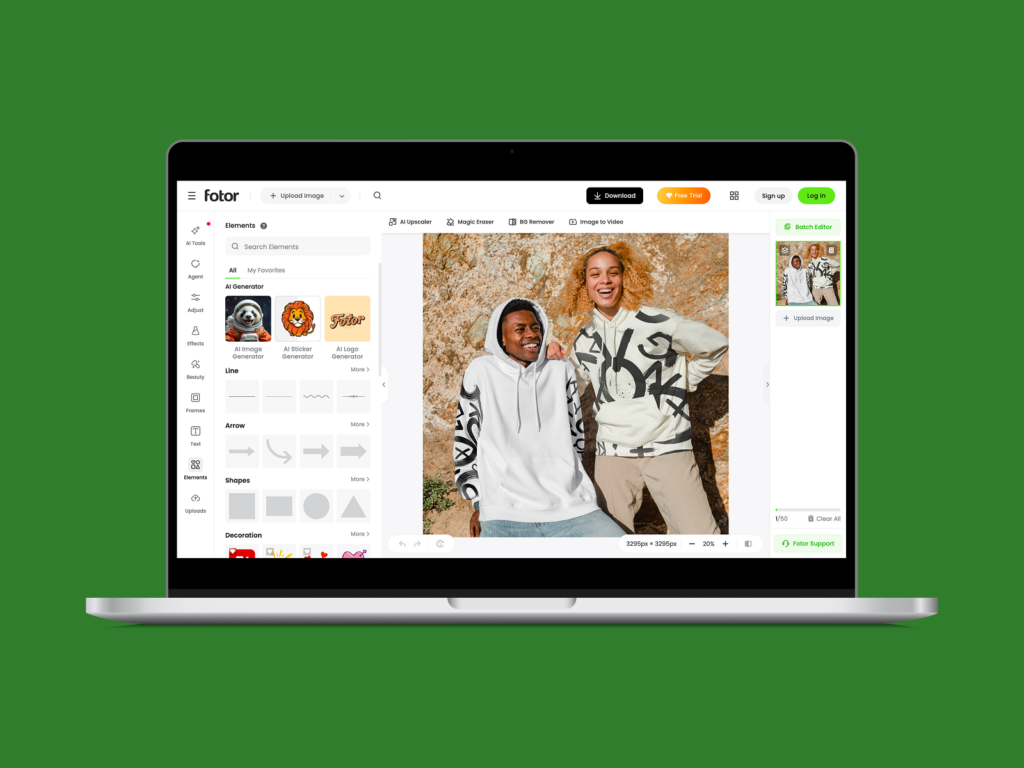
Fotor is an online photo editor and t-shirt design tool that blends simplicity with strong AI features. You can design shirts, personalize logos, and prepare visuals for merch without needing advanced experience.
Its free plan gives access to core editing tools, templates, and design assets that help bring your ideas to life.
Key features
Best for: Creators who want a lightweight, budget-friendly tool for designing t-shirts, preparing print-ready visuals, and making simple logo or background edits.
GIMP is a free, open-source software made for advanced editing and precise control. It’s ideal for detailed t-shirt design ideas, professional logos, and preparing artwork for print.
Key features
Best for: Designers who want full creative control and professional precision when preparing t-shirts for print.
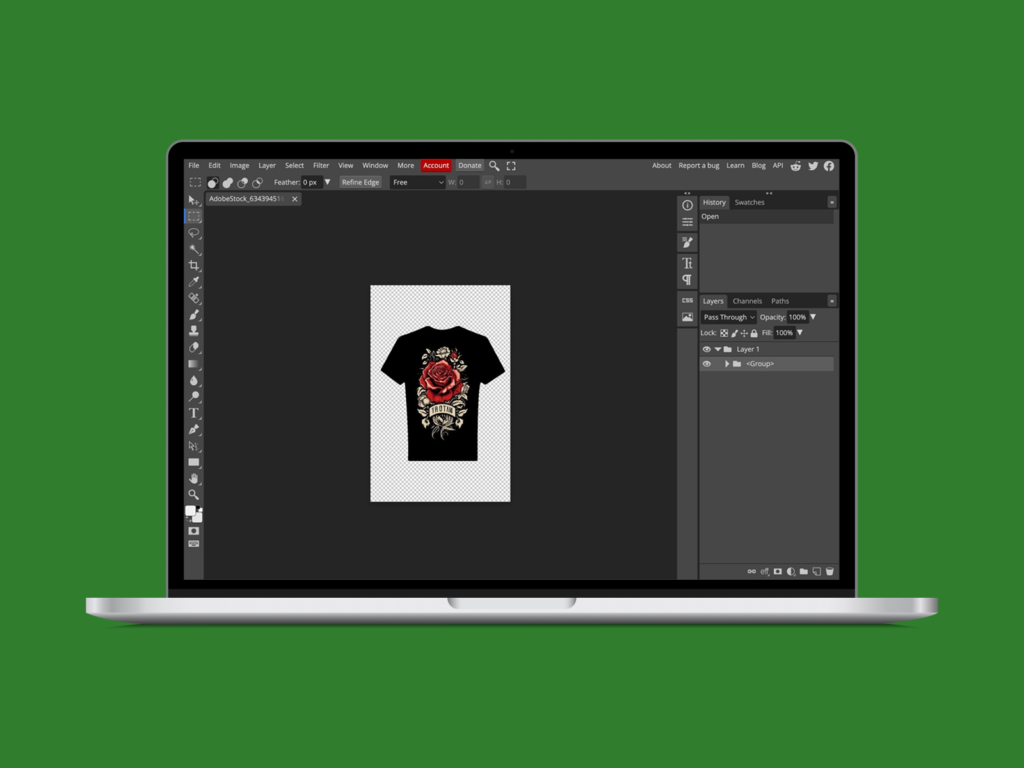
Photopea is advanced browser-based design software built for editing images and logos directly online. It supports professional vector format files, making it ideal for those who want to design t-shirts without installing heavy software.
Key features
Best for: Designers who want precise control over logos and images when creating detailed t-shirts online.
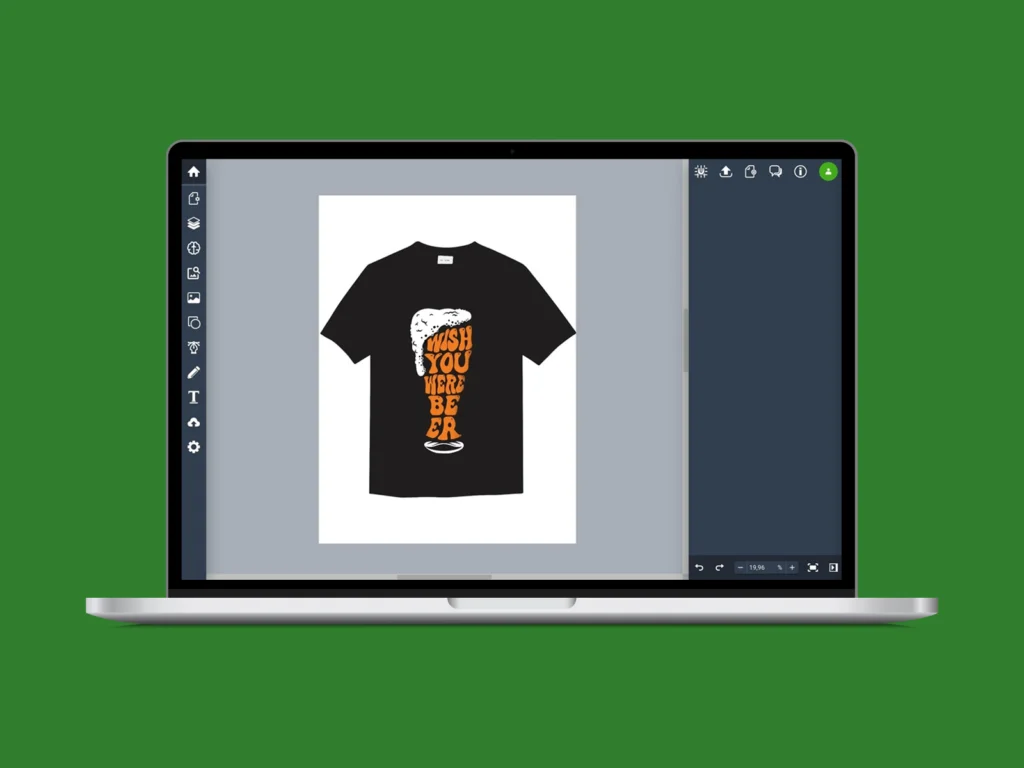
Vectr is a free, browser-based tool designed for simple, scalable design projects. It’s ideal for beginners and small brands looking to customize clean logos, create t-shirt design ideas, and prepare print-ready visuals without the complexity of professional software.
Key features
Best for: Small teams and creators looking to customize minimalist logos and apparel designsfor growing brands.
Adobe Photoshop is the industry-standard design software for professional creators who need full control over logos, colors, and textures when creating designs for print.
Its layer-based editing and precision tools make it ideal for both print and digital use, helping you visualize how a design will look in real life.
Key features
Best for: Professionals creating detailed logos and apparel designs that require precise, high-quality printing.
| Platform | AI | Background remover | Text editor & fonts | Pattern maker | Product mockups | Free graphics library | eCommerce integration | Easy-to-use | Free |
| Printify Product Creator | ✅ Built-in AI tool | ✅ One-click cleanups | ✅ Full text & font editor | ✅ All-over print support | ✅ Realistic previews | ✅ | ✅ Direct store sync | ✅ | ✅ |
| Canva | ✅ Magic Media | ✅ Yes | ✅ Yes | ❌ | ✅ Mockup frames | ✅ | ❌ | ✅ | ✅ |
| Placeit | ❌ | ✅ | ✅ | ❌ | ✅ Real-life scenes | ✅ | ✅ POD focus | ✅ | ❌ |
| Kittl | ✅ | ✅ | ✅ | ✅ | ✅ | ✅ | ❌ | ✅ | ✅ |
| Adobe Express | ✅ | ✅ | ✅ | ❌ | ✅ | ✅ | ❌ | ✅ | ✅ |
| Fotor | ✅ | ✅ | ✅ | ❌ | ❌ | ✅ | ❌ | ✅ | ✅ |
| GIMP | ❌ | ❌ | ✅ | ❌ | ❌ | ❌ | ❌ | ❌ | ✅ |
| Photopea | ✅ | ✅ | ✅ | ❌ | ❌ | ✅ | ❌ | ❌ | ✅ |
| Vectr | ✅ | ❌ | ✅ | ❌ | ❌ | ✅ | ❌ | ✅ | ✅ |
| Photoshop | ✅ | ✅ | ✅ | ❌ | ✅ | ❌ | ❌ | ❌ | ❌ |
Most tools handle part of the job. The Printify Product Creator does it all – AI images, mockups, background removal, and direct store sync.
It’s the fastest way to go from idea to printed product without extra software or setup.
It’s time to make your own shirt. Here’s how:
Create a free Printify account, connect your online store, and explore the Product Creator dashboard to access all design tools in one place.
Browse the Catalog to find the perfect style, color, and fit from brands like Bella+Canvas, Gildan, or Champion, all ready for printing.
Upload artwork, add text, or create visuals directly in the Product Creator. Use AI tools, patterns, and mockups to refine your final look.
Once your design is ready, order samples for wear-and-tear checks, or publish instantly to your connected store with automatic print fulfillment.
Printify’s Print Providers handle production and shipping while you review performance and brainstorm your next batch of custom t-shirts.
It depends on your goals. For beginners, Printify’s Product Creator is easiest. Professionals often prefer Photoshop or Illustrator for advanced control.
Choose a t-shirt design software, upload or create artwork, adjust placement, and preview it on mockups before printing or selling online.
Yes. Tools like Printify Product Creator, Canva, Kittl, and Photopea let you design shirts for free right in your browser.
Yes. Canva is ideal for quick layouts, typography, and simple artwork, though it’s limited for detailed vector editing.
For apparel design, Adobe Illustrator leads with its scalable vector tools and precision needed for professional clothing graphics.
For a beginner-friendly option, Printify’s Product Creator makes it easy for anyone to design custom apparel with no prior experience.
Illustrator is best for vector-based logos and clean lines. Photoshop is better for photo-heavy, detailed t-shirt art.
Each tool offers something unique, from professional editing to beginner-friendly simplicity. For a smooth, all-in-one start, Printify’s Product Creator stands out for its free access, built-in AI tools, and direct store integration. Explore these t-shirt design software options, test what fits your style, and turn your ideas into designs worth wearing.
The post The best t-shirt design software: Top tools for 2026 appeared first on Printify.





