


As a new marketing channel, web push notifications are an underutilized but highly effective way to generate more revenue. One store that started using web push notifications made $2,691 in the first 7 push campaigns.
If you’re just starting to use web push, you may have a few common questions about the marketing channel. Here are 10 common questions about web push notifications which we’ve answered to make it easier for you to start using web push.
Also known as browser push notifications, web push notifications are short and crisp marketing messages that are delivered straight to the subscriber’s screen.
Subscribing to web push does not require an email address or phone number. Due to this, they are anonymous.
The only detail stored are the subscriber’s ID, their web browser, the city/country they subscribed from, and when they subscribed.

YES. Web push notifications are sent by the browser (mobile and desktop) and don’t require a mobile app at all.
Instead, permission to send web push notifications to your subscriber is controlled by the browser through which the site visitor subscribed.

The character length of a web push notification varies between 34 to 128 characters, depending on the browser and the device.

Read more about the ideal character length for web push notifications on different devices and browsers.
Ideally, keep your notification text length at around 34 characters. Otherwise, the text of your notification will get cut off.

Store visitors consciously subscribe via the native browser prompt.
This prompt is shown by the browser. It is a mandatory opt-in when store visitors are subscribing and cannot be customized.

You can funnel your store visitors towards the browser prompt. There are 3 ways to do this:


Every web push subscriber should consciously opt-in to your notifications via the browser. Therefore, importing non-push subscribers (email address, phone number) is not possible.
Export and import of “web push IDs” is technically challenging and limited in functionalities.
If a store visitor ever allowed push notifications for your domain via any push notification tool, solutions like PushOwl will automatically re-sync. These subscribers don’t have to interact with the browser prompt again!
This allows you to win a subscriber base from an earlier untapped audience (who are engaged, but not yet willing to provide personal information).

Send promotions about sales, product launches, and collections to subscribers to bring them back to your store and increase purchases.

Recover carts with minimal effort. A subscriber that adds an item to the cart can easily be brought back to your store with a highly relevant message.

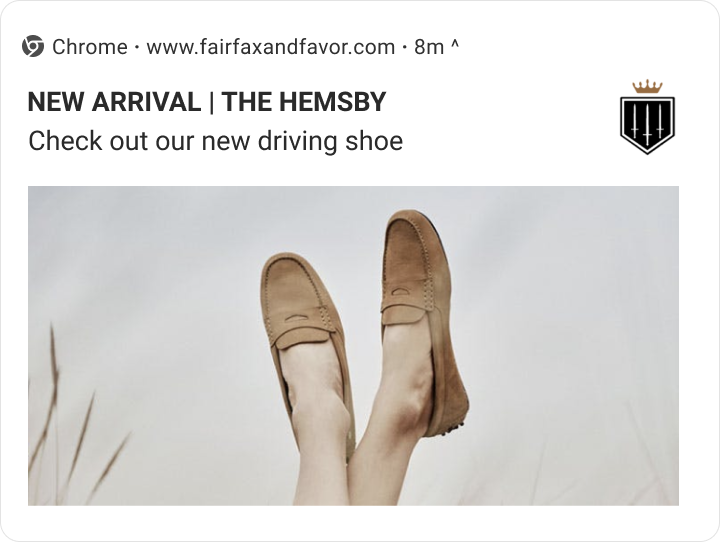
Web push notifications look different on different devices, browsers, and operating systems.

However, web push notifications look different on different devices and browsers.
Step 1: Store visitor subscribes to web push
Your website visitors consciously opts-in to receive notifications from your website.
Step 2: You send a web push campaign
When you “push” a notification, the subscriber’s browser is informed to show the notification and when to expire it.

Step 3: Subscriber receives the notification on their device screen
The browser needs to be active (background activity is sufficient) and connected to the Internet to receive the notification. They can then read the message and click on the notification to be taken back to your store.

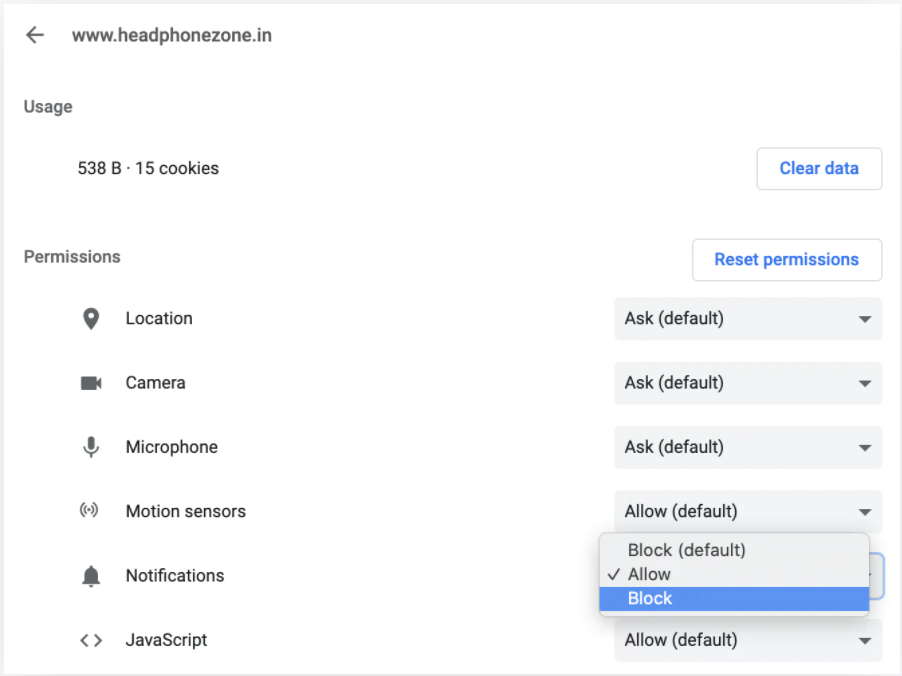
There are 3 ways to unsubscribe:


Learn about web push notifications and how to use the channel to grow your business through this detailed course that we created in partnership with Shopify.
We hope this helped you get a primer on what web push notifications are and how you can set it up and leverage web push as a revenue-generating channel.
This article originally appeared in the PushOwl blog and has been published here with permission.





