


Etsy, with its 95 million active buyers, is a great place to sell handmade goods, vintage items, craft supplies, and print-on-demand products.
This guide will explain how to start an Etsy store in seven steps, plus four preparatory steps before launch. We’ll cover the importance of market research, product selection, and search engine optimization (SEO).
Benefit from expert tips to make your shop stand out and confidently set up an Etsy shop.
Disclaimer: This post may contain affiliate links, which means we may earn a commission if you make a purchase through those links. This comes at no additional cost to you.
“Anyone learning how to start an Etsy shop should do lots of research before creating products and launching their store.
They should understand their ideal customer and validate that there is demand for their products by doing trend and keyword research.
Also, there is so much content available online through YouTube videos, blogs, podcasts, and webinars that provide detailed information on how to start an Etsy shop — they should be sure to take advantage of those resources.
Taking time to learn from experts each step of the way will help new sellers avoid common mistakes as they begin their business.”



Before you learn how to open an Etsy shop, analyze which products are most profitable and identify clear gaps in the market that you can fill.
Strategically position your store to attract and retain customers by doing the following:
The Etsy platform is an excellent source for product ideas. Make use of its unique market and audience-tuned search engine.
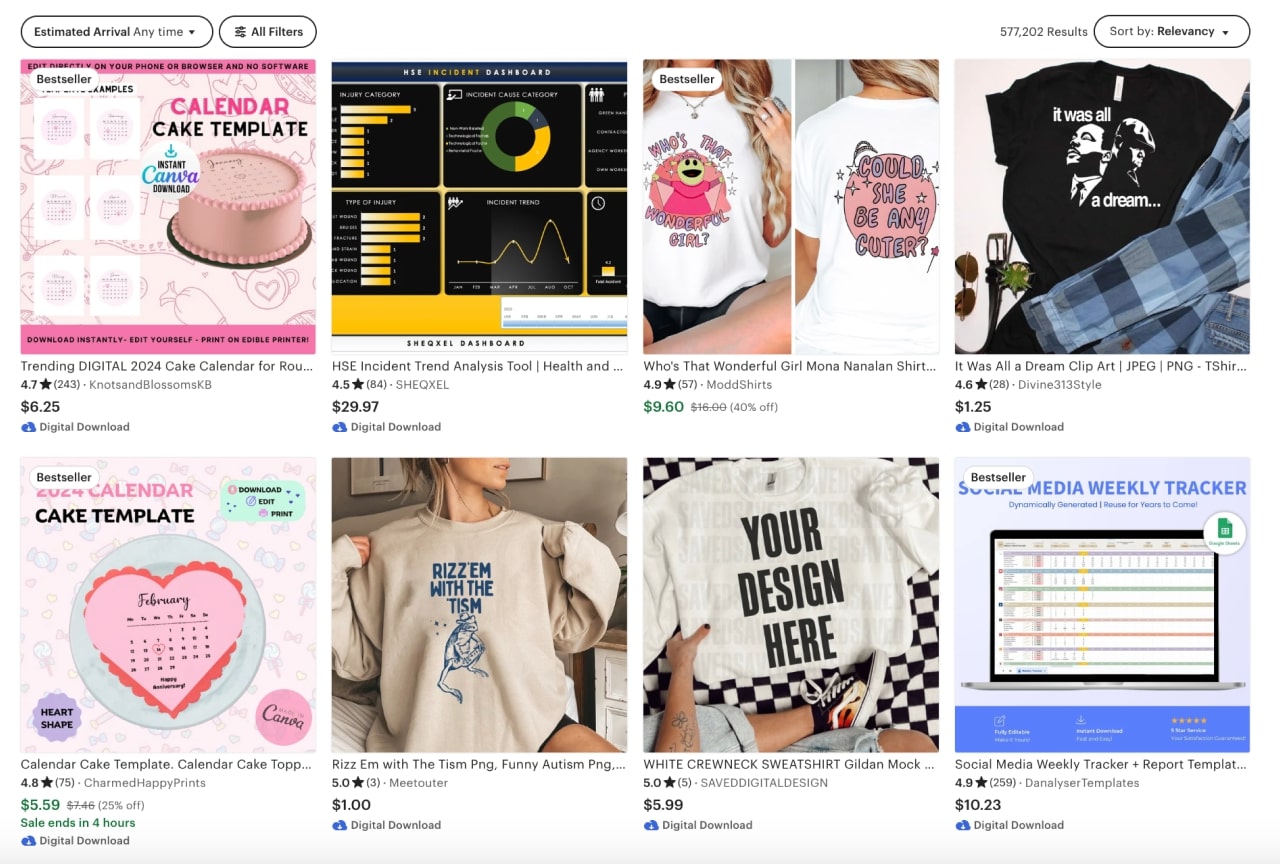
There are three main ways to create your products:
Try dropshipping or Print on Demand. Connect your store to a service that fulfills your orders and ships products straight to your customers.
Connect your Etsy store to Printify for automated order fulfillment and choose your next bestsellers from more than 900 customizable products in our Product Catalog.
“Some people believe that building a successful Etsy POD business is low-effort and extremely passive.
This is not true — if you want to be successful on Etsy, it’s going to take a lot of time and energy.
You’ll need to do tons of research, publish lots of products, provide a great customer experience, and be consistently active in your shop.
Don’t start an Etsy business if you aren’t ready to hustle!”
Since your customers won’t be able to closely examine products as they would in a brick-and-mortar shop, provide them with quality photos.
It’s also a great way to ensure that your product sells, as 90% of Etsy shoppers find photos crucial for making a purchase.
If it has a decent camera, use your smartphone to take photos. Or use our Product Creator, previously known as the Mockup Generator, to create realistic product mockups for your Etsy listings.
“Merchants should use tools such as eRank or Marmalead to complete keyword research. It’s important that they select for their listings keywords that have a high search volume and low competition.
Sellers should be sure to include keywords in their titles, descriptions, and tags. Variety is also important when it comes to Etsy SEO — merchants should avoid using the same keyword too many times.”
SEO is a set of processes that improves the ranking of your shop and product listings on both the search bar on Etsy and search engines like Google, Bing, and Yahoo.
Optimize your store and product listings with all these channels in mind to maximize your online presence and grow your business successfully.
To enhance your product’s visibility on Etsy, it’s important to understand the factors that Etsy algorithms consider when determining the placement of your listings.
These include:
To drive traffic to your store and increase customer conversions, it’s important to optimize your store for popular search engines.
So, how do you improve your visibility on Google?
Explore these SEO tools and utilize them for keyword research, tracking, and analysis:
After fine-tuning your store and product listings, take advantage of Etsy Shop Critiques to receive valuable peer reviews.
Before you start selling, you’ll need to create an account.
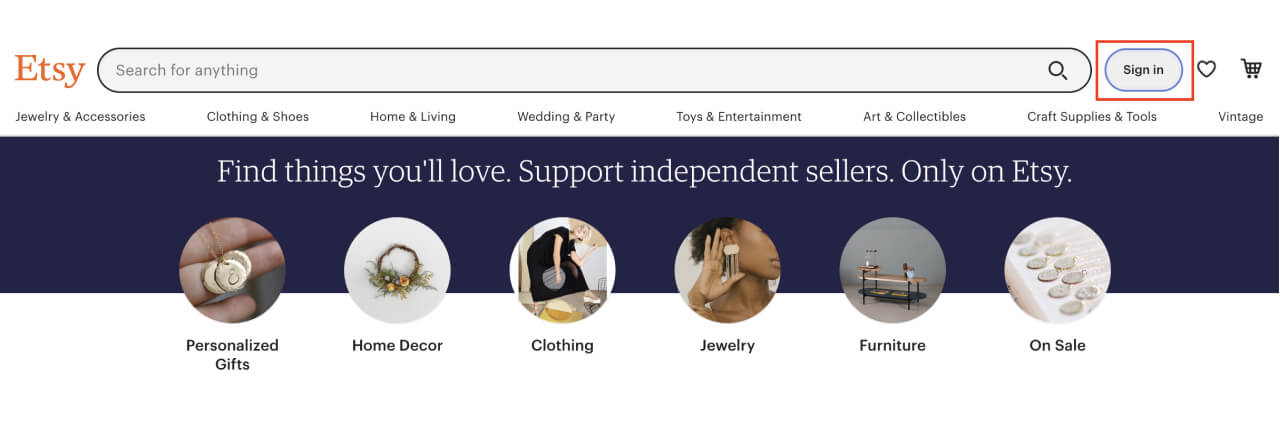
Go to Etsy and click on Sign in at the upper right corner.
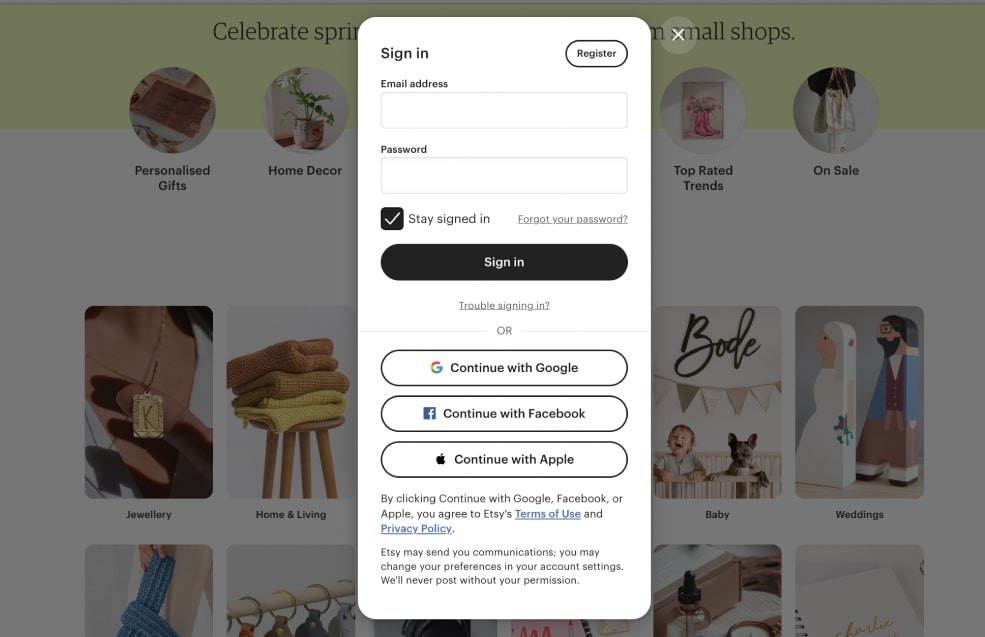
Sign up using your Gmail, Facebook, or Apple account or click on Register in the upper right and provide your email, first name and create a password.
Etsy will send you a confirmation to confirm your email address.
Make sure to confirm your registration, otherwise you won’t be able to continue to create your shop.
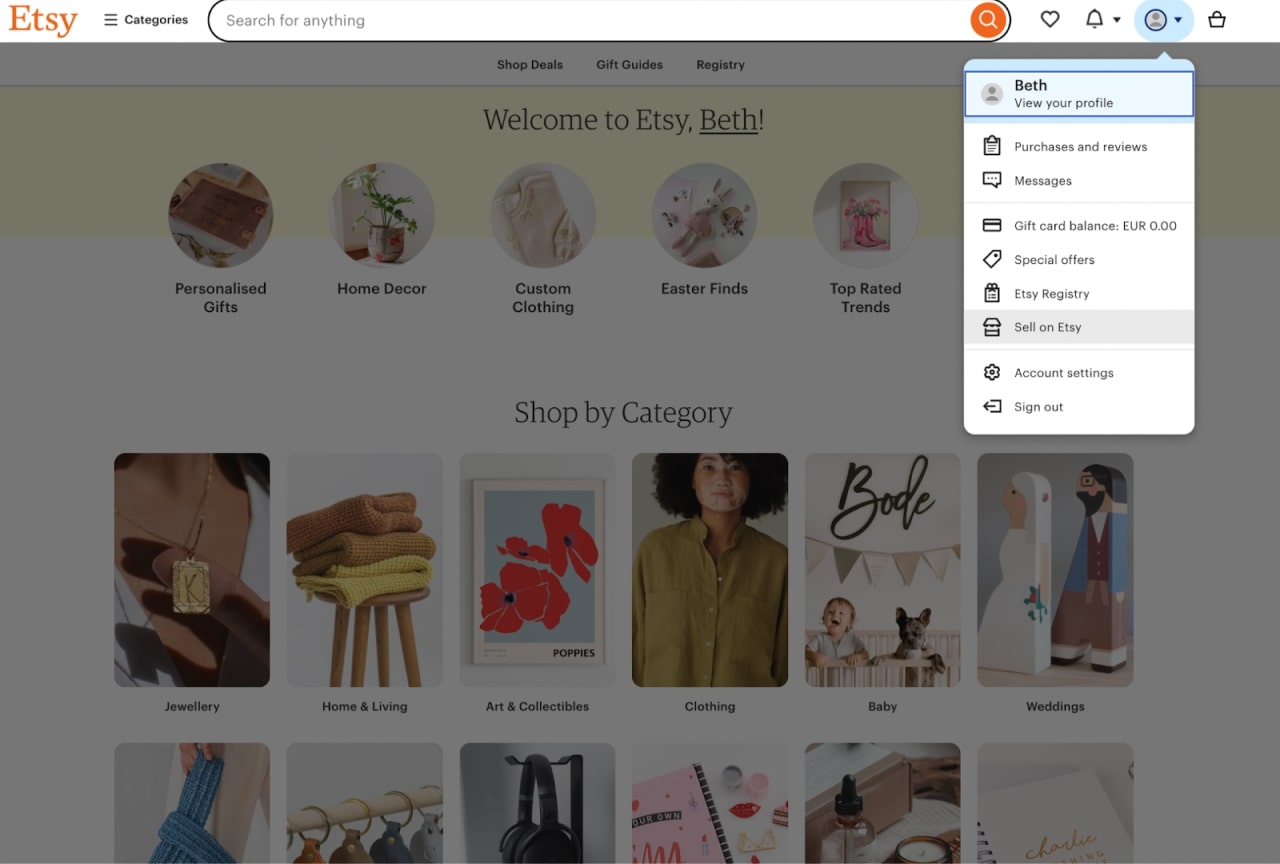
Once you’ve created your Etsy account, go to the drop-down menu in the upper right corner and select Sell on Etsy to create an Etsy Seller account.
The landing page offers information on Etsy’s fees, tools, support, stories, selling, and FAQ.

Click on Get Started at the top of the page or Open Your Etsy Shop at the bottom of the page.
On the upcoming pages, you’ll need to agree to Etsy’s policies and terms of use, and you’ll be asked some optional questions.

Choose the reason for launching your store, and then select the topics you’re interested in learning more about.
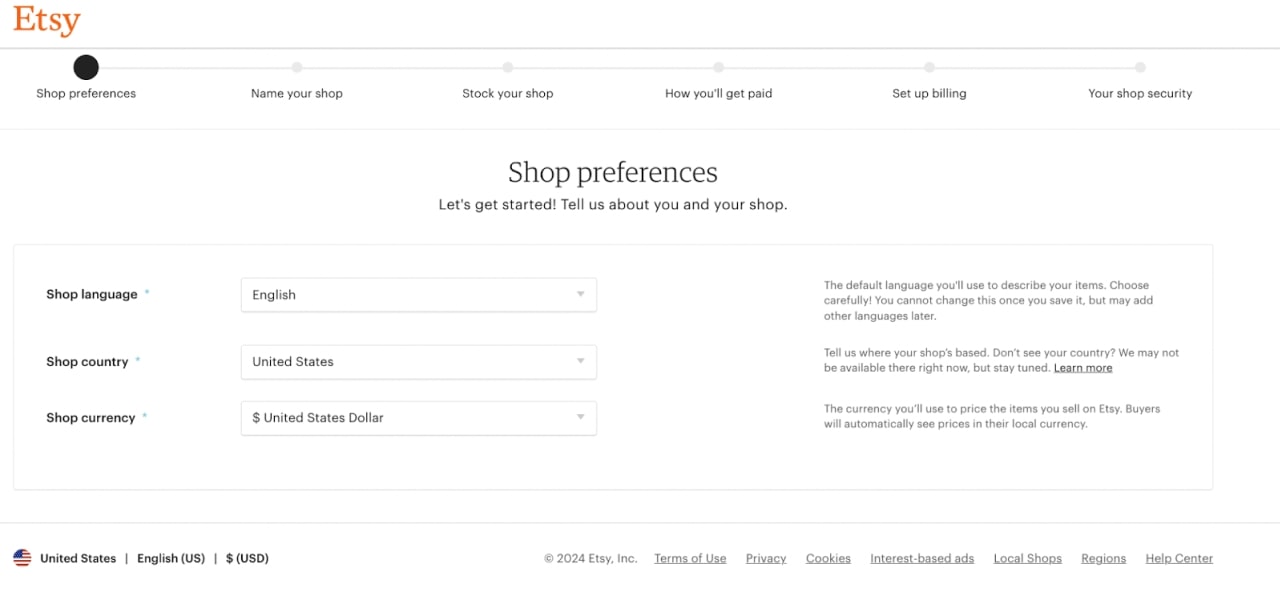
Fill out all of the required fields:
Move to the next step by clicking on Save and Continue.
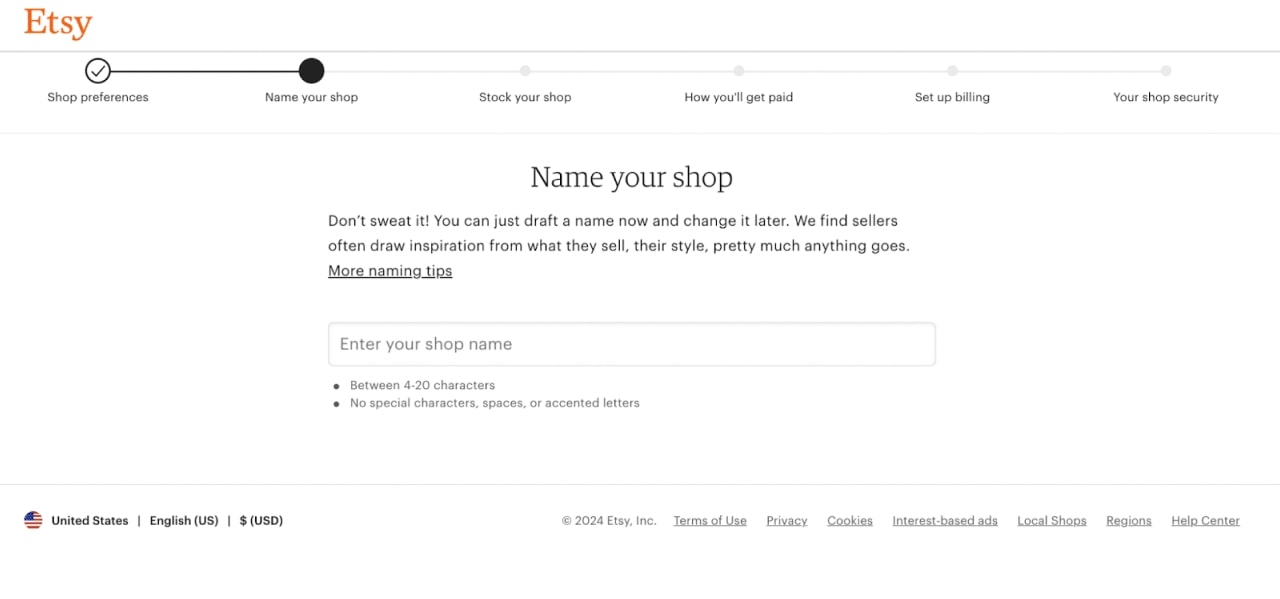
Use your own name, a descriptive reflection of your products, or go for something more abstract.
Your store name must be four to 20 characters without special symbols, spaces, or accented letters.
Click Save and Continue to proceed to the next step.
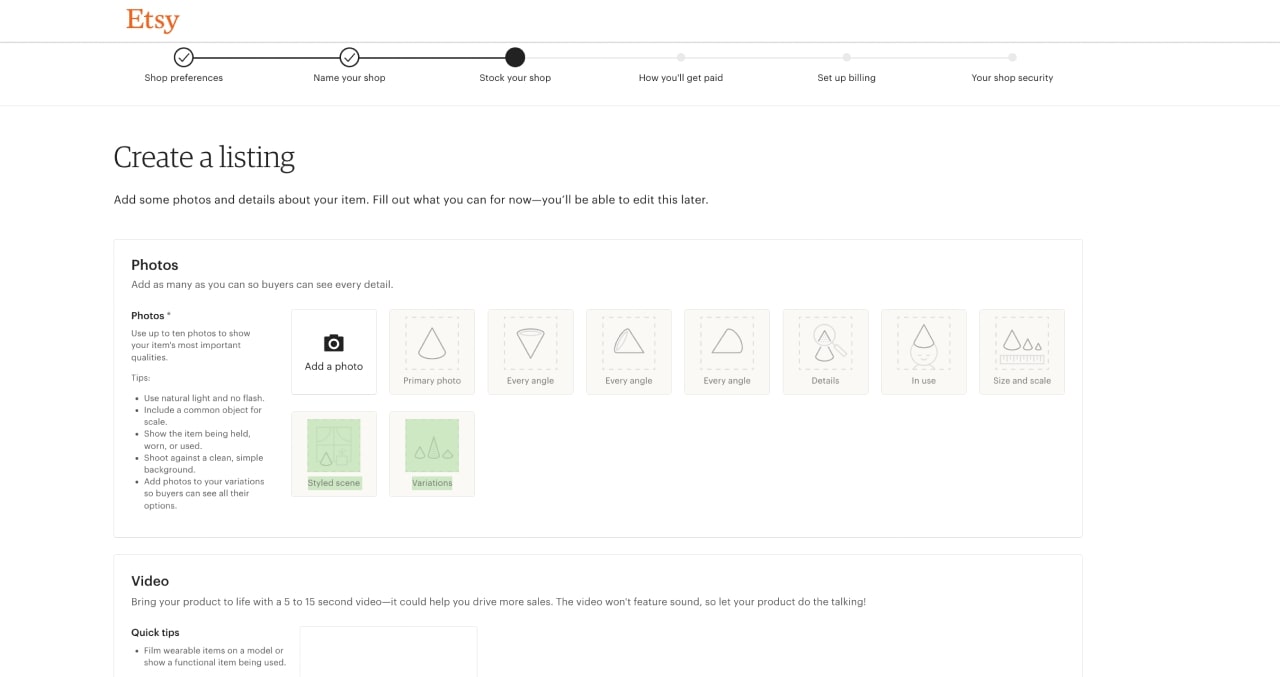
In this step, you’ll create your first product listing. Note that it’s not possible to skip this part, and you will be charged a $0.20 listing fee for this item.
Upload up to ten product photos. Place the best pictures first, and use keywords in the alt-text. Follow Etsy guidelines for proportions and sizes.
There’s also an option to add a video. Film an up to 100MB video of the product unpacking, being worn, or simply showcasing the product’s features.
Optimize your product listing by filling out all the important information and paying attention to every detail.
Give your customers a clear idea of shipping times and costs by creating a delivery profile, which you can also later apply to other product listings.
Click on Save and Continue to proceed to the next step.
After you’ve launched your store, connect to Printify and offer customized goods to your customers.
Easily create listings by choosing items from our Product Catalog, making designs in our Mockup Generator, and choosing the best product mockups.
Your products will be synched to Etsy as draft listings, including photos, titles, and descriptions, where you can adjust the final listing details.
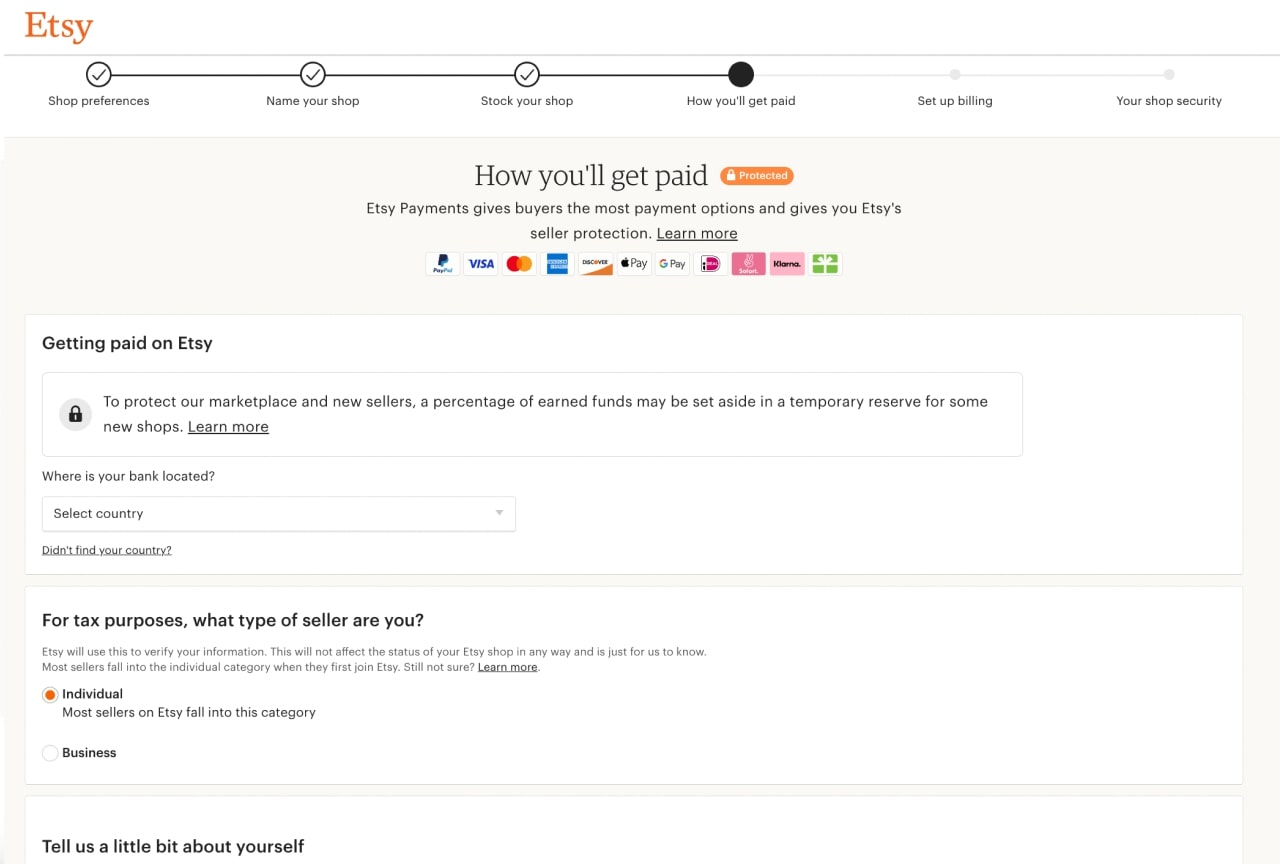
Set up a bank account, provide personal documents, and enroll in Etsy Payments during the registration process. Follow these steps to the letter to avoid an account block or even being banished from the marketplace.
Open an Etsy shop as an individual or business seller, and fill in your personal information. You’ll have to register a bank account to get paid.
Make sure that the payment account belongs to the shop owner and that the registered name matches the one in your Etsy account.
If you’re a seller in the US, you’ll need to verify your bank details through a third-party service provided by Plaid.
If Etsy Payments is available in your country, you’re automatically enrolled. Allow customers to pay with cards or several gateways, including Google Pay, Apple Pay, PayPal, iDEAL, and Sofort.
Adjust your payment settings by selecting the frequency you’ll get paid – once per month, every two weeks, once per week, or every day.
Click on Save and Continue to proceed to the next step.
Add a credit or debit card and billing address.
Keep in mind that Etsy charges listing fees – the first one is due on the first day of the next calendar month.
Click on Save and Continue.
Complete your registration by uploading an ID from your country of residence – a driver’s license, a government-issued photo ID, or a passport.
Proceed to the last step by clicking on Save and Continue.
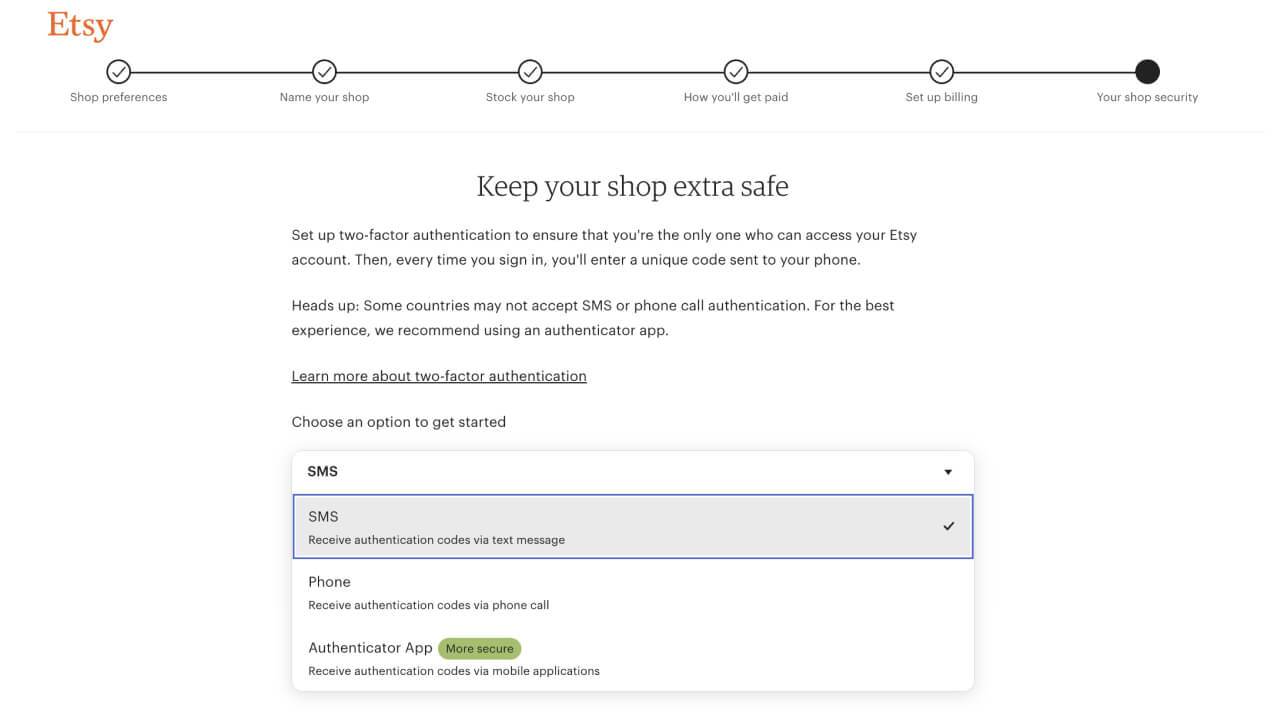
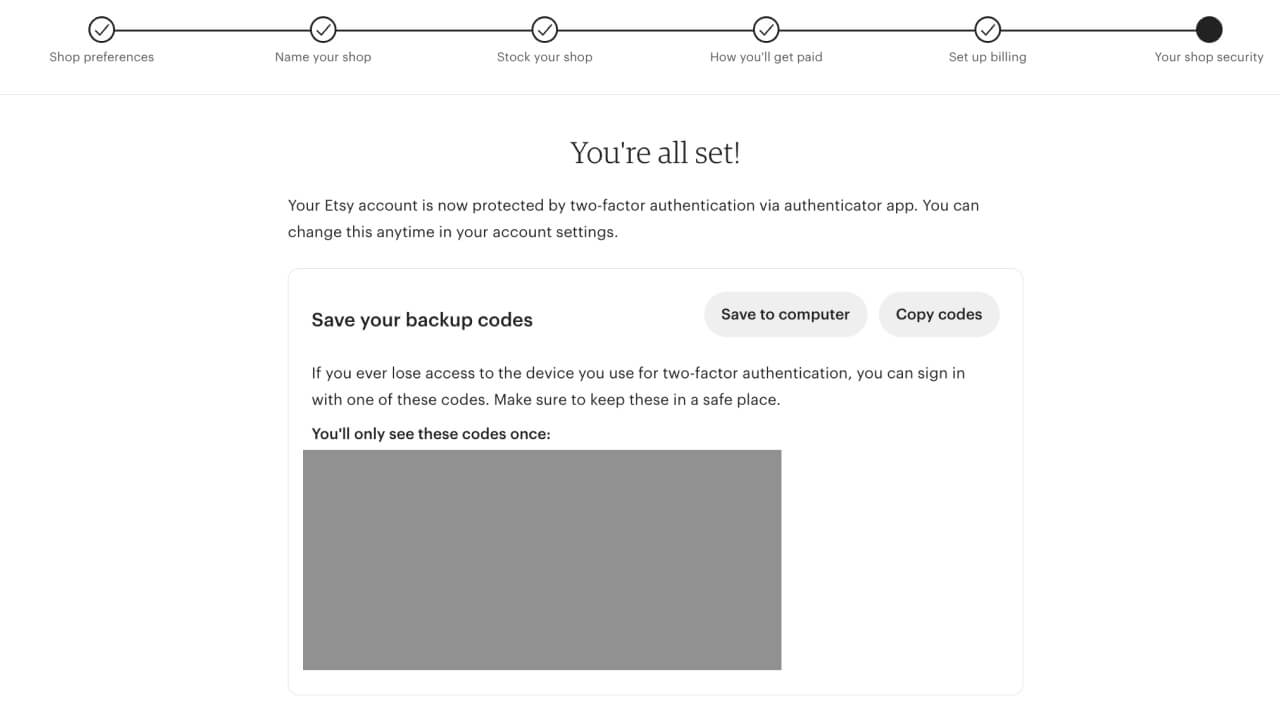
Enable two-factor authentication to make sure you’re the only one who can access your Etsy account.
If you select SMS or Phone authentication, you’ll need to enter your phone number to receive the registration code.
If you select the Authenticator app, download the Google Authenticator on the App Store or Google Play.
At this stage, it’s time to fine-tune aspects from the initial setup, infuse personality into your shop, and provide more insights into your small business.
Completing the About section and defining Shop Policies enhances the customer experience and positively impacts your ranking and Etsy SEO.
Navigate to the Shop Manager → Sales Channels and select the pencil icon next to your shop name.
Clear store policies ensure transparency and cultivate a mutual understanding between Etsy sellers and buyers, fostering trust in the shop owner.
Etsy provides fixed policies for estimated delivery updates, customs and import taxes, and editable policies for order cancellations, returns, and exchanges. You can also write your own privacy policy.
Using social media strategically, you can expand your shop’s reach, connect with a broader audience, and drive up customer purchases.
Use popular social media platforms like Instagram, Facebook, or TikTok to share important information and updates on your shop activities.
Include a direct link to your Etsy shop in your social media profiles, making it easy for potential customers to find you.
Collaborate with influencers, encourage audience engagement with user-generated content, and monitor analytics to refine your strategy.
Etsy’s built-in ad feature is your way to strategically enhance your shop’s reach, drive traffic, and improve your sales potential.
These ads run only on Etsy, placing your listings in Search, Category, and Market pages on Etsy.com and the Etsy app.
Set your daily budget, starting at $1.00, and Etsy Ads will automatically optimize your bid for maximum exposure.
Keep a close eye on your performance through the Etsy Ads dashboard and fine-tune your strategy to achieve optimal results.
Quick tip
Check out our blog on Etsy Advertising to learn how to sell items on Etsy.
If you’re selling custom products with POD, you’ll need to specify that they are handmade with production assistance.
Add a production partner in your Shop Manager → Settings → Partners you work with → Add a new production partner, including the following information:
Etsy will charge you an initial $0.20 listing fee for the product listing you create during store setup.
This charge will be due on the first day of the next calendar month and auto-renew after listings expire.
Absolutely. Etsy is a unique online marketplace that successfully connects sellers and buyers worldwide, catering to everyone trying to find one-of-a-kind items for themselves, family, or friends.
If this isn’t your platform, check out Etsy alternatives.
Setting up an Etsy shop is relatively easy, but getting it to the next level demands some planning and devoted work.
Follow this piece and explore how to open a shop on Etsy, make money online, and grow your customer base.
On top of that, you can enhance your product offer and simplify business operations by partnering up with Printify.
Now, it’s time to start selling!
Disclaimer
Etsy is always evolving and adapting, adding resources and altering the seller handbook. Follow our blog to keep in the loop and learn more on how to start an Etsy shop and make it grow.





