


Amazon is one of the world’s most popular online marketplaces. If you want your online business to reach a wide audience, it’s the place to be.
Discovering how to sell with Print on Demand on Amazon is much easier than you think, and we’ll guide you through the whole process.
We’ll cover everything you need to know to start selling on Amazon – from creating a seller account and choosing a print-on-demand supplier to designing products and marketing your store.
Disclaimer: This post may contain affiliate links, which means we may earn a commission if you make a purchase through those links. This comes at no additional cost to you.
Anyone can start selling on Amazon quickly. This walkthrough will show you how to create an account.
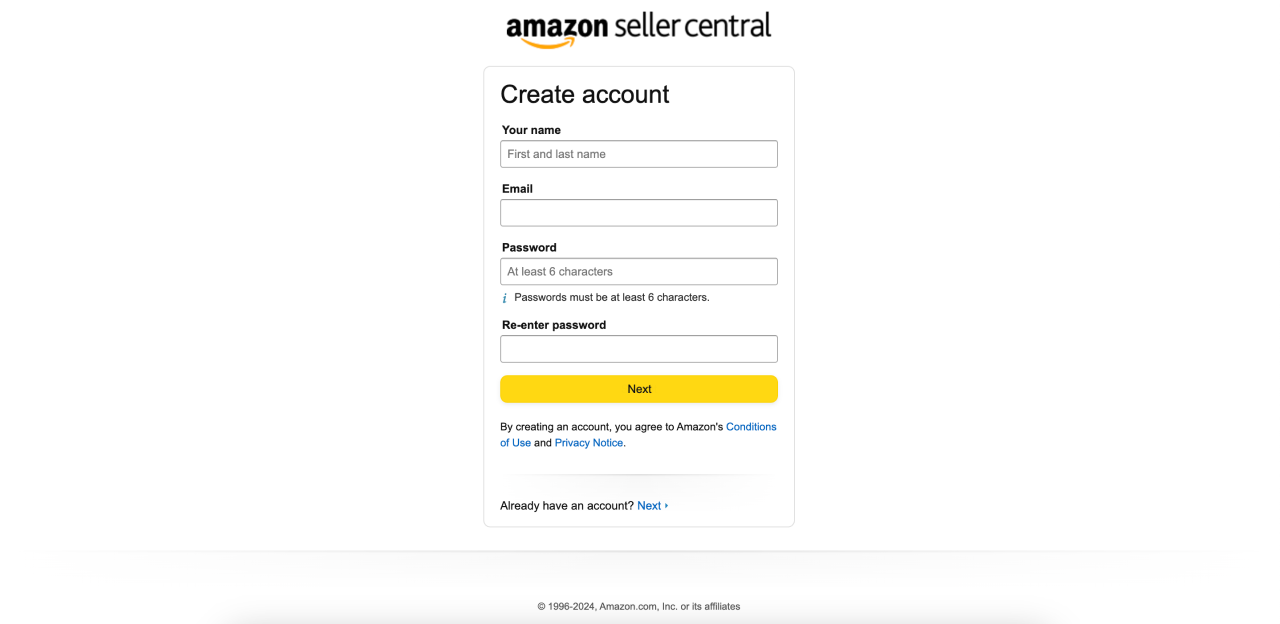
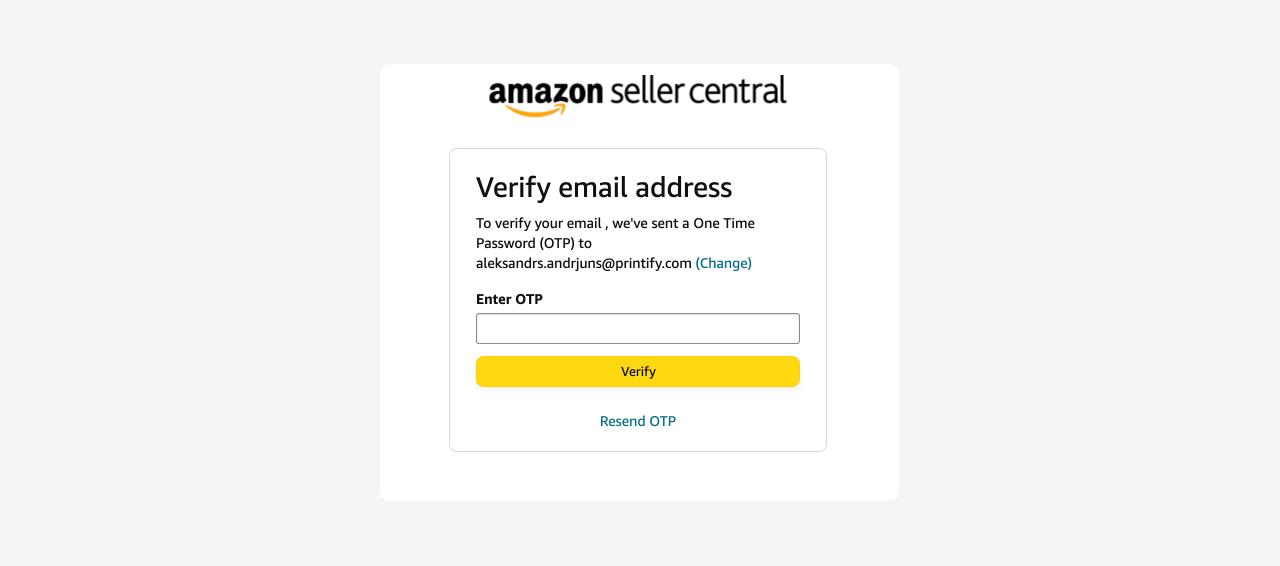
To create an Amazon seller account, you need a bank account and routing number, credit card, valid government-issued ID, tax information, and phone number.
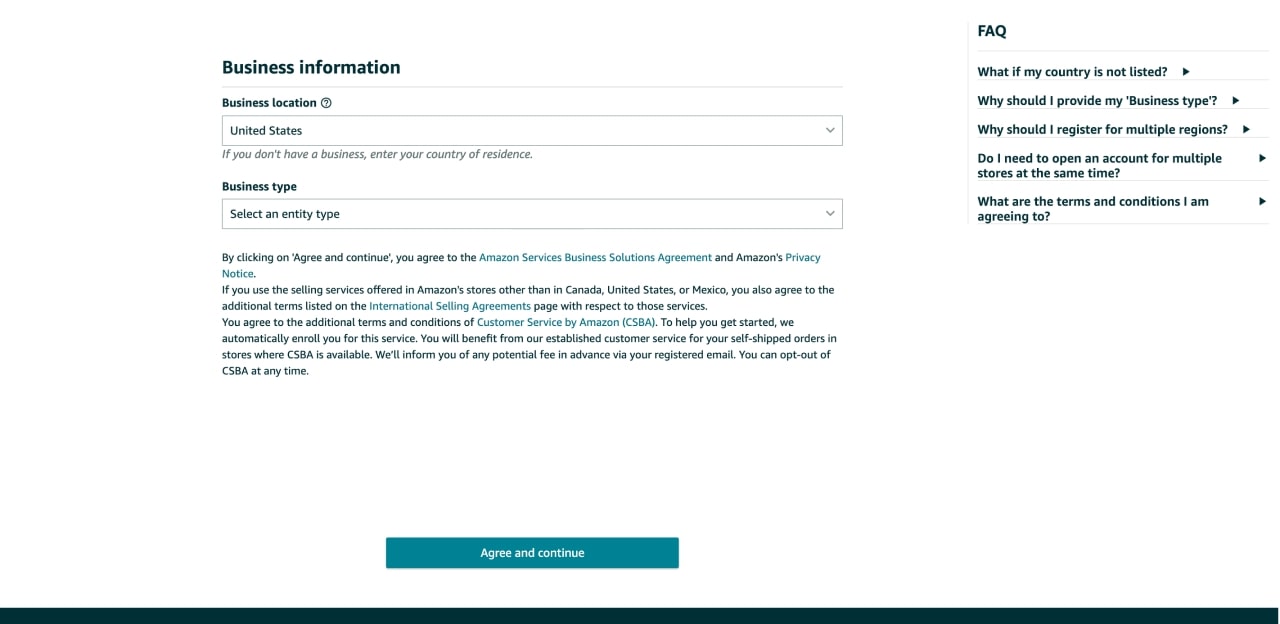
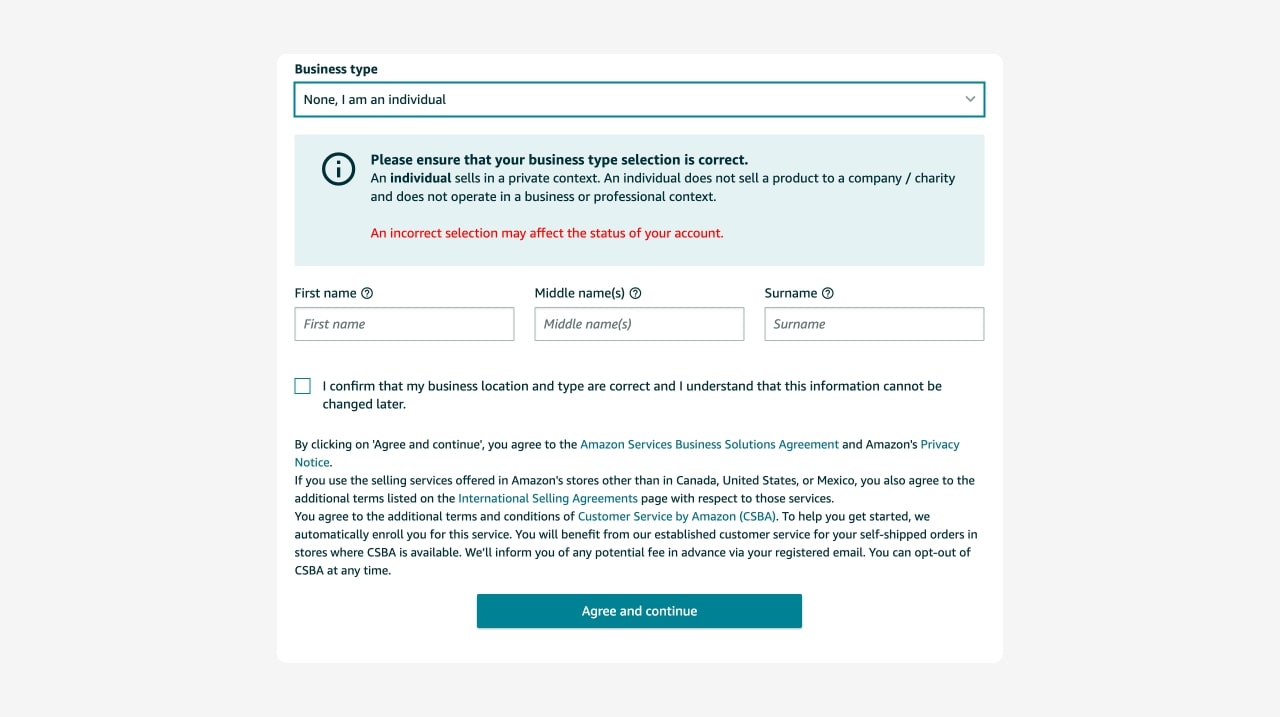
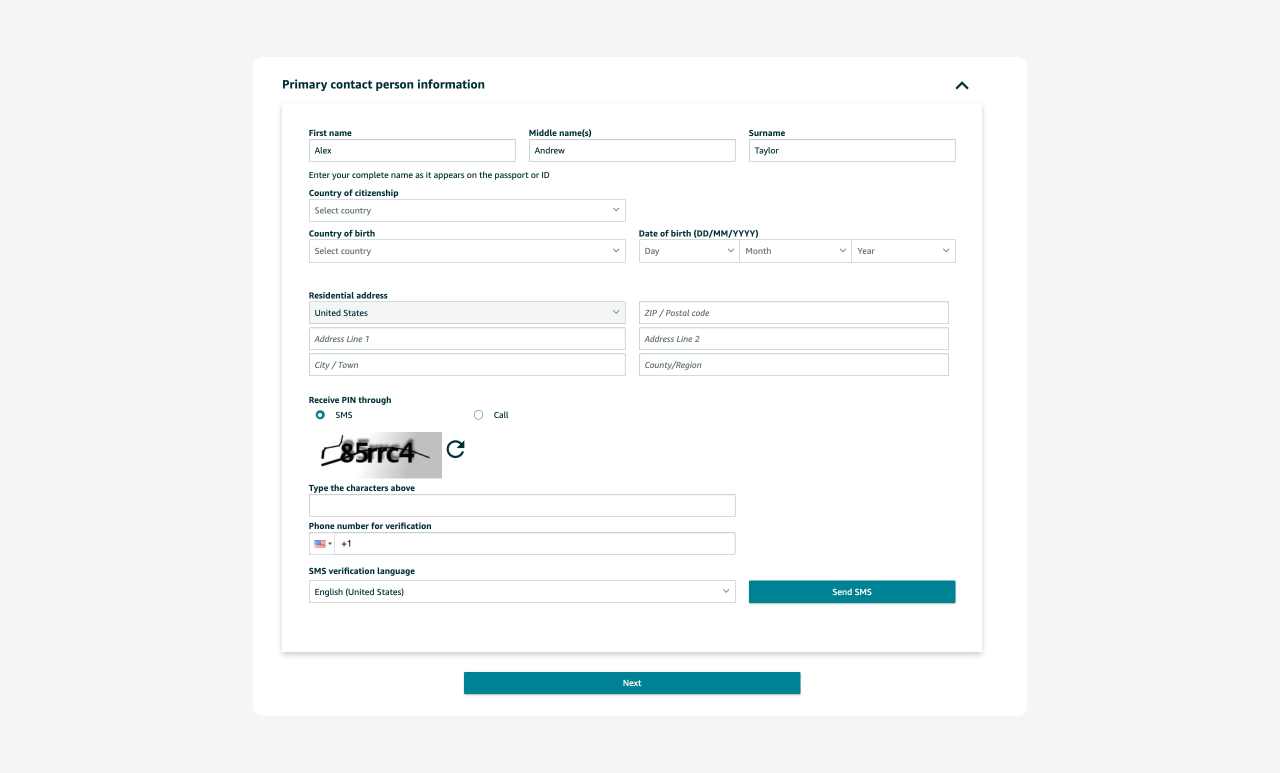
Then, add a bank account number and click Verify bank account. Carefully read the Monthly Subscription Fee section. Enter a credit card number, expiry date, and the cardholder’s name, then click Next.
Afterward, click Join video call, and an Amazon representative will contact you to verify your identity. You can also schedule an appointment for a later date.
As soon as the representative verifies you, you’re good to go. Just don’t forget to set up two-step verification to increase the security of your account.
You’ll also need to choose a selling plan, but you can switch or cancel anytime, so feel free to adjust as the business grows.
There are two options:
Many sellers create an Amazon Professional seller account because it provides a wider set of benefits for running and growing a business. If you don’t plan to sell more than 40 products per month, the Individual selling plan may be the best option.
However, each provides different tools and services, so carefully evaluate Amazon’s selling plans. Amazon also has referral fees, which vary by product category.
If you prefer video instructions, watch Amazon’s step-by-step tutorial for beginners, explaining in detail how to start selling on their marketplace:
Quick tip
Use the free Amazon Seller app to take care of business from your smartphone.
Print on Demand is one of the easiest ways to start selling custom-printed products on Amazon. You don’t need to worry about inventory, packaging, or shipping – the supplier does it all for you.
Let’s explore your options.
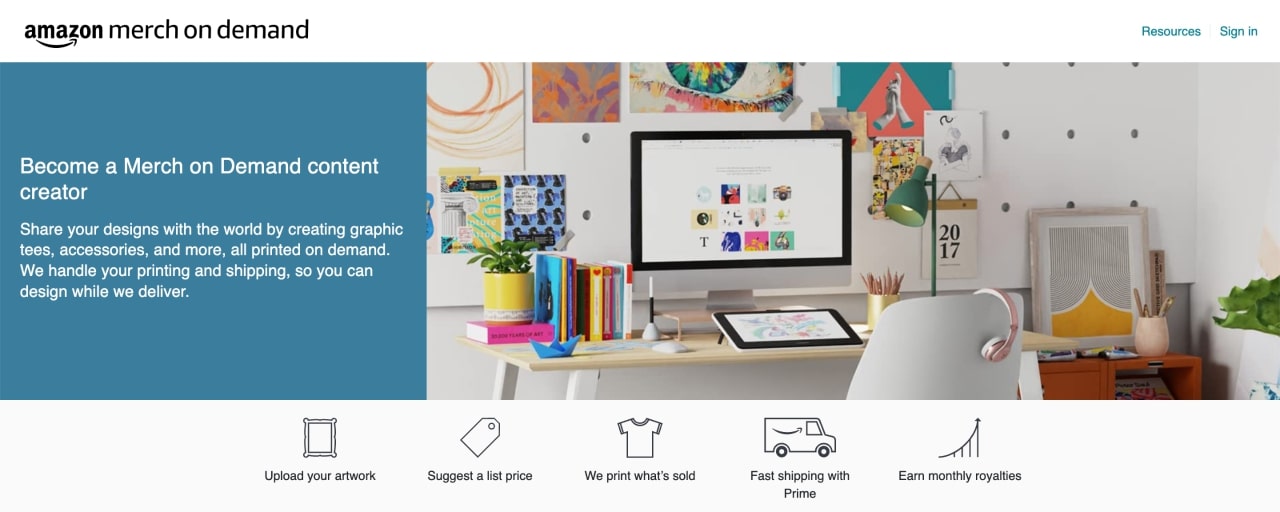
Also called Merch by Amazon – it’s the marketplace’s POD service, allowing people to sell products with original designs without any upfront costs.
How it works:
The setup is easy. You can sign up with your existing Amazon account or create a new one during the sign-up process.
Visit Merch by Amazon and click Sign up. Then, accept their Services Agreement, fill out Creator Information, Add Your Bank Account, and Tax Information sections. When done, click the Save and Continue button.
Now, wait for Amazon to approve your account. The process can take a while – even up to a few weeks. They’ll provide an expected timeframe and will notify you of their decision via email.
While exercising patience, read through their resources, including content policies and best practices, to increase your likelihood of success.
Although Amazon doesn’t integrate with Printify directly, we’ll cover various ways to sell POD products created on our platform.
You can add Amazon as a sales channel in a Wix store and sell products created with Printify.
How to sell with POD on Amazon using Wix:
For more details on configuration, read Wix’s guide on connecting and setting up an Amazon shop.
Codisto is the leading Amazon integration solution for merchants with stores powered by Shopify and PrestaShop. It’s an easy way to sell with Print on Demand on Amazon.
Download the plugin at the Shopify or PrestaShop app stores.
Trunk is a subscription service offered by Square. This option requires a Squarespace store – best for those who already use the platform.
Get started by creating an account on Trunk. Then, integrate a Squarespace store. Go to Settings and find Extensions. Type trunk in the search bar and select the extension.
Order Desk is a solution for integrating Printify with Amazon and other marketplaces. With it, you can automatically send your orders to Printify for fulfillment.
Visit Printify + Order Desk for more information. You need a GTIN exemption to list products on Amazon. Learn what a GTIN is and how to request one from our Help Center.
Whether you want to sell t-shirts on Amazon or other POD products, these solutions provide a convenient way to connect with Printify.
Appeal to a wide audience by selling print-on-demand products from a variety of categories.
In our Printify Catalog, we have more than 900 high-quality products – from stylish t-shirts and hoodies to useful accessories and beautiful home decor. You can customize them however you like and add them to your store with just a few clicks.
Sort them by print area, printing country, price, and brand to find the right products. Our Print Providers will handle the production and logistics, paying close attention to print quality and timely delivery.
When designing, keep your target audience and market trends in mind to make it easier to stand out from other businesses.
Start by visiting Dribbble, Pinterest, and Behance to gain inspiration. Then, use our beginner-friendly Product Creator to create designs.
Upload graphics, illustrations, text, or create a design from scratch using various features, like our AI Image Generator, Text Editor, Pattern Tool, and our free Graphics Library with high-quality images.
Whether you want to start selling t-shirts, hoodies, stickers, blankets, coffee mugs, or shot glasses, we’ve got print-on-demand products for every niche.
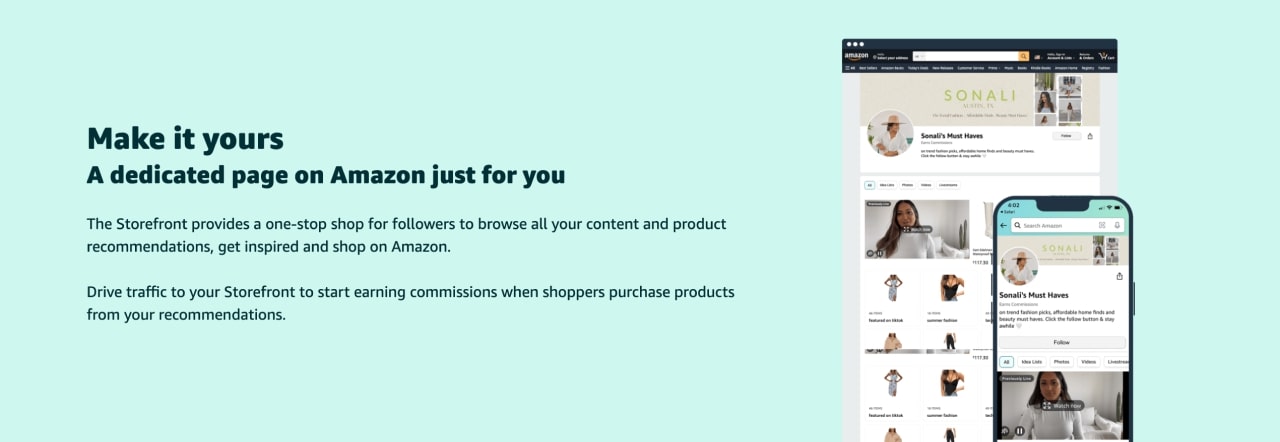
You can set up an Amazon Storefront if you’re on their Brand Registry. The program helps to protect the merchant’s brand and provides them access to the Store builder.
As soon as your brand is approved, use the Store builder to create a website following these steps:
Then, Amazon will review your store and publish it on their platform.
For detailed instructions on how to build a storefront, visit Amazon’s Storefronts 101 page.
Don’t forget about marketing when learning how to sell with Print on Demand on Amazon. Running successful online businesses requires a thorough marketing strategy to succeed.

Amazon Advertising helps businesses to reach more customers, increase traffic, sales, and improve customer loyalty.
For example, you can create Amazon-sponsored product ads to promote your print-on-demand merchandise directly on Amazon.
Set a budget for your paid advertising campaign, choose targeting options, and track the performance through the Amazon Advertising console.
Use Amazon SEO to improve product visibility by optimizing listings to show up in search results within the platform. Amazon has its own algorithm and optimization rules for increasing traffic – more traffic equals more organic merch sales.
Learn how to optimize product listings from Amazon, including how to research keywords with the auto-complete search feature and compile a list of relevant keywords. This guide also explains how to write discoverable titles, product descriptions, and bullet points.
While Print on Demand is a great eCommerce business model, selling print-on-demand products can be competitive. Stay ahead of the game and bring in more customers by following these tips.
A niche is a specialized market segment for a product that appeals to a specific group of people. With the right niche, it’s easier to stand out, attract customers, and increase sales.
For example, a niche can be anything from mushroom hunting, bird watching, or storm chasing. The more narrow, the better. However, try aiming for niches that are popular.
Find profitable niches by conducting market research using Facebook, Instagram, and X to gain useful insights into the popularity of certain topics.
Additionally, try market research tools like Semrush or BuzzSumo to see what people search for.
Or use Google Trends to assess the popularity of a topic. Google Trends visualizes search queries over time across different regions, categories, and platforms.

By delivering exceptional customer service, people are more likely to leave positive reviews, suggest your store to others, and purchase your POD products again.
Some key factors in achieving customer satisfaction:
Combine excellent service with selling top-notch POD products, and you’ll be on a clear path to entrepreneurial success.
Disclaimer
Avoid legal troubles by consulting a qualified professional who can provide guidance specific to your case.
Each country, state, and city has different rules and regulations – carefully check the legal requirements in your jurisdiction.
Also, visit the U.S. Small Business Administration’s website and read their guide on registering a business.
Before you begin, choose a business structure by weighing up the pros and cons to find the right one for your business.
In some cases, you might need a business license or a permit.

Performance analysis is crucial for building a successful print-on-demand business and if you want to expand. It helps to identify strengths, address weaknesses, and improve overall profitability.
Monitor how your print-on-demand business performs in the Store builder, Insights section, where you can check your number of page views, visitors, and sales.
A few key metrics a professional seller should track:
Calculate the conversion rate by dividing the number of orders by the number of unique store visitors.
Calculate the average order value by dividing the total revenue by the number of orders.
Discover the top ten eCommerce analytics tools to take data analysis to the next level.
When your business takes off, consistently add new products to appeal to an even wider audience and increase sales.
With Printify’s print-on-demand services, you can sell a wide variety of products, personalize them to your heart’s content, and add them to your store without additional expenses.
Our Catalog has more than 900 high-quality print-on-demand products at the best prices on the market.
These include:
You can sell a wide variety of custom-printed products, like apparel, accessories, stationery, and home decor.
The print-on-demand business model allows sellers to cater to a broad range of customer preferences and expand their product collections effortlessly.
As we conclude our guide on how to sell with Print on Demand on Amazon, we hope you found all you need to know for POD success.
A quick recap of the steps you should take:
With the right approach and some patience, anyone can make money selling print-on-demand products on Amazon.





