


Whether you’re a long-time merchant or have just set up your first Shopify store, driving online traffic is a crucial process for increasing sales. In this guide, we’ll explore how to drive traffic to your Shopify store through website optimization and online marketing.

Search engine optimization is a fundamental step to increase the visibility of your online store. Improving Shopify SEO means generating free traffic from search engines by enhancing your store’s performance through quality listings and optimized content.
To ensure your SEO strategy is effective, conduct keyword research and use Shopify apps with website optimization tools and SEO analytics trackers.
Start by writing clear and engaging meta descriptions and short titles for your product listings, and incorporate primary product keywords. Enhance your listings further with tags related to specific product categories and key features.
Craft compelling metadata to influence how search engines display and analyze your content. Metadata includes meta titles and descriptions for each page of your website. Ensure they carry relevant keywords with clear intent at an optimal length.
Track these SEO metrics to help drive traffic to your Shopify store:

Shoppers will often search through Google Images before browsing a store. It’s an easy way to visualize what they’re looking for, and it offers more product variety. Optimize images and product photos to increase free organic traffic.
Make sure that all of your images are high-resolution and align with Shopify’s size guidelines. It’s also good practice to compress them without lowering the quality for fast website loading.
Note these key image features and how to improve them to drive traffic to your Shopify website:
Optimized images help Google users find your store more often. If done effectively, each landing page and product listing will have an associated image linked to related search results, providing a clear idea of what the page offers.

A form of content marketing, blogs are an excellent way to generate brand awareness and maximize the time users spend on your site. Additionally, they’re great for incorporating valuable keywords to increase your website’s search visibility – driving traffic to your Shopify store.
Make sure your language, style, and messaging align with your customers’ expectations. You should also define a unique and consistent brand voice while engaging with your target audience – this helps your brand gain familiarity and trust.
Overall, quality content should include good SEO practices for organic visibility, offer value with expertise and insights, and cultivate customer loyalty via engagement and community building.
Incorporate these types of blogs into your content marketing strategy:
Google offers various tools to help businesses track metrics and integrate products. Use them to generate free Shopify traffic by ensuring that you capture relevant keywords and match market demands.
Explore a suite of Google tools for businesses that can enhance your eCommerce efforts.
Product Listings is an ad tool that integrates your listings directly within Google’s search results. When customers search for a product on Google, they can see a dedicated section showcasing images, prices, and product details with a direct link to the retailer’s website.
Analytics is an online tracking tool for researching website traffic. Shopify stores use it to monitor up-to-date website page visits, trends, and analyze user demographics and behaviors. These include session lengths, bounce rates, and overall sales performance.
Trends is a keyword research tool that reveals the popularity of search queries over time. It provides insights into the global interests of words, phrases, or niches in Google search results, offering real-time metrics for keyword optimization, product analysis, and content planning.
Search Console functions as a direct analysis tool to track website performance and search visibility. It provides online businesses with a free service showing core web reports relating to performance, such as indexing, sitemaps, URLs, security, and mobile usability.
Keyword Planner is a Google Ads tool that helps eCommerce marketers research and select relevant keywords for their advertising campaigns. It provides insights into keyword search volume, competition, and suggested bid estimates to optimize ad targeting and budget planning.
PageSpeed Insights evaluates a web page’s loading speed and performance on both mobile and desktop devices. The tool provides insights, recommendations, and a performance score to help website owners optimize their pages for better loading times and user experience.
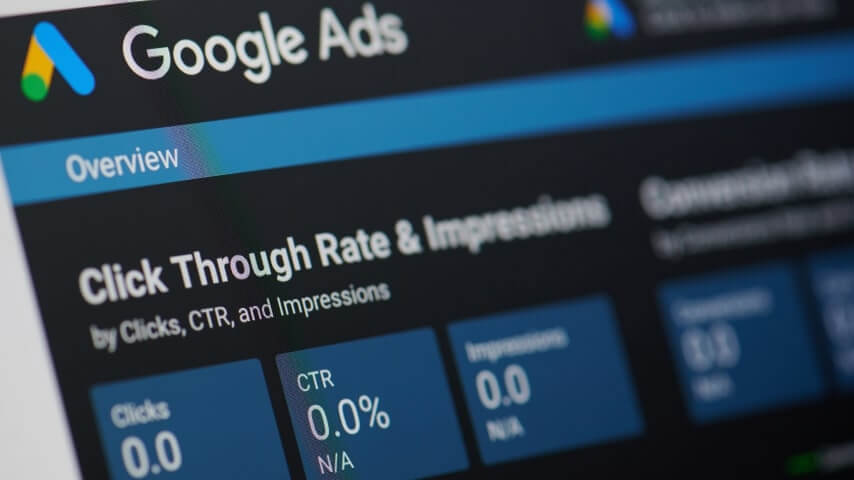
Google Ads is an invaluable tool for boosting your store’s visibility, attracting your target audience, and driving sales by promoting products throughout Google services. Let’s look at paid ad campaigns and your best advertising options for planning how to get traffic to your Shopify store.
This service operates on a bidding system with a pay-per-click (PPC) model, meaning advertisers pay when users click on their ads. Bidding works as an auction where marketers add the budget they’re willing to pay, and Google places ads based on amount, competition, and relevance.
Explore these ad formats and use cases for your online store.
Craft text-based ads for Google Search results to place your Shopify store in front of shoppers actively searching for related products.
Showcase your listings directly in search results with eye-catching images, enhancing the visibility of your Shopify store’s offerings.
Engage audiences with visual ads on the Google Display Network to build brand awareness and showcase products across a variety of platforms.
Create compelling video content for YouTube and the Google Display Network. Think product demos, testimonials, and captivating brand stories.
Google Ads are valuable for Shopify store owners, maximizing visibility with the potential to reach a wide range of online users. Let’s check the key benefits of using Google Ads:

Increase your presence on social media channels to help drive traffic for your Shopify store and boost your brand’s visibility. Consider one or multiple social media platforms by defining your target audience’s go-to apps.
These platforms provide the largest user bases and best social media marketing tools for selling and promoting to bring in sales:
Once you’ve chosen where to set up your social media pages, create a business account to access the platform’s full marketing capabilities. There are multiple ways to drive traffic with social media, including creating and following a social media content plan, which includes:
Social media ads provide robust analytics and targeting features to integrate promotions within content feeds. Similar to Google’s services, most platforms will study your ads and determine placement based on the quality of the ad, the platform’s content algorithm, and the bidding amount.

Referral marketing is a retail strategy that incentivizes customers with deals, discounts, or exclusive offers if they promote a store and its products on their network. Referral programs work via unique links or codes that drive referral traffic and track rewards.
Check the Shopify App Store for paid and free referral tools with unique program customization options.
Alternatively, consider collaborating with popular social media figures via influencer marketing. Contact related influencers in your niche personally or use influencer affiliate programs.
Referral marketing is a great way to drive quality traffic. Not only do referrals and influencers help boost loyalty and increase brand awareness, but they also foster a sense of community around the brand and create trust from credible figures.

Email marketing is a great way to make sure your eCommerce business encourages repeat buyers and builds relationships with new ones. Shopify email marketing is an excellent tool for sending news, order information, and launching campaigns.
Use the Shopify Email tool to launch an email marketing campaign and generate traffic with its drag-and-drop editor, analytics tools, pre-built templates, and email automation features.
Prepare some or all of these marketing email types to drive traffic and inform online shoppers:
Increase your customer retention by promoting attractive deals on your web store or remind potential customers about products left in their cart. Email marketing campaigns are an inexpensive and reliable way to drive traffic to your Shopify store.

Collaboration can be a great way to discover more about your niche and drive existing relevant traffic to your Shopify store. Say you have an online store that sells athletic jerseys – partnering with a brand that offers sports sneakers can benefit you both.
Expand your reach and direct traffic to your online business with joint marketing benefits:
eCommerce is highly competitive – form a community that strengthens your strategy and helps influence the market. By strategically aligning with like-minded online businesses, you not only increase the likelihood of attracting more customers but also promote trust and brand credibility.

It pays to think local. When starting out, it’s important to make sure you capture nearby customers or the most obvious target audience before branching out. Participate in offline events and advertise on podcasts that relate to your niche.
Find customers that can spread word-of-mouth advertising throughout your local community. Host pop-up shops, attend local fairs, or organize exclusive in-person events. This hands-on approach can help foster a tangible connection to your store. Also, take photos and videos of your events and incorporate these into your content marketing pieces.
If you’ve listened to a podcast, you’ve probably heard the host read out sponsorships in a silky voice. There’s no better way to leave a lasting impression than commissioning a podcast affiliate in your niche. Take advantage of a built-in audience to share your brand story and promotions.
Creating a Shopify store is one-half of the process. Want a reliable way to fill your store with quality custom products? Set up a Printify integration with Shopify and automate your sales.
No need for large investments or inventory. Create a free account to add Printify products to your Shopify store, and we’ll take care of the rest – store integration, order fulfillment, and shipping.
Once you’ve signed up, follow these three simple steps to start a Shopify store with Printify.
Head to our Printify Catalog and choose from our vast collection of high-quality products. Select merchandise based on pricing, your brand, target audiences’ preference, and Print Provider locations.
Click Start designing to navigate to our Product Creator. Upload your design and apply it to your chosen item. Use our clever editing tools, free Graphics Library, and AI Image Generator.
After designing your products, edit listings on the Products page. Then, add your store using the integrated Shopify App for Printify. Publish your products and start selling.
If you’ve ever asked yourself the question of how to get traffic to my Shopify store – this piece has your answer. Most times, it’s a matter of improving and managing your website’s SEO, analytics, and marketing tools to increase brand awareness.
Mastering all of these ten strategies for driving traffic is a surefire roadmap to Shopify success. From social media finesse to impactful collaborations, these techniques will elevate your store’s visibility, engage your audience, and enhance your marketing strategies for sustained profits.





