

Small brands can reuse one strong product listing across multiple Media.io ad drafts by stabilizing product context, then shifting angles prospecting, testimonial, and promo while keeping hooks, proof, and CTAs aligned to each channel and language pair.
Fast ad workflows only work for small brands when product context stays stable and each new draft changes the angle, not just the wording.
One hero product sounds manageable until it has to cover every new paid social request.
A small pet accessory brand might have one leash, one carrier, or one travel bowl that suddenly needs fresh short-form ads for TikTok and Meta. Then the asks pile up: an English version, a Spanish version, a review-style cut, a weekend promo. At that point, the team is no longer simply making ads. They are re-copying product details, rewriting hooks, swapping visuals, and trying to keep the main selling point intact across every draft.
This is also where generic video tools often fall short. It is not a broad lesson on AI video, and it is not about enterprise campaign planning. It is a practical workflow for turning one strong product listing into several usable ad drafts without rebuilding the process each time. A browser-based workspace like Media.io helps because the script, avatar, and short-form video steps live in the same place. If you want the ad-specific route, Media.io’s AI ad generator is built around product inputs, editable scripts, avatar delivery, and social-ready output.
Short ads are not difficult because they are 15 or 20 seconds long. The hard part is that each version needs a different angle while still staying true to the same product.
A prospecting ad for a pet travel bottle needs a quick hook. A testimonial-style draft needs proof and a more natural voice. A limited-time promo needs urgency without sounding cheap. Same product, different job. That is why the real slowdown is not video editing. It is rebuilding the product story every time a new variation comes up.
This is also where generic video tools often fall short for small teams. They tend to enter the process too late, after someone has already pulled images, rewritten product copy, summarized benefits, and drafted the CTA by hand. The tool may speed up rendering, but the repetitive setup work is still there.
When that setup gets rushed, the ads start to blur together. Hooks repeat themselves. Visuals drift from the actual listing. Captions become generic or overpromise. For a small brand, that usually means wasted time and weaker trust at the same time.
Before you make a new batch of ads, pull together a short preflight set.
Start with one clean product URL or a tidy image set. Then choose one believable USP, one audience angle, one language goal, and one realistic CTA. For example: portable dog water bottle for road trips, English and Spanish, and a CTA like “shop now” or “see details.” That is usually enough to give the first draft a clear direction.
If the listing already has review snippets, gallery images, pricing cues, or strong product-page copy, use them. Those details give the script more to work with and help the output stay closer to the real product instead of drifting into generic ecommerce language. In Media.io’s ad workflow, that matters because the process can start from a product URL, uploaded images, or saved assets and move through Product, Settings, Script, and Video without forcing you to rebuild the context each time.
One practical note: stable internet helps, and the outputs are usually better when the source page is clear. If the listing is overloaded with soft claims and filler text, the ad drafts tend to reflect that.
Open Media.io and go to AI Ads. Paste the product URL or upload product images, choose a social-friendly style and target language, and generate a first draft that fits TikTok or Meta. Before moving on, review the script closely, especially the opening line. The hook has to do the heavy lifting here.
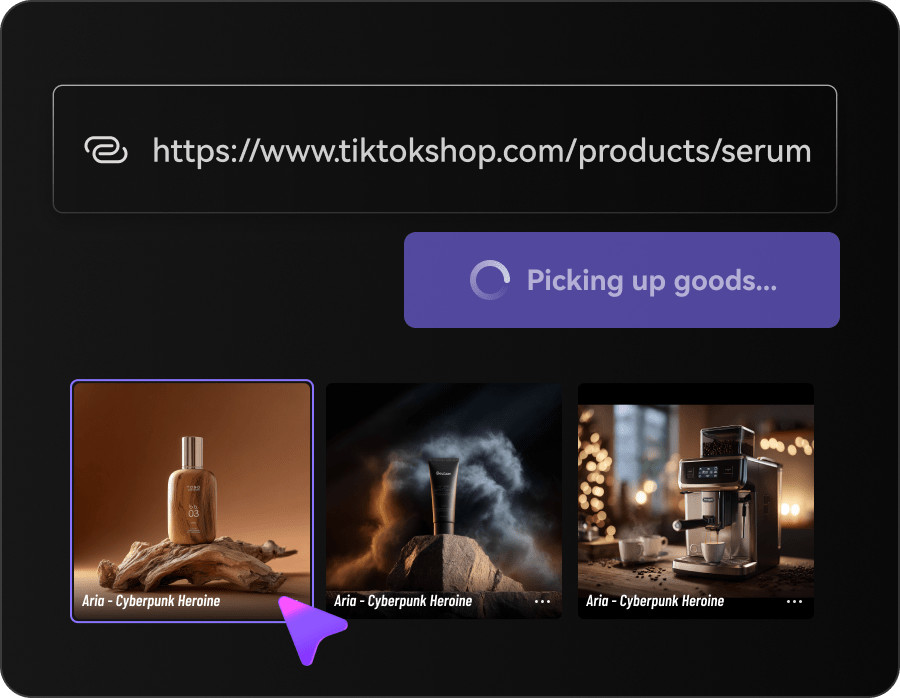
This play works best when the product has a clear problem-solution story. Something like “keeps dogs hydrated on walks” or “makes travel feeding easier” is enough. You do not need the first draft to cover every detail. You need a usable prospecting version that introduces the product cleanly and gives you a solid base for testing.
For the second draft, keep the same product context and change the framing.
Reuse the saved product data, switch the avatar or persona, and tighten the captions around proof points. The script should sound more like a customer recommendation than a direct pitch. With pet accessories, that often means moving away from feature lists and toward everyday use: easier trips, less mess, fewer interruptions, calmer routines.
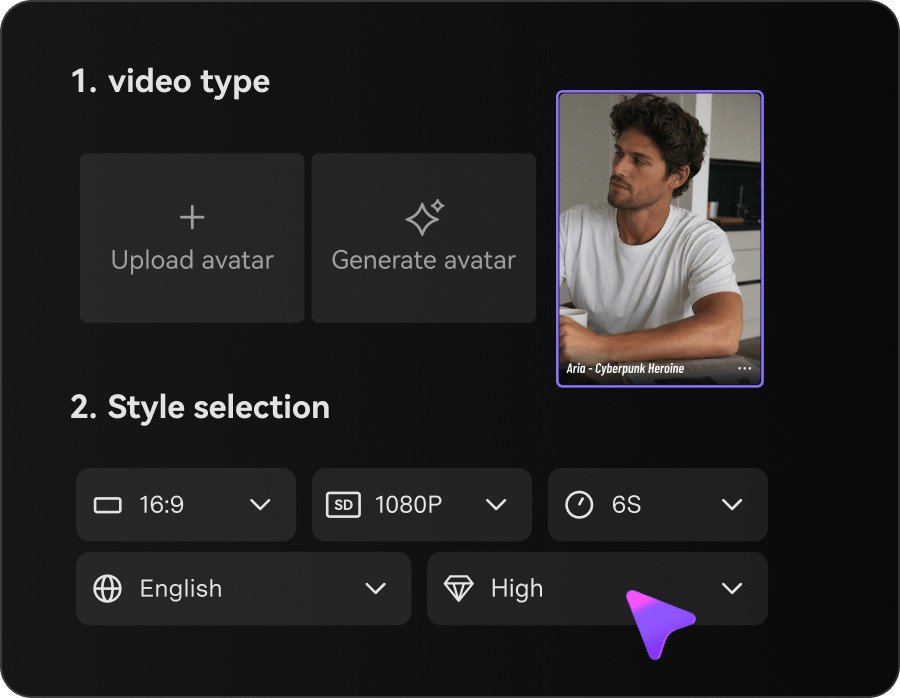
Because the source stays the same, the ad can shift in tone without losing accuracy. That is especially useful when you are refreshing both English and Spanish versions and want the message to stay aligned across both.
The third play is for quick offer-based refreshes.
Keep the same product setup, then update the pacing, CTA, and offer framing for a more urgent short promo cut. This works well for weekend sales or limited campaign windows when you need a fresh version fast but do not want to rebuild the ad from the ground up.
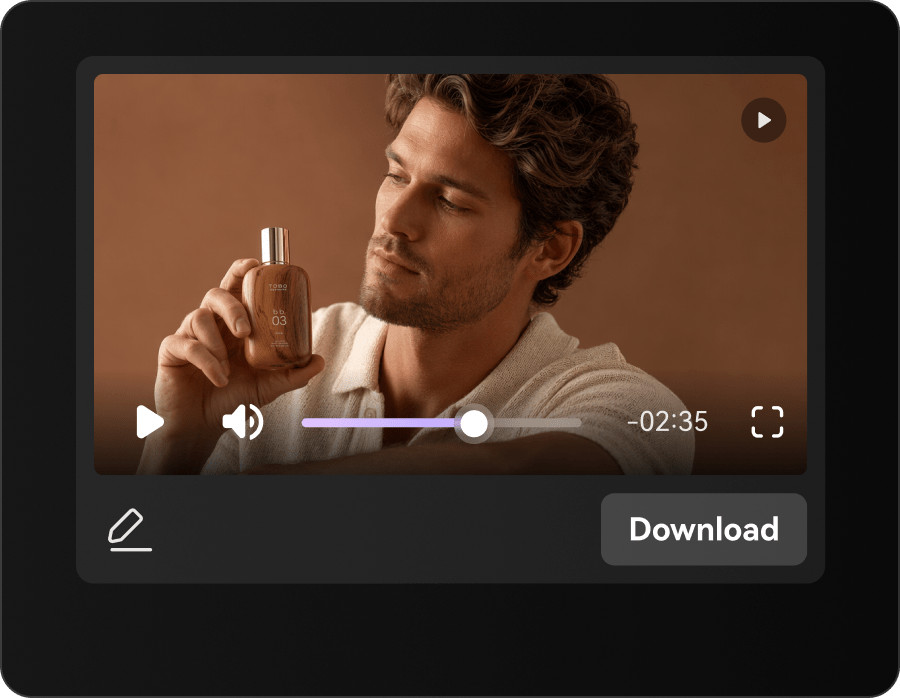
The key is to leave the product story alone and change the reason to act. The prospecting version introduces the item. The testimonial version builds confidence. The promo version pushes timing. Once the draft is generated, compare it with the earlier cuts and keep the strongest hook and CTA before sending it into your testing or publishing flow.
The teams that get useful volume out of fast ad workflows usually change the angle, not just the wording. A prospecting draft, a testimonial-led draft, and a promo cut should feel like different assets with different jobs.
It also helps when the source listing is doing some of the selling already. Clear visuals, believable benefits, and straightforward pricing cues give the script better material to pull from.
A common mistake is feeding a cluttered product page into the process and expecting a clean result. If the listing tries to make too many claims at once or never shows the real use case, the ad draft will usually come out vague as well.
Another mistake is producing a pile of near-identical versions and calling it testing. A few deliberate style shifts, such as UGC, demo, or problem-solution, usually tell you more than ten small wording tweaks.
This workflow makes the most sense when a small team already knows which product is worth pushing harder. It is less useful for fully custom campaign work from scratch and more useful when one proven SKU needs more variation across channels and languages.
A simple next step is to start with one hero listing, generate one English draft and one Spanish draft, and review the hook, captions, CTA, and product accuracy. If those outputs are close, build a testimonial version or a short promo cut next. If they miss the mark, fix the source listing before making more variants.
That is where the time savings show up. You keep the product context stable, reduce the manual resets, and make the next weekly refresh easier to produce.
Small brands should structure Media.io inputs around one clean product URL or image set, a believable USP, one audience angle, clear language goals, and a realistic CTA before generating any AI ad drafts.
This preflight kit gives the AI ad generator enough context to produce focused scripts instead of vague product promos. Using existing review snippets, gallery images, and strong product-page copy further improves output quality because the model can anchor its hooks and proof points in real customer language and visuals. That makes each prospecting, testimonial, and promo variation more accurate and easier to edit.
From one strong product page, most small brands do best starting with three core AI ad variations a prospecting draft, a testimonial-led variant, and a short promo cut.
The prospecting asset introduces the product to cold audiences. The testimonial version adds social proof and everyday use cases. The promo cut is reserved for time-bound offers and refreshes. Once these exist in English and Spanish, you can test hooks, audiences, and placements without flooding your accounts with near-duplicate creative. Additional variations should build on clear angle changes UGC-style, demo-heavy, or problem-solution rather than minor wording edits.
Effective AI-generated ad hooks for TikTok and Meta are specific, problem-solution oriented, and directly tied to the product’s real use case rather than generic hype.
The best hooks quickly name the audience, the situation, and the outcome a pet owner dealing with messy road trips, for example, and how one product solves that pain. Media.io’s AI Ads can generate hooks from your product listing, but you still need to review and refine them to avoid repetition across drafts. Prioritize hooks that match platform norms quick motion, clear problem framing, and a visible payoff in under five seconds.
To keep English and Spanish AI ad versions aligned, lock in one shared product context and angle, then generate drafts in both languages from the same Media.io workflow and compare hooks, proof points, and CTAs side by side.
Because the source listing and saved assets remain constant, you can change tone and phrasing in each language without drifting on claims or benefits. Review each script for cultural nuance and clarity, and adjust customer language so testimonial-led variants feel natural in both markets. This keeps multi-language testing efficient while preserving trust and accuracy across translations.
You should fix the product page first when AI ad drafts consistently emerge vague, cluttered, or misaligned, because every new variation will inherit the same source problems.
If your listing is overloaded with soft claims, missing clear visuals, or lacks concrete use cases, even the best AI workflow will struggle to produce sharp hooks and CTAs. Cleaning up product copy, tightening benefits, and updating imagery will immediately improve the quality of Media.io outputs and reduce the editing load for each new prospecting, testimonial, or promo cut.





