

Bring your design ideas to life
A strong AI art prompt can mean the difference between a blurry, generic result and a print-worthy design. This guide covers what AI art prompts are, how to construct them, a ready-to-use formula, and over 20 AI art prompt examples across fantasy, sci-fi, anime, and more. You’ll also find the most common prompt mistakes and how to fix them.
An AI art prompt is a text instruction you type into an image generation tool (such as Midjourney, DALL·E, or Stable Diffusion) to describe the image you want the model to produce.
These tools use generative artificial intelligence to interpret your words and translate them into images, so every word influences the final result.
AI prompts shape six key parts of the final image:
The more precisely you address each dimension, the more consistently the model delivers what you envisioned. A one-word prompt like “dragon” leaves every decision to chance. A structured prompt gives the model clear parameters to work within.
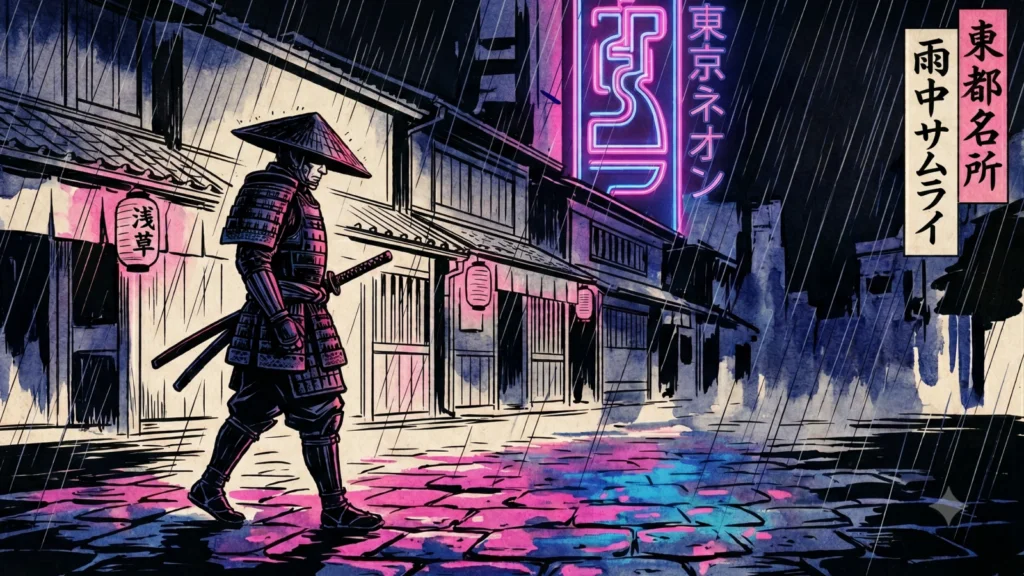
Example prompt: “Cyberpunk samurai walking in heavy rain, Tokyo street, dramatic Ukiyo-e woodblock print style, neon reflections.”
Good prompts follow a logical structure: establish the subject first, then layer in style, then refine with details. Piling everything in at once produces inconsistent results.
The subject anchors every other decision. State it clearly in the opening words of your prompt, because most AI image generators weigh the beginning of the text more heavily than the end.
Keep the subject specific:
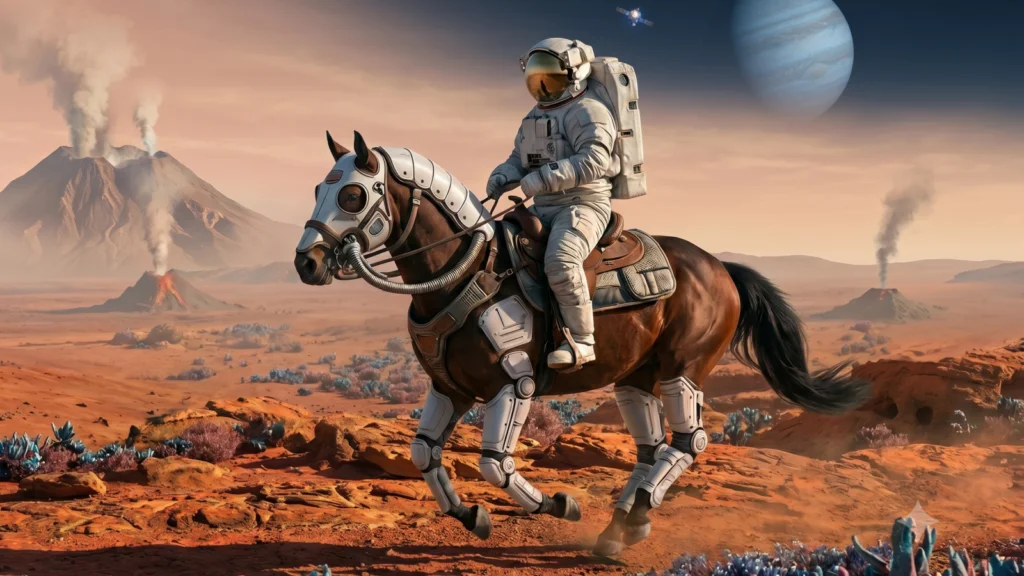
Vague subjects like “nature” or “a person” give the model too many options. The result is an image that technically fulfills the brief but doesn’t match your vision.
Once the subject is set, tell the model how to render it. Art styles work as visual shorthand. A single word like “watercolor” instructs the AI to replicate soft edges, translucent washes, and paper texture without further description.
Common styles and their practical effects:
Pair a style with a mood word to define the overall vibe of the image. “Anime, melancholy” generates different results than “anime, cheerful” even with an identical subject.
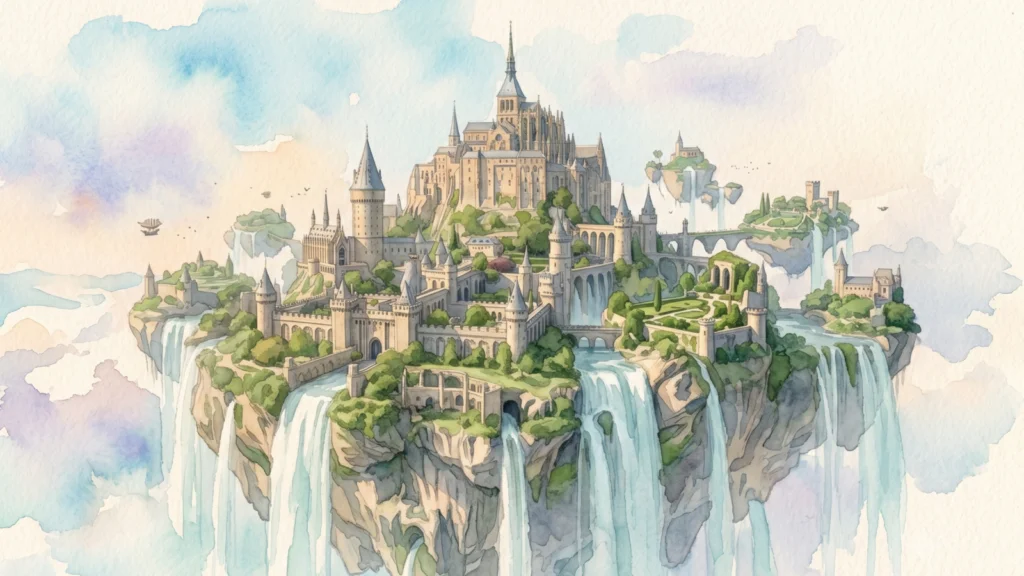
The prompt “Floating island castle surrounded by waterfalls” was here refined with “watercolor painting”:
After style, specify the technical parameters that shape how the image looks as a whole:
Every detail lessens ambiguity for the model, reducing surprises in the output. A prompt specifying “golden light, long shadows, warm colors” will consistently produce late-afternoon sunlit images rather than an arbitrary time of day.
Two failure modes pull in opposite directions. Overly vague prompts like “a cool portrait with nice lighting” leave too many decisions to the model. Keyword-stuffed prompts like “portrait woman blue eyes brown hair long shadows dramatic lighting cinematic lighting golden light studio light volumetric light” send conflicting signals, producing muddy outputs.
A good test is to read your prompt out loud. If it sounds like a sentence a human art director might give a photographer, it works. If it sounds like a list of search terms, trim it.
A workable target is six to twelve meaningful words or phrases, separated by commas, each adding unique information that the others don’t cover.
Use this simple five-part formula as your starting point:
Subject + Style + Environment + Lighting + Quality details
Each component answers a specific question:
| Component | Question it answers | Example |
|---|---|---|
| Subject | What is the main focus? | Gigantic kaiju capybara stomping through Moscow |
| Style | How should it look artistically? | Manga style |
| Environment | Where does the scene take place? | Orange and red disaster sky |
| Lighting | What is the light source and quality? | Dramatic cinematic lighting |
| Quality details | How polished should the render feel? | Ultra detailed |
Use the table above as a cheat sheet when writing prompts. Filling in each part before writing your final prompt usually produces better results than improvising from scratch.
Prompt: “Gigantic kaiju capybara stomping through downtown Moscow, manga style, orange and red disaster sky, dramatic cinematic lighting, ultra detailed. No writing.”
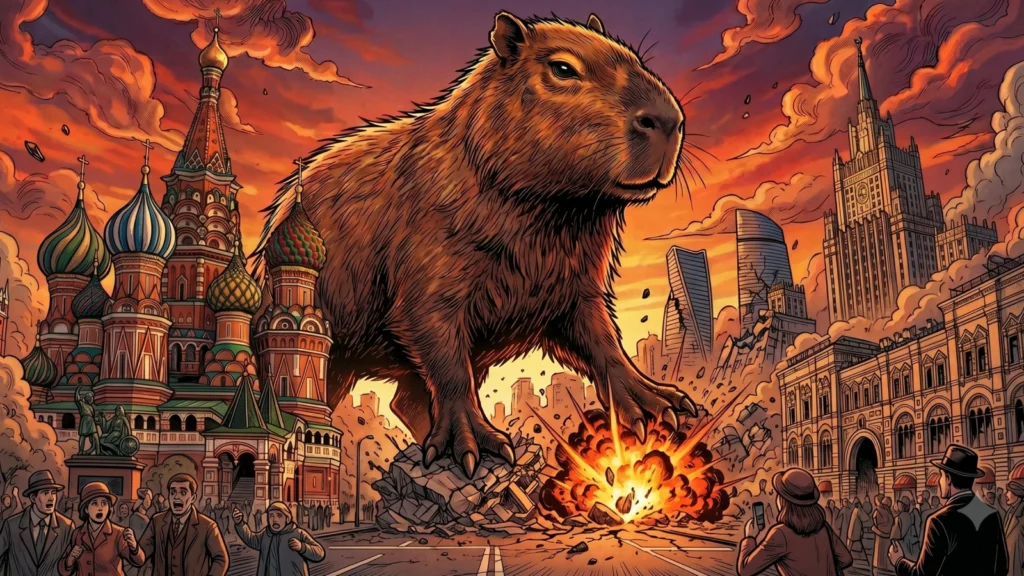
The sixth instruction, “No writing,” is a negative prompt inline. Manga-trained models frequently add Japanese characters; this removes them without needing a separate field.
Apply the same structure to any subject and you get a reliable, reproducible starting point. From there, experiment with swapping individual components. Replace “manga style” with “oil painting” or “art deco” to see the same capybara rendered in a different visual language.
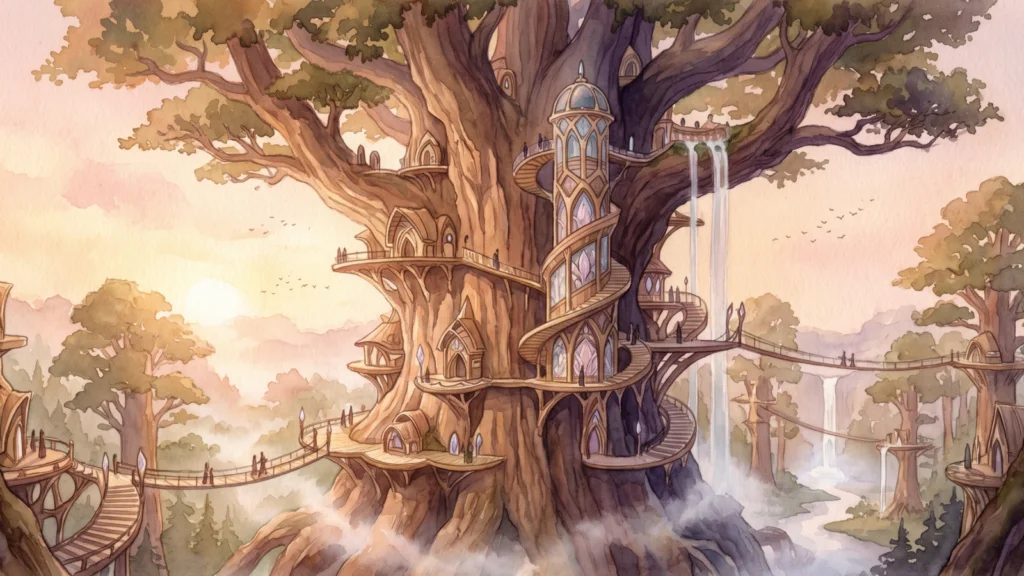
These prompts target the high-fantasy genre: mythological creatures, ancient architecture, magical environments, and a painterly or cinematic finish.
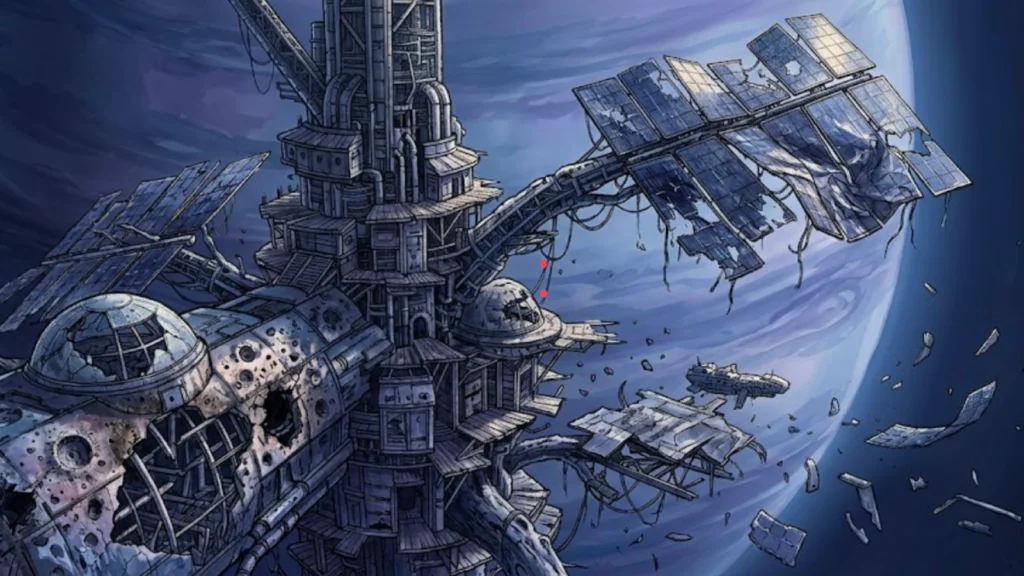
Sci-fi prompts work best with detailed environments and lighting. The difference between generic space imagery and a compelling scene comes down to a specific light source and surface texture.
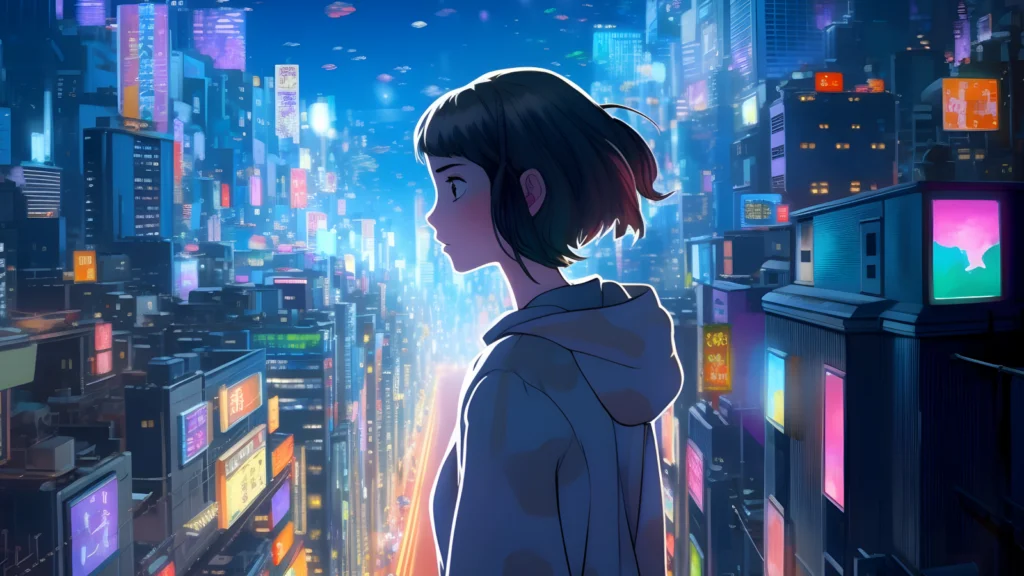
Anime prompts often improve when you specify a subgenre (shonen, shojo, seinen) or reference a visual style (Studio Ghibli, cyberpunk anime) alongside composition and lighting details.
Negative prompts tell the model what to exclude from the output. In tools that support them, such as Stable Diffusion and many Midjourney workflows, they help prevent common AI image artifacts.
For anime portraits and character art, these negative prompts improve consistency:
Add them to the negative prompt field (not the main prompt) in your chosen tool. They work by reducing the probability weights assigned to those visual patterns in the model’s output.
A character generated with “extra fingers, bad anatomy” in the negative prompt will have correctly drawn hands significantly more often than one generated without it.
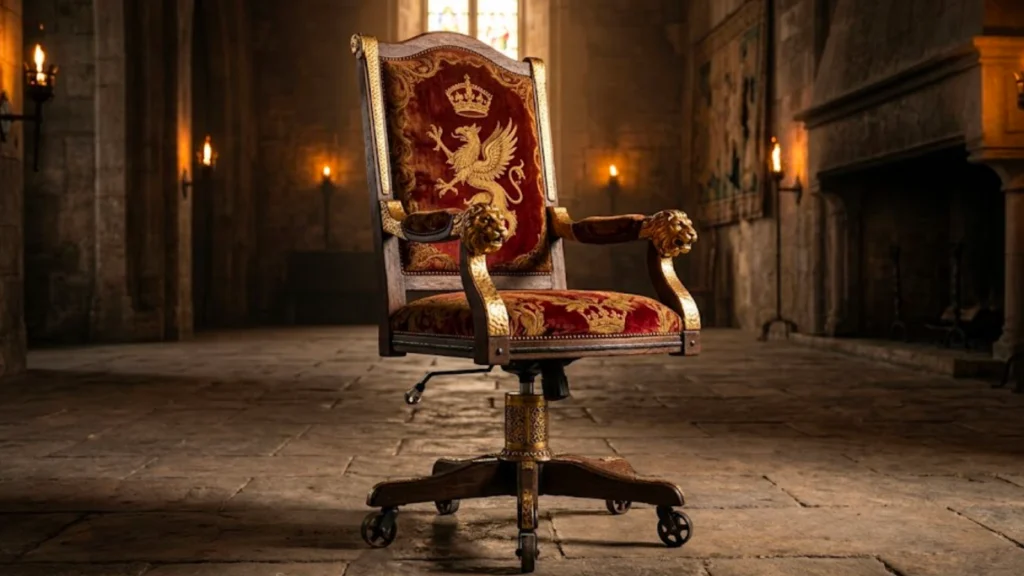
If you want ideas for AI art that go beyond standard genre scenes, these are worth trying.
These prompts take an ordinary object or everyday scene and reframe it through an unexpected material, setting, or style. This approach encourages the model to create more unexpected and original combinations.
If you’re already generating images and want to put them to work, check out how AI art works, browse the best AI image generators, or jump straight into Printify’s AI image generator to create custom product designs.
Most poor AI outputs trace back to one of five predictable errors. Fixing them is the fastest way to write better prompts and generate better images without changing your tool or model.
A prompt like “beautiful landscape with mountains” gives the model hundreds of equally valid interpretations. The AI fills in the gaps on its own, and it rarely matches your intent.
Fix: Name the specific time of day, lighting condition, color palette, and at least one distinctive visual element. “Mountain valley at blue hour, mist over the river, cool tones, long shadows, wide cinematic shot” generates a recognizable scene rather than a placeholder.
Pairing “photorealistic” with “cartoon illustration” or “minimalist” with “ultra detailed” sends contradictory instructions that the model can’t reconcile. The result satisfies neither.
Fix: Choose one primary style and add specific details that align with it rather than contradict it.
Skipping lighting and composition details produces flat, evenly lit images with no visual hierarchy. Lighting shapes the mood of an image more than almost any other element.
A single addition like “dramatic lighting,” “golden light,” or “strong shadows” changes the entire feeling of an image without touching the subject or style.
In tools that support negative prompting, leaving the field empty means the model includes whatever it statistically associates with your subject. Portrait generators frequently add watermarks, text, or extra limbs unless explicitly told not to.
Fix: Maintain a base set of negatives, such as “low quality, blurry, watermark, extra fingers, bad anatomy,” and add subject-specific ones on top.
Stacking ten lighting terms, four color descriptors, and three style names into one prompt creates ambiguity rather than precision. The model treats each word as a competing instruction. Beyond roughly 12 to 15 meaningful terms, additional words reduce output quality.
Fix: Keep one lighting term, one color direction, and one style. Increase the number of quality modifiers only if the basic structure already works.
Generating original AI art for personal use differs from selling it on products. Before you print and list a design, ask yourself two questions: does the output resemble something protected by copyright, and did the tool’s training data introduce any third-party IP you didn’t intend to include?
AI image generators train on billions of images, which means prompting for a specific named artist, a branded character, or a trademarked logo can produce output that closely imitates protected creative work.
The safest approach is to describe the visual attributes of a style rather than naming its creator. Instead of prompting for a specific illustrator’s name, write “bold ink outlines, flat color fills, graphic novel style.” The output reflects the aesthetic without replicating the protected work.
The same logic applies to fictional characters, logos, and brand identities. Generic descriptions like “red caped superhero” or “cartoon mouse in white gloves” still risk producing recognizable protected characters because those visual patterns dominate the training data. Build your prompts around original concepts rather than derivatives of existing IP.
Even a well-constructed original prompt can generate output that closely resembles an existing image. Run a reverse image search on every design before putting it on a product. It only takes a minute and can help catch accidental similarities to copyrighted art, stock photography, or trademarked imagery.
Three tools cover most cases:
If a reverse image search returns a close visual match to a commercial or copyrighted work, regenerate with a modified prompt rather than listing the design.
For a full breakdown of what AI-generated art you can legally sell and on which platforms, see can you sell AI-generated art.
Creating great AI art is only the first step. Turning it into a product people want to buy is the next one.
With Printify’s AI image generator, you can go from prompt to print-ready design without leaving the platform. No external tools, no file exports, no separate upload steps. Generate an image, apply it to a t-shirt, hoodie, poster, tote bag, or phone case, and connect it to your store in one workflow. Every AI image generation step happens inside Printify.
If you’re weighing whether AI-generated designs can sell, see how to sell AI-generated art for a breakdown of what’s legally permitted, what platforms accept, and how to position AI art as a product category.
The best AI art prompts combine a clear subject, an art style, at least one lighting term, and a color palette direction. A reliable structure is: Subject + Style + Environment + Lighting + Quality details.
For example: “Ancient library filled with glowing manuscripts, fantasy oil painting, golden light, warm colors, ultra detailed.” Prompts that answer what, how it looks, where it is, and how it is lit consistently outperform shorter or more generic inputs.
The most frequently used AI art prompts fall into fantasy characters, sci-fi environments, anime portraits, and photorealistic product shots. Common style terms include “cinematic lighting,” “ultra detailed,” “oil painting,” “digital art,” and “watercolor.” Color descriptors like “warm colors,” “neon colors,” and “cool tones” appear across nearly every category.
Portrait prompts, particularly close-up character art with dramatic lighting, account for a large share of AI image generation volume across platforms like Midjourney and Stable Diffusion.
Start with your subject as the first phrase, then add a style or medium, then specify the environment or background, then add a lighting term, then close with quality modifiers like “ultra detailed” or “cinematic composition.” Keep the total to six to twelve meaningful phrases.
Use commas to separate components, avoid contradictory or inconsistent styles, and add negative prompts (in supported tools) to exclude common artifacts such as blurry faces or extra fingers.
AI-generated art spans every visual genre: photorealistic portraits, fantasy landscapes, anime characters, pop art graphics, street art-style murals, abstract generative pieces, and art deco poster designs.
Tools like Midjourney, DALL·E, and Stable Diffusion each handle the same prompt differently in terms of texture and color rendering. The best AI image generators comparison covers how each platform handles style, detail level, and prompt interpretation across these categories.
You now know how to write AI art prompts that actually work. Start with a clear subject, layer in your style, environment, lighting, and quality details, and use negative prompts to keep the output clean.
Remember to run a reverse image search before listing any design, and treat the examples in this guide as templates to remix rather than copy. Now, use your creativity to generate some cool AI art and make money online.
To go deeper, learn how AI art works or try Printify’s AI image generator to apply great prompts directly to print-ready products.
The post AI art prompts: How to write better prompts for stunning AI-generated art appeared first on Printify.





