

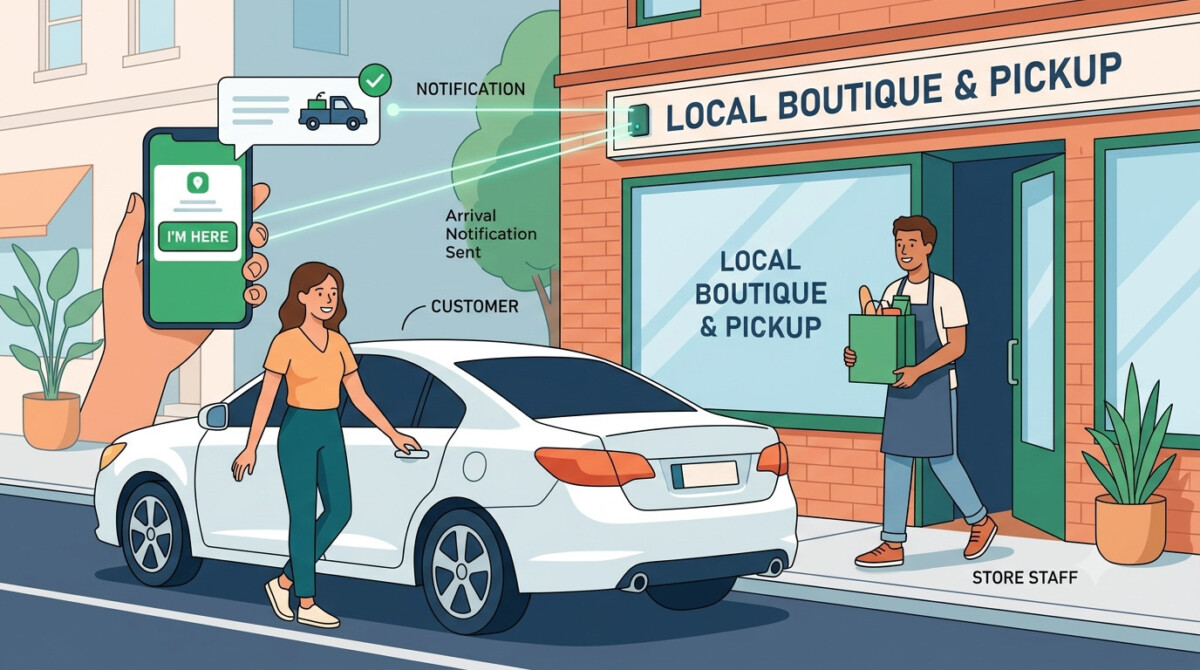
Customer arrival notifications are the check-in step that turns Shopify in-store pickup into a fast handoff instead of a wait. Start with Shopify’s native local pickup emails, add Klaviyo or Omnisend text and email flows, and only layer in virtual queuing once volume justifies it.
The moment a customer parks outside your store with an order waiting, every extra minute of standing around is spent deciding whether pickup was worth it. The notification is what decides the answer.
A customer places an order on your Shopify store, drives over, parks, and taps “I’m here.” What happens in the next 90 seconds decides how they feel about your brand. Either someone walks their order out before they have finished putting their phone away, or they sit in the lot for 11 minutes wondering if anyone knows they arrived. Same store, same order, completely different memory of the experience.
That experience is not a side detail. About half of shoppers have decided where to shop online based on whether they could pick up in store, according to buy online, pickup in-store shopping data compiled by Capital One Shopping, and 85% of those shoppers make an additional purchase when they collect their order. Pickup is a retention and revenue lever, which is exactly why it is worth getting the handoff right rather than treating it as an operations afterthought. Done well, it is one of the cleaner ways to turn online orders into more in-store sales without adding a cent of delivery cost.
Whether you are a single-location brand offering local pickup or a multi-location retailer moving hundreds of orders a day, the arrival notification comes down to three decisions: how customers tell you they have arrived, what the confirmation message says back to them, and who on your team gets the alert. Get those three right and the rest takes care of itself.
The arrival notification is the difference between a pickup that feels faster than shipping and one that feels like waiting at the DMV. Customers chose pickup to save time. The minute they have to hunt for a counter, flag down a busy associate, or wait while someone goes looking for their order, the convenience they came for evaporates, and the next time they will just pay for shipping.
This matters more than most merchants account for because the pickup moment is a repeat-purchase moment. A shopper who gets a 90-second handoff remembers that your store respects their time, and that memory is what brings them back. Research on pickup consistently shows it drives both loyalty and incremental spend, which is why a smooth handoff is one of the most reliable ways to turn one-time pickup buyers into repeat customers. The arrival notification is the small piece of infrastructure that protects that moment.
The cost of getting it wrong is quiet but real. A customer who waits too long does not usually complain. They simply abandon the pickup, ask for a refund, or never choose pickup again. You do not see it in a support ticket; you see it in a retention number six months later that nobody can quite explain. The fix is not expensive or complicated. It is a check-in system that tells the right person the customer has arrived.
A customer arrival notification is a simple check-in that lets the customer tell you they have arrived so your team can hand over the order without the customer hunting for a counter. It is the bridge between “your order is ready” and the actual handoff, and it removes the awkward gap where a customer is physically present but invisible to your staff.
Before you add anything, know that Shopify gives you a baseline out of the box. When you turn on local pickup, Shopify automatically sends a “Ready for pickup” email and shows a pickup option at checkout, and you can enable in-store pickup availability and manage those orders from your Shopify POS dashboard. For a store doing a handful of pickups a day, that native email plus one staff member watching the door may genuinely be all you need.
The gap the native flow leaves is the arrival itself. Shopify tells the customer the order is ready and tells them where to go, but it does not give them a clean way to say “I am here now,” and it does not push that arrival to a specific person in real time. That is the piece you build on top, and how much you build depends entirely on your volume. A brand doing 200 pickups a day across three locations has a very different problem than a brand doing eight pickups a day from one counter, and the right answer for one is overkill for the other.
Give customers more than one way to say they have arrived, because the method that removes friction for a repeat app user is the same method that creates friction for a first-time buyer. There is no single best channel. There is the channel each customer will actually use, and your opt-in rate climbs when you let them choose.
An app tap-in is the smoothest option for loyal repeat customers who already have your app, since their details and order are right there and check-in is a single tap. A text message is the better fit for the shopper who will never download an app, because the link arrives in their messages with no account to create. Email suits the customer who lives in their inbox and just wants a “let us know you’re on the way” button in their confirmation. You can build the text and email versions of this without a developer using a messaging tool that integrates natively with Shopify, and a platform like Klaviyo or Omnisend handles both channels inside one automation.
The trap here is overbuilding. If you are a single-location store doing $20K a month, you do not need a custom branded app for pickup check-in. Text and email will cover the large majority of your customers at a fraction of the effort. Build the app tap-in when you already have an app with real adoption, not as the thing that justifies building one.
The confirmation a customer gets after checking in should remove every reason to call you, which means it names them, names the order, and tells them clearly whether to wait or come in. Uncertainty is what generates the “is my order ready yet” phone calls that pull your staff away from actually fulfilling the order. A good confirmation closes that loop.
Pull the customer’s first name and order number directly from Shopify or your messaging tool so the message reads as a real acknowledgement rather than a generic auto-reply, and state plainly that the order is packed and ready. For higher-volume or multi-location operations where customers genuinely end up in a line, you can go a step further and give them a realistic wait time based on their actual position. A queue management system handles this with virtual queuing: the customer scans a QR code at the pickup point to join the queue from their own phone, and their position generates an honest estimate so they know whether to wait in the car or come straight in.
Be honest with yourself about whether you are at that stage. Virtual queuing is an add-on layer that earns its place when you have consistent lines and several staff working pickup at once. If you are running a single counter with a dozen pickups a day, a dedicated queue system is solving a problem you do not have yet, and the monthly cost and setup are not worth it. The personalized confirmation with a name, an order number, and a clear “ready now” is the part that delivers most of the value at any stage. Add the queue layer when your own line tells you it is time, not before.
An arrival notification only works if it reaches the person who can act on it within seconds, so configure Shopify to send pickup alerts straight to whoever fulfills them. A check-in that lands in a general inbox nobody is watching is the same as no check-in at all. The alert needs an owner.
Shopify’s notification settings let you add staff and specify who receives order and pickup notifications, so the new-pickup-order alert can go directly to the email or POS device of the person packing orders rather than to a catch-all address. Make sure the alert shows the customer name, order number, and items, so your team can pull and hand over the order without stopping to double-check anything. That detail is what keeps the handoff under two minutes during a busy stretch.
For stores with enough volume that an alert can occasionally slip during a rush, Shopify Flow, the free automation app from Shopify, lets you build an escalation trigger: if a pickup alert sits unactioned for, say, five minutes, Flow notifies a manager automatically. That single safeguard means no customer is left waiting in the lot because the first alert landed in the middle of a checkout line. As with everything else here, this is a layer to add when your volume creates the risk, not a default every store needs on day one.
Add complexity to your pickup flow only when volume forces it, because the most common pickup mistake is buying queue software to solve a problem a staff member already solved for free. The goal is a fast, reliable handoff, and you should reach for the simplest setup that delivers it at your current volume.
If you are doing under roughly 10 pickups a day from a single location, Shopify’s native local pickup emails plus one named staffer watching for arrivals is enough. Skip the app, skip the queue system, and put your effort into making sure the “ready for pickup” email goes out the moment the order is packed. If you are in the range of roughly 10 to 50 pickups a day, this is where text and email check-in through Klaviyo or Omnisend, a personalized confirmation, and POS-routed alerts start paying for themselves by keeping the counter clear. Only once you are past 50 pickups a day, or running multiple locations with real lines, do virtual queuing and Flow-based escalation genuinely earn their place.
Run every addition through one question: will this still be worth it in 18 months, or am I adding a tool to feel modern? Each layer you add should be judged by whether it protects the handoff and the incremental purchase that comes with it, the 85% of pickup shoppers who buy something extra at collection. If a piece of infrastructure does not move that number, it is complexity you are carrying for no reason. Get the check-in, the confirmation, and the alert routing right first. That is the version of pickup that customers remember and come back for.
Start by enabling local pickup in your Shopify settings, which automatically turns on a pickup option at checkout and sends customers a “Ready for pickup” email when the order is packed. That native flow is your baseline. To add an actual arrival check-in, where the customer tells you they have arrived, connect a messaging tool like Klaviyo or Omnisend to send a text or email with a check-in link, and configure your Shopify notification settings so the resulting alert reaches the staff member or POS device responsible for pickup. A basic version can be live the same day; a full multi-channel check-in flow typically takes one to two weeks to build and test.
For most Shopify merchants, Klaviyo or Omnisend is the most practical choice because both integrate natively with Shopify and let you build text and email check-in flows without a developer. Klaviyo tends to suit brands that are already using it for retention and want everything in one platform, while Omnisend often comes in 20 to 30% cheaper at lower contact volumes. There is no single best app; the right one is whichever you already run for email and SMS, since adding a pickup flow to an existing tool beats bolting on a separate single-purpose app. A dedicated queue management system is a different category and only relevant at higher volume.
Probably not, unless you regularly have customers waiting in a line at pickup. A queue management system with virtual queuing is genuinely useful for high-volume or multi-location stores where customers need an accurate wait time based on their position. For a single-location store doing a few dozen pickups a day or fewer, it is premature complexity: a personalized confirmation that names the customer and confirms the order is ready delivers most of the value at no extra software cost. The honest test is your own counter. If you do not have lines, you do not need queue software yet. Add it when your volume creates a real wait, not before.
Configure Shopify’s notification settings to send pickup alerts directly to the email or POS device of the person who fulfills them, rather than to a general inbox nobody monitors. Make sure each alert displays the customer name, order number, and items so your team can pull and hand over the order without double-checking anything, which is what keeps the handoff fast during busy periods. If your volume is high enough that alerts can occasionally be missed, use Shopify Flow, the free automation app, to set an escalation trigger that notifies a manager when a pickup alert goes unactioned past a set time, such as five minutes.
Yes. About 85% of shoppers make an additional purchase when collecting an in-store pickup order, and roughly half of shoppers have chosen where to shop online based on whether pickup was available, according to data compiled by Capital One Shopping. That makes pickup both a revenue lever and a loyalty lever. The catch is that those gains depend on the experience being fast and frictionless. A slow, confusing handoff erases the convenience customers came for and pushes them back toward paid shipping, so the arrival notification and a clean handoff are what actually convert pickup’s potential into repeat business and incremental spend.





