


AI can remove watermarks in batches or through an API when you own the images or have explicit editing permission, but ecommerce teams should preserve original files, review every output for reconstruction errors, and never use the workflow to strip rights-management marks from third-party assets.
Batch processing saves time only when the team preserves the evidence behind each image. The moment rights, product accuracy, or output quality are unclear, automation should pause.
Removing watermarks from a single image is simple, but what if you need to edit dozens, hundreds, or even thousands of photos? Manually processing each image can quickly become a repetitive and time-consuming task, especially for ecommerce businesses, photographers, marketing teams, and developers managing large image libraries.
Let’s explore two effective ways to bulk remove watermarks from images with AI. Instead of editing images one by one, you can process multiple files simultaneously or even automate the entire workflow.
If you want to remove watermarks from multiple images without writing code or installing software, an online tool with batch watermark removal ability is the easiest solution. Ideally, you simply need to upload all your images, let the tool process them, and save the edited files when they’re ready.
For this approach, there are several online tools that have bulk watermark removal capability such as:
As the name suggests, Dewatermark is an online web application offering AI-powered batch watermark remover for up to 50 images at a time. Although there is an explicit limit on how many images you can process at once, there is an option to use their API offering to bypass this limitation.
Once the batch processing is completed, you can review the results and download them individually or as a ZIP file, making it easy to manage large editing jobs.
In our experience, what sets Dewatermark apart is its AI-powered inpainting technology. Rather than simply erasing a watermark or blurring the affected area, the AI first detects watermark regions and then analyzes the surrounding pixels to intelligently reconstruct the hidden background. This produces cleaner, more natural-looking results while helping preserve textures, colors, and fine details that are important in product photography and other professional images
Dewatermark is particularly well suited for users who regularly work with product photos or large image libraries, such as ecommerce stores, agencies, and marketing teams
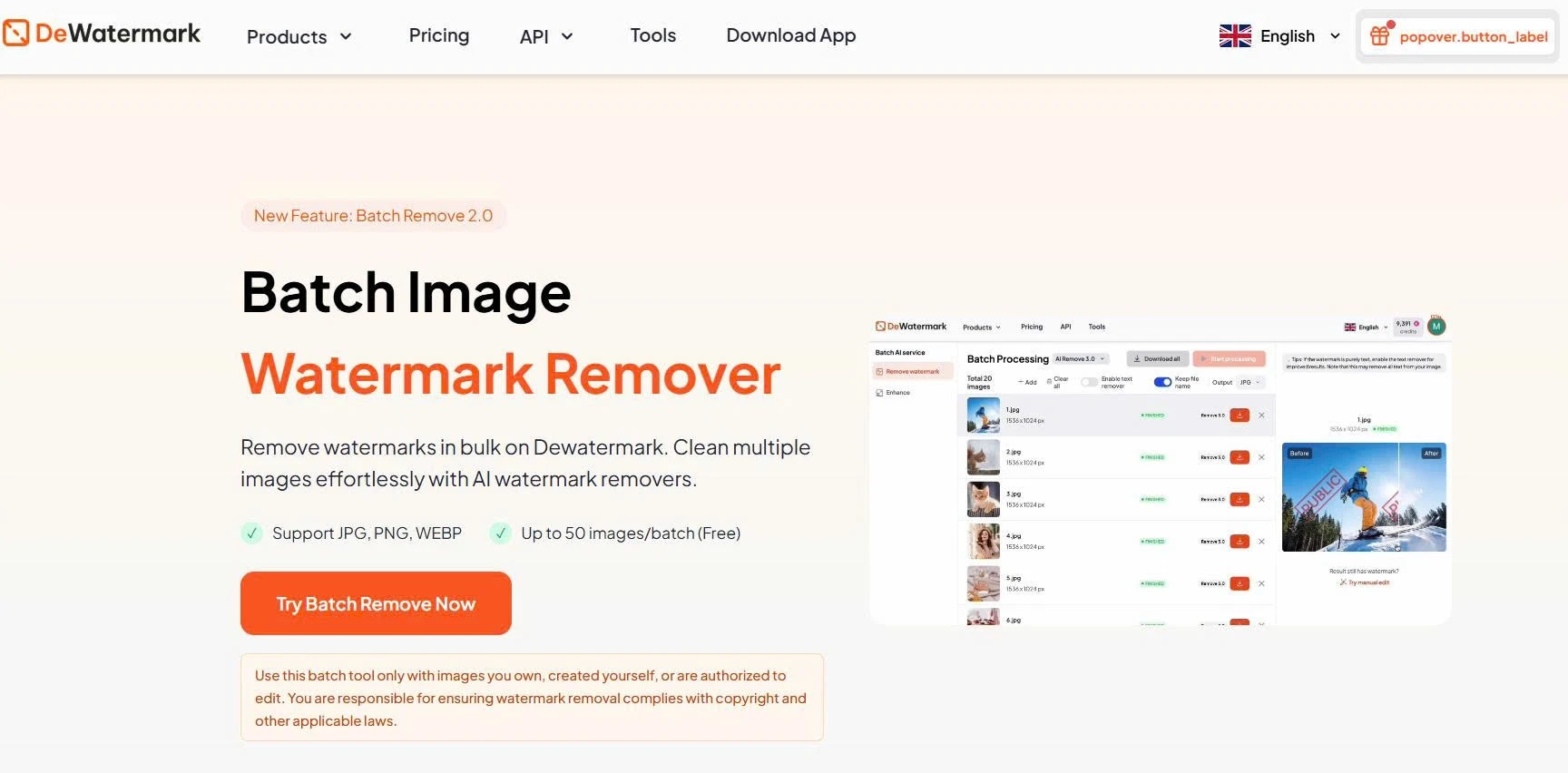
The workflow on the web app is simple. After uploading your images, you can choose the AI model that best matches the type and the complexity of the watermarks, enable text editing when needed, and select your preferred output format before processing the entire batch. Because the same settings are applied consistently across all uploaded images, you can achieve a uniform look throughout your image library without repeating the same steps over and over.
Dewatermark is entirely browser-based, so there’s no software to install or maintain. Whether you’re preparing a new ecommerce catalog, refreshing marketing assets, or cleaning archived photos, you can complete the entire workflow directly from your browser. The service also supports common image formats such as JPG, PNG, and WEBP, while uploaded files are processed automatically and deleted after processing to help protect user privacy.
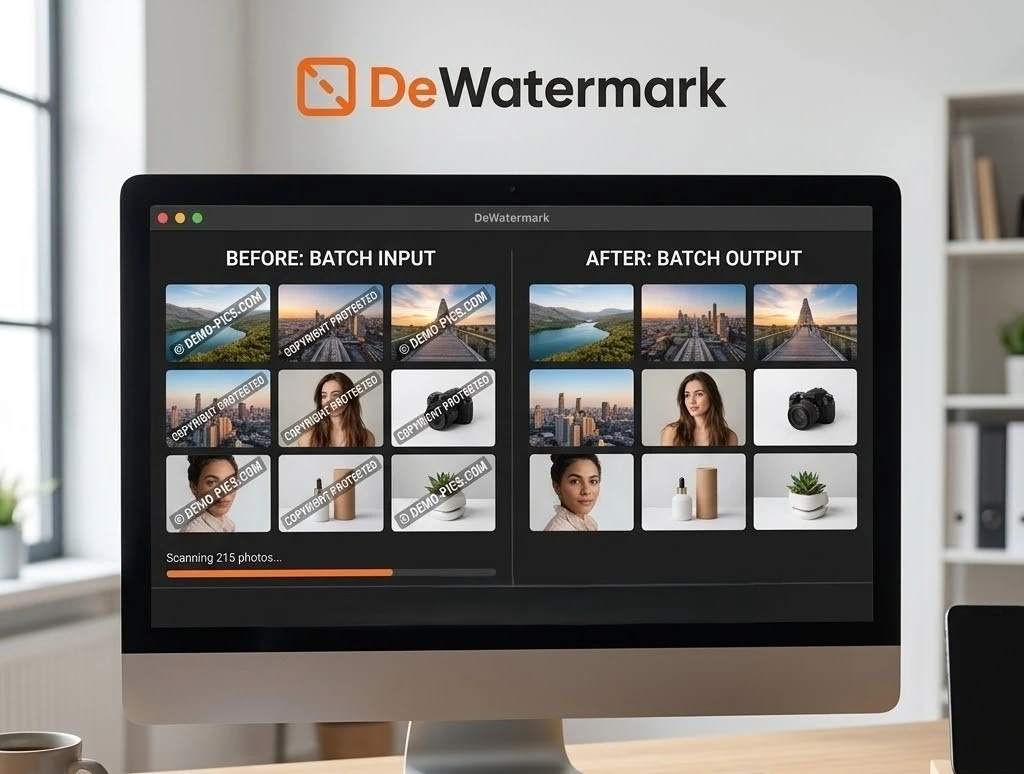
Whether you’re an ecommerce seller updating supplier photos, a marketing team preparing campaign assets, or a photographer organizing client galleries, Dewatermark’s batch processing can significantly speed up watermark removal while helping maintain high-quality results across your entire workflow.
Another option for batch watermark removal is HitPaw AI Bulk Watermark Remover. Like Dewatermark, it allows users to upload multiple images and remove watermarks using AI, making it a convenient choice for those who want to process several files in one session without editing each image individually.
HitPaw works well for common watermark types such as logos, text, and simple overlays, making it suitable for personal projects and small-scale business use. However, compared with solutions designed specifically for ecommerce workflows, it offers fewer features for large-scale image management or workflow automation.
For users who occasionally need to remove watermarks from multiple images, HitPaw provides a quick and accessible online solution.
If you regularly process thousands of images, uploading files through a web interface may not be the most efficient approach. Instead, you can automate the entire process using a watermark removal API (Application Programming Interface).
An API allows your software to communicate directly with an AI watermark removal service. Rather than manually uploading images, your application sends image files to the API, the AI removes the watermark automatically, and the processed images are returned to your system.
This approach is particularly valuable for businesses that handle image editing at scale. Once integrated, watermark removal becomes part of your existing workflow, reducing manual work and ensuring every image is processed consistently.
Watermark Remover API can be integrated into a wide variety of applications and workflows to save editing time on large quantities of images. Some common use-cases are:

APIs can be integrated into websites, mobile apps, desktop software, e-commerce platforms, and custom business tools, allowing watermark removal to fit naturally into your existing workflow instead of becoming a separate editing step. They also help with scaling much more effectively, whether you’re handling a few hundred images each week or millions.
Below is a feature comparison table of 3 popular watermark remover APIs we have tested:
|
Feature |
Dewatermark API |
WatermarkRemover.io API |
PixelBin API |
|
Dedicated watermark removal |
✓ |
✓ |
X |
|
AI-powered watermark detection |
✓ |
✓ |
Partial |
|
AI image reconstruction |
✓ |
✓ |
AI object editing |
|
Batch processing |
✓ |
Limited |
✓ |
|
REST API |
✓ |
✓ |
✓ |
|
Output quality |
High-quality AI reconstruction |
Good for common watermarks |
Depends on transformation workflow |
|
Pricing model |
Credit-based |
Credit-based |
Usage-based |
|
Processing speed |
AI-powered, optimized for batch workflows |
AI-powered for individual and small-batch requests |
Varies based on transformation pipeline |
|
Best suited for |
Ecommerce automation |
Simple integrations |
Image transformation pipelines |
For most users, an online AI tool provides the fastest way to process multiple images without installing software, while APIs are better suited for businesses and developers looking to automate image processing at scale.
By choosing the method that best fits your workflow, you can remove watermarks more efficiently and focus on creating high-quality visuals instead of repetitive editing.
You can use AI to bulk remove watermarks from ecommerce product images only when you own the images or have explicit permission from the copyright holder, supplier, photographer, or licensor to edit them. Before processing, save the original files, document the permission, and confirm that the watermark does not cover a material product feature, logo, label, ingredient panel, or included accessory. After removal, inspect the output for reconstructed details that change the product’s appearance. Do not use an AI workflow to remove copyright, proofing, stock-photo, or rights-management watermarks from third-party images without authorization.
The best way to remove watermarks from hundreds of permitted images is to test a small batch first, validate quality, then use a controlled browser batch tool or API queue based on how often the work repeats. Use a browser-based batch tool when the project is occasional and your team can review outputs manually. Use an API when images arrive continuously and you need processing integrated into a CMS, DAM, PIM, or supplier-asset workflow. In both cases, retain originals, log permissions, use a review queue, and publish only approved derivatives.
AI watermark removal can change an ecommerce product image because the tool reconstructs pixels behind the removed mark rather than revealing the original hidden image data. It can introduce altered textures, distorted logos, invented seams, blurred labels, changed colour, or incorrect product edges. The risk increases when the watermark overlaps a product feature, packaging text, reflective surface, fabric pattern, or fine detail. Review every high-risk output against an approved source image, and request an original unwatermarked asset when the removed area contains commercially important product information.
You should use a batch tool for small or occasional permission-cleared projects, and a watermark-removal API for recurring, high-volume workflows that need automation inside your business systems. Batch tools are faster to start because they require no development work, but they still require manual upload, download, file naming, and review. APIs are better for catalog pipelines, supplier feeds, CMS uploads, DAM systems, and SaaS products because they can process files automatically. An API should always route outputs to a review state rather than publishing them directly.
After AI removes a watermark from a product photo, review the product silhouette, dimensions, colour, materials, texture, seams, reflective surfaces, logo, label, packaging, included accessories, visible text, crop, resolution, and background consistency. Check the image at 100% size and at the smaller dimensions customers will see on product pages, collection pages, marketplaces, and paid ads. Reject the output if the AI has created a plausible but inaccurate product detail. For regulated, text-heavy, or precision-dependent products, have a product or compliance owner review every image before publication.




