

22nd
September, 2025
Setting up an Amazon storefront can feel like launching your own mini shop on the world’s largest marketplace. Whether you’re a content creator/influencer looking to monetize your product recommendations or an Amazon seller aiming to showcase your brand, an Amazon storefront is the gateway to greater visibility and sales. In this comprehensive guide, we’ll break down exactly how to get an Amazon storefront step by step, explain the benefits for both micro-influencers and brands, and share tips to optimize your store for success. By the end, you’ll know how to create an Amazon storefront that leverages the power of micro-influencers, UGC (user-generated content), and Amazon’s vast e-commerce reach to grow your income and audience.

An Amazon Storefront is essentially a customizable page on Amazon where you can display a curated selection of products in one place. There are two main types of storefronts, depending on who you are:
A multi-page microsite on Amazon for brand-registered sellers to showcase all their products and tell their brand story. It’s like having your own branded shop on Amazon, complete with custom layouts, images, and even analytics to track traffic and sales. Shoppers can navigate your collections, read about your brand, and browse your catalog in a branded shopping experience. This boosts brand recognition and trust, since everything on that page is yours.
A personalized Amazon page for social media influencers (from micro-influencers to celebrities) to list products they recommend. Through the Amazon Influencer Program, approved creators get their own Amazon URL (such as amazon.com/shop/YourName) and earn commissions on any sales generated through their storefront. Essentially, it’s an affiliate shop where followers can easily find and buy the products an influencer showcases, making it a seamless way to monetize content.
Why have an Amazon storefront? For sellers, it’s a chance to increase visibility and control the brand narrative on a platform that captures about 38% of the U.S. online retail market. For influencers, it’s a way to earn passive income by curating products you love, without holding any inventory or building your own e-commerce site. In both cases, you tap into Amazon’s huge customer base – recall that nearly two-thirds of online shoppers start their product searches on Amazon. In short, having a storefront means your products or recommendations are front-and-center where customers are already shopping.
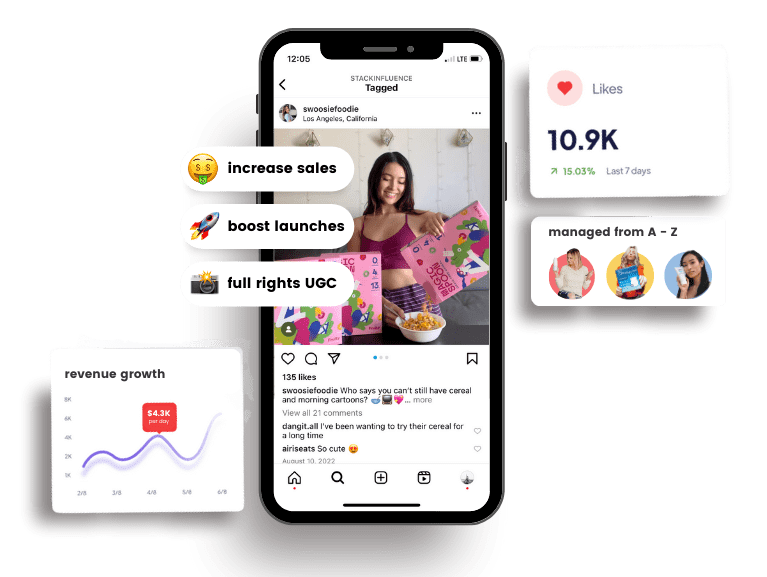
In the ultra-competitive world of e-commerce, micro-influencers (creators with a smaller but highly engaged following) have become a secret weapon for Amazon sellers. These everyday content creators produce authentic user-generated content (UGC) that resonates with consumers and can significantly boost trust and sales for products on Amazon. Let’s look at why leveraging micro-influencers (and the content they create) can elevate your Amazon storefront strategy:
Not only do micro-creators spark more interaction, they also deliver a better bang for your marketing buck. Studies show micro/nano-influencer campaigns can achieve roughly a 20:1 return on investment (i.e. $20 in revenue per $1 spent) versus only about 6:1 ROI for campaigns with big influencers. In practical terms, a dollar spent on a micro-influencer partnership might generate 3x or more sales compared to a dollar spent on a celebrity influencer. The chart above highlights this contrast in ROI. The combination of lower cost and highly receptive niche audiences means micro-influencers often “punch above their weight” when it comes to driving Amazon product sales.
Micro-influencers come across as real people and peers, so their product endorsements feel like genuine recommendations rather than ads. Consumers increasingly value authenticity – in one survey, 82% of people said they’re highly likely to follow a micro-influencer’s recommendation, and 84% trust peer recommendations more than traditional advertising. That trust is marketing gold. If an influencer features your product on their Amazon storefront and tells followers why they love it, it creates a seamless path to purchase with built-in credibility. The audience can click through to Amazon and buy with confidence, since the suggestion came from someone they trust.
When micro-influencers direct their followers to Amazon, it not only generates immediate sales, but also can improve your product’s ranking on Amazon itself. Amazon’s algorithm rewards listings that get a surge of outside traffic and sales. Thus, an influencer-driven spike can push your item higher in Amazon search results, creating a virtuous cycle of more visibility and organic sales. In essence, micro-influencers funnel new customers into Amazon’s ecosystem – something Amazon’s system notices and favors.
Micro-influencers often produce high-quality photos, videos, and reviews as they promote products. This content can be repurposed on Amazon. For instance, influencers’ video reviews or unboxing clips can be uploaded to your product listing or appear in the “Related videos” section on Amazon, acting as authentic testimonials for future shoppers. UGC like this is incredibly persuasive – 90% of consumers say authenticity is important when deciding which brands to support, and content created by real users is seen as the most authentic of all. In fact, 79% of people report that UGC highly impacts their purchase decisions, far more than polished brand ads. By leveraging influencer-generated content on your Amazon store and listings, you essentially showcase “word-of-mouth” proof that builds trust with customers who discover your brand.
Real Trend: According to a 2024 survey, 12% of Amazon third-party sellers were already hiring influencers to promote products, and 41% planned to grow their business via social media and influencer marketing. This shows that influencer collaborations are becoming mainstream for Amazon sellers. If you haven’t tried it yet, you might be missing out on a powerful growth lever.
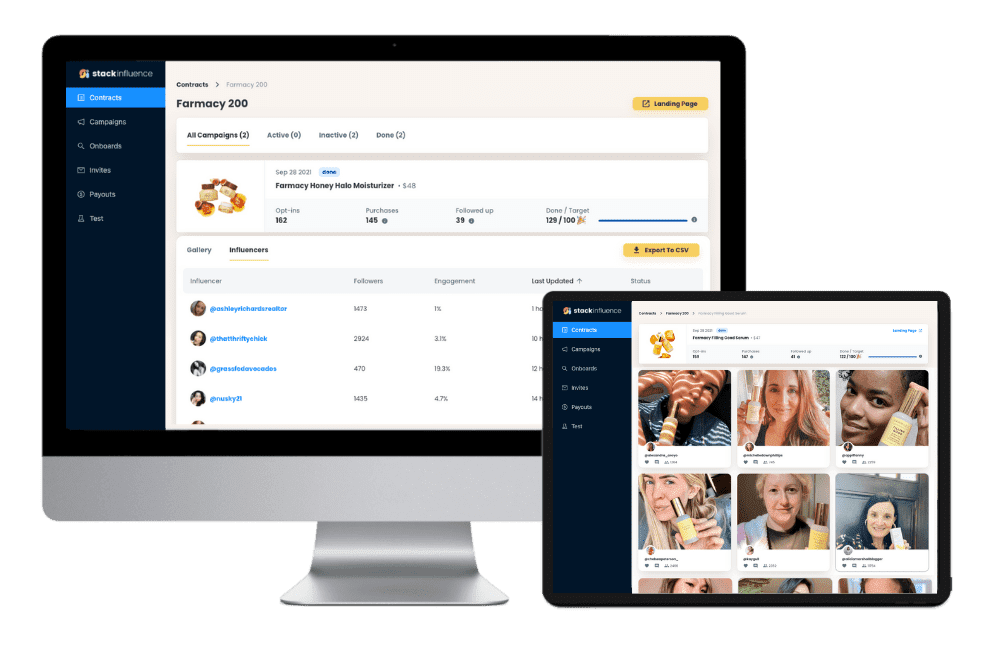
Coordinating dozens of influencers can be time-consuming (finding them, sending products, tracking posts, etc.). This is where platforms like Stack Influence come in. Stack Influence (stackinfluence.com) is an example of a specialized micro-influencer marketing platform that automates product seeding campaigns and manages the whole process. It helps e-commerce brands connect with vetted micro-influencers and accumulate authentic UGC and reviews at scale. In fact, many such platforms operate on a pay-for-results model – you only pay when an influencer has delivered the agreed content, ensuring efficient use of your budget. For Amazon sellers looking to turbocharge their storefront’s success, leveraging a network of micro-influencers (manually or via a platform like Stack Influence) can be a game-changer.
Now that we’ve covered why Amazon storefronts (and influencer-driven content) are so powerful, let’s get into the step-by-step of actually setting up your own storefront.
If you’re a social media influencer or content creator, follow these steps to apply for the Amazon Influencer Program and build your storefront:
1. Ensure You Meet the Eligibility Requirements: Amazon doesn’t publish exact follower count requirements, but you should have an active, engaged presence on at least one major social platform. When you apply, Amazon will evaluate factors like your number of followers (no official minimum, but more is better), your content engagement rate, and the niche/topic of your content. It’s not just about having huge numbers – a smaller following with lots of genuine engagement can qualify. For example, an Instagram account with ~10,000 followers that consistently gets good likes/comments could be accepted because it shows loyal engagement. Focus on a specific niche and quality content to improve your chances. (If you don’t yet meet the criteria, spend time growing your follower engagement before applying.)
2. Sign Up for the Amazon Influencer Program: Visit the Amazon Influencer Program portal and click “Sign up.” You can use your existing Amazon account (or Amazon Associates account) to apply, or create a new Amazon account if you don’t have one. During the signup, you’ll be prompted to choose the social media account where you have the most influence – options include Instagram, YouTube, TikTok, or Facebook. Pick the platform where your follower count and engagement are highest, as this will give you the best shot at approval.
3. Connect Your Social Media for Review: Amazon will ask to connect to or review your chosen social account to assess your metrics. For YouTube or Facebook applicants, Amazon’s decision is often instantaneous (they use those platform APIs to check your stats). For Instagram or TikTok, it may take a few days (up to 5 business days) for Amazon to manually review your profile. Provide any required info like your account handle, follower count, and content category during this step. Once submitted, your application status may be “pending” while Amazon evaluates your social presence.
4. Complete Your Influencer Profile: As part of the application, you’ll create your Amazon influencer profile. This includes picking a Storefront name (typically your own name or brand name) and adding a brief tagline or description for your page. You’ll also upload a profile picture or logo for your storefront and can link your other social media accounts to your profile if you want. Think of this like setting up a new social media profile – you want it to be welcoming and on-brand. For instance, if your niche is home décor, you might name your store “JaneDoe Home Finds” and tag it as “My favorite picks for a cozy, stylish home.”
5. Submit Your Application and Wait for Approval: Double-check that you followed all the steps (including any verification like following Amazon’s official influencer account on Instagram, which Amazon requires you to do after applying). Then, simply wait for Amazon’s decision. If you applied with YouTube/Facebook, you might get instant feedback. With Instagram/TikTok, be patient for a few days. You’ll be notified via email or in the Influencer dashboard if you’re approved. Tip: Even while in “pending” status, you can actually start building out your storefront page (adding content like idea lists, etc.) – so feel free to get a head start on curating your recommendations.
6. Start Building Your Storefront Page: Once you’re in (congrats!), you can actually design your influencer storefront. Amazon will give you a URL (usually amazon.com/shop/YourHandle). Now you can add content in several ways:
Customize your page by adding a header banner image and a profile picture if you haven’t already. Organize your storefront thoughtfully so it’s easy for your followers to find things. For example, you might have separate sections for “Beauty Favorites,” “Kitchen Gadgets I Love,” etc. Influencer storefronts share some similarities with brand storefronts – you can even use a custom banner and featured content to give it a personal touch.
7. Promote Your Storefront: Your Amazon storefront won’t magically get traffic on its own – you need to share it with your audience. Promote your new storefront link on your social channels: put the link in your Instagram bio, add it to your Linktree, mention it in YouTube video descriptions, tweet it out, etc. Let your followers know they can shop all your finds in one spot. Create posts or Stories highlighting some of the best items on your storefront to drive curiosity and clicks. The more you integrate your Amazon shop into your content (in a natural, value-added way), the more traffic and sales you’ll likely generate.
8. Keep Creating Content (On and Off Amazon): To maximize earnings, continue making quality content. Encourage your followers to check out your Amazon shop when you talk about products. Additionally, work toward the “onsite influencer” perks: once approved, upload those honest product review videos and photos to Amazon. Over time, as you build up a catalog of shoppable content, you might start seeing passive commissions from random Amazon shoppers, not just your followers. It’s essentially building multiple income streams within your influencer business – one from direct affiliate sales to your audience, another from Amazon’s internal traffic viewing your content.
Note: If your application is not approved on the first try, don’t be discouraged. Take a few months to grow your following or engagement (perhaps focus on a niche, improve content quality), then try again. Amazon wants influencers who have an authentic connection with an audience, not just vanity metrics. So work on that community-building and you’ll increase your odds in the next application.
If you’re an Amazon seller (brand owner) who wants to set up a branded storefront on Amazon, follow these steps:
1. Enroll in Amazon Brand Registry: The Amazon storefront feature for sellers is only available to brand-registered sellers. This means you need to have a registered trademark for your brand and go through the Brand Registry signup. Brand Registry verifies that you own the brand and gives you access to special tools like storefronts, A+ content, and protection from listing hijackers. So, first ensure you have a trademark for your brand name or logo. Then go to Amazon’s Brand Registry portal and complete the enrollment process (you’ll need to provide your trademark info, brand logo, etc.) Once Amazon approves your Brand Registry application, you’re ready to create a store.
2. Log in to Amazon Seller Central: After brand approval, log in to your Seller Central account. On the main dashboard, find the top menu that has tabs like Inventory, Orders, etc. There will be a tab called “Stores.” Hover over or click on “Stores” and then select “Manage Stores.” This is the section where you’ll create and edit your storefront.
3. Create a New Store: In the Manage Stores page, you should see an option to create a store for your registered brand. Click “Create Store.” This opens up a store builder interface (a setup wizard). First, you’ll be prompted to enter your brand display name (how you want it to appear on the storefront) and to upload your brand logo. Treat this step like designing the sign in front of a physical shop – use a high-quality logo image and ensure the brand name is exactly how you want customers to see it. This is your chance to make a strong first impression, so keep the branding consistent and professional.
4. Choose a Store Template: Amazon provides a few pre-made layout templates for storefronts, which can make your life easier if you’re not sure how to design the pages. You might see templates for a single page store, a marquee (with a big header image), a product grid focus, etc. Browse the options and pick a template that best fits your product line. Don’t worry – these templates are flexible. You can rearrange sections, add or remove pages, and customize it heavily if you want. The template just gives a starting structure. For instance, if you have a lot of SKUs across categories, a template that supports multiple pages (like “Men”, “Women”, “New Arrivals”) might be useful. If you have a single hero product, a one-page design with big imagery might suffice.
5. Add Pages and Content: Now, build out the pages of your store. By default, you’ll at least have a homepage for your storefront. You can add sub-pages for different categories or themes (just like a mini website with menu navigation). On each page, you’ll be able to add content tiles: these include product listings, text sections, image banners, videos, and slideshows. At this stage:
Essentially, this step is about populating your storefront with engaging content and a complete product selection that will inform and attract shoppers. Use high-resolution images, write informative product descriptions or captions, and double-check that each product tile links correctly to the right item. Aim for a balance of visual appeal (images, videos) and useful info (product details, benefits) to appeal to both browsers and decisive buyers.
6. Review and Preview Your Store: Before hitting that publish button, take the time to thoroughly preview your storefront using Amazon’s preview function. Click through each page you created and check for:
Amazon provides a checklist of sorts – ensuring correct product listings, accurate pricing, proper navigation, etc., is important. You want the storefront to be error-free and polished. If something looks off, the store builder allows you to edit it before publishing.
7. Publish Your Storefront: Once you’re happy with how everything looks in preview, hit “Publish.” Note that after publishing, it may take a short time for Amazon to approve the content (they will review to make sure you didn’t violate any content guidelines, like including external links or unsuitable material). Typically, within a couple of hours, your store should go live at a URL like amazon.com/your-brand (it usually uses your brand name or a variation). Amazon will usually email the account owner when the storefront is live. Congratulations – your Amazon storefront is now up and running for the world to see!
Now you can link this storefront on your Amazon product detail pages (there’s often a link to “Visit the Store” under the product title on listings of brand-registered products). You can also drive external traffic to this store link via ads, social media, or influencer campaigns to boost your Amazon sales.

Simply having a storefront is a great start, but to really make it effective, you should optimize it continuously. Whether you’re an influencer or a seller, consider these best practices to maximize your storefront’s impact:
By implementing these optimization tips, you’ll ensure your Amazon storefront isn’t just set up correctly, but is truly primed to rank well and convert visitors into buyers – which is ultimately the key to climbing the ranks on both Google and Amazon’s own search.
An Amazon storefront unlocks a world of opportunities for micro-influencers, content creators, and e-commerce sellers alike. It’s your dedicated space to showcase products and leverage the full power of Amazon’s platform – from its massive shopper base to its trusted checkout and fast shipping. We’ve walked through how to get an Amazon storefront for both influencers and brand owners, step by step. Now it’s up to you to take action.
Remember, success on Amazon (or any platform) boils down to offering value and building trust. Use your storefront to tell a story: whether it’s the story of your brand’s quality and mission, or the story of why an influencer loves the products they recommend. User-generated content and micro-influencer authenticity are your allies in this effort. They humanize the online shopping experience and can dramatically impact purchasing decisions in your favor. In a time when 90% of consumers prioritize authenticity when choosing brands, leaning into genuine content and community-driven marketing is a smart move.
So go ahead – set up your Amazon storefront, optimize it, and don’t be afraid to get creative. If you’re a seller, consider partnering with micro-influencers to drive external traffic and stock your store with persuasive UGC. If you’re an influencer, curate your Amazon shop like a pro and keep engaging your followers with great content. With dedication, your storefront can become a significant revenue stream and a key asset in your online presence.
Happy selling and influencing! By following this guide, you’re well on your way to building an Amazon storefront that not only looks great but also leverages the latest trends in e-commerce marketing (from SEO to influencer partnerships) to stand out. Here’s to your success in the Amazon marketplace – may your storefront attract eager shoppers and rank high on every relevant search, whether on Google or within Amazon’s own ecosystem. Now, go make that storefront shine!

By William Gasner
CMO at Stack Influence
William Gasner is the CMO of Stack Influence, he’s a 6X founder, a 7-Figure eCommerce seller, and has been featured in leading publications like Forbes, Business Insider, and Wired for his thoughts on the influencer marketing and eCommerce industries.
Want new articles before they get published? Subscribe to our Awesome Newsletter.
111 NE 1st St, 8th Floor
Miami, FL 33132



© 2025 Stack Influence Inc
© 2025 Stack Influence Inc
The post How to Get an Amazon Storefront appeared first on Stack Influence.





