


12th
August, 2025
Optimizing your Amazon product listing is one of the most impactful things you can do as an Amazon seller. Studies show that Amazon is where a majority of shoppers begin their product searches – 63% of consumers start searching on Amazon, and 70% of Amazon shoppers never go past the first page of results. In other words, if your listing isn’t ranking on page one and compelling shoppers to click, you’re losing sales to competitors. It’s no wonder that nearly 80% of Amazon sellers say listing optimization with relevant keywords is a top priority.
But how exactly do you optimize an Amazon listing? This comprehensive guide will walk you through the key steps to optimize your Amazon product listing – from keyword research and crafting the perfect title to improving images and gathering reviews. We’ll also cover the latest Amazon policy updates (as of 2024–2025) that you need to know. By the end, you’ll have an actionable roadmap to improve your listing’s visibility and conversion rate. Let’s dive in!
Amazon listing optimization means enhancing all the elements of your product detail page – title, images, bullet points, description, backend keywords, etc. – to improve its visibility in search and its appeal to shoppers. Essentially, you’re tailoring your listing to Amazon’s A9 search algorithm and to human customers. This process increases the chances that your product appears in relevant searches and converts those clicks into purchases.
Why is this so important? Amazon’s algorithm heavily rewards relevance and performance. When deciding which products rank higher, Amazon looks at factors like:
Are the search terms shoppers use present in your title, bullets, or backend fields? Amazon relies on keywords to understand what your product is and match it to searches.
Products with strong sales history tend to rank higher (after all, more sales mean Amazon earns more).
If a lot of people click your listing but don’t buy, Amazon will consider it less relevant. A high conversion rate signals that your listing satisfies shoppers’ needs.
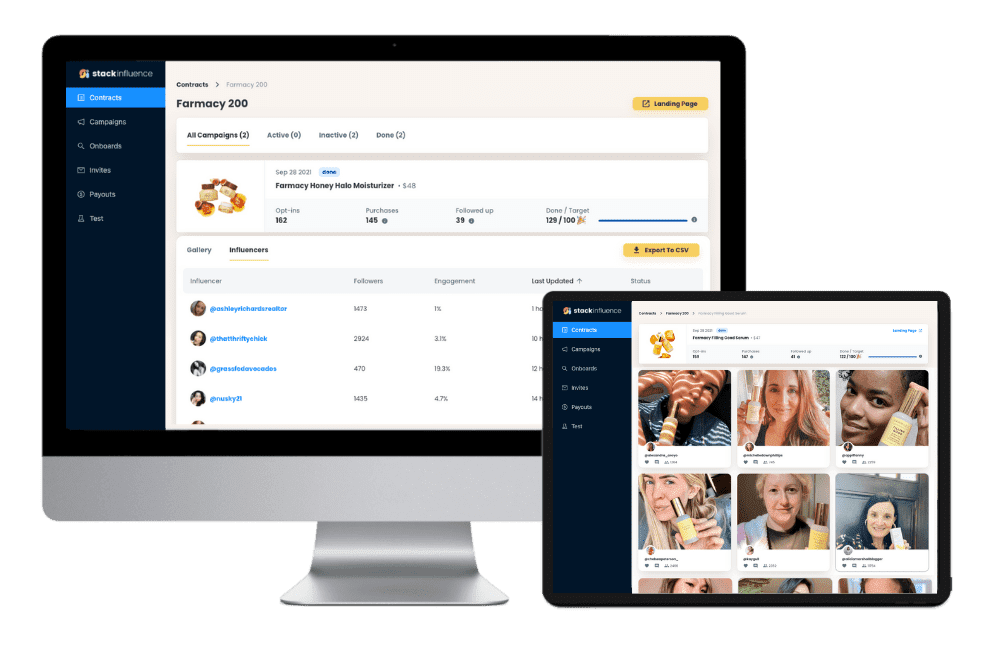
In short, a well-optimized listing tells Amazon “this product is exactly what the customer is searching for,” and it convinces shoppers to hit the Buy button. Even if you drive traffic to your listing through ads or external marketing, it won’t translate into sales without an optimized listing. (For example, Stack Influence, an influencer marketing platform, notes that many e-commerce brands and Amazon sellers now partner with micro-influencers – niche content creators – to generate authentic UGC and build consumer trust off-Amazon. But once that traffic lands on Amazon, a high-quality listing is what converts those visits into purchases.) In the ultra-competitive world of Amazon e-commerce, your product listing quality can make or break your success.
Now that we know why it matters, let’s go through seven key steps to optimize your Amazon product listing.
Every great Amazon listing optimization strategy starts with keyword research. Keywords are the bridge between customer searches and your product – including the right keywords will make your listing relevant in Amazon’s eyes and help shoppers find you.
Brainstorm and research what terms customers would use to search for your product. Put yourself in the buyer’s shoes: What words or phrases describe your item and its use? Begin with a few obvious “seed” keywords (e.g. “yoga mat” if you sell yoga mats) and then expand from there. Here are some effective methods and tools for Amazon keyword research:
Start typing your product name or category into Amazon’s search bar and note the autocomplete suggestions. These suggestions are popular search queries by real shoppers, which makes them great keywords to target. For example, typing “yoga mat” might suggest “yoga mat thick”, “yoga mat non-slip”, etc. – valuable long-tail keywords.
Look at top-ranking competitor listings in your category. What keywords do they include in their titles and bullet points? You can also use Amazon’s Product Opportunity Explorer or third-party tools to discover which search terms drive traffic to competing products.
Leverage tools designed for Amazon SEO. For instance, Jungle Scout’s Keyword Scout or Helium 10’s Magnet can show search volume for keywords and even recommend related terms. These tools often allow reverse-ASIN lookup – input a competitor’s ASIN to see what keywords they rank for. The goal is to build a comprehensive list of relevant, high-volume keywords.
Don’t forget that Amazon listings can also rank on Google. Research if there are any high-traffic Google search terms related to your product that you could incorporate (e.g. using SEO tools like Semrush).
As you gather keywords, think beyond just single words – include useful long-tail phrases that indicate buyer intent (e.g. “yoga mat for bad knees” or “eco-friendly yoga mat”). Long-tail keywords may have lower search volume but often convert better because they’re specific.
Pro Tip: Keep a list of your target keywords handy. Amazon’s algorithm only needs a keyword mentioned once to index it, so there’s no need for heavy repetition or “keyword stuffing.” Focus on relevancy over sheer keyword count. In the next steps, we’ll strategically place these keywords into your title, bullets, and other fields.
Your product title is the most critical searchable text on your listing. Amazon places heavy weight on title keywords for indexing and ranking. It’s also the first thing shoppers see in search results, so a well-crafted title can boost your click-through rate. An optimized Amazon title should clearly describe the product, include top keywords, and follow Amazon’s formatting guidelines.
Follow Amazon’s title requirements: As of 2025, Amazon updated its title rules for most categories. Titles must not exceed 200 characters (including spaces), and you cannot use certain special characters (like !, $, or ? unless they’re part of a brand name). You also shouldn’t repeat any word more than twice in the title – Amazon wants to discourage keyword stuffing and overly long, confusing titles. In fact, Amazon itself advises sellers to keep titles under 60 characters for clarity, even though the hard limit is 200. The ideal length is long enough to include key information, but not so long that it’s cumbersome or gets cut off on mobile.
Here are best practices for writing a great Amazon title:
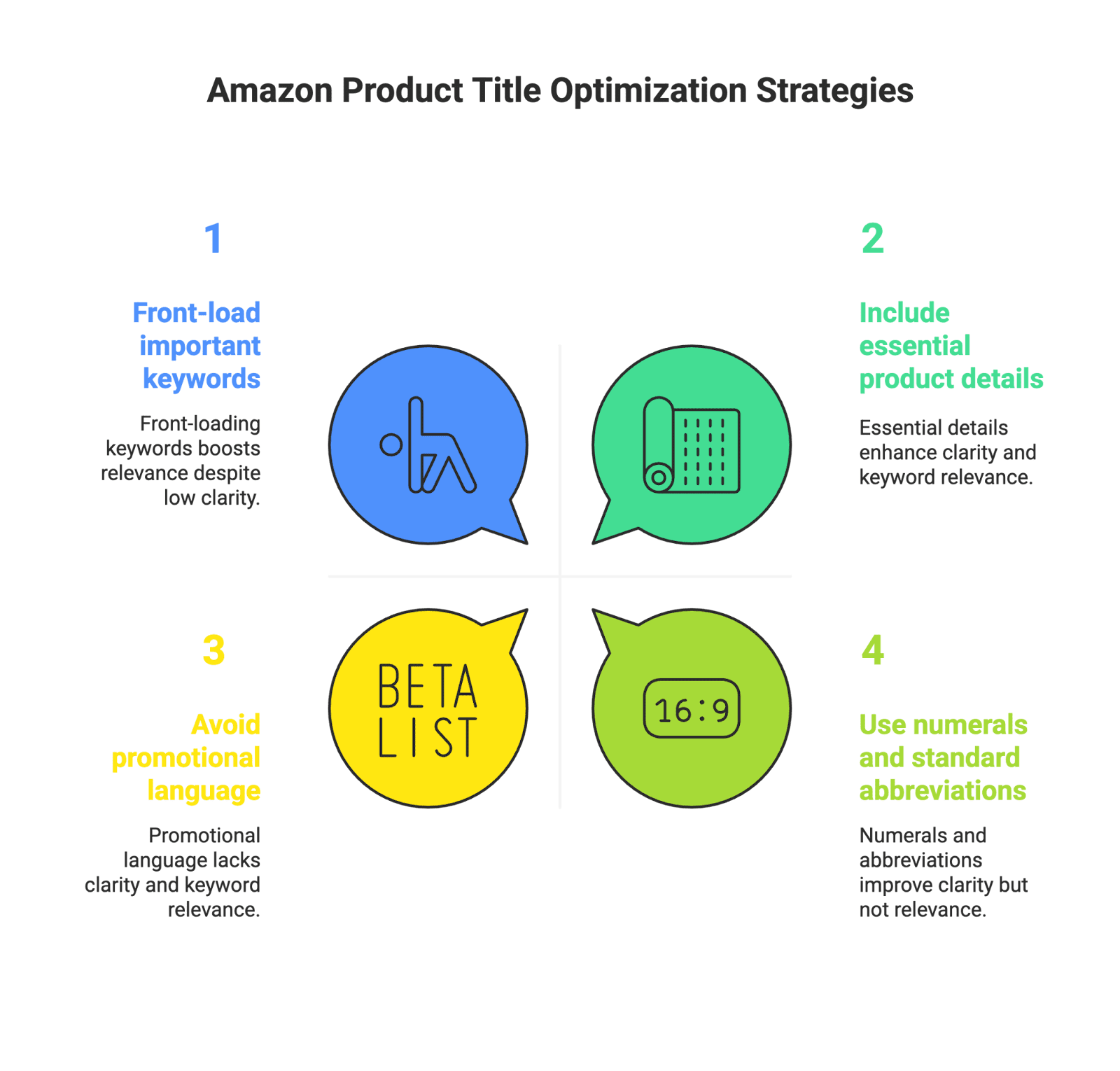
Finally, make sure your title complies with any category-specific rules on Amazon Seller Central. Some categories have shorter length limits or required info (for example, Apparel titles often must include gender and product type). Keeping your title within Amazon’s rules ensures you don’t get penalized or have your listing suppressed.
Amazon recently implemented a rule that titles may not contain the same word more than twice, so if your product is “100% organic cotton”, you shouldn’t repeat “cotton” multiple times in the title. One mention suffices.
Crafting an effective title might take a few drafts – it’s worth the effort. A good title is clear, keyword-rich, and easy for humans to read, striking a balance between SEO and marketing. If you get the title right, you’ve set a strong foundation for your listing’s SEO.
Your product description appears further down the page, but it’s still an important part of your Amazon listing optimization. This is a space to tell the story of your product and brand in more detail and include any information that didn’t fit in the title or bullets. Amazon gives you up to 2,000 characters for the description field, so make it count!
If you are enrolled in Brand Registry, you have an even better option: A+ Content (also known as Enhanced Brand Content). A+ Content lets you replace the standard description with a richer content section that can include formatted text, images, comparison charts, videos, and more. This appears in the “From the Brand” section and can make your listing look far more professional and engaging. Amazon reports that adding basic A+ Content can increase sales by up to 5–8%, and using Premium A+ with videos and interactive modules can boost sales by up to 20%. That’s a significant conversion lift for most products.
Tips for A+ Content: Use A+ modules to visually highlight your product’s features (through infographics or lifestyle images with overlay text), tell your brand story, and compare your product line if you have multiple related products. For example, you might include a comparison chart showing how this model differs from your other models, or a lifestyle image with callout text pointing to unique features. A+ allows for much more creativity – but the text in A+ is not indexed for search by Amazon (at least as of now). So, you should still make sure important keywords are in your title, bullets, and backend fields. A+ content’s value is in increasing conversion rates by giving shoppers richer information and trust in your brand.
Whether you use basic text or A+ Content, a well-optimized description will reinforce your product’s value proposition and answer any lingering questions the customer might have. This can be the section that convinces a hesitant buyer to finally click “Add to Cart.” If you have the ability to add A+ Content, take advantage of it to stand out from competitors who might not have enhanced content. Just ensure your A+ content is also following guidelines (no forbidden claims, no external links, etc.) and that it complements the rest of your listing.

On Amazon, images are critically important. Unlike a physical store, online shoppers can’t touch or try your product – they rely on photos to judge its appearance, size, and quality. In fact, your main image largely determines whether shoppers click your listing at all. And once they’re on the page, a great set of images can seal the deal by giving a 360° understanding of the product. Optimizing your Amazon listing therefore means investing in high-quality product photography and multimedia.
High-quality images not only help convert customers but also can reduce returns (because customers know what they’re getting). They are a direct window into your product’s quality. Many shoppers will make a purchase decision just from scanning images and bullets, without reading the full description, so never skimp on image optimization in your Amazon listing.
In addition to the customer-facing content, Amazon provides a hidden field for additional keywords, often referred to as “backend search terms” or generic keywords. These are keywords that aren’t visible on the product page, but are indexed by Amazon’s search algorithm to help your product surface in relevant searches. Optimizing your backend keywords is a crucial step to ensure you’re capturing all possible search queries without cluttering your title or bullets.
By fully utilizing the backend search terms, you can capture long-tail searches and niche queries that your main listing copy might not cover. This can bring in extra traffic. It’s essentially free extra SEO juice. Just remember, backend keywords should augment your listing’s discoverability without misleading shoppers. When a customer types in one of those terms, your product should indeed be a relevant result for that term. If you sell a yoga mat and add “yoga blocks” to backend keywords, that’s not really relevant – a customer looking for yoga blocks won’t be happy landing on your mat listing.
After adding backend search terms, give Amazon 24-48 hours to index them and then test some of those terms to see if your product shows up in search. This can confirm you’ve done it right. All in all, optimizing the hidden keywords is a quick win to ensure you’ve left no stone unturned in terms of SEO.
Once your content (title, images, etc.) is optimized and you start getting traffic, one of the biggest factors in conversion – and even in sustaining your search rank – is your product’s reviews and ratings. Shoppers heavily rely on social proof. A listing with a good number of positive reviews will convert much higher than one with few or poor reviews. Moreover, early sales and reviews can boost your product’s momentum and organic ranking on Amazon.
Optimizing your Amazon listing isn’t just about the content you create, but also about managing customer feedback. Here’s how to set yourself up for success in the reviews department:
This might sound obvious, but the best way to get positive reviews is to meet or exceed customer expectations with your product. If your product has design flaws or quality issues, no amount of listing optimization can save you from negative reviews. Before you even launch, ensure your product quality is on point and that you’ve addressed any known issues that similar products have. Fixing a competitor’s pain points can turn their disgruntled customers into your happy ones.
Amazon’s policy is strict about not manipulating reviews, but they provide legitimate tools to request reviews from buyers. After a purchase, Amazon automatically sends a standard review request email. In addition, you can use the “Request a Review” button in Seller Central for each order to send a polite review request email (Amazon generates it for you). This is allowed once per order. If doing it manually for each sale is too tedious, consider using software or browser extensions that automate the process (for example, some seller tools have a one-click bulk “Request Reviews” feature). Be sure any tool you use complies with Amazon’s Communication Guidelines.
Outside of Amazon, encourage users to share their experiences – e.g. on social media, unboxing videos, etc. While these won’t directly show up as Amazon reviews, they create buzz and trust around your product. For instance, micro-influencers posting about your product can indirectly lead to some of their followers purchasing and leaving reviews. Just never pay for reviews or incentivize positive reviews, as that’s against Amazon policy. You can, however, include a nice insert in your product packaging that thanks the customer and politely asks for a review if they’re enjoying the product (just don’t offer a reward for it, and don’t specifically say “5-star review” – keep it neutral).
Having a solid strategy to grow positive reviews will pay off massively. Listings with a higher average rating and a good volume of reviews not only convert more shoppers but also tend to get a better Best Seller Rank and even higher search rankings over time. Amazon’s algorithm sees that customers are happy with the product (good reviews, good conversion rate), which reinforces that it should show the product to more shoppers.
If you implement a review request strategy, you might be surprised by how many more reviews you get. For example, Jungle Scout noted that by using an automated Review Request tool, a product got over 400 reviews in less than a year. While not every buyer will leave a review, many more will if asked (in the appropriate way) than if not prompted at all.
Finally, displaying social proof prominently: When your listing has some great reviews, make sure the best ones (the ones mentioning your key features or excellent service) are marked as “Helpful” (you can upvote your own reviews to an extent) so they show up near the top. Also consider adding Q&A content: answer customer questions in the Q&A section promptly. This also builds trust for shoppers who might have similar questions.
In summary: product listing optimization gets people in the door, and positive reviews help close the sale. Both aspects work together to drive your Amazon success.
Amazon listing optimization is not a one-and-done task. The marketplace and consumer trends are always evolving, so the best sellers treat optimization as an ongoing process. To maintain and improve your rankings, you’ll want to regularly monitor your listing’s performance and make adjustments as needed.
Think of listing optimization as continuous improvement. You want to keep testing and learning. Maybe adding a new image or rearranging bullet points could bump conversions by a few percentage points – which at scale is a big revenue increase. Also, watch for seasonal trends: adjust your keywords or imagery to capitalize on holiday shopping, if relevant (e.g. adding “Gift” keywords during Q4, or updating images to have a holiday theme if appropriate).
Lastly, remember to also optimize off-page factors over time: ensure you keep Prime eligibility (fast shipping is a factor in conversion), keep your pricing competitive, and maintain good inventory health (avoid stockouts, which can kill your ranking momentum).
By regularly auditing and refining your Amazon listing, you’ll stay ahead of the competition. The Amazon marketplace rewards those who are vigilant and adaptive. As Jungle Scout’s experts put it, “Listings will make us or break us as Amazon sellers,” so it’s worth investing the time to make it the best it can be.
In summary, optimizing your Amazon product listing is absolutely essential for succeeding as an Amazon seller in 2025 and beyond. A well-optimized listing improves your search visibility (so more shoppers find your product) and your conversion rate (so more of those shoppers buy from you instead of clicking away). It’s about working smarter on the digital shelf to outshine your competition.
By implementing these optimization strategies, you’ll position your product to rank higher in Amazon’s search results and appeal strongly to potential buyers who land on your page. The result? More visibility, more clicks, and ultimately more sales.
Keep in mind that Amazon’s platform is always changing. Stay informed about new features, algorithm updates, and consumer trends. What works today might need tweaking tomorrow. The good news is that by following the fundamentals outlined in this guide, you have a solid framework that you can continually refine.
Now, it’s time to take action: apply these tips to your own Amazon listings. Even making a few improvements in your title, images, or keywords can lead to a noticeable uptick in performance. Monitor your results, keep optimizing, and you’ll be on your way to outranking the competition – maybe even achieving that coveted #1 Best Seller spot in your category!
Good luck, and happy selling on Amazon! Remember, an optimized listing is an investment that keeps paying off through better rankings, happier customers, and a healthier bottom line. 🚀

By William Gasner
CMO at Stack Influence
William Gasner is the CMO of Stack Influence, he’s a 6X founder, a 7-Figure eCommerce seller, and has been featured in leading publications like Forbes, Business Insider, and Wired for his thoughts on the influencer marketing and eCommerce industries.
Want new articles before they get published? Subscribe to our Awesome Newsletter.
111 NE 1st St, 8th Floor
Miami, FL 33132


© 2025 Stack Influence Inc
© 2025 Stack Influence Inc
The post How to Optimize Your Amazon Product Listing (2025 Guide) appeared first on Stack Influence.





