


Learning how to sell on Walmart with Shopify unlocks the potential to reach a massive pool of new customers and enhances your brand visibility. It’s an excellent strategy for diversifying your online presence.
Boost your online sales by leveraging the Walmart Shopify integration and tap into unexplored customer bases while managing everything from your Shopify dashboard.
We’ll walk you through why the Walmart Marketplace integration is beneficial and how to set it up. We’ll also cover how Printify’s print-on-demand service can further streamline your selling experience across both platforms.
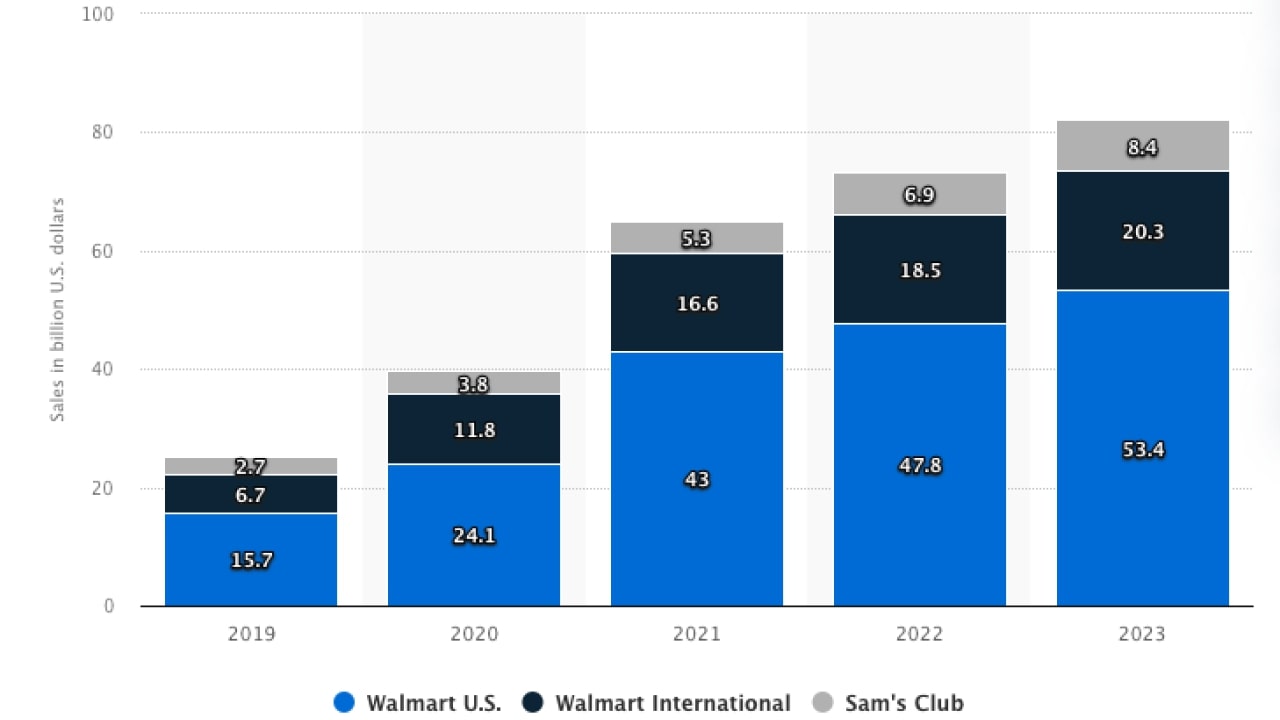
Walmart’s United States eCommerce sales reached $53.4b in 2023, presenting a golden opportunity for Shopify store sellers to broaden their reach.
They offer seamless syncing of product information, order creation, and shipping details. The integration of Shopify with Walmart Marketplace makes managing multi-channel operations a breeze.
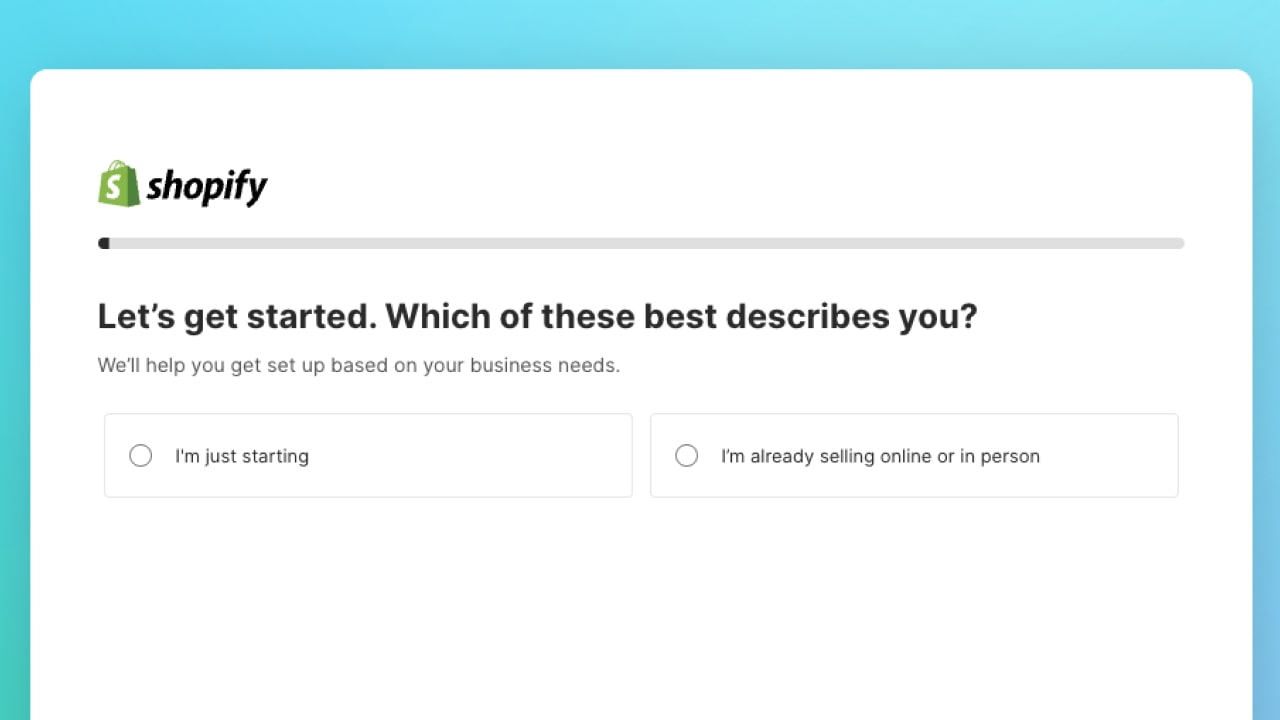
Before you can integrate with Walmart Marketplace, you need to have a Shopify store up and running. If you haven’t set this up yet, refer to this Shopify guide.
Pro tip
In your Shopify backend, there are many tools and settings to customize your store, manage inventory, and track sales.
This configuration process further establishes your space in the vast world of eCommerce – and don’t worry, we’ve laid everything out to help simplify the process.
For a smooth registration process, make sure you have everything you need, including:
A catalog that aligns with Walmart’s prohibited products policy.
Head over to the Walmart Marketplace signup page. Complete the necessary information, carefully review the terms and conditions, and proceed to create your Walmart Marketplace account.
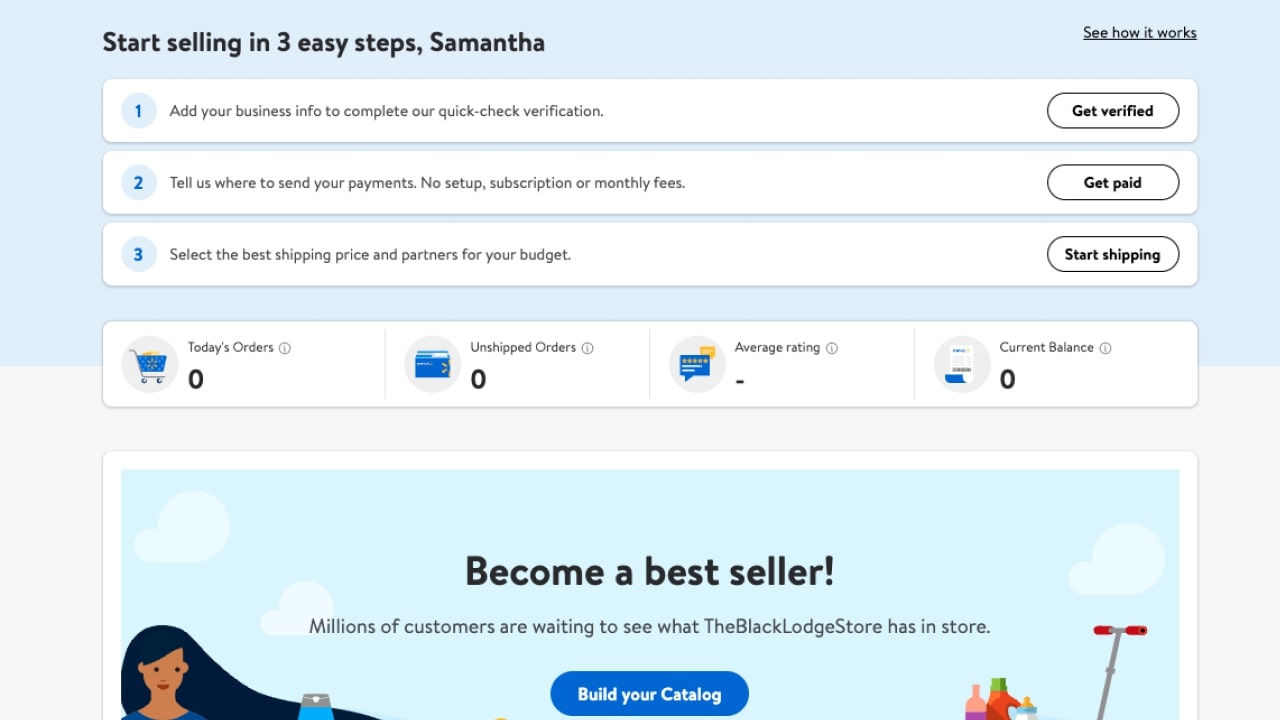
Verify your business by submitting your details and completing the Seller Profile.
Fill in your payment details, and rest assured – there are no setup, subscription, or monthly fees for selling on the Walmart Marketplace.
When setting up your Shopify-Walmart integration, make sure to input your Shopify shop’s URL correctly. This is crucial, as it links your online store to Walmart Marketplace and enables your products to sync.
Time to configure your shipping method and costs. Pick your preferred returns method and carriers that fit your budget. Consider your delivery destinations and return policies.
To integrate your Shopify store with Walmart, input your Client Secret/Client ID in the provided field. This unique identifier helps to maintain secure communication between your store and Walmart.
After successfully launching your store, you can access the Seller Center – your ultimate control hub. This is where you can customize your account settings, access reports, monitor catalog performance, and unlock tools to optimize your overall selling experience.
There are no hidden fees for sellers. You only pay a referral fee for the products you sell on Walmart, which range from 6% to 20% of the sales price.
Now that your store is ready, start adding items that comply with Walmart’s standards and policies.
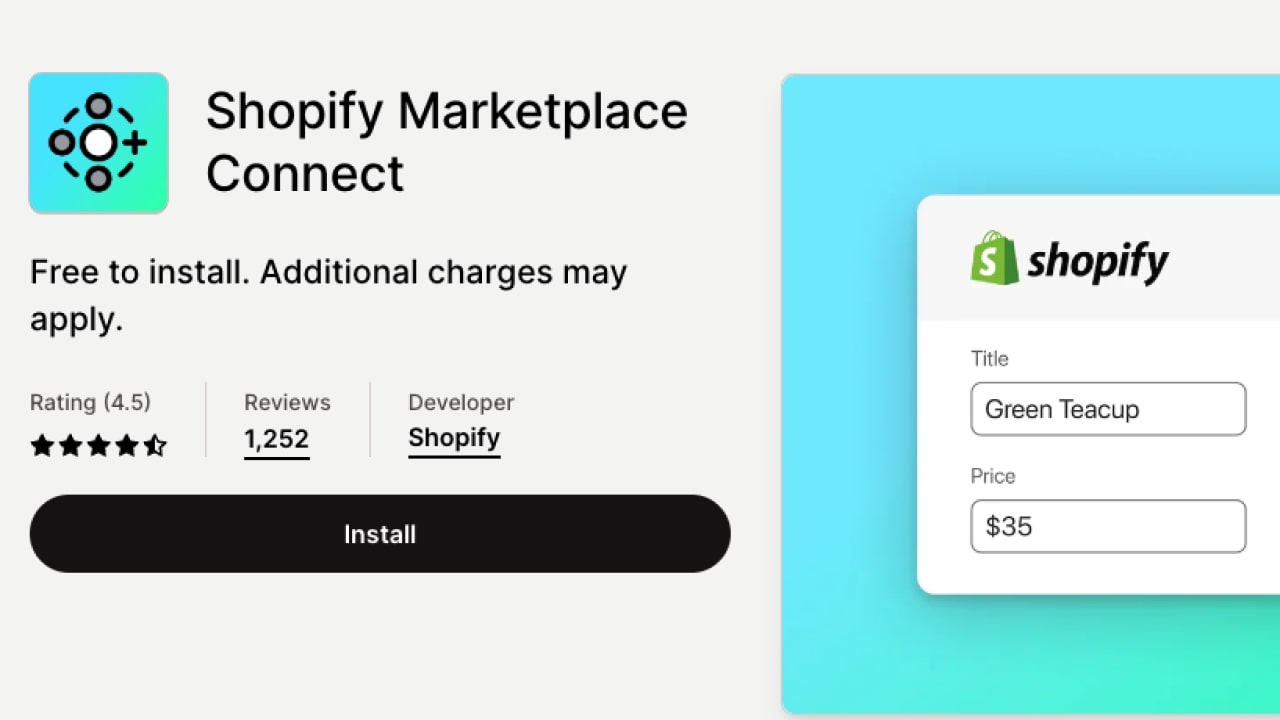
The Shopify Marketplace Connect app lets you easily link your products with your Walmart dashboard and directly oversee your listings, orders, and stock from your Shopify account. If you make any changes to products and orders in your Shopify store, it’ll seamlessly sync with Walmart listings.
Pro tip
When setting up the Walmart-Shopify integration, make sure you have your client ID ready, as it’s essential for linking your Shopify store with Walmart Marketplace.
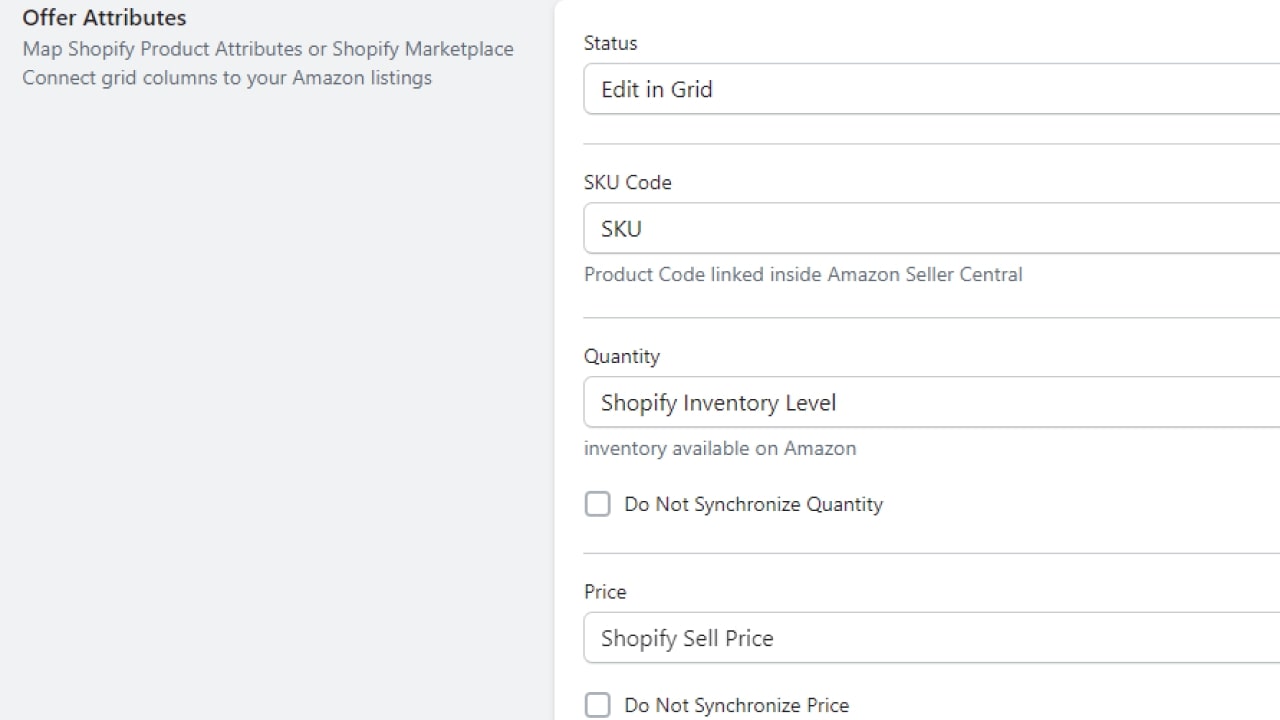
To import your products and modify listings from your Shopify store to the Walmart dashboard using the Marketplace Connect app, utilize these customization options:
Metafields.
Attribute mapping.
* In your online store, you can offer products with characteristics specific to just those items, such as color, size, and weight. These unique features are known as attributes or variants. By providing these, you’ll help customers find their perfect match and filter products without having them browse through the entire store.
Product titles.
Listing or editing individual products.
Listing or editing bulk products.
For any challenges or additional support, email the Shopify Marketplace Connect team or use the app’s chat feature.
Marketplace Connect streamlines your order management by automatically importing them from Walmart, allowing you to process them directly within your Shopify admin.
Automatic order import.
Once a customer places an order on Walmart, Marketplace Connect adds it to the Orders section of your Shopify admin. It’ll appear as if it was directly purchased from your online store.
Identifying the order source.
To help you identify orders originating from Walmart, the channel field on the Orders page will display Walmart as its source.
Order fulfillment.
Once your orders are imported, you can fulfill them directly from your Shopify admin. For more insights on this, dive into Shopify’s fulfilling your orders guide.
Automatic shipping and tracking updates.
After successfully fulfilling an order, Marketplace Connect will automatically update the shipping status and provide tracking details back to Walmart. This ensures the buyer is well-informed.

Shopify merchants should make sure their customer engagement is fast, friendly, and reliable. With many online stores to choose from, you want to encourage repeat business and positive experiences to set yourself apart from the competition.
Conduct market research of your Shopify store items to check you’re setting competitive prices for your product listings.
Define your promotional pricing strategies and offer free shipping and other incentives. Attract more customers with pricing, but make sure to keep your profit margin healthy.
Win the Buy Box by keeping your prices competitive and maintaining a high seller rating. This can greatly increase your chances of customers choosing your items over other sellers.
The Walmart Buy Box is a sought-after position that determines which seller’s listing appears when multiple offer the same product. While all listings are displayed on a single page, only one of many quality sellers can secure the Walmart Buy Box.
Efficiently taking care of inventory is a crucial aspect of the business management process. By effectively monitoring and controlling your stock levels, you can prevent issues such as overselling or stock outages that can harm your operations.
Shopify offers integrated tools to help manage your inventory, or you can opt for external inventory management systems.
Optimize your product titles, descriptions, and images for search engines. Incorporating relevant keywords can improve your published products’ visibility on Walmart and drive traffic to your listings.

While Shopify is an eCommerce platform and Walmart Marketplace is an online marketplace, using both provides merchants with the best of both worlds. Broadening your eCommerce business to encompass multiple sales channels offers many benefits.
Selling on various platforms allows you to tap into a wider customer base. Each platform attracts a unique set of customers. Therefore, selling across different channels increases your brand’s and product’s visibility.
Depending solely on one online storefront or platform can be risky. Having others can ensure your business operations continue if any issues arise on your primary sales channel.
With the increased exposure and reach of multi-channel selling, businesses often experience a rise in sales. The opportunity to reach different customer segments translates to increased conversions and revenue.
Take your product designs and sales to the next level with Printify. It’s easy as pie and a low-risk venture that can lead to excellent profits.
The first step is to create a free Printify account. The registration process takes just a minute. Input details, such as your email address and password, and voila – you’re now a member.
One of the great features of Printify is its easy integration with many eCommerce platforms and marketplaces.
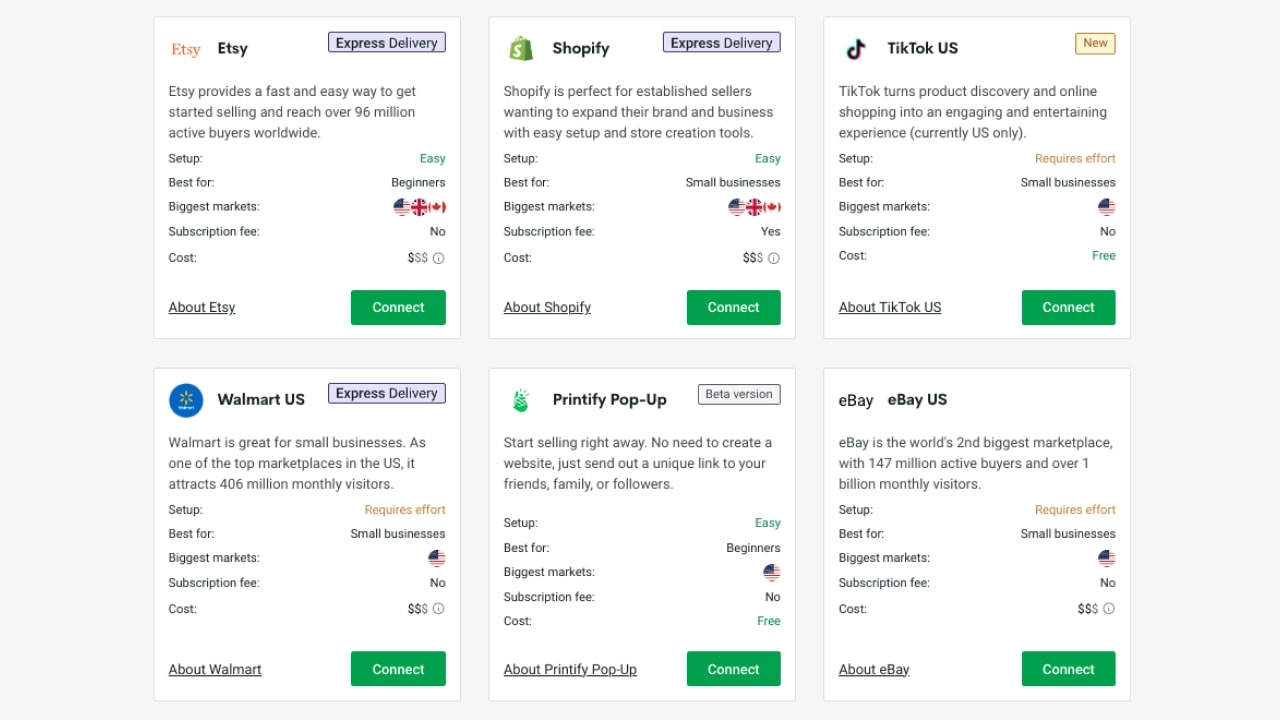
What are your integration options?
Choose from over 900 products in our Printify Catalog, ranging from apparel and accessories to home decor items.
Use our beginner-friendly Mockup Generator to create unlimited products with appealing designs and images that reflect your brand. Upload your own designs, or utilize Printify’s design tool, Shutterstock integration, or free graphics library to create something from scratch.
Pro tip
Utilize swatch images to showcase the different variations of your product, like colors or patterns, helping customers make an informed choice.
Set your prices, write compelling product descriptions, and choose your shipping methods. With Printify’s POD business model, your products will be created and shipped as soon as orders come in. No need to worry about inventory or fulfillment – Printify’s got you covered.
Absolutely! Shopify has a Walmart integration app, Marketplace Connect, that allows sellers to seamlessly connect their Shopify store with Walmart and other marketplaces. This enables easy product listing, inventory, order management, and fulfillment across both platforms.
Walmart Fulfillment Services (WFS) is a program where sellers can send their inventory to fulfillment centers, and Walmart takes care of storage, packing, shipping, and customer service.
Utilize this extensive knowledge and dive into effortless eCommerce with POD. Create captivating designs and market your products online while Printify takes care of the rest.
Enhance your reach with the Shopify-Walmart integration, streamlining operations and driving growth. Embrace the exciting journey of eCommerce success by starting your online store today with Printify – your go-to POD solution provider.





