

Custom products, global reach
Amazon is the biggest online marketplace on the planet – with nearly $717 billion in net sales in 2025 and hundreds of millions of active customers worldwide. If you’ve ever wondered how to sell Print on Demand on Amazon, you’re in the right place.
This guide covers everything: picking your selling method, setting up an Amazon seller account, choosing a print-on-demand supplier, listing products, and optimizing your Amazon store. We’ll compare Amazon’s built-in print-on-demand service vs a third-party POD supplier. Plus, we’ll share pros, cons, and tips, and answer the most common questions.
By the end, you’ll have a clear roadmap to start selling POD products on the world’s biggest marketplace.
To sell POD on Amazon, choose between Amazon Merch on Demand or Amazon Seller Central paired with a print-on-demand supplier like Printify. Create your Amazon seller account, design your custom printed products, list them with relevant keywords and high-quality images, then market and analyze performance to grow.
Print on Demand Amazon is a fulfillment model where products are printed and shipped only after a customer places an order – no inventory, no warehousing, no upfront stock costs.
So, can you sell Print on Demand on Amazon? Yes, in two ways. Use Amazon’s own POD service – Amazon Merch on Demand – or you can connect a third-party POD supplier like Printify to an Amazon professional seller account.
Yes. Amazon offers its own Amazon print-on-demand service: Amazon Merch on Demand (formerly Merch by Amazon), where creators simply upload designs and Amazon prints, ships, and handles customer service in exchange for a royalty. It’s invite-based, focused mainly on apparel and accessories, and has no upfront costs.
There’s also a second route: using Amazon Seller Central with a third-party POD supplier like Printify. This option is open to everyone, supports a much wider catalog – including apparel, mugs, accessories, and home decor. It also gives you more control over branding, pricing, and your storefront.

There are two main paths to do this, and the best one depends on your goals, your design portfolio, and the level of control you want.
Amazon Merch on Demand is the marketplace’s in-house print-on-demand service. You upload your design, pick a product type and colors, write a title and description, and once approved, Amazon creates the listing for you. When a customer buys, Amazon prints, packs, ships, and provides customer service. You receive a royalty for each sale.
How does Amazon Merch on Demand work?
Best for: Designers who want zero logistics, low setup, and access to Amazon’s organic traffic without managing a full online store.
Watch out for: Amazon has tightened approval to filter out AI-generated spam. A clear niche, original artwork, and a professional bio improve approval odds. Product range is limited compared to a full POD platform – mostly t-shirts, hoodies, PopSockets, tote bags, phone cases, and a handful of accessories.
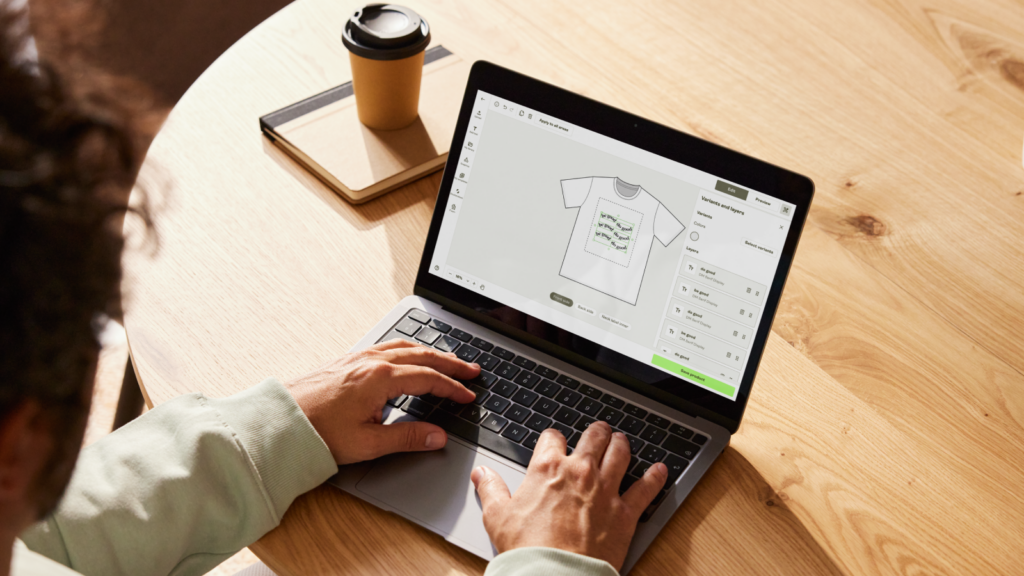
The second way to sell Print on Demand on Amazon is through a Professional seller account on Amazon Seller Central, connected to a supplier like Printify. You design the print-on-demand products, list them on Amazon, and your POD supplier handles production and shipping when orders come in.
This opens up a much wider catalog – over 1,300 various custom-printed products, including apparel, mugs, stickers, wall art, pet supplies, and home decor – and gives you full control over pricing and branding. You’ll need an Amazon Professional seller account to integrate a POD platform directly with Amazon.
Best for: Sellers who want a diverse range of print-on-demand products, full control over branding, and the option to scale an online business across multiple sales channels.
Here’s the whole process, broken down. Whether you go with Merch or Seller Central, the foundations are the same: pick a method, create your account, design, list, and optimize.
Before anything else, decide between Amazon Merch on Demand and Seller Central + a POD supplier.
| Factor | Amazon Merch on Demand | Amazon Seller Central | Printify POD |
| Access | Invite-only (2-8 week approval) | Open to anyone with a valid ID and tax info | Free signup, no approval – connect in minutes |
| Upfront costs | None | $39.99/month (Professional Seller account) | Free – pay only per order |
| Product range | Apparel and select accessories (cases, PopSockets, totes) | Depends on the POD supplier you choose to work with | Full 1,300+ Catalog – apparel, home decor, drinkware, pets |
| Management | Hands-off – Amazon handles everything | Active – you manage listings, inquiries, and returns | Auto order sync – Printify handles production and shipping |
| Fulfillment | Amazon-native (Prime included) | Third-party (sync lead times manually) | Global network in the US, EU, UK, and AU |
| Pricing/profit | Fixed royalties set by Amazon | Full control over retail price | Low base costs and free design tools for healthy margins |
| Scaling | Tier-limited (10-25 slots to start) | Unlimited listings from day one | No slot limits, bulk publish, easy duplication |
| Best for | Designers wanting passive royalties | Brand builders wanting full control | Sellers wanting the biggest catalog and zero fulfillment work |
The key difference:Amazon Merch is a closed ecosystem. Printify + Seller Central lets you build a brand on your own terms – with full control over design, pricing, and print-on-demand product range.

If you already have an existing Amazon account, use that. Otherwise, the sign-up process is straightforward:
To finish, you’ll need a bank account, a credit card, a valid ID, tax information, and a phone number. Once verified, turn on two-step verification to secure your seller account.
Choose a selling plan:
Most sellers running a print-on-demand business pick the Professional seller account because the tools more than justify the monthly cost. You can switch plans any time through Seller Central.
If you’re going the Seller Central route, picking the right POD supplier is your next move. They’re the engine of your operation – producing, packing, and shipping every order.
What to look for in a print-on-demand supplier:
Looking for the right POD provider? Printify ticks every box – more than 1,300 products, free design tools, and a direct Amazon Seller Central integration. Sign up for free today!
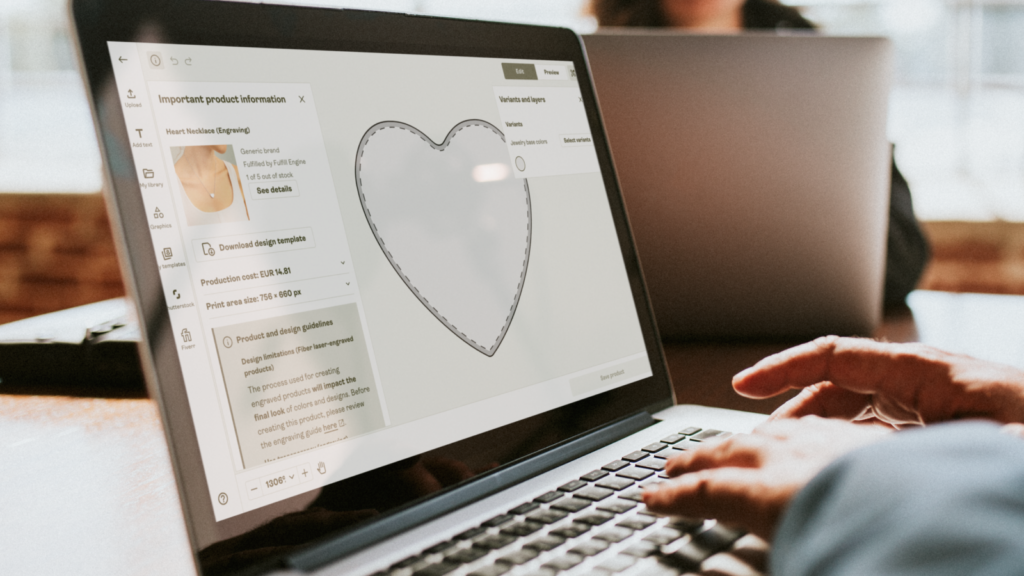
Now the fun part – building your catalog. Strong designs paired with the right products are what drive sales.
Pick the right products. Start with proven sellers like custom t-shirts, hoodies, coffee mugs, tote bags, stickers, and phone cases. Amazon shoppers respond well to high-quality products that solve a problem, fit a niche, or make a statement.
Design for your audience. Before creating anything, do market research. Use Google Trends, Pinterest Trends, and Amazon’s auto-complete search feature to spot market trends and research keywords. Check Dribbble and Behance for inspiration.
Use a POD platform that makes it easy. With Printify’s Product Creator, you can design products in minutes – upload graphics, illustrations, or text, or generate fresh artwork using the built-in AI Image Generator. Preview product mockups, fine-tune your design, and save everything to your library.
When designing, keep your target audience and market trends in mind to stand out. Niche-specific designs (think birdwatchers, marathon runners, vintage car fans) typically beat generic ones on Amazon.
Your listing is your storefront – and Amazon’s algorithm rewards listings that match how shoppers actually search.
Each Amazon product listing needs:
If you’re enrolled in Brand Registry, you can also build an Amazon storefront via the Store builder. For detailed instructions, follow Amazon’s Storefronts 101 guide – choose a template (Product grid, Marquee, or Showcase), add pages, upload images and videos with the Tile Manager, preview, and submit for publishing.
Note: Before publishing, request a GTIN/UPC exemption in Seller Central – it’s required to list Printify products on Amazon.
After your products go live, your focus shifts to advertising and pricing strategies, listing optimization, and growth performance analysis.
Run Amazon Sponsored Product ads. Amazon Sponsored Product ads appear directly in search results and on product detail pages – one of the fastest ways to get eyes on new listings. Set a budget, pick keywords, and track performance through the Amazon Advertising console.
Optimize for Amazon SEO. Refresh titles, descriptions, and back-end keywords based on which terms drive traffic. Amazon’s algorithm rewards conversions, so listings that sell well climb higher.
Track shopping behavior metrics. Monitor conversion rate, average order value, sessions, and which print-on-demand products are pulling their weight. Use these insights to refine pricing, expand winning lines, and prune underperformers.

Like every sales channel, Amazon has trade-offs. Here’s how the picture looks for a print-on-demand business in 2026.
| Feature | Pros | Cons |
| Market reach | Massive built-in traffic – access to 300+ million active shoppers globally. | Hyper-competitive – standing out in saturated niches (like basic T-shirts) requires advanced SEO or ads. |
| Brand trust | Instant credibility – buyers trust Amazon’s Prime badge and fast shipping. | Referral fees – Amazon takes 8-17% per sale, which squeezes margins on lower-priced POD items. |
| Inventory | Zero upfront risk – no need to store boxes in your garage; items are printed only after a sale. | Strict policies – Amazon has zero tolerance for IP/trademark violations, which can lead to fast suspensions. |
| Fulfillment | Automated workflow – direct Printify-to-Amazon integration means you never touch a shipping label. | Limited data – you don’t “own” the customer info; you can’t export email lists for future marketing like you can on Shopify. |
| Cost entry | Flexible plans – Individual ($0.99/item) or Professional ($39.99/mo). | Selective access – Merch on Demand is invite-only, approval takes 2–8 weeks, and Amazon doesn’t accept everyone. |
| Versatility | Diverse catalog – sell everything from apparel and mugs to home decor and pet supplies via Printify. | Branding limits – while you can customize packing slips on Printify, the overall “unboxing” experience is still limited compared to a private store. |
The sellers who build real income on Amazon share a few habits. Here’s what they do differently from those who don’t make it.
Niche down hard. “Funny shirts” is a graveyard; “funny shirts for orthopedic nurses” has a clear target audience. Use Google Trends, social listening, and Amazon’s auto-complete search feature to validate demand before designing.
Relevant keywords are the bridge between your listing and the shopper. Research keywords your target audience actually uses, then weave them into titles, bullets, descriptions, and back-end search terms.
Customer satisfaction drives reviews, repeat buyers, and Amazon ranking. Respond fast, set realistic expectations for shipping and returns, and pick a POD supplier that delivers on print quality and speed. Positive reviews are gold on Amazon.
Each country, state, and city has different rules. Visit the U.S. Small Business Administration’s site for detailed instructions on registering a business and picking the right structure for your new venture. Avoid trademarked phrases and copyrighted artwork – Amazon issues strikes fast.
Performance analysis is the difference between a hobby and a real online business. Watch conversion rate, average order value, and shopping behavior metrics inside Seller Central. Double down on winners, kill losers, and keep adding fresh print-on-demand products to your catalog.
Once you find a niche that works, expand. Add coffee mugs, hoodies, accessories, pet supplies, and home decor in the same theme. A broader catalog lifts average order value and gives shoppers more reasons to buy.

Ready to start selling print-on-demand products on Amazon? Printify connects directly to your Amazon Professional seller account, gives you access to over 1,300 custom products, and handles production, shipping, and sales tax automatically. Sign up for free, create products in minutes, and publish to Amazon in just a few clicks.
Yes. Amazon’s traffic is unmatched, and both Amazon Merch on Demand and the Seller Central + print-on-demand supplier route are viable ways to sell products at scale. Merch is great for designers who want pure royalties. Seller Central with a print-on-demand supplier like Printify is better for building a branded print-on-demand business with a full product catalog.
Yes – for sellers who approach it like a real business. Profitability depends on niche, product pricing, design quality, and how well you use ads and SEO. Sellers who research keywords, test creatives, and track metrics consistently outperform casual uploaders.
Earnings vary widely. Amazon Merch on Demand pays a royalty per sale calculated as your list price minus Amazon’s production cost, the 15% referral fee, and applicable taxes. What you earn depends on your product type, list price, and marketplace.
Sellers on Amazon Seller Central using a print-on-demand supplier set their own retail price, with profitability shaped by Amazon’s referral fees (typically 8-17% by category), product costs, and any advertising spend.
The broader print-on-demand industry is projected to grow from roughly $13 billion in 2026 to over $58 billion by 2033, providing sellers with a fast-expanding market to build on when selling print-on-demand products at scale.
Learning how to sell Print on Demand on Amazon comes down to picking the right path for your goals. Use Amazon Merch on Demand for low-effort, royalty-based selling. Or, use Amazon Seller Central with a print-on-demand provider like Printify to build a fully branded print-on-demand business with a broader catalog of custom merch and full control.
Either way, the playbook for selling print-on-demand products is the same: set up your Amazon Seller account, pick a profitable niche, create items that match a real audience, list with strong keywords and images, manage customer interactions with care, and use ads and data to scale.With over 300 million shoppers waiting, there’s never been a better time to start selling print-on-demand products on Amazon.
The post How to sell Print on Demand on Amazon: A complete beginner’s guide appeared first on Printify.




