


Welcome to the bustling digital marketplace where creativity meets curation – Pinterest.
This visual search engine isn’t just for hobbyists – it’s a goldmine for Etsy shop owners aiming to launch their unique creations into the spotlight. If you’re looking to leverage this powerful tool, our guide on how to use Pinterest for Etsy is your roadmap to success.
We’ll cover the nuts and bolts of setting up a tailored Pinterest business account and crafting Pinterest boards that resonate with your brand. Learn to design compelling Pinterest Pins that direct browsing eyes straight to your Etsy listings.
Pinterest is a visual search engine for finding ideas like recipes, home and style inspiration, and more. With billions of Pins on every topic under the sun, the platform’s users use it to:
But it’s not just for the casual browser, Pinterest has evolved into a powerful marketing tool. Businesses use Pinterest Pins to showcase their products and ideas, reaching out to an audience that’s ready to be inspired and, more importantly, ready to buy.
Pinterest’s unique features can significantly enhance the visibility and appeal of your Etsy listings, attracting a solid and engaged audience.
Promoting your Etsy business on Pinterest offers distinct advantages over other social media platforms.
To boost your Etsy shop, a Pinterest business account is key – it unlocks analytics and ads to grow your reach.
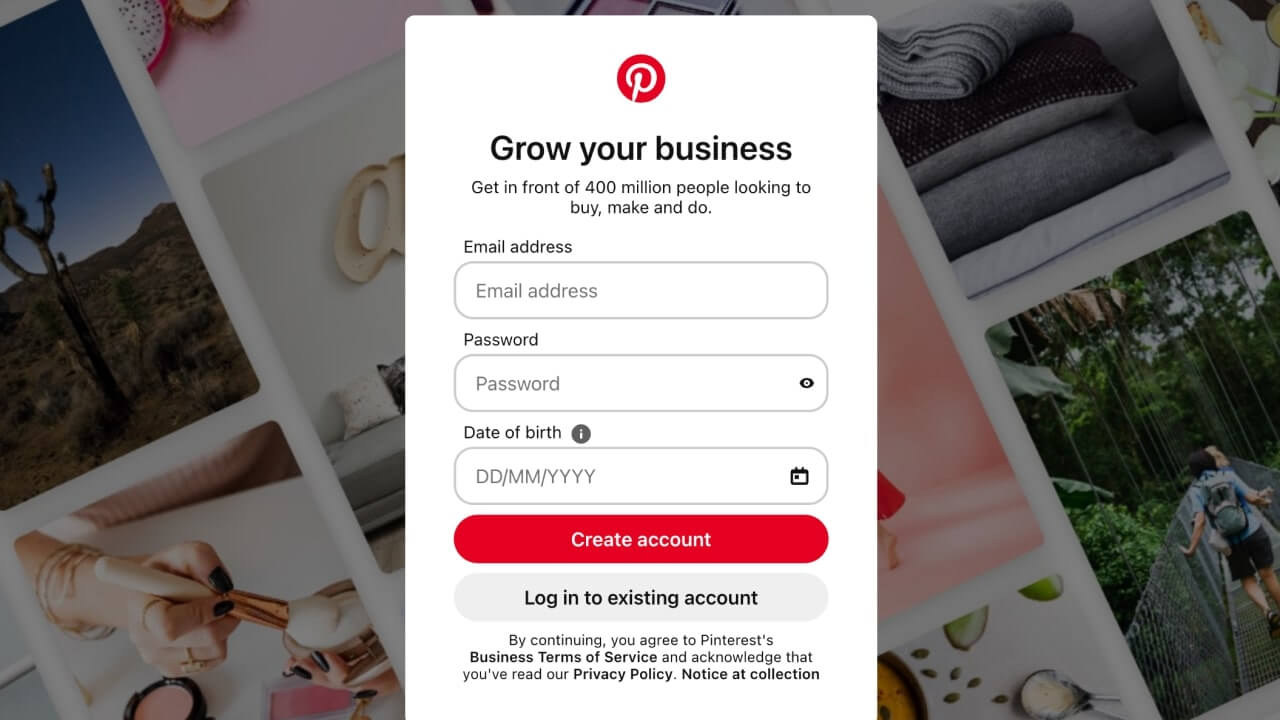
Creating a new Pinterest business account is straightforward.
Creating a linked business account is the way to go for those who already enjoy Pinterest personally and want to maintain a connection between personal and business content.
If you’re looking to transition completely and focus solely on your business, you can convert your personal account into a business one.
A fully fleshed-out Pinterest profile is vital for establishing credibility and connection with your audience. Make sure every aspect reflects your Etsy business and brand.
To edit your profile:
Then, choose Edit profile.
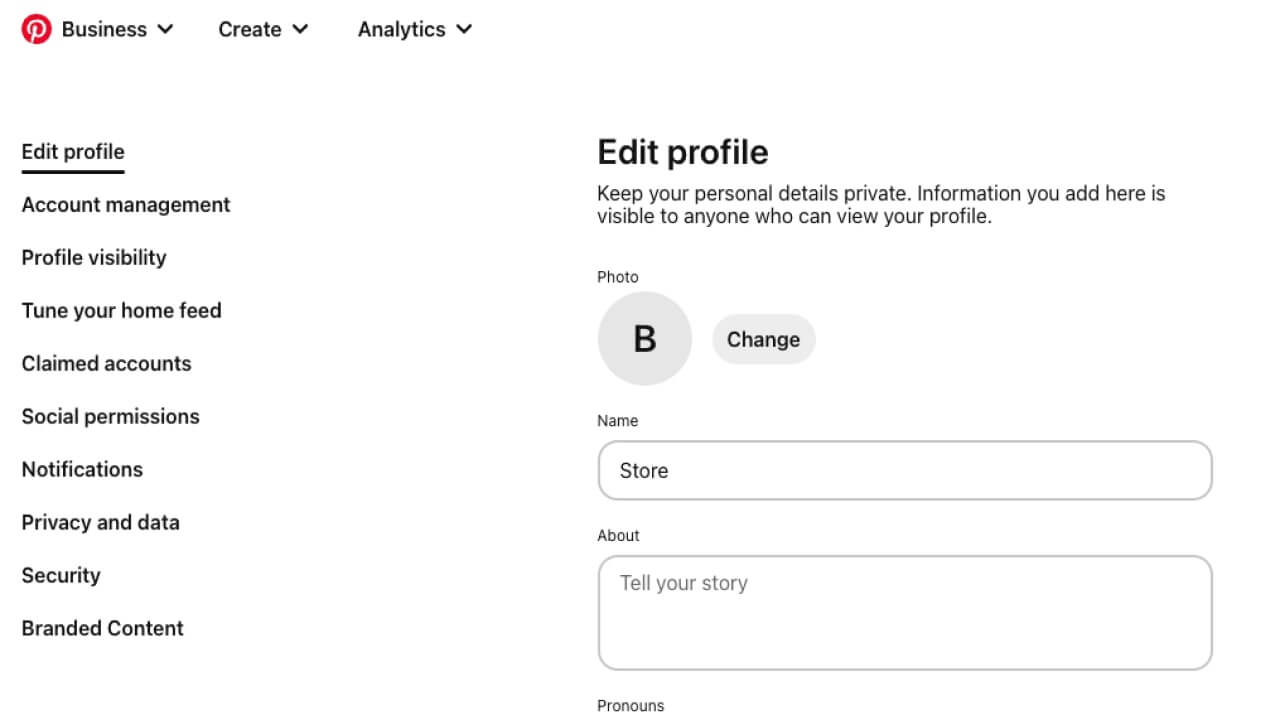
For personal accounts, include your first name and, optionally, your last name. For business accounts, use your business name as it appears on Etsy for brand consistency.
Use a high-quality, recognizable image that reflects your brand, such as your business logo. Update it by navigating to your Pinterest account Settings, selecting Edit profile, and clicking Change next to your profile photo.
Craft a concise, informative bio (up to 500 characters) that encapsulates what your business is about, your brand’s voice, and what customers can expect from your Etsy store.
Include a link to your Etsy shop on your website to direct traffic from Pinterest to your store.
Your username creates your unique Pinterest URL. Make it relevant to your business, easy to remember, and consistent with your other social media handles.
Tips for a Standout Pinterest Profile
Please note that the functionality to directly connect your Pinterest account to Etsy’s social media tool for sharing content from your Shop Manager is no longer available.
Creating Pinterest boards themed around your products can attract new customers and increase sales.
To create a personal Pinterest board:
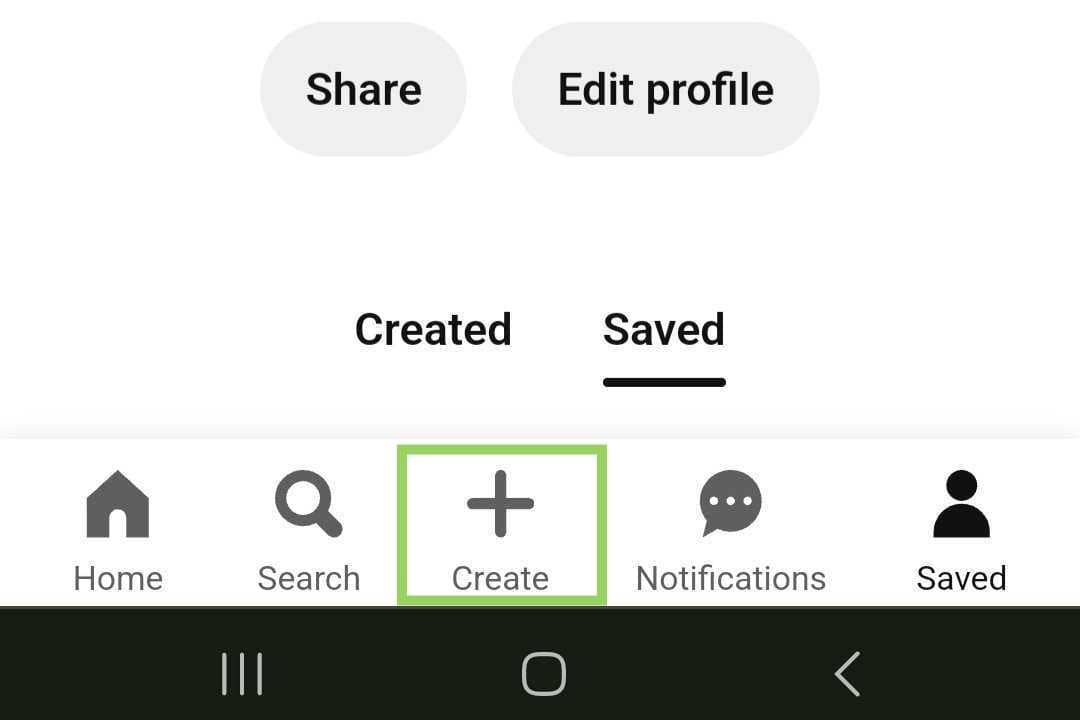
To create a board from your business profile, follow these steps (currently only available via mobile devices):
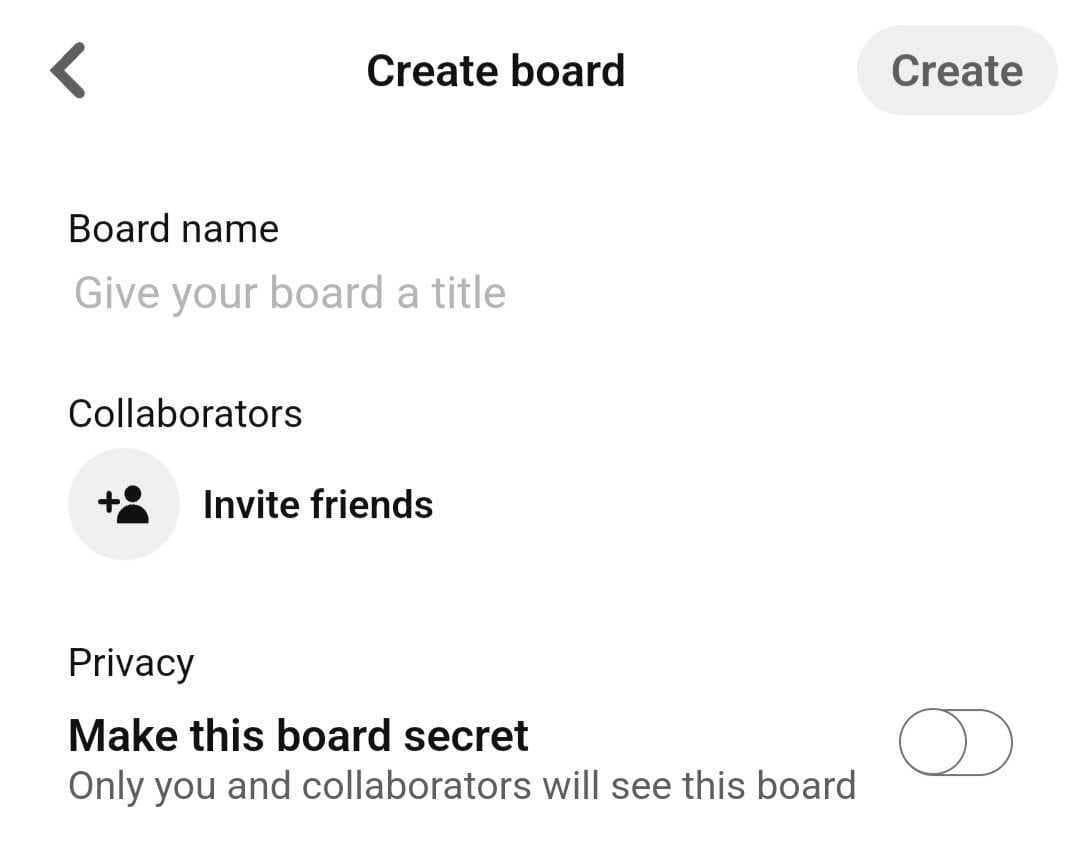
There is no right or wrong answer. However, a commonly suggested practice is to create multiple boards. Aim for five to ten, providing enough space to organize your products and attract a wide audience.
Once you’re done creating boards, it’s important to present your Etsy shop on Pinterest through appealing visuals.
For Etsy sellers, effective board presentation on Pinterest can significantly enhance product visibility. Here are tips based on Pinterest’s best practices:

Create Pins for your Etsy shop – it’s a key step in your Pinterest marketing strategy. Pins allow you to showcase your items and engage with a community eager to find new ideas and products.
Product Pins are a straightforward way to promote an Etsy shop on Pinterest. These should include high-quality images of products, a compelling title, and a detailed description that includes keywords for SEO. Link directly to the product page on Etsy so pinners can easily find and purchase your product.
Collections Pins are ideal for showing off a curated group of items from your Etsy shop. For example, if you sell printable wall art, create a Collections Pin with a themed set of home decor products, like ‘Summer Home Refresh.’
Image Pins can be single images or collages telling a story about your brand or products. Pin Etsy items to showcase the lifestyle or ethos associated with your brand.
Video Pins allow a more dynamic view of your products. Show your products in action or share a behind-the-scenes look at your creative process. Remember to select an appealing cover image when you upload a video, as this will be the first thing users see before they click to play.
Rich Pins are a type of Pinterest Pin that automatically syncs information from your Etsy shop to your Pins. If you have eligible products, setting up rich Pins means that your product’s price, availability, and a direct link to the product page on Etsy are included.
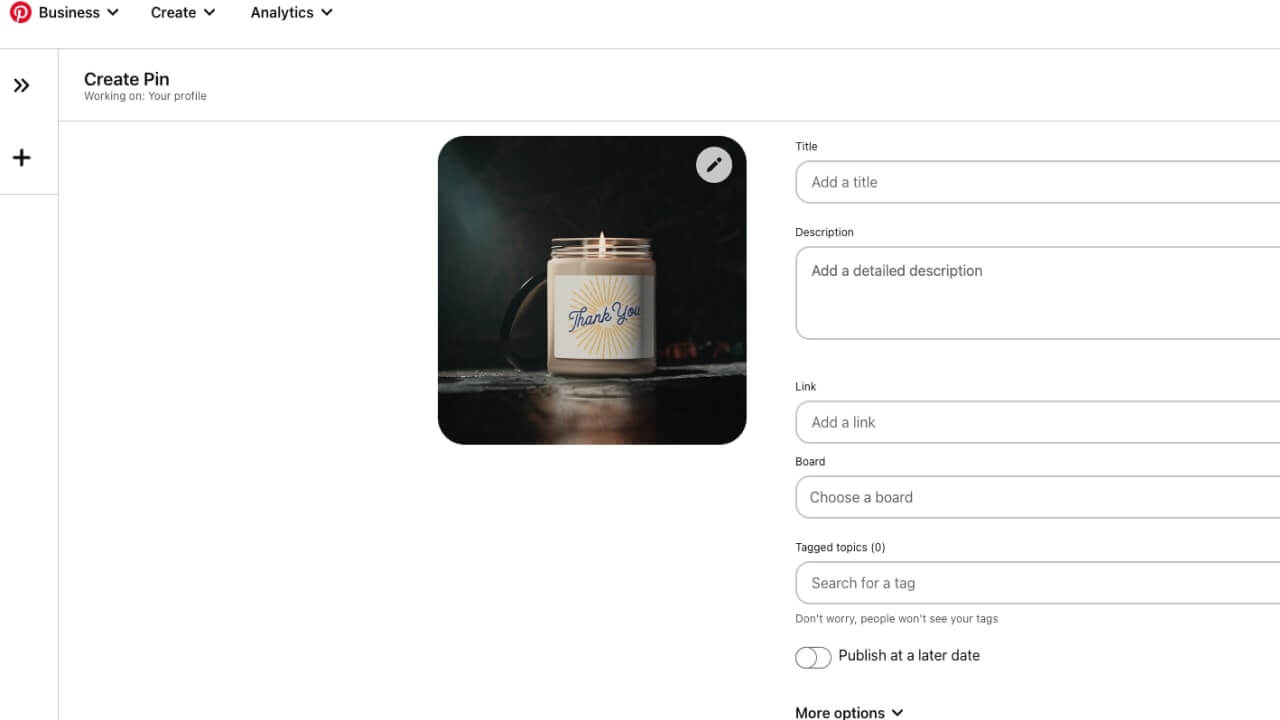
Quick Tip
You can schedule Pins if you have a business account, and you can save up to 50 drafts on your desktop. Drafts are only editable on the device where they were created and expire after 30 days.
Consistently adding fresh Pins is a key strategy to maintain and grow your presence on the platform and to promote your Etsy shop effectively.

Creating high-quality Pinterest Pin images is essential for capturing the attention of potential customers and directing them to your Etsy store. Every Etsy seller should pay attention to:
Here are some resources for crafting creative, high-quality, on-brand product images for Pinterest.
Optimizing your Pinterest SEO is a crucial part of your marketing strategy for getting your Etsy shop’s Pins discovered.

Including shop links in your marketing materials is essential for driving traffic to your Etsy shop and increasing sales. How and where to include your Etsy shop URL?
The key to gaining traction for your Etsy shop on Pinterest is to immerse yourself in the pinning community. Follow other Pinterest boards that align with your brand and repin, as well as comment on Pins that resonate with your Etsy shop’s aesthetic and values. Be genuine to your brand’s voice.
Additionally, Etsy shops should actively promote their Pinterest presence to their customers. For instance, you can share your Pinterest profile link when communicating with customers so they can follow you and share your content, helping to amplify your Etsy store’s reach on the platform.
Harnessing the power of Pinterest trends can be a game-changer for your Etsy shop. Regularly scour Pinterest to see which Pins and keywords are gaining traction within your niche. This not only keeps you informed about current tastes but also guides your product development and pinning strategy.
By analyzing how other Etsy shop owners describe their Pins and what items are often pinned alongside yours, you can refine your listings to drive Etsy sales.
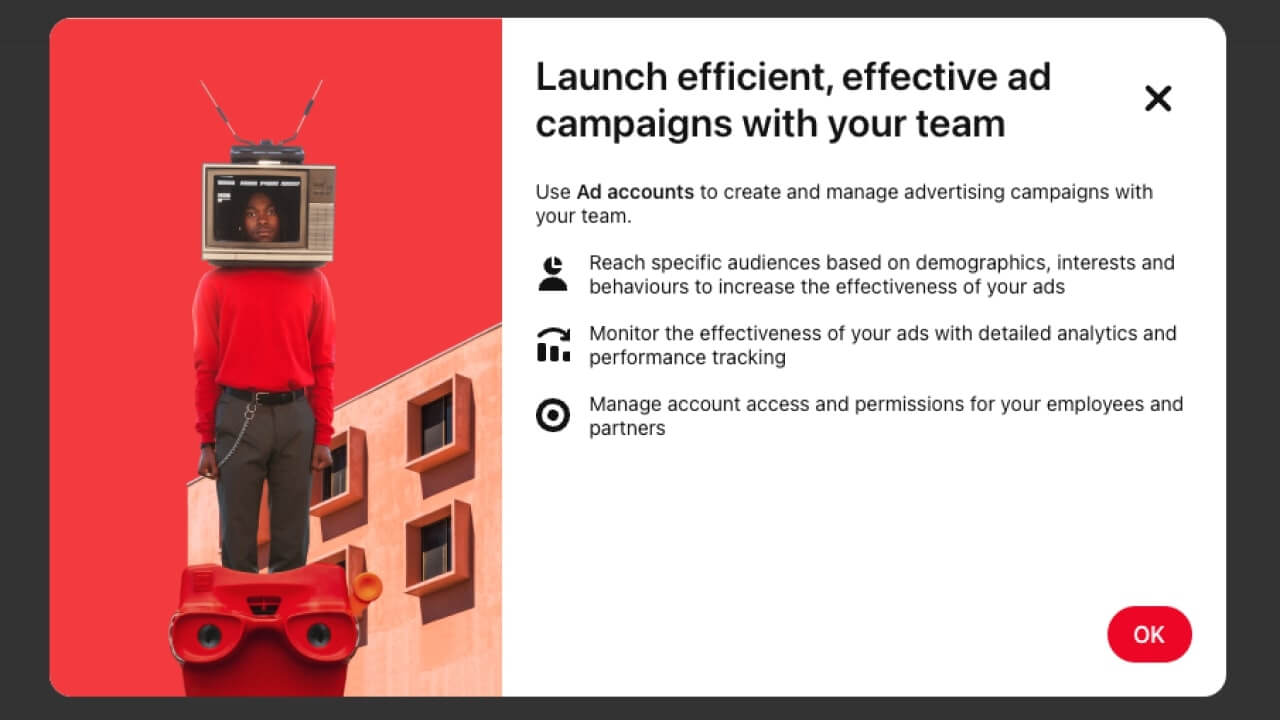
Pinterest ads are a powerful tool for Etsy sellers aiming to enhance their product visibility to an engaged audience. Here’s a condensed guide on how to promote your Etsy shop with Pinterest ads.
Craft Impactful Visual Ads
With Pinterest’s emphasis on visuals, select from ad formats like standard, video, or carousel to capture attention and engage users.
Define Your Ad Objectives
Pinterest ads are known for a higher return on ad spend and cost-effective conversions, making them a smart choice for marketers.
Reach your ideal audience through:
Use Pinterest’s mobile-friendly tools or Ads Manager for campaign control, with the option to collaborate with Pinterest Business Partners for larger campaigns.
Set and adjust your ad spend with manual or automatic bidding options.
Leverage Pinterest’s analytics tools to track ad performance and refine your approach.
Etsy sellers, it’s time to elevate your shop’s visibility through the Pinterest platform! Start creating captivating Pins and make your listings shine in the Pinterest feed. Here are the key takeaways:
Now you know how to use Pinterest for Etsy and are one step closer to enhancing your online success through Etsy sales.





