

Build your ecommerce team’s meeting and collaboration stack around outcomes, not hardware. Most brands under $500K need better software and meeting habits, not a boardroom camera. Brands with a shared office and remote staff get the most from one well-equipped room.
The fastest way to spot a brand that scaled before it was ready is to watch one meeting: four people crowded around a single laptop, leaning in to be heard, while the remote half of the team squints at the ceiling tiles.
Picture a Monday call at a Shopify brand doing $1.2M a year. The founder and two team members are wedged around a laptop in a small office, taking turns leaning toward the built-in mic. The paid media lead dials in from another city, the VA who runs customer service is online from Manila, and the 3PL contact joins late from a warehouse floor. Half the room cannot hear the other half. By Wednesday, three decisions from that call are being re-argued in Slack because nobody could follow them live.
This is what a distributed team looks like before anyone decides to become one, and it is the default state of almost every growing ecommerce brand. The instinct is to fix it by buying something: a camera, a microphone, another app. Sometimes that is the answer. Often it is not. This guide is for founders and operators whose teams have spread across home offices, time zones, and contractors, and who want a clear way to decide what their meeting and collaboration setup actually needs at their stage, before the spending starts.
Most Shopify brands are running a distributed team long before the founder ever calls it one. The founder sits in one city. The VA who handles customer service logs in from the Philippines. The paid media agency is two time zones away, the 3PL is across the country, and the supplier is overseas. None of that required a remote-work policy. Ecommerce is distributed by default, because the cheapest and fastest way to build a lean team is to hire the right person wherever they happen to live.
The broader workforce has settled into the same shape. According to Gallup’s data on how hybrid work has stabilized as the default for knowledge teams, roughly half of remote-capable US employees now work hybrid and about a quarter are fully remote, a balance that has held steady for years rather than snapping back to the office. On top of that, more than half of online shoppers now buy from brands based in another country, which means even a small DTC store is often coordinating fulfillment, translation, and support across borders.
The practical takeaway is that you do not get to opt out of being distributed. The question is only whether you run it well. If you are still doing every task yourself and feeling the squeeze, the first move is usually people, not gear: here is a clear way to think about deciding when to bring on your first virtual assistant before you worry about how you will meet with them. The collaboration stack comes after the team exists, not before.
On a distributed team, the weekly meeting is where coordination either compounds or quietly falls apart. When the call works, everyone leaves with the same picture of what happens next. When it does not, the decisions made in a half-heard room get re-litigated over Slack for three days, and the cost is not the meeting hour, it is the week of drift that follows.
There are two failure modes worth naming. The first is human. Survey work on virtual teams consistently finds that building and maintaining relationships is the single hardest part of working remotely, with around 71% of people on distributed teams citing it as a real challenge. A camera and a microphone do not fix that on their own, but a meeting where the remote half of the team is muffled and pixelated makes it worse, because those people slowly stop speaking up. The second failure mode is operational, and it is the one I have watched sink brands at the $500K to $2M stage more than any other: premature complexity. Five apps, three standing calls nobody needs, and a meeting stack that grew by accident rather than by decision.
Both failure modes point the same direction. Before you treat a meeting problem as a hardware problem, look at whether the meeting itself is well run. Most brands that think they need better meeting tech actually need fewer meetings, a tighter agenda, and a habit of writing decisions down where the person who missed the call can find them. The gear question only becomes real once the meeting discipline is already there.
Before you buy a single camera, microphone, or new app, name the outcome you are trying to produce. This is the same outcome-first discipline that separates brands that scale cleanly from brands that buy their way into complexity, and it applies to your collaboration stack exactly as it applies to your tech stack. The tool is the answer to a question, and if you cannot state the question, you are not ready to spend.
Three questions sort most of it out. First, what decision needs to happen on this call that genuinely cannot happen asynchronously? A surprising amount of what brands run as live meetings should be a short recorded video plus a shared document. Second, who actually needs to be in the room, physical or virtual, for that decision? Calendar bloat is mostly a list of people who could have read the summary. Third, when something feels broken, what is the actual point of failure: the audio, the video, the agenda, or the follow-up? In my experience the answer is the agenda or the follow-up far more often than it is the equipment.
Stage changes the math here. A four-person team that lives in Slack and meets twice a week does not need a $1,500 boardroom rig, and buying one will not make them more aligned. A twenty-person brand with a real office and a hybrid schedule has a different problem, and for them the room hardware can be the thing that is genuinely broken. The outcome-first test is what tells you which situation you are in, so run it before you read a single product spec sheet.
A distributed ecommerce team’s collaboration setup has four layers, and most founders over-invest in the wrong one. Naming the layers makes it obvious where your money and attention should go at your stage, and which layer you are tempted to skip.
The first layer is asynchronous communication: the written and recorded backbone of the team. Tools like Notion or ClickUp for documented decisions and Loom for recorded walkthroughs do more for a multi time zone team than any meeting upgrade, because they let work move while half the team sleeps. The second layer is real-time software, meaning the video platform itself: Zoom, Microsoft Teams, or Google Meet. This layer is almost a commodity. It is platform-agnostic, mostly free or a few dollars per seat, and it is rarely where teams are actually failing. The third layer is the physical room, the hardware that captures people who are sitting together so the remote attendees can see and hear them. This layer only starts to matter once you have an office with more than two or three people joining calls. The fourth layer is the coordination layer: the norms around who joins which call, what the overlap window is across time zones, and where decisions get recorded so they survive the meeting.
The common mistake is jumping straight to layer three. A brand feels a meeting is going badly, so it buys a conference camera, when the real gap was layer one (nothing was written down) or layer four (the wrong people were on the call). If you build layers one, two, and four well, you will often find you need far less from layer three than you expected. For a practical starting point, these are some of the cloud-based platforms that keep hybrid teams aligned without adding hardware, and most brands should exhaust that lane before spending on a room.
The meeting room becomes your weak link the moment more than two or three people in the office join remote teammates on a single laptop webcam. At that point the laptop mic cannot reach the far end of the table, faces blur, and the remote attendees drift out of the conversation. This is the one situation where layer three hardware earns its cost, and it is the section where the conference camera category genuinely belongs.
The category to look at is all-in-one conference cameras, which combine a wide-angle camera, a microphone array, and a speaker in a single device you set on the table. If you are comparing options, this roundup of all-in-one conferencing systems is a reasonable starting map of the field. Credible choices include the Owl Labs Meeting Owl, the Logitech Rally Bar, Poly Studio, and Coolpo, each with different trade-offs on price, field of view, and room size. None of them is the obvious answer for every room, and a simpler single-lens camera is often plenty for a small huddle space.
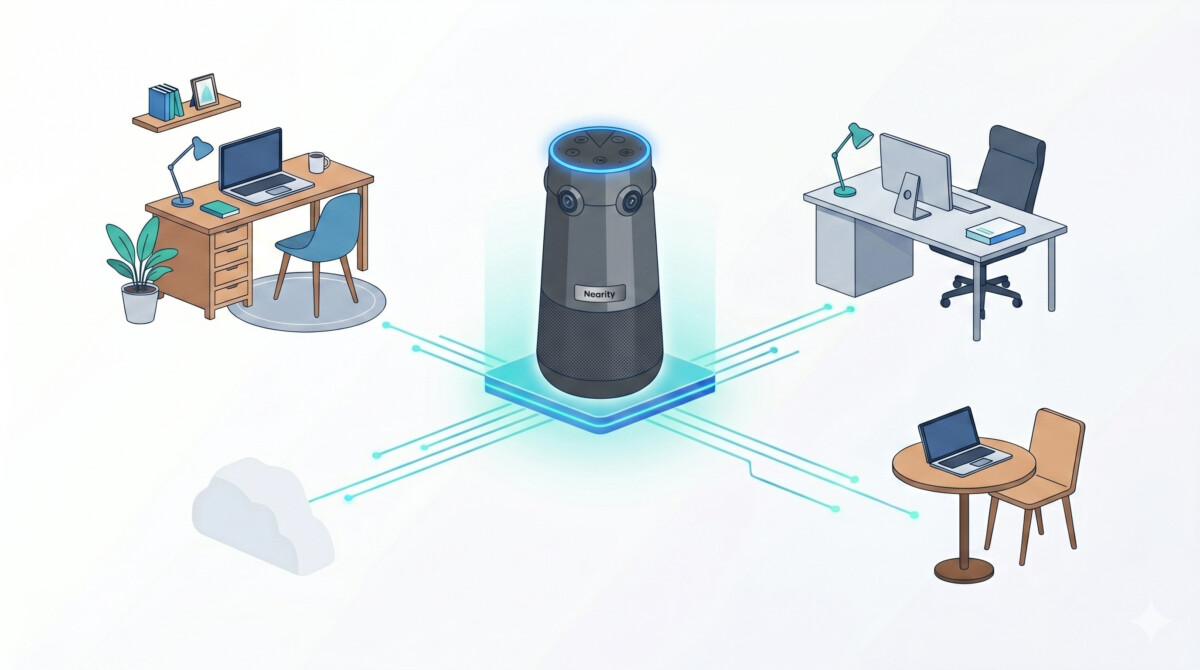
As a representative example of the higher end of the category, the Nearity 360 Alien uses a four-lens array to produce a true 4K panoramic view, which keeps faces at the end of a long table sharp rather than stretched the way a single fisheye lens can. It offers three framing modes (Discussion frames the active speakers, Presentation locks onto a presenter, and Global holds a steady room view) and a six-microphone array with full-duplex audio so two people can talk over each other and still be heard. It connects over USB or a wireless dongle with no software install, and its microphones reach roughly 5 meters (about 16 feet), which covers a standard boardroom. For a larger space, expansion microphones handle scaling the audio for a bigger room. Nearity frames its mission as empowering global teams through frictionless, professional-grade collaboration without traditional AV complexity, summed up in its slogan, Global Business, Brought Near. The honest counterpoint: you do not need true 4K or AI speaker tracking in a room that seats four, so let the room decide the spec, not the other way around.
The right collaboration stack depends on your revenue stage and team shape, not on what an enterprise AV vendor recommends. The same setup that is right for a twenty-person brand with a real office is a waste of money for a four-person team that has never shared a room, so walk it by stage.
Under $50K, spend nothing on hardware. A decent laptop webcam, a quality headset, and free Google Meet or Zoom will outperform a poorly used boardroom rig every time. From $50K to $500K, invest in the asynchronous layer first (Loom and Notion habits, one paid software tier at roughly $10 to $30 per seat per month) and, if you have a small office with two or three people, treat a single USB conference camera as the ceiling, not the floor.
From $500K to $2M is the premature-complexity danger zone, the stage where I see the most wasted spend. If you have a genuine office and a hybrid team, one well-equipped room beats five gadgets scattered around, and this is where an all-in-one room camera finally earns its place. It is also the stage where your operations get complicated enough that the coordination layer matters as much as the room: keeping fulfillment, inventory, and supplier conversations aligned is often a job for dedicated help, and here is how brands think about coordinating fulfillment partners and suppliers across a distributed team. Above $2M, multiple rooms, a dedicated boardroom, and expansion microphones start to make sense, but the outcome-first test still governs every purchase.
One more layer sits underneath all of this once your team crosses borders: time zones. The brands that struggle are the ones trying to force a single live meeting time across continents. The ones that scale cleanly default to asynchronous work, record the calls that matter, and protect a small overlap window for the conversations that truly must be synchronous. If your growth plan involves building a multilingual, multi-time-zone team, the habits matter far more than the hardware. Buy the room when you have the room. Build the habits now.
Run it as a remote-first meeting even when some people share a room, with one screen and one camera and microphone that capture the whole room clearly. The most common failure is the in-office group treating the call as their meeting while the remote half just listens in. Give everyone a named slot to speak, share the agenda and final decisions in a written document so nothing lives only in the room, and if more than two or three people are physically together, put a single shared conference camera and microphone on the table instead of having everyone join on their own laptops, which creates echo and crosstalk that makes remote attendees harder to include.
The best conference camera for a small ecommerce team is the cheapest one that solves your actual room problem, not the highest-spec model on the shelf. For a two or three person huddle space, a single USB conference camera with a built-in microphone is usually enough. For a full boardroom where in-office and remote staff meet regularly, an all-in-one panoramic camera such as the Nearity 360 Alien, Owl Labs Meeting Owl, Logitech Rally, or Poly Studio captures the whole table without distortion. Match the camera to the room size and the number of people on the call, and do not pay for true 4K or AI speaker tracking in a space that seats four.
No, most Shopify businesses do not need an expensive conference room camera, and many need none at all. If your team is fully remote or you are under roughly $500K in revenue, a good laptop webcam and a quality headset will outperform a poorly used boardroom rig. A dedicated room camera only earns its cost once you have a physical office where several people regularly join remote teammates on the same call. At that point the camera is solving a real problem, far voices fading and faces blurring at the end of the table, rather than adding capability you will not use. Let the room and the headcount decide, not the marketing.
An ecommerce brand should spend in proportion to its stage, starting near zero and adding cost only when a specific problem appears. Under $50K, free video software and a headset cover it. From $50K to $500K, budget for asynchronous tools like Loom and Notion plus one paid software tier, typically $10 to $30 per seat per month. From $500K to $2M with a hybrid office, a single all-in-one room camera in the $500 to $1,500 range is a reasonable one-time spend. Above that, multiple rooms and expansion microphones make sense. The mistake almost every brand makes is buying boardroom hardware before it has a boardroom.
Distributed ecommerce teams handle time zones by defaulting to asynchronous communication and reserving live meetings for decisions that genuinely require them. Document decisions in a shared workspace so a teammate in Manila or Lisbon can act on them without waiting for the founder to wake up, and record key meetings so the people who could not attend still get the full context. Agree on a small daily or weekly overlap window for the calls that must be synchronous, and protect it. The teams that struggle are the ones trying to force a single meeting time across continents, instead of building habits that let work keep moving while half the team is offline.




