

AI video generation is becoming a table-stakes feature for modern digital platforms. The developers who integrate it now are building the competitive moat that late adopters will spend years trying to close.
The rapid release and updates of AI video generation models such as Seedance are bringing new possibilities for developers. From automated product videos, marketing videos, campaign videos, to AI-generated storytelling, storyboard videos, the demand for video creation tools inside apps and platforms is growing fast.
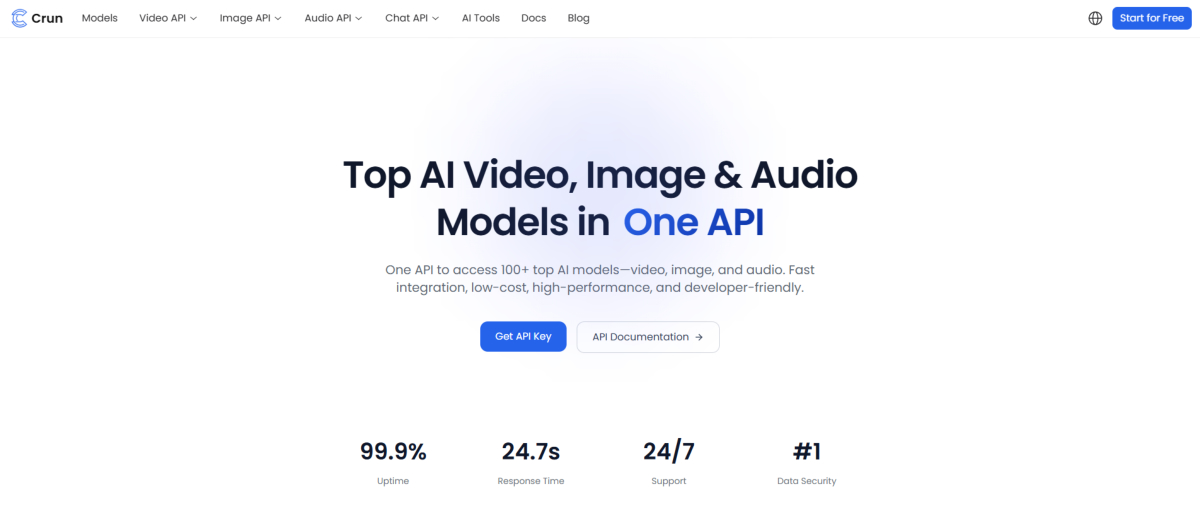
Luckily, with Seedance 2.0 APIs, developers can integrate powerful AI video capabilities directly into their own products, Apps, and workflows. One of the easiest ways to do this is through Crun AI, which provides streamlined access and step-by-step API documentation for integrating the Seedance 2.0 API.
In this guide, you’ll learn the features of Seedance 2.0 API, why it matters for developers, and how to integrate it into your platform using Crun AI.
The multiple modal input of Seedance 2.0 API empowers developers to generate high-quality AI videos directly from structured text prompts, reference images and videos. Instead of building complex video generation models from scratch, developers can call an API to produce cinematic-quality video clips.s
This dramatically reduces the barrier to building AI video applications, including:
1. High-precision Audio-Video Synchronization:
Seedance 2.0 can generate videos where audio and visual elements are synchronized. For example:
This makes it suitable for storytelling, marketing videos, and AI avatars.
2. Character and Object Consistency:
One major challenge in AI video generation is maintaining consistent characters and objects across frames.
Seedance 2.0 improves this by ensuring:
This capability is essential for building story-driven AI video apps.
3. Realistic Physics Simulation:
Seedance 2.0 also improves the physical realism of generated scenes, including:
These physics-aware capabilities allow developers to create more believable and immersive videos.
Modern API authentication ensures that developers can safely integrate video generation features while maintaining:
Different platforms require different video formats. Seedance 2.0 supports multiple aspect ratios, such as:
Best for: Instagram (portrait posts perform well), Pinterest, Blog images / editorial content.
Best for: Cinematic YouTube content (YouTube), Film-style storytelling, Premium brand ads.
This flexibility makes it easier for developers to create multi-platform content generation tools.
While there are various platforms on the market to provide the API service of the latest AI video models, including Seedance 2, Grok Imagine, Google Veo 3.1, Seedream 5, Wan, Kling, Runway, integrating them directly can be complex.
Thanks to the developer-friendly infrastructure and detailed API documentation, Crun AI streamlines the process.
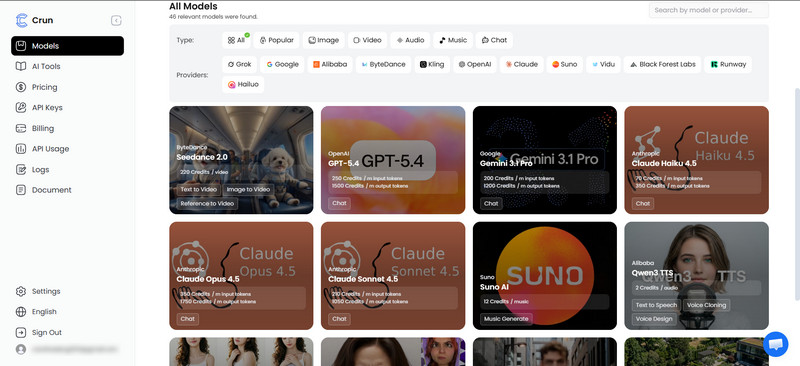
One of the biggest strengths of Crun AI is its competitive pricing. It offers cheaper and flexible pricing for developers who want to integrate Seedance 2.0 API without paying enterprise-level costs.
This helps startups and independent developers build AI video apps at a lower cost.
| Models | Modality | Size | Duration | Quality | Price per Second |
| Seedance 2.0 | Image to video, text to video, reference to video | Horizontal : 16:9;
Vertical : 9:16; Square : 1:1; Landscape: 4:3; Portrait: 3:4 ; Ultra-wide: 21:9; Auto Crop |
4~15s | 480p, 720p | $0.245 |
| Seedance 2.0 Fast | Image to video, text to video, reference to video | Horizontal : 16:9;
Vertical : 9:16; Square : 1:1; Landscape: 4:3; Portrait: 3:4 ; Ultra-wide: 21:9; Auto Crop |
4~15s | 480p, 720p | $0.196 |
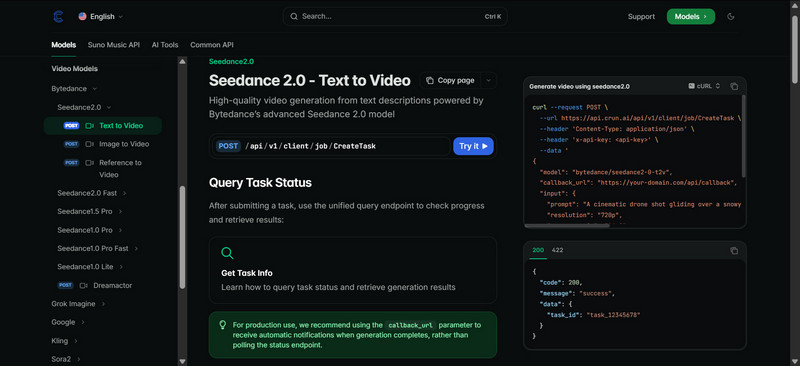
Crun AI provides users with detailed and clear Seedance 2.0 API documentation, which is essential for quick integration and help developers to integrate Seedance 2.0 API into projects with ease.
The Crun.ai’s documentation covers everything to send a video generation task :
This helps developers get started quickly and copy the Python code to use directly.
Developers can obtain Seedance 2.0 API keys easily through the Crun.ai dashboard.
These keys give suers a secure access to the Seedance 2.0 API and enable:
Crun.ai also allow users to manage API keys:
This protect the API key efficiently and eansure developers a safe environment and best practice, preventing them from misusing.
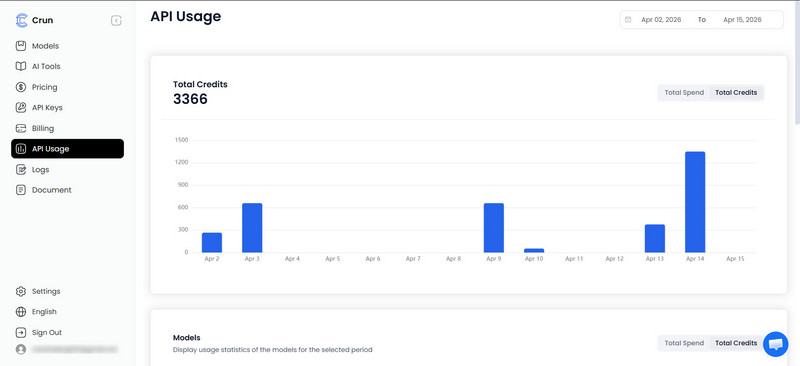
The platform features real-time API usage monitoring, assisting developers in tracking:
This transparency helps optimize resource consumption and prevent unexpected charges.
AI technology is developing rapidly. Crun.ai stays updated and keeps developers informed about:
This ensures your platform stays compatible with the latest capabilities.
Crun AI provides developer-responsive and professional support, helping them troubleshoot issues quickly when integrating advanced AI models.
It is super easy to integrate the Seedance 2.0 API into your platform through Crun.ai.
To get started, sign up on the Crun.ai platform.
Click the Get API Key button to navigate to the API keys management section and create a new key.
Tips: please store this Seedance 2.0 API key securely and do not share it with other people because it will be required for authentication when making API requests, and ensure a secure communication between applications and Seedance 2.0 API.
You’ll also need this API key to access all features of Seedance 2, such as generating cinematic videos from text or reference images.
Review the documentation of Seedance 2.0 to understand:
This helps you design the integration workflow correctly.
Once you get a Seedance 2.0 API key, you’ll need to submit a new generation task.
Use the API endpoint to submit a request containing:
In this request, you are able to specify the model, modify the input parameters, such as prompt, aspect ratio, duration, the reference image url. You can even add the callback URL to recevice notifications once the task is completes.
Once the task is submitted, you can track how the video generation is progressing by sending a GET request. And you can check the task status to see whether the task is is still waiting, in queue, generating, or completed successfully. If the video generation failed, you will receive an error message for debugging.
After the video generation is done, you have options to:
The Seedance 2.0 API gives developers the ability to build a wide range of AI-powered video applications across industries.
You can check some of the most common use cases.
In the e-commerce industry, video content plays a vital role in influencing customer decisions. With the Seedance 2.0 API, developers can build tools that automatically generate product videos from simple inputs such as product descriptions, images, or specifications.
Common e-commerce applications include:
Marketing teams constantly need fresh video content for campaigns, ads, and promotional materials. The Seedance 2.0 API allows developers to build AI tools that automatically generate marketing videos based on campaign briefs or creative prompts.
Possible marketing applications include:
Video-based learning has become one of the most effective ways to deliver educational content. With the Seedance 2.0 API, developers can create tools that automatically turn educational material into engaging videos.
Examples include:
Content creators and social media platforms constantly require new video content to keep audiences engaged. By integrating the Seedance 2.0 API, developers can create tools that help users generate social-ready videos instantly.
Key applications include:
The Seedance 2.0 API costs range from $0.196 to $0.245 per second depends on factors such as:
Platforms like Crun.ai aim to provide competitive and developer-friendly pricing compared with building infrastructure yourself.
Yes, there are lots of reliable Seedance 2.0 API options that give both individual and business/enterprise users access to generate videos, such as Crun AI. Transparent and competitive pricing models and an intuitive interface make it easier to call the API.
There are a variety of Seedance 2.0 API providers that offer secure access for every user. You simply need to choose the most suitable one to get started.
You can obtain a Seedance 2.0 API key by following the simple 3 steps below:
Once generated, the key can be used to authenticate API requests.
There’s no single “best,” but here’s how to choose:
Official platforms: best for stability and compliance.
API marketplaces like Crun AI: easier onboarding.
Standalone API sites → faster testing.
If you’re building a product, go official.
If you’re experimenting, third-party tools are fine.
The Seedance 2.0 API enables developers to:
Most developers access Seedance 2.0 via API integration, meaning the video generation runs on remote AI infrastructure rather than directly on local hardware.
This allows even lightweight applications to generate complex AI videos.
Developers in the US can use APIs through platforms that provide global API access, such as Crun.ai.
By integrating via API, developers can access AI video generation services regardless of local hardware limitations.
AI video generation is rapidly becoming a key feature for modern digital platforms. With tools like the Seedance 2.0 API, developers can build powerful video creation capabilities without managing complex machine learning infrastructure.
Using Crun.ai, developers gain a streamlined way to integrate Seedance 2.0 into their applications.
Whether you’re building a content creation platform, an AI marketing tool, or a social video generator, integrating the Seedance 2.0 API via Crun AI can help bring advanced AI video capabilities directly into your product.





