


The simplicity and popularity of custom phone cases make it a worthwhile pursuit for designers and a way to make a profit with a personal brand.
If you’re interested in graphic design and eCommerce, read on to learn how to open a phone case store on Shopify and run it using a modern business model.

Shopify is a leading eCommerce platform, powering 4 million live websites with intuitive website-building tools, analytics plug-ins, and marketing services.
The advantages of selling on an eCommerce website – as opposed to brick-and-mortar locations or online marketplaces – are that sellers can create a highly visual platform and personalize it as they see fit, with full control over customer analytics and order tracking.
Why are protective cases a profitable eCommerce product?
The custom phone cases market is expected to increase by $13.33 billion between 2022 and 2027, with the smartphone covers continuing to move sales revenue online. The massive market is fragmented between multiple companies, leaving competitive room for new brands.

Defining a target market will identify the possible points of entry for a new business. Research current customer trends, supply through-lines, and competition, to help plan operating costs and projections.
Research the phone case market through three aspects of business analysis:
Search for keywords and terms relevant to your target audience – potential phrases and trends to implement in your product descriptions and marketing strategies.
Keyword research tools like Google Trends, Ahrefs, and Semrush, can help filter for up-to-date user search behavior and are a valuable way to measure market saturation.
Analyze existing phone case businesses for insights into market reach and online visibility, as well as inspiration for products and marketing.
Note the different channels companies use, the frequency and quality of the content they produce, and the services that existing users will expect from your new business.
Plan out the scope of your manufacturing and conduct research for supply channels that can accommodate your business model, like Printify’s partnered print-on-demand integration with Shopify.
Prioritizing a specific niche – customers with shared needs and interests – is the next step. Start with eCommerce shoppers and trendy smartphone users. You will have to narrow this market into a competitive scope.
Research and develop an audience profile to align your phone case designs and brand with the most important customer needs – realistic costs, appropriate quality, relevant products, and engaging marketing content and store features.
Research factors such as age range, lifestyle, geographic location, spending habits, buying patterns, and so on – anything that can help develop a clear buyer persona. This research should give you resources and insights into linking your brand to a niche.
Effective business plans should cover the following operational topics:
Depending on your business experience, education, or eCommerce knowledge, you might already have an idea of how to develop a business plan.

You’ll want designs that stand out from the competition and engage your target audience and niche.
Develop phone case designs in three ways:
You don’t need to be a skilled graphic designer to put a good idea into practice. Some experience and patience with Adobe design tools or similar free graphic design alternatives can offer all you need to create stylish designs.
Fivver, Upwork, Freelancer, and other freelance marketplaces are useful platforms for finding designers with competitive rates at multiple skill levels. In this case, you would partner for a commission which includes the rights to use the art as a product design.
Many people who create an online store start out as content creators. Influencers can ask audience members for ideas or even encourage them to participate in the design process and commission their fan art.
Note
Always keep copyright laws in mind when looking for visual assets for phone cases. Use only royalty-free images or pay for the rights to ensure your products are ethically made.
Selling high-quality phone cases on Shopify will require partnering with a supplier that distributes protective and precisely designed products. You’ll need a secure, quality supplier with a reliable management system and competitive manufacturing costs.
Start a Shopify store using one of these online product fulfillment methods:

Print on Demand (POD) platforms specialize in managing a network of Print Providers that apply custom prints to a vast selection of high-quality merchandise, including apparel and phone cases.
POD merchants design custom products and sell them at a higher margin while the purchase covers the costs of production. Then, the Print Provider fulfills, packages, and delivers the order, limiting storage costs and overhead for the merchant.
The best print-on-demand services provide hands-on mockup generators for merchants to apply and edit unique designs on blank product templates.
Printify has partnered with Shopify to create a print-on-demand app integration that automatically publishes products on the seller’s Shopify storefront.
Dropshipping is organized similarly to POD – merchants sell products at a higher profit margin, the order payment covers production, and suppliers automate shipping on-demand to limit managing inventory.
You will find a wider selection of phone cases with dropshipping, but at variable quality. Like POD, dropshipping can be operated exclusively online.
For more freedom to create phone cases and take charge of the production, work with an independent manufacturer. Reaching out to suppliers without a third-party network can be harder with limited funds, but can result in loyal partnerships.
Working with manufacturers directly means that the seller is responsible for organizing logistics, managing inventory, tracking orders, and taking care of shipping and packaging. In short, independent management with higher investment costs and labor.

Shopify is a very intuitive website builder. You don’t need to learn coding or have front-end design experience to build a modern-looking eCommerce website. Open a Shopify store by following this step-by-step guide.
Step 1 – Create an Account
Create an account through the Shopify front page, log in, and choose a Shopify Plan. You can start with a 14-day free trial to get to know the platform.
Buy an appropriate subscription for your needs and budget, from Shopify Basic to Advanced. Once purchased, your free trial website carries over to the paid account.
From here, you will be able to log into your Shopify Admin account and access store website building features, analytics, tracking tools, and the Shopify App Store.
Step 2 – Pick a Domain Name
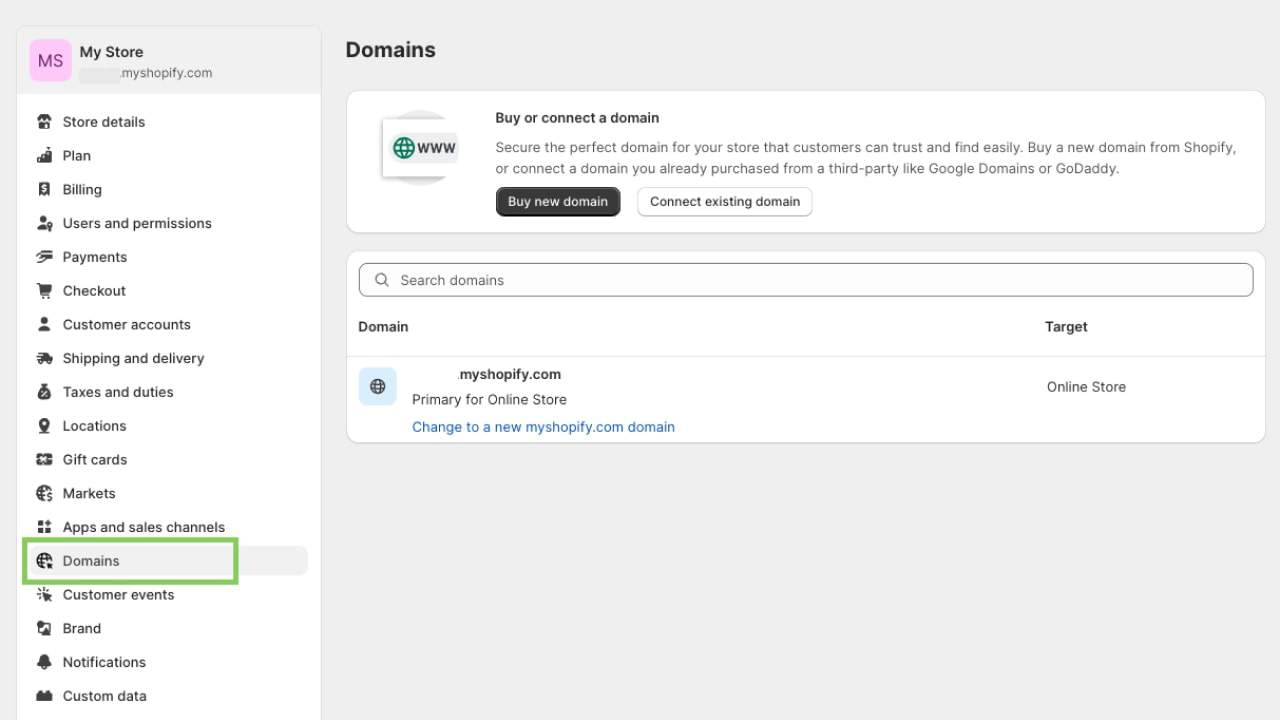
It’s best to get a domain that matches your business name. Come up with a business name that fits your niche as a phone case brand, but also looks unique from your competitors. Find inspiration with the Shopify Business Name Generator and Printify’s Naming Guide.
Shopify provides a free domain for all websites. Merchants often prefer to purchase a tailored domain name that’s more attractive, memorable, or closer to the brand image. Buy a custom domain through Shopify or connect a purchased domain from a third party.
Step 3 – Configure Business Details
Go to your Shopify account Settings Page to make adjustments to fit your business model and management system.
Check out our supplementary guide to go into more detail about how to sell on Shopify.
Step 4 – Select a Store Theme
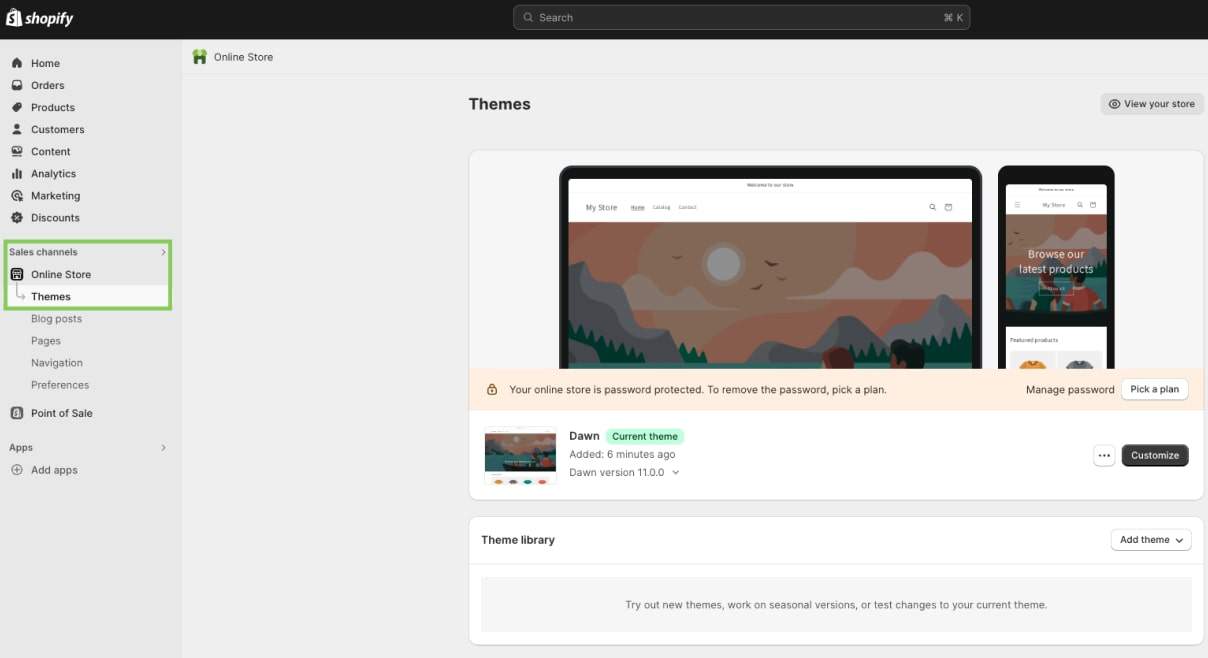
Shopify offers both paid and free themes to give your store a preset layout. The platform currently has 12 free and over 100 paid themes in the Shopify Theme Store.
We recommend that you choose a theme that matches the tech and phone case industry look and standards. Start small with free or simple themes to get to know what you need and what you can live without, and move on to advanced features as your store scales.
Step 5 – Add Apps and Integrations
Shopify apps will define your store’s functionalities and improve customization features. Start browsing at the Shopify App Store or our curated list of the 17 best free Shopify Apps.
The Store management and Store design categories on the homepage (under Browse apps) include tools for interactive features and visual assets, while the Marketing and conversion category has SEO, data tracking, and automated marketing options.
Other Shopify app categories include Finding products, and Orders and shipping, enabling order fulfillment features for print-on-demand, dropshipping, or wholesale suppliers.
With custom apps enabled and working, you can experiment, get to know the Shopify system, and pick the best options that work for you.
Phone cases are a competitive market that fluctuates depending on your target audience, competitor prices, and the costs of store management and production. Balance affordable pricing with stable profit margins.
The simple way to calculate the price is by taking the production cost of each phone case plus taxes and fees per sale and combining that with a profit margin that can grow your Shopify store and cover monthly business expenses.

Launching a phone case business takes some patience and learning, but managing a store, in the long run, requires dedicated marketing and search engine optimization.
Search engine optimization (SEO) refers to building user-friendly web pages with responsive elements and website content with high-ranking search keywords. List high on search engines with Printify’s 8 ways to improve Shopify SEO for your online store.
Let’s briefly cover some eCommerce marketing types and strategies:

Use Shopify’s full design tools to your advantage. Prioritize easy page navigation and focus on product tags and descriptions. Filter by device type, from Android and iPhone cases to others.
Encourage repeat purchases by helping the customer with transparent service and friendly return policies. Make sure to respond to inquiries and complaints, and help track customer orders.
Follow new trends to increase relevant keywords. Look for new designs and art movements to sell phone cases with modern styles.
Don’t stop at the newest iPhone and iPad cases. Cater to a larger audience by offering multiple variants for different popular phone models and options in your target audience’s price range.
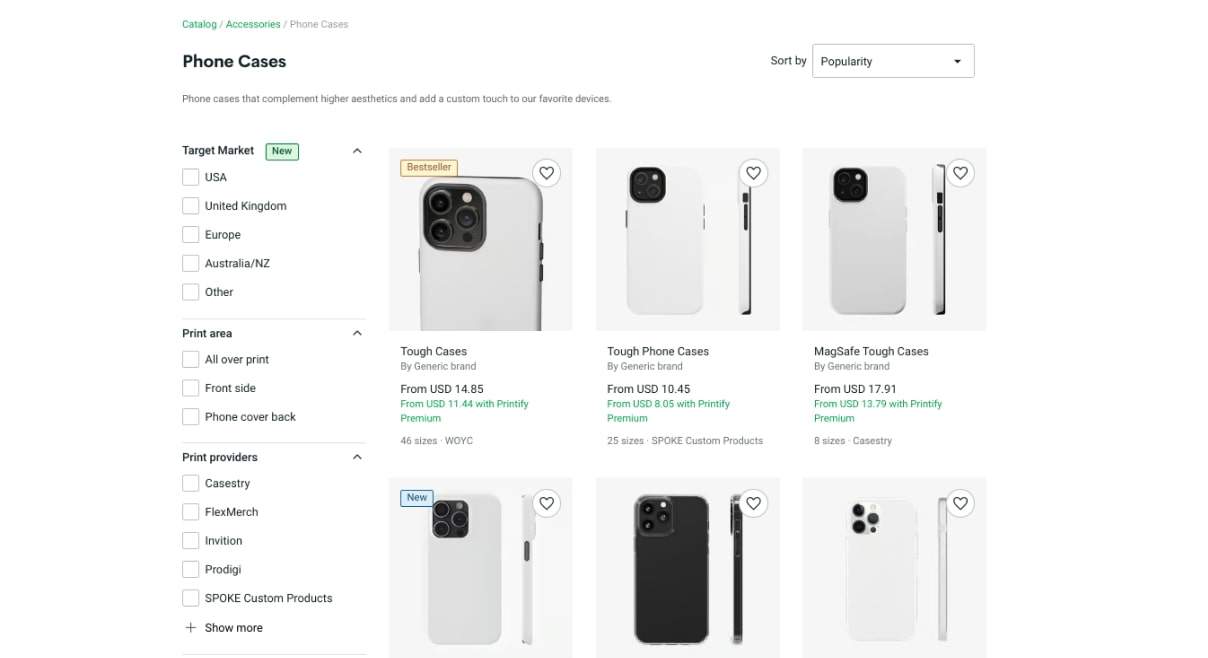
Supplement your phone case business with other phone accessories. Find inspiration to sell other phone products from the Printify Catalog:
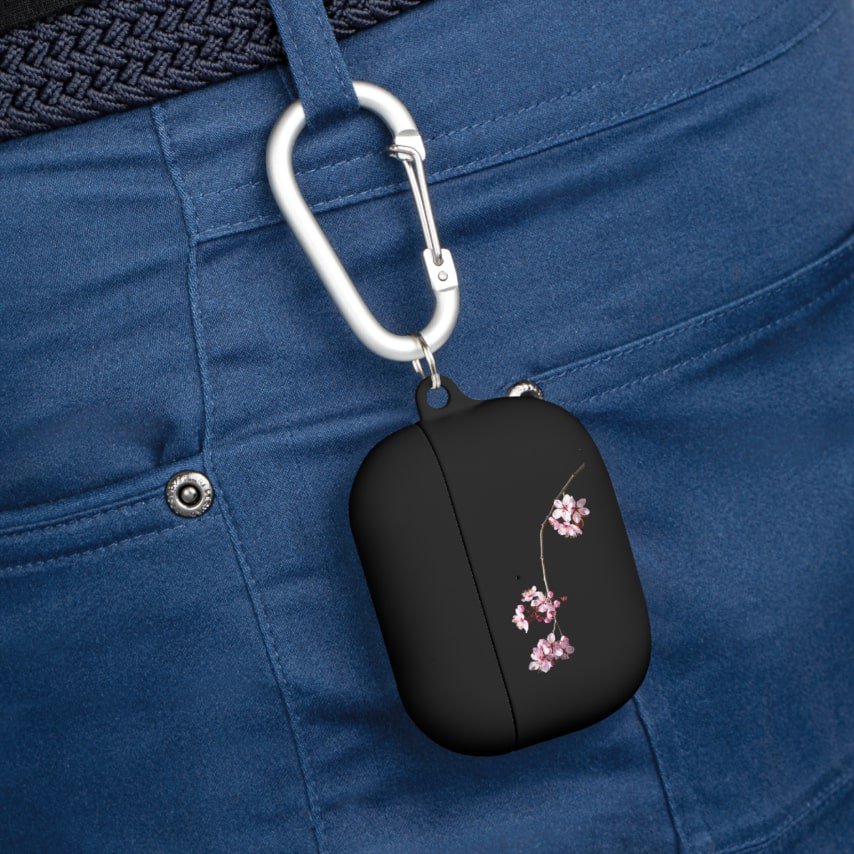
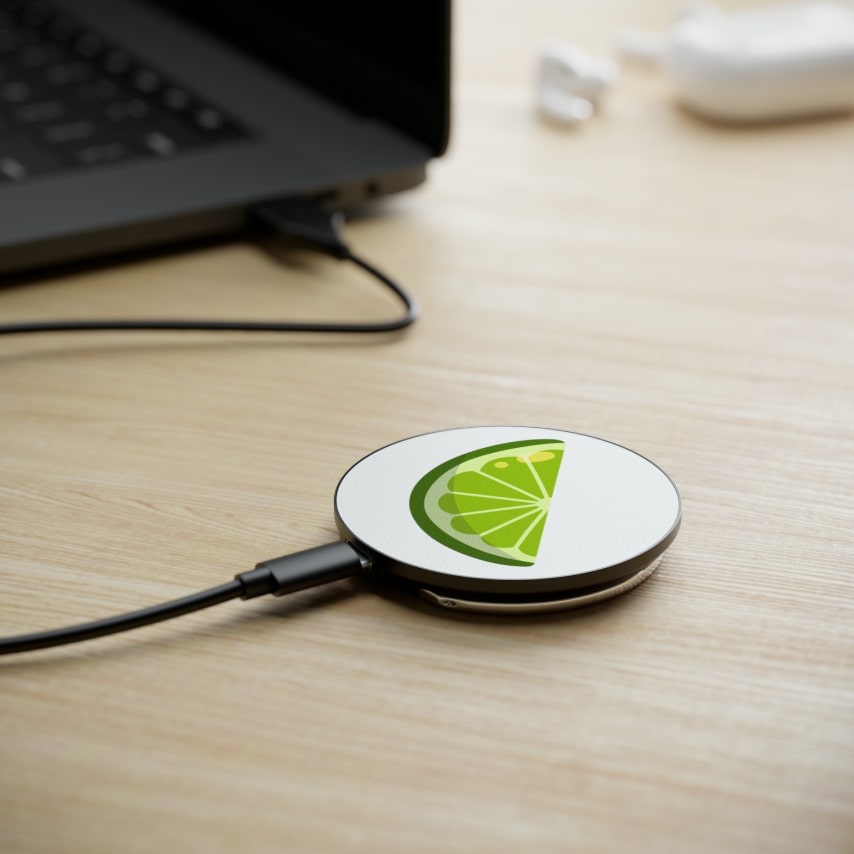
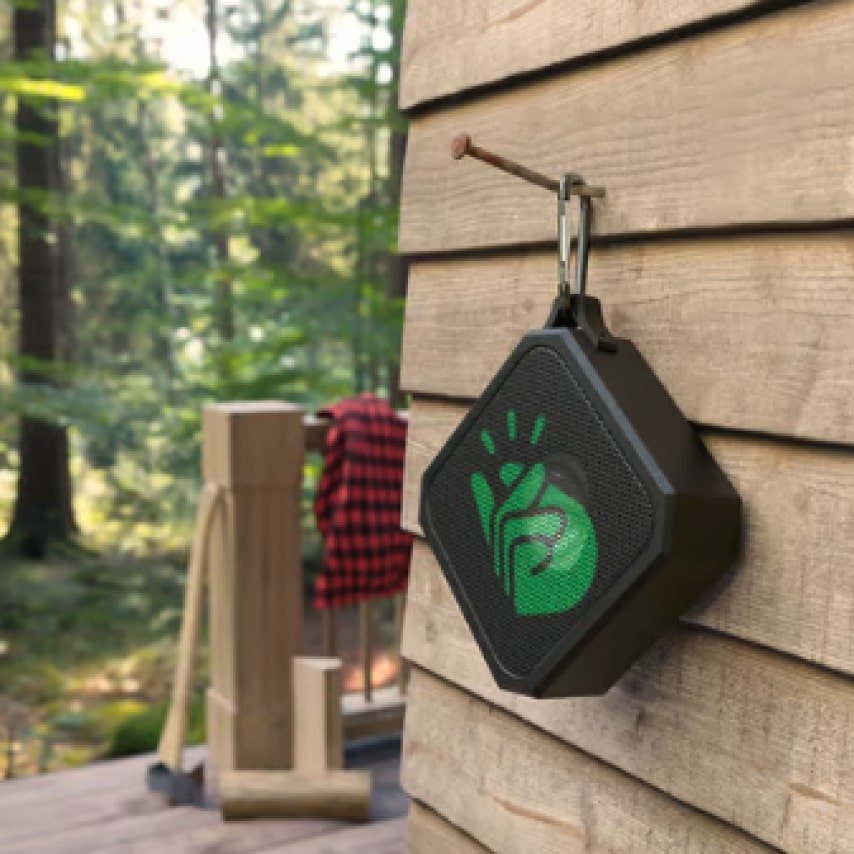

Sell phone cases with zero startup costs and full design potential.
Printify is a trusted print-on-demand platform with a network of over 2 million merchants, 90 global Print Providers, and more than 900 products in an ever-expanding catalog.
Start with Printify to sell on Shopify in just four steps:
Sign up to Printify for free – fill in your business details and billing information. Log in to your account and navigate to the left-hand dashboard. There, you’ll see pages for your store, product catalog, saved products, orders, payment wallet, and store settings.
Navigate to the Printify Catalog and filter all case accessories by selecting the Phone Cases tag under the Accessories category. Pick a phone case, select a Print Provider, and upload your designs using Printify’s Mockup Generator software.
You can install Printify through the Shopify App Store or click My new store on the top of your Printify account dashboard and select Add a new store from the menu. Pick Shopify as your sales channel and connect. Follow instructions to finish the integration.
Go to your saved products in the My products menu. Select the phone cases you want displayed on your online store and click to publish them as listings. Set a price, edit any product tags and photos, and you’re ready to start selling phone cases on Shopify.
Custom phone cases are an increasingly popular eCommerce product that shows a lot of potential as a profitable tech accessory. Start selling on Shopify to create an intuitive storefront with modern design tools and management systems. Follow these steps to prepare your store:
Use Shopify features, themes, plugins, and Printify, to join thousands of successful online stores using a top product fulfillment platform.





