

The merchants I see hitting product data friction aren’t the ones with the most SKUs. They’re the ones with the most channels.
This week, I watched a short demo video that listed five things Shopify can’t do natively when it comes to bulk product editing. Add new tags to a selection without overwriting the rest. Update variant attributes in bulk. Find and replace across descriptions. Track which products are missing metafield values. Undo a bad bulk edit.
The video was making a sales case for a specific platform. That’s fine, vendors do that. What stuck with me wasn’t the pitch. It was the underlying observation: there is a real and persistent gap between what Shopify’s product data tools do well and what merchants at a certain stage actually need.
I’ve watched hundreds of Shopify operators bump into this gap. It almost always shows up at the same point in the growth curve. The store has crossed somewhere north of 200 SKUs. The team has grown past one person doing everything. A second or third sales channel has been added, maybe wholesale, maybe Amazon, maybe a retailer relationship. And suddenly, the product data work that used to take an hour on a Friday afternoon is consuming a full day a week, and nobody’s quite sure how.
This post is about that gap. What it actually is, what category of tool closes it, and how to know whether you’ve hit the threshold or whether you’re solving a problem you don’t have yet.
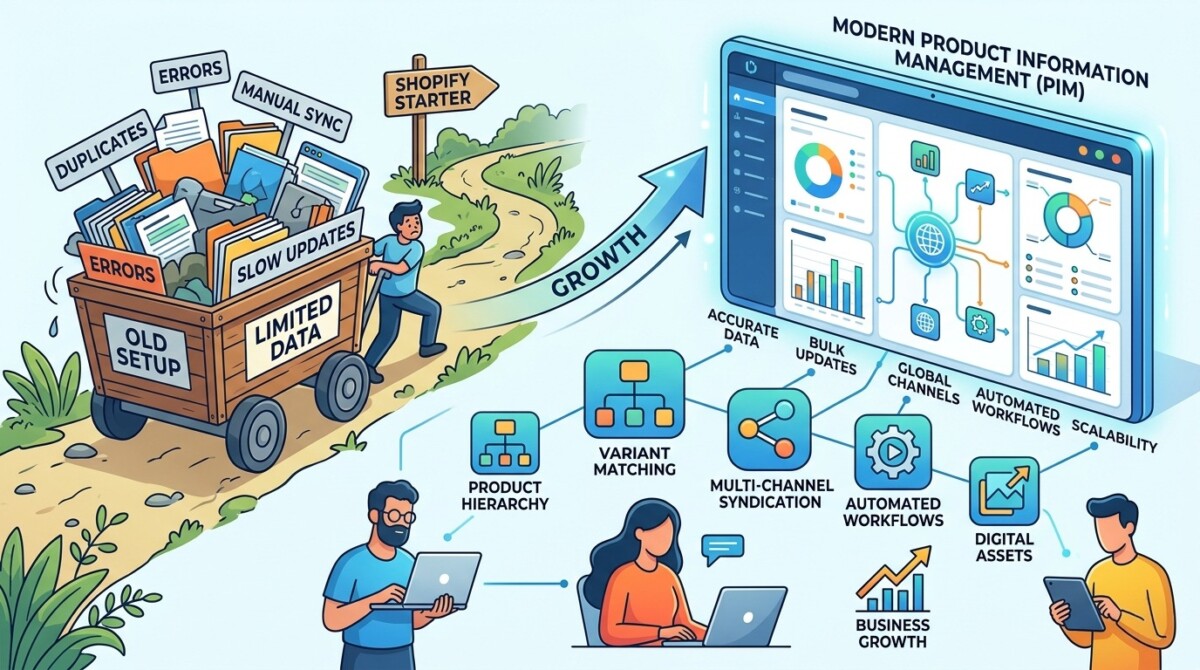
Shopify’s native product data tools cover the basics well but have meaningful gaps as your catalog or team grows. The platform ships with a bulk editor that handles direct field editing across selected products, a CSV export and import workflow for larger operations, metafields for storing structured custom data, and an Actions menu that handles tag adds and removes non-destructively.
For most stores under $500K and 200 SKUs, this is genuinely enough. You select products from the list view, you click into the bulk editor, you add the columns you want to edit, and you make your changes. Shopify’s bulk editor documentation walks through the mechanics, and the system has been refined steadily over the last several years.
Where it starts to break down is at scale and at edge cases. The bulk editor caps at 50 products per view, so a catalog refresh across 800 SKUs becomes 16 separate editing sessions. The bulk editor’s tag column is destructive on save, meaning a single missed tag wipes existing tags across every product you touched. Variant-level attributes have to be updated variant by variant, with no parent-child inheritance to push a change from a product down to its 14 size and color variants. There’s no native find-and-replace across descriptions. There’s no completeness tracking that flags which products are missing values for a specific metafield. And there’s no undo on a bulk edit gone wrong.
These aren’t fatal gaps. They’re operational drag. The question is when operational drag becomes expensive enough to solve.
You’ve hit the threshold when product data work is taking more than four hours of your week, more than one team member is editing the same products in parallel, or you’ve made a costly bulk-edit mistake in the last 90 days. Those are the operational signals. Below them sit five more specific patterns I see at the moment merchants start outgrowing Shopify-native workflows.
The first signal is volume crossing the threshold where the bulk editor’s 50-product view becomes a bottleneck. A catalog of 200 SKUs is fine for native tools. A catalog of 800 SKUs going through a seasonal refresh stops being fine. If you’re regularly making the same edit across hundreds of products, the spreadsheet-style apps in the Shopify ecosystem solve that for somewhere between $2 and $50 a month and you don’t need anything more.
The second signal is variant complexity. A T-shirt brand with five sizes and four colors per product has 20 variants per SKU, and updating “country of origin” across the line means touching every variant individually unless you’ve structured the data through category metafields. How merchants use Shopify metafields to build richer storefronts is worth reading if you haven’t gone deep on this yet, because metafields close some of the variant data gap natively.
The third signal is multi-channel selling. Shopify is your store, but you’re also pushing product data to Amazon, to wholesale buyers, to a retail partner who needs your catalog in their specific format, to a TikTok Shop, to a marketplace in Europe. Each channel wants slightly different data, in slightly different formats, with slightly different rules. The moment “managing product information” stops being a Shopify task and becomes a cross-platform task, you’ve left the territory native tools are designed for.
The fourth signal is team size. Native Shopify product editing assumes one person is making changes at a time. When a content writer, a merchandiser, and an operations lead are all touching products, you need version control, collaboration, role-based permissions, and the ability to see who changed what.
The fifth signal is the cost of mistakes. A bulk edit gone wrong, with no undo, that wipes tags across 600 products is a Saturday afternoon project to rebuild. The cost of operating without a safety net rises with the size of the catalog and the importance of the data.
Product Information Management software, called PIM in the industry, is a centralized system for storing, organizing, enriching, and distributing product data across multiple sales channels. The category exists because product data at scale is its own discipline, distinct from inventory management, order management, and the storefront itself.
A PIM sits behind your storefront. You manage all your product data inside it, including titles, descriptions, attributes, variants, images, videos, specifications, and channel-specific copy. The PIM then syncs that data out to Shopify, to Amazon, to wholesale catalogs, to retail partners, to marketplace feeds. The store becomes a downstream channel. The PIM is the source of truth.
This is fundamentally different from a bulk-edit app. A bulk-edit app makes Shopify’s native editing faster and less error-prone. A PIM replaces Shopify as the place you manage product data in the first place. The mental model shift is significant. Once you’ve made it, you stop thinking about your product catalog as “the products in my Shopify admin” and start thinking about it as “the canonical product database that pushes data into Shopify and everywhere else.”
For the use cases the demo video raised, this is what a PIM solves at the structural level. Bulk tag operations become category-aware and non-destructive. Variant inheritance is built in, so a change to a parent product propagates to all variants automatically. Find and replace operates across thousands of products with preview and rollback. Completeness tracking is configurable per attribute, so you can see at a glance which products are missing values you need. And undo exists because version history is fundamental to how the system is designed.
One platform I’d point to as a clean example of the category, especially for merchants in the $1M to $10M Shopify range, is Plytix product information management platform. They’re priced for small and medium businesses rather than enterprise, with a free Standard tier and paid plans starting around €499 a month for catalogs up to 50,000 SKUs. The enterprise PIM platforms exist and are powerful, but they’re priced for catalogs and team sizes most Shopify merchants will never reach.
PIM software makes sense when the cost of your current product data workflow, measured in hours and risk, exceeds the cost of the platform and its onboarding investment. That’s the simple version. The honest version requires a few more questions.
Are you genuinely multi-channel, or are you a Shopify store with vague plans to expand someday? A PIM’s primary leverage is being the single source of truth across multiple destinations. If Shopify is 95% of your business and your wholesale catalog is a quarterly spreadsheet emailed to a single buyer, you don’t need PIM infrastructure. You need a better spreadsheet workflow.
How big is your catalog, and how often does it change? A brand with 300 stable SKUs that get refreshed once a quarter is a different operational profile than a brand with 2,000 SKUs and weekly new product launches. The first might be fine with a Shopify bulk-edit app for a long time. The second has structural pressure that’s only going to grow.
Do you have the team to operate a PIM well? Implementation is real work, with onboarding ranging from a few hundred dollars for self-serve setups to several thousand for white-glove packages. Once it’s live, you need someone responsible for product data as a discipline, not just as a task. If you’re a solo founder or a two-person team, the operational overhead may exceed the benefit. How to build a scalable tech stack covers the broader principle: every tool you add should reduce complexity in your operation, not add to it.
What’s your acquisition or exit horizon? PIM systems create transferable, auditable product data infrastructure. If you’re building toward an acquisition in the next three years, having product data documented, structured, and channel-ready raises your valuation. If you’re running a lifestyle business at $1.5M with no plans to scale or sell, the same investment is harder to justify.
And finally, would the same problem be better solved by going deeper on what Shopify and the ecosystem already offer? Brightpearl review covers an adjacent operations platform that handles overlapping use cases for brands where the pain is more about inventory and fulfillment than product content. The category map matters: PIM is one of several adjacent options, and the right tool depends on which part of the workflow is actually breaking.
Most merchants who ask the PIM question fall into one of three buckets, and the right answer differs for each. The decision isn’t whether PIM is good. It’s which bucket you’re in.
The first bucket is merchants who have product data friction but are solving the wrong problem. The pain is real, but it’s coming from disorganized data, unclear ownership, or workflow habits, not from missing tools. For these merchants, a $20 bulk-edit app, a clearer process, and 90 minutes of metafield cleanup work resolves 80% of the friction. PIM would be an expensive overcorrection. 5 data management best practices for ecommerce shops is a useful starting point if this describes you, because the discipline of clean data management often matters more than the platform you manage it on.
The second bucket is merchants at the genuine threshold. Multi-channel selling, growing team, catalog complexity, real cost of mistakes, and product data work that has stopped feeling proportional to the value it delivers. These merchants are PIM candidates. The right move is to evaluate two or three platforms against the specific operational questions that matter to your business, not against generic feature checklists.
The third bucket is merchants who have grown past PIM territory entirely. Enterprise catalogs, complex syndication requirements, dedicated product data teams, integration with ERP and PLM systems. These merchants need enterprise PIM platforms with implementation partners, not the lightweight options that fit the Shopify SMB profile. If you’re in this bucket you already know it, and your evaluation criteria are different from what this post covers.
The middle bucket is where the interesting decisions live. If you’re reading this and uncertain whether you’re in bucket one or bucket two, run the threshold check honestly. How many hours a week is product data work consuming? How costly was your last bulk-edit mistake? How many channels are you actually selling on, with real volume? The answers should make the bucket clear.
Evaluate a PIM platform the same way you’d evaluate any infrastructure decision, by mapping the specific operational pain you have today to the specific capabilities the platform provides. Demos are useful, but they’re optimized to make the platform look good. Real evaluation happens against your actual workflow.
Bring the five hardest product data tasks you’ve done in the last 60 days. Not hypothetical tasks. Actual ones. The variant attribute update that took six hours. The seasonal tag rollout across 400 products. The metafield population that you abandoned halfway through. Walk through each one in the platform’s free trial or sandbox environment, and time it. If the task that took six hours natively still takes ninety minutes in the platform, that’s a five-hour weekly saving that compounds across the year. If the task only saves you twenty minutes, the math is harder.
Ask about onboarding seriously. PIM platforms vary widely on how much support comes with implementation, and self-serve onboarding for a product data platform is meaningfully harder than self-serve onboarding for a Shopify app. Most platforms in the SMB tier offer a paid white-glove option that ranges from around $3,000 for a setup engagement to custom-priced full implementation managed by partners. The cheapest onboarding is rarely the best value if it leaves you stuck in week three.
Verify the Shopify integration specifically. PIM platforms that started in adjacent categories sometimes treat Shopify integration as a secondary destination. PIM platforms that grew up serving Shopify merchants tend to handle integrations more cleanly, with bidirectional sync, metafield support, and variant handling that match Shopify’s data model. Ask to see the integration in action with a Shopify store similar in profile to yours.
Check pricing transparency. The platforms that publish full pricing tables on their websites, including SKU limits, seat counts, and add-on costs, tend to be the platforms you can actually scope a budget against. The ones that route every conversation to “talk to sales” before showing pricing are often optimized for enterprise sales motions that don’t fit SMB Shopify buyers.
And finally, talk to current customers running businesses similar to yours. Vendor case studies are marketing artifacts. A 15-minute call with an actual operator using the platform in a Shopify environment at your stage will tell you more than an hour of sales conversation.
Product Information Management is a real category that solves a real problem for a specific subset of Shopify merchants, and the marketing around it sometimes overstates its broad applicability.
If you’re under $500K GMV with a single channel and a small team, you almost certainly don’t need a PIM. Native Shopify tools, supplemented with a lightweight bulk-edit app, will carry you further than you think. If you’re between $1M and $10M with multiple channels, a growing team, and the operational signals I covered earlier, you’re a legitimate candidate, and the investment of $500 to $1,500 a month plus onboarding can pay back in team time and error reduction, but only if you implement it with discipline and treat product data as a function that needs ownership. If you’re past $10M with enterprise-level pressure, you’re shopping in a different category from the one this post covers.
The five gaps that started this conversation, non-destructive bulk tag operations, variant inheritance, find and replace, completeness tracking, and undo, are all real friction points. They’re not unique to Shopify, and they’re not unfixable. The question is whether the friction justifies the infrastructure investment that fixes it. That answer depends on your stage, your channels, your team, and an honest assessment of how much time and risk the current workflow is costing you.
The right tool isn’t the one with the most features. It’s the one that closes a specific operational gap without creating three new ones.
A PIM is a centralized platform for managing product data across multiple sales channels, where Shopify is one destination among several. The fundamental difference is the source of truth: Shopify treats its admin as the source of truth for product data, while a PIM treats itself as the source of truth and syncs data out to Shopify and other channels. This matters because as soon as you’re selling on more than one channel with any seriousness, the question of where the canonical version of your product data lives becomes operationally significant. PIM systems are designed specifically for that multi-channel reality, with features like channel-specific data variants, syndication management, and version control that Shopify doesn’t natively offer.
You need a PIM when product data work is consuming more than four hours of your week, when multiple team members are editing the same products simultaneously, when you’re selling on multiple channels with different data requirements, or when a recent bulk-edit mistake cost you significant time to recover from. None of those signals individually proves PIM is the right answer. Two or three together usually does. Below that threshold, the native Shopify tools combined with a lightweight bulk-edit app from the Shopify App Store will typically handle the workload more efficiently than the operational overhead of running a PIM platform.
PIM pricing for Shopify-tier merchants typically ranges from free entry tiers to around €1,100 a month for Pro-level plans, with onboarding fees that range from no charge for self-serve setup up to several thousand dollars for managed implementation. The platforms positioned for small and medium businesses tend to publish transparent pricing, while enterprise-tier PIM platforms route through sales and often start in the multi-thousand-dollar monthly range. For most Shopify merchants in the $1M to $10M revenue range, the total annual investment for a properly implemented PIM, including platform and onboarding, lands between $8,000 and $25,000 in year one.
You can, and for most stores this is the right answer. The Shopify App Store includes multiple bulk-edit apps that solve the specific gaps the native bulk editor leaves, including non-destructive tag operations, find and replace, scheduled edits with revert, and spreadsheet-style catalog editing. These apps typically run between $2 and $50 a month and require no infrastructure investment. The case for PIM over a bulk-edit app rests on three factors: whether you’re managing product data across multiple channels beyond Shopify, whether you have a team that needs collaborative editing with permissions and version control, and whether your catalog has reached a complexity level that benefits from structured attribute management with completeness tracking. If none of those apply, a bulk-edit app is the right tool.
A bulk edit app makes Shopify’s native product editing faster and less error-prone, while a PIM replaces Shopify as the place you manage product data in the first place. The bulk edit app lives inside the Shopify admin and operates on Shopify’s product database directly, adding features like non-destructive tag editing, find and replace, and scheduled changes. A PIM lives outside Shopify, holds the canonical version of your product data, and pushes data into Shopify as one destination among many. The bulk edit app is a tactical tool that solves specific friction points. The PIM is a strategic infrastructure decision that changes how your business manages product information as a whole. Most merchants don’t need the strategic decision. The ones who do usually know they do.





