

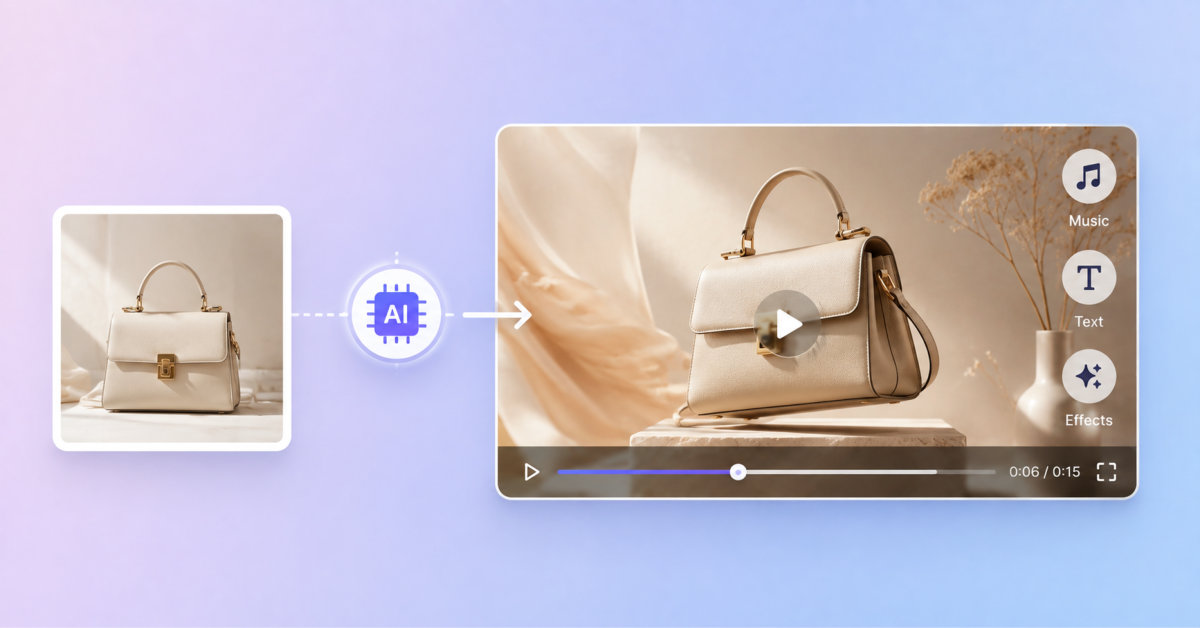
Photo to Video AI can turn approved product photography into short marketing-video variations by adding controlled motion, camera behavior, lighting, and atmosphere. It works best for creative testing and social assets, not for scenes that require exact preservation of product details, text, faces, or technical accuracy.
AI video does not reduce the importance of product photography. It raises the value of getting the original photograph accurate before you ask a model to animate it.
Static photography remains essential for ecommerce, but it does not always deliver the movement, atmosphere, or storytelling that performs well on modern social platforms. Producing those video assets traditionally means organizing another shoot, hiring editors, and adapting every clip for different channels.
A tool such as Photo to Video AI offers a more practical starting point. Instead of building a video from scratch, marketers can upload an existing product photo, describe the movement they want, choose an AI video model, and generate a short MP4 based on the original image.
The result is not a replacement for accurate product photography. It is a way to turn approved still images into additional creative assets for product pages, advertisements, launch campaigns, and social media.
Photo to Video AI does not make the source image less important. A clear, accurate photograph is still the foundation of a convincing video.
Customers still depend on product images to inspect color, shape, materials, packaging, and details. However, discovery increasingly happens through video-first formats such as Instagram Reels, TikTok, YouTube Shorts, paid social placements, and animated product-page sections.
A static image can show what an item looks like. A short video can suggest how it feels.
Subtle camera movement can emphasize surface texture. A controlled light sweep can make packaging look more dimensional. Atmospheric movement can help a fashion, beauty, food, furniture, or jewelry image feel more like a campaign asset.
The production challenge is scale. A store may need landscape videos for advertisements, vertical clips for social media, and square assets for product pages. Re-shooting every product in every format is rarely efficient.
Photo to Video AI helps extend the value of photography that a business already owns.
Photo to Video AI is an image-to-video workflow in which a still image acts as the visual reference for an AI-generated clip. The source photo supplies the subject, colors, composition, and visible product details. The selected model then generates movement around that visual information.
That movement may include:
Because the video is generated rather than traditionally filmed, exact preservation is not guaranteed. Logos, small text, faces, hands, packaging details, and complex geometry should always be checked before publication.
Upload a sharp JPG, PNG, or WEBP image with the main subject in focus. The subject should be large enough to identify and, where possible, visually separated from the background.
Avoid heavy compression, motion blur, blocked faces, cropped product edges, and crowded scenes with several competing subjects. A model cannot reliably preserve details that are unclear in the original photograph.
For ecommerce content, begin with an approved image that already represents the product accurately.
The studio supports multiple model families rather than forcing every project through one generator. Current configurations include Google Veo 3.1 variants, Kling 2.6 and Kling 3.0, and ByteDance Seedance variants.
Different models provide different combinations of duration, resolution, aspect ratio, sound, reference-image handling, and generation cost. The best choice depends on whether the priority is an inexpensive draft, a longer clip, higher resolution, generated audio, or stronger creative control.
The uploaded image already describes the subject. Use the prompt to explain what should move and how the camera should behave.
A useful prompt can follow this structure:
Subject movement + camera movement + lighting or atmosphere + preservation instruction
For example:
The perfume bottle remains centered and unchanged. Slow camera push-in, a soft gold reflection moves across the glass, subtle mist in the background, premium studio lighting.
Compare that with a vague instruction such as “make this product look amazing.” The second prompt gives the model almost no practical direction.
For a portrait, a focused prompt could request a natural blink, gentle breathing, slight hair movement, and a slow camera push-in. For food photography, it might request rising steam, a small light shift, and restrained camera movement.
Controls are not identical across every model. Photo to Video AI displays the settings supported by the selected model and updates the credit cost before generation.
Examples from the current configuration include:
These differences matter. A short 720p draft may be suitable for testing a prompt, while a higher-resolution generation may be more appropriate after the creative direction has been approved.
Review the displayed credit cost, start the generation, and inspect the result when rendering finishes. Completed videos can be downloaded as MP4 files.
Do not publish the first output automatically. Compare it with the source photo and check:
If the result becomes unstable, reduce the amount of motion and remove competing instructions. Change one part of the prompt at a time so you can identify what improves the output.
Turn a clean catalog image into a restrained showcase clip with a slow push-in, controlled rotation, moving light, or subtle atmospheric effects. The product should remain the focal point.
Create vertical concepts for Reels, TikTok, Stories, and Shorts from existing campaign photography. Each photo is converted separately, allowing teams to give every asset its own prompt and format.
Generate several motion directions from one approved image. A team might compare a quiet luxury treatment, a fast product reveal, and a minimal studio animation before committing more budget to a campaign.
Existing photography can be adapted with restrained snow, warm holiday lighting, spring atmosphere, or summer movement. The AI-generated elements should support the product rather than conceal or redesign it.
A clear portrait can become a short profile or campaign clip with subtle expression, hair, lighting, and camera movement. Simple motion usually preserves recognizable features more reliably than a long list of dramatic actions.
Keep prompts focused on one creative idea. Use similar camera language, lighting direction, pacing, and atmosphere across a campaign. Generate a low-cost draft first when the selected model offers that option.
Most importantly, preserve product accuracy. AI video can introduce details that never existed in the source. Treat every output as a creative draft that requires human review, especially when it contains product claims, readable text, recognizable people, or regulated goods.
A free account is required to generate. New users receive evaluation credits without entering a card, while videos made with registration credits include a small watermark. Paid plans provide watermark-free output and commercial-use options.
Photo to Video AI gives ecommerce and branding teams a useful bridge between still photography and short-form video. Its value comes from extending existing assets, testing motion ideas quickly, and creating platform-specific variations without rebuilding an entire production workflow.
The strongest results begin with accurate photography, continue with a motion-first prompt, and finish with careful review. Used this way, Photo to Video AI becomes more than a visual effect generator: it becomes a practical creative-iteration tool for modern marketing teams.
Photo to Video AI can create short ecommerce video variations from product photos by using an uploaded image as the visual reference and generating motion from a written prompt and selected model settings. It can be useful for product-page motion, social clips, ad variations, launch assets, and seasonal creative tests. The output should not replace accurate product photography or be treated as automatically production-ready. Teams should compare the final video with the source image and inspect product color, shape, packaging, logos, labels, and claims before publishing.
A sharp, well-lit image with the product clearly visible and separated from a relatively simple background works best for photo-to-video generation. Use an approved JPG, PNG, or WEBP source where product edges, colors, packaging, and important details are easy to see. Avoid heavy compression, motion blur, crowded scenes, cropped products, unreadable labels, and reflective backgrounds that confuse the model. The AI cannot preserve details that are unclear in the original photograph, so source-image quality is the most important controllable factor in the final video.
You should write an AI motion prompt by describing what moves, how the camera behaves, what lighting or atmosphere is desired, and what must remain unchanged. A practical structure is subject movement, camera movement, lighting or atmosphere, and preservation instruction. For example: “The skincare jar remains centered and unchanged. Slow camera push-in, soft reflection across the lid, subtle mist behind the product, premium studio lighting.” Keep the prompt focused on one creative idea. Vague prompts such as “make this amazing” produce less predictable results and increase the risk of product distortion.
AI video cannot reliably preserve logos, packaging text, ingredient panels, small labels, complex geometry, faces, hands, or reflective materials in every output. Image-to-video models can change letters, alter a logo, warp container shapes, invent details, or make a label unreadable as the generated motion progresses. Use AI video for atmosphere, camera movement, and creative variation, then inspect every frame before publication. If accurate text or product specification is essential, keep a verified still image visible in the asset, use traditional video production, or overlay approved design elements during post-production.
You should use the video format that matches the channel where the asset will appear. A 16:9 landscape video suits website banners, YouTube, and many paid-video placements, while 9:16 vertical video suits TikTok, Instagram Reels, Stories, and YouTube Shorts. Google’s Veo 3.1 supports 16:9 and 9:16 output with 4-, 6-, and 8-second clip lengths, while image-reference workflows require eight seconds. Confirm each platform’s current specifications and leave enough safe space for captions, buttons, product information, and platform interface elements.




