


Sell custom products with Printify
Shopify dropshipping is one of the easiest ways to start selling online without dealing with inventory or managing supply chains.
Whether you’re a first-time entrepreneur or an eCommerce pro, starting a dropshipping store on Shopify is a low-risk way to build a profitable business.
This guide will show you how to start dropshipping on Shopify, covering everything from market research and choosing suppliers to store design and marketing strategies.
This post may contain affiliate links, which means we may earn a commission if you make a purchase through those links. This comes at no additional cost to you.
A dropshipping Shopify store lets you sell online without managing inventory. Instead, you list products from multiple suppliers. When you start making sales, the supplier or manufacturer ships orders directly to your customers.
Since you, as a seller, won’t have to handle products yourself, the dropshipping business model reduces processing times and eliminates upfront costs.
It’s a scalable business model that lets you sell pre-made products worldwide.
How to use Shopify for dropshipping:
Pro tip
Learn the difference between Print on Demand vs dropshipping. While both help you sell without inventory, POD lets you create custom products – helping you stand out against generic dropshipping items.

Shopify powers more than four million websites, and 12.3% of Shopify stores have at least one product that’s fulfilled through dropshipping.
With its customizable templates and intuitive Shopify dashboard, it’s easier than ever to create a professional Shopify store that stands out.
The Shopify App Store offers tools for everything from email marketing to product catalog management. Plus, you can reach customers worldwide with Shopify Payments for seamless transactions.
Here are some key benefits for independent sellers and entrepreneurs wanting to start a dropshipping business with no inventory on Shopify.
Shopify offers a variety of pricing plans starting at $5 per month for its Starter plan. Choose the best option for your budget and dropshipping business needs.
With customizable templates, free themes, and the beginner-friendly Shopify dashboard, you can create a professional store design in minutes.
Easily add Printify and other dropshipping, marketing, and SEO apps to your eCommerce website.
Simply install a dropshipping app, add products to your store, and start selling. Your dropshipping supplier will take care of inventory and deliveries.
Expand to international markets with Shopify Payments, integrated shipping options, and multi-currency support.

Before you start dropshipping, it’s crucial to understand Shopify pricing plans, domain costs, and marketing expenses.
Here are some possible expenses to keep in mind.
Your subscription plan
Shopify is freefor three days when you sign up for a trial. Then, you’ll be charged $1 for the first three months, and the following costs will depend on your chosen pricing plan.
| Plan | Pricing (monthly) | Pricing (annual – 25% off) | Transaction fees |
|---|---|---|---|
| Basic | $39/month | $29/month | 2.9% plus $0.30 |
| Shopify | $105/month | $79/month | 2.7% plus $0.30 |
| Advanced | $399/month | $299/month | 2.5% plus $0.30 |
Check out our comparison of all Shopify pricing plans to find the best option for your dropshipping store.
Your domain name
All Shopify plans offer a free subdomain. This will be your store name plus .myshopify.com.
However, if you want your own custom store URL, you’ll need to purchase it separately.
You can buy a domain name directly on Shopify or head to NameCheap for a .com domain starting at $6.49/year.
Ordering product samples
For dropshippers, it’s important to set some money aside to check the quality of your suppliers’ products before you start selling online. Beyond looking for defects, use samples to take beautiful product photos that stand out from generic mockups.
If you’re dropshipping custom products, place sample orders with your designs and make sure the placement and print quality meet your expectations.
Quick tip
Looking for an easy start? Use Printify to sell custom products with no minimum order requirements, no upfront costs, and higher profit margins.
Marketing and advertising
Want to keep expenses to a minimum? Focus on proven marketing strategies that offer the highest return on investment.
SEO and content marketing are best for improving your search engine rankings and driving organic traffic for free.
If you have the budget to spare, consider paid advertising with Google Ads or social media platforms to enhance your store’s visibility and grow your business quickly.
Before launching a store, you’ll need to do market research to evaluate the viability of your dropshipping strategy. Segment potential buyers and analyze consumer behavior to align your products with marketable trends.
Base your dropshipping idea around a niche subject or theme that interests you, like jewelry inspired by mythology or thematic specialty coffee beans with unique flavor profiles.
Determine your ideal target audience and discover what’s in high demand by analyzing a potential niche through the following research methods.
Social media networks
Analyzing social platforms is an excellent way to discover a potential target audience and determine the marketing channels people use most often.
Join niche communities, interact with current trends, and find out what product features customers look for when purchasing.
Keyword research tools
Use analytics tools like Semrush or Google Trends to find keywords to incorporate in your business name, product titles, descriptions, and marketing content.
These tools help you analyze how online users interact with your niche based on keyword search volume, trends, competition, regional traffic, and related search terms.
Evaluate the scope of your Shopify store’s potential target audience and align your dropshipping products and content with the customer search intent.
Reviews and focus groups
Understanding the market by analyzing reviews and seeking insights from other merchants is extremely valuable when deciding your dropshipping niche.
Start with family, friends, and dropship community members – like the Printify POD Rockstars Facebook group.
Check competitors and pay attention to customer reviews to identify pain points that your products could address. Think in terms of product range, customer support, and even personalization.
Additional resources
Learn more about picking a niche and finding profitable products.
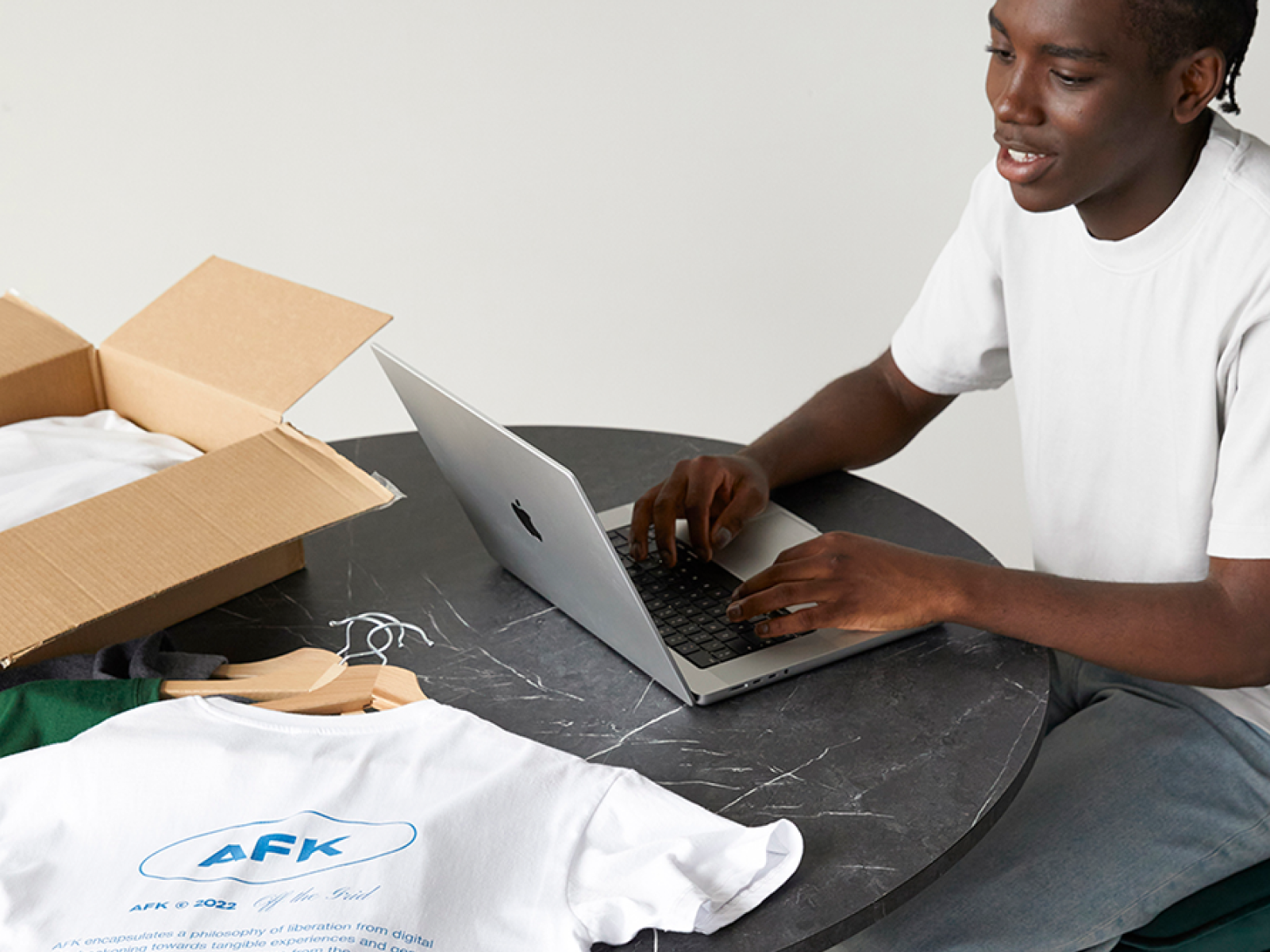
Although you can start making sales with any best-selling item, focus on dropshipping products that align with your store niche while offering strong profit margins. This will help you build a profitable business and establish customer loyalty.
Dropshippers can leverage social media platforms, forums, and communities for ideas. Look at what potential customers are discussing, buying, recommending, or trying to find.
Analyze trends and identify what products generate the most sales, whether hoodies or custom stickers. See if there’s an opportunity to cash in and add a new item to your product range.
Start with a quick search online or go to the Shopify App Store to find popular apps for dropshipping. Partnering with multiple suppliers can help you diversify your product selection and achieve faster shipping times.
Before selecting a dropshipping app, read the reviews and make sure the supplier offers the types of products you need. Look at their catalog and see if the costs line up with your pricing strategy.
From Spocket to AliExpress, there are tons of top eCommerce dropshipping suppliers to choose from. If you want to have a curated selection with your own custom designs, go for a print-on-demand dropshipping app like Printify.
Quick tip
Be sure to choose products from vetted suppliers to maintain quality and credibility for your brand. This will help you create a compelling product lineup that drives repeat sales.
Your Shopify store name should be simple, memorable, and easily brandable.
Look at other successful Shopify stores for inspiration. Pay attention to the simplicity and marketability of their names and how the domains align with their brand identity.
Use Shopify’s free domain name generator to get a unique name and check if the associated domain is available.
While Shopify offers a free subdomain, we highly recommend getting a custom domain to improve SEO and help market your dropshipping site. This will make your Shopify store look more professional, giving your brand more value.
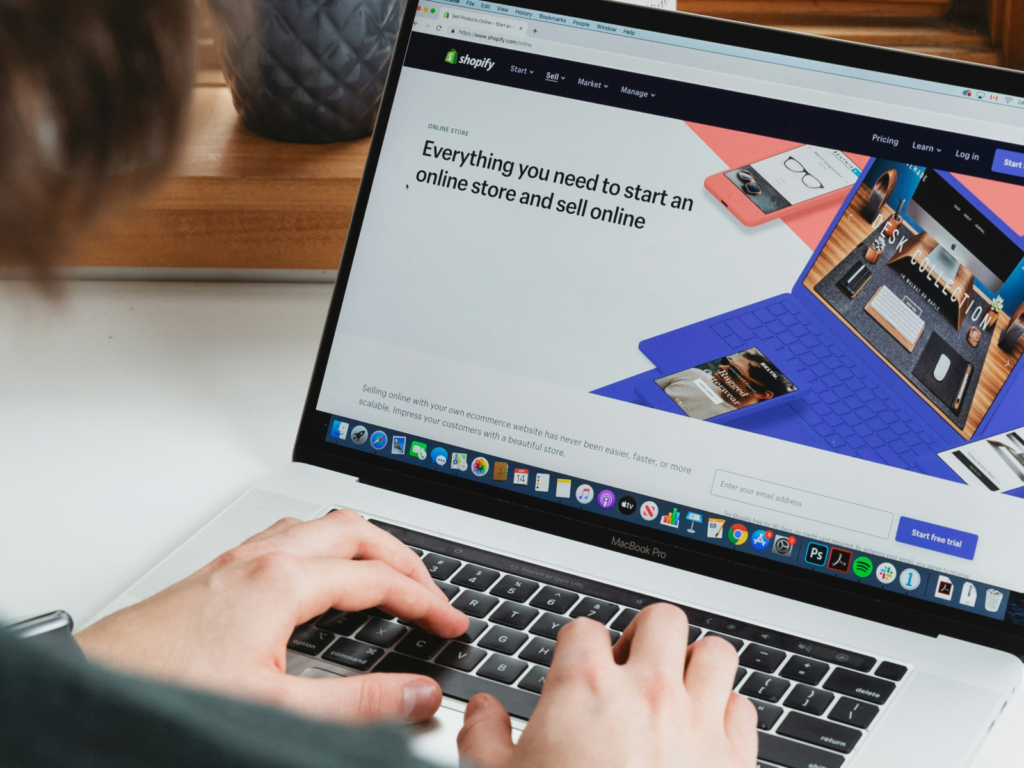
Head to the Shopify website and click Start free trial to create a seller account. Once on your Shopify admin panel, navigate to Settings to add your store name, phone, email, and billing information.
Then, fill out these important details to make sure your dropshipping business runs smoothly upon launch:
The homepage of your Shopify store is the first impression you give to potential customers. With intense competition from other eCommerce sellers, well-designed dropshipping websites have more chances of success.
From your Shopify admin panel, navigate to Sales Channels → Online Store → Themes and choose a professional and attractive template that aligns with your brand.
The platform offers a large selection of free and paid customizable themes for every kind of dropshipping business idea, from Shopify clothing stores to pet supplies.
Add high-quality visuals, make sure your website is easy to navigate, and optimize for mobile devices to enhance the customer experience.
And don’t forget your dropshipping store logo. A well-designed logo is a crucial part of your brand identity, building recognition among customers and setting your store apart.
To create a memorable store icon, use a graphic design tool like Photoshop or its free alternatives, or try out Shopify’s free logo maker.
Discover
Need ideas? Go through the best Shopify store examples to see what other stores are doing right.

To list your dropshipping products, go to your Shopify admin panel → Products. Add or import items to your store and manage your inventory and product collections from here.
Integrating your Shopify store with Printify makes things even easier, since you can create and publish products, and optimize your product descriptions, directly from your Printify dashboard.
Create products with Printify
Use our Product Creator to quickly upload or create unique designs for a large selection of customizable products.
With access to free graphics, fonts, an AI Image Generator, and beginner-friendly editing tools, you can craft designs that perfectly represent your brand.
Publish products to your Shopify store
Select variants, edit product details, set retail pricing and shipping rates, and then click Publish to create a product listing.
Edit titles, descriptions, mockup images, Shopify categories, and other details for all your listings on your Printify dashboard → My products.
Quick tip
Want more information on how to create products and what items to sell on Shopify? Check out these articles:
How to add products to Shopify?
Create your first design: Graphic design tips for POD
What to sell on Shopify?
Best custom products to sell from home
Use collections
Shopify collections are an excellent way to group your dropshipping products into categories. This simplifies store management, letting you easily edit products in bulk and even apply discounts to specific product categories.
It also helps customers navigate your store quickly for better engagement.
The Shopify Starter plan doesn’t support this feature, so you need to use Basic Shopify, Shopify, Advanced Shopify, or Shopify Plus subscriptions.
Go to the Shopify admin panel → Products → Collections → Create collection.
Then, choose from two types of collections for your eCommerce store:
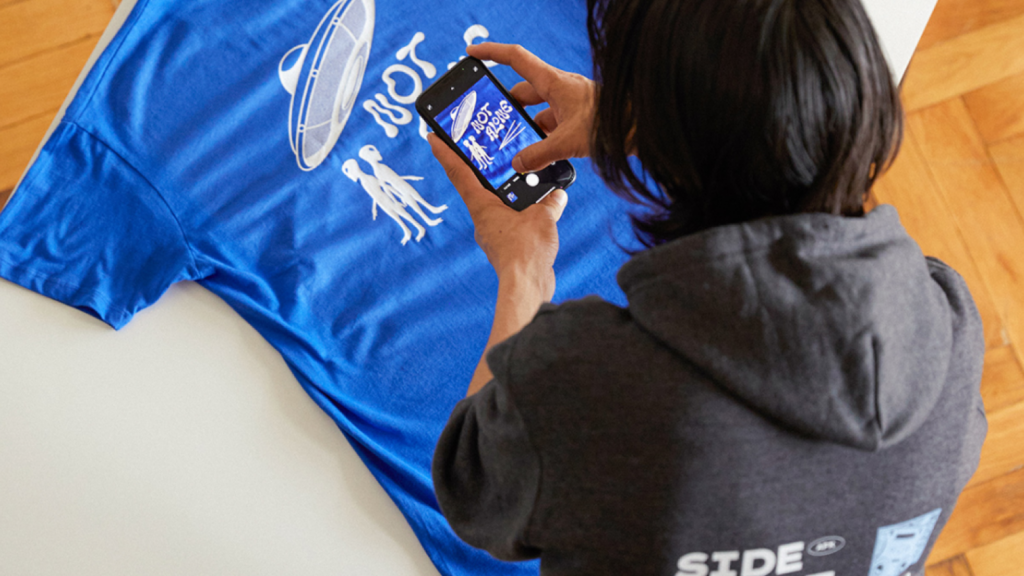
Now that you’ve built your Shopify store, integrated it with Printify and other dropshipping suppliers, and listed your products, it’s time to launch it and start promoting.
Apply these marketing strategies to attract customers and drive sales for your Shopify store.
Social media marketing
Create social media content and advertise your Shopify business on multiple platforms like Facebook, Instagram, and TikTok.
Here are a few approaches to consider:
Email marketing
Shopify email marketing is a great way to stay top of mind, re-engage past visitors, and turn abandoned carts into sales.
Make sure to do the following:
Content marketing and SEO
Drive organic traffic to your product pages and enhance your brand’s visibility on search engines like Google.
Follow these strategies to maximize exposure:
Quick tip
Check out more tips and ideas for improving your Shopify SEO.
Shopify apps for marketing
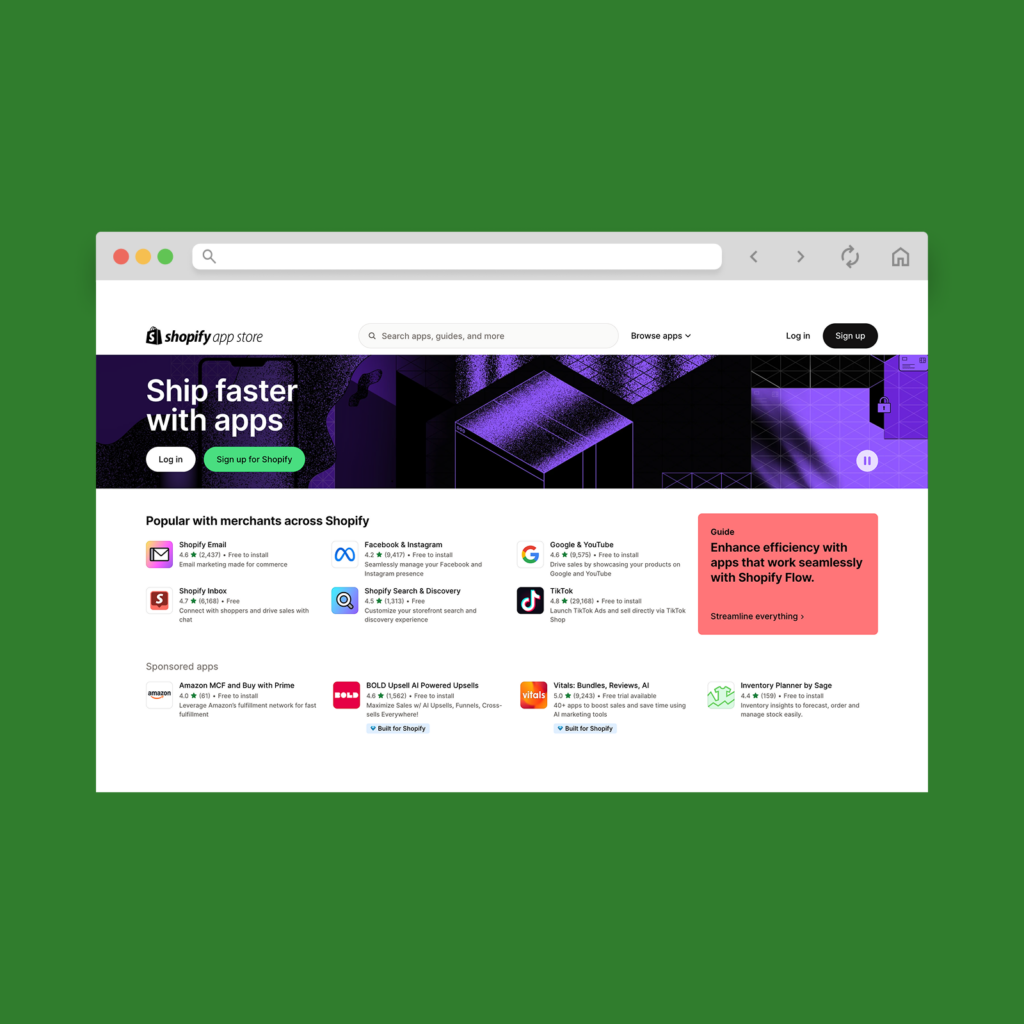
Shopify offers a vast selection of apps that’s perfect for growing your online store. Streamline your marketing efforts with these popular and free apps:
See our list of the best free Shopify apps to streamline your marketing strategies.

Opening a Shopify dropshipping store with Printify is an easy way to sell products without managing stock or shipping yourself.
With tons of print-on-demand merch in various niches and streamlined eCommerce services, leveraging Printify is the best way to stand out with beautiful custom products.
Why choose Printify among countless other Shopify dropshipping apps?
Our growing Catalog offers customizable items from apparel and accessories to home goods and consumer products.
Our beginner-friendly Product Creator lets you customize products with unique designs and generate high-quality mockups to add to your Shopify dropshipping store.
Import products into your Shopify store seamlessly and let us automatically process and fulfill incoming customer orders.
Our network of vetted Print Providers allows you to find the right solutions for your Shopify dropshipping store with some of the lowest product and shipping costs.
Facing issues while setting up your Shopify dropshipping business? We have a dedicated support team and Help Center to answer all of your questions and concerns.
Yes. Dropshipping with Shopify is a low-risk way to sell products. It’s one of the most popular eCommerce platforms and offers integrations with various dropshipping apps.
If you want to partner with a dropshipping supplier for free, choose Printify. Start dropshipping on Shopify with custom print-on-demand products and stand out against other sellers.
While it’s possible to achieve high revenue, success depends on factors like your niche, marketing strategy, and product selection.
As a seller, you should focus on finding winning products, optimizing your profit margins, and using effective marketing strategies like social media ads and influencer partnerships.
Yes, you can start with a small budget. Choose Shopify’s Starter plan for $5 per month and sign up for Printify for free. This combo is the best for dropshipping, helping you create and list products quickly and seamlessly.
We also recommend allocating some funds for marketing and product samples to attract customers and maintain quality.
$500 is a solid starting budget for dropshipping. Use it for your Shopify subscription, domain name, and initial marketing efforts.
With the Printify dropshipping app, you can avoid upfront inventory costs and:
Plus, Printify’s integration means you don’t have to worry about minimum order quantities, so you can test different product samples anytime.
Now that you know how to set up a dropship store on Shopify, it’s time to get started.
Printify makes dropshipping on Shopify a breeze with a massive product selection, easy integrations to multiple sales channels, and zero upfront costs. No inventory, no stress – just endless opportunities to profit.
Want to explore other ways to sell? Check out our top Shopify alternatives for more options.
The post Shopify dropshipping: A comprehensive 9-step guide for 2025 appeared first on Printify.





